.jpeg)
Facebook Video Upload Made Simple in 2026
Master Facebook video upload in 2026 with this step-by-step guide covering formats, resolutions, privacy, captions, and troubleshooting tips.
5 min read
October 7, 2026

Master video marketing best practices for 2026. This guide covers strategy, repurposing, SEO, and platform optimization to boost your reach and save time.
Written by:


Cisco projected that video would make up 82% of consumer internet traffic. That scale changes the job. Video marketing is no longer about making a few good assets. It is about building a repeatable system that turns one recording into sustained reach, search visibility, audience trust, and pipeline.
I see the same costly pattern across B2B teams, creators, and lean in-house marketing departments. They spend days producing a webinar, interview, demo, or tutorial, publish it once, then start over from zero the next week. The result is predictable. Burnout goes up, output feels harder every month, and strong ideas underperform because they never get distributed in the formats each platform rewards.
The fix is a connected workflow. One long-form video should feed your YouTube strategy, short-form clips, SEO, posting cadence, testing process, captions, CTAs, and community follow-up. These ten practices work as one operating system, not ten separate tasks. Each part makes the next part easier and improves the return on the original production effort.
That is why smart teams now automate parts of content creation and repurposing. The goal is not to produce more for the sake of volume. The goal is to get more value from every strong idea while keeping the process sustainable. If you want a broader framework for data-driven video strategies, start there. Then use the system below to turn strategy into a workflow your team can effectively maintain.
Teams that publish a long-form video once are burning hours they already paid for. The recording should be the raw material for a distribution system that keeps working across YouTube, LinkedIn, Instagram, email, blog content, and sales follow-up.
This is the difference between content production and content operations.
One webinar can supply an evergreen YouTube version, several native social cuts, a recap for LinkedIn, a blog summary, clips for email, and short sales enablement assets. A podcast interview can produce quote posts, objection-handling clips, and topical segments matched to different audience intents. A real estate walkthrough can turn into neighborhood clips, amenity highlights, and mobile-first promos for specific listings.
Start with the anchor asset, then adapt outward. YouTube usually holds the full searchable version. LinkedIn often rewards a sharper business hook and faster payoff. Instagram and Reels need tighter pacing, cleaner framing, and stronger visual movement. If your team wants a practical workflow for adapting vertical clips, this guide on how to create YouTube Shorts from longer videos is a useful reference, and this Reels guide for social creators helps when the edit needs to fit Instagram behavior instead of YouTube behavior.
A workable monthly process looks like this:
The trade-off is speed versus fit. Cross-posting the same file everywhere is faster, but performance usually drops because each platform rewards different viewing behavior. Customizing every edit from scratch improves fit, but it can eat your team alive. The practical middle ground is a hub-and-spoke workflow. Keep one strong master version, then make light, deliberate edits for each channel.
For teams trying to reduce manual editing and packaging time, tools built to automate content creation can support that workflow without changing the strategy.
Use one idea many times. Do not force your team to invent from zero every week.
Repurposing also improves message retention. Prospects rarely convert because they saw one video once. They convert after seeing the same core idea repeated in different formats, at different lengths, in the channels they already use. That is how a single recording turns into sustained reach and better ROI instead of one spike and a scramble to make the next thing.

Short-form video is absorbing a growing share of digital video ad spend. Platforms have followed the money, and audience behavior has followed the platforms. If your system cannot produce strong short clips from your core recordings, you end up working harder for less reach.
That is the core role of short-form in a modern video strategy. It is not a side format. It is the distribution layer that keeps one long-form video working across feeds, search surfaces, and repeat exposures without forcing your team to record from scratch every day.
The mistake is treating short-form as leftover content. Many creators post fragments that lack context, tension, and payoff. A clip that worked inside a 40-minute interview often falls flat on TikTok, Reels, or Shorts because the viewer missed the setup and has no reason to stay for the end.
Each short clip needs one clear job:
That discipline matters because short-form is where burnout starts for a lot of teams. They publish every day, but each post is built from scratch, measured in isolation, and forgotten 24 hours later. A better system pulls multiple short clips from one long-form asset, assigns each clip a purpose, and tracks which angles bring viewers back into the larger content engine.
A real estate creator might turn one listing video into a fast price-positioning take, a renovation detail clip, and a neighborhood insight. A B2B founder might cut a webinar into one objection-handling clip, one contrarian opinion, and one proof point. Different clips. Same source video. Better return on the recording time you already paid for.
If you need a repeatable editing process for vertical cuts, this guide on how to create YouTube Shorts is useful for tightening pacing and formatting. Packaging also matters once the clip leaves the platform, especially if you publish video on your site or share landing pages. Teams that master Open Graph and Twitter Cards improve how those clips appear when links get passed around.
Keep the production standard simple. Use captions, tighter jump cuts, a visual frame that reads on a phone screen, and a first sentence that makes sense without prior context. Short-form works when it feels complete, fast, and worth a second clip.
Video is now a standard business tool, which raises the stakes on search. Wyzowl reports that 91% of businesses used video as a marketing tool in 2024. If your video is not packaged for YouTube and Google search, it has a short shelf life and a weaker return on the time you spent recording it.
The system approach yields significant returns. One strong long-form video should not only feed clips for social. It should also target a search term, earn traffic over time, support a site page, and give you reusable language for titles, descriptions, chapters, and transcripts. That is how one recording session keeps producing results after the launch window closes.
Search starts before you hit record.
A topic framed around intent beats a vague idea every time. “How to prepare a house for sale in winter” gives you a clear title, a stronger description, and cleaner chapter labels. “Winter listing thoughts” does not. The same pattern holds in B2B. “How to choose accounting software for a small law firm” has obvious demand and a specific audience. “My software stack” mostly serves people who already know you.
Once the topic is right, package the asset for discovery:
The trade-off is simple. Search-based video takes more planning up front, but it reduces waste later. You spend a little longer on topic framing and metadata so the video can keep attracting the right viewer instead of disappearing after the first round of distribution.
This works especially well for tutorials, product demos, explainers, local service content, and objection-handling videos. A roofing company can build videos around storm damage inspections, insurance preparation, and seasonal maintenance in its service area. An educator can own a narrow subject by publishing a connected set of answers instead of broad, forgettable videos. Search rewards specificity. It also rewards teams that treat video SEO as part of production, not an afterthought.
Teams that publish on a repeatable schedule waste less production time and get more value from every long-form recording. That matters because burnout usually starts in the gaps between uploads. One missed week turns into a rushed shoot, a late edit, and a channel full of disconnected assets.
A calendar solves that operational problem. It gives the long-form video a job before production starts, then maps the clips, follow-up posts, emails, and platform versions around it. That is the system. One anchor video feeds the week. The week feeds every channel.
The schedule has to survive real workloads.
I have seen teams fail with a calendar that looked ambitious on paper but ignored editing hours, approvals, and basic human energy. A better approach is to set a publishing cadence around normal capacity, not your best week of the quarter. If the team can reliably produce one strong long-form video, build the calendar around that and repurpose from there.
Use a rhythm like this:
Consistency then becomes a money decision, not a motivation issue. If every upload requires a fresh idea, a fresh shoot, and a fresh scramble, the team burns out fast. If one recording powers YouTube, Shorts, LinkedIn, email, and sales follow-up, the calendar gets lighter and ROI gets easier to defend.
A simple calendar also improves creative quality because people can prepare. Hosts show up with better talking points. Editors know what formats are needed. Designers can build assets in advance and check how thumbnails will appear before publishing instead of fixing avoidable mistakes after the video is live.
Examples help. A real estate team can anchor the week with one market update, then cut neighborhood clips, listing commentary, and buyer FAQs from the same recording. A faith-based organization can publish the sermon first, then distribute key moments, event reminders, and teaching clips on a steady weekly cadence. Different industries use different topics, but the operating system stays the same.
Consistency wins because it compounds familiarity and reduces wasted effort. Build the calendar around recovery time, edit capacity, and repurposing paths. The best posting schedule is the one your team can keep running in a busy month, not the one that looks impressive for two weeks.

YouTube reports that 70% of what people watch on the platform comes from recommendations, not direct search or homepage intent (YouTube recommendation system overview). If your thumbnail and opening fail, the rest of the production process does not matter much. The platform will test your video, viewers will skip it, and the repurposing system loses force before it starts.
This section matters because packaging decides whether the long-form asset you worked hard to produce can power everything that comes after it. A weak thumbnail hurts the main upload. A slow hook hurts retention. Poor retention gives you fewer strong moments to clip into Shorts, reels, LinkedIn edits, and email assets. One bad choice at the top of the funnel creates extra work across the whole system.
Review performance every week. Check click-through rate, first-30-second retention, average view duration, and the exact timestamps where viewers leave. Analysts at YouTube explain that satisfaction and viewer behavior both shape recommendation decisions, so surface-level views are not enough if people drop early or ignore the next video (YouTube search and discovery documentation).
Use a simple packaging standard before you publish:
I see teams waste months here. They publish a strong 20-minute video, cut ten short clips from it, then wonder why none of the downstream assets perform. The problem often started with the main upload package. If the core video never earns enough clicks and watch time, you get less audience feedback, fewer reliable retention signals, and weaker evidence about which clips deserve distribution.
A smart audit also includes live examples. This breakdown is a useful watch for thinking about packaging and viewer behavior:
Treat optimization like production, not guesswork. Keep a log of thumbnail versions, hook formats, and retention changes. After a few publishing cycles, patterns show up. You will see which promises earn clicks, which openings hold attention, and which long-form videos create the best source material for the rest of your distribution engine.
Most audiences can spot borrowed creator voice immediately. You hear it when a consultant starts talking like a lifestyle influencer, or when a local business posts polished videos that sound nothing like the people customers meet in real life.
Trust comes from coherence. The tone in your videos should match the experience of working with you. Real estate agents who give honest property critiques build more credibility than agents who claim every listing is “stunning.” Educators who admit where students usually struggle sound more believable than educators who pretend every concept is easy. Service providers who show real process, not just polished outcomes, usually connect faster.
You don't need to become more charismatic. You need to become more recognizable.
A few ways to do that well:
Brand voice and burnout connect. When you force a style that isn't yours, content takes longer to script, record, and edit. When your voice is clear, production speeds up because you're not acting. You're explaining, teaching, challenging, or guiding from a position you hold.
The fastest way to sound authentic is to stop trying to sound like creators who built a different audience in a different niche.
Authenticity isn't casualness for its own sake. It's alignment between message, delivery, and lived expertise. Audiences don't need perfection. They need a reason to believe you mean what you say.
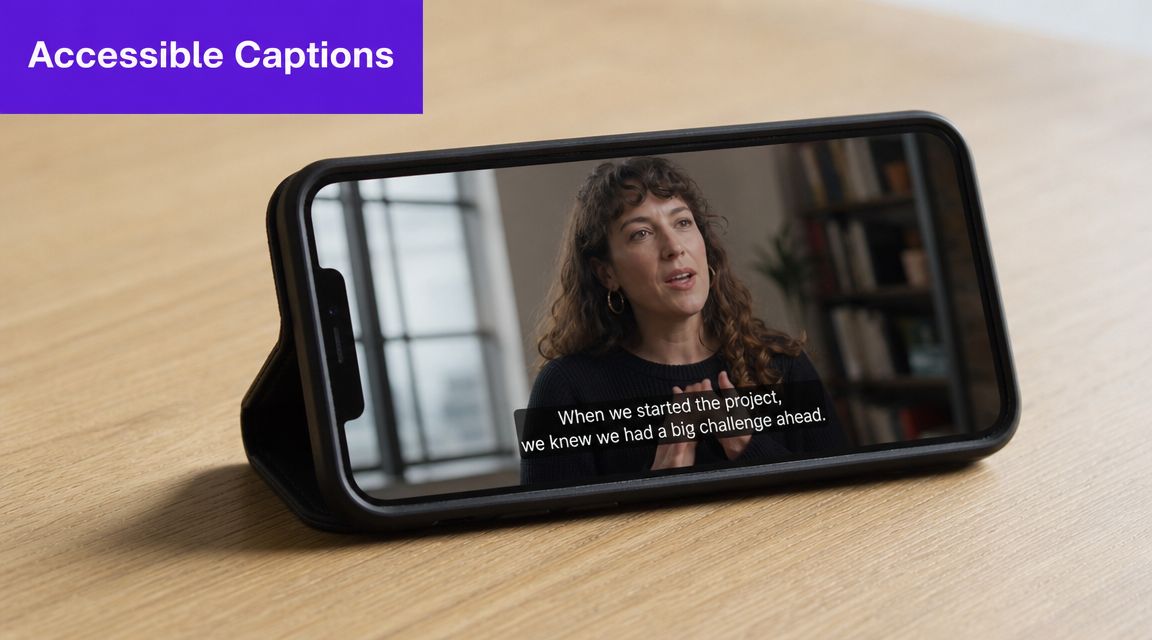
Captions are not a finishing touch. They are part of the product. People watch in offices, waiting rooms, airports, and quiet homes where sound isn't practical. Others rely on captions for access. If your video breaks without audio, you've made it harder to consume and harder to share.
Captions also improve clarity for everyone. Technical terms become easier to follow. Speaker changes are easier to track. Dense educational content becomes less tiring when viewers can hear and read at the same time.
Auto-generated captions are a starting point, not the final version. That matters even more in fields with names, jargon, citations, or local place references.
Use a simple standard:
For a podcast clip, captions carry the argument when the viewer scrolls with sound off. For a sermon, they support both accessibility and comprehension. For a product demo, they make instructions usable in a workplace setting where nobody can blast audio.
Closed captions are one of the easiest video marketing best practices to ignore because they sit at the end of the workflow. That's exactly why disciplined teams build them in from the start. If the viewer can't easily consume the content, the rest of your strategy doesn't matter much.
Teams that chase broad appeal usually end up with a bloated content calendar, weak watch time, and clips that feel interchangeable. Precision fixes that. The more clearly you define the viewer, the easier it becomes to choose topics, frame hooks, cut shorts, write titles, and turn one strong long-form video into assets that perform across platforms.
This section matters because audience research is not a branding exercise. It is production control.
A real estate creator who speaks to first-time condo buyers in one city has a clearer system than a channel posting generic home buying advice. The same goes for a consultant serving dental practice owners instead of "small businesses." Narrow targeting reduces wasted effort. It also improves conversion quality, because the viewer sees their exact situation in the content.
Age range and job title are weak inputs on their own. Buying stage, urgency, objections, and language patterns are better. The goal is to find the repeatable problems that can power an entire repurposing workflow.
Use inputs you already have:
If a long-form video answers one high-friction question well, that single piece can produce shorts for awareness, quote clips for social, a search-focused title for YouTube, and a stronger CTA later in the funnel. That is the system. Research sharpens the whole chain.
As noted earlier, video often helps increase website traffic. But traffic by itself is not the win. Qualified attention is. A smaller audience with a specific pain point will usually outperform a larger audience that only half-recognizes itself in your message.
Niche targeting also protects teams from burnout. Without clear audience boundaries, every idea sounds possible, so production expands and results get harder to interpret. With a defined segment, you can say no faster. You know which stories, examples, and offers fit. You know which clips are worth repurposing and which ones will only add noise.
A practical rule works well here. If the topic would attract viewers you do not want to sell to, revise it before you hit record.
That discipline creates a content library with compounding value. Each new video strengthens the last one because the audience, pain points, and use cases line up. Over time, your long-form content stops acting like isolated posts and starts working like an organized demand engine.
Video marketers lose conversions in the last 10 seconds all the time. The problem usually is not reach. It is friction between the promise of the video and the ask at the end.
A CTA works when it continues the viewer's momentum. If the video solved part of the problem, the next step should solve the next part. A freelancer tax video should lead to a checklist. A neighborhood tour should lead to a buyer guide. A webinar clip should lead to the full training or a consultation request.
The mistake I see often is stacking asks that belong to different stages of the funnel. “Subscribe, comment, book a call, and buy now” forces viewers to choose without a clear reason. Conversion improves when each video has one primary action tied to the viewer's current intent.
As noted earlier, teaching content usually does more conversion work than broad awareness content. That is why the repurposing system matters. A short clip can earn attention on social. The long-form video builds trust. Then a focused CTA moves qualified viewers to the next step with less wasted traffic and less production waste.
Use CTAs with precision:
Placement matters as much as wording. Early CTAs can work for low-commitment actions, but higher-intent offers usually perform better after proof. Viewers need enough context to trust the ask. That is especially true in B2B, local services, education, and any offer with a longer buying cycle.
A practical workflow helps. Build the long-form video first. Identify the strongest problem-solution moment. Write the primary CTA around that moment, then adapt lighter versions for the short clips that feed traffic into it. This keeps the full system aligned instead of treating each platform as a separate campaign.
A local service business might use short clips to drive profile visits, then use a detailed FAQ video to generate estimate requests. A podcaster can use a strong excerpt to pull listeners into the full episode, then use the full episode to drive newsletter signups or paid community applications.
Good CTAs carry intent forward. They do not interrupt it.
Views disappear fast. Return viewers, commenters, and advocates keep distribution stable when platform reach swings. That stability matters because community turns one video into an ongoing feedback loop, not a one-time post.
The strongest video marketing systems do not stop at publishing. They create a cycle. Long-form videos generate ideas, questions, objections, and stories from the audience. Those responses shape the next full video, the next batch of short clips, and the next offer. That is how one asset starts compounding instead of forcing the team to invent from scratch every week.
Small audiences often outperform larger passive ones. A creator who answers comments with specifics usually builds more trust than a bigger channel that drops links and leaves. I have seen this play out across podcasts, education brands, local businesses, and member communities. The pattern is consistent. People stay when they feel seen.
As noted earlier, newer video formats exist, but format novelty is rarely the bottleneck. Better follow-through usually matters more. If your team already has long-form content, the highest-return move is often to use audience interaction to improve the next round of distribution.
A practical engagement system looks like this:
This also helps prevent burnout.
Audience feedback reduces guesswork, shortens planning time, and shows which topics deserve deeper treatment. If ten viewers ask the same question, that is not extra work. It is your next script, your next clip series, and often your next conversion path. Teams that treat engagement as a production input waste less effort and get more mileage from every recording session.
Community is not a side benefit. It is what makes the rest of the system stronger.
| Strategy | Implementation Complexity 🔄 | Resources & Speed ⚡ | Expected Outcomes 📊 | Ideal Use Cases | Key Advantage ⭐ / Tip 💡 |
|---|---|---|---|---|---|
| Content Repurposing and Multi-Platform Distribution | Medium, requires platform knowledge and workflow setup | Moderate initial tooling/skill; high ongoing efficiency via automation | Greater content output, broader reach, SEO benefit from multiple assets | Creators with long-form source material who want multi-channel presence | ⭐ Maximizes ROI per asset; 💡 Identify key moments before repurposing |
| Strategic Use of Short-Form Video Content | Low–Medium, strong editing and hook skills required | Low production cost; very fast turnaround (mobile-friendly) | High completion rates, viral potential, rapid audience growth | Trend-driven platforms (TikTok, Reels, Shorts) and promotional hooks | ⭐ Algorithmic amplification; 💡 Hook viewers in first 2–3 seconds |
| SEO Optimization for Video Content | Medium–High, needs keyword research and structured markup | Moderate ongoing effort; slower to show results but durable | Sustainable organic traffic, improved discoverability on YouTube/Google | Educational, evergreen, and discovery-focused channels | ⭐ Predictable long-term visibility; 💡 Use transcripts and schema |
| Consistent Posting Schedule & Content Calendar | Medium, planning discipline and coordination required | Moderate tooling (calendars/schedulers); saves time via batching | Improved algorithm favorability, audience habit formation, reduced burnout | Channels aiming steady retention and predictable growth | ⭐ Builds audience expectations; 💡 Batch content 4–6 weeks ahead |
| Data-Driven Optimization: Thumbnails, Hooks & Analytics | High, requires A/B testing, analytics interpretation, volume | Resource-intensive testing; moderate speed gains once patterns found | Higher CTR and retention, compounding reach improvements | Channels with enough volume to test thumbnails/hooks reliably | ⭐ Removes guesswork for growth; 💡 Test one variable at a time |
| Authentic Brand Voice & Audience Connection | Medium, requires consistent, genuine practice | Low technical resources; slower initial growth but high lifetime value | Loyal community, resilient growth, stronger partnerships | Personal brands, trust-based niches, long-term creators | ⭐ Builds trust and loyalty; 💡 Share origin story and be transparent |
| Closed Captions & Accessibility Optimization | Low–Medium, transcription and editing required for quality | Moderate cost for professional captions; quick accessibility/SEO wins | Longer watch time, broader reach, compliance and inclusivity | Educational content, multilingual audiences, sound-off viewers | ⭐ Accessibility + SEO lift; 💡 Edit auto-captions for accuracy |
| Audience Research & Niche Targeting | Medium, ongoing analysis and persona development | Moderate tooling and research time; insights speed growth efficiency | Higher relevance, qualified audience, better conversion rates | Niche creators, B2B, targeted marketing campaigns | ⭐ More efficient growth with higher engagement; 💡 Create detailed personas |
| Strategic Use of CTAs & Conversion Optimization | Low–Medium, strategic placement and testing needed | Low resource overhead; immediate conversion potential when used well | Increased subscribers, leads, measurable conversions | Channels focused on funnels, lead-gen, product launches | ⭐ Converts viewers into action; 💡 Earn the right to ask (provide value first) |
| Community Building & Audience Engagement | High, time-intensive moderation and active engagement | High time investment; slower scale but durable returns | Loyal advocates, sustained engagement, direct feedback loop | Creators prioritizing retention, product feedback, advocacy | ⭐ Creates a defensible moat of loyalty; 💡 Host regular live Q&As and feature members |
Teams that treat every upload as a brand-new production burn out fast. The teams that stay consistent build a system where one recording drives distribution, search, conversion, and audience growth across the week.
Execution breaks down at the workflow level. A team records a strong long-form video, then loses momentum in editing, clipping, packaging, posting, captioning, and follow-up. The result is familiar: too much production effort, weak distribution, inconsistent publishing, and very little return for the time spent.
Content repurposing fixes that because it connects the rest of the system. One solid long-form asset can supply YouTube, short-form channels, email support, search visibility, and community touchpoints. That structure cuts wasted effort and raises output without forcing the team to record more. It also creates compounding returns. A single topic can produce a searchable full episode, several platform-specific clips, captioned versions for sound-off viewing, and conversion-focused edits tied to different offers.
That shift changes how the work gets planned. Stop asking, “What video do we need next?” Ask, “How much value can we get from this recording?” The answer should include discovery, retention, conversion, and reuse. If it does not, the problem is rarely effort. The problem is packaging.
Efficiency is now part of execution, not just a convenience. As noted earlier, AI adoption in video workflows is rising because teams need help with the repetitive work that slows publishing down. Manual handling for every cut, caption, title, thumbnail variation, and scheduling task creates a bottleneck that small teams usually cannot sustain for long.
Taja AI fits this kind of operation because it focuses on turning long-form video into publishable assets. That is the exact point where many creators and lean marketing teams lose hours each week. The tool does not replace judgment. Strategy still depends on topic selection, audience clarity, positioning, and taste. It removes mechanical production steps so the team can spend more time improving the message and less time dragging assets through the pipeline.
Start with a format you can keep producing. Build one repeatable post-production workflow around it. Turn each recording into clips for the platforms most relevant to your audience. Add captions, tighten the hook, package each asset for its channel, publish on schedule, and review performance before the next round.
That is how best practices turn into daily practice. One strong video should do far more than fill one slot on one platform.
If you're tired of recording one long-form video and then losing hours turning it into clips, captions, posts, and publish-ready assets, Taja AI is built for that workflow. It helps creators and businesses repurpose long-form video into shorts, text assets, thumbnails, and scheduled posts from one upload so you can spend less time on production overhead and more time on strategy, audience connection, and consistent publishing.


We are blessed to work with leading brands & Companies


We try to make easy and simple for every professionals. Get 30 days free trial - No credit card required.


© 2025 Taja AI. All rights reserved.