.jpeg)

How to Get Views on YouTube Short in 2026
Learn how to get views on YouTube short with hooks, 9:16 cuts, titles, and a simple analytics check that shows what to fix.
5 min read
November 1, 2026

Learn to automate content creation with our video-first playbook. Turn one video into weeks of shorts, blogs, and posts, saving hours and boosting reach.
Written by:


You record a strong podcast episode, webinar, client Q&A, or market update. It takes hours to prep, shoot, and publish. Then it gets one post, maybe two, and disappears into your backlog while you're already worrying about next week's content.
That's the cycle most solopreneurs get trapped in. Not because they're lazy. Not because they lack ideas. Because they're using a one-and-done workflow for an environment that rewards repetition, distribution, and format variety.
It is simple. If video is your hardest content to make, it should also become your most productive asset. When you automate content creation the right way, one long-form video stops being a single upload and starts becoming a content system. It can feed shorts, captions, blog drafts, quote graphics, thumbnails, email snippets, and a multi-platform calendar without forcing you to become a full-time editor.
Busy creators usually don't have a motivation problem. They have a workflow problem.
A lot of content burnout comes from treating every platform like a separate job. You make the YouTube video. Then you write the LinkedIn post from scratch. Then you cut clips manually for TikTok. Then you try to remember what to post on Instagram. By the time you finish, you've spent more energy distributing the idea than developing it.
A video-first system fixes that. You create one strong pillar asset, then use automation to break it into platform-ready pieces. That doesn't make the work lazy. It makes the work compound.
According to AI content creation market growth and adoption trends, the industry is projected to grow at a 22.8% CAGR from 2023 to 2030, and by 2027 AI is projected to automate 75% of repetitive content tasks. The same analysis notes successful implementations can produce 50-80% time savings per content piece and 25-40% increases in production volume.
That matters because repetitive content tasks are exactly where solopreneurs get stuck. Not in the original insight. In the formatting, clipping, rewriting, resizing, posting, and republishing.
Practical rule: Your long-form video should do more than earn views on one platform. It should generate the next few weeks of content.
Automation works best when you stop asking, "How can I make more content?" and start asking, "How can this one recording create more outcomes?"
The old model was publish once and move on. The newer model is publish once, repurpose intelligently, distribute everywhere that fits, and keep improving the workflow based on what performs. That's a much better match for a business owner who still has clients to serve, emails to answer, and offers to sell.
If you're trying to automate content creation in a way that reduces stress, start with video. It's the richest source material you already have.
Most automation problems start before the AI ever touches your file.
If the source video rambles, jumps topics, or buries the best insight halfway through a tangent, your outputs will feel scattered too. AI can speed up production, but it can't rescue weak structure. A strong repurposing workflow begins with a pillar video designed to be sliced cleanly.
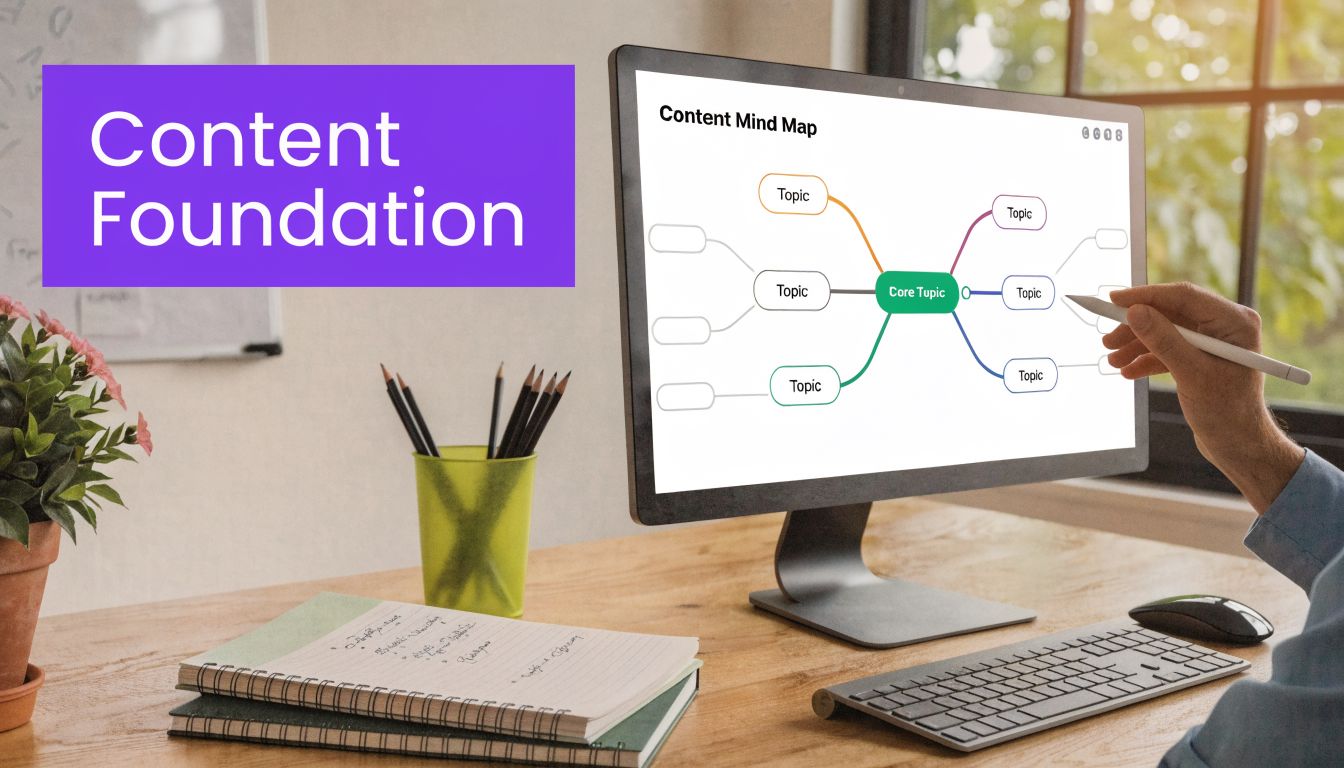
Think in modules, not monologues.
If you're recording a 20 to 40 minute video, break it into distinct sections with clear transitions. Each section should answer one question, explain one mistake, or teach one tactic. That gives your editing tool or repurposing platform obvious moments to clip.
A clean structure often looks like this:
The best pillar content isn't always the newest trend. It's often the topic your audience keeps asking about.
Evergreen content gives you more repurposing opportunities because it stays useful. A real estate agent might record videos on buyer objections, listing prep, or neighborhood comparisons. A coach might cover onboarding mistakes, sales call structure, or client retention. A podcaster might turn interviews into clips around one recurring theme instead of pushing random highlight moments.
If a topic won't matter next month, it probably won't justify a full repurposing workflow today.
This is also where planning resources help. If you want examples of how teams adapt one core idea into multiple formats, these B2B content repurposing strategies are useful because they force you to think beyond clips and into distribution angles.
A few production habits make repurposing easier:
If you're building this process out, a practical companion is this guide to an AI social media content generator, especially for thinking through how one source asset can feed a publishing rhythm.
A good pillar video isn't just informative. It's deconstructable. That's what makes automation useful instead of messy.
The biggest complaint about AI content isn't speed. It's sameness.
Generic inputs produce generic outputs. If you tell a tool to "write a post about productivity," it'll sound like everyone else using the same prompt. If you want to automate content creation without losing credibility, you need to give the system constraints, examples, and context.
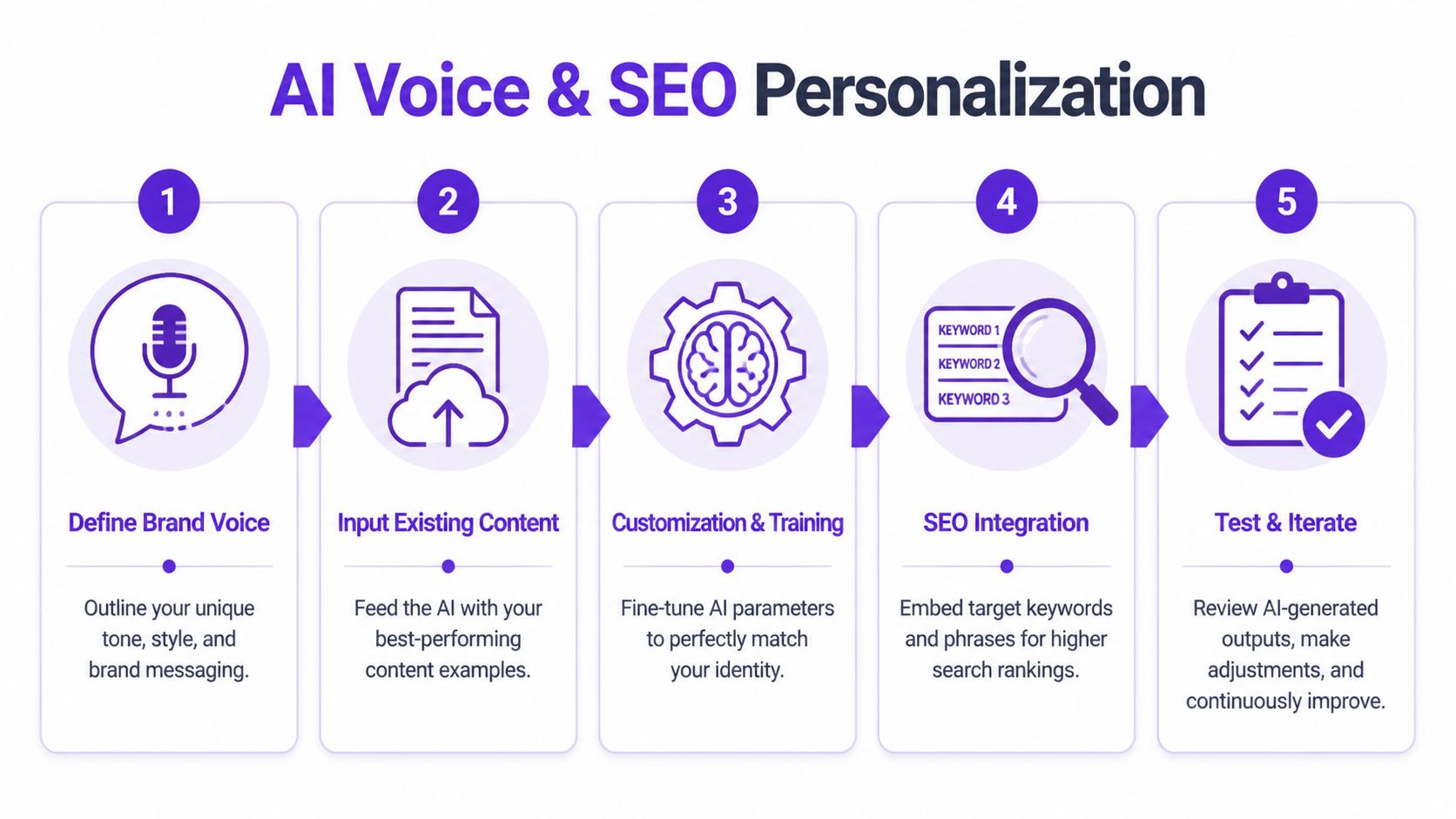
Don't overcomplicate this. Your AI doesn't need a brand manifesto. It needs operating instructions.
Create a short voice reference that includes:
This matters more than people think. A 2025 HubSpot AI Report discussed in this Leadpages article on automated content creation says 68% of small businesses using AI report voice inconsistency as a top issue, and only 22% achieve 80%+ brand alignment after automation.
Most creators try to train the AI with instructions alone. That's not enough.
Give it examples of posts, transcripts, emails, and video captions that already sound right. The best training set usually includes your strongest evergreen material, not your most recent content. You're looking for pieces where your expertise and tone are both clear.
A simple setup table helps:
| Input type | What to include | Why it matters |
|---|---|---|
| Transcripts | Strong long-form videos or interviews | Helps the system learn your speaking patterns |
| Published posts | High-performing LinkedIn or Instagram captions | Shows how you package ideas for public consumption |
| Brand notes | Mission, audience, positioning, prohibited phrases | Prevents drift into generic language |
| SEO targets | Primary keywords, related terms, user intent notes | Improves discoverability across formats |
A lot of people write the content first, then try to optimize it later. That's backward.
If you know the keyword theme before generation, the AI can shape titles, hooks, descriptions, and supporting copy around it from the start. That creates better alignment between the original topic and the repurposed assets.
For example, if the pillar video targets "automate content creation," your short-form titles, blog draft headings, YouTube description, and LinkedIn angles should all support that theme in different ways. The point isn't keyword stuffing. It's consistency of intent.
If you want a useful reference for this side of the workflow, this overview of an SEO content optimization tool is a practical place to think through how search intent should shape repurposed outputs.
Reality check: AI doesn't discover your voice by magic. It mirrors the clarity of the inputs you provide.
Don't upload 50 videos and hope the system "learns over time."
Run a controlled test first. Use one pillar video, generate a batch of posts, review where the tone slips, then tighten the instructions. Usually the problems are predictable. The hook feels too broad. The captions sound too polished. The CTA doesn't match the platform. The SEO language feels bolted on.
Fix those patterns early and your entire workflow gets cleaner. The setup work is where good automation earns its keep.
Once your source video is structured and your AI has the right guidance, generation becomes practical. This is the point where one upload can produce a working content batch instead of a pile of rough drafts.
That batch usually includes short clips, subtitles, captions, thumbnail ideas, blog drafts, quote posts, and channel-specific copy. A platform such as Taja AI can turn a long-form video into shorts, captions, thumbnails, blogs, and platform-specific posts from one upload. That's useful because it keeps the source material, voice inputs, and distribution workflow in one place instead of scattered across separate tools.
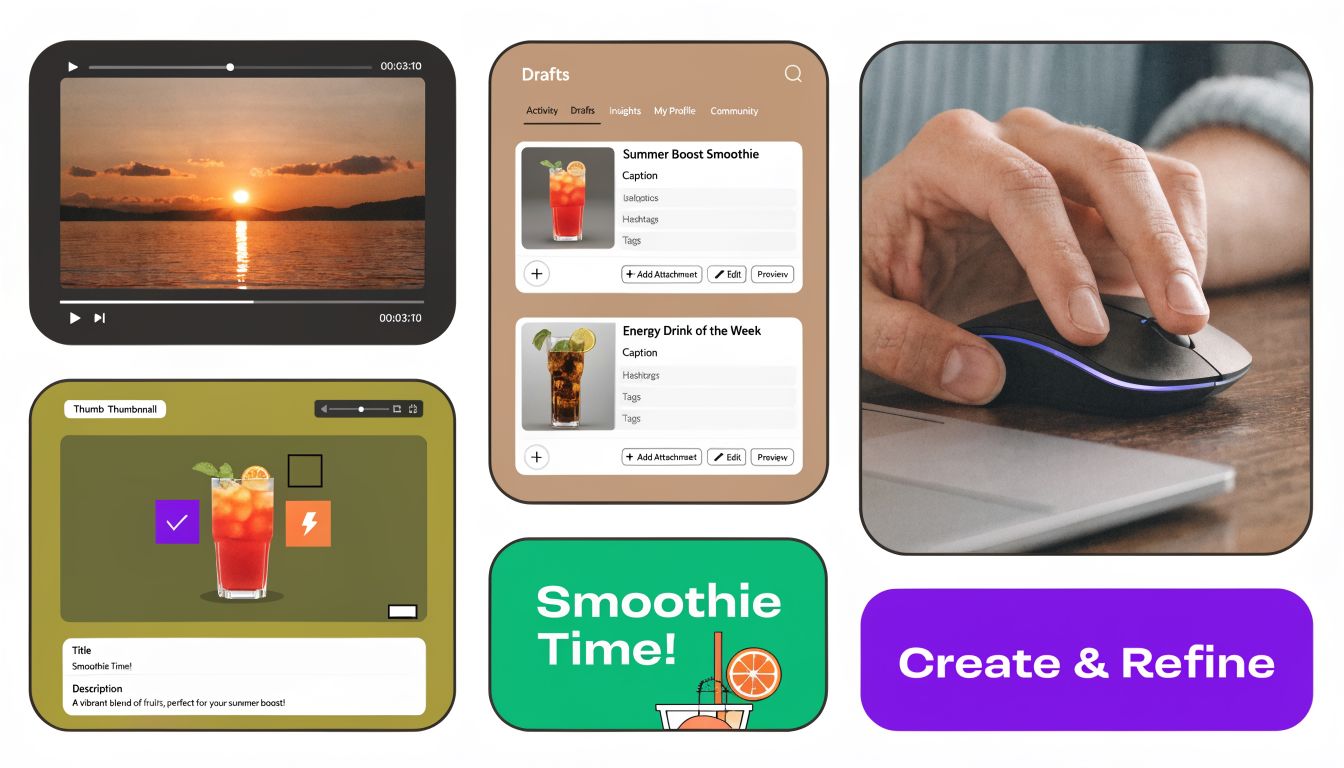
AI is well suited for the repetitive middle of the workflow.
It can scan transcripts for clip-worthy moments, draft multiple caption variations, suggest title hooks, generate first-pass blog copy, and create visual starting points. Those are exactly the tasks that usually eat up your evening after the recording is already done.
What works well in practice is assigning the machine the first pass on tasks like these:
Many creators encounter issues. They assume "generated" means "ready."
Research summarized in this practical guide on automated content creation notes that over-trust in highly reliable AI systems can lead to a 12% increase in commission errors, meaning people accept incorrect recommendations too easily. In content workflows, that looks like publishing a clip with the wrong framing, a caption that misses the audience context, or a blog draft that sounds technically fine but emotionally flat.
Your job is the final editorial pass.
Automated content should feel prepped, not finished.
Use a short review checklist before anything goes live:
If your audience depends on trust and reflection, not just reach, this matters even more. For a good example of where tone and sensitivity matter in AI-assisted writing, this piece on AI assistance for faith journaling is worth reading. Different niche audiences react differently to automation, and your review process has to respect that.
A useful repurposing suite doesn't just create more stuff. It creates different jobs for the same insight.
One strong pillar video can become:
| Asset | Job it does |
|---|---|
| Short clip | Earns attention from cold audiences |
| LinkedIn post | Frames the idea for professional readers |
| Blog draft | Captures search traffic and supports depth |
| Email snippet | Brings the insight back to your list |
| Thumbnail set | Improves click appeal for video distribution |
A live example helps when you're mapping this process into an actual dashboard and editor:
Best automated workflows aren't fully hands-off. They're selectively hands-off. You automate the repetitive assembly and keep human judgment where it matters most.
Publishing is where a lot of good content dies.
Not because the content is weak. Because the creator runs out of energy after production. The clip is exported, the caption is half-finished, and the post never makes it to all the places it should go. That's why scheduling matters so much in any attempt to automate content creation.
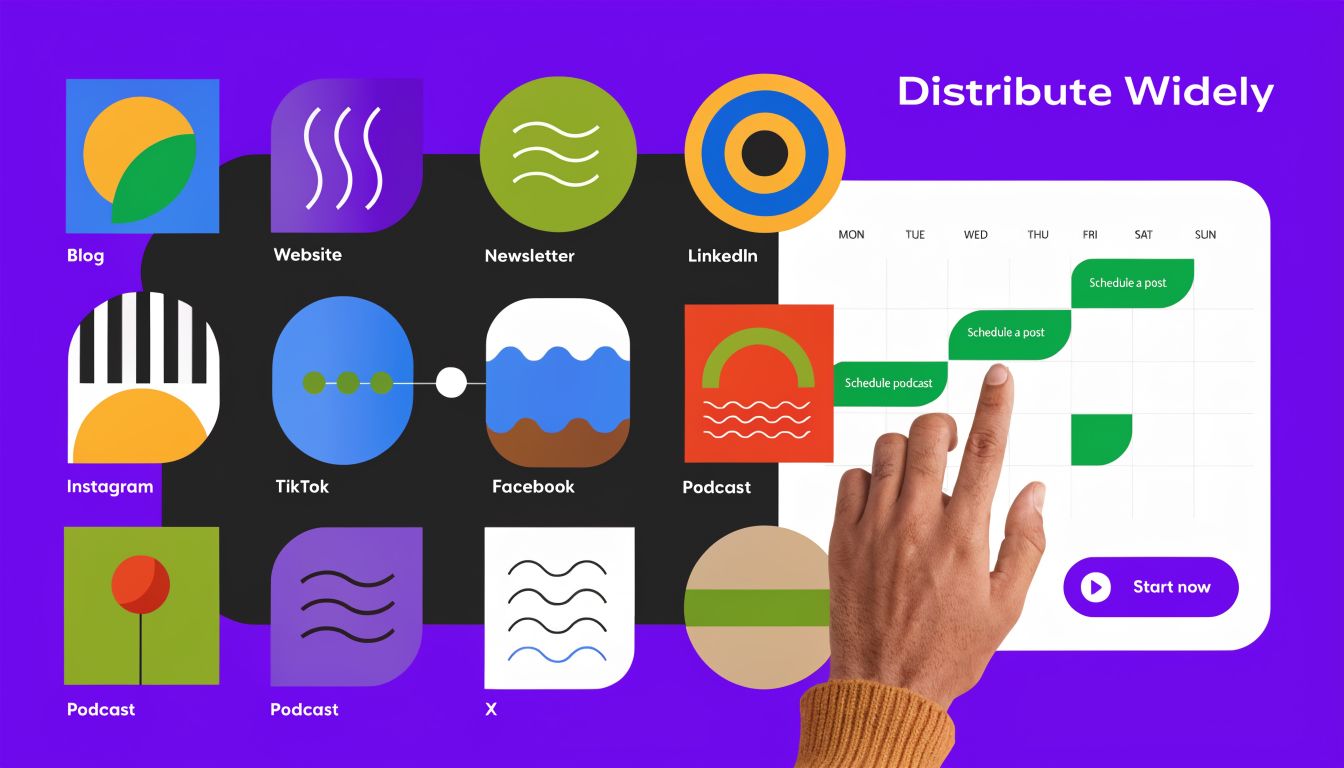
According to content marketing statistics on AI adoption, 94% of marketers are planning to use AI for content creation, and manual blog creation dropped from 65% to 5% in two years. That tells you something important. Multi-channel publishing isn't a bonus skill anymore. It's becoming standard operating behavior.
A better workflow uses a central dashboard to queue your content in batches.
Instead of opening YouTube, then LinkedIn, then Instagram, then TikTok one by one, prepare your assets once and schedule them together. This is especially helpful when your week is split between delivery work and marketing. You don't want to create every day and publish every day manually. You want one admin block that loads the calendar and gets out of your way.
A simple distribution rhythm looks like this:
Bulk scheduling doesn't mean cloning the same wording everywhere.
The same idea should sound different depending on the feed. LinkedIn usually rewards a stronger point of view and clearer business framing. TikTok needs a faster hook. Instagram may need tighter visual-first language. YouTube descriptions benefit from direct summary and supporting context.
The distribution engine should save time, but your positioning still needs judgment.
If you're evaluating what this looks like in a product workflow, these bulk scheduling features are a good reference for how creators push weeks of content from a single dashboard rather than managing each platform in isolation.
Consistency gets easier when publishing becomes a calendar task instead of a daily decision.
When your content is loaded in advance, you free up attention for engagement, client work, and the next recording session. That's the actual win. Not posting more often for its own sake, but posting without constant mental overhead.
A lot of creators think their automation is working because they're publishing more.
That's not enough.
More clips, more captions, and more scheduled posts can still produce weak business results if you don't know what changed. Automation without measurement can create a very efficient system for producing content you can't evaluate.
One of the biggest implementation mistakes is failing to define the starting point. As explained in this article on common mistakes when implementing AI content marketing tools, teams need baseline KPIs such as time-to-publish, engagement rates, and platform-specific conversions before deployment if they want to assess real ROI.
That principle matters even more for a solopreneur because your margin for wasted effort is small. If you don't know how long production took before automation, or what your content typically generated before the workflow changed, you won't know whether the new system improved anything meaningful.
Track a short set of metrics such as:
| Metric | Why it matters |
|---|---|
| Time to publish | Shows whether the workflow actually reduced production drag |
| Engagement by platform | Reveals where your repurposed assets fit best |
| Conversions by asset | Connects clips and posts to real business outcomes |
| Audience growth patterns | Helps identify which pillar topics deserve another round |
Content volume is easy to celebrate because it's visible.
Business impact is harder because it requires attribution. Which short clip drove profile visits that turned into calls? Which blog post supported search discovery? Which LinkedIn post brought the right kind of lead, not just reactions? Those are better questions than "How many assets did I generate this week?"
Key distinction: Automation should improve decisions, not just output.
Channel-level tracking gets more useful than broad summary dashboards. If one platform keeps producing conversation and another mostly produces passive views, your scheduling and repurposing mix should change. If your clips perform well but your captions don't, the issue may be messaging rather than topic.
Most creators ignore their archive. That's a mistake.
Your past videos already contain proven themes, recurring objections, client questions, and stories you can recut with better hooks and sharper packaging. When you automate content creation well, backlog videos become raw material for another publishing cycle.
A practical scaling loop looks like this:
If part of your content strategy includes outbound follow-up after someone engages, it also helps to study adjacent systems. For example, these AI-powered X DM automation methods are useful for thinking through what happens after interest is captured, especially when you're connecting content engagement to conversations.
The strongest automation setup becomes a feedback loop. One video becomes many assets. Distribution creates data. Data shapes the next video. Older content gets revived with better framing. Over time, you stop guessing what to make and start building from evidence.
If you want a practical way to turn long-form videos into shorts, captions, thumbnails, blogs, and scheduled posts without stitching together a dozen tools, Taja AI is built for that video-first workflow. You can upload one recording, generate platform-specific assets, refine them, and schedule distribution from one place.


We are blessed to work with leading brands & Companies


We try to make easy and simple for every professionals. Get 30 days free trial - No credit card required.


© 2025 Taja AI. All rights reserved.