.jpeg)
Create Youtube Shorts from Youtube Video
Create youtube shorts from youtube video. Create YouTube Shorts from a YouTube video with this practical 2026 guide. Learn clipping, captions, thumbnails
5 min read
October 17, 2026

Find the best SEO content optimization tool for your workflow. This guide explains what they do, how to choose one, and how to turn video into ranking content.
Written by:


You record a solid video, spend time trimming clips, write a caption, publish it, and move on to the next thing. A week later, the numbers are flat. The video may have helped the people who already follow you, but it didn’t bring in much search traffic, didn’t rank for the topic, and didn’t turn into the kind of content asset that keeps working after publish day.
That’s the trap a lot of creators and small businesses are stuck in. They’re producing content, but they’re not building discoverability.
A seo content optimization tool fixes that problem when you use it correctly. Not because it writes for you. Not because it magically ranks weak content. It helps you translate a good idea into a format search engines can understand, compare, and reward. For a text-first publisher, that usually means improving articles. For a video-first creator, it means turning one recording into search-ready assets across blog, YouTube, social, and supporting content without rebuilding everything from scratch.
The most common content mistake isn’t poor writing. It’s publishing without a search plan.
A real estate agent records a market update every week. A podcaster posts interviews with useful insights. A local service business uploads explainers that answer customer questions. The effort is real. The expertise is real. The visibility is weak because the content never gets aligned with what people search for, how top results are structured, or what supporting topics need to appear on the page.
That’s why so much good content disappears.
Search has become less forgiving. You can’t rely on “helpful” alone. You need a page or video description, title, transcript-derived article, and supporting metadata that clearly match intent. You also need enough topical coverage that your content doesn’t look thin next to the pages already ranking.
That shift is already visible in how professionals work. By 2025, 86% of SEO professionals had integrated AI into their workflows, primarily for content optimization and keyword research, and nearly 65% of companies reported improved SEO outcomes after adoption according to SEO statistics compiled by SEO Sherpa.
Publishing consistently helps, but consistency without optimization creates a backlog of underperforming assets.
Three patterns show up again and again:
Practical rule: If you’re relying on instinct alone for titles, subtopics, and keyword coverage, you’re probably making your content harder to find than it needs to be.
A good seo content optimization tool gives you guardrails. It shows what the current winners in search are doing, where your draft is thin, which related terms matter, and how to shape the content before you hit publish.
That doesn’t remove judgment. It improves it.
Busy creators usually don’t need more content ideas. They need a repeatable way to make each asset go further. That means choosing tools that fit the way content is made now, especially if video is your starting point. The old workflow started with a blank document. For many businesses in 2026, the primary source file is a transcript.
Think of an seo content optimization tool as a GPS for content. You give it a destination, usually a target keyword or topic, and it helps map the route based on what already ranks.
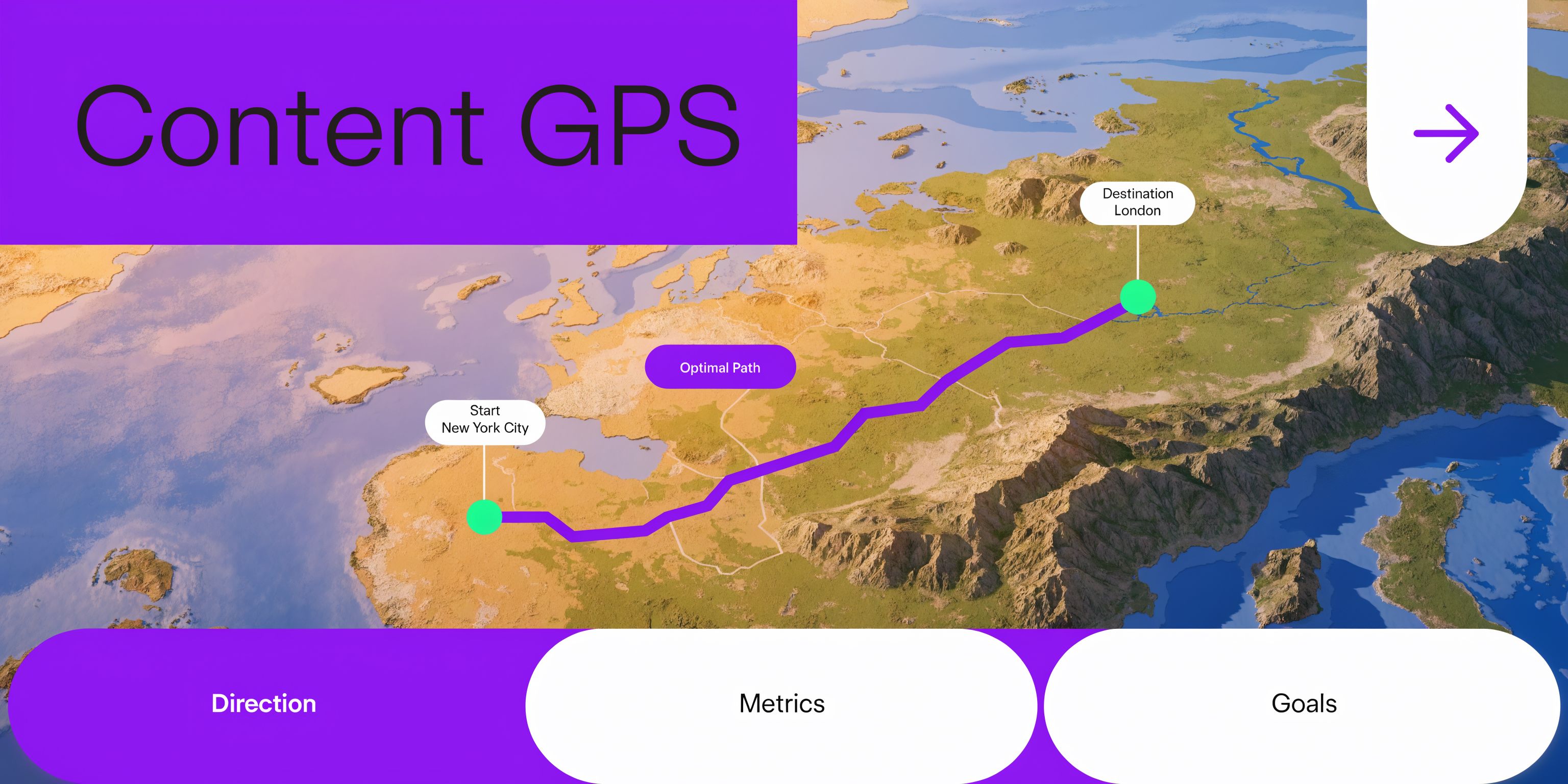
A basic keyword tool might tell you what phrase people search. A grammar tool might clean up awkward sentences. A content optimization platform goes further. It analyzes the pages already winning, looks at their structure and topic coverage, and turns that into practical recommendations you can use while writing or editing.
The tool compares your draft against the search environment.
That usually includes:
Tools in this category helped shape current SEO workflows. Surfer SEO, an early pioneer in the space, popularized live SEO suggestions on keyword usage and structure, and 65% of SEO professionals now report superior results from using these AI-driven platforms according to this 2025 review of top content optimization tools.
People often waste money with this approach.
An optimization tool is not:
If your offer is weak, your niche is crowded, or your content says the same thing everyone else says, the tool can only help so much. It’s better to think of it as an operating layer between your expertise and search visibility.
A score is useful. A score without judgment is how teams publish polished content that still says nothing new.
If your best thinking lives in video, the challenge isn’t just “write a better article.” It’s extracting search-ready value from spoken content.
A plain transcript rarely ranks well without work. Spoken language repeats itself, wanders, and often buries the most useful points. The right workflow takes the transcript, identifies the target search intent, restructures it into a useful page, and then applies optimization. That’s also where a broader system matters more than a single editor. If your process starts with recordings, you need tooling that can support repurposing and SEO together, not as separate tasks. That’s the gap many creators are trying to close with platforms built around video SEO optimization workflows.
The phrase “AI SEO” gets thrown around so loosely that it stops meaning anything. Under the hood, the useful tools tend to rely on a few practical capabilities. If you understand those, you can tell the difference between a serious seo content optimization tool and a shiny writing app with a score slapped on top.
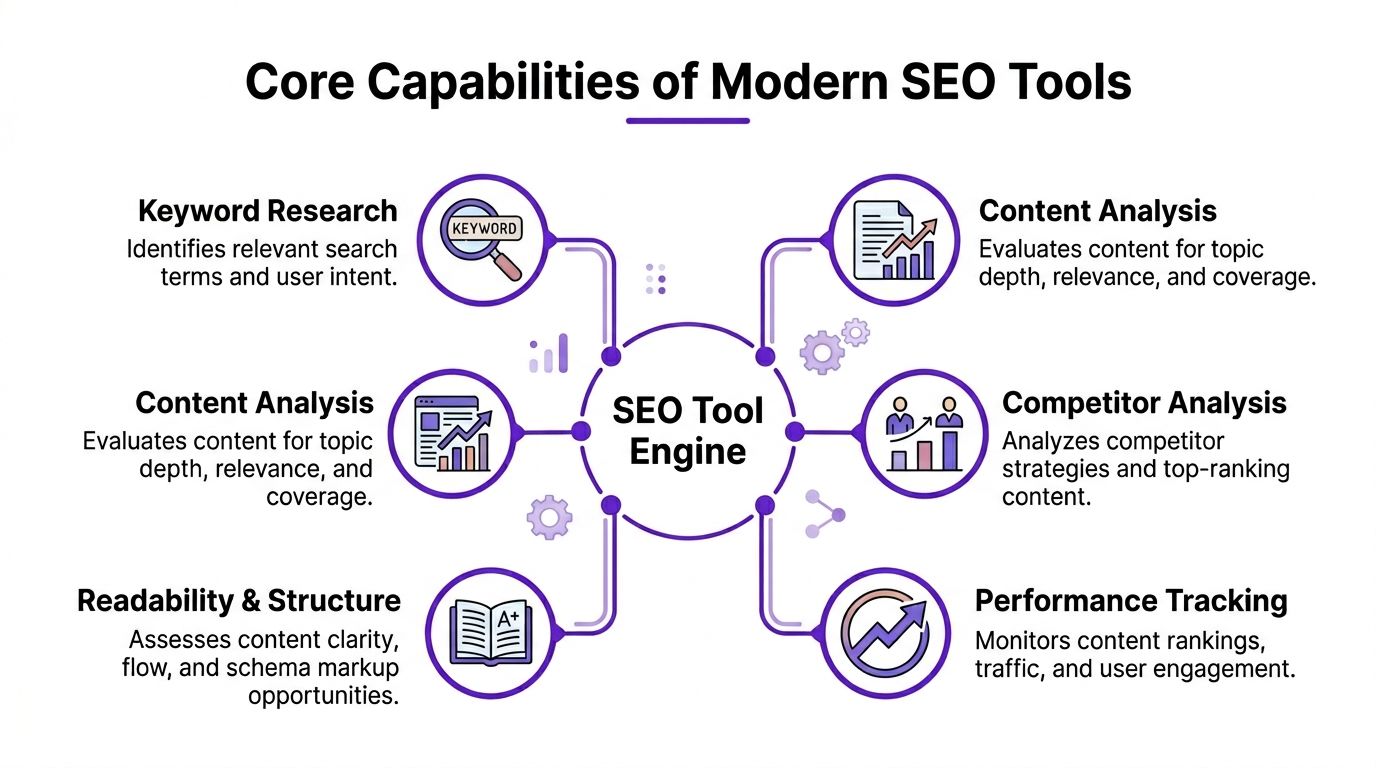
Good tools don’t just count exact keywords. They map the topic.
That matters because search engines don’t evaluate a page by checking whether you repeated one phrase enough times. They look for signs that the content covers the subject in a complete and relevant way. Semantic analysis helps surface related concepts, supporting questions, and missing entities that strong pages usually include.
Some platforms push this further than others. Advanced tools using dual NLP engines can analyze the top 30 to 40 SERP results and identify content gaps with 20% to 30% higher precision than single-model tools, with user benchmarks showing pages reaching top-10 positions 15% to 25% quicker according to Rankability’s comparison of content optimization tools.
For a creator, the practical takeaway is simple. If your tool only tells you to repeat the target keyword more often, it’s not doing enough.
This is the feature many users notice first, and sometimes misuse most.
Real-time scoring gives you immediate feedback while you write. It can be helpful because it keeps optimization from becoming a separate cleanup step at the end. You see missing topics, weak structure, or thin coverage while the draft is still fluid.
But a score only helps when it reflects search reality. Some tools produce noisy recommendations that push writers into awkward phrasing. Others give cleaner guidance and make it easier to improve the draft without ruining readability.
A content optimizer should show you the current standard you’re competing against.
That means more than listing rival URLs. It should help you inspect how top pages frame the topic, how deep they go, what subtopics they include early, and where they leave room for a better angle. This is especially valuable when you’re repurposing video into text. Spoken explanations often include gems that competitors missed, but they need to be surfaced and organized intentionally.
One resource I recommend to creators building a wider stack around SEO, scripting, and repurposing is Direct AI’s guide to 12 best AI tools for content creators. It’s useful because optimization rarely lives alone. Many teams need a system, not a single tab.
Strong optimization isn’t only about relevance. It’s also about how easy the piece is to consume.
A tool should help you spot:
| Area | What to look for |
|---|---|
| Heading hierarchy | Clear H2s and H3s that match likely reader questions |
| Paragraph flow | Short sections that make the content skimmable |
| Intent match | Informational pages should answer early, not bury the lead |
| Schema opportunities | FAQ-style sections or structured elements when appropriate |
Many teams lose performance in this area. They cover the right ideas, but the page feels heavy. Search visibility starts with relevance. Retention depends on readability.
If a recommendation improves the score but makes the page worse for a human reader, ignore it.
A serious optimizer does more than hand you a list of terms. It helps you understand why the query exists.
The same broad topic can hide different intents. Someone searching a service term may want to compare providers, learn the process, or solve a local problem. If your page matches the wrong intent, optimization won’t save it.
Connected research matters here. If you’re working from a video library and deciding what to turn into blog content next, topic selection should happen before drafting. That’s why creators often combine optimization with systems that support keyword research for content planning.
The final capability gets overlooked because it happens after the draft is done.
A useful tool should help you revisit older content, identify pages that are slipping, and update them based on fresh SERP conditions. For video-first brands, this is one of the biggest hidden wins. An old webinar, interview, or explainer often contains enough material for a stronger article today than it did when first published. Optimization isn’t a one-time event. It’s a maintenance habit.
Most buyers start with feature lists. That’s backwards.
Start with the workflow you already have. A solo consultant writing one article a week needs something very different from a team publishing video clips, blog recaps, landing pages, and local service content from the same source material. The wrong tool doesn’t just waste budget. It adds friction.
If your process begins with a blank Google Doc, a traditional optimizer like Surfer, Clearscope, Frase, or PageOptimizer Pro may fit well. If your process begins with a podcast, webinar, sermon, interview, or YouTube upload, text-first tooling often feels incomplete.
That’s the distinction many reviews blur.
A writer-first setup usually needs:
A video-first setup usually needs:
A lot of tools are good at helping you match what already ranks. Fewer help you create something worth citing.
That matters more in AI-driven search. Pages that offer unique angles can earn 3x more citations in AI-generated responses according to Animalz’s analysis of information gain. If your seo content optimization tool only tells you to mimic the top results, it can trap you in safe but unforgettable content.
Ask better questions during evaluation:
The best-performing content often matches search intent and adds one useful angle competitors didn’t bother to include.
More recommendations don’t mean better recommendations.
Some tools overwhelm you with term lists that create clutter. Others do a better job prioritizing what matters. When testing, notice whether you can act on the guidance quickly. If every article turns into an SEO puzzle that eats half a day, the software may be technically capable but operationally expensive.
A strong tool should make editing faster. It shouldn’t force you to decode its own interface before you can improve a draft.
Roundups are useful for creating a shortlist, not for making the final decision. That’s especially true if your content model is unusual.
If you want a broad market scan before narrowing options, Sight AI’s comparison of 12 Best SEO Content Optimization Tools for 2026 is a solid starting point. Then ignore the rankings and test against your own workflow.
Use this filter before paying for anything:
| Question | Why it matters |
|---|---|
| What content do I create first? | The answer tells you whether text-first or video-first support matters more |
| Where does optimization happen? | Inside Docs, inside WordPress, inside a repurposing platform, or somewhere else |
| Who uses it? | Solo users need speed. Teams need collaboration and consistency |
| What slows us down now? | Briefs, drafting, restructuring, metadata, publishing, or refreshes |
| Does it support differentiation? | Matching top results is not enough in crowded topics |
The right choice usually feels boring in the best way. It fits the workflow, reduces decisions, and gets used repeatedly.
Traditional SEO advice assumes you start with a draft. Many creators don’t.
They start with a recorded conversation, a webinar, a product walkthrough, a sermon, a client Q&A, or a YouTube video. That changes everything. The job isn’t to invent content from scratch. It’s to extract the strongest search assets from material you already made.
That’s why text-only optimization tools often feel incomplete for this audience. Q1 2026 data cited by LowFruits says video content drives 55% of organic traffic for SMBs, while 80% of tool reviews still focus on bloggers. The same analysis notes that platforms built for this workflow can generate 27+ SEO-optimized assets from one video and save an average of 2.3 hours per video in this review of content optimization tools.
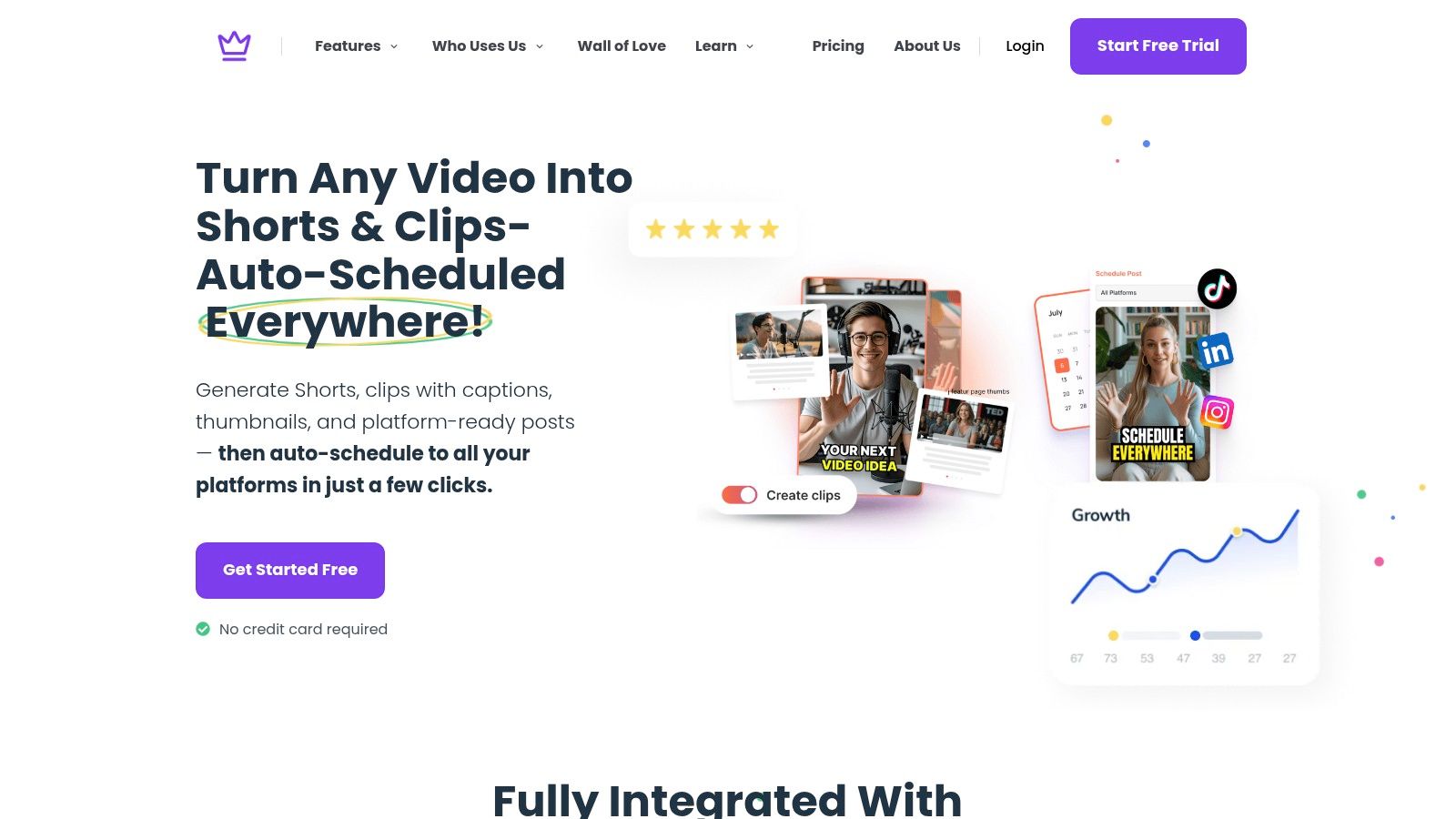
A useful video-first workflow begins by treating the transcript as raw material, not publish-ready copy.
Spoken content usually contains:
The first move is extraction. Pull out the core topic, the supporting questions, and the moments where the speaker says something specific that competitors would struggle to replicate.
A video-first system changes the economics of content here.
Instead of publishing one video and stopping, you can turn that source into:
One option in this category is Taja AI’s video-to-content workflow, which is built around uploading a long-form video and generating multiple optimized assets from that source material. That kind of setup matters when your bottleneck isn’t ideas. It’s post-production and repurposing.
This is the step many teams skip.
A transcript-derived article shouldn’t read like a cleaned transcript. It should read like a focused page designed for a specific query. That often means rewriting the opening, creating sharper subheads, consolidating repeated ideas, and adding context that was implied in the recording but never said directly.
Use a simple editing lens:
The best repurposed blog posts don’t preserve the conversation. They preserve the value.
Automation helps most with extraction, formatting, and first-pass optimization. It helps least with judgment.
A creator, marketer, or strategist still needs to decide:
That’s especially true if you serve trust-heavy markets like real estate, coaching, healthcare-adjacent services, local home services, or faith-based education. Generic summaries don’t build authority there. Specificity does.
Here’s a visual example of the kind of workflow video-first teams are trying to streamline:
A few patterns hold up in practice.
What works
What doesn’t
Not every recording should become an article. Some are better as clips only. The point is to build a system where the right videos become durable search assets instead of expiring after the first round of views.
Teams rarely need a bigger shortlist. They need a buying process.
A practical test beats another hour of reading reviews. You’ll learn more from optimizing one real asset in two different tools than from scanning ten comparison pages.
Build a shortlist of two or three tools only. Any more than that and you’ll drift into analysis paralysis.
Use these filters:
Write down one use case before testing. For example: “Turn this webinar into a ranking blog post and supporting social assets.” That keeps the evaluation grounded.
Run the same source material through each option.
If you’re a writer, use the same draft. If you’re a video-first creator, use the same transcript or recording. Compare the quality of guidance, the speed of execution, and the amount of cleanup required before publish.
SERP-based real-time scoring matters here. 2025 testing cited by Feed the Bot found these tools can drive 2 to 3 times higher organic traffic uplift than manual optimization alone, with some users reporting average ranking jumps of 35% within 4 to 6 weeks for mid-volume keywords in its review of AI SEO content optimization tools.
During testing, look for:
| Test area | What to assess |
|---|---|
| Draft quality | Did the tool improve clarity or just increase keyword use? |
| Recommendation quality | Were the suggestions obvious, useful, and easy to apply? |
| Workflow speed | Did the tool reduce steps or create extra ones? |
| Repurposing support | Could it help beyond one article if your process starts with video? |
| Human edit burden | How much manual cleanup was needed before you’d publish? |
Decision shortcut: If a tool saves time but creates bland output, keep looking. If it improves quality but no one on your team wants to use it, keep looking.
Choose the tool that does three things reliably:
Don’t buy for the highest feature count. Buy for repeatable adoption.
For many small businesses, the winning choice isn’t the most advanced platform on paper. It’s the one the team will open every week. That’s the difference between software that becomes part of your operating system and software that turns into another forgotten subscription.
If your content starts as video, Taja AI is worth a look. It’s built for turning long-form recordings into ready-to-publish assets across channels, including SEO-oriented outputs, so you can spend less time rebuilding content manually and more time publishing consistently.


We are blessed to work with leading brands & Companies


We try to make easy and simple for every professionals. Get 30 days free trial - No credit card required.


© 2025 Taja AI. All rights reserved.