.jpeg)
10 Best Instagram Reels Maker Tools for Creators in 2026
Compare 10 Instagram Reels Maker tools for editing, vertical templates, captions, and publishing, with honest limits and use cases for 2026.
5 min read
October 15, 2026

Learn to convert video to blog post with transcription, SEO structuring, editing and republishing tips that turn recordings into traffic.
Written by:


You publish a strong webinar, interview, or product demonstration. For a few days, viewers arrive, ask questions, and share clips. Then the recording settles into your archive, even though it still contains answers your future customers are searching for.
The practical way to convert video to blog post content isn't to paste a transcript beneath a new headline. Treat the recording as evidence. Extract claims with timestamps, decide whether readers need a transcript, summary, or guide, then add the editorial context that makes the page useful on its own.
A recorded conversation often contains the material for several reader questions. A podcaster may explain a process, answer objections, and share an example in one episode. A local professional may describe what clients should prepare before booking. A small business owner may demonstrate a product while explaining the decisions behind it.
That knowledge disappears from practical search use when it remains locked inside a video player. Wyzowl's 2025 survey reported that 89% of businesses used video as a marketing tool, 95% of marketers considered video an important part of their overall strategy, and 93% reported a positive return on investment (HubSpot's summary of Wyzowl's 2025 video marketing statistics). The recording already represents a serious investment of expertise. A written version extends its useful life.
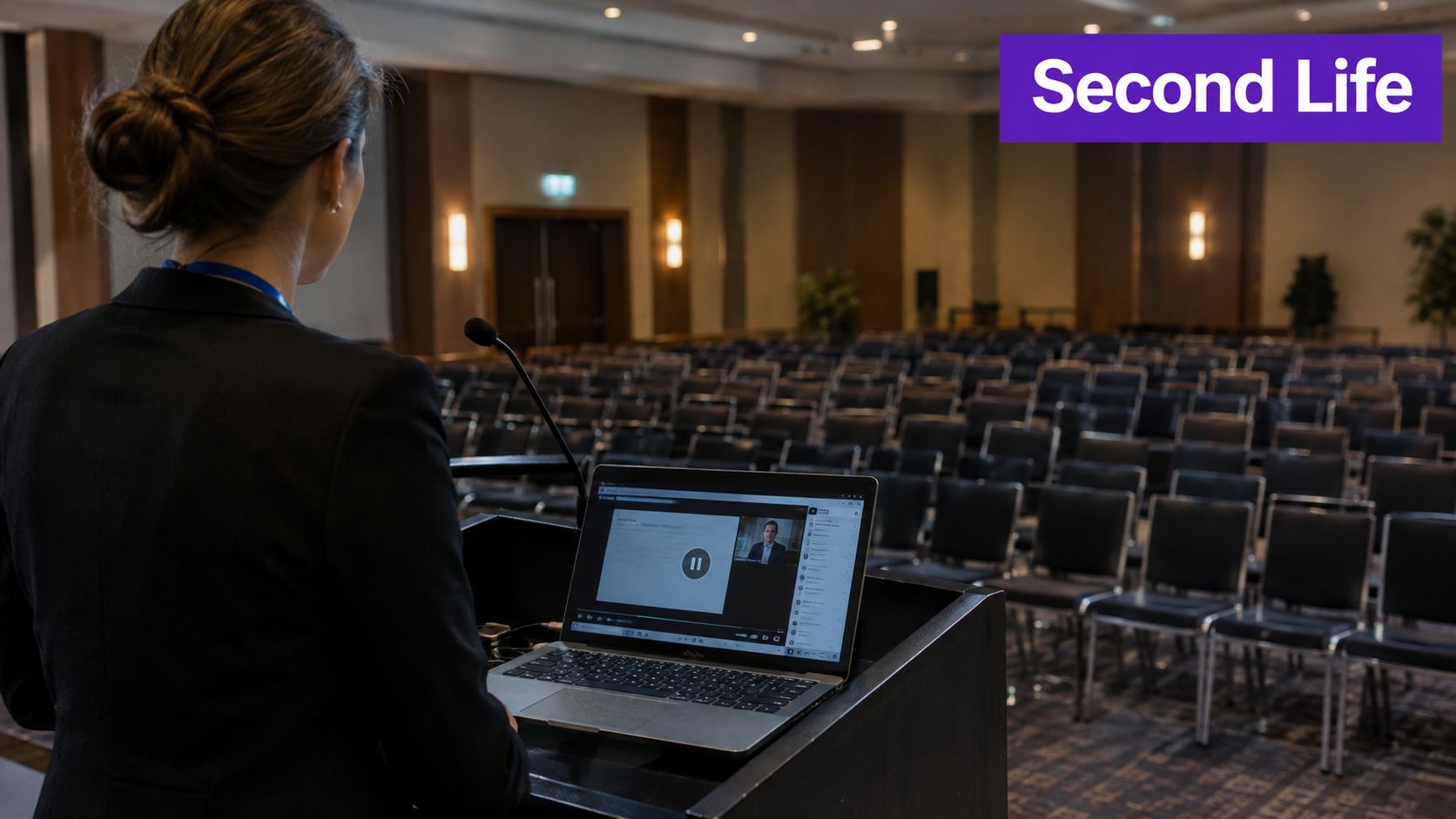
Short videos work well for discovery and distribution. A detailed blog post does a different job. It preserves explanations, supports scanning, gives search engines indexable text, and helps readers who can't watch with sound or don't want to consume a full recording.
HubSpot's reporting reflects that split. Its 2024 report found that 83% of video marketers used short-form video, 39% used long-form video, and 14% used live video, while social media was the most-used video marketing channel at 81% (HubSpot's 2024 video marketing report). Short clips can point people toward the deeper asset. The article can answer the question after the social post has disappeared from a feed.
This is the useful distinction:
For a broader view of how one asset can support multiple channels, this content recycling strategy for marketers offers helpful planning context. You can also compare the broader principles in Taja AI's guide to content repurposing.
The reframe matters for solopreneurs, educators, podcasters, local service providers, and small marketing teams. You're not creating a second asset from nothing. You're making the original recording easier to find, verify, read, and act on.
A transcript is a working document, not a finished article. If the audio is poor or the speaker labels are wrong, every later stage inherits the error. Start by preserving the original file and creating a version with the cleanest available audio.
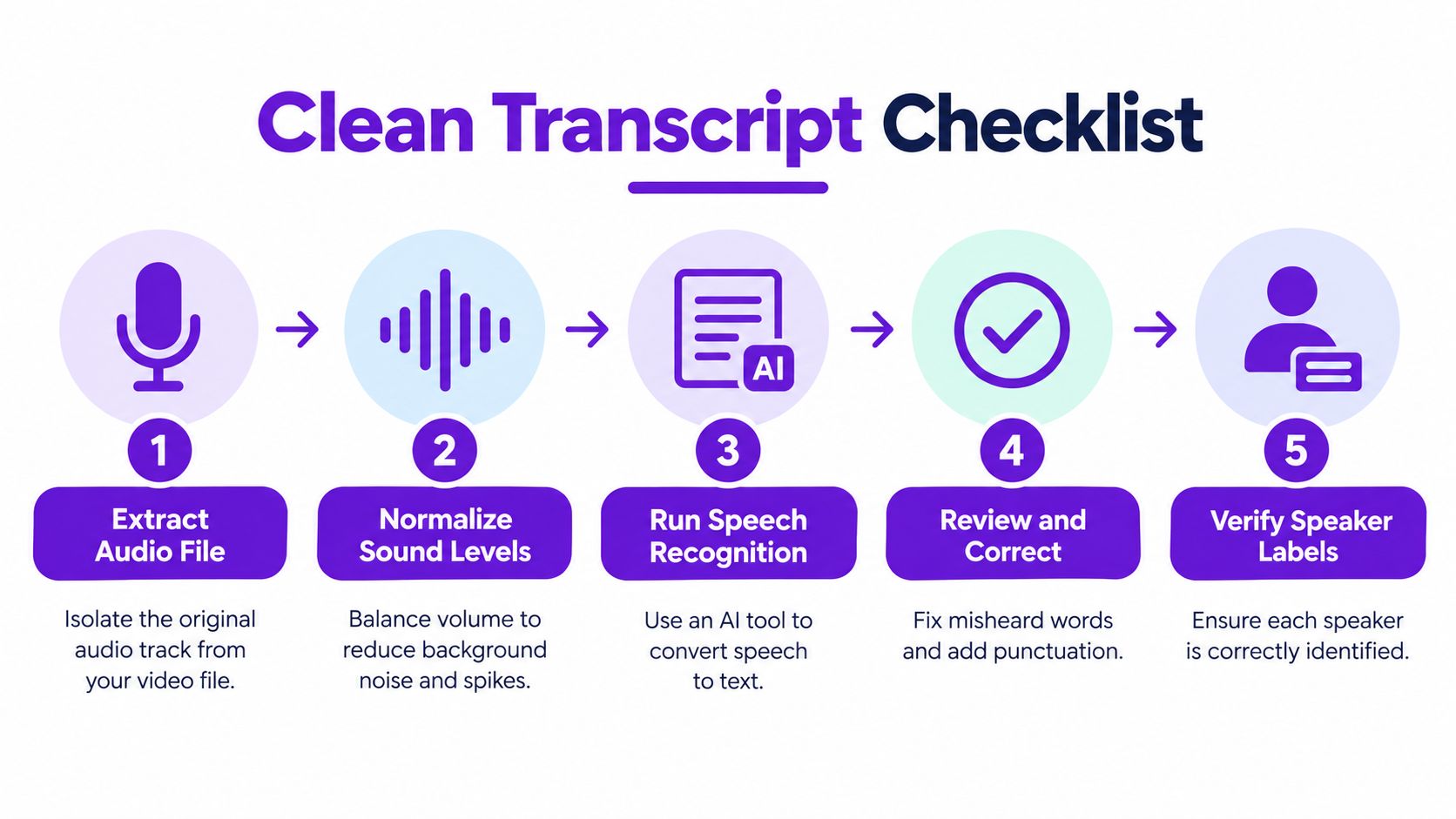
Use this sequence:
A tool such as this video-to-text converter guide can help you think through the extraction stage, but automation doesn't remove the review requirement. Research on multilingual conversational audio found that a diarization classifier could exceed 95% speaker-classification accuracy with roughly 0.5–1 second of speaker enrollment data, while average diarization error rates still reached about 10% on challenging CALLHOME conversations across six languages (the multilingual diarization research).
Verification rule: Treat every name, number, quotation, and recommendation as untrusted until you can trace it to a timestamp or an external source.
Don't review every sentence with equal intensity. Prioritize proper nouns, statistics, product names, legal or medical language, code, addresses, and sentences that will become prominent article claims. Listen closely where speakers overlap, change direction, use accents or dialect, or speak quickly.
A practical review sample should cover at least 10–20% of transcript segments, with extra attention on high-impact passages. Keep the transcript beside the video, not in a separate workflow. When you correct a phrase, record the timestamp and the reason for the correction. That small habit gives your future editor a reliable audit trail and prevents a polished but inaccurate draft from moving forward.
A video usually follows the speaker's thought process. A blog post should follow the reader's problem. Those are rarely the same order.
Start by marking topic changes in the transcript. A shift from pricing to implementation, or from an anecdote to a recommendation, deserves a new thematic unit. Give each unit a short label, its timestamp range, the speaker, and the central claim. Then discard units that only repeat an earlier point.
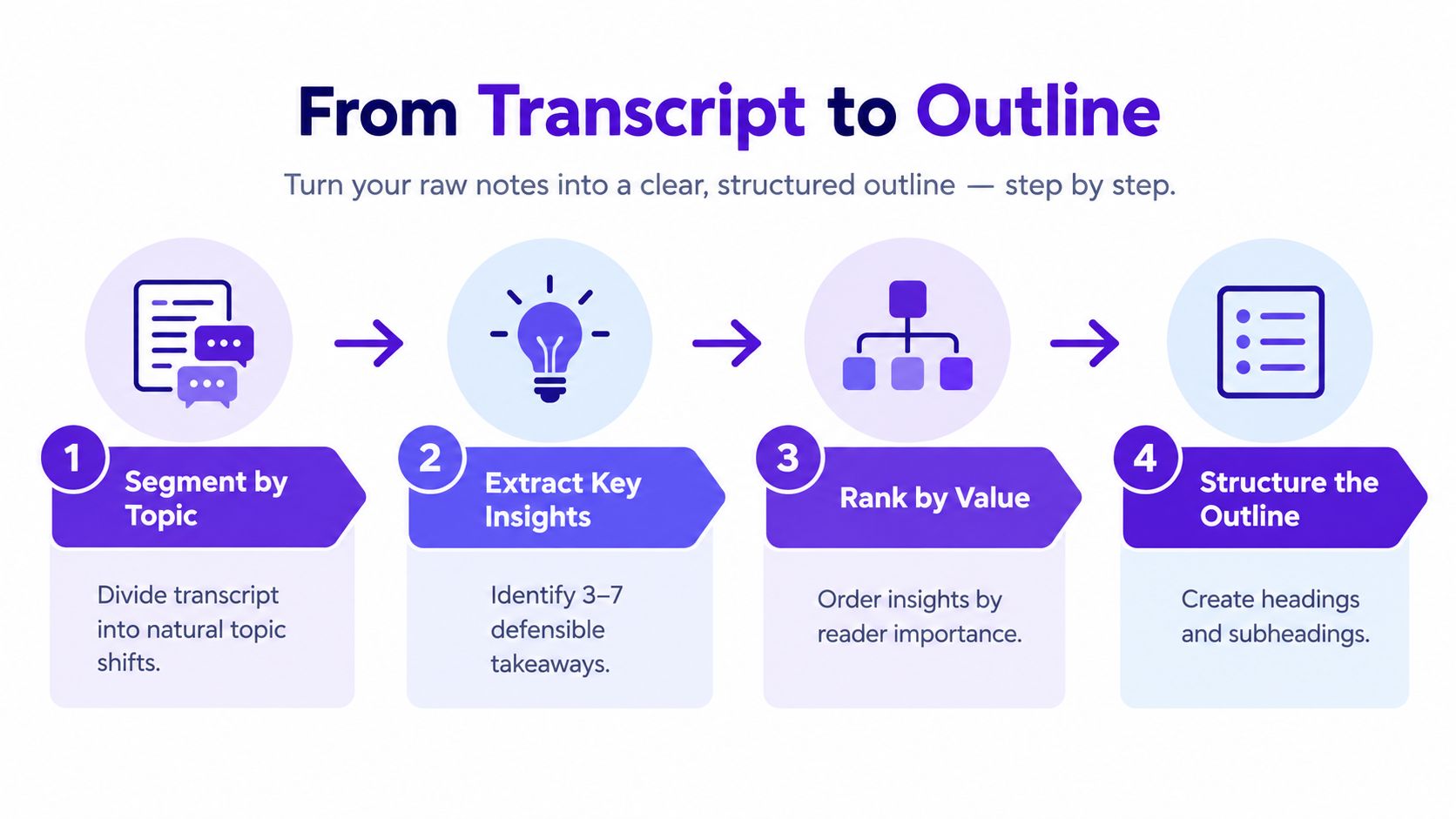
Choose three to seven defensible insights from the recording. “Defensible” means the transcript supports the idea clearly, and you can identify where it came from. A strong brief for each insight includes:
Rank those insights by reader value rather than by their appearance in the recording. Put the clearest answer near the top. Use descriptive H2s that promise a useful explanation, not vague labels such as “My Thoughts” or “Final Discussion.”
A reader-first outline might move from the problem to the method, then to mistakes, limitations, and next steps. The video might have started with a personal story and reached the method much later. Keep the story when it clarifies the subject, but don't make readers wait through the entire conversational warm-up.
Use timestamps selectively. Link a quotation or demonstration to its source moment when verification matters, but don't turn the article into a transcript with a time marker on every paragraph. The finished outline should make drafting feel like assembling verified pieces, not guessing what the speaker meant.
Raw speech contains useful personality and substantial clutter. Speakers repeat themselves, restart sentences, use filler words, and rely on gestures or context that a page can't reproduce. A transcript-shaped article keeps those weaknesses while losing the energy that made the video engaging.
Cut repeated points, false starts, greetings, verbal tics, and transitions that only worked because the speaker was thinking aloud. Rewrite fragments into complete sentences. Combine adjacent explanations when they make the same point. Keep a direct quote when the exact wording carries personality, judgment, or a memorable example. Paraphrase when the wording is loose but the underlying idea matters more.
The goal isn't to make every sentence sound corporate. Preserve the speaker's vocabulary, point of view, and useful stories. Remove the mechanics of speaking.
| Keep | Rewrite or cut |
|---|---|
| A specific example that clarifies the idea | A repeated example with no new detail |
| A concise opinion that reveals expertise | A vague assertion with no support |
| A memorable phrase that sounds natural aloud | Filler such as repeated “you know” or “basically” |
| A limitation or exception | Promises the recording doesn't substantiate |
Google describes originality as content that provides unique information or perspectives beyond what is already available elsewhere (Google's guidance on creating helpful content). A transcript alone usually preserves information, but it doesn't necessarily add perspective. Your editorial layer should explain why a point matters, identify who it's for, compare alternatives, and state where the advice stops applying.
Add examples that a reader can understand without watching the recording. Define jargon at first use. Turn a long spoken sequence into a numbered process when order matters. Add a short limitations paragraph when the speaker's recommendation depends on budget, audience, equipment, location, or timing.
A good article sounds like the speaker on their clearest day, not like a microphone dump with headings pasted on top.
Before publishing, decide what kind of page you're making. A full transcript suits accessibility, archival needs, and audiences who want the complete conversation. A summary works when the recording is valuable but the audience needs a quick orientation. A question-led guide is usually the strongest search page when readers need decisions, instructions, or context.
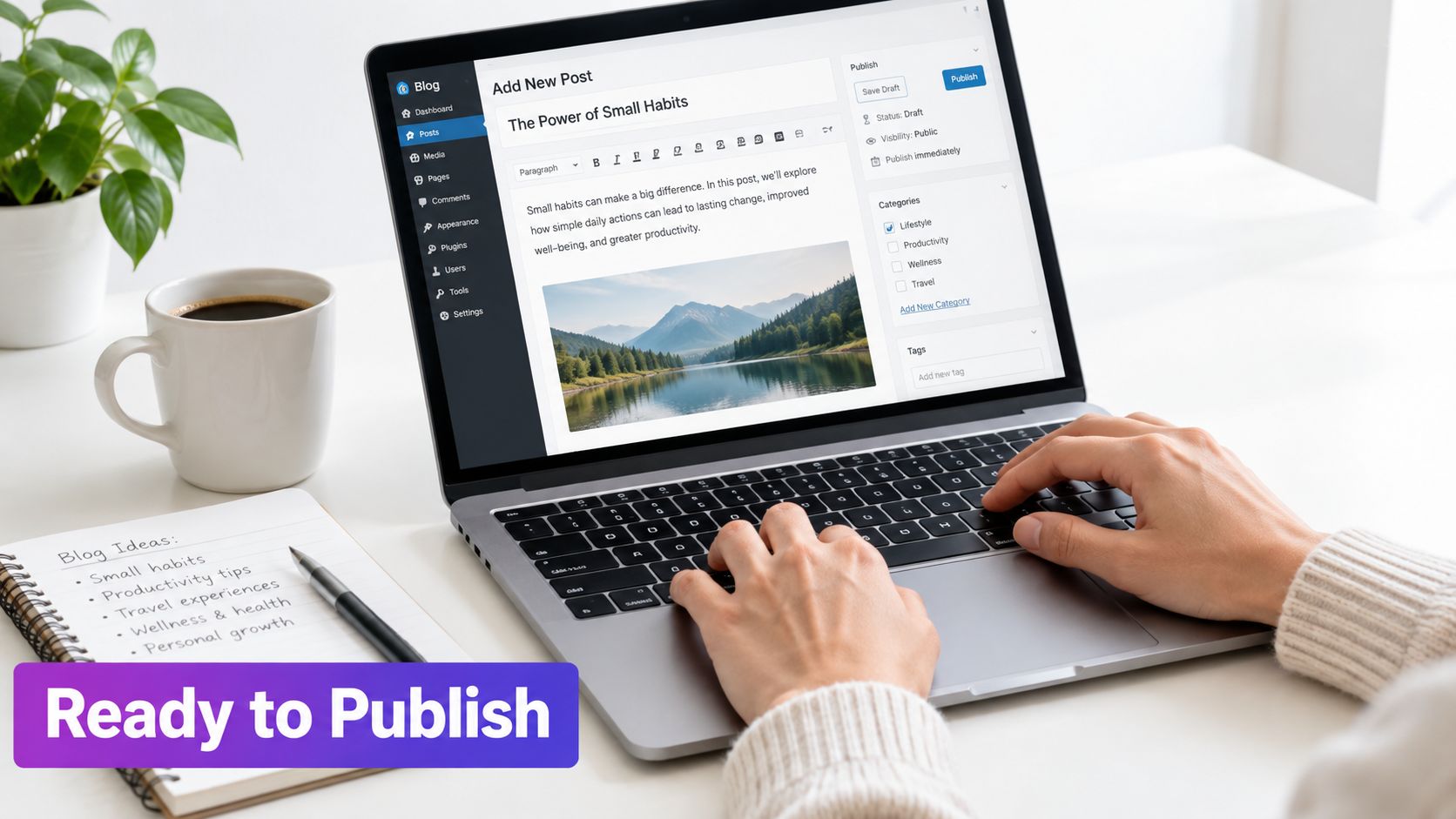
Write a direct introduction that answers the main question quickly. Use descriptive headings, short paragraphs, lists where they improve scanning, and images with meaningful alternative text. Embed the original video when it adds demonstration or nuance, then use timestamps to direct readers to the relevant passage rather than forcing them to watch everything.
Your call to action should match the recording's purpose. A local professional can invite a consultation, an educator can offer a related lesson, and a product business can point to a relevant demonstration or service page. Don't attach a generic sales pitch to an article that never establishes why the offer solves the reader's problem.
Google says VideoObject markup can help Google find and understand videos, but page-level details are required, including the video name, thumbnail URL, upload date, and a public watch page (Google's VideoObject documentation). Markup supports discovery. It doesn't replace useful text, a clear page purpose, or an accessible viewing experience.
Create a simple ledger before publication:
Check outdated offers, old product names, changed regulations, and promises that were accurate when recorded but no longer hold. If the article is multilingual, review names and specialist terms in each localized version rather than relying on literal translation. Accessibility also belongs in this pass. Check headings, link descriptions, captions, transcript readability, image alternative text, and the relationship between the video and the written page.
A sustainable system turns every recording into a small editorial pipeline. Save the original video, cleaned audio, timestamped transcript, claim ledger, outline, final article, and distribution copy together. That folder becomes a reference library instead of a pile of disconnected exports.
Use this publishing checklist:
Google's guidance emphasizes clear metadata and indexable content for video pages, while industry coverage increasingly recommends human review instead of publishing raw automatic speech-recognition output (NQZ's discussion of multimodal optimization and review). That makes quality control part of production, not a final cosmetic step.
For teams building a repeatable system, the Narrareach repurposing framework provides another way to think about assigning one source asset to multiple formats. A documented content repurposing workflow can also help keep weekly publishing from depending on memory or last-minute effort.
Batch the work when possible. Clean several recordings together, outline them in one planning session, then schedule the articles and distribution assets around the original videos. The system works when every derivative piece has a purpose, a source trail, and a human owner.
Taja AI can turn an uploaded or linked long-form video into a transcript, summary, and SEO-oriented blog draft, giving you a starting point for this timestamped editorial workflow. Visit Taja AI to explore a way to move from recorded expertise to a reviewable blog and supporting content without starting from a blank page.


We are blessed to work with leading brands & Companies


We try to make easy and simple for every professionals. Get 30 days free trial - No credit card required.


© 2025 Taja AI. All rights reserved.