.jpeg)
Content Strategy for Small Business That Actually Ships
A content strategy for small business that sets one goal, picks a few channels, turns one video into many posts, and tracks real leads.
5 min read
October 23, 2026

Build a content repurposing workflow that turns one video into weeks of shorts, captions, and posts. Practical steps, templates, and automation tips inside.
Written by:


You publish a substantial video, watch the comments arrive, and feel the satisfying relief of having shipped something that matters. Then you open next week's content calendar and find empty slots everywhere. The source is finished, but the Shorts, TikToks, LinkedIn posts, newsletter excerpts, captions, and thumbnails still exist only as good intentions.
That gap is where most content repurposing workflows fail. The problem usually isn't a shortage of editing software or AI generation speed. It's the absence of an editorial decision system that identifies valuable source material, retrieves it quickly, adapts it for each platform, and records what happened afterward.
On Monday, a creator publishes a 40-minute YouTube deep dive. The comments are thoughtful, the topic is timely, and the video contains several clear arguments that could stand alone. By Monday evening, the creator feels ahead.
On Tuesday morning, three short-form slots are still empty. Wednesday brings a LinkedIn post deadline. By Friday, the newsletter needs a pull quote, but nobody has located the transcript or marked the strongest moments. The original video remains the best intellectual property on the drive, yet the calendar keeps demanding new ideas.
That creator often responds by recording more material. It feels productive, but it creates a second problem. Instead of extracting value from a finished source, the team starts a new research and production cycle while the original asset becomes harder to use.
A long-form video has momentum around its publication, but the practical issue isn't only algorithmic timing. Every day without a derivative plan increases the chance that the team loses context, forgets why a moment mattered, or moves on to a different topic. The source becomes an archive item instead of a working asset.
A useful content repurposing workflow makes the key decisions before the pressure arrives:
The workflow doesn't eliminate editorial judgment. It moves that judgment upstream, when the source is still fresh and the transcript, chapters, analytics, and production files are easy to access.
Practical rule: Don't schedule a long-form publication until you've assigned its first derivative formats and stored the source files where the next editor can find them.
This is the difference between a content calendar that creates daily emergencies and one that turns a finished video into a controlled series of editorial decisions.
A common starting point is the visible part of repurposing: buying a clip cutter, generating captions, creating templates, and connecting a scheduler. Those tools can reduce repetitive production work, but they can't answer the question that determines whether production is worthwhile: which source and which moment should be adapted?
The operational evidence points to an upstream problem. Marketers identify adapting content for different platforms as a leading pain point at 38%, followed by maintaining brand consistency and lacking time or resources at 36% each, while finding the right assets quickly affects 35%. The same research identifies disorganized folders at 34%, content stored in different locations at 33%, and missing version control at 33% as structural library problems. Research on multi-platform B2B content repurposing
Suppose an editor finds a promising sentence in an unnamed transcript, cuts it into a vertical clip, exports several versions, and drops them into a shared folder. Later, another editor sees the files but can't tell which source video they came from, which hook was tested, whether the captions were approved, or why the clip was selected. The team has produced assets, but it hasn't produced usable knowledge.
That's why adding automation before governance often accelerates the wrong bottleneck. Every generated clip becomes another orphaned file unless the library records its parent source, format, status, owner, and performance.
A lightweight workflow platform can help once the underlying decisions are clear. For teams comparing systems that connect scheduling and broader marketing actions, this overview of top workflow automation platforms for social commerce offers useful context. The platform won't replace your taxonomy or approval rules, but it may reduce the number of handoffs between approved assets and published posts.
The sequence matters:
If you reverse that sequence, the team measures output volume instead of audience value. A folder full of clips can look like progress while the calendar still lacks strong, platform-native content.
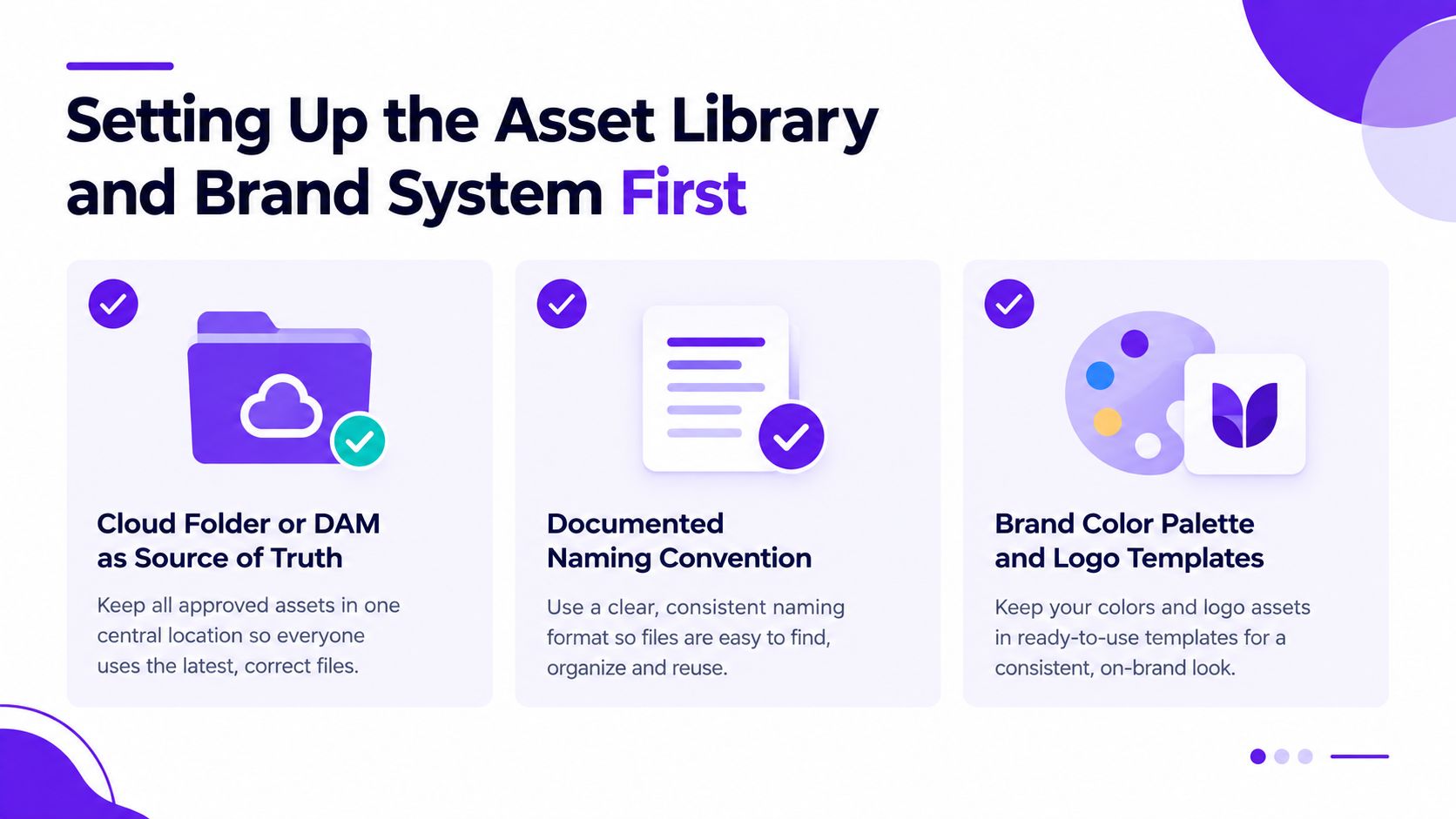
Before producing a clip, create a library that another person can understand without asking the original creator for help. A cloud folder or digital asset management system should act as the single source of truth, with a naming convention that connects raw footage, the published video, transcript, exports, thumbnails, and platform versions.
A practical naming pattern might include the parent video identifier, publish date, topic, format, and status. The exact syntax matters less than consistency. A file named with a meaningful source relationship is easier to search, review, replace, and audit than one named “final-final-2.”
Transcript hygiene does more work than most editing features. Add speaker labels, timestamps, chapter markers, and topic tags before anyone starts cutting. Search should answer questions such as “Where do we explain the onboarding mistake?” rather than forcing an editor to scrub through an entire recording.
Apply a small taxonomy at the transcript stage:
Store these tags beside the transcript timestamps, not only inside the editing project. That keeps the editorial map available to writers, producers, and social managers.
Create reusable files for caption styles, thumbnails, end cards, logos, colors, and platform-native layouts. Templates should make the approved choice easy, not force every editor to redesign the brand for each export. Keep editable masters separate from rendered files, and mark which template version is current.
A decision log completes the system. For every selected moment, record the source timestamp, archetype, intended platform, working hook, editor, approval status, and reason for selection. A short note such as “self-contained explanation of the pricing objection” gives future editors useful context.
For a deeper treatment of organizing video files and production history, use this guide to video asset management. The aim isn't administrative perfection. It's a library that lets a small team retrieve the right source and understand its intended use without repeating the same investigation.
The selection layer is where a content repurposing workflow earns its keep. AI can cut, caption, resize, and suggest hooks, but it can't rescue a source that has no clear audience fit or a moment that needs ten minutes of context before it makes sense.
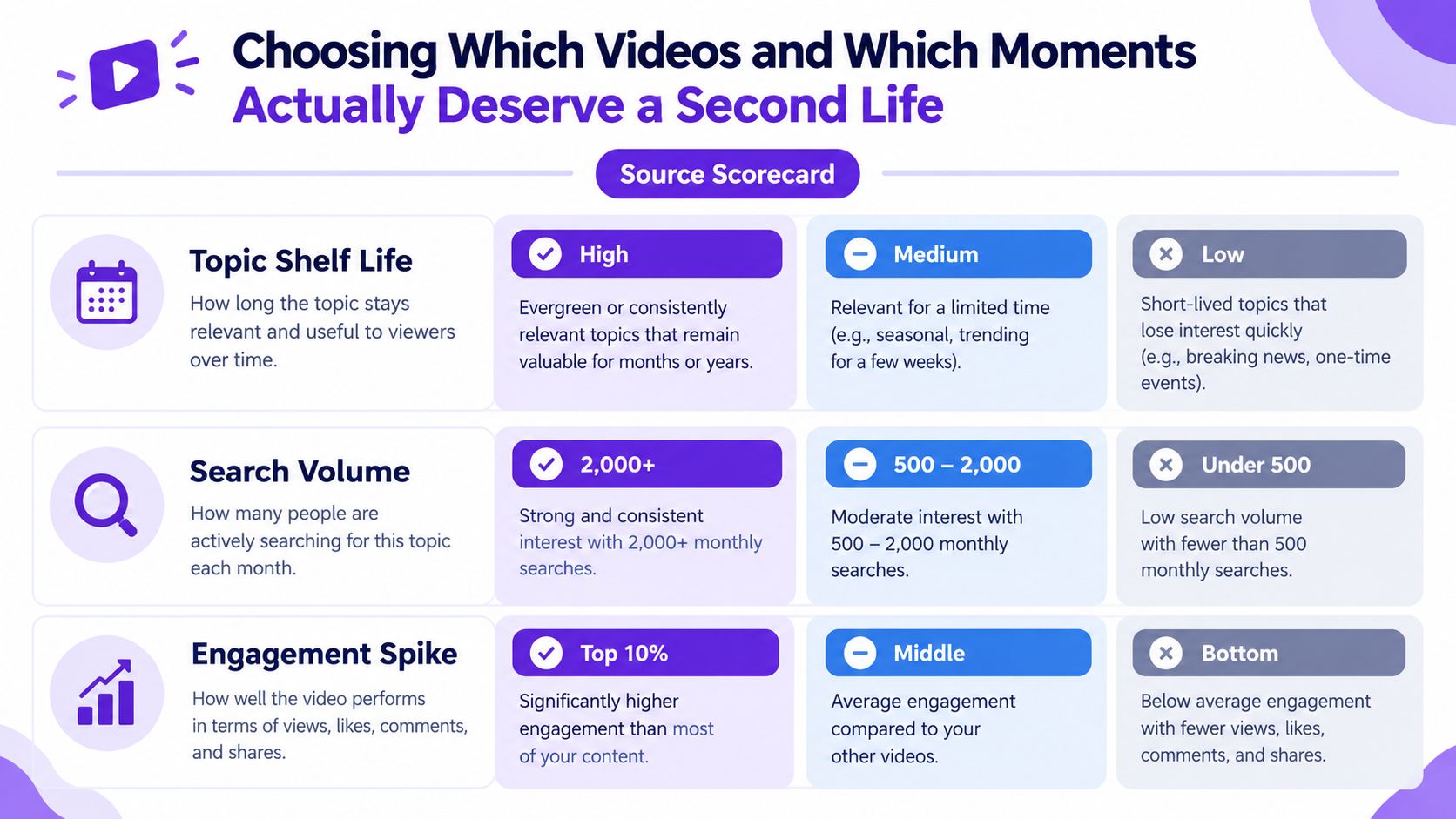
Start with a source scorecard. Review the video's topic shelf life, search demand, audience overlap with your target platforms, and the signals already visible in analytics. Evergreen tutorials often provide better derivative material than a one-off discussion, especially when the tutorial contains distinct steps that can stand alone.
Inside the source, look for moments with evidence of audience interest:
Use the transcript, chapters, and analytics to locate these anchors. Don't treat automated highlight detection as a final editorial decision. It's a discovery aid.
Strong source selection beats fast production. More clips don't compensate for weaker ideas.
Create a shortlist of candidate moments before making anything look polished. For each candidate, score hook strength, standalone clarity, novelty, visual energy, and platform fit. A clip may contain an excellent insight but still fail as a Short because the idea depends on a visual that never appears or a setup that occurs several minutes earlier.
Distinctiveness matters, too. Reusing the same opener across every derivative makes the whole campaign feel manufactured. Choose moments that advance the source in different ways, such as a mistake, a framework, a surprising objection, a practical demonstration, and a personal story.
The shortlist also protects the production team from a common trap: cutting every remotely usable sentence. Ten carefully chosen assets create more room for thoughtful hooks, captions, thumbnails, and distribution decisions than a large batch of mediocre exports.
A source is worth repurposing when it offers signal, novelty, and audience relevance. If it doesn't, archive it without guilt. A disciplined workflow includes a decision not to produce.
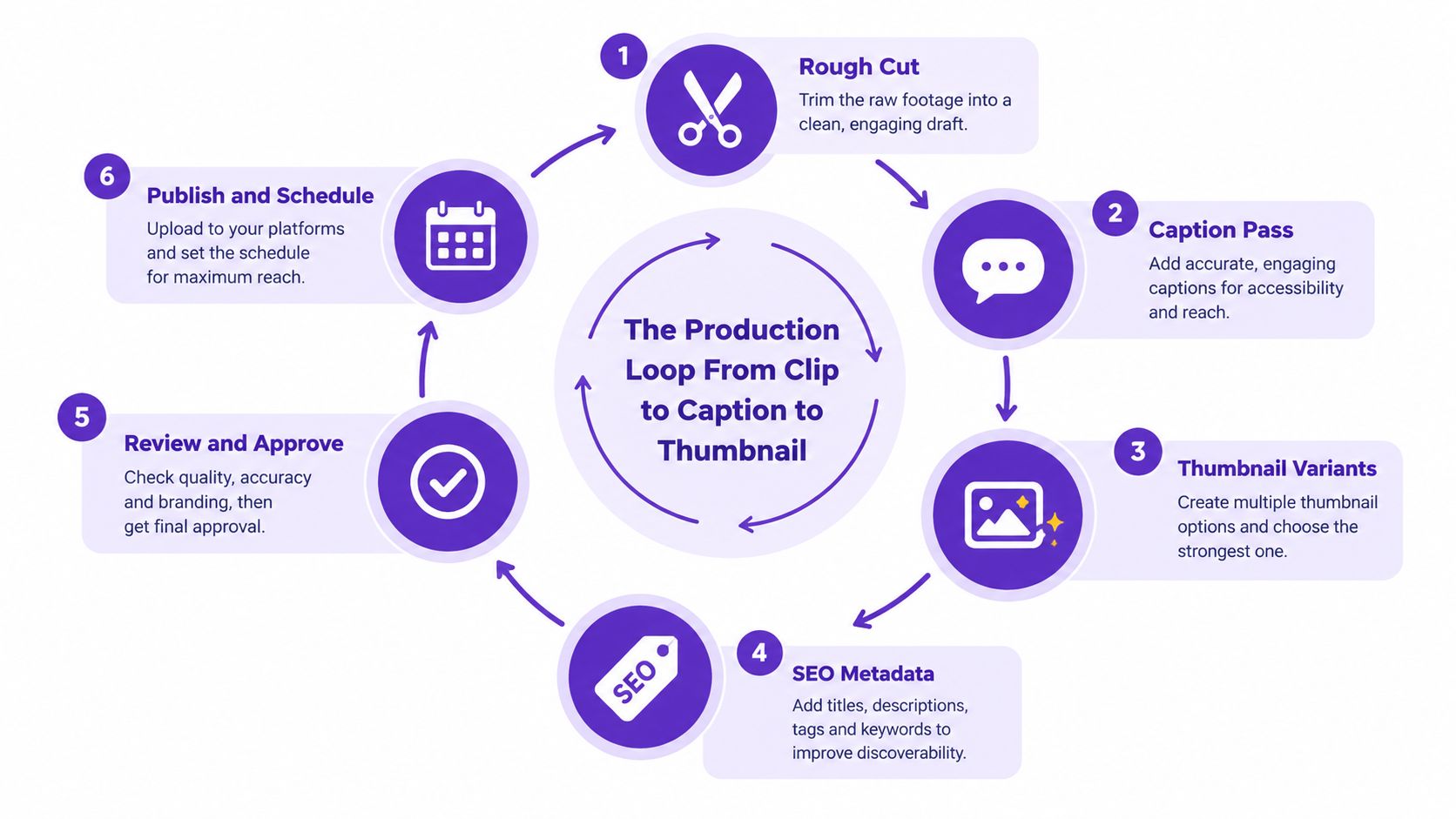
Once a moment passes selection, move it through a fixed production loop. The editor shouldn't reinvent the process for every clip, and the reviewer shouldn't discover basic format requirements at the end.
Trim directly to the tension or question that earns attention. Remove dead air, repeated phrasing, and setup that belongs to the original long-form context. Reframe the footage for the destination format while protecting faces, product details, and essential on-screen text from unsafe cropping.
The rough cut should answer one question: can a viewer understand why this matters without watching the source?
Captions aren't a transcript pasted onto the screen. Write and break them for skim reading. Use line breaks at thought boundaries, preserve the speaker's meaning, and emphasize the words that carry the argument. Review automatic captions for names, technical terms, punctuation, and timing.
Create multiple thumbnail directions rather than choosing the first acceptable frame. One can lead with the problem, another with the result, and another with the contrarian angle. Store each variant in a folder connected to the clip ID, so the team knows which visual belongs to which asset and can compare outcomes later.
Metadata should reflect the destination, not merely repeat the long-form title. Prepare a title pattern, a clear description, relevant keywords, and platform-specific hashtag groups. Avoid stuffing terms into copy that no longer sounds like a human wrote it.
The same idea needs different treatment across YouTube Shorts, TikTok, Instagram Reels, and LinkedIn. Check framing, pacing, text placement, description length, cover treatment, and the call to action. A vertical video can still require different opening language depending on whether the viewer is looking for entertainment, professional insight, or a quick tutorial.
Run a short checklist before approval:
Tools such as Descript, Opus Clip, and CapCut can support different parts of this loop, while Notion or Airtable can hold the row that connects source, derivatives, approvals, and results. When a project needs custom title sequences, animated explainers, or more elaborate visual treatment, a specialist directory of motion graphics studios can help you evaluate external production support without changing the operating model.
Templates are useful only when they preserve judgment instead of replacing it. This guide to how to use templates is relevant for turning recurring production choices into repeatable actions.
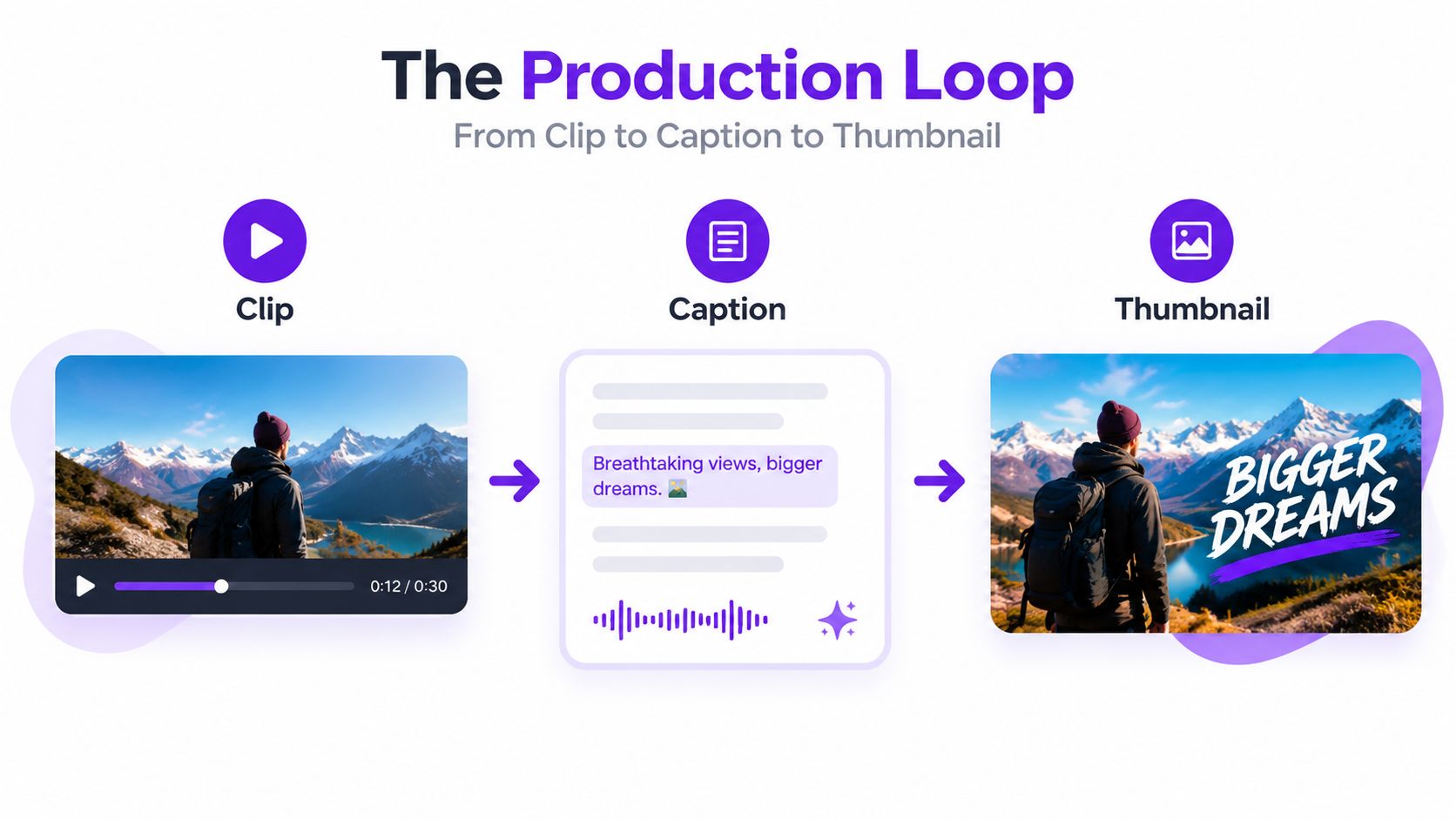
A finished derivative isn't a result. It's an approved asset waiting for distribution and measurement.
Build scheduling into the same workflow that produces the clip. Assign each asset a platform, intended audience, publication window, destination link, and status. Spacing matters because publishing every variation at once can make the campaign feel repetitive and can prevent you from learning which framing earned the response.
Use a scheduler such as Buffer, Later, or Metricool if it reduces manual handoffs. The tool is less important than the queue discipline. Keep enough variation in hooks and formats that the audience sees a coherent editorial series rather than the same video repeated with minor edits.
Old content deserves an explicit review path. Look for derivatives that had strong retention, saves, shares, or comments but weak distribution, then consider a new opening, tighter context, different cover, or another platform. This isn't a request to repost unchanged. The second pass should respond to what the first release taught you.
Measurement must compare like with like. Socialinsider's recommended approach is to judge a repurposed asset against the platform average for that format, not against the original source. A Reel should be compared with typical Reels, and a LinkedIn post should be compared with comparable LinkedIn posts. The practical repurposing measurement guidance also emphasizes reach or views, engagement rate, shares and saves, clicks, and assisted conversions.
| Metric | What to measure | Benchmark source |
|---|---|---|
| Reach and views | Exposure and completed viewing behavior | Platform averages for the same format |
| Engagement rate | Meaningful reactions relative to reach | Comparable assets on that platform |
| Shares and saves | Whether the idea has utility or spread potential | Platform and account history |
| Clicks | Movement toward the intended destination | Tracked campaign links and analytics |
| Assisted conversions | Whether the derivative influenced a later action | Conversion paths and CRM records |
Store those results in the same record as the source video. Over time, patterns emerge around source types, hook styles, visual treatments, and distribution choices. For platform selection and channel-specific publishing considerations, this guide to the content distribution platform provides a useful reference point.
A workflow becomes real when each week produces an operational deliverable, not another list of tools to investigate.
Create the source-of-truth library, naming convention, transcript structure, tags, and brand templates. Finish by migrating a small group of existing videos and testing whether another person can retrieve the transcript, source file, and current design assets without help.
Define the source scorecard and candidate-moment criteria. Apply them to two archive videos, produce a shortlist for each, and document why every selected moment earned production time. Don't edit everything you find.
Run the selected clips through rough cut, captions, thumbnail variants, metadata, platform adjustments, and QA. Save the approved templates and update the decision log when a step creates confusion.
Load the approved assets into a scheduler, connect each derivative to its source record, and establish a recurring review of reach, engagement, shares, saves, clicks, and assisted conversions. The system is operational when publishing and learning happen without a fresh rescue sprint.
For additional ideas on content operations and marketing systems, you can browse our latest articles.
How much long-form content do you need? Start with one substantive source. A single strong video is enough to test retrieval, selection, production, and measurement. Add volume only after the workflow can handle one source cleanly.
When should AI clip cutters be trusted? Use them for transcript search, candidate discovery, rough selections, captions, and reframing. Keep a human editor responsible for context, novelty, emotional timing, brand judgment, and final approval.
Will adapted content create an SEO problem? Avoid publishing identical copy across website pages. Adapt the structure, wording, hook, and purpose for each destination, and treat social and email as distribution formats rather than duplicate versions of the same web page.
What does the weekly time cost look like? It depends on source quality, team size, approval speed, and how much visual treatment each platform requires. Once retrieval, templates, and decision rules are stable, the work should feel like a controlled production queue, not a daily search for ideas.
Taja AI can turn a long-form video into vertical clips, captions, thumbnails, blog content, and platform-specific posts, with scheduling tools that help move approved derivatives into a publishing queue. If you want to test a more systematic content repurposing workflow instead of rebuilding each asset manually, visit Taja AI and start with your next published video.


We are blessed to work with leading brands & Companies


We try to make easy and simple for every professionals. Get 30 days free trial - No credit card required.


© 2025 Taja AI. All rights reserved.