.jpeg)
How to Use Video for Blog Content the Right Way
Learn how to use video for blog content with proven types, SEO tips, and repurposing strategies that boost engagement, retention, and search rankings in 2026.
5 min read
October 21, 2026

Facebook video best practices for creators: master hooks, specs, captions, distribution, Reels, Stories, boosting, and analytics in 2026.
Written by:


A strong Facebook video can still disappear into the feed when its opening takes too long, its framing hides the subject, or its message depends on sound. The fix usually isn't another round of polish on the final export. It's a publishing workflow that makes the video clear, watchable, and useful wherever someone encounters it.
These Facebook video best practices follow the work from choosing an opening through editing for Feed, Reels, and Stories, publishing, and reviewing results. That matters whether you're an educator turning a lesson into clips, a realtor sharing a property tour, a podcaster repurposing an interview, or a local business explaining a service. One source recording can produce several useful edits, but only when each version is prepared for its placement and purpose.
Facebook video is worth treating as more than a link to a video hosted elsewhere. A peer-reviewed study of public-health communication on Facebook found that video posts were shared more often than photo posts on average, while a separate analysis of brand posts found stronger interaction with video than with text-only posts. Those historical findings don't guarantee results for today's page, but they support testing native video and measuring what viewers do, not just counting plays. If you're building a business presence alongside a video workflow, start with a Facebook Page that ranks, then use the practices below to make each upload work harder.
The opening needs to earn the next moment of attention. Facebook's News Feed began considering whether someone watched a video and how long they watched it, as Meta explained in its video ranking update. The practical takeaway is simple: don't make viewers wait through greetings, logos, or a long explanation before they learn why the video matters.
Lead with the strongest image, clearest benefit, or most surprising statement. A realtor could begin a tour with the kitchen transformation or a property feature viewers came to see, then explain the details. A podcaster could open with a revealing moment from the conversation, then give the context that makes it meaningful. The hook should be honest, and the rest of the clip must deliver what it promises.
Write the opening before you finish the edit. Then remove setup that doesn't help viewers understand the subject or care about the outcome. If a long recording contains a strong standalone moment, try it as the opener and make the rest of the clip answer the question it raises. Taja's Reels best practices can help inform how you shape those short edits.
Don't assume the same style of hook works for every audience. Test a visual opening, such as a close-up or an immediate change in the scene, against a clear spoken statement. Review opening retention in Insights and keep the version that gives viewers a reason to stay.
Practical rule: Start where the value becomes visible, not where the recording began.
One source file doesn't have to mean one final video. Reels and Stories run full-screen vertical, while a portrait crop gives a Feed video more screen presence without making viewers rotate their phones. Export a dedicated version for each placement. Stretching or auto-cropping a single file and hoping the important details survive is how demonstrations lose their context.
A local service provider filming a before-and-after project can shoot vertically and keep the work centered in frame. A church sharing a sermon excerpt might cut a vertical Reel alongside a separate Feed edit that preserves more of the speaker and setting. Check where faces, signs, hands, and on-screen text land after reframing. A crop that cuts off the subject's hands makes a cooking lesson or repair demonstration hard to follow.
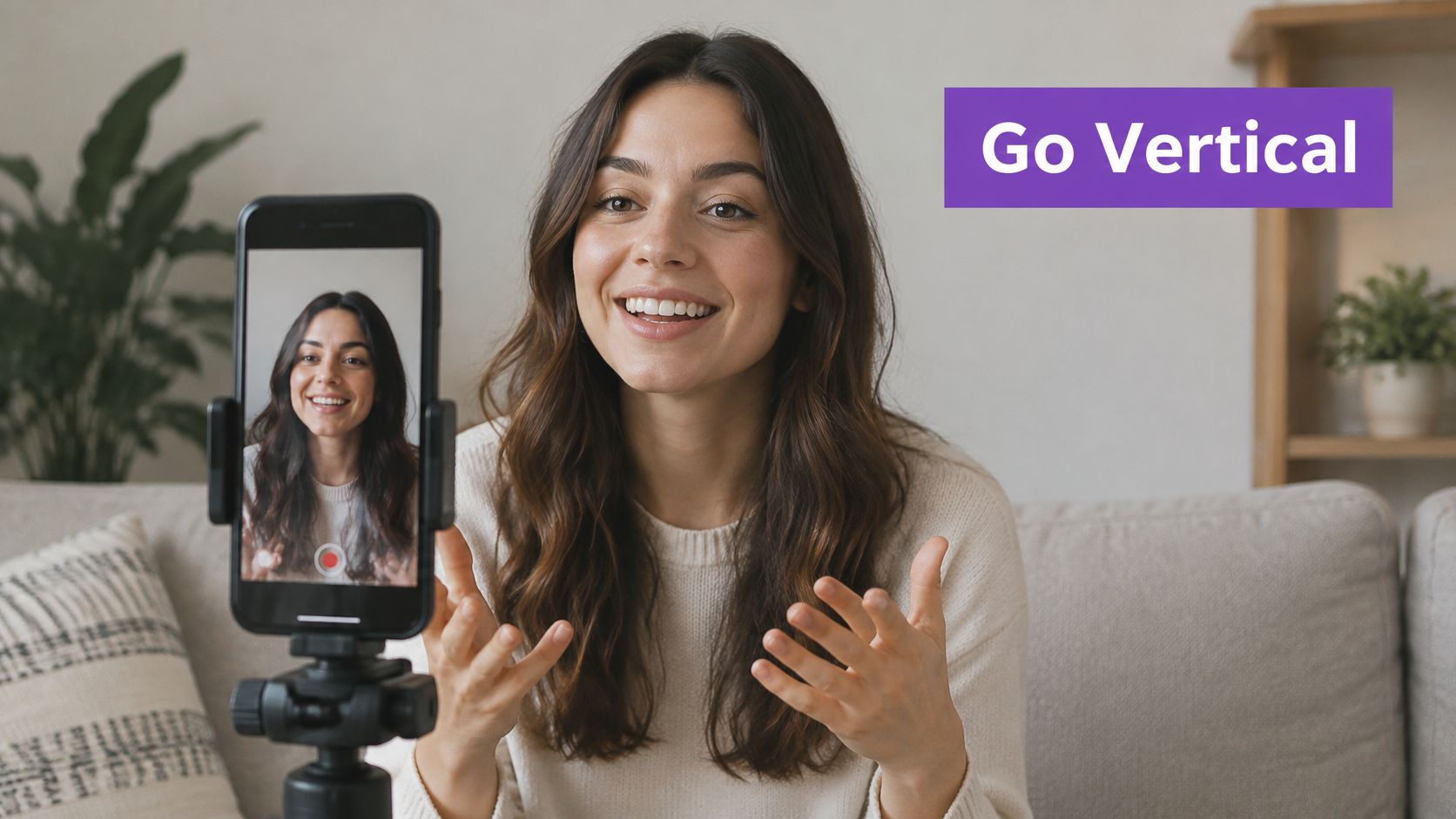
Use 1080×1920 pixels at 9:16 for full-screen Reels and Stories, and 1080×1350 pixels at 4:5 for Feed. Export MP4 with H.264 video and AAC stereo audio, a constant frame rate at or below 30 fps, and a file size below 4 GB. These specifications come from these Facebook video ad specifications for 2026. For framing and export fundamentals, see this social media video production guide.
Keep text and key visual information clear of interface controls, and check the compressed upload on a phone before publishing. Judge the finished export in its actual viewing environment, not on a large editing monitor.
Captions help viewers follow a video when they can't or don't want to turn on sound. They also support viewers who are deaf or hard of hearing, people watching in a noisy setting, and people following a speaker in a language they're still learning. But captions only help when they're readable and accurate.
Auto-generated text is a draft, not a final review. Check names, specialist terms, and any spoken details that affect the meaning. An educator explaining a lesson should correct subject-specific vocabulary; a local business should verify product and service names. If a video relies on gestures, a chart, or a demonstration, make sure the visuals still communicate the point without the audio.
Use strong contrast and a consistent style that fits your brand, but don't let decoration make the words harder to read. Break text into manageable phrases, synchronize it with speech, and avoid placing it where Facebook's controls may cover it. For a multilingual audience, consider translated caption tracks where they're available and useful. This guide to adding video captions can help you prepare the captioning workflow.
An accessibility guide discusses caption use and viewing without sound, but the more important operational step is to check whether your captions preserve meaning. Compare the auto-generated version with a human-reviewed sample, then watch the clip on a mobile screen. Captions are not an afterthought; they're part of the edit.
Give Facebook a video file made for Facebook rather than relying on a link to a video hosted elsewhere. Native uploads also let you prepare the caption, cover, and framing for the post itself. A public-health study on Facebook found that video posts were shared more often than photo posts on average, and it also cautioned that autoplay exposure can be counted as a view. The study's findings make two useful points: native video can be worth testing, and a view count alone doesn't show how closely someone watched.
Remove visible logos and watermarks from another platform before publishing. A creator who makes a TikTok edit can export a clean version from the original editing project, then adjust the opening and caption for Facebook. Don't download the finished copy from another app if its interface marks remain on screen.
Write a Facebook-specific caption that explains what the viewer is seeing. A podcast clip might introduce the guest or topic in the post copy rather than assume viewers recognize the conversation. If the full interview lives elsewhere, make the Facebook clip valuable on its own, then tell viewers where to find the extended version when that's relevant.
Treat repurposing as adaptation, not duplication. Keep the core footage, but adjust the crop, opening, caption, and call to action so the upload feels intentional in its new context.
A cover frame can influence whether someone recognizes a video's subject in a profile or video grid. Choose a frame with a clear face, product, place, or action, and make any overlaid words easy to read at small sizes. A realtor could use a view of the property's distinctive exterior; a podcast creator could choose a frame that shows both speakers rather than an unrelated stock image.
The cover needs to represent the actual video. A dramatic image that promises a reveal the clip never delivers may win a moment of attention, but it can damage trust and lead viewers to leave. Use a short label only when it adds useful context, such as the lesson topic or the location of a tour.

Check the cover in the Feed and on your profile before publishing. A design that reads on a desktop preview may become too small or crowded on a phone. Keep important words and faces away from edges where different placements may crop the image, and use a frame that remains clear without relying on tiny text.
If you use a template or thumbnail tool, treat the result as a starting point. Review the image against the actual clip, then revise anything that could mislead or obscure the subject.
A clear caption gives viewers and Facebook context about the video. State the subject in the opening sentence, then add details that help the intended audience recognize its relevance. A plumber serving a local area can describe the service and location naturally. An educator can name the lesson topic and explain what the video demonstrates.
Use words your audience would search for, not a string of awkward keywords. If the video shows a property walk-through, name the neighborhood or property type when that information is appropriate to share. If it explains a repair, say what the repair is. Relevant detail helps people decide whether to watch and gives the post a clearer subject.
A useful description can answer three questions: What is this video about? Who is it for? What should the viewer do next? For example, a lesson post might summarize the concept and invite learners to ask a question about the part they found difficult. A service business can explain the problem shown and direct interested viewers to send a message or request details.
Add a small number of relevant hashtags only if they help organize or label the post. They can't make an unclear caption clear. If you use an SEO tool to draft titles or descriptions, review the suggestions for accuracy and natural wording before publishing.
There isn't one best Facebook video length for every purpose. A quick tip may work as a short discovery clip, while a tutorial, interview, property tour, or sermon segment may need more time to explain its point. Choose the duration that lets the video deliver a clear payoff, then remove anything that delays it without adding value.
Retention matters more than length by itself. A study of public Facebook live events found that the events averaged 23 minutes and 1 second, while viewers watched an average of 23 seconds per video. The paper also cited Facebook's reported average retention of 16.7 seconds. Those historical findings support putting the main value near the beginning, not assuming viewers will stay through a long introduction.
A podcaster can publish a focused excerpt from a long interview and keep the complete conversation available for viewers who want depth. A coach can turn a webinar into a sequence of concise lessons, with each clip covering one useful idea. A longer version isn't automatically wasteful, and a short version isn't automatically effective. Decide what the viewer should learn or do, then edit to that purpose.
Cut dead air, repeated explanations, and slow setup. Check the retention graph for places where viewers leave, then ask whether the edit loses clarity, moves too slowly, or changes topic abruptly. Facebook's placements serve different viewing contexts, as this guide to Facebook video advertising also recognizes. Make versions that fit those contexts instead of chasing a universal runtime.
A good engagement prompt starts a conversation that belongs with the video. An educator can ask which part of a lesson needs more explanation. A real estate agent can ask what kind of neighborhood viewers want to see in a future tour. A faith organization can invite people to share a reflection related to a devotional.
Avoid asking people to like, share, or tag someone solely to inflate engagement. Those requests don't give viewers a meaningful reason to respond and can make a post feel transactional. Ask a question that helps you understand the audience or gives viewers a genuine way to contribute.
End with one relevant invitation. If the video answers a common question, invite viewers to leave a follow-up question. If it demonstrates a service, tell interested people how to request more information. If you want discussion, ask for a specific opinion rather than a generic reaction.
Respond to comments with useful answers, not copy-pasted acknowledgments. A local business can clarify what a service includes; a podcast host can point a listener to a related discussion. The exchange gives the conversation a reason to continue and shows other viewers how to participate.
Ask for a response that helps the viewer or the community, not one that merely boosts a counter.
Consistency helps your audience know what to expect, but a schedule only works if your team can keep it without rushing the content. Start with a manageable rhythm and plan around the material you can make well. A solo educator might set aside time to record several lessons together, then prepare each for its own post. A small marketing team can coordinate video publishing with a product launch or email campaign.
Scheduling can reduce repetitive work, but it doesn't replace conversation. Use a calendar to prepare assets and captions in advance, then make time to respond to viewers after publication. Meta Business Suite and other scheduling tools can help teams organize posts; confirm each scheduled video's crop, cover, and caption before it goes live.
Check Insights to learn when your own followers are active, then test different publishing windows with comparable content. Don't assume that a timing recommendation from another page or industry applies to your audience. Keep a simple record of the topic, opening, placement, and response so you can spot patterns without treating one post as proof.
If you're building a cross-platform calendar, this guide to Facebook auto-sharing can help you think through distribution. For teams handling audio releases as well as video, a list of tools to schedule SoundCloud uploads may also be useful. Schedule the work, then check that the post still fits its intended audience and platform.
Views tell you that a video received exposure, but they don't explain what viewers did next. Facebook's reporting can include view and watch-time measures, retention, engagement, and audience responses. Interpret each metric according to its definition: the peer-reviewed research on Facebook video noted that autoplay can register a view while someone scrolls, so exposure isn't the same as sustained attention.
Review the opening first. If people leave early, test a more direct hook, a clearer visual, or a faster route to the subject. If viewers stay but don't take the next step, check whether the video's message or call to action is unclear. Compare like with like: a short Reel and a longer tutorial serve different purposes, so a raw view comparison may not tell you which one better served its goal.

After each publishing cycle, note what you'll change next: the opening, framing, caption style, length, topic, or prompt. Change one major element at a time when you can, so the result is easier to interpret. A tutorial that continues to answer a useful question may deserve an updated version; a clip with strong retention may supply an opening or topic for a related post.
Use performance as a guide, not a verdict on the entire idea. Taja's Backlog Boost and Next Video Idea tools can support the process of revisiting older material and developing topics from content signals. The editorial decision remains yours: choose what serves the audience, then make the next version clearer.
| Practice | 🔄 Implementation Complexity | ⚡ Resource Requirements | 📊 Expected Outcome | ⭐ Key Advantage | 💡 Ideal Use Case |
|---|---|---|---|---|---|
| Hook viewers in the first 3 seconds | Moderate; requires a strong opening and editing | Low to moderate; scripting and editing time | Higher early retention and potential reach | Works across video types and formats | Reels, tutorials, testimonials, and repurposed clips |
| Use vertical 9:16 for Reels and 4:5 for feed video | Low when planned during filming; moderate when reframing footage | Low if shot for placement; extra editing for multiple formats | More mobile-screen visibility and attention | Matches Facebook's common mobile placements | Mobile-first Reels and feed posts |
| Add captions and on-screen text | Low to moderate; captions need review and styling | Low to moderate; captioning tools and editing time | Better sound-off comprehension and accessibility | Makes content easier to follow without audio | Explainers, lessons, and videos watched in public |
| Upload original videos natively without visible watermarks | Low to moderate; requires clean, platform-ready exports | Low; video file and basic editing | Supports native distribution and platform-specific branding | Keeps viewers on Facebook and avoids recycled-looking posts | Cross-platform content adapted for Facebook |
| Choose compelling thumbnails and cover frames | Low to moderate; select or design a clear cover | Low to moderate; design time or templates | Potentially higher click-through and profile visits | Easy to test and update | Reels grids, video posts, and profile browsing |
| Optimize titles, descriptions, and keywords | Low; write clear, natural descriptions | Low; copywriting and topic research | Better topic clarity and potential search discovery | Supports local and topic-based discovery | Tutorials, local services, and searchable content |
| Match video length to goal and retention | Moderate; requires pacing and performance review | Moderate; editing and Insights review | Better completion or deeper engagement, depending on length | Aligns format with audience need | Quick tips, explainers, interviews, and webinars |
| Drive authentic engagement; avoid engagement bait | Moderate; requires thoughtful prompts and replies | Low to moderate; time for community interaction | More meaningful comments and conversations | Builds trust while avoiding bait tactics | Q&As, community content, and discussion-led videos |
| Maintain a consistent posting cadence with scheduling | Moderate; requires planning and calendar upkeep | Moderate; batch production and scheduling tools | More reliable publishing and audience touchpoints | Reduces last-minute posting pressure | Small teams and creators with recurring content |
| Measure performance in Insights and iterate | Moderate; requires regular metric review and testing | Low to moderate; analytics access and review time | More informed content decisions over time | Turns results into repeatable improvements | Ongoing video programs and performance optimization |
The best Facebook video strategy isn't a pile of isolated tricks. It's a production system that carries one useful idea from recording through editing, publishing, measurement, and repurposing. Start with a source video that answers a real audience question, then identify the strongest moment and shape the opening around it. Remove setup that delays the point, and make sure the finished clip delivers what its opening promises.
Prepare versions for their placements. Use vertical framing for Reels and Stories, and a separate Feed crop when it keeps the subject and captions clear. Review the export on a phone, check every caption, select a cover that represents the actual content, and write post copy that explains the video in plain language. These details aren't cosmetic. They determine whether viewers can understand the video, see the important action, and decide what to do next.
Then measure the result against the video's purpose. Look beyond plays to retention and meaningful actions, and interpret view metrics carefully because autoplay exposure doesn't prove sustained attention. Compare similar formats, notice where viewers drop off, and carry one practical lesson into the next edit. A clip that earns discussion may be useful for community-building; a clear service explainer may be more valuable when it generates relevant inquiries than when it attracts casual views.
Small teams don't need to rebuild every asset from scratch. Taja AI can turn long-form recordings into short clips, captions, thumbnails, blog content, and platform-specific posts, with editing and scheduling tools to support the workflow. Use tools to reduce repetitive production work, but keep human review in the loop for accuracy, accessibility, framing, and the quality of the opening. Your audience still needs a clear idea, delivered in a format they can follow.
Set up a simple repeatable process: choose the source, select the strongest moment, prepare the placement-specific edits, review the captions and covers, schedule the posts, and record what the results teach you. Then use the strongest material to plan the next batch. That's how one recording becomes a useful library of Facebook content rather than a single upload that disappears after publishing.
Turn your long-form recordings into Facebook-ready clips, captions, thumbnails, and platform-specific posts with Taja AI. Use its editing and scheduling tools to prepare and distribute content, then focus your time on choosing the strongest moments and improving what you publish next.


We are blessed to work with leading brands & Companies


We try to make easy and simple for every professionals. Get 30 days free trial - No credit card required.


© 2025 Taja AI. All rights reserved.