.jpeg)
Auto Generate Captions for Video in 2026
Learn how to auto generate captions for video with AI tools, accuracy tips, and platform publishing workflows that actually scale in 2026.
5 min read
October 18, 2026

Learn how to make highlights video content from long footage with a retention-led workflow, captioning, export settings, and platform-ready exports.
Written by:


Most highlights don't fail because the original recording was weak. They fail because the editor pulled out a good sentence, trimmed it short, and assumed viewers would fill in the missing context. Viewers don't do that work. They leave.
Learning how to make highlights video content that holds attention means thinking like an editor, not a clipper. You're building a small, complete story with a hook, context, payoff, and exit, then testing whether strangers stay for it.
A clean, interesting clip can still die immediately. Metricool's 2025 analysis of nearly six million short-form videos reported on by MarketingTech News found average TikTok videos were about 41 seconds long, while viewers watched only 3.75 seconds on average and just 4% watched to completion. That doesn't prove every viewer decides in exactly three seconds. It does expose the core problem. Brevity alone doesn't create a reason to stay.
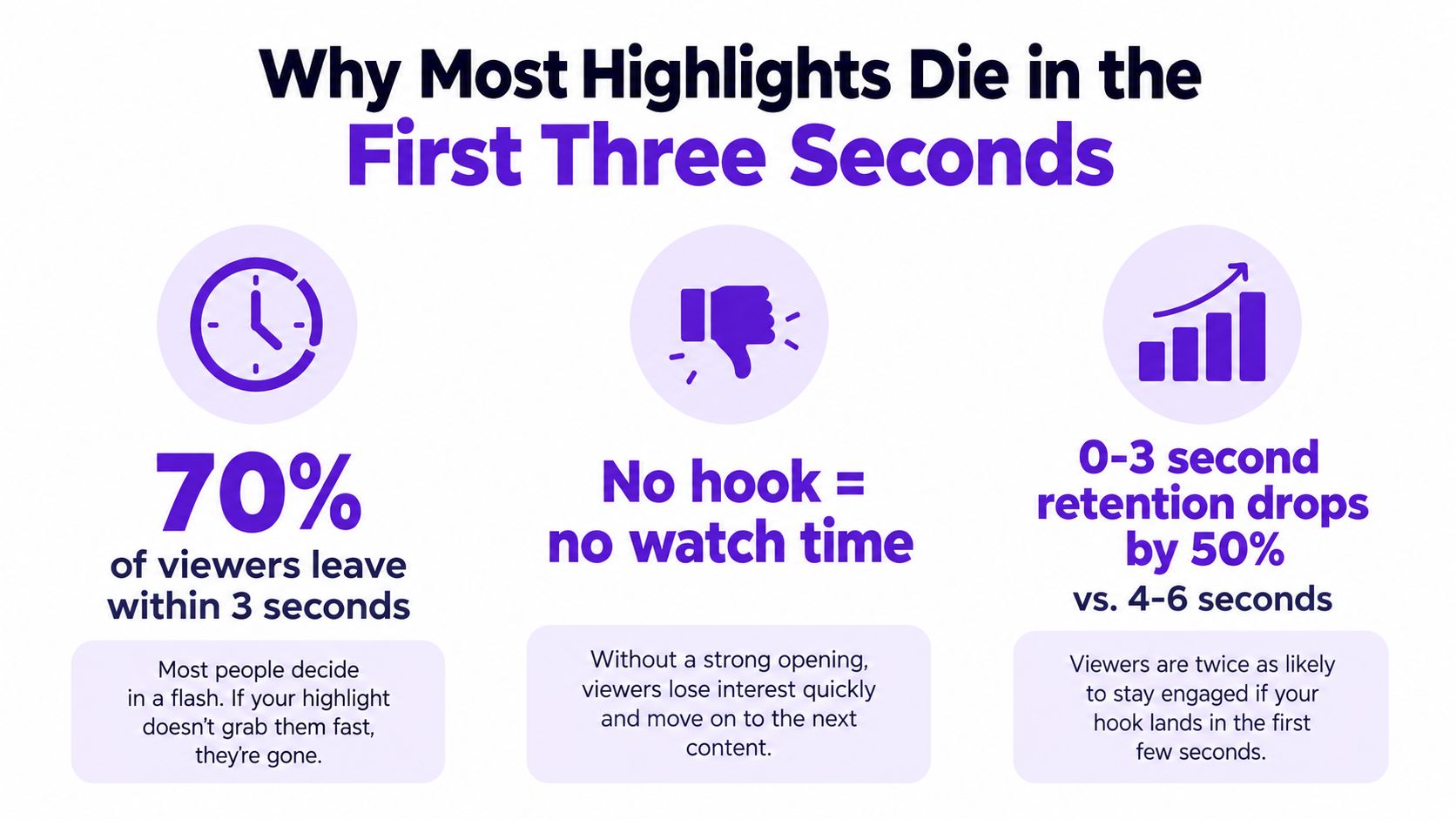
Most tutorials teach you to find the best moments and cut everything else. That sounds efficient, but a memorable line without its premise creates a predictable pattern. Curiosity rises for a moment, comprehension stalls, and the viewer swipes before the payoff arrives. The content wasn't necessarily weak. The standalone clarity was.
Treat each clip as an independent narrative unit. A stranger should understand who's speaking, what question or tension is at stake, and why the next sentence matters. They shouldn't need the original episode title, your channel history, or the thirty seconds you deleted to make sense of it.
Open with the outcome, conflict, or strongest claim, then supply only enough setup for that opening to make sense. Cut greetings, throat-clearing, and pauses before the first meaningful sentence or visual change. End right after the answer lands instead of letting the speaker drift into the next topic.
If your opening requires a caption like "wait for it," the edit usually hasn't given viewers a reason to wait.
Aggressive shortening can make this worse. Removing the premise, the example, or the qualifier that makes a claim credible may produce a faster clip that's harder to follow. A slightly longer highlight can hold people better when those extra seconds resolve the question your hook raised. Judge the opening by completion, rewatches, saves, and comments, not by views alone. A clip can earn plenty of starts and still fail as a story.
Start with a transcript, not your memory of what felt exciting during recording. Memory favors topics you cared about and moments that surprised you because you heard everything around them. A transcript lets you scan for complete thoughts, strong questions, disagreements, specific examples, and lines that can open a clip without a long runway.
Score every candidate before you cut it. Use four practical questions and be strict about weak answers.
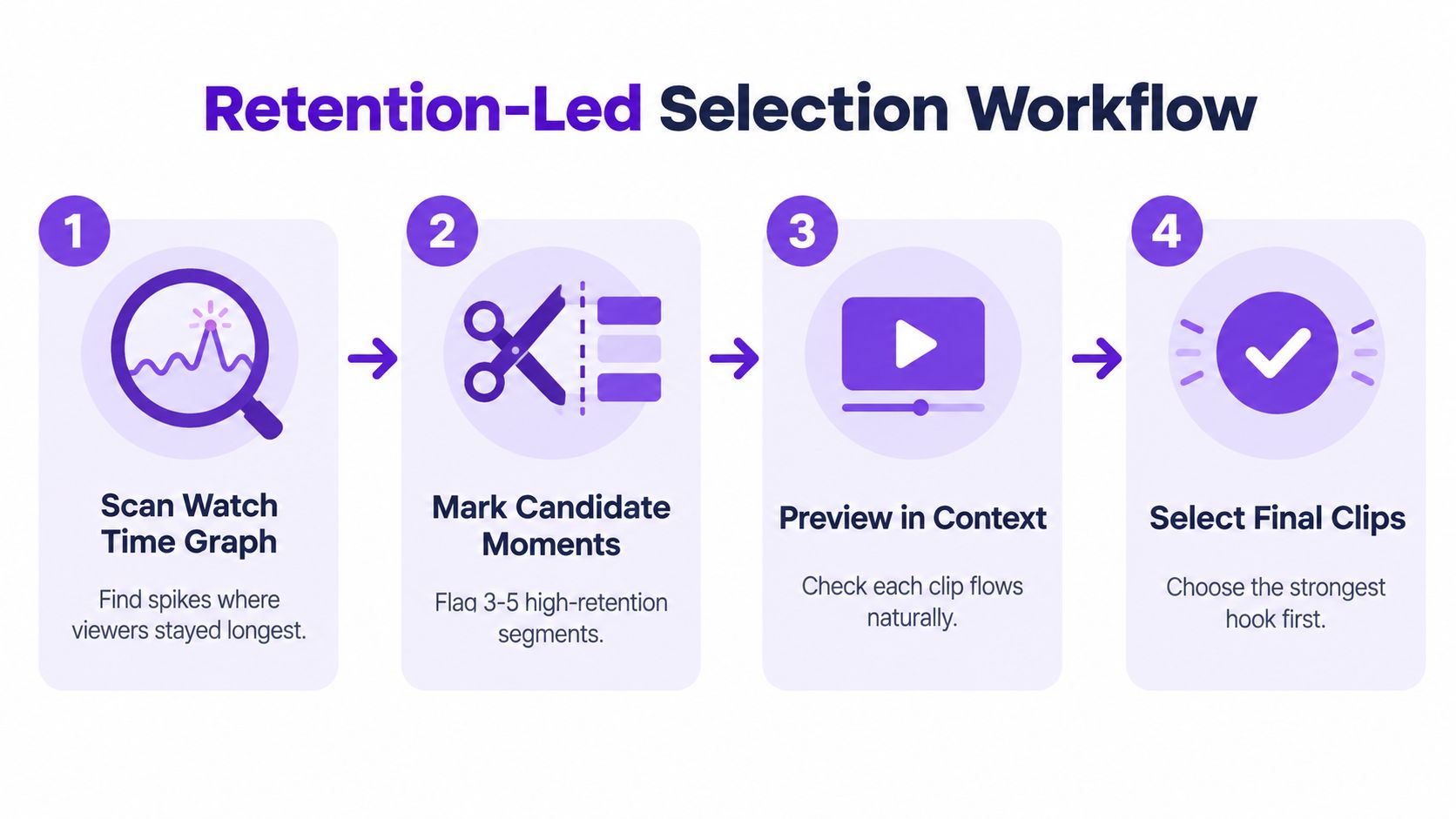
When the source video is already published, check YouTube's audience retention documentation and your own report before choosing clips. Top moments show sections where nearly everyone continued watching, spikes point to sections viewers rewatched or shared, and dips reveal abandonment or skipping. YouTube also lets you compare a video with others of similar length, which helps separate a weak segment from normal behavior for that format.
Segment the report by new versus returning viewers and subscribers versus non-subscribers when the goal matters. A moment loyal viewers love may depend on shared history that strangers don't have. That's still useful for community content, but it's a risky discovery clip. For reaching unfamiliar audiences, favor moments that explain themselves quickly. Event footage has a similar selection problem, which is why a guide to recap videos for event organizers can be a useful reference when you're deciding which scenes carry the story and which only matter to people who were already there.
Don't assume an automatically flagged "viral" sentence is a finished candidate. Check the lines before and after it. If the claim needs a name, a condition, or a short example to be accurate, keep that material or choose another moment. Score first, validate second, cut third. That order saves hours polishing clips that never had a complete story.
There's no universal ideal length for a highlight. The right length is the shortest version that still delivers the promised payoff. Those two clauses matter equally. Padding loses people, but so does cutting the evidence that makes the payoff believable.
A real-estate walkthrough can work at around 15 seconds when one visual change carries the message. Open on the finished kitchen rather than the front door, show the feature that answers the buyer's likely question, and stop. The viewer needs orientation, proof, and a clean ending. Extra hallway footage adds duration without adding information.
A podcast insight often needs closer to 30 seconds. The speaker has to state the claim, give the reason or example, and land the conclusion. If you keep only the conclusion, it sounds like generic advice. If you keep only the setup, the clip feels like a teaser for content the viewer may never open. The full thought is the product.
A sports play, lesson, sermon point, or product demonstration may need a longer build because the action only makes sense in sequence. Let the viewer see the formation, the mistake, the decision, and the result. Sports broadcasting learned this long before vertical video. Selection creates narrative, and sequencing can explain why a play worked instead of merely showing that it happened.
Cut for comprehension speed, not for the shortest possible runtime.
Use this test before locking duration. Mute your assumptions and watch as a stranger.
If the answer to the last question is yes, cut them. If removing the middle makes the ending confusing, restore the middle and accept the longer runtime. Pacing is an editorial decision, not a platform preset. The clip should feel brisk because nothing is wasted, not because important connective tissue went missing.
Reframing isn't just shrinking a wide shot into a narrow box. The crop decides whose reaction viewers see, which evidence stays readable, and whether platform buttons cover your subject. Start with a 9:16 vertical master for short-form discovery and keep faces, hands, products, and essential screen content inside a central safe area.
The workspace below shows the basic comparison you should make before exporting, with the original frame judged against the vertical version.
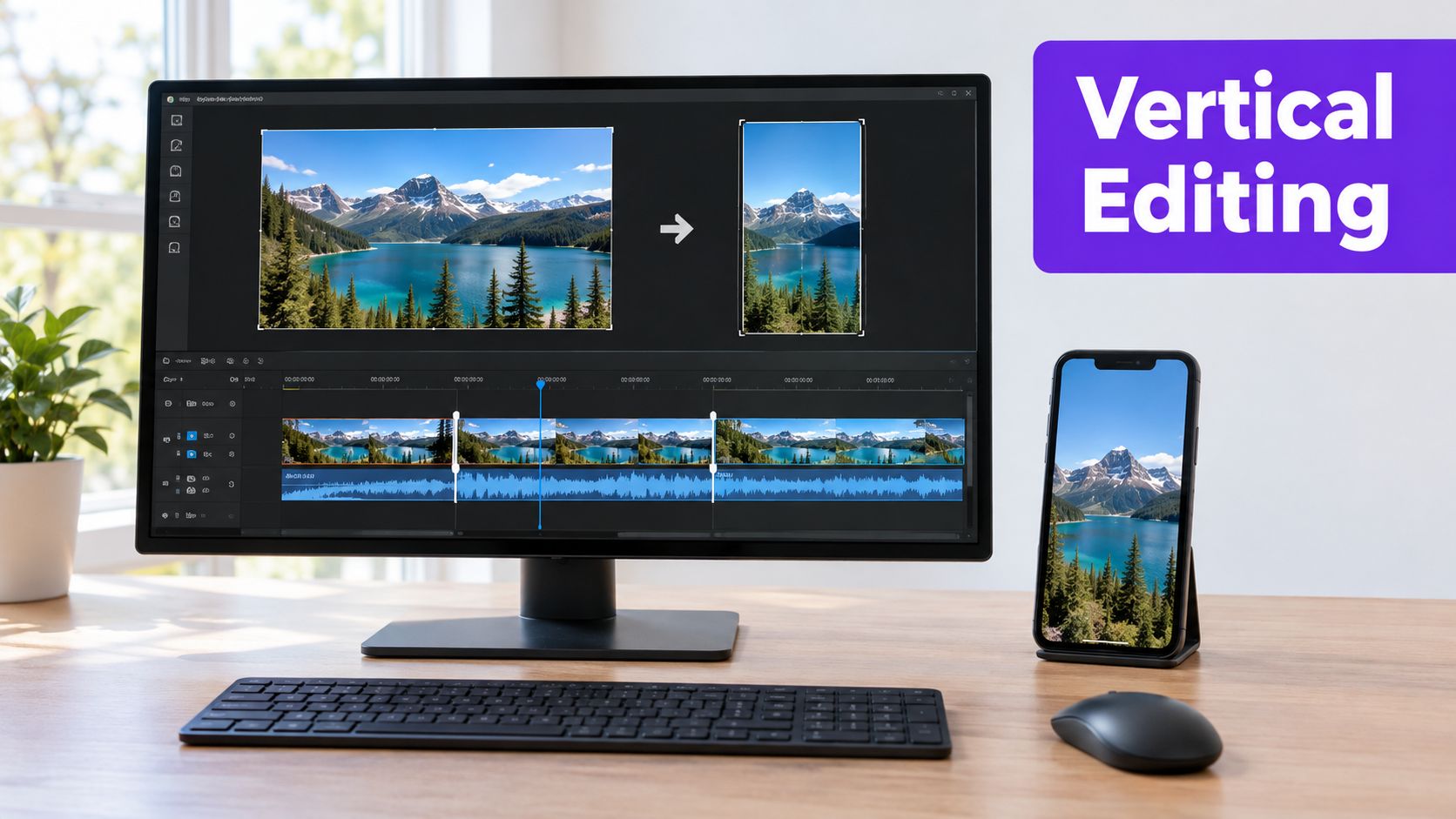
When two speakers matter, don't automatically center one and erase the other. You can stack speakers, use a split layout, or cut between them at natural turns. The RenderIO video conversion guide is worth consulting when you need a more detailed walkthrough of converting horizontal source footage without making the subject feel boxed in. For platform-specific framing decisions, check the guide to the best aspect ratio for YouTube before assuming one crop suits every destination.
Use punch-ins, cutaways, and animated emphasis only when they clarify the argument. A punch-in can underline a conclusion. A cutaway can show the object being described. Constant zooms, spins, and whoosh transitions do the opposite. They call attention to the editor while the idea waits.
This walkthrough is useful to watch with your own edit open, pausing whenever your clip makes a visual change that doesn't add information.
Clean the audio with the same discipline. Level speech across cuts, trim long silences, and remove repeated phrasing that doesn't improve comprehension. Natural breaths can stay. Dead air before the first sentence should go.
Run a final pass on your phone at normal size. Confirm the opening visual changes early, the speaker's eyes aren't trapped under interface elements, and the story still makes sense with sound off. Check that every cut preserves logical continuity. If viewers must reconstruct who moved, what changed, or why the scene jumped, the crop is costing you attention.
Auto-generated captions are a draft, not a deliverable. Correct names, numbers, jargon, punctuation, and meaningful non-speech sounds before you style anything. One wrong name or number can make an otherwise credible clip look careless, and viewers reading on mute have no audio to repair the mistake.
Australian government guidance for video and audio recommends two lines maximum, no more than 42 characters per line, natural line breaks, and a gap of at least four frames between subtitle events. The same editorial pass should keep timing tight. W3C guidance cited in that standard indicates audio shouldn't lead video by more than 40 ms or lag it by more than 160 ms, with authored timing ideally within approximately ±20 ms.
Those aren't fussy broadcast details. They determine whether text feels attached to the speaker or trails behind like a delayed translation.
Burned-in captions work well in feeds where muted autoplay is common because viewers see the text immediately. A separate caption file is better when the platform supports toggling, search, translation, or accessibility workflows. When you can, keep both from the same corrected transcript instead of letting each platform invent its own version. Tools that auto generate captions for video can speed up the first pass, but they don't replace your review of phrasing and timing.
Place captions away from mouths, hands, product details, and lower-third interface zones. Break lines where the speaker naturally pauses, not in the middle of a name or key phrase. Don't leave text on screen after the sentence ends just to fill a styling template.
Captions should carry the argument when sound is off, not decorate the frame. If a word-by-word animation makes comprehension harder, simplify it. Readable beats flashy every time.
Build one clean master, then make deliberate variants. Re-editing from scratch for TikTok, Instagram Reels, and YouTube Shorts invites small inconsistencies, wrong caption versions, and exports where the hook lands differently on each platform. Your master should contain the approved edit, corrected captions, consistent audio, and framing that can adapt without losing the subject.
From there, adjust only what the destination changes. Check the current duration rules, preview crop, caption behavior, and interface placement for each platform instead of relying on old export presets. A layout that clears controls on one feed can sit under buttons or description text on another.
The automation workspace below illustrates the practical goal, one source moving into repeatable platform outputs rather than a new manual project every time.
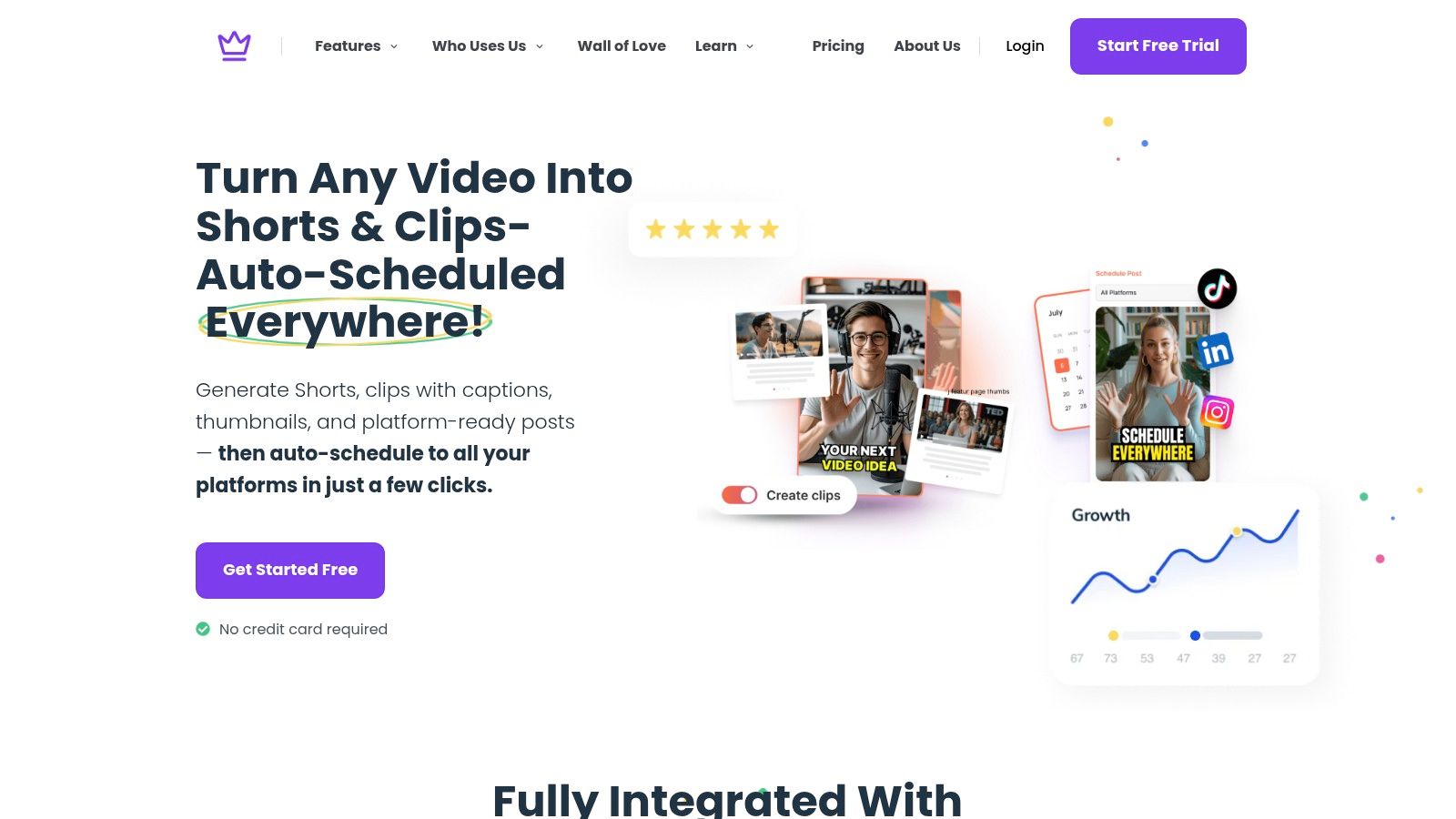
Keep a simple version sheet for every highlight. It prevents the common mess where the file named "final" isn't the file anyone approved.
Choose the first frame like a poster, not an accident. It should show a face, action, object, or result that a viewer can identify at small size. Avoid mid-blink expressions, dark transitional frames, and wide shots where the subject becomes a speck. If you add text, keep it short enough to read without zooming and make sure it doesn't promise more than the clip delivers.
Then verify the rendered files, not just the timeline. Watch each export on a phone with earbuds and again on mute. Confirm loudness stays consistent, captions appear where intended, the opening frame is readable, and no platform crop removes the hook. This feels repetitive until one bad render wastes a strong moment. After that, it becomes part of the craft.
"Credit the owner" isn't a rights strategy. Neither is keeping a clip short. If the footage, music, images, or performance aren't entirely yours, decide whether you have permission before you build a posting schedule around the highlight.
Copyright exceptions are jurisdiction-specific and fact-dependent. BYU's copyright reference guide summarizes US fair use as weighing purpose, amount used, nature of the work, and market effect. Canadian fair dealing takes a different shape, emphasizing use of only the portion necessary and making the material support criticism, review, education, or news reporting rather than become the main attraction. Sports footage carries additional risk because most of it can't be treated as fair dealing and may require access under specific sports-news rules.
That means a rule you heard from a US creator may not protect a church in Canada, an educator in the UK, or a business posting globally. US fair use doesn't map cleanly onto fair dealing or other exceptions elsewhere.
Work through ownership in plain language and write down the answers.
Music needs a separate decision. Permission to use video doesn't grant rights to the song playing in it, and trimming a track doesn't solve that problem. If you need to shorten licensed audio for an edit, the practical guide on how to cut a song covers the editing side, but you still need the underlying right to use the recording. For client work, a commercial video production company can also help clarify production agreements and deliverables before footage is shot, which is much easier than untangling ownership after publication.
Attribution is good practice when it's accurate and required, but attribution doesn't create permission. Removing a watermark, adding commentary, or posting for education doesn't automatically make a use lawful either. When the answer is unclear and the clip matters commercially, get permission or qualified legal advice for the relevant jurisdiction.
Close every project with the same short audit. It ties the creative choices to the legal and technical ones while fixes are still cheap.
Final check: Hook in the opening seconds, premise intact, payoff delivered, face and evidence inside the crop, captions readable on a phone, correct export verified, music and footage permissions documented.
After publishing, read the retention curve instead of defending the edit. If viewers leave before the context lands, open faster. If they stay through setup but exit before the conclusion, tighten the middle or make the payoff clearer. If one hook style earns more rewatches and saves, test that structure again with a different moment. Publishing isn't the finish line. It's how you learn whether your next highlight should open on the result, keep one more sentence of setup, or choose a stronger moment entirely.
Turn your next podcast, lesson, sermon, interview, or property walkthrough into captioned, platform-ready highlights without manually rebuilding every clip. Taja AI helps you identify strong moments from long-form video, format them for short-form platforms, and prepare the supporting assets from one upload. Start with a recording you already have and use the retention checklist above to judge what deserves publishing.


We are blessed to work with leading brands & Companies


We try to make easy and simple for every professionals. Get 30 days free trial - No credit card required.


© 2025 Taja AI. All rights reserved.