.jpeg)
Create Youtube Shorts from Youtube Video
Create youtube shorts from youtube video. Create YouTube Shorts from a YouTube video with this practical 2026 guide. Learn clipping, captions, thumbnails
5 min read
October 17, 2026

Learn how to auto generate captions for video with AI tools, accuracy tips, and platform publishing workflows that actually scale in 2026.
Written by:


You've finished the long video, the export looks clean, and now you're staring at the caption button like it's the last chore before publishing. You click it, skim three lines, decide it's close enough, and post. Then a viewer screenshots your guest's mangled name, your price is wrong in a clip, and the caption sits right over your face on mobile. That's not a generation problem. It's a quality control problem, and it's fixable if you stop treating auto generate captions for video as a one-click finish line.
Most creators don't have a caption backlog because generation is slow. They have a backlog because nobody trusts the output. A podcast interview gets auto-captioned in minutes, then sits unpublished while someone checks names in a separate doc, fixes timing in another editor, and redoes the whole job for every short clip.
I've shipped enough captioned video to tell you where this breaks. The transcript looks fine in a text panel, but publishing tests four separate things at once. Miss one and the caption fails, even if the words are mostly right.
Your captions need to pass all four checks described in the FCC closed captioning guidance for television, not just the first one.
A transcript can score well on correct words and still fail a deaf viewer because cues arrive late or sit over a speaker's name. That's why I don't evaluate a caption file by reading it alone. I watch it at normal speed, then again slower, watching for early cues, clipped lines, and text that fights the frame.
Treat every auto-caption as a fast first draft. The button saves typing. It doesn't save judgment.
The shift that unblocks publishing is simple. Build one workflow where the long video and its clips share the same reviewed caption source, then recheck segmentation and placement after every crop. A caption position that's safe in a horizontal frame can cover a face or embedded text once you crop to vertical. If you treat captions as a workflow instead of a checkbox, the review you do once travels with every asset. That's where the time savings live, not in the generation click.
Caption quality is decided before any speech recognition runs. Feed a recognizer room echo, music under speech, and two people talking over each other, and you'll edit all afternoon. Feed it clean, separated speech and the draft arrives close enough that review becomes a quick pass instead of a rewrite.
The pattern is documented. A review of caption research notes recurring problems with punctuation, speaker identification, overlapping speech, accents, dialects, and background noise, with YouTube auto-captions producing about 5 errors per 100 words in a cited comparative study, as summarized in the Media Ecosystems review of YouTube autocaptions. Those error sources are mostly recording decisions, not software failures.
Use this checklist before you press the caption button on any upload.
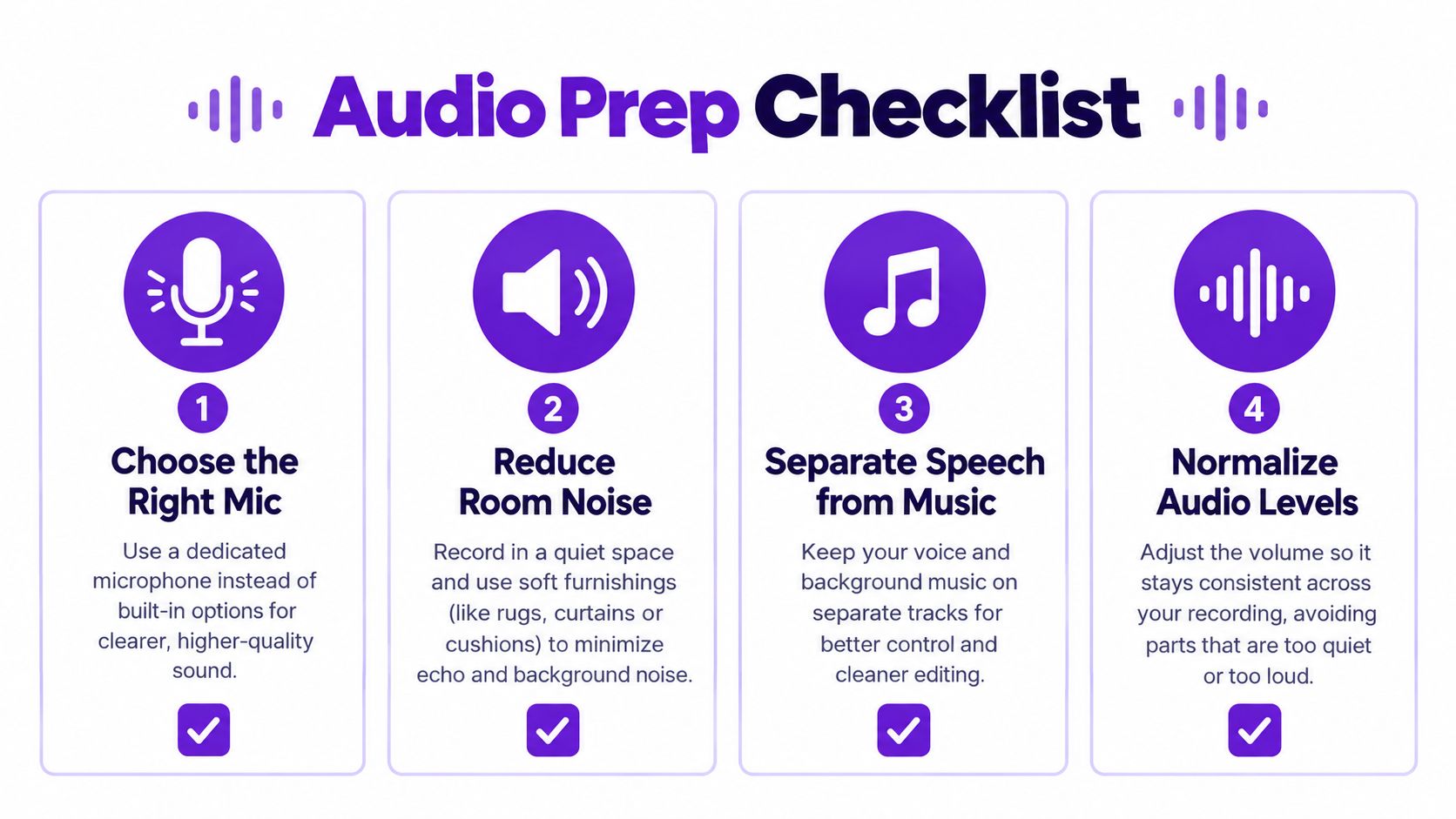
Run through these questions on every recording.
Settings matter less than discipline. Record at a clean sample rate, use light compression to even out volume, and apply a gentle noise gate so silence stays silent. Don't over-process. Heavy noise reduction can eat consonants and create new errors that are harder to spot than the original hiss.
If you're starting from audio only, the same prep applies before you convert an MP3 file to text and turn that transcript into timed captions. Clean input is the cheapest caption upgrade you'll ever buy.
You have three realistic options, and none of them wins on every axis. Platform-native captions, standalone speech recognition tools, and repurposing suites solve different problems. Pick based on your upload volume and where the video travels next, not based on whoever promises the fewest clicks.
Platform-native captions from YouTube, Instagram, and TikTok are free and immediate. They're also trapped. You often can't export a clean file, carry corrections to another platform, or control placement once the video is cropped. For a single post that lives and dies on one app, that's fine. For anything you'll repurpose, you'll caption the same words three times.
Standalone ASR tools and editors give you the editable file. You get SRT or WebVTT exports, word-level timestamps, and control over styling and line breaks. The trade-off is tabs. You transcribe in one tool, edit in another, crop clips in a third, and manually keep every version in sync when you fix a name.
AI repurposing suites bundle caption generation with clip cutting, formatting, and scheduling. The caption travels with each short asset, so a correction in the source can propagate to vertical and square renders. You give up some granular control, but you stop redoing identical work per platform.
| Engine type | Speed | Edit effort | Best for |
|---|---|---|---|
| Platform-native | Fastest for one post | High if reused elsewhere | Single-platform uploads |
| Standalone ASR and editors | Moderate | Medium, manual file handling | Teams needing SRT and VTT control |
| AI repurposing suites | Fast across many assets | Low, corrections carry over | Creators cutting clips from long video |
My recommendation is blunt. If you publish one video to one platform, use the native tool and review it properly. If you cut clips, shorts, and text posts from every recording, stop paying the per-platform caption tax and use a suite that keeps one caption source for everything. The engine matters less than whether your corrections survive the journey from long-form to short.
Also check output formats before you commit. You want an editable caption file, not just burned-in text. Burned-in captions look fine on social feeds, but you can't fix a typo, translate them, or let viewers toggle them off. Keep the file. You'll thank yourself the first time a sponsor asks for a corrected version.
Most creators review captions by reading them once and fixing whatever jumps out. That catches typos. It misses the errors that embarrass you. A pro editor reads twice with two different jobs in mind, and that's the whole trick.
First pass, read for meaning. Does each sentence say what the speaker said? Second pass, stop reading for meaning entirely and hunt the high-risk segments where recognition fails hardest.
History backs this up. Even after an update where YouTube's updated speech model reduced overall word error rate by approximately 20%, the hard cases stayed hard. Focus your second pass here.
Stop trusting generic accuracy labels. Measure word error rate instead, which is substitutions plus insertions plus deletions divided by the reference word count, as defined in the study of YouTube captions for university news videos. That study found 525 phrase-level errors across 68 minutes, an average of 7.7 errors per minute, and concluded the captions were too inaccurate for exclusive use by deaf students.
You don't need a research protocol. Transcribe one sample minute by hand, count the substitutions, insertions, and deletions against the auto output, and divide. Now you have a number for your audio, your speakers, and your accent mix, not a marketing claim for someone else's.
Working rule: If a tool exposes confidence scores, review the lowest-confidence segments first. That's where your editing hour buys the most accuracy.
Whatever you fix, keep word-level timestamps intact in your editable caption file. You'll need them when clips get cropped and cues need to be regrouped and repositioned. Delete the timestamps and every downstream edit becomes manual timing work.
The caption-last bottleneck disappears when captions are generated inside the same pipeline that cuts and schedules your clips. Here's the workflow I recommend, using Taja AI as the worked example because it covers each stage in one place.
The dashboard below shows the starting point, one upload feeding the whole pipeline.
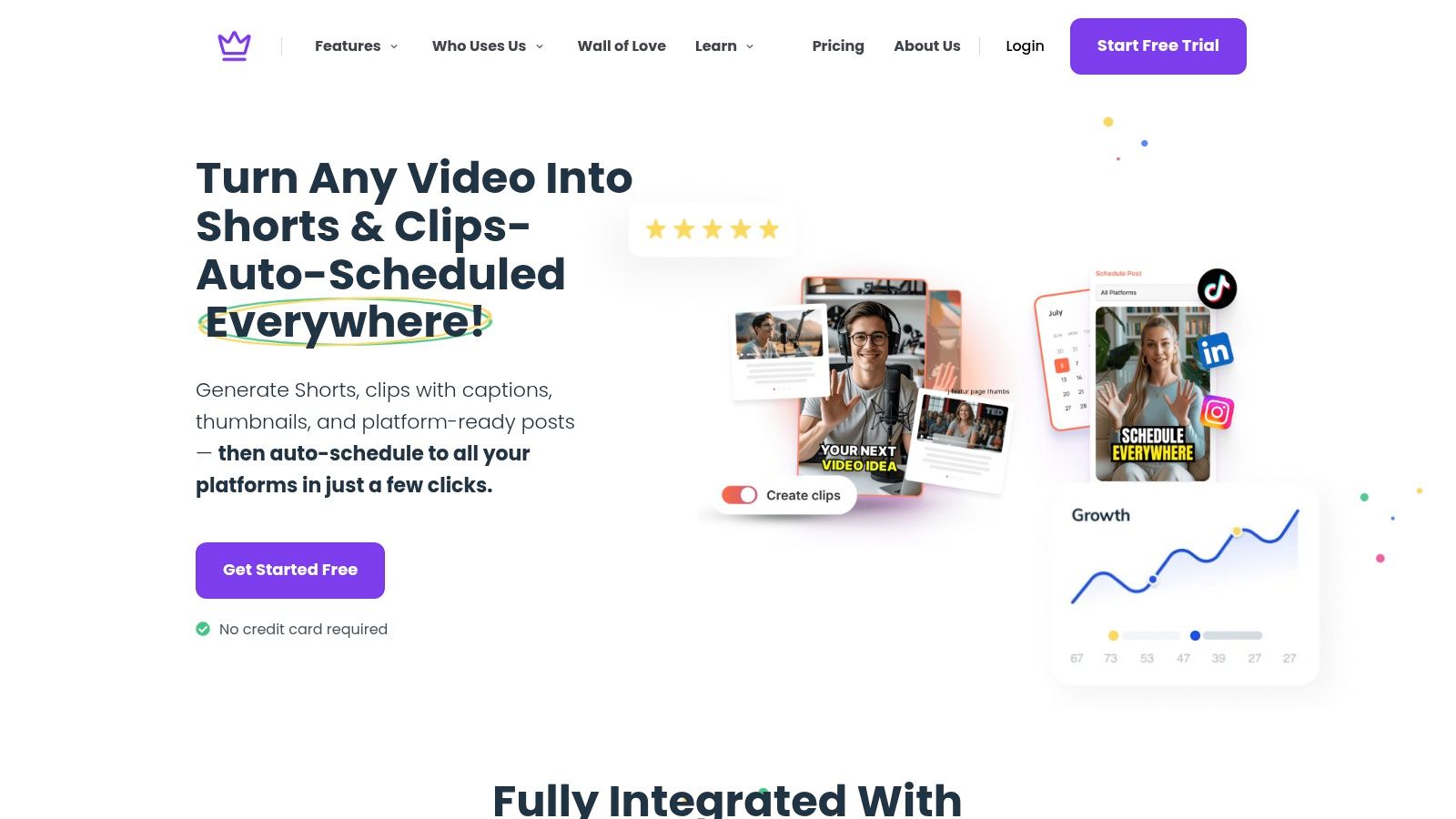
Start by uploading one long-form video or pasting a video link. The platform analyzes your channel, niche, and brand voice first, which matters for captions because vocabulary and naming conventions in your niche shape what the editor should flag. Then it generates the short clips, captions, thumbnails, and text outputs from that single source.
Your review pass happens in the built-in editor, right where the assets live. Fix proper nouns, numbers, and calls to action in the caption once, check timing against playback, and confirm placement inside the vertical and square safe areas. Because the caption file travels with each clip, you're not re-checking the same sentence in five different tools.
If you're comparing tooling for adjacent jobs, it's worth seeing how other creator software approaches the edit and polish stage, including LunaBloom AI's creator tool, so you understand which steps you want bundled and which you want separate. The principle doesn't change either way. Generation and review belong in the same place, or corrections get lost between apps.
This walkthrough shows the upload to publish flow in action.
Once captions pass your review, push everything out through auto-scheduling across YouTube, Instagram, TikTok, Facebook, X, and LinkedIn from the same dashboard. Don't schedule first and caption later. The calendar should only receive assets that have already cleared the four-part quality bar, so a publishing deadline never becomes the excuse for shipping raw auto-captions.
Run it in this order every time. Upload, generate, review the high-risk segments, check placement per format, then schedule. Five steps, one tool, no caption backlog.
Clean captions die at the last mile more often than anywhere else. Each platform handles caption files, toggles, and display rules differently, and assuming your export works everywhere is how good files produce broken posts.
Work through the platform checks in this publishing flow before anything goes live.
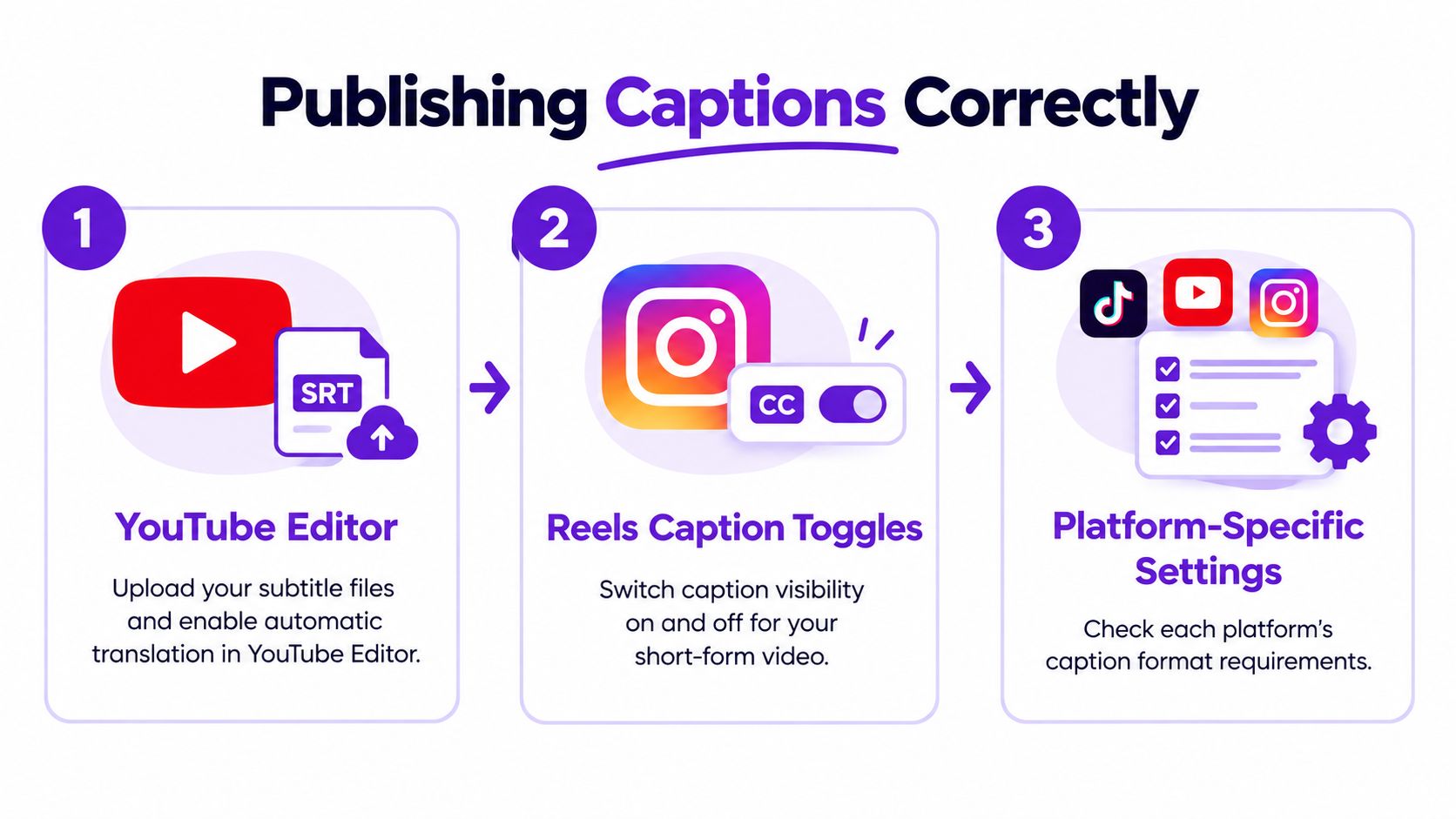
If you want a broader reference on file formats and upload mechanics, the walkthrough on adding captions with MyKaraoke Video covers the closed captioning workflow in practical detail.
Two readability habits protect you everywhere. Keep cues short enough to read at a comfortable speed on a phone, and recheck placement after every crop, since a safe position in a wide frame can cover a face in a vertical one. Watch the final render on an actual phone before you schedule it. Desktop previews hide placement problems that mobile viewers see immediately.
Caption pipelines don't fail dramatically. They drift. A new guest's name gets spelled three ways, a new team member skips the review pass, and suddenly your back catalog is inconsistent. Fix drift with maintenance habits, not heroic per-video effort.
Keep a custom glossary of names, brand terms, places, and industry vocabulary, and check every draft against it. Retest your sample minute whenever your speaker mix, language, or accent mix changes, because recognition accuracy varies substantially across languages and speech communities. A workflow tuned for one host can fail a new co-host.
There's a compliance floor under all of this. WCAG 2.2 requires synchronized captions for prerecorded video and a separate transcript doesn't satisfy that requirement, which is why professional workflows target roughly 99% accuracy while consumer auto-captions often land around 80 to 95%. The European Accessibility Act became enforceable on June 28, 2025, so businesses serving European customers need an operational workflow, not a one-click promise.
Your caption file is a publishing asset. Audit it like one.
Fold caption review into a recurring audit instead of treating it as a per-video chore, the same way you'd run a quality assurance process on any production output. Sample recent videos, recount word error rate, update the glossary, and confirm placement still works in current formats. Searchable, accurate caption text also supports discoverability and gives viewers watching muted a reason to stay, so the maintenance pays for itself.
The full loop fits on an index card. Prep clean audio, generate, review high-risk segments against your glossary, verify timing and placement per format, publish with the right file per platform, and audit on a schedule. Run that on Monday morning and captions stop being the thing that delays everything else.
Upload your next long-form video to Taja AI and let it generate the captions, clips, thumbnails, and posts in one pass, then spend your saved time on the review pass that protects your brand. You'll publish captioned content across every platform from a single dashboard, with one reviewed caption source traveling with each asset. Start free and run your next video through the full workflow this week.


We are blessed to work with leading brands & Companies


We try to make easy and simple for every professionals. Get 30 days free trial - No credit card required.


© 2025 Taja AI. All rights reserved.