.jpeg)

How to Make a Video with YouTube Clips: Steps and Rights
How to make a video with YouTube clips: select clips, stitch them, format for each platform, stay copyright-safe, and repurpose long videos.
5 min read
November 4, 2026

Learn how to convert MP3 file to text with free and AI tools. Step-by-step methods, accuracy tips, privacy advice, and export options for creators.
Written by:


You've got a long MP3 on your desk, a deadline tonight, and no patience for typing out every pause, filler word, and half-finished sentence by hand. That's exactly where modern transcription tools earn their keep. The trick isn't finding a tool that can convert an MP3 file to text once, it's building a workflow that gives you a transcript you can use, review, and publish without spending your weekend fixing it.
A long recording used to mean hours at the keyboard. That is no longer how the work gets done. Automatic speech recognition now handles the first pass, and the category has become much more useful than a basic file converter. Modern tools can process long uploads, handle multiple languages, add timestamps and speaker labels, and export into TXT, DOCX, SRT, and VTT, so the transcript can move straight into editing, captions, notes, or archives without another formatting pass (FastScribe MP3 to text overview).
Today, the bottleneck has shifted to audio quality, language selection, and post-transcription cleanup. A transcript is only useful if the recording is clear enough for the model to separate speakers, if the language is set correctly, and if the draft is easy to correct afterward. In practice, “good enough” now means editable text, usable punctuation, speaker markers when needed, and timestamps that let you jump back to the source audio quickly.
Practical rule: If a tool gives you timestamps, speaker labels, and export options, you are not just buying transcription, you are buying a workflow.
That changes how the comparison works. Instead of looking for a magical app, compare how each route handles file size, accuracy, privacy, and cleanup. I also pay attention to where the transcript lives after upload, whether the vendor keeps the audio, and whether the team behind the tool gives you any control over retention. If you want a broader look at speed-focused transcription habits, the faster dictation workflow guide is useful context, especially if you are trying to reduce the time spent on the review pass.
A modern transcript does not need to be perfect on the first pass. It needs to be searchable, usable, and easy to correct. That is what makes the workflow more important than raw typing speed. Once you treat the first draft as a machine-assisted starting point, the decision becomes clearer. Choose the tool tier that matches the recording, then tighten the output with a human review before anyone treats it as final.
If you need a rough transcript fast, free tools can absolutely get you across the line. Browser-based converters are the quickest entry point because they don't ask you to install anything. Upload the MP3, select the language, start transcription, then copy the text into a document and clean the obvious errors. For short clips, that often takes less than ten minutes from start to finish.
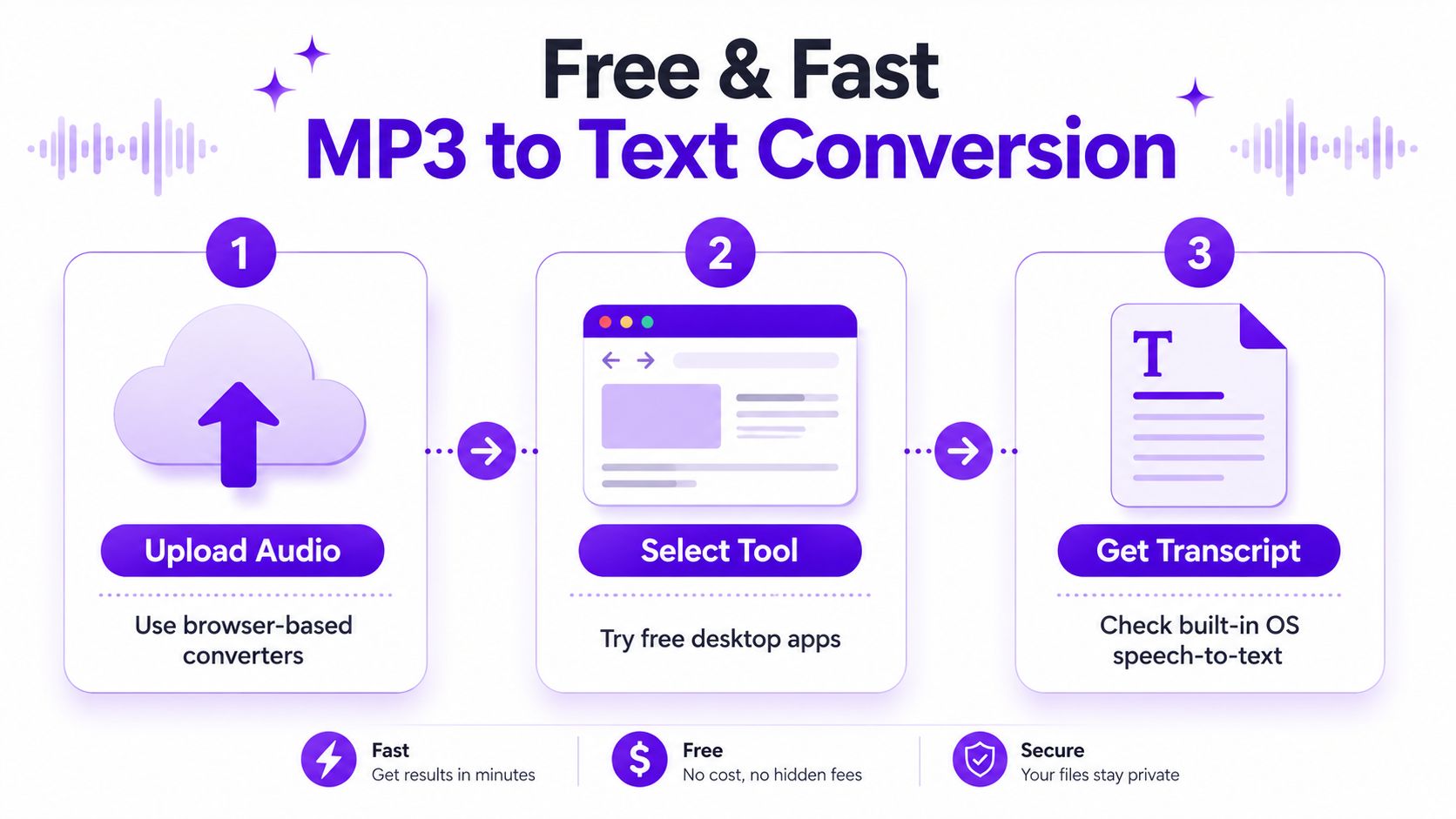
Browser tools are the simplest route when you only need a draft, not a final deliverable. Free desktop apps can help if your browser keeps timing out or if you prefer to work locally. Built-in dictation and voice typing tools in your operating system or browser can also help when the goal is to capture a few quotes, summarize a meeting, or turn a short memo into text without sending the file through a separate service.
A good free workflow is straightforward. First, trim dead air if the recording is very long. Second, upload the clearest source you have, not a version that's been re-encoded several times. Third, listen once while skimming the transcript and fix names, punctuation, and obvious speaker breaks.
Use free tools for drafts, not for sensitive finals. They're useful when speed matters more than polish, but they're a weaker fit for private interviews, legal recordings, or anything that needs formal accuracy and governance.
Free tiers often cap file size, limit exports, or skip speaker labels. They're also usually a poor choice when multiple people talk over one another, when the audio is noisy, or when you need a transcript that will be repurposed into captions or published content. Those limitations are normal, not failures, but they matter the moment the file gets longer or the stakes go up.
A lot of listicles stop at “here are the tools.” That's not enough. The question is whether you need a throwaway draft or a transcript you can trust. If your file is long, your speakers overlap, or the recording is private, move to a paid or AI workflow. If you're comparing creator-focused workflows, this video-to-text converter guide helps frame the broader repurposing decision, too.
Paid tools earn their place when the transcript has to survive review. The field now competes on accuracy, speed, multilingual support, speaker handling, and export quality. Vendor claims vary, but they show the spread clearly, with Happy Scribe stating AI transcription accuracy from 85% to 99% depending on conditions, and Uniscribe claiming it can transcribe a 1-hour file in less than a minute (Happy Scribe MP3 to text).
Those claims do not mean one tool is automatically better than another. They show how much the recording itself drives the result. A clean solo file on a paid platform can leave you with only light edits. A noisy roundtable with crosstalk can still demand heavy cleanup, even if the model is strong.
| Tier | Typical Accuracy | Best For | Trade-off |
|---|---|---|---|
| Free browser tools | Draft quality | Short clips, one-off notes, quick captures | Fewer controls, weaker privacy, less polish |
| Paid AI transcription | Higher and more consistent | Podcasts, interviews, lectures, repurposing workflows | Costs more, still needs review |
| Local or controlled workflows | Depends on setup | Confidential recordings, policy-sensitive audio | More manual setup and oversight |
On a Mac, a dedicated option like Weeve transcription for Mac is useful to test because it shows how segmented this market has become. Some tools lean toward fast turnaround, some toward cleaner exports, and some toward tighter control over where the file goes after upload.
Privacy and retention deserve a look before you upload anything sensitive. A tool may transcribe well and still be a poor fit if it keeps files longer than your policy allows or routes data through systems your team cannot approve. That concern matters more with client interviews, internal meetings, legal material, and anything that includes personal information.
A practical way to choose is to ask three questions. How long is the file? How many speakers are in it? Do you need captions, timestamps, or just clean text? If the answer points toward reusable content, captions, or archives, a paid AI tool usually saves more time than a free draft-and-fix routine.
If you are comparing transcription with broader content workflows, this guide to video-to-text converters helps frame how a transcript fits into repurposing, not just conversion. For teams that want the transcript to feed publishing, clipping, or summarization, that distinction matters as much as raw accuracy.
A publishable transcript starts before transcription. Use the cleanest source audio you have, strip out obvious noise if you can, and set the exact spoken language before upload. That single choice often separates a transcript that only needs light cleanup from one that turns into a long correction pass.
The tool still matters, but the workflow matters more. ScribeGrab routes uploads to Whisper large-v3 on GPU, accepts files up to 90 minutes or 2 GB, and exports TXT plus optional SRT/VTT, while VexaScribe says it auto-resamples inputs to 16 kHz mono before running Whisper Large-v3 across 99 languages and estimates about 110–140 seconds to process a 1-hour MP3 (ScribeGrab MP3 to text). Those details explain why some drafts come back cleaner than others, but they do not replace a human pass for names, punctuation, and speaker labels.
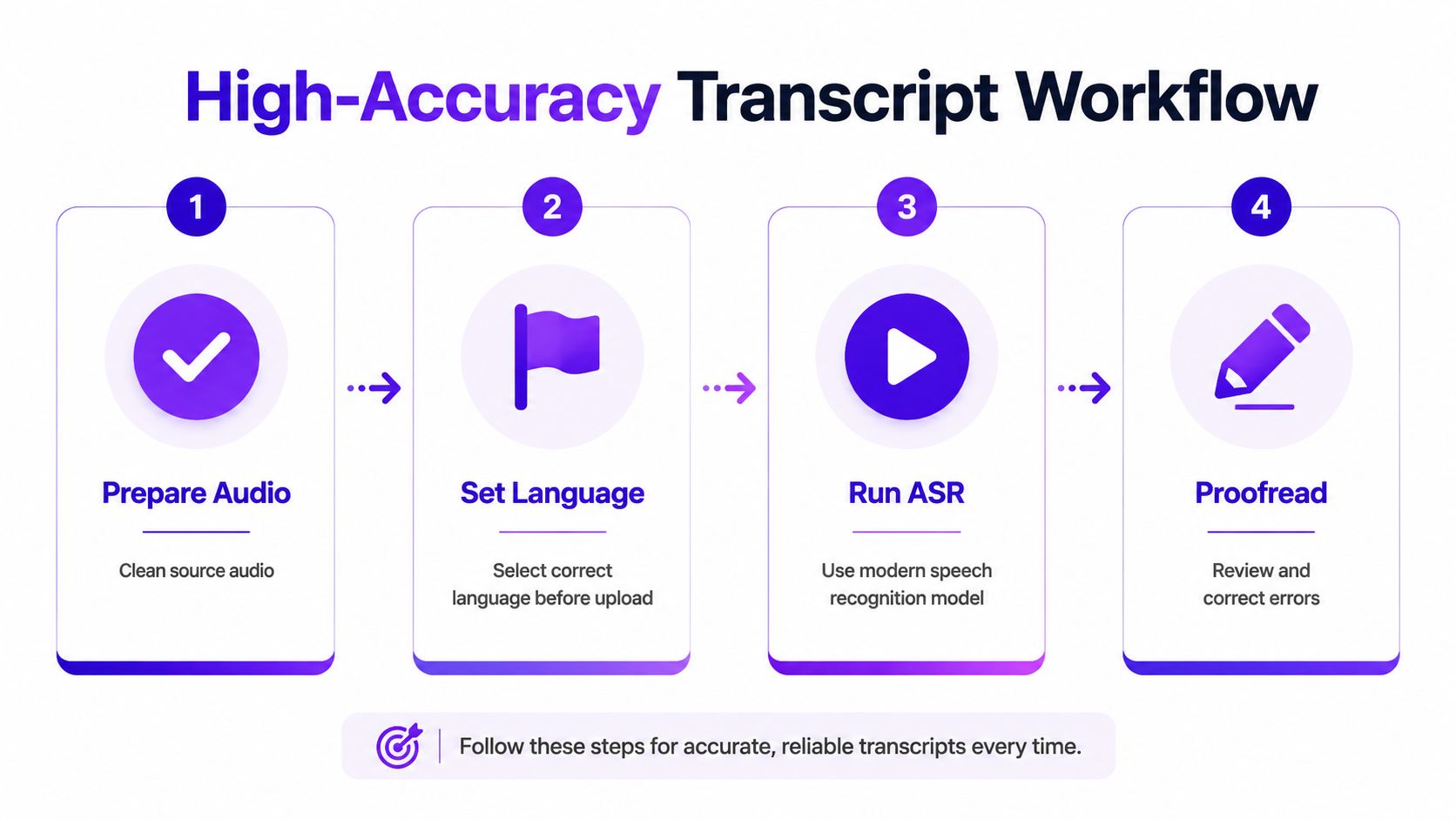
Specifying the exact language before upload is one of the biggest factors separating an okay transcript from a publishable one. A strong decoder on good audio still misses context, and that is where the review step pays off. If the transcript will become show notes, a blog draft, or captions, a focused edit saves more time than trying to polish a bad output line by line.
The best transcript is rarely the first machine pass. It is the one that started with clean audio, the right language setting, and a short, disciplined review after transcription.
If the transcript also needs to feed repurposing work, Taja's video transcript generator shows the same pattern in a different format. The transcript is the starting point, not the finish line.
Most bad transcripts don't fail because the tool is broken. They fail because the recording conditions make the machine's job harder than it needs to be. The four repeat offenders are overlapping speakers, background noise, strong accents, and wrong language detection. Each one needs a different fix, and the fix often starts before you ever upload the file.
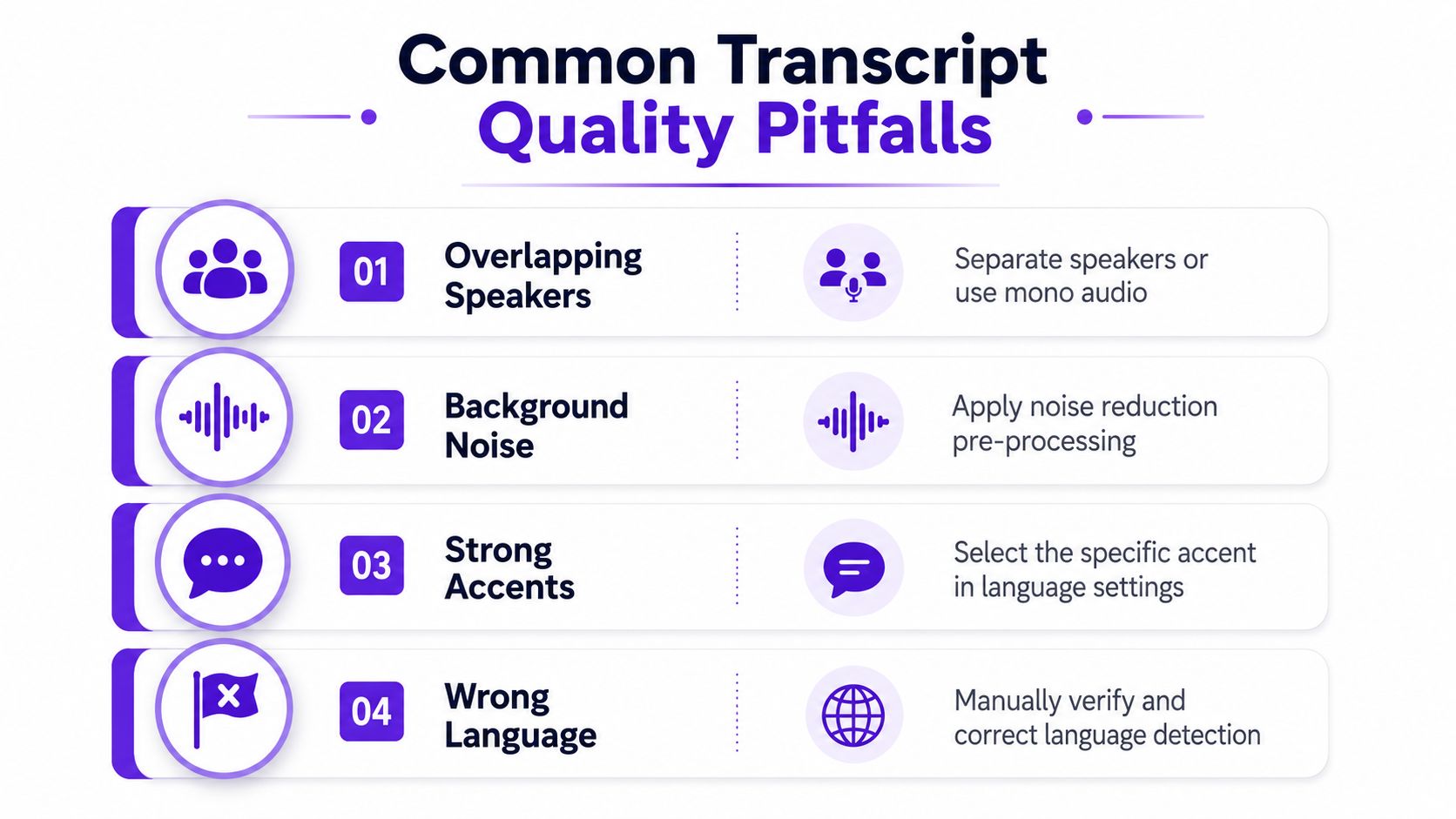
Overlapping speakers are the hardest problem for any ASR system because the model has to decide which voice to prioritize. If you can, record each speaker on a separate mic or channel, or at least keep people from talking over one another during key sections. Background noise causes a different kind of failure, because it blurs the speech signal and makes word boundaries harder to detect. A quieter room helps more than aggressive cleanup after the fact.
Strong accents usually aren't the problem. Mismatched language settings are. If the tool lets you choose the exact spoken language or accent variant, do it before transcription starts. That small choice often makes the transcript more coherent than a blind default setting.
Wrong speaker boundaries are usually a review issue. Mark the uncertain spans, then correct the labels where the tool merged two voices into one block. If the transcript misread a technical term or a proper name, don't keep retyping the whole line. Fix the term, then keep moving.
Practical rule: Don't scrap a transcript because of a few bad zones. Isolate the bad zones, correct them, and keep the rest.
If your audio also has music or heavy ambient sound, the same discipline applies. Strip out the problem source before transcription if you can, instead of hoping the model will guess through it. The background music removal guide is relevant whenever the recording has extra audio that doesn't belong in the transcript.
The part most comparisons skip is what happens after you upload the MP3. That's a real gap, because many pages talk about being fast or secure but don't clearly explain encryption, retention, model training, or compliance options. If you're converting interviews, meetings, client recordings, or anything regulated, those details matter as much as transcription accuracy.
Some vendors mention secure portals or encryption language, and some advertise free or fast uploads, but the public pages often stop there. The practical buyer question is simpler. Who can access the file, how long is it stored, and what happens to it after transcription? If a provider can't answer that cleanly, treat it as a warning sign.
A good rule is to choose the least exposed workflow that still gets the job done. If confidentiality is essential, a local or offline option may be worth the extra setup. If you're transcribing public content or low-risk internal notes, cloud tools are usually fine, but the policy should still be visible before you upload.
The broader point is simple. Speed is not a privacy policy. If a vendor doesn't say how it handles retention or training, assume you need to ask before you trust it with sensitive audio.
A transcript becomes valuable when it stops being a raw text dump and starts feeding other assets. That's why export format matters. TXT works for clean copying and drafting, DOCX is better for editorial markup, and SRT or VTT are the right choices when you need captions or timecoded edits. The transcript is the source material for blog posts, show notes, summaries, captions, and clipped quotes.
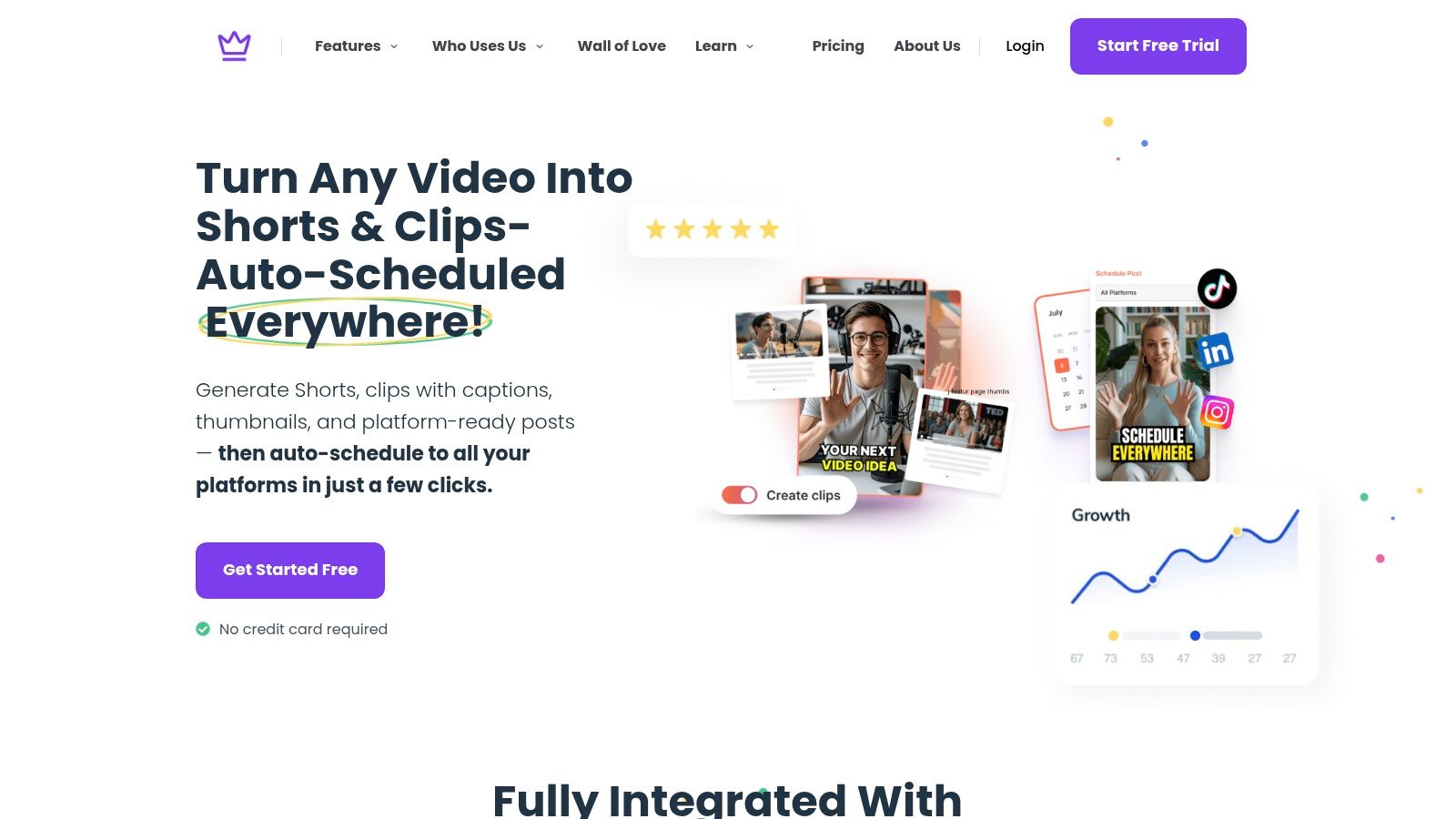
The cleanest workflow is to finish the transcript, export the version you need, then move it into repurposing. Some platforms, including Taja AI, take the next step by converting long-form video content into shorts, captions, blogs, thumbnails, and platform-specific posts from one upload. That matters because the transcript is often the fastest bridge between a recording and publishable content.
A practical 30-minute plan looks like this. Upload the MP3, choose the spoken language, generate the transcript, and spend one focused pass fixing names and speaker labels. Then export TXT for drafting or SRT/VTT for captions, and decide whether the file should stay as a transcript or become the basis for another asset. The win isn't just having text, it's turning one recording into something you can reuse across channels.
If you want to turn transcripts into blogs, clips, captions, and platform-ready posts without rebuilding the workflow every time, take a look at Taja AI. It's built to turn long-form content into reusable assets from a single upload, which makes it a practical next step once your transcript is clean.


We are blessed to work with leading brands & Companies


We try to make easy and simple for every professionals. Get 30 days free trial - No credit card required.


© 2025 Taja AI. All rights reserved.