.jpeg)
How to Auto Generate Captions on TikTok: A Complete Guide
Learn how to auto generate captions on TikTok with this step-by-step guide. Master native tools, fix errors, and optimize for accessibility and SEO.
5 min read
October 20, 2026

Discover what a video transcript generator is and how to use it for SEO, accessibility, and content repurposing. Your guide to automated transcription.
Written by:


Your video probably didn't fail because the content was weak, it failed because the value got trapped in one format. You spent hours scripting, filming, and editing, then the upload got a short burst of attention and slid into the archive. That's where a video transcript generator changes the economics of content, because it turns spoken words into a reusable asset instead of a dead-end file.
A transcript is the raw material for search, captions, blogs, newsletters, clip scripts, and social posts. Once the words are captured cleanly, the video stops being a single post and starts behaving like a content source. That shift matters most for teams that need consistent output without starting from zero every time.
The frustrating part isn't that the video underperformed. It's that the best ideas, the strongest examples, and the most useful lines are still sitting inside the recording while everyone moves on to the next task. The upload gets buried, the audience scrolls past, and the content calendar keeps demanding fresh material.

A strong transcript lets one recording feed multiple channels without forcing you to re-record the same ideas in new formats. A founder interview can become a blog post, a quote graphic, a LinkedIn post, a short caption thread, and a searchable archive entry. That's why transcript-first workflows feel different from traditional “publish and hope” video workflows.
The practical win is content reuse. Instead of asking, “What else do we need to create this week?” teams can ask, “What can we extract from the video we already made?” That's a far better place to be when publishing pressure is high and attention is fragmented.
Practical rule: if the transcript isn't usable on its own, the video is harder to repurpose, harder to search, and harder to scale.
Transcripts give marketers and creators a way to mine their own ideas for SEO phrases, FAQ answers, email angles, and topic clusters. They also make it easier to hand off work, because a transcript is searchable, skimmable, and much faster to edit than raw audio. For solo operators and small teams, that means less duplication and more consistency.
A lot of people still treat transcription like a caption add-on. That's too small a view. In practice, the transcript is the starting file for a much larger content system, especially when you want one recording to support multiple platforms and multiple audiences.
A modern video transcript generator isn't magic. It's a production pipeline that listens, separates, and organizes your words so they can be used downstream. The simplest way to think about it is as a digital stenographer with three specialties, listening for speech, figuring out who said what, and attaching the result to the video timeline.
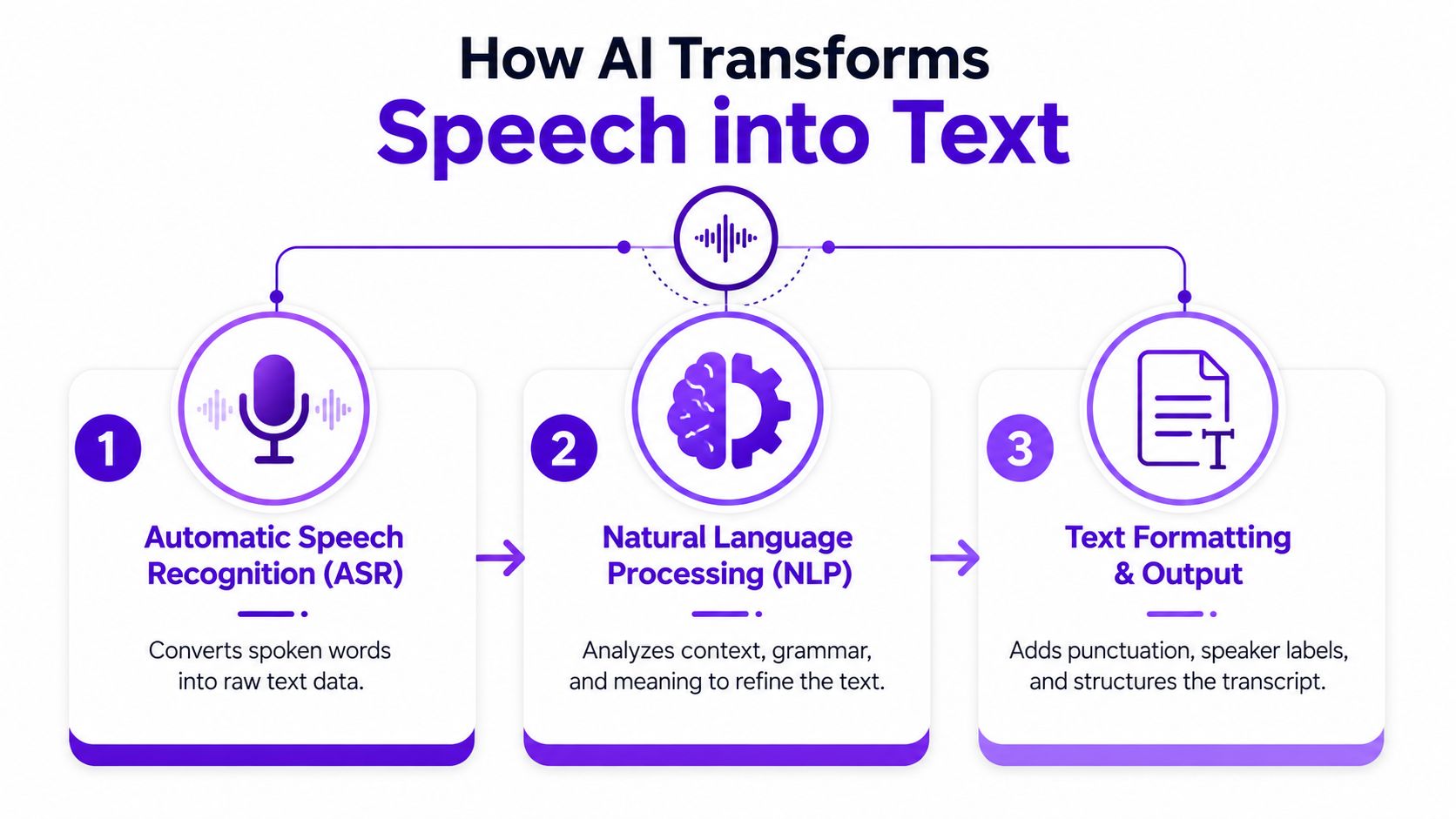
Automatic Speech Recognition, or ASR, is the part that converts spoken audio into text. It's the core listening engine, and its job is to get the raw words onto the page as accurately as possible. In a good workflow, this first pass happens fast enough that you're not waiting around for a manual transcription cycle.
This stage matters because everything downstream depends on it. If the words are misheard, the blog draft, subtitles, and clip descriptions all inherit the same problem. That's why transcription quality isn't just a technical detail, it shapes the entire repurposing pipeline.
The second stage is speaker segmentation, also called diarization in some contexts. This is the part that distinguishes one voice from another, so a transcript doesn't read like a wall of anonymous dialogue. Without it, interviews, panels, and customer calls become frustrating to edit and nearly impossible to quote cleanly.
When segmentation works, the transcript becomes usable for teams that need attribution. Editors can lift quotes with confidence, producers can create cleaner captions, and sales teams can revisit call notes without guessing who said what. That's a major reason conversation-heavy videos benefit more from advanced transcription than from basic voice-to-text tools.
The third stage is timestamping, which aligns words to the video timeline. That alignment is what makes subtitles, chapter markers, edit reviews, and clip selection possible. It's the difference between plain text and a transcript that can drive production.
A timestamped transcript saves time in the edit room because you can jump to a specific line instead of scrubbing manually through the file. It also makes caption creation much easier, especially when the transcript needs to stay in sync with the video. That's why the best tools don't stop at text output, they preserve timing and structure.
A transcript changes the value of the video before the video even finishes aging out of your feed. It turns one recording into a reusable source for discovery, accessibility, and distribution, which is why transcript-first teams usually move faster than teams that treat captions as an afterthought. The point isn't just to write down what was said, it's to multiply the value of the original recording.
Once a transcript exists, a long-form video can be broken into smaller assets without guessing at the wording. Editors can pull out key lines for clips, writers can turn sections into articles, and social teams can lift concise takeaways for posts and newsletters. The transcript becomes the shared source file across the content stack.
That workflow also reduces friction between departments. Instead of asking a creator to summarize the video again for marketing, someone can work from the transcript directly. It keeps the message closer to the original recording and cuts out a lot of repetitive interpretation.
Search engines can only index what they can read, and a transcript gives them much more text to work with than a title and description alone. That's especially useful for educational content, interviews, product walkthroughs, and thought-leadership videos where the spoken language contains the real keywords and phrasing people search for. A transcript doesn't guarantee traffic, but it gives search more material to understand.
For creators who publish regularly, this matters because each transcript can support a broader topic cluster. The spoken examples, definitions, and objections inside the recording often become the best raw material for future articles and landing pages. In other words, the transcript can shape your content strategy after the camera is off.
Independent accessibility guidance notes that transcripts are used for lecture notes and captions, and that some workflows produce separate VTT files or on-video captions, which means users often need both usable text and accessibility formats, not just a raw transcript. If you're working with educational content, training material, or public-facing video, that distinction matters. A readable transcript and a caption file solve different problems, and good workflows should support both.
If you're building subtitles, this guide on how to add subtitles to videos shows how transcript output turns into a more complete viewing experience. That matters for sound-off viewing, learners who need text support, and teams that want cleaner content distribution.
Choosing a video transcript generator gets easier when you stop comparing vague promises and start comparing workflow fit. The right tool for a solo creator publishing interviews is not always the same tool a marketing team needs for branded clips and multi-format exports. Accuracy matters, but so do editing, language support, and how easily the transcript can move into your next step.
In 2026, a comparison of AI-only transcript tools reported that VidNotes, Rev AI, and Otter typically achieve 92% to 98% accuracy on clear audio, while Sonix markets its YouTube transcript generator at 99% accuracy. That range is a reminder to judge tools by the quality of the audio you record, not by marketing language alone. A tool that looks great in a clean demo can behave differently with overlapping speakers, background noise, or industry terms.
The feature checklist below keeps the buying decision grounded in workflow, not hype.
| Feature | Why It Matters | Good For |
|---|---|---|
| Accuracy on clear audio | Reduces editing time and preserves meaning | Interviews, courses, webinars |
| Speaker labels | Makes multi-person conversations readable | Podcasts, panels, sales calls |
| Timestamps | Links text to the video timeline | Captioning, editing, clipping |
| Editing interface | Lets you fix errors without exporting first | Teams that review transcripts in-house |
| Export formats | Moves the transcript into other tools cleanly | Publishing, subtitles, archiving |
| Language support | Helps content travel across markets | Global brands, multilingual channels |
| Custom vocabulary | Protects brand names and niche terms | Technical, medical, and branded content |
A creator who only needs occasional captions can live with simpler exports and fewer editing controls. A team repurposing webinars into blogs, clips, and newsletters needs tighter formatting, speaker labels, and editable output. That's where transcript tools start behaving less like utilities and more like production software.
Practical rule: pick the tool based on the second job, not the first. Transcribing the file is only step one, publishing it cleanly is what creates value.
A transcript that's hard to export slows everything down. Look for outputs that fit your publishing stack, whether that's plain text for drafting, subtitle files for video, or structured documents for internal review. The best workflow is the one your team can repeat without extra cleanup every time.
AI transcription can be fast and useful, but it isn't infallible. The biggest mistake teams make is assuming a polished interface means the transcript is ready to publish without review. That's rarely true, especially when the audio includes overlapping voices, brand-specific jargon, or names that aren't common in training data.
A transcript generator can get you close, but close isn't the same as publish-ready. Proper nouns, slang, accents, and technical terms are where mistakes usually surface, and those errors can matter more than they first appear. If a transcript is feeding a blog post or a customer-facing caption file, a quick human pass is still part of the workflow.
That doesn't mean the tool failed. It means the transcript is a draft, and the draft needs editing before it becomes a final asset. The most efficient teams build review into the process instead of treating it like a surprise step at the end.
Not every video should go to the cloud. Sensitive interviews, internal trainings, legal discussions, and regulated material often require a different workflow than public marketing content. A notable countertrend is local, offline transcription using Whisper-based desktop tooling, which is explicitly designed to process videos completely offline on the user's own machine, showing clear demand for a privacy-first option.
If your content involves sensitive information, review the provider's handling practices alongside the output quality. For a practical checklist on handling data responsibly, Secta Labs' best practices for data security is a useful reference point before you upload confidential media. Privacy is not a niche concern, it's part of tool selection.
A transcript, a subtitle file, and on-video captions serve different uses even though they all start from the same recording. If your workflow only gives you one text block, you may still need extra formatting before the content is ready for distribution. That's why teams that work across platforms often prefer tools that support subtitle generation and editable outputs.
If you're building from a transcript, this resource on adding subtitles to videos helps connect the text layer to the viewing layer. The goal is a system where accessibility, compliance, and repurposing all move together instead of in separate handoffs.
The most useful way to think about transcription is as the first step in a larger publishing system. A single upload can become a transcript, a clip library, a subtitle file, a blog draft, and several social assets if the workflow is built to do that work from the start. That's where Taja AI fits naturally, because it's designed to turn one long-form video into multiple publishable outputs from a single source file.
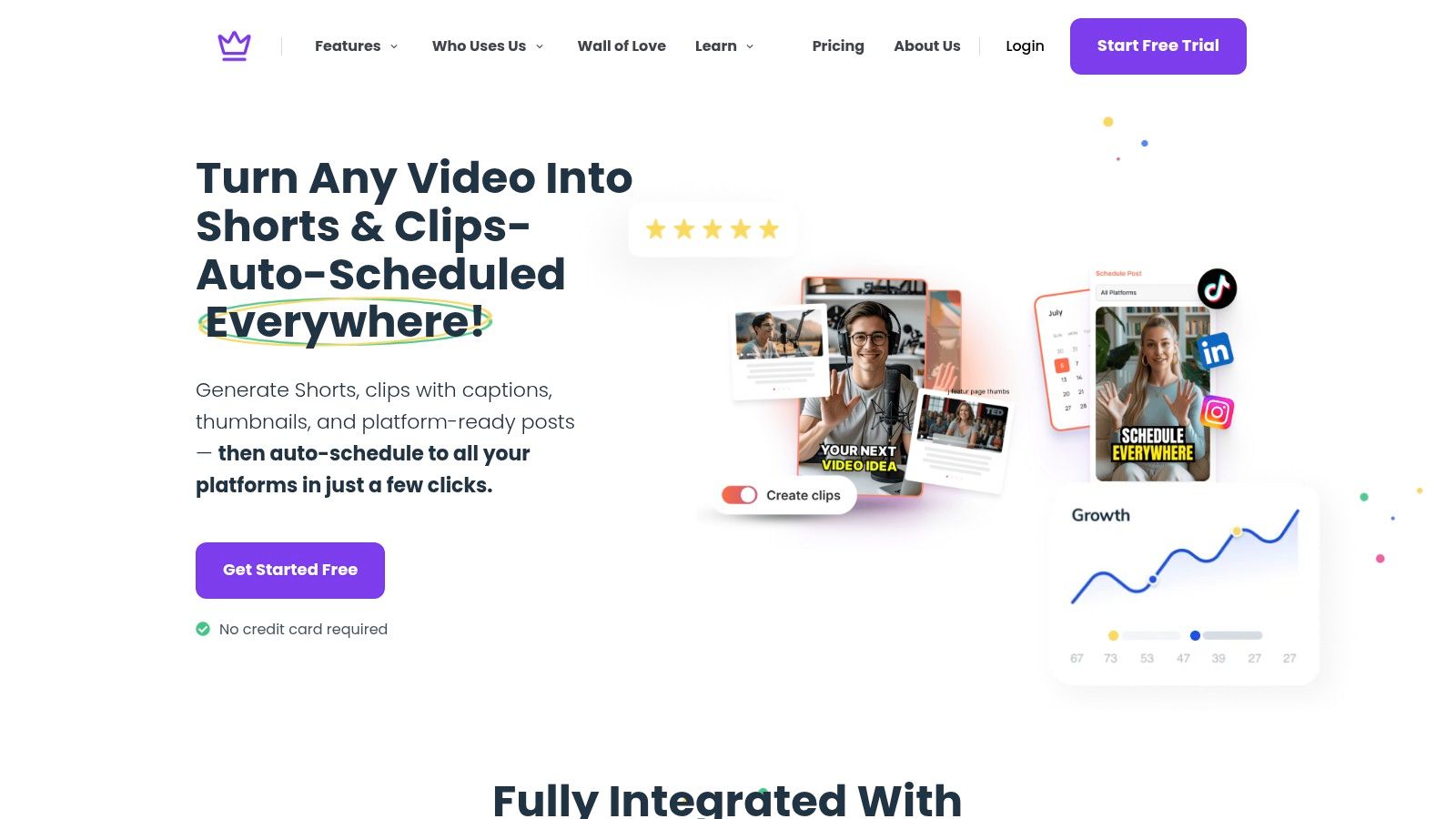
Upload the video to Taja AI and let it generate the transcript as the base layer. From there, review the text, correct names or branded phrases, and use the cleaned transcript as the source for the rest of the workflow. That same transcript can support clip selection, SEO-oriented copy, and other derivative assets.
The value here is not just speed. It's consistency. When every downstream asset comes from the same transcript, the messaging stays aligned across channels and you spend less time rewriting the same ideas in different places.
Taja AI can then use that source content to generate shorts, captions, thumbnails, blog drafts, and platform-specific posts. It also surfaces content ideas and organizes publishing in one system, which is useful when the goal is to keep a channel active without rebuilding each asset manually. For creators and small businesses, that means a single recording can support a much larger content surface area.
That fits the broader market reality too. Business Research Insights projects the global online audio and video transcription services market at USD 0.83 billion in 2026, which shows automated transcript tools are now part of a commercially established segment rather than a fringe experiment. The market has already moved beyond basic text conversion, and the workflows around transcription have moved with it.
A practical rhythm looks like this. First, publish the long-form video. Then extract the transcript, turn the strongest segments into short clips, and draft the supporting copy for each platform from the same text source. Finally, schedule the outputs so the original recording keeps working after launch day.
If you want to turn that workflow into a repeatable pipeline, start with Taja AI's content-from-video workflow and use the transcript as the base file for every downstream asset. That approach keeps the content engine tight, reduces manual rewriting, and makes repurposing feel like a system instead of a scramble.
If you're ready to make your videos work harder, upload one long-form recording to Taja AI, review the transcript, and turn it into clips, captions, and written content from the same source file.


We are blessed to work with leading brands & Companies


We try to make easy and simple for every professionals. Get 30 days free trial - No credit card required.


© 2025 Taja AI. All rights reserved.