.jpeg)
10 Facebook Video Best Practices for Creators in 2026
Facebook video best practices for creators: master hooks, specs, captions, distribution, Reels, Stories, boosting, and analytics in 2026.
5 min read
October 22, 2026

Learn how to use templates in Taja AI to create thumbnails, captions and posts faster while keeping your brand voice consistent across channels.
Written by:


You've finished a long interview, podcast, or tutorial, and the recording is full of useful material. Then the repurposing list appears: shorts, clips, thumbnails, captions, blog content, and platform posts. By the time you resize the first video, rewrite the third caption, and search for the right brand colors, the original idea has lost its momentum.
Templates solve that problem when you treat them as more than attractive layouts. They give repeated work a dependable structure, while leaving room for the edits that make each asset sound and look like it belongs to a real person. That distinction matters because template-based creation is now a mainstream publishing method. The template market reached an estimated $1.3 billion in 2023, with growth projected at 7.5% annually through 2028, and the same market snapshot estimates that over 50% of websites use templates (Hubstaff's template market overview).
A creator repurposing five or more long videos each week doesn't usually lose time on the first upload. The bottleneck arrives afterward. Each source video needs a visual treatment, a caption style, a thumbnail direction, a blog structure, and platform-specific formatting. Manual production turns every new recording into a fresh design decision.
A well-governed template removes those repeated decisions. You choose the structure once, customize the elements that define your brand, and reuse the system across future assets. That approach resembles the way teams already use reusable timesheets, reports, and KPI dashboards. Templates encode a repeatable process rather than asking someone to rebuild the process from scratch every time. Hubstaff's workflow and productivity resources describe templates as reusable formats for standardized measurement, reporting, and faster dashboard setup.
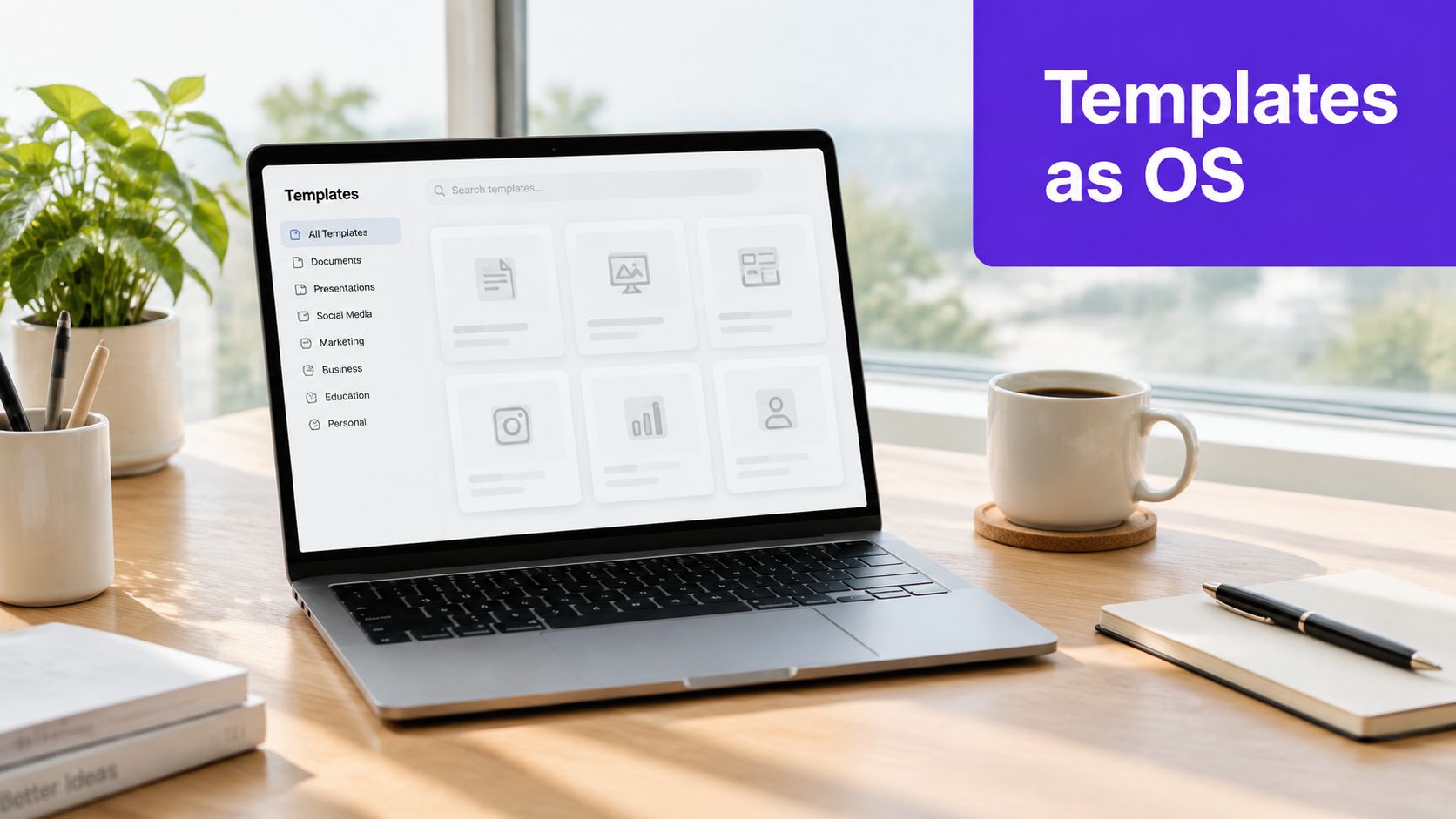
Templates help with consistency across thumbnails, captions, shorts, blogs, and social posts. They don't automatically create good content. A rigid layout can make every clip feel interchangeable, while an unedited caption can preserve the wrong hook, bury the useful point, or use language that doesn't fit the speaker.
The practical target is repeatable structure with editorial variation. Keep the brand system stable, then change the hook, supporting visual, pacing, examples, and call to action according to the source material. Taja AI can analyze a long-form video and produce ready-to-publish content such as shorts, clips, captions, thumbnails, blogs, and platform-specific posts, but the strongest workflow still includes a human review before scheduling.
Practical rule: Automate the repeatable decisions, not the decisions that carry meaning.
This guide follows the full template lifecycle: select the right format, customize it, apply it to a long video, then govern it after launch. That process suits solopreneurs, podcasters, educators, local businesses, and small marketing teams that need more output without becoming full-time editors.
Choosing a template by appearance is a common mistake. A bold thumbnail may look polished but fail to communicate the video's promise. A long caption layout may work for LinkedIn but feel cumbersome on TikTok. Start with the asset's job, then narrow the design.
Channel: Decide where the asset will appear. YouTube thumbnails need immediate visual clarity, vertical shorts need readable text on a mobile screen, and LinkedIn posts need a layout that supports professional context and discussion.
Goal: Define the action you want. A thumbnail earns the click, a caption frames the clip and encourages engagement, and a blog template organizes a longer search-focused explanation.
Voice: Match the template to your brand personality. A real estate advisor may need calm, local, service-led language. A podcast host may use a sharper conversational style. A faith-based organization may prioritize warmth and clarity over aggressive visual effects.
Taja AI's template area and Brand Kit are most useful when you preview options against the actual content type instead of selecting a design in isolation. Look for templates by niche and channel, open the preview, and ask whether the hierarchy makes the intended message obvious without extra explanation.
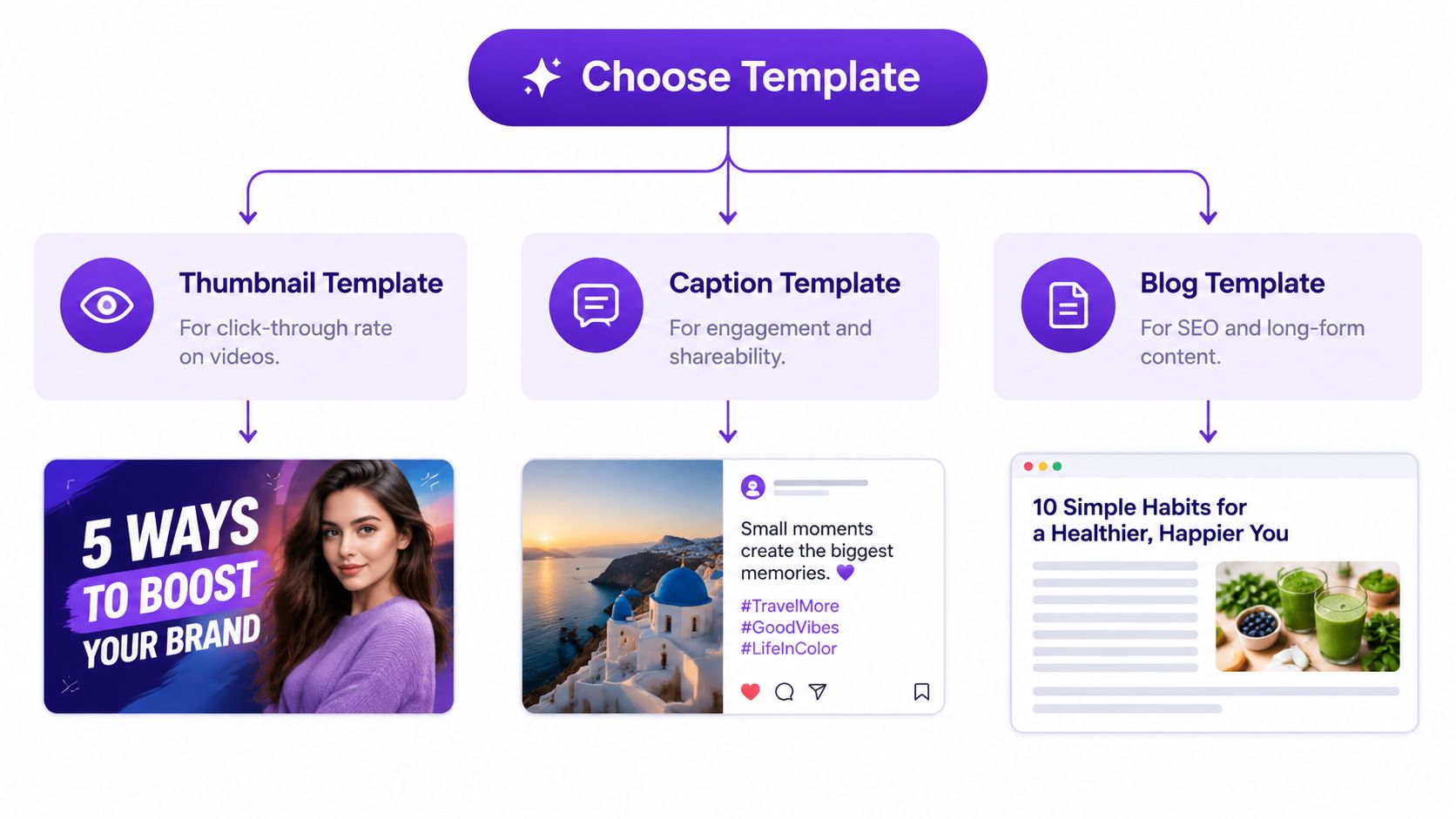
A thumbnail template should make the topic legible quickly. Keep the central promise short, use a recognizable subject or visual cue, and avoid decorative elements that compete with the title.
A caption template should support the spoken idea rather than repeat every sentence. Use the strongest claim as the opening, add enough context for someone who hasn't watched the full video, and finish with a relevant next step.
A blog template needs room for a clear title, useful subheadings, examples, and internal links. It shouldn't expand a caption into a long block of text.
For platform-specific examples and layout ideas, the social media video templates guide can help you compare formats before applying one to a project.
Preview at the size your audience will see. A design that looks balanced in a desktop gallery can become crowded in a vertical feed. If the template uses animations, transitions, or large image files, inspect whether those additions improve comprehension. Guidance for scaled website templates recommends 5–7 top-level navigation items, responsive design, images compressed to below 200 KB where possible, and removal of placeholder content before publishing (MarketingScoop's expert template guide). The same principle applies to repurposed media: remove visual weight that doesn't help the viewer understand or act.
The first customization pass should establish the rules that shouldn't change. Set the fonts, core colors, logo treatment, caption styling, and recurring layout elements before you generate a large batch. This turns the template into a brand system instead of a temporary visual preset.
Start with one master for each major asset type. A thumbnail master might define title placement, subject framing, background treatment, and logo position. A short-form master might define caption size, safe areas, accent colors, and the way speaker names appear. A post template can define the opening structure, spacing, link placement, and closing prompt.
Don't lock every detail. Keep the brand constants fixed, but leave the content variables flexible:

One master rarely serves every audience. Create variants when the intent changes, not whenever you get bored with the design. A podcast interview may need a speaker-led thumbnail, while a real estate walkthrough may need a property-led composition. A tutorial can use instructional labels, while a community announcement may require more context and less visual urgency.
Taja AI's style guide templates provide a useful reference point for documenting these decisions. Keep the guide practical. Record which phrases sound natural, how direct the captions should be, what kinds of claims require review, and which visual elements signal your identity.
Voice deserves its own pass. If your workflow uses a separate writing or tone tool, resources such as tone styling in Vibe Typer can help you define consistent language choices before applying them to reusable content structures. A template should preserve your phrasing habits, not replace them with generic marketing language.
Voice check: If you removed the logo and colors, would the caption still sound like your creator, team, or organization?
Read the first generated asset aloud. Look for empty intensifiers, exaggerated claims, awkward transitions, and hooks that could belong to any account in your niche. Edit the master only when the problem appears repeatedly. Edit the individual asset when the content itself needs a different rhythm.
The execution workflow should be simple enough to repeat without hesitation. Upload the long-form source, assign the appropriate templates, review the generated assets, and schedule the approved pieces. The value comes from keeping those actions connected instead of exporting files into separate tools and rebuilding the same information elsewhere.
Upload the interview, lesson, webinar, sermon, or podcast episode into Taja AI. The platform analyzes the video's subject matter, channel context, and brand voice, then identifies material that can become shorter clips and written assets.
Before generating everything, check the source setup. Confirm the title, topic, speaker names, links, and any terms that need exact spelling. Clean source information gives the generated captions, descriptions, and blog draft better inputs.
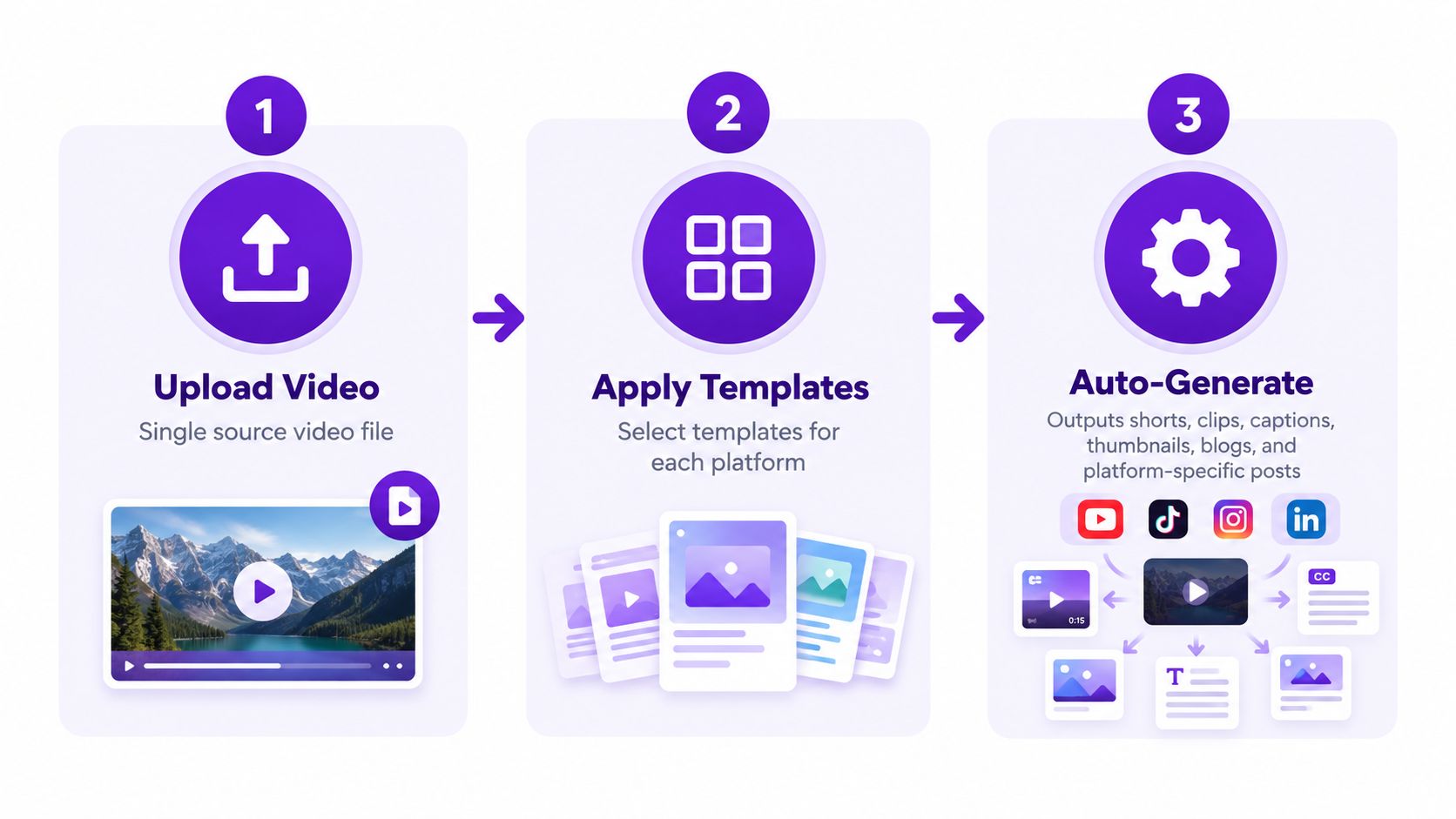
Apply a vertical short template to discovery-focused clips, a thumbnail template to the long-form upload, a caption template to the supporting copy, and a blog template to the deeper written version. Don't force one layout across every channel. The message can remain consistent while the packaging changes.
A practical batch might include:
The built-in editor is where speed needs judgment. Correct caption breaks, remove dead air, reposition text that covers a face, and replace a weak frame in the thumbnail. Vertical formatting should be checked on an actual mobile-sized preview, especially when the source was recorded horizontally.
If you're also comparing standalone services, a video to blog tool can help you evaluate a separate text-first workflow. The important question isn't whether a tool produces a draft. It's whether the draft retains the speaker's specific argument and gives you an efficient editing path.
For a 20-minute interview, the useful outcome isn't a pile of automatically generated files. It's a coordinated set of assets where each piece has a distinct role. Review the strongest clips first, connect them to the full episode, and remove anything that repeats the same point without adding a new angle.
Then use bulk scheduling to distribute the approved content from one dashboard. Scheduling reduces the stop-start cost of publishing and gives the week a deliberate rhythm, but it doesn't remove the need to check dates, links, platform previews, and sensitive claims before anything goes live.
A template can work well at launch and become a liability later. Teams add exceptions, leave placeholder text in place, keep outdated links, or make the design so complex that creators abandon it halfway through. The operational fix is governance, not another gallery of layouts.
Assign a person responsible for each master template. That owner doesn't need to approve every post, but they should maintain the source rules, remove obsolete variants, and collect recurring creator questions. Add a visible review date to the template record, especially for FAQs, support content, product claims, and pages that answer changing customer questions.
Independent FAQ guidance emphasizes using real customer questions, keeping answers concise, and adding review dates (Jotform's FAQ template guidance). Those practices become more useful when someone is accountable for acting on the date. A stale answer can remain technically well formatted while damaging trust.
A team needs to know whether creators can find the template, whether they finish the asset, and whether the result meets the quality bar. Count those stages separately instead of treating publication volume as proof that the system works.
The Template Effectiveness Score framework defines Template Usage Rate as the share of eligible users who use templates and combines usage, completion, and output quality with this formula:
Template Effectiveness Score = (Usage Rate × 0.4 + Completion Rate × 0.3 + Output Quality Score × 0.3) × 100
Use the formula as a diagnostic, not a vanity score. Low usage points to poor discoverability or weak perceived value. Low completion often signals excessive complexity. Low output quality means the template needs better rules, stronger examples, or more human review.
Trust-sensitive content shouldn't sound assembled. Customize testimonials, apologies, safety information, financial explanations, personal stories, and community announcements when a fixed structure would flatten the speaker's intent. A reusable template should make exceptions easier to manage, not prevent them.
Adapt the same core message across a website, help center, product page, sales deck, and social post, but don't paste identical copy into each location. Keep the underlying facts and terminology aligned, then change the context, length, evidence, and call to action for the audience. Guidance for FAQ content increasingly focuses on clear answers, contextual links, review dates, and optimization for both human readers and machine-driven discovery (HelpDocs' FAQ templates). That approach treats templates as living assets rather than finished documents.
A reliable weekly system is short enough to follow and strict enough to prevent drift:
Use the video editing templates workflow as a companion reference when you're deciding which editing choices belong in a reusable format and which should remain manual.
Good templates make publishing easier without making every post identical. Warning signs include creators choosing templates based only on appearance, repeated hooks across unrelated videos, unreadable mobile captions, placeholder assets, and a growing collection of nearly identical variants. Fix the rule or delete the variant. More options rarely solve a workflow that lacks clear ownership.
Templates work best as living assets. They preserve the decisions your team shouldn't have to repeat, while giving each new video enough room to carry a specific point of view.
Upload your next long-form video to Taja AI, apply a customized Brand Kit, and review the generated shorts, captions, thumbnails, blogs, and platform posts before scheduling them. Start free without a credit card, then use the template workflow to build a repeatable publishing system that saves editing time without sacrificing your voice.


We are blessed to work with leading brands & Companies


We try to make easy and simple for every professionals. Get 30 days free trial - No credit card required.


© 2025 Taja AI. All rights reserved.