.jpeg)

How to Make an Announcement That Gets Read and Shared
Learn how to make an announcement for a product, business update or event, with templates, clip repurposing, scheduling and CTA tips.
5 min read
October 29, 2026

Learn what impressions click through rate means, how to calculate it, realistic benchmarks for YouTube, TikTok and Instagram, and how to improve it.
Written by:


A high impressions click-through rate is not a score to chase. The most common advice tells you to push that percentage up until it clears some published range, then treat the job as done. That advice fails the moment a sharper thumbnail pulls people in who leave within seconds, or a strong click rate on a tiny audience hides the fact that almost nobody new is seeing the work.
An impression is one time a thumbnail, post, or result is shown. Click-through rate (CTR) is the share of those impressions that become a click or a view, written as a percentage. Think of a shop window. Impressions are the people who walk past and see the display. CTR is the share who step inside. Foot traffic through the door says nothing about whether they buy, stay, or come back tomorrow.
The same percentage means different things once the audience, the traffic source, the format, and the topic change. A 4% rate on a search result from someone who already wants the answer is not the same event as a 4% rate on a cold home-feed thumbnail. LinkedIn makes the same split in its own analytics, and the LinkedIn metrics guide for marketers is a useful reminder that an impression count is only as meaningful as the surface that produced it.
Three questions follow. How do you calculate the rate without mixing the wrong numbers? What counts as a reasonable range on YouTube, TikTok, and Instagram? How do you raise the rate without giving up watch time and reach?
Before you change a thumbnail or a title, export impressions, CTR, and average view duration for the last 28 days. That export is the baseline every later comparison needs.
A higher impressions CTR can be a warning, not a win. A thumbnail that attracts clicks but leaves viewers with no reason to stay may raise the percentage while weakening the result you want: sustained attention.
CTR is a ratio, and both counts depend on who saw the content and where they saw it. A subscriber tapping a notification, a stranger scrolling a For You feed, and someone choosing a search result are making different decisions. Blend those audiences together and a channel-wide average can hide which message is attracting the right viewers. The LinkedIn metrics guide for marketers offers a useful reminder: an impression count needs context about the surface that produced it.
Three misreads are easy to make:
Before changing a title or thumbnail, export the last 28 days of impressions, CTR, and average view duration. Separate results by format and traffic source where possible. The comparison is more useful than a blended total: it helps you ask whether a higher CTR brought viewers who stayed, or just more people who left quickly.
The formula is the same everywhere the metric is defined this way.
CTR = (clicks or views ÷ impressions) × 100
Say a tutorial thumbnail records 12,000 impressions and 540 views. Divide 540 by 12,000 and you get 0.045. Multiply by 100 and the impressions click-through rate is 4.5%.
You can run it backwards when you are planning reach. To earn 100 clicks at a 4% rate, divide 100 by 0.04. You need 2,500 impressions. If a post is only collecting a few hundred impressions a week, no title tweak will manufacture those clicks. The denominator has to grow, or the target has to shrink.
| Scenario | Impressions | Clicks or views | CTR |
|---|---|---|---|
| Tutorial thumbnail, first 28 days | 12,000 | 540 | 4.5% |
| Product explainer short post | 3,000 | 90 | 3.0% |
| Podcast clip on TikTok | 8,000 | 320 | 4.0% |
| Channel-wide monthly total | 50,000 | 2,000 | 4.0% |
These four rows are worked examples, not benchmarks. Notice what changes. The short post and the monthly total can share a similar rate while the monthly total represents far more people. A 4% month on 50,000 impressions is 2,000 views. A 4% clip on 8,000 impressions is 320 views. The percentage did not tell you the size of the result.
YouTube's impressions click-through rate uses views from registered thumbnail impressions as the numerator. Other apps may count a tap, a profile visit, or a view that started because the video autoplayed. Before you compare two exports, label the numerator in the spreadsheet. If one column is "views from impressions" and the other is "link clicks," they are not the same metric with a different name.
Three calculation errors wreck the comparison.
Practical rule: If the rate jumps hard on a few hundred impressions, treat it as noise. Wait until the count is large enough that one unlucky day cannot move the percentage by itself.
Each platform writes its own definition, so a matching percentage can describe different events.
YouTube counts impressions click-through rate from registered thumbnail impressions. Many places a video can appear are left out of that count. A number built only on registered thumbnails says nothing about surfaces the report never included, and it says nothing about whether the people who clicked had any intent to watch.
Instagram separates impressions from reach. Impressions are total displays, including repeat views by the same account. Reach is unique accounts. A Reel can pile up impressions while reach stays narrow, which usually means the same followers are seeing it again. CTR built on impressions will look calmer than a rate built on reach, because the denominator is larger and partly made of repeats.
TikTok is the one to double-check in the dashboard before you divide anything. Some views are for-you plays that never required a click. If the export gives you both impressions and views, confirm which figure belongs in the denominator. Using total views as if they were clicks will inflate the rate and make every other platform look weak by comparison.
Pinterest is a useful contrast, because a Pin impression is its own surface with its own habits. The notes on ways to increase Pin impressions show how easy it is to optimize a count that is not the same decision a YouTube thumbnail asks of a viewer.
Export one month from each app. Give every column a plain label: platform, metric name, impressions or the closest equivalent, clicks or views, and the resulting rate. Never average those rates into one "channel CTR." A cross-platform dashboard that blends them hides the definition differences you just separated. If you need a single view for a client, show three rates side by side and say what each numerator and denominator are.
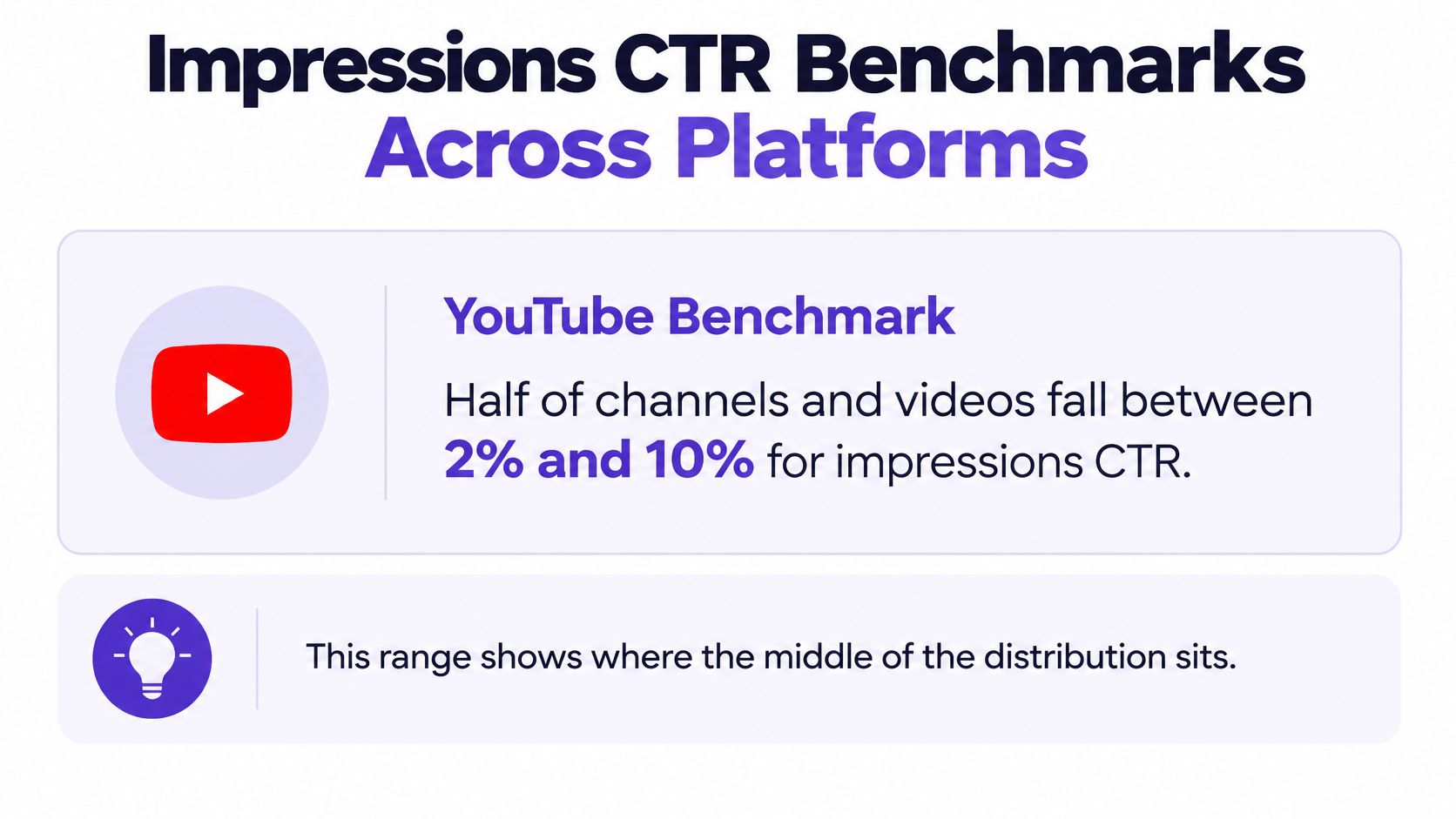
Half of YouTube channels and videos fall between 2% and 10% for impressions click-through rate. That sentence describes where the middle of the distribution sits. It is not a target, and it is not a grade for a TikTok clip or an Instagram Reel.
Public write-ups rarely publish a verified range for TikTok or Instagram impressions click-through rate that you can treat the same way. Copying a YouTube band onto those apps, or copying another creator's niche, length, and audience, usually produces a poor comparison. Your own uploads are the reference that matches your topics and your viewers.
| Platform | Reported metric | Reference range | How to use it |
|---|---|---|---|
| YouTube | Impressions click-through rate | Half of channels and videos fall between 2% and 10% | Baseline only, compare with your own uploads |
| TikTok | Views or impressions, whichever the export names | No verified public range to treat as a target | Build a personal median from the last 90 days by format |
| Impressions, kept separate from reach | No verified public range to treat as a target | Build a personal median from the last 90 days by format |
Take the last 20 uploads, or 90 days of posts if you publish less often. Separate them by format: long video, short, Reel, carousel. For each group, line the rates up from low to high and take the middle value. That median is your personal benchmark. A mean gets yanked around by one viral outlier. A median does not.
A post that beats its own median by a clear margin across several uploads is a real improvement. One spike is not. If you only have a handful of posts in a format, say so in the sheet and wait. Guessing a "good" rate from a creator in a different niche will send you into tests your audience never asked for.
Google Search Console calculates CTR as clicks divided by impressions. Google's Search Console documentation explains the formula, but the result depends on how you group the data.
At the property level, if several URLs from one site appear for the same search, Search Console counts one impression and combines the clicks. At the page level, it counts each URL separately. That means property and page reports can show different CTRs even when no title has changed. Property-level average position also reflects the topmost position, so it can mask weaker pages, queries, devices, or search features.
A 2024 study estimated a 9.28% CTR for the first Google organic result, a reported estimate, not a target for every page. Your own rate depends on which searches produced the impressions and how well each result matched the searcher's intent.
A low aggregate rate does not automatically mean your titles need work. It may reflect impressions from a wider mix of queries, including searches with different intent. A high rate led by branded searches may indicate that your page reaches a narrow audience. Compare branded and non-branded queries separately, then consider whether a title change would attract the right searchers and serve the page's goal.
Picture a restaurant that photographs a dish so well that people order it, then send most of it back. Orders go up for a night. Repeat visits fall, and the room gets quieter. Platforms behave in a similar way. A strong click rate can read as evidence that the thumbnail matches what viewers want, which can earn more impressions. A click rate built on quick exits sends a weaker signal, and distribution stalls.
YouTube's impressions and CTR reporting connects impressions, CTR, views, and the watch time that follows. It does not treat the click rate as a standalone success metric. A higher rate can be undesirable when a provocative thumbnail attracts people who leave quickly. The range people quote from that reporting is also a poor universal target. It leaves out many surfaces where registered impressions are not counted, and it says nothing about intent, traffic source, topic, or whether anyone stayed.
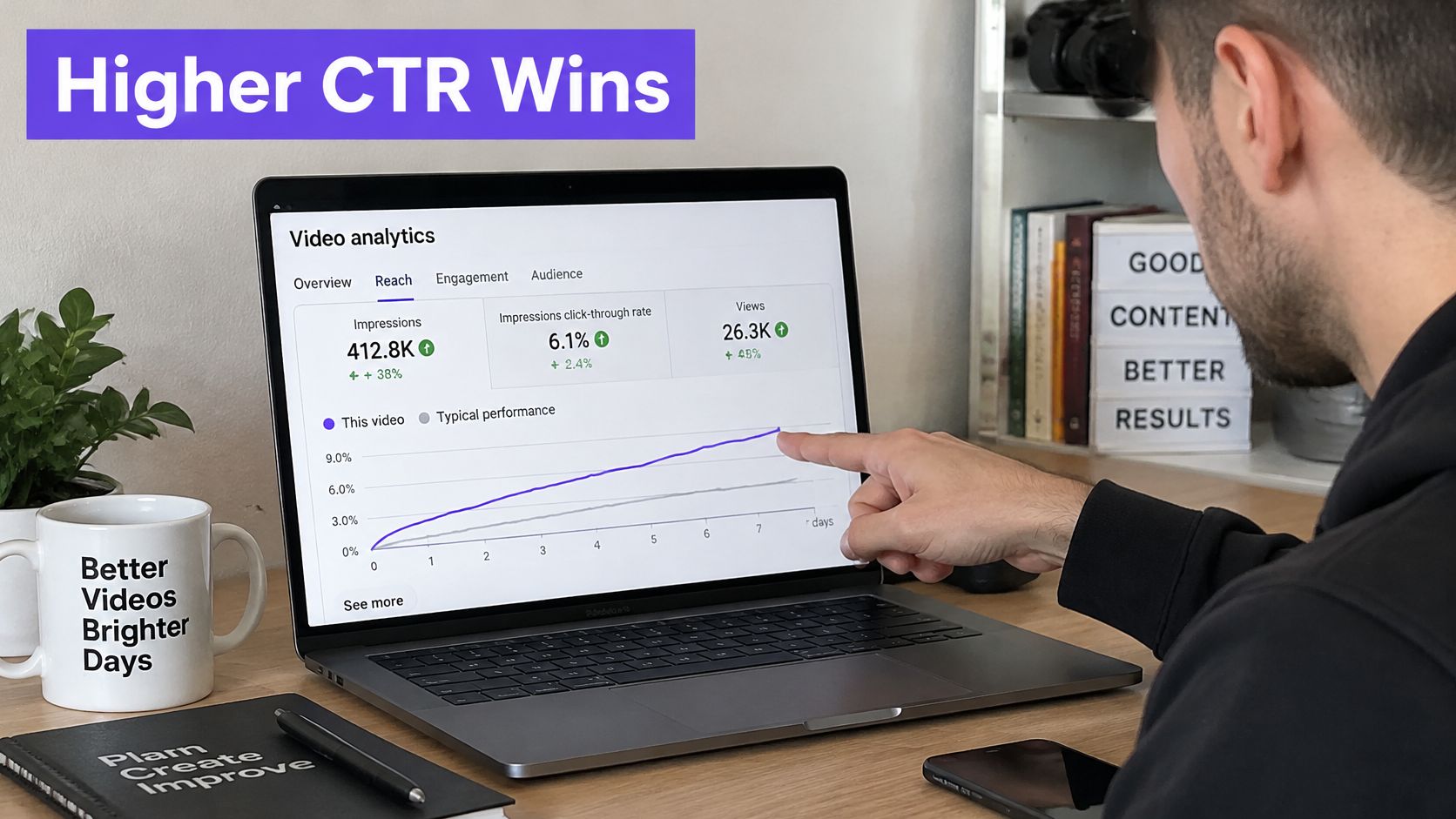
Segment the rate before you celebrate it.
Pair the rate with average view duration, the retention curve, returning viewers, and a downstream action such as a sign-up or an enquiry. For educators, real-estate agents, and local businesses, thumbnail tests should maximize useful attention, not clicks. How those signals feed recommendations is covered in more detail in this look at YouTube ranking factors. If the click rate rises and qualified views, retention, or leads do not, the thumbnail won a test the business lost.
Change one thing, then read two numbers. A six-step routine keeps the test honest.
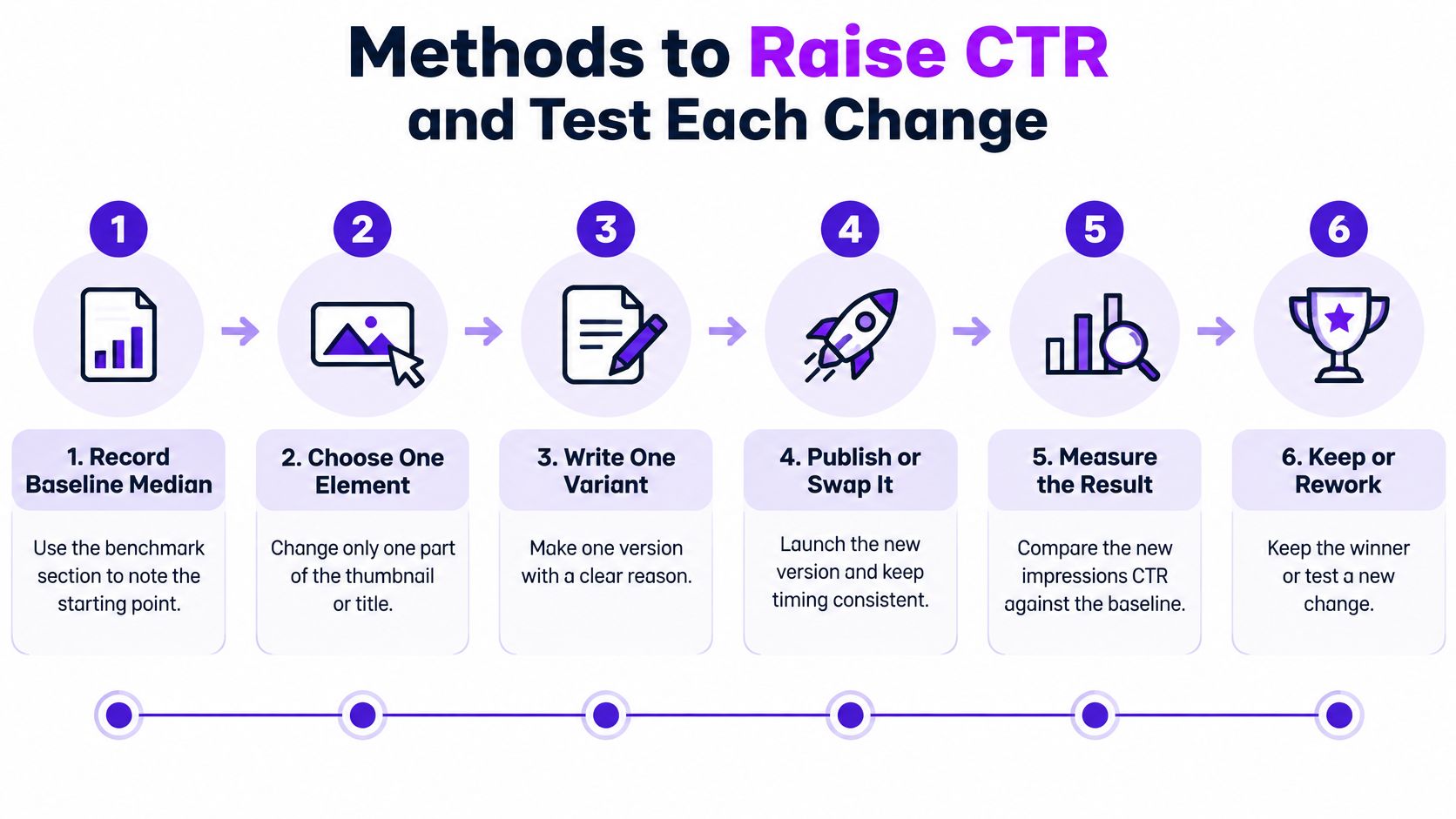
The same discipline shows up outside video. Teams tuning titles for answer engines use a similar one-change test, and this walkthrough on how to improve click through rates in AI search is a clear parallel for query-led clicks. On YouTube, the same idea is spelled out in this guide to how to improve click-through rate.
| Element | Variant to test | Signal to read | Watch-out |
|---|---|---|---|
| Thumbnail | Face close-up versus text-led layout | CTR and average view duration together | Higher CTR with lower retention is not a win |
| Title | Question versus specific outcome | Click-to-view ratio over a fixed window | Same-day swaps distort the result |
| Opening hook | First-five-seconds promise versus result preview | Early retention curve | Changing the title at the same time ruins the read |
| Posting slot | Morning versus evening publishing | Impressions growth and CTR | Seasonal demand skews the comparison |
For the thumbnail itself, use one clear subject. Show a face or a product with an expression or a result you can see at phone size. Keep on-image text to a few large words, and do not repeat the title. Changing the thumbnail and the title in the same upload makes the result impossible to attribute. You will not know which edit earned the click or which one caused the drop-off.
Tools can speed the variant, not the judgment. YouTube Studio's Reach tab is where you read the rate. A repurposing tool such as Taja AI can draft title and thumbnail options from a long video so you have a variant to test. The sheet still decides the winner. A variant only wins when the impressions click-through rate rises and retention holds or improves over the same window.
Use three decision rules before the next upload.
A lower aggregate rate can mean broader discovery, not weaker content. A single high number still needs its segment and its sample. A 4.5% rate on 300 impressions is noise. The same 4.5% on many thousands of impressions, split by source, is something you can act on. Tie the click to an outcome you can count, the way a content marketing ROI review forces the conversation past vanity percentages.
This week, export the last 28 days by format and by traffic source. Calculate the median CTR for each group, set it next to average view duration, and pick one test for the next upload. Start from that baseline, change one element, and keep the variant only if people still stay.
Taja AI turns a long video into titles, thumbnails, shorts, and posts you can test one change at a time, so impressions click-through rate is read next to watch time instead of chased on its own. If you publish lessons, listings, or podcast clips and want those variants without rebuilding each one by hand, start with a free account at Taja AI.


We are blessed to work with leading brands & Companies


We try to make easy and simple for every professionals. Get 30 days free trial - No credit card required.


© 2025 Taja AI. All rights reserved.