Podcast Clips for Social Media: How to Make Them Work
Learn how to pick, edit, caption and publish podcast clips for social media on YouTube, TikTok, Instagram and Facebook, with platform specs and tracking.
5 min read
November 20, 2026

Repurpose video content into clips, captions, and posts with a 2026 workflow covering cuts, vertical specs, and when to stop.
Written by:


57% of businesses hosting live webinars created social clips from their recordings in 2025, according to Wistia's State of Video Report, covered by Chief Marketer. That's the useful reframing: a long recording isn't just something to replay. It's material for a distribution plan.
But a strong webinar can still fade after its first weekend if every follow-up repeats the same point. When you repurpose video content, aim for a capped set of distinct assets, not the largest possible export folder. Choose the audience job first, edit for that job, and stop publishing when another clip adds nothing.
Start with the file list, not the editor. Name the source recording, decide who needs it, and choose which outputs deserve space on this week's calendar. A webinar, interview, podcast, lesson, sermon, or product demo can support different formats without justifying every format.
The demand is real: Wyzowl's video marketing survey reports that business use of video as a marketing tool increased from 61% in 2016 to 89% in 2025. The practical response isn't to record endlessly. It's to extract more useful communication from recordings you already trust.
Use these as working editorial lengths, not platform limits or promises of better performance.
Asset menu from one long video
| Asset | Working length | Frame | Job |
|---|---|---|---|
| Vertical short | 15–60 seconds | 9:16 | Discovery on Shorts, Reels, and TikTok |
| Context cut | 30–90 seconds | 1:1 or 16:9 | A fuller point on LinkedIn or Facebook |
| On-demand replay | Full talk or a tight trim | 16:9 | Website, email, or course page |
| Burned-in captions | Same as the clip | Inside the safe area | Silent autoplay; pair with uploaded captions or a transcript for searchable text |
| Thumbnail set | Still frames | 16:9 and 9:16 | The click decision before play |
| Written summary | A concise answer, supporting points, and next action | Not a video frame | Blog, show notes, or email |
| Native text post | One per network | Not a video frame | Context the clip cannot carry alone |
Before opening the timeline, identify the kind of recording you're working with.
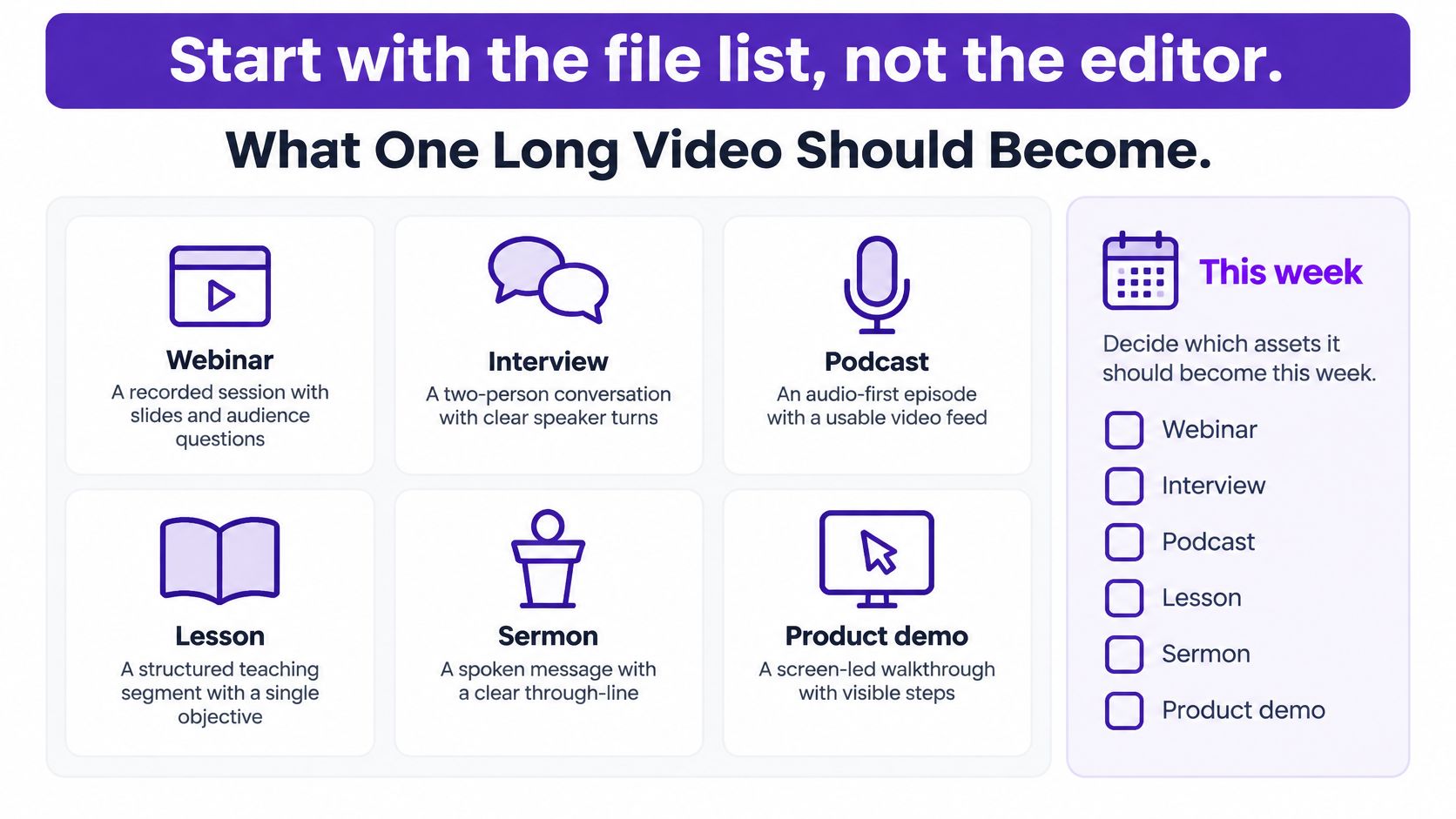
For a manageable pilot, choose three audience-facing pieces. Treat captions and thumbnails as supporting production files, not additional publishing obligations.
Say a real estate agent has a listing walkthrough. The discovery short could explain the home's most useful layout feature; the context cut could answer a buyer's question about the neighborhood; the written post could explain who the property suits. Those are different jobs, not repeated announcements.
Write a delivery note for each selected asset: audience, question answered, destination, and next action. Park everything else in a backlog with its source timestamp.
Practical rule: If you can't explain what an asset does that the other selected pieces don't, leave it out of this week's batch.
The cap protects editing time and gives you a clear finish line. You're building a useful release, not committing to emptying the recording.
A memorable sentence isn't necessarily a usable clip. Someone who didn't attend the webinar needs to understand the subject, follow the reasoning, and hear the conclusion without reconstructing the missing conversation.
Treat clip making as separate jobs: choose a complete idea, then refine its boundaries. The Repurpose-10K benchmark uses more than 10,000 long-form videos and over 120,000 annotated clips, combining candidate selection with human feedback and timestamp correction. That distinction matters more than an automated highlight score.
Use this editing sequence to keep selection and trimming separate.
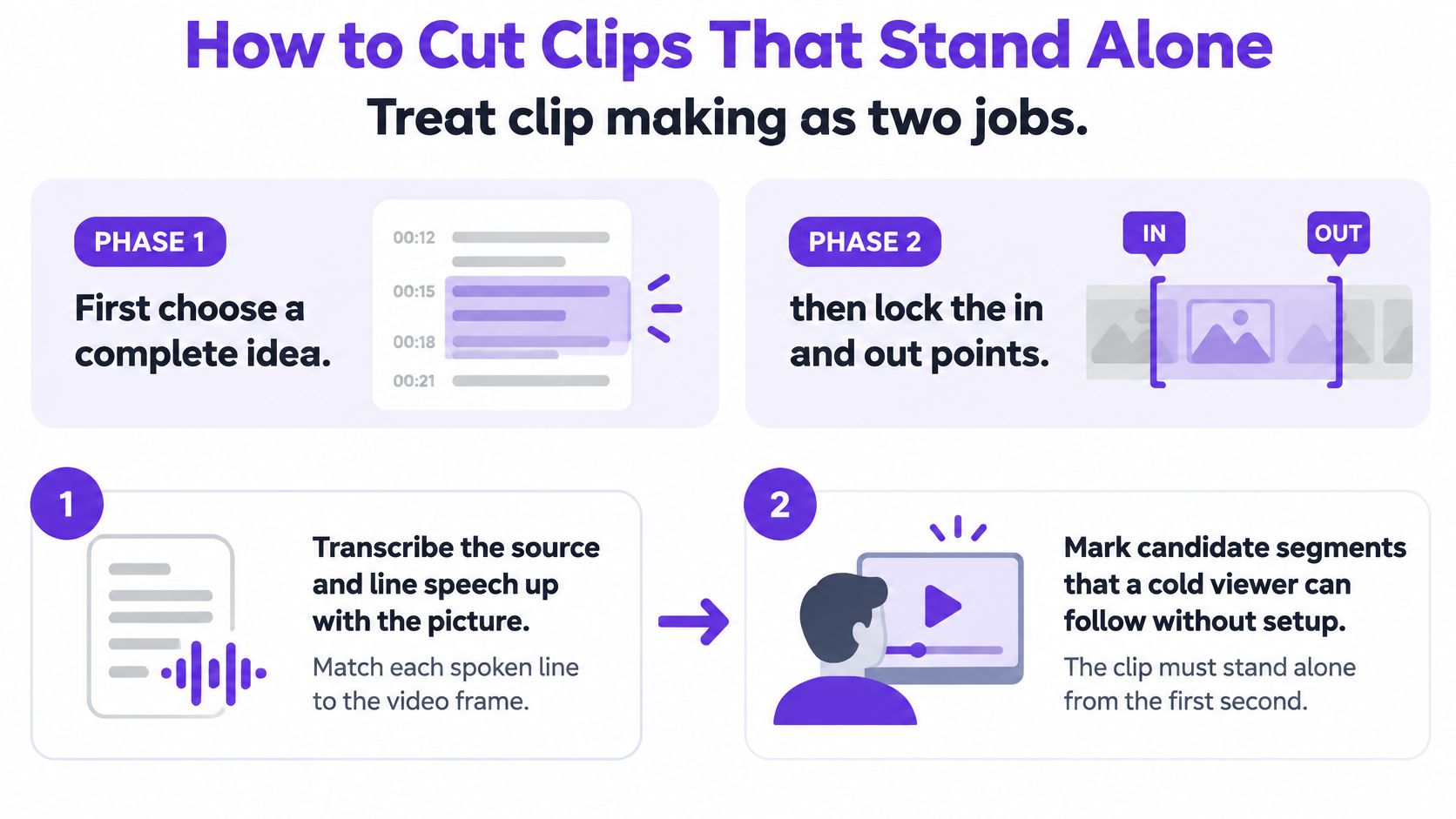
Transcribe and align. Generate a transcript in your editor, then check that spoken words match the picture. Correct speaker labels before searching for excerpts, especially in interviews with quick exchanges.
Mark cold-viewer candidates. Highlight passages that make sense without the preceding discussion. Watch for openings such as “that's why” or “the other option.” They often point to context you'll need to include or replace.
Score the substance. Assess topical fit, completeness, and a reason to keep watching. A provocative claim without its explanation may attract attention while failing the viewer. Favor a clear answer over an isolated dramatic line.
Set an editorial cap. Use the short-form working range in your asset menu as a constraint, not a command to speak faster. If the idea won't fit cleanly, move it to a context cut or choose a narrower question. Reorder material only when the speaker's meaning remains intact.
Trim on meaning, not scene changes. Start where the subject becomes clear and end after the payoff. Leave natural breathing room. A convenient camera switch isn't a good boundary if it cuts through a sentence or reaction.
Listen to the opening and closing lines. Play them without the middle. Can a stranger identify the topic from the opening? Does the ending resolve the promise? Reject an excerpt that depends on a sentence still sitting outside the selection.
Approve or kill the candidate. Review captions, speaker turns, and visual continuity before spending time on styling. Keep an approval column beside the automated recommendation so a high score doesn't become automatic permission to publish.
For a practical webinar check, separate excerpts that answer attendee questions from passages that merely introduce the presentation. The question-and-answer exchange may contain a complete lesson; the introduction may only promise one.
Use the short-form video creation guide when organizing the production handoff, but keep editorial approval attached to the actual playback. Transcript keywords can locate a topic; they can't establish whether the excerpt explains it.
For an additional editing walkthrough, watch the demonstration below.
Keep only candidates that pass the opening-and-closing test. Don't rescue a weak selection with animated captions, jump cuts, or louder music. Choose a better moment.
Build a high-quality vertical master, then create destination-specific versions. Keep your project editable so you can reposition captions and subjects without repeatedly compressing an already exported file.
The baseline and caption benchmarks below come from Shopify's vertical video guide, including the 1080×1920, 9:16 master, approximate top 15% and bottom 25% clear areas, and the caption comparison results. Treat the results as test benchmarks, not expected lifts for your account.
Vertical master and caption benchmarks
| Item | Spec or result | What to do with it |
|---|---|---|
| Master file | 1080×1920, 9:16, MP4, H.264, AAC | Export this once, then crop per app |
| Safe area | Clear about the top 15% and bottom 25% | Keep type, faces, and logos inside the remaining area |
| Right edge | Platform buttons sit here | Check the crop in each app preview |
| Captioned Facebook reach | About 16% higher average reach | Benchmark only, then A/B test |
| Captioned Facebook reactions | About 17% more reactions | Same matched test as reach |
| Captions removed | Nearly 18% fewer 10-second views and 26% fewer CTA clicks | Don't ship silent clips without readable context |
| View-time notes | 12% more Facebook view time and 7.3% more YouTube views in one summary | Confirm on your own audience |
| Scorecard | 3-second and 10-second retention, completion, shares, saves, conversions | Don't judge on views alone |
A safe-zone template is a starting point, not a substitute for the app preview. Check the published placement with the platform's buttons, account information, and description visible. A caption that looks centered in your editor can still compete with interface text.
For interviews, follow the active speaker without creating constant, distracting reframing. For demonstrations, preserve the cursor, labels, and result. If a vertical crop makes the process unreadable, use a composed layout with a screen panel instead of magnifying a small section beyond usefulness.
Use the Instagram video format guide when preparing that destination's version. Don't assume the same caption position will work unchanged everywhere.
Thumbnail preparation deserves a separate check. If a still needs a background cleanup before you add a legible title, ImagesArt AI's AI photo editor is a resource to consider. Keep the edited image faithful to the subject, especially for property listings, products, and demonstrations.
Synchronize captions to speech and break them into short phrase units. Keep enough text visible to communicate meaning without covering the action. Read names, addresses, prices, and technical terms against the recording rather than trusting transcription confidence.
Burned-in captions help viewers follow the visible clip, but don't assume image text replaces a platform caption file or written description. Prepare those separately when the destination supports them.
Test a change you can identify. If you change the hook, crop, captions, and posting conditions together, you won't know which change helped.
Run matched comparisons with the same audience and comparable posting conditions. Change the caption treatment or crop, then inspect retention alongside the action you wanted, such as a replay visit, inquiry, or booking. A higher view count isn't enough if qualified viewers stop taking the next step.
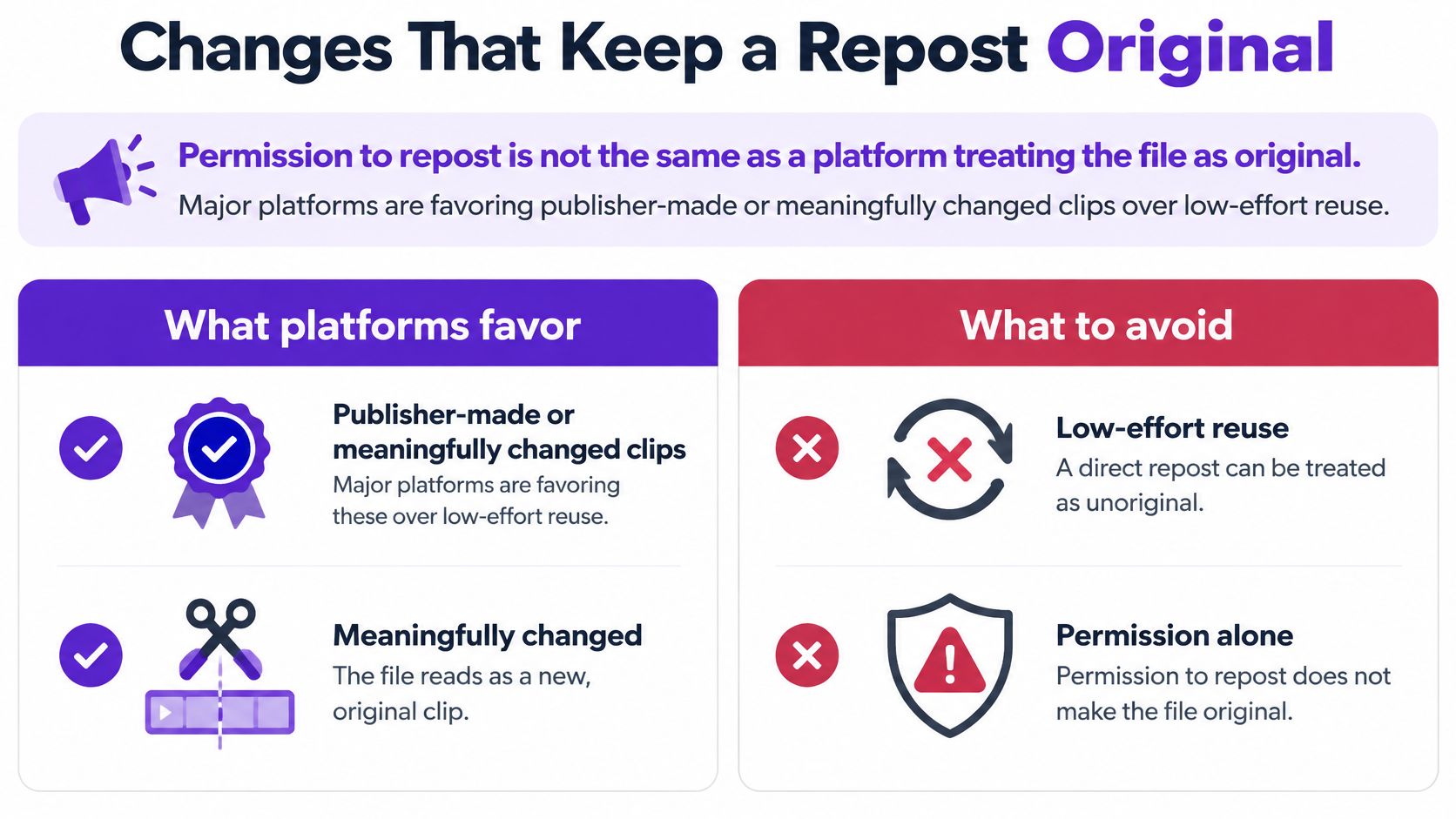
Permission to repost and platform-defined originality are different checks. MediaPost's reporting on original content describes platforms distinguishing publisher-created or meaningfully enhanced material from low-effort reuse. An authorized clip can still be insufficiently transformed for a platform's recommendation or monetization standards.
Don't treat cosmetic changes as a guarantee of eligibility. Platform rules differ, and a checklist can improve your editorial process without promising distribution.
Use the transformation pass below before approving a derivative.
Rewrite the opening for the audience. A professional audience may need the business consequence first. A consumer audience may need the problem stated in everyday language. Keep any added hook faithful to what the speaker supports.
Add missing context or commentary. Identify the situation, explain why the excerpt matters, or add a useful limitation. Don't add a decorative sentence that says nothing beyond “watch this.”
Rebuild the visual presentation. Choose framing that preserves the relevant evidence. A lesson may need the diagram beside the teacher; an interview may need a clear speaker label; a walkthrough may need an annotated detail.
Adjust pacing and on-screen structure. Remove introductions that belonged to the long recording. Use purposeful callouts or a visible sequence where they help comprehension, not just to make the file look different.
Verify rights before release. Check guest permissions, music, footage, and any visible third-party material. Don't assume a recording's original use covers every derivative or promotional placement.
Write distinct packaging. Give the asset an accurate title, description, and thumbnail that match its specific promise. A copied source filename isn't publishing metadata.
Say an educator records a lesson about evaluating competing service quotes. A discovery clip might expose a common comparison mistake. A professional-network post could explain the purchasing process, while a written summary could provide the questions to ask a supplier.
Those versions share source material, but they don't ask the audience to consume the same explanation repeatedly. Each has a reason to exist beyond filling another channel.
Human review should also protect the speaker's meaning. Don't splice an answer to a different question, remove a qualification that changes the claim, or imply an endorsement the guest didn't give. More editing isn't automatically more originality.
Approval test: Would this derivative still give its intended viewer a complete, useful experience if the long recording disappeared?
If the only change is the aspect ratio, you've reformatted the file. You haven't yet demonstrated a new audience purpose or meaningful editorial transformation. Send it back for that decision before scheduling it.
More output can mean less useful attention. Faster scripting, editing, dubbing, and repurposing don't increase your audience's appetite for the same point. A full queue can conceal a weak publishing decision.
Moneycontrol's reporting on the AI content boom highlights creator concerns about repetition and cites an estimate associating AI-generated video with an approximately 30–35% engagement decline. The practical warning signs are simpler than any benchmark: click-through sliding steadily from its own peak, acquisition cost climbing against your own baseline, and the same viewers meeting the same cut again. Treat those as review triggers, not universal causal rules.
Signals to pause or retire a repurposed clip
| Signal | Threshold | Action |
|---|---|---|
| Engagement on AI-heavy video | About a 30–35% decline in one cited estimate | Cut volume before you add another batch |
| Click-through rate | Falls steadily from its own peak | Retire the hook or pause the cut |
| Cost per acquisition | Rises sharply compared with your baseline | Stop paid pushes of that asset |
| Frequency | Same viewers repeatedly exposed to an unchanged promise | Space posts or swap the moment |
| Same moment, many feeds | Three networks in one week, as an editorial review trigger | Change the hook or wait |
| No new audience job | Repeat of a tip already posted | Refresh or retire |
The cross-network rule is a proposed operating cap, not a measured platform penalty. Use it when your audiences overlap; separate audiences may justify different distribution choices.
Start with the relationship between attention and outcome. Falling click-through alongside rising acquisition cost deserves a pause, but check whether targeting, the landing page, the offer, or tracking changed before blaming creative fatigue alone.
Frequency adds context. Repeated exposure to an unchanged promise can explain why a once-useful cut stops earning clicks, but frequency by itself doesn't prove the audience is tired. Inspect the whole campaign rather than treating any single metric as an automatic verdict.
For organic posts, compare completion, saves, shares, relevant comments, and downstream visits with your own comparable content. Keep the source moment in your reporting so you can spot repeated ideas hiding behind differently named exports. A video analytics tools workflow should help you decide what to stop, not just celebrate what accumulated views.
Separate production inventory from approved distribution. Keep useful unscheduled candidates in the backlog, and record why each was held: overlapping topic, weak opening, wrong audience, or no timely use.
Space derivatives across days rather than releasing a burst because the editor finished them together. Rotate the question you answer, not merely the wording of the first line. If the body delivers the same lesson, a fresh hook may not solve the repetition.
Refresh an asset when you can offer new context, a better explanation, or a different application. Retire it when all you can change is decoration.
A podcast host, agent, or congregation doesn't need to prove that every recording contains an endless campaign. One strong source video earns a capped set of distinct assets. Sometimes the best decision is to leave the source alone and publish the next useful idea.
Choose an existing recording with clear audio, reliable information, and a subject your audience still needs. Don't start by filming something new. Start by deciding what deserves another audience encounter.
For this pilot, schedule three distinct assets: a discovery short, a captioned context cut, and a written summary or native text post. That's an assignment cap, not a claim about the ideal publishing frequency for every business.
Create a small production card for each selected piece. Include the source timestamp, intended viewer, promise, destination, next action, and approval owner. Even if you work alone, naming the approval task keeps generation separate from publication.
Use a simple status list:
Reject weak pieces before polishing them. If the best excerpt needs extensive explanation, choose the written format rather than forcing it into a short.
If editing time blocks the week, our Taja AI workflow generates 27 shorts, clips, and text outputs for a typical video in one click. Optimized and repurposed content is ready on the dashboard about 30 minutes after the video is added to the playlist, and solopreneurs using Taja AI save up to 2.3 hours per video optimized and repurposed.
Treat that output as a candidate pool, not a publication quota. Automation can prepare options quickly; you still decide which ones deserve your audience's time.
Before scheduling, watch the selected videos on a phone and read the written piece without the recording open. Check that each promise matches its payoff and that the next action goes somewhere useful. Then review the calendar for competing versions of the same idea.
Give every scheduled piece a review task tied to its purpose. For discovery, inspect whether people stayed for the explanation. For a context cut, look for qualified engagement or visits. For a written summary, check whether readers took the intended next step.
Your finish line is a small, approved release with clear jobs and a review plan. Keep the unused candidates available, but don't publish them just because they exist. Distinct audience value is the win.
Taja AI turns long-form recordings into shorts, captioned clips, thumbnails, and platform-ready posts so you can spend less time preparing first drafts. Visit Taja AI with an existing recording, generate your options, and choose a capped set of useful assets to publish this week.


We are blessed to work with leading brands & Companies


We try to make easy and simple for every professionals. Get 30 days free trial - No credit card required.


© 2025 Taja AI. All rights reserved.