.jpeg)

Convert Video to Blog Post for More Traffic
Learn to convert video to blog post with transcription, SEO structuring, editing and republishing tips that turn recordings into traffic.
5 min read
October 16, 2026

Learn how to create YouTube Shorts that get views. Our step-by-step guide covers ideation, filming, editing, SEO, and automating your workflow with AI in 2026.
Written by:


Most creators lose the Shorts battle before the video even starts. On YouTube, the "Shown in Feed" metric acts as the gatekeeper, and viewers decide whether to watch or swipe away in less than 400 milliseconds according to this breakdown of Shorts analytics.
That changes how you should think about how to create youtube shorts. The challenge is not just recording something vertical and posting it. The challenge is building a repeatable system that gives each Short a real chance to earn attention fast, without turning content creation into a second full-time job.
For busy founders, agents, coaches, podcasters, educators, and local businesses, the wrong approach is obvious. You record from scratch every time, edit manually, rewrite captions, hunt for hooks, then wonder why consistency breaks after a week. The right approach is lighter. You create a pipeline for ideas, filming, editing, publishing, and repurposing so Shorts become sustainable.
YouTube Shorts now sit at the front of discovery. For many channels, they are the first touchpoint a viewer has with your brand, your expertise, or your offer. If someone does not know you already, a Short is often the asset they see before a long-form video, homepage, or website.
That matters even more for entrepreneurs who cannot rely on daily posting across every platform. Shorts give you a way to package one sharp idea, one practical tip, or one compelling moment into a format built for fast consumption. When that works, it can feed the rest of your channel.
The mistake I see most often is treating Shorts like an extra task. That is where burnout starts. Shorts work when they are part of a system, not a side quest. A strong workflow lets you publish consistently without rebuilding the process every single time.
Short-form does not reward long warm-ups. It rewards immediate relevance.
A viewer sees your first frame, reads your on-screen text, notices your movement, and makes a near-instant decision. If your content is slow, vague, or visually flat, it gets skipped. If it makes a promise quickly, it earns a chance.
That is why Shorts are essential. They compress your positioning into a format people can judge immediately.
Key takeaway: If your business depends on attention, trust, or inbound leads, Shorts are no longer optional. A repeatable Shorts system is part of basic channel operations.
The better question is how to make them without wasting time.
Most businesses do not need more content ideas. They need better packaging and faster execution. They need a way to turn expertise into clips people watch. They also need a process that works when the calendar gets crowded.
If you want a broader view of where the format is heading, this breakdown on the future of YouTube Shorts is useful because it frames Shorts as an evolving distribution channel, not a temporary trend.
Most Shorts fail before filming because the idea is too broad. “Marketing tips,” “real estate advice,” or “fitness hacks” are not content ideas. They are categories. A Short needs a tighter promise.
The easiest way to find better ideas is to look for specific questions with immediate intent. Here, underserved niches have room to win. According to OutlierKit’s analysis of untapped YouTube niches, tutorials often miss niche-specific Shorts strategies for audiences like local service providers or faith-based groups, while low-competition topics such as app feature explainers or event drone breakdowns can show strong search intent.
If you are a local business, do not start with “5 plumbing tips.” Start with “Why your water heater keeps clicking” or “What to do before calling an emergency plumber.”
If you run a church, do not start with “faith encouragement.” Start with “One verse to read when you feel stuck” or “What happens in a midweek Bible study.”
If you are a podcaster, do not ask what clip is funniest. Ask what clip solves a real problem, creates tension, or states a contrarian opinion clearly in seconds.
A simple ideation filter helps:
When a team gets stuck, I like using structured prompts instead of waiting for inspiration. These ideation techniques to spark creativity are useful because they force variety without drifting into random content.
Do not brainstorm from zero every week. Keep a running list in Notion, Google Docs, or Airtable.
I recommend four columns:
| Column | What goes in it |
|---|---|
| Topic | The core subject or question |
| Hook | The first line or visual promise |
| Source | Original thought, client call, long-form video, FAQ, comment |
| Format | Talking head, screen recording, voiceover, before-and-after, clip |
This removes friction. You are not deciding what to make from scratch. You are choosing from pre-qualified ideas.
Most creators overestimate gear and underestimate framing. A clean phone shot with strong lighting and direct delivery will outperform a fancy setup with muddy audio and weak structure.
Use these filming basics:
Different Shorts need different capture methods.
For example:
Talking head
Best for coaches, consultants, founders, and educators. Keep the camera at eye level. Use direct eye contact. Deliver one idea only.
Screen recording plus voiceover
Best for software tips, app walkthroughs, and digital workflows. This works especially well for high-intent searches.
B-roll plus text
Useful for real estate, local services, and event-based businesses. Show action first, then layer context with text.
Podcast clip
Works when the clip contains tension, surprise, disagreement, or a sharply useful takeaway.
Tip: If the idea requires too much setup before it makes sense, it probably belongs in long-form, not Shorts.
Audience drop-off happens fast on Shorts. Editing decides whether a viewer stays long enough for the hook to land, the payoff to hit, and the algorithm to keep testing the video.
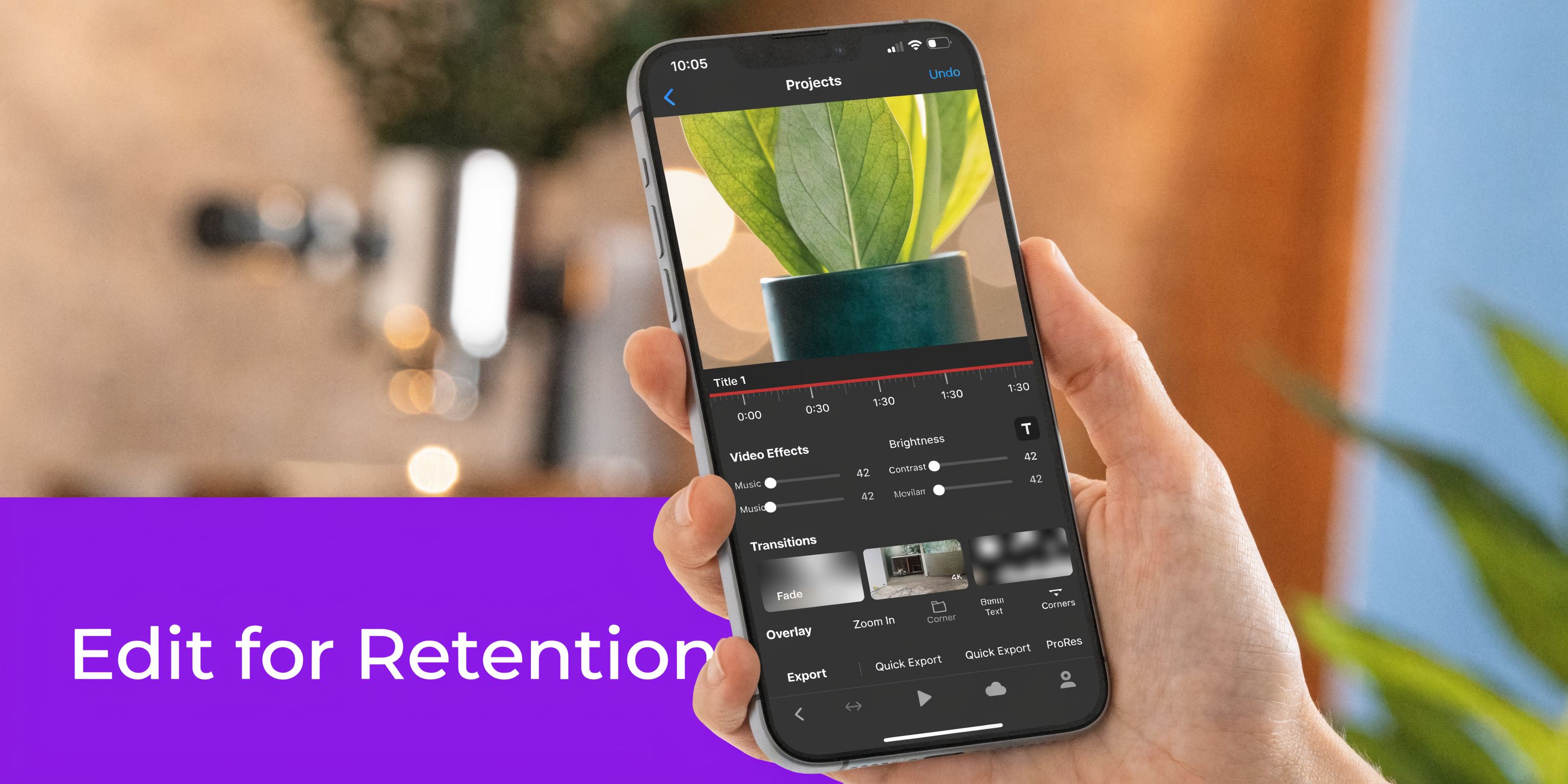
Good editing creates momentum. It removes friction, sharpens the idea, and gives each second a job. For busy founders and lean marketing teams, that matters because a repeatable editing system beats one-off creative effort every time.
Shorts need a vertical 9:16 frame at 1920x1080. They can run up to 60 seconds, or up to 3 minutes under recent updates. Creators can also use YouTube’s audio library and clipped sounds inside the native workflow, as covered in Adobe’s guide to making YouTube Shorts.
The YouTube app also includes built-in creation tools such as speed controls, timers, filters, green screen backgrounds, text overlays, and the align tool for multi-clip transitions. Those features are useful when speed matters more than fine control.
Retention editing is simple to describe and hard to execute well. Every decision should answer one question: does this make the next second easier to watch?
That usually means cutting harder than beginners expect.
Dead air, throat-clearing, repeated phrases, slow scene changes, and text that arrives too late all lower completion rate. So do fancy effects that pull attention away from the point. In client work and on my own channels, the strongest Shorts usually feel slightly faster than comfortable in the timeline and just right on a phone.
The opening has to work without setup. Viewers should understand the topic, the angle, or the tension almost immediately.
Strong hooks usually do one of four things:
Weak hooks usually sound like introductions. “Hey guys,” “welcome back,” and “today I want to talk about” cost you the most valuable seconds in the video.
The tool matters less than the system behind it. I recommend choosing one primary path and sticking with it long enough to build templates, shortcuts, and muscle memory.
| Editing path | Best for | Trade-off |
|---|---|---|
| YouTube app | Fast posting, trend-driven content, light edits | Limited control over caption styling, pacing precision, and reusable templates |
| CapCut or Premiere | Branded edits, tighter timing, repurposed long-form clips, team workflows | More setup, more decisions, and a slightly slower publishing cycle |
If you publish a few reactive Shorts a week, native editing may be enough. If you are turning webinars, podcasts, tutorials, or YouTube videos into a steady Shorts pipeline, an external editor usually saves time over a month because the workflow is easier to standardize.
Use the same sequence every time. That is how creators increase output without lowering quality.
That sequence works for solo creators and for teams. It also makes repurposing easier because every editor is working from the same playbook instead of personal preference.
A quick visual walkthrough helps if you are learning the mechanics:
Captions are not there to fill space. They should improve comprehension, reinforce the hook, and keep the viewer oriented as the clip moves.
Use these rules:
Auto-captions save time, but they still need review. Bad line breaks, wrong emphasis, and missed industry terms make a Short feel cheaper than it is.
This is the point where busy creators usually get stuck. Not on filming, and not on ideas. They lose time clipping long-form videos, finding the strongest moments, writing overlays, and packaging each short for upload.
That is why a system beats manual editing alone. If you are repurposing podcasts, interviews, webinars, or long-form YouTube videos, tools that speed up clip selection and packaging can remove hours from the workflow. For example, this guide on using AI to streamline YouTube Shorts descriptions and save production time shows how automation can reduce repetitive publishing work after the edit is done.
The trade-off is simple. Automation helps with volume and consistency. Human judgment still matters for selecting the right hook, tightening pacing, and knowing which clips are worth posting.
Use effects sparingly. Zooms, punch-ins, sound effects, and animated text can hold attention for another beat, but only when they match the idea.
If an effect does not improve clarity or pace, cut it.
That rule keeps your edits cleaner and your workflow faster. It also prevents the common mistake of overproducing weak clips instead of publishing more strong ones.
A strong Short can still underperform if the packaging is weak. On YouTube, discovery starts before the first spoken word. The first frame, opening movement, title, and metadata all influence whether the platform keeps testing your content.
The most important metric to watch is Shown in Feed, also known as the swipe-away rate. According to the earlier-cited analysis of YouTube Shorts analytics, this is the conversion point between an impression and an actual view. You can track it inside YouTube Studio under Content > Shorts > How many chose to view.
Shorts do not rely on thumbnails in the same way long-form videos do, but the first visible frame still acts like a thumbnail in practice. If that frame looks flat, confusing, or text-heavy in the wrong way, people keep scrolling.
Strong first frames usually include one of these elements:
This is one reason many creators misread their own performance. They judge the script, but the audience judged the opening frame first.
The title should not explain the entire video. It should reinforce the promise.
A good Shorts title often does one of three jobs:
| Title style | Example pattern | Why it works |
|---|---|
| Mistake-based | “The biggest mistake first-time buyers make” | Signals relevance and tension |
| Outcome-based | “How I set up a listing video faster” | Promises utility |
| Curiosity-based | “Many people miss this setting” | Pulls the viewer into the reveal |
Keep the title tight. If the first frame already shows the result, the title can sharpen the context.
Descriptions are not the main reason a Short succeeds, but they are still useful. They add context, help with search alignment, and give you room to include related terms naturally.
Use hashtags sparingly. #Shorts is fine, but it should not be your whole strategy. Add niche-specific hashtags that describe the topic, audience, or industry rather than generic broad tags.
If you want help tightening your metadata workflow, this guide on streamlining YouTube Shorts descriptions with AI is a practical reference.
Do not judge a Shorts strategy on one upload. Look for patterns.
Ask questions like:
Publishing is not the end of the process. It is where feedback begins.
Practical takeaway: If people are swiping away early, fix the first frame and hook before changing everything else.
Most advice about how to create youtube shorts assumes you are filming every clip from scratch on your phone. That works for creators with plenty of time and a small publishing target. It breaks down fast for business owners, podcasters, and teams sitting on hours of long-form content.
A more durable system starts with repurposing.
According to a cited review of the content gap in Shorts tutorials, creators often spend considerable time per Short manually, while AI tools can significantly reduce that process to minutes. Taja AI users report substantial time savings per video, resulting in millions of collective hours saved as referenced in this video-backed summary of Shorts repurposing workflows. That gap matters if you publish regularly.
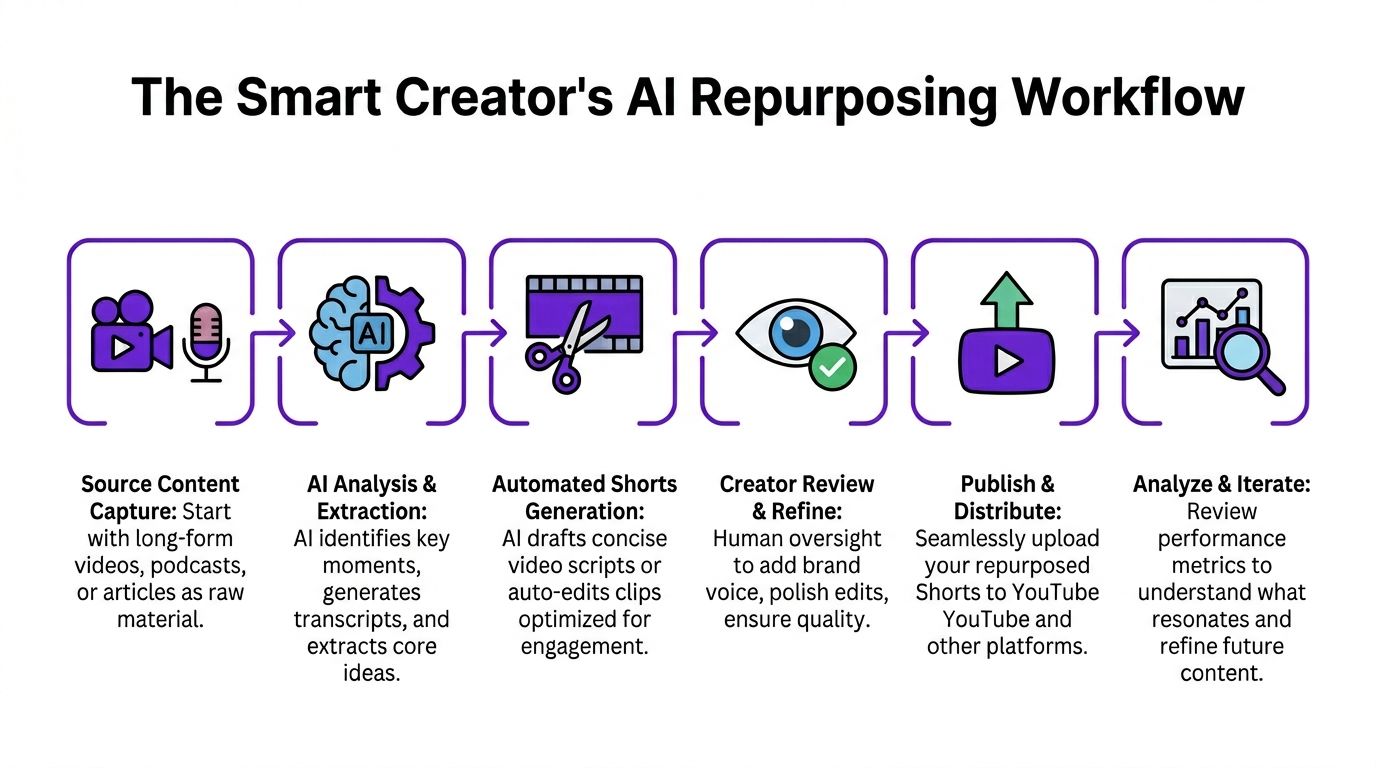
Manual repurposing usually looks like this:
Nothing about that is impossible. It is just expensive in attention. If you have a podcast, sales webinar, sermon, interview series, or educational library, the volume compounds quickly.
A sustainable workflow is built around one source asset and several outputs.
For example, one long-form recording can generate:
One option in that category is Taja AI, which is built to turn long-form videos into ready-to-publish shorts, captions, thumbnails, blogs, and platform-specific posts from a single upload. For creators who publish across YouTube, Instagram, and TikTok, that kind of workflow is useful because it reduces manual clip selection and packaging work.
If you are building your own process around existing content, these strategies for repurposing YouTube videos into Shorts outline the logic behind clip selection and distribution.
AI can speed up selection and formatting. It should not replace judgment.
You still need to decide:
That human pass is where quality control lives. It is also where repurposed content stops feeling generic.
This workflow is especially useful for:
| Creator type | Best source material |
|---|---|
| Podcasters | Interviews, solo episodes, debates |
| Real estate pros | Home tours, market updates, Q&A sessions |
| Coaches and consultants | Webinars, training calls, client education videos |
| Faith-based organizations | Sermons, devotionals, community messages |
| Local service businesses | FAQs, demos, before-and-after footage |
The advantage is not only speed. It is consistency. When your content engine starts from existing assets, you stop asking your team to invent everything from zero.
Repurposing only pays off if the outputs get scheduled and published. That is where many creators lose momentum. They produce the clips, then let them sit in folders.
If you want a separate resource for the operational side, this walkthrough on how to schedule YouTube Shorts is a useful companion because it turns posting into a calendar process rather than a daily scramble.
System mindset: The goal is not to make one great Short. The goal is to build a repeatable machine that turns one strong recording into multiple publishable assets.
Most creators track views first. That is understandable, but it is not enough to improve the next Short. Better strategy comes from diagnosing why a video did or did not work.
Start with Shown in Feed inside YouTube Studio. This tells you whether people chose to watch or swipe. If that number is weak, the problem usually sits at the packaging layer. Your first frame, visual hook, or opening line likely did not create enough immediate interest.
Use a short review process after publishing several Shorts in the same style.
Look at:
This keeps your review grounded in decisions you can change.
Do not only compare one Short against another. Compare categories.
For example:
| Format | What to ask |
|---|---|
| Talking head | Does direct eye contact improve watch behavior? |
| Screen tutorial | Does showing the tool immediately reduce swipes? |
| Podcast clip | Does the clip need more setup text to make sense? |
That makes iteration easier. You are not chasing luck. You are learning which content structures fit your audience.
Review habit: After every publishing cycle, identify one thing to keep, one thing to cut, and one thing to test next.
A YouTube Short can be up to 60 seconds, or up to 3 minutes per recent updates, based on the earlier Adobe workflow reference. That does not mean every Short should be that long.
Shorter videos often work better when the idea is simple and the payoff is immediate. Longer Shorts make more sense when you need a quick demonstration, mini story, or layered explanation. The rule is simple. Use the shortest length that fully delivers the promise.
Yes, but use music carefully. The safest route is YouTube’s own audio library or clipped audio inside the Shorts workflow, which Adobe’s guide describes as part of the native creation process.
For businesses, I usually recommend treating music as support, not the main event. If the spoken content is the value, the track should amplify pacing, not overpower the message.
No. Many creators record and edit outside the app, then upload the finished vertical video. The app is useful for quick production, especially when you want to film, edit, and post fast.
If your process includes repurposing webinars, podcasts, or long-form YouTube videos, external editing or automated workflows are usually more practical.
The strongest early indicator is whether people choose to watch when the Short appears in feed. If the opening does not stop the scroll, the rest of the video rarely gets a fair shot.
That is why the first frame, first line, and first moments deserve more effort than fancy effects later in the edit.
If you already have long-form videos, podcasts, webinars, or a backlog of channel content, Taja AI can help you turn those assets into ready-to-publish Shorts, captions, thumbnails, and platform-specific posts without rebuilding the workflow by hand each time.


We are blessed to work with leading brands & Companies


We try to make easy and simple for every professionals. Get 30 days free trial - No credit card required.


© 2025 Taja AI. All rights reserved.