.jpeg)
Content Repurposing AI: How It Works and Where It Fits
Learn what content repurposing AI is, how the pipeline works, key use cases, metrics to track and the safeguards that keep clips accurate.
5 min read
November 6, 2026

Move any video from YouTube to Facebook the right way in 2026. Learn native uploads, sharing, repurposing, specs, and tips that actually boost reach.
Written by:


Most advice about moving a video from YouTube to Facebook starts with “copy the link and paste it into a Facebook post.” That's the fastest method, but it's usually the weakest one if you care about Facebook reach, shares, or native watch time.
The better question is not whether Facebook can display a YouTube URL. It can. The question is whether you want to send people away from Facebook or give Facebook a video asset it can distribute inside its own feed. Those are different jobs, and they require different publishing choices.
YouTube remains a powerful video library and search destination. Facebook works more like a high-reach sharing and discovery layer. YouTube has long been associated with more than 500 hours of uploaded video per minute, roughly 720,000 hours per day, while Mark Zuckerberg said Facebook was seeing 8 billion video views per day in 2015. Market.us describes the different scale and roles of YouTube and Facebook video.
Copying a YouTube link into Facebook is not a repurposing strategy. It's a referral tactic. If your objective is YouTube traffic, that may be acceptable. If your objective is Facebook distribution, it's the wrong default.
Most creators choose the lazy path because it takes seconds. They publish a YouTube video, click Share, select Facebook, add “new video,” and move on. Facebook receives a link card, not a native video asset. The viewer has to click out, wait for another page to load, and watch somewhere else. Every extra step removes potential viewers.
Treat the workflow as three separate decisions:
The common failure is using the least controlled delivery mechanism with no transformation and expecting broad reach. That combination gives Facebook little reason to prioritize the post and gives viewers little reason to stop scrolling.
Practical rule: If Facebook engagement matters, upload a native video. If YouTube traffic matters, share the link. Don't ask one format to serve two conflicting goals.
The performance gap is substantial. One benchmark reports that native Facebook videos can receive up to 86% higher reach, 168% more interactions, and 477% more shares than YouTube videos posted on Facebook. Socialinsider's Facebook video marketing benchmark provides the comparison.
That doesn't mean every native upload will outperform every link. Creative quality, audience fit, timing, and topic still matter. It means you shouldn't handicap a strong video before Facebook's audience has a chance to see it.
The rest of the decision is simple. Use a link when attribution to YouTube is the priority. Use a native file when Facebook reach and conversation are the priority. Transform the asset whenever the original edit depends on YouTube's search context, thumbnail conventions, or sound-on viewing.
You have three practical routes. They aren't equally useful, and they don't give you the same control over playback, scheduling, or distribution.
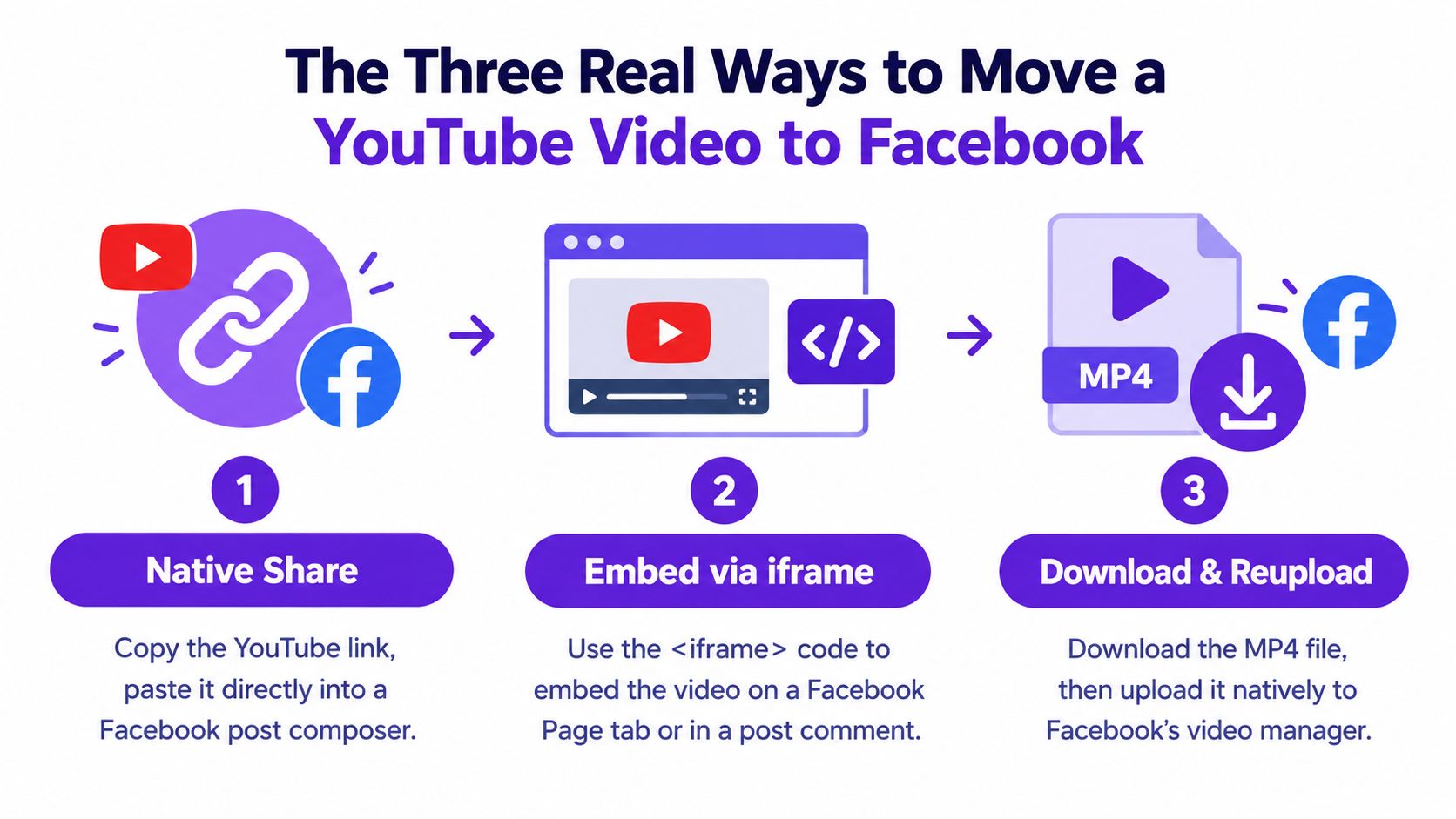
This is the familiar route:
On mobile, YouTube can pass the link directly into Facebook's sharing flow. On desktop, copying the URL gives you more control over the final caption and destination. This method is appropriate when you want people to watch the complete video on YouTube, subscribe, or continue through your channel library.
It's a poor choice when the post needs Facebook-native engagement. The preview may look acceptable, but it still sends viewers away from Facebook.
An iframe is a website embed, not a normal Facebook feed post. In YouTube, open Share, choose Embed, copy the generated <iframe> code, and place it on a website or a supported Page tab managed through an approved page tool.
This route can work for a landing page, channel trailer, webinar hub, or resource page where Facebook acts as the discovery entrance and the website hosts the viewing experience. It isn't a reliable solution for ordinary profiles or Groups. Facebook's feed composer generally expects a URL or uploaded media, not arbitrary iframe code, and many older embedding workflows no longer function as they once did.
This is the strongest route for Facebook distribution, provided you own the video or have permission to reuse every component.
Use the original export whenever possible. If you no longer have it, retrieve your own upload through YouTube Studio or use a browser-based download tool that complies with YouTube's terms and your rights. Technical users may use yt-dlp for content they're authorized to download, but downloading another creator's video and reposting it isn't a rights strategy.
Then open Facebook's native video uploader, Meta Business Suite, or the relevant Reels publishing flow. Upload the file, write Facebook-specific copy, select a Facebook thumbnail, add captions, and publish natively.
A YouTube link is a bridge to another platform. An MP4 upload is an actual Facebook content asset.
Unless you specifically need YouTube attribution, treat link sharing as a placeholder post. It's quick, but it gives you the least control over playback and distribution.
The clearest benchmark favors native video. Native Facebook uploads have been reported to deliver 477% more shares than YouTube videos posted as links, with up to 86% higher reach and 168% more interactions in the same comparison. Socialinsider compares native Facebook videos with external YouTube links.
The reason is practical. A native file can autoplay in the feed, remain inside Facebook's viewing environment, and fit Facebook's video surfaces. A YouTube link creates a preview that asks the user to leave. That extra click changes the behavior Facebook can observe and the amount of time the viewer spends inside the platform.
| Metric | Link Share | Native Upload |
|---|---|---|
| Feed reach | Usually weaker when Facebook must send viewers elsewhere | Stronger distribution potential, with benchmarks reporting up to 86% higher reach |
| Interactions | Requires a click before viewing | Viewers can react and comment directly around the video |
| Shares | Benchmark reports lower share volume | Benchmark reports 477% more shares |
| Playback | Opens or redirects to YouTube | Plays within Facebook's native environment |
| YouTube attribution | Direct and clear | Indirect, usually through caption, comment, or profile link |
| Best objective | YouTube views and channel sessions | Facebook reach, conversation, and sharing |
Native uploads also give you more options for vertical and short-form versions. A YouTube link doesn't automatically become a useful Facebook Reel. A native file can be reframed, trimmed, captioned, and packaged for the surface where it will appear.
There is one important exception. If the campaign's primary measurement is YouTube referral traffic, the link may be the correct instrument. You'll sacrifice some Facebook-native behavior in exchange for a cleaner path to the YouTube player, channel, and related videos.
For a deeper mechanics-focused comparison, this guide to sharing videos on Facebook is useful. The strategic conclusion remains straightforward: native upload wins for Facebook performance, while link sharing wins for direct YouTube attribution.
A poor export can ruin a good repurposing workflow. Facebook may accept the file, but acceptance doesn't guarantee clean playback, sharp text, correct cropping, or synchronized audio.
Use MP4 with H.264 video and AAC audio as your default. Keep the frame rate at 30 fps or lower for Facebook unless the source needs a higher rate. A technical reference on Facebook and YouTube upload differences notes Facebook's 10 GB and 240-minute post limits and highlights the problems caused by incompatible containers, aspect ratios, and frame rates.
For most talking-head, interview, tutorial, and local-business videos:
Don't export one master file and force it into every Facebook placement. A tutorial may work in the feed, while a vertical excerpt is better suited to Reels or Stories. Reframing is part of repurposing, not an optional finishing touch.
| Setting | Recommended Value | Facebook Minimum | Facebook Maximum |
|---|---|---|---|
| Container | MP4 | Compatible video file | 10 GB post limit |
| Video codec | H.264 | Compatible codec | No unsupported codec |
| Audio codec | AAC | Compatible audio | No unsupported audio |
| Frame rate | 30 fps or lower | Source-compatible rate | Excessive rates can create processing issues |
| Resolution | 1080p target | Depends on upload type | Constrained by file and platform processing |
| Duration | Fit the intended placement | Depends on placement | 240 minutes |
| Aspect ratio | 16:9, 9:16, or 1:1 by placement | Compatible ratio | Avoid distorted or heavily letterboxed output |
Export captions separately as an .SRT file when Facebook's publishing tool supports it, or burn captions into the video when you need guaranteed visibility. YouTube captions don't automatically transfer with a native Facebook upload.
Create a separate thumbnail as well. A YouTube thumbnail is built for search results and channel browsing. Facebook may regenerate its own preview, but a custom image still helps you control the visual treatment where the platform allows it.
Before uploading, watch the exported file from beginning to end. Check the first frame, crop, text safety, dialogue volume, music rights, caption timing, and mobile readability. A muted opening or letterboxed vertical crop is a publishing error, not an algorithm mystery. For Reels-specific publishing guidance, this walkthrough on posting Reels to Facebook covers the native route.
Owning the YouTube channel doesn't automatically make every Facebook repost safe. Meta evaluates what you upload, how closely it resembles existing content, and whether the post adds meaningful value. Recent coverage of Meta's unoriginal-content guidance describes the risk of reduced distribution and lost monetization eligibility for copied or minimally changed videos.
Three common mistakes create avoidable exposure:
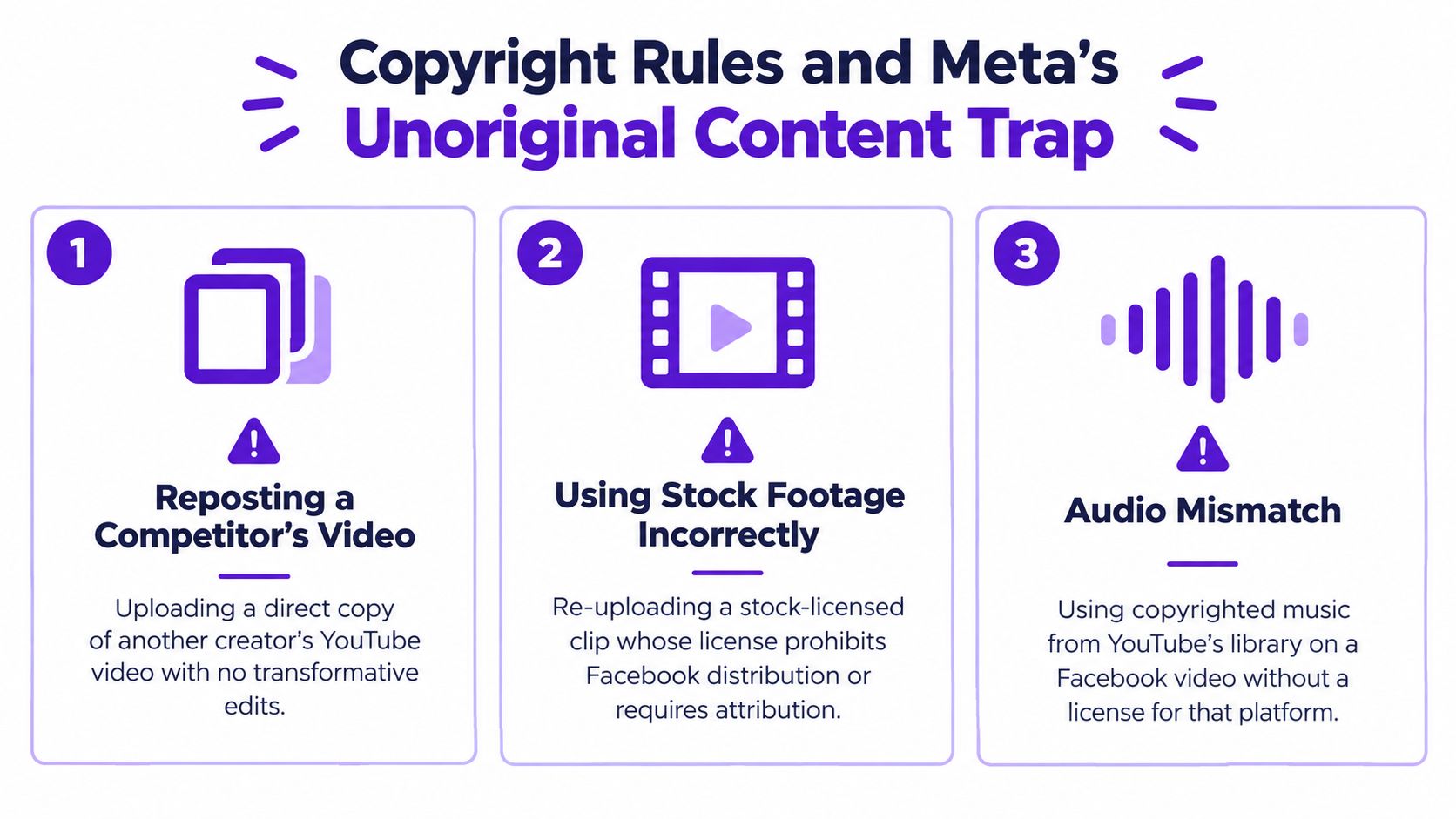
Uploading your own YouTube video again may be legally permissible, but an identical repost can still look unoriginal to Facebook's systems. Change the opening, remove platform-specific references, add a new voiceover or commentary layer, restructure the sequence, and write a Facebook-native caption.
Don't rely on a simple logo overlay or a new title card. Those changes may be too superficial when the rest of the asset is identical. There is no verified universal percentage that defines “enough” transformation, so use a practical qualitative standard: the Facebook version should give viewers a distinct reason to watch it there.
Content ID, manual music claims, and Meta Rights Manager are separate enforcement systems. A claim on one platform doesn't guarantee a claim on another, and a successful appeal on YouTube doesn't automatically clear a Facebook restriction. Keep source files, licenses, permission records, and music documentation before you upload.
A Facebook-native version starts before the export. It starts with the first seconds, because many viewers encounter feed video while scrolling with sound muted. The opening needs a visible action, result, question, or visual contrast that makes sense before audio enters the experience.
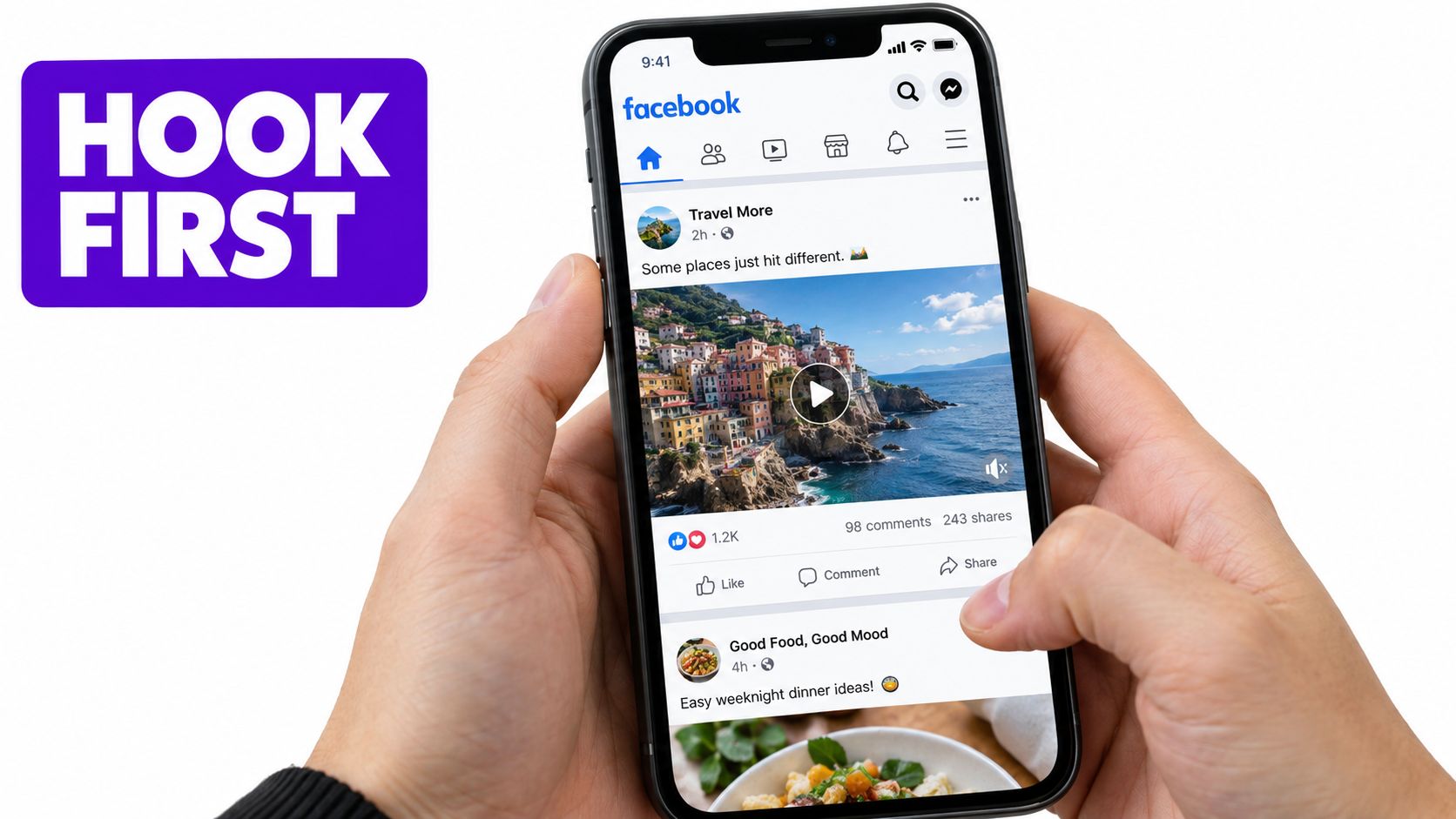
A YouTube introduction such as “Welcome back to the channel” spends valuable Facebook attention on context. Cut directly to the claim or outcome. Put the key sentence on screen, then let the speaker explain it.
Use burned-in captions or a properly attached SRT file. Keep text away from the bottom and side edges, where interface controls and mobile cropping can cover it. Facebook's automatic captions can help with speed, but branded content usually needs a manual review for names, product terms, and punctuation.
Replace the YouTube thumbnail when the asset moves to Facebook. Search-oriented thumbnails often use dense text and broad topic framing. Feed thumbnails need a readable face, a clear emotional cue, and a short promise that works at a small size.
For creators working without an on-camera presenter, a curated list of top faceless Reels generators ranked can help identify tools for visual storytelling, narration, and vertical editing. The tool matters less than the editorial decision about what viewers should understand immediately.
A practical cutdown plan looks like this:
The same source can produce multiple legitimate Facebook assets, but each needs a different promise. Don't publish the entire YouTube edit everywhere and call that repurposing.
This example shows the intended relationship between the source video and the Facebook edit. Watch for the framing, opening, captions, and pacing choices that make the clip work inside a feed.
Review the finished file on a phone before scheduling. Check whether the first visual makes sense without sound, whether captions sit above interface elements, and whether the thumbnail communicates a specific benefit rather than displaying the YouTube title.
A scalable video from YouTube to Facebook system separates production from distribution. You shouldn't open Facebook every time a YouTube upload goes live and improvise a caption, crop, and destination. Build a repeatable path that preserves human judgment where it matters and automates the repetitive work around it.
After publishing on YouTube, collect the original MP4, transcript, chapters, and the performance notes that explain which moments deserve another life. YouTube Studio is the natural source for captions and chapter information, while the original export gives you better quality and editing control than a downloaded social preview.
Feed the source file and transcript into a repurposing workflow. Taja AI can turn long-form video into shorter clips, captions, thumbnails, blog content, and platform-specific posts, then support scheduling across social channels including Facebook. Treat its outputs as working assets, not automatic final decisions. The editor still needs to verify names, claims, rights, brand voice, and the central hook.
For a documented system that assigns inputs, transformations, approvals, and publishing steps, use this content repurposing workflow as a useful reference point.
A straightforward cadence turns one long-form upload into a small Facebook package:
Keep the destinations distinct. Reels should feel immediate and self-contained. Feed posts can carry more explanation. Stories should create a quick reason to tap or reply. A single generic caption across all three surfaces wastes the advantage of repurposing.
Automation can identify clips, format files, draft copy, and place posts on a calendar. It can't reliably decide whether a joke fits a regulated industry, whether a customer story needs consent, or whether a technically strong clip damages the brand's positioning.
Automation should remove repetitive production work. It shouldn't remove editorial accountability.
Run a final manual check before scheduling. Watch every cut, inspect captions on mobile, confirm the music license, verify the destination, and make sure the post's call to action matches its actual goal. Delete weak clips instead of filling the calendar for its own sake.
The best workflow is not the one that republishes everything. It's the one that identifies which YouTube moments deserve a new Facebook-native treatment, gives each one a clear distribution role, and sends the finished assets live without forcing the team to repeat the same mechanical steps.
Taja AI turns long-form YouTube videos into Facebook-ready clips, captions, thumbnails, and platform-specific posts, then helps schedule the finished assets from one workflow. Upload your next source video to Taja AI, review the suggested cuts and packaging, and publish a native Facebook version instead of settling for a pasted YouTube link.


We are blessed to work with leading brands & Companies


We try to make easy and simple for every professionals. Get 30 days free trial - No credit card required.


© 2025 Taja AI. All rights reserved.

