.jpeg)
How to Auto Generate Captions on TikTok: A Complete Guide
Learn how to auto generate captions on TikTok with this step-by-step guide. Master native tools, fix errors, and optimize for accessibility and SEO.
5 min read
October 20, 2026

Explore 10 trending content ideas for YouTube, TikTok, Instagram, X, and LinkedIn, plus niche examples and fast repurposing workflows with Taja AI.
Written by:


Stop guessing what to publish next. The most useful trending content ideas aren't isolated posts chasing a fleeting format. They're strong ideas adapted to the way people discover, evaluate, discuss, and revisit content across platforms.
One well-recorded video can become a vertical clip, a search-focused article, a newsletter, a thumbnail set, a community prompt, and a backlog update. That only works when the core idea matches the platform, audience behavior, and publishing moment. A podcast answer that performs on YouTube may need a sharper hook for TikTok, a practical framework for LinkedIn, and a buyer-focused email for a local service audience.
Short-form video now gives creators a clear view of what content formats are gaining momentum. A 2025 industry report on Metricool's short-form video data found that short-form videos published grew 71% year over year, while accounts using the format grew 51%. That volume makes random posting a weak strategy. The advantage belongs to teams that can discover useful angles, create platform-native assets, invite interaction, distribute consistently, and revive work that still answers real questions.
The ten ideas below follow that operating system. Taja AI can accelerate the workflow with Next Video Idea, auto-generated clips, captions, written assets, thumbnails, and scheduling, but the judgment remains yours.
A long-form recording often contains several usable moments, but the strongest clip isn't always the loudest one. Look for a clear tension, a surprising statement, a practical mistake, or an answer that solves a specific problem. A real estate agent might cut a property tour around the question, “What would make you reject this house after the first viewing?” A podcaster might isolate the guest's explanation of why a familiar business model fails.
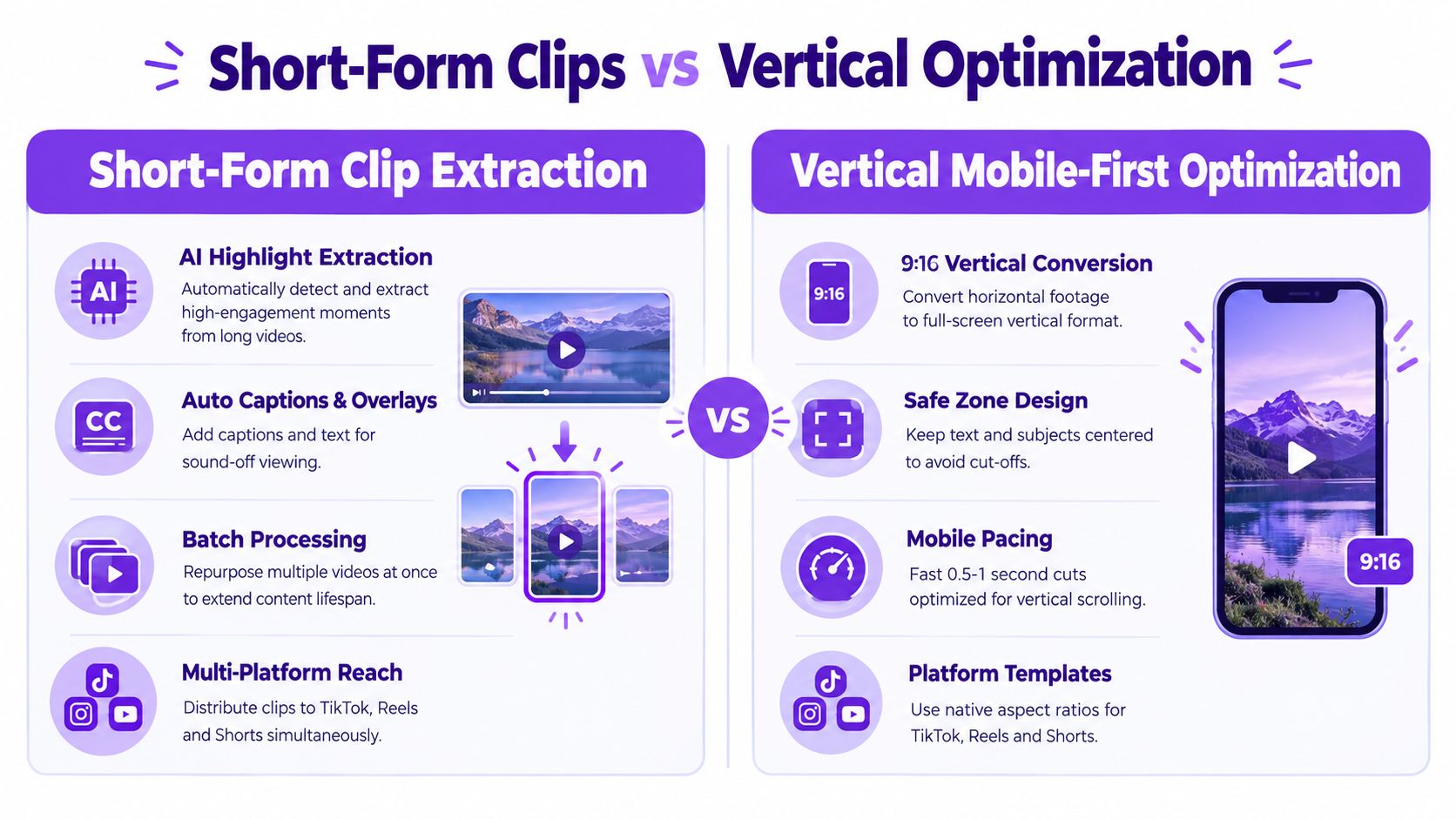
Vertical editing changes the creative decision. The clip needs a fast opening, readable on-screen text, a visible subject, and enough context to make sense without the original episode. Shoot in 9:16 when possible, keep essential details away from the edges, and preview the final cut on an actual phone. Captions matter because many viewers encounter video in muted environments, so don't rely on spoken audio alone.
Practical rule: Extract the idea first, then edit for the platform. A generic crop of a horizontal interview usually feels like leftover content.
Use Taja's guide to creating YouTube Shorts when you need a platform-specific production reference. Taja AI can identify candidate moments, convert them into vertical clips, and help generate captions and titles. Review every cut for context, especially when an automated edit removes the sentence that explains the claim.
A single source video can become a concise TikTok explanation, an Instagram Reel with a visual hook, a YouTube Short answering one question, and a longer YouTube upload that preserves the full argument. The trade-off is volume versus coherence. Publish multiple angles, but don't repeat the same opening so often that your audience feels trapped in a loop.
Video transcripts contain the raw material for search content, but they rarely make good articles without editorial work. Spoken language wanders, repeats itself, and assumes visual context. A strategist should turn the transcript into a useful structure, not just paste it into a publishing system.
Start with the question behind the recording. A webinar about choosing accounting software can become an article comparing evaluation criteria. A property tour can become a neighborhood guide, a buyer FAQ, or a market explainer. An educator's lecture can become a step-by-step tutorial with definitions, examples, and links to related lessons.
Taja's video transcript generator can provide the starting text for that transformation. Taja AI can also generate a blog draft from the source video, but a human should verify names, claims, terminology, examples, and tone before publication. AI can organize an argument. It can't take responsibility for a misleading recommendation or an inaccurate description of a service area.
A useful article should add something the video doesn't provide. Include a clear summary, scannable subheadings, internal links, relevant search language, and a direct path back to the original recording. Long-tail questions often make better targets than broad category terms because they reveal a more specific need, such as “how to prepare a rental property for winter” rather than “real estate tips.”
The repurposing chain can run in both directions. Publish the transcript-based article, extract a short clip that points to the article, turn the central framework into a LinkedIn post, and use the article's objections as prompts for the next video. That creates a content loop instead of a collection of disconnected assets.

Captions aren't decoration. They carry the argument when the viewer watches in a noisy room, scrolls quickly, or needs help following a technical explanation. The same transcript shouldn't appear unchanged on every platform because each audience encounters the content differently.
For TikTok or Reels, use short caption units that reinforce the spoken hook and keep visual movement easy to follow. For YouTube, make subtitles accurate and searchable while preserving natural speech. For LinkedIn, the accompanying post can state the business implication, then invite a professional discussion. A faith-based organization might use a short verse explanation for Reels, a fuller reflection for Facebook, and a discussion question in its email.
Auto-generated captions save time, but they regularly mishandle names, acronyms, addresses, and industry language. Review the transcript before publishing, especially for medical, financial, legal, property, or educational content. A wrong word can change the meaning of the entire clip.
The efficient workflow starts with one accurate transcript. From it, generate burned-in captions for vertical clips, subtitle files for long-form video, a caption-first social post, and a text summary for an accessibility-minded audience. Taja AI can help produce the initial captions and platform variations, while the final review protects clarity and voice.
A thumbnail has one job before the viewer knows anything else about the video. It must communicate the promise clearly enough to earn attention without making a promise the content can't keep.
For a real estate walkthrough, the image might show the home's strongest feature with a concise question about the buyer's decision. For a podcast, it could foreground the guest and the episode's central disagreement. For a software tutorial, the cover should show the outcome, not a cluttered screenshot of every available menu.
AI image tools can produce variations quickly, but speed creates a new risk. If every cover uses the same exaggerated expression, oversized text, and high-contrast color treatment, the channel loses credibility and visual distinction. A clean, honest thumbnail may outperform a louder design with a stronger promise but weaker delivery.
Use one dominant subject, a clear focal point, and text that remains legible when the image is reduced. Keep logos and brand elements consistent, but don't let them crowd out the topic. Taja AI's thumbnail generator can use the video's subject and brand direction to create starting concepts, which is useful when a small team needs several options without opening a design file for every upload.
Create different covers for different distribution contexts. A YouTube thumbnail can carry more informational weight, while an Instagram cover needs to look coherent inside a profile grid. A podcast episode tile may need the guest's name, whereas a Short cover can focus on the question answered in the first seconds.
Avoid false urgency, invented outcomes, and images that imply a transformation the video never demonstrates. The short-term click isn't worth teaching viewers to distrust the channel. Pair each thumbnail concept with a matching title, then check whether the two communicate the same idea.
Consistency doesn't mean copying the same post everywhere at the same time. It means building a dependable publishing rhythm while adapting the asset to each platform's behavior.
A single interview can produce a YouTube episode, a TikTok response, an Instagram Reel, a LinkedIn text post, an X discussion prompt, and a Facebook community question. The underlying idea stays consistent, but the packaging changes. LinkedIn may need the operational lesson. TikTok may need the conflict. Instagram may need the visual demonstration. Facebook may benefit from a question that encourages personal stories.
Batching reduces the friction that causes creators to disappear between launches. Record a source session, review the generated assets, approve the strongest variations, and schedule them in a sequence rather than releasing everything at once. Keep some capacity open for timely reactions, customer questions, and relevant industry developments. A fully automated calendar can become stale when the audience has already moved to a new concern.
Track the response to the angle, not just the format. If a short clip attracts comments about implementation, turn those comments into a follow-up. If a polished promotional post receives little meaningful response, test a demonstration or objection-led version instead.
Taja AI's scheduling workflow can distribute platform-specific posts from one dashboard, which is useful for solopreneurs, local service businesses, and small marketing teams. Still, automation should stop short of publishing unchecked claims or generic captions. Approve the hook, the call to action, the destination link, and the audience fit before scheduling.
The best calendar is not the fullest calendar. It's the one that keeps useful ideas moving while leaving room to respond.
The next strong topic often hides inside an unanswered question, not a broad trend label. “Marketing” is a category. “How can a local plumber explain emergency callout pricing?” is a content opportunity with a defined audience and a practical decision behind it.
Keyword research helps reveal language people use, but search volume alone shouldn't decide what you publish. Examine the results, identify what they fail to explain, and connect the gap to your actual expertise. A B2B consultant might find repeated questions about implementation risk. A realtor might identify location-specific concerns about inspection, commuting, or renovation. A podcaster might notice that listeners ask for comparisons rather than another general interview.
Taja AI's Next Video Idea tool is designed to combine keyword and performance signals with niche context, helping surface a topic and shape it into a proposed title and thumbnail direction. Treat that output as a research brief, not a finished editorial decision.
Ask what the viewer wants to do after consuming the content:
The best topic may not have the broadest appeal. A narrow question can attract fewer casual viewers but create stronger alignment with people who need the service or product. Plan a series around the question, its follow-ups, and the objections raised in comments. That approach turns a keyword into a durable editorial lane.
Social reach is rented. An email list gives you a direct channel to people who have chosen to hear from you, so a strong video should usually produce an email asset as well.
A consultant can turn a recorded workshop into a decision guide. A real estate agent can convert a market explainer into a buyer preparation checklist. An educator can build a short email sequence from a lesson, with each message answering one prerequisite question. A podcaster can send a concise episode summary that highlights the main argument and links to the full recording.
The lead magnet should solve a defined problem rather than merely summarize the video. A checklist, template, worksheet, or practical guide can give the subscriber an immediate next step. Keep the promise narrow enough that the reader knows exactly what they'll receive.
Subject lines deserve the same editorial attention as titles. Use the GTM team's guide to effective email subject lines for a useful reference, then adapt the principle to your audience's language. Avoid empty curiosity. A subject line about preparing for a first property viewing is more useful than one that only hints at a secret.
Taja AI can turn one video into a written draft, social snippets, and supporting assets that feed the email workflow. Add personal context, a clear call to action, and links to the most relevant next step. Segment the message when different audiences need different advice. A local customer shouldn't receive the same email as a software buyer or a professional training subscriber.
The source video can become a newsletter, a downloadable guide, a nurture sequence, and short clips that invite signups. That path moves the audience from discovery toward a relationship you can maintain.
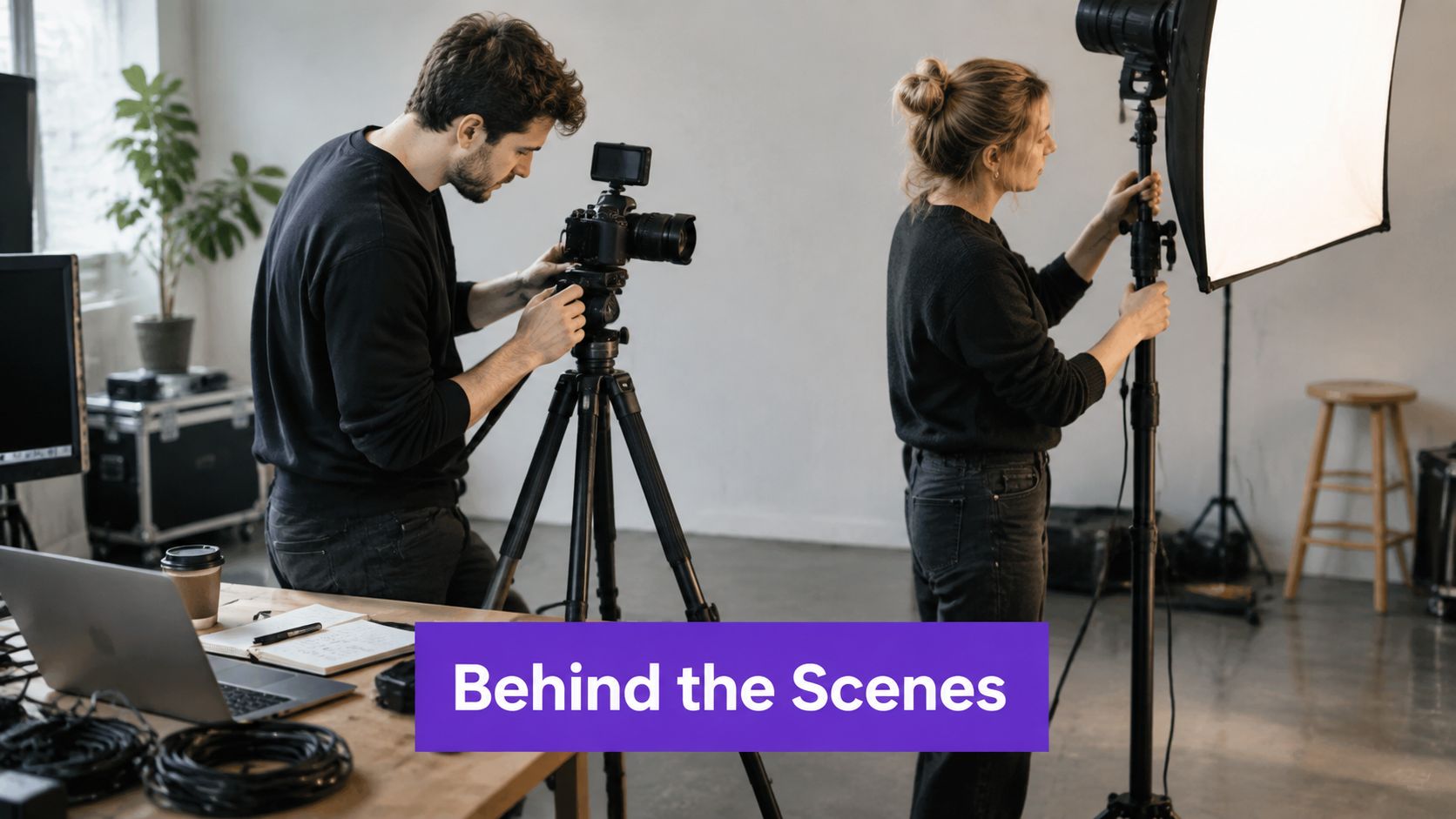
Polished results show what you made. Behind-the-scenes content shows how you think, decide, and recover when the plan changes. That process can make a service business feel more trustworthy because prospective customers see the standards behind the final outcome.
A real estate professional could show how they prepare a property before a viewing, including the details they check that clients rarely notice. A podcaster could document guest research, sound checks, and the questions removed during editing. An educator could show how a lesson changes after student feedback. A small business owner could explain why a product batch was delayed and what the team changed.
Don't manufacture chaos for the camera. Document a real process with enough structure for the viewer to learn something. The most engaging moment may be a failed setup, a rejected draft, or a decision between two plausible options. Explain what happened and what you changed.
A recurring title gives the audience a reason to return and gives the production team a repeatable frame. Examples include “Before the Client Arrives,” “Studio Prep,” “One Decision Behind the Product,” or “What We Changed This Week.” Keep the editing lighter than a flagship explainer, but remove confusing dead time and protect privacy.
One source recording can become a short mistake-and-lesson clip, a longer process vlog, a photo carousel of the workflow, a newsletter reflection, and a future Q&A prompt. Taja AI can generate the first cut, captions, titles, and text variations. Your role is to decide which details are safe to share and which details reveal expertise.
Authenticity isn't the absence of editing. It's the absence of a false story.
The audience can supply your next editorial brief if you ask questions that reveal decisions, objections, and unfinished problems. A poll can test which comparison matters. A Q&A can expose a misconception. A challenge can create examples that demonstrate how people use your product or service in real situations.
A financial educator might ask followers which part of a budgeting process feels hardest, then record responses to the most common answer. A local gym can invite members to show how they adapt a movement at home. A podcaster can collect questions before recording and use the strongest ones to shape an episode. A LinkedIn consultant can host an AMA around a specific operational problem rather than a vague invitation to ask anything.
Make participation easy. One clear question beats a complicated prompt with several instructions. Give people a reason to contribute, such as featuring useful responses, responding in a follow-up video, or using their feedback to improve a resource. Obtain permission before republishing user content, and explain how it may be used.
Audience feedback is not just engagement. It's product and editorial research.
A strong interaction loop looks like this: collect questions, group them by intent, record one source response, create short answers for individual questions, publish a longer synthesis, and invite the next round of objections. Taja AI can help turn the recording into clips, captions, titles, and posts, but don't automate the human response that makes the community feel heard.
Watch for low-quality prompts that attract empty reactions but reveal nothing about audience needs. The useful signal is often in the wording of the question, the repeated objection, or the example someone shares in response.
Your archive is an editorial asset, not a storage room. Older videos often contain durable explanations that deserve a better title, cleaner opening, updated links, or a new format.
Start with evergreen subjects, such as tutorials, fundamentals, buying questions, recurring mistakes, and process explanations. Review the original recording for outdated references, broken destinations, unclear claims, and weak packaging. If the advice still holds, refresh it. If the subject has changed, record a new introduction and link the older material as context rather than pretending nothing has changed.
Taja AI's content repurposing workflow can help identify usable material and generate new assets from existing recordings. Backlog Boost can also support the process of bringing previously published videos back into the planning cycle. Use the Rooy Development repurposing guide for additional ideas about recombining formats.
An old blog can become a new video outline. A popular podcast answer can become a comparison article. A previous tutorial can become a short objection response, a checklist, and a community poll. Change the packaging when the audience's entry point has changed.
Don't reshare an old asset without checking it. Update links and context, replace stale examples, and choose a new hook that reflects the current question. The trade-off is efficiency versus audience fatigue. Repetition becomes useful when each version serves a distinct intent. It becomes noise when the same cut, caption, and promise appear without a meaningful change.
Build a review queue for your archive. Mark each piece as evergreen, seasonal, outdated, or worth expanding. Then let performance and business relevance decide what returns to production. A backlog can generate new ideas without forcing you to start from a blank page.
| Approach | 🔄 Implementation Complexity | ⚡ Resource & Speed Efficiency | 📊 Expected Outcomes | 💡 Ideal Use Cases | ⭐ Key Advantages |
|---|---|---|---|---|---|
| Short-Form Clips & Vertical Mobile-First Optimization | High 🔄🔄🔄, needs AI clipper + vertical redesign | Very efficient production (80–90% time saved) but requires tooling & review ⚡⚡⚡ | Higher reach & completion; stronger short-form algorithm performance; extended content ROI | Podcasters, social-first creators, real estate, marketers | ⭐⭐⭐⭐, multiplatform reach; high completion; scalable repurposing |
| AI-Generated Blog Posts from Video Transcripts | Medium 🔄🔄, automated conversion + human edit | High output speed; editorial pass required ⚡⚡⚡ | Improved SEO & organic traffic; 5–10 written assets per video | Educators, solopreneurs, service providers, content teams | ⭐⭐⭐, scales discoverability; accessibility; low marginal cost |
| Platform-Specific Captions & Subtitle Optimization | Medium 🔄🔄, timing, styling, localization | Moderate resources for QA & translations; improves watchability ⚡⚡ | ↑Completion (40–80%); accessibility compliance; global reach | International creators, educators, accessibility-focused orgs | ⭐⭐⭐⭐, accessibility, SEO boost, multi-language support |
| AI-Generated Custom Thumbnails & Cover Images | Low–Medium 🔄🔄, template + review | Low resource/time per asset; fast A/B testing workflow ⚡⚡⚡ | Higher CTR (20–50%); consistent branding across platforms | YouTube creators, social managers, solopreneurs | ⭐⭐⭐⭐, increases clicks, saves design time, A/B capable |
| Multi-Channel Social Media Scheduling & Distribution | Medium 🔄🔄, setup and formatting rules | Moderate resources; saves hours/week on manual posting ⚡⚡ | Consistent publishing; optimized post timing; better analytics | Social managers, startups, solopreneurs, SMBs | ⭐⭐⭐, time savings; scheduling consistency; analytics-driven |
| High-Volume, Low-Competition Keyword Research & Topic Discovery | Medium 🔄🔄, toolset + analyst oversight | Ongoing subscription costs; efficient ideation pipeline ⚡⚡ | Identifies high-ROI, low-competition topics; predictive trend signals | Creators needing ideas, marketing teams, solopreneurs | ⭐⭐⭐⭐, data-driven topic selection; reduces guesswork |
| Email Newsletter & Lead Magnet Creation from Video Content | Medium 🔄🔄, content → email funnels + integrations | Moderate setup (platforms, templates, compliance) but evergreen ROI ⚡⚡ | Builds owned audience; strong revenue/lead potential (high ROI) | Service providers, educators, real estate, creators | ⭐⭐⭐⭐, direct audience ownership; high conversion potential |
| Behind-the-Scenes & Process Video Content | Low 🔄, raw footage, minimal edit | Low production resources; requires regular cadence ⚡⚡ | Higher engagement and trust; stronger personal brand connection | Solopreneurs, educators, personal brands | ⭐⭐⭐, authentic engagement; low production overhead |
| Interactive & Community-Driven Content (Q&A, Polls, Challenges) | Medium 🔄🔄, planning + moderation | Resource-intensive for moderation and response; time-sensitive ⚡ | Big engagement uplift (2–10x); community growth and UGC | Community orgs, educators, creators with active audiences | ⭐⭐⭐⭐, high engagement, feedback loop, viral potential |
| Content Repurposing & Backlog Optimization for Evergreen Traffic | Medium 🔄🔄, tracking, refresh rules, scheduling | Moderate resources for management tools; highly efficient reuse ⚡⚡ | 3–5x more traffic from existing assets; prolonged lifetime value | Small teams, solopreneurs, content-heavy organizations | ⭐⭐⭐⭐, maximizes ROI of existing content; reduces new production need |
The fastest way to use these trending content ideas isn't to attempt all ten at once. Choose one discovery-led angle, one platform-native format, and one repurposing path that fits your current capacity. For example, a local service provider might begin with a question-led property or service demonstration, turn it into vertical clips, and convert the full explanation into an email guide. A B2B team might start with a recurring objection, publish a LinkedIn response and a YouTube explainer, then use audience questions to shape the next episode.
Start with the source recording. Make the opening answer a real question, show the process or comparison clearly, and leave enough material for more than one useful cut. Don't record a vague “tips” video and expect automation to discover a precise editorial strategy after the fact. The stronger the source idea, the more valuable every downstream asset becomes.
Use Next Video Idea to identify a possible topic by combining niche opportunity with signals from relevant content. Then review the suggestion against your audience, offer, expertise, and current publishing priorities. A topic can look attractive in research and still be wrong for your brand if it doesn't connect to a meaningful audience need.
From there, Taja AI can help auto-generate clips, captions, blogs, thumbnails, and platform-specific posts from the same video. Use the editor and brand templates to polish the assets, then schedule the approved versions across the channels where your audience participates. Automation should remove repetitive production work, not remove editorial judgment.
Track the signals that reveal intent. Completion and retention can show whether the opening earns attention. Saves and comments can reveal whether the idea is useful. Clicks, inquiries, signups, and conversions can show whether the content supports a business outcome. Don't judge every asset by reach alone. A narrow objection video may attract a smaller audience while doing more to move a qualified viewer toward a decision.
Choose one winning angle to iterate, not one viral result to worship. Change the hook, example, visual structure, or platform packaging while keeping the underlying audience problem stable. If the audience asks the same follow-up question, treat it as the next episode. If an older explanation still solves a recurring problem, bring it back with clearer packaging.
The operating system is simple: discover a real opportunity, record a useful source, adapt it natively, invite a response, distribute it consistently, and revive what remains valuable. Taja AI can accelerate that sequence, but the strategy comes from knowing whose problem you're answering and what action should follow.
Taja AI can turn one long-form video into ready-to-publish shorts, captions, thumbnails, blogs, and platform-specific posts, with Next Video Idea and scheduling tools to support a repeatable content system. Upload a strong source video, review the generated assets, and use Taja AI to build a more consistent publishing workflow without starting from a blank page each time.


We are blessed to work with leading brands & Companies


We try to make easy and simple for every professionals. Get 30 days free trial - No credit card required.


© 2025 Taja AI. All rights reserved.