.jpeg)
Facebook Video Upload Made Simple in 2026
Master Facebook video upload in 2026 with this step-by-step guide covering formats, resolutions, privacy, captions, and troubleshooting tips.
5 min read
October 7, 2026

Learn how to convert TikTok to text the right way. Step-by-step workflow for transcripts, captions, and repurposing with accessibility and accuracy in mind.
Written by:


You've exported a TikTok clip, generated automatic captions, and copied the result into a post or newsletter. It looks polished at first glance. Then you notice that a product name is wrong, a negation has disappeared, or a price no longer matches what you said on camera. The transcript is fluent, but the message is inaccurate.
That's the core challenge with TikTok to text. The task isn't just about extracting spoken words. It's about creating text that remains faithful, readable, searchable, and accessible after it leaves the video. A dependable workflow treats every transcript as a draft and every published version as a reviewed asset.
A creator might record a short offer that says, “The consultation is free for new clients.” An automatic transcript drops the word “free,” and the published caption implies a paid service. Another clip includes a customer's surname, but the system replaces it with a common word. The video may still sound clear, yet the written version creates confusion for viewers, search engines, and the brand.
Those mistakes happen because speech recognition works with sound, probability, and context. It doesn't understand your commercial priorities automatically. A small error in a proper noun, number, price, URL, or negation can change the meaning while leaving the sentence grammatically smooth.
The operating rule: transcribe, verify, then publish.
Accessibility raises the standard further. A transcript can contain every spoken word and still fail viewers who rely on captions. Poor punctuation makes a long sentence difficult to follow. Missing speaker changes create confusion in interviews. Uncaptioned music or sound effects can remove context. Timing problems can make captions disappear before a viewer has finished reading them.
A University of Washington study of 300 TikTok videos found at least one caption error in 19.7% of videos, with a mean word error rate of 7.9% among videos containing errors. Disability-related videos had errors more often, at 24.0%, compared with 15.3% for general-audience videos, according to the University of Washington TikTok captioning study.
The practical risks are consistent:
TikTok to text is therefore a quality-control discipline disguised as a convenience task. The tool can create the first draft quickly. Your process determines whether that draft deserves to be published.
Start by deciding where the text will live. If you only need captions on the TikTok itself, the in-app workflow is usually sufficient. If you're turning the clip into a blog paragraph, email, transcript archive, or social post, create a separate editable transcript instead of relying on text embedded in the video.
In TikTok, open the creation or editing workflow for your video and select the spoken language before generating auto-captions. TikTok says its auto-captions are intended to improve access for deaf and hard-of-hearing users, and its process requires creators to choose a video language and review the generated captions before publishing, as described in the TikTok auto-captions announcement.
Read every caption while listening to the video. Correct names, numbers, product terms, profanity, and sentence breaks inside the editor. This route works well for a quick social post because the captions remain synchronized with the clip and can be checked in their final visual context.
The limitation is important: in-app captions are an on-screen artifact, not automatically a reusable transcript. You may not receive clean paragraphs, stable timestamps, or convenient formatting for a blog or newsletter.
For repurposing, preserve the original video or audio file whenever possible. A clean source gives you more control over speech enhancement, timestamped transcription, terminology correction, and later revisions. If the platform or account provides a data-download route, request the relevant media and metadata. For a one-off clip, a screen capture with clear audio can serve as a fallback, but it's less suitable for a repeatable content operation.
A dedicated workflow can also accept a TikTok URL or uploaded file, generate a transcript, and produce related text assets. Before choosing one, compare how it handles timestamps, language selection, downloadable text, and manual edits. The TikTok transcription guide is useful for comparing the practical steps involved.
Use the in-app route when the final destination is TikTok. Use an exported source and editable transcript when the same message will support search, email, documentation, or multiple social platforms.
Here's a visual walkthrough of the extraction process:
The right tool depends on the asset you need after transcription. A pure transcriber may be the best choice for a searchable archive. A broader repurposing platform makes more sense when one clip must become captions, hooks, descriptions, and platform-specific posts.
Evaluate tools against the entire workflow, not just the first transcript. Check language coverage, timestamp precision, speaker handling, custom vocabulary, export formats, batch processing, and whether a reviewer can jump from a questionable sentence to the original audio. Brand-voice controls matter once the system starts generating copy rather than merely recording speech.
| Approach | Best For | Limitations | Watch For |
|---|---|---|---|
| Pure transcription tool | Fast, editable transcripts | Usually narrow in scope | Weak repurposing and limited brand controls |
| General AI writer | Turning supplied text into broader copy | Not audio-native and may miss timing | Hallucinated wording or lost source meaning |
| Repurposing platform | Transcript plus captions, hooks, clips, and posts | More workflow complexity | Whether generated assets inherit corrections |
A tool that produces a fluent paragraph but loses timestamps creates extra work for interviews, education, and regulated subjects. A system that generates many posts but offers no terminology dictionary can repeat the same misspelled name everywhere. Bulk processing helps only when the review queue remains manageable.
For marketers comparing specialized options, performance marketing transcription tools can provide a useful reference point for evaluating transcription in a campaign workflow. For a broader comparison of conversion features, review this guide to the best video-to-text converter.
Taja AI fits the repurposing category. Its TikTok workflow can accept a video URL or upload, generate a transcript and summary, and use that material for additional content outputs. That doesn't remove the need for review. It changes where review happens, because one corrected source transcript should inform every derived asset.
A reliable TikTok to text pipeline has four checkpoints: transcribe, normalize, verify, and repurpose. Skipping the third step is the common failure. Fluent output creates false confidence, especially when the transcript contains only a few meaning-changing errors.
Start with the clearest available audio. Isolate speech from music when practical, then generate a transcript with timestamps. Keep the original video beside the text so a reviewer can move directly to the relevant moment instead of searching through the entire clip.
Mark uncertain spans rather than guessing. A confidence score can help prioritize review, but it isn't proof of correctness.
Automatic output often lacks useful punctuation and sentence boundaries. Clean capitalization, remove distracting filler words when appropriate, and separate speakers in interviews. Preserve wording that carries meaning, including hesitation, repetition, and sound cues when those details matter to the audience.
The finished transcript should be readable without pretending that spoken language was originally written prose.
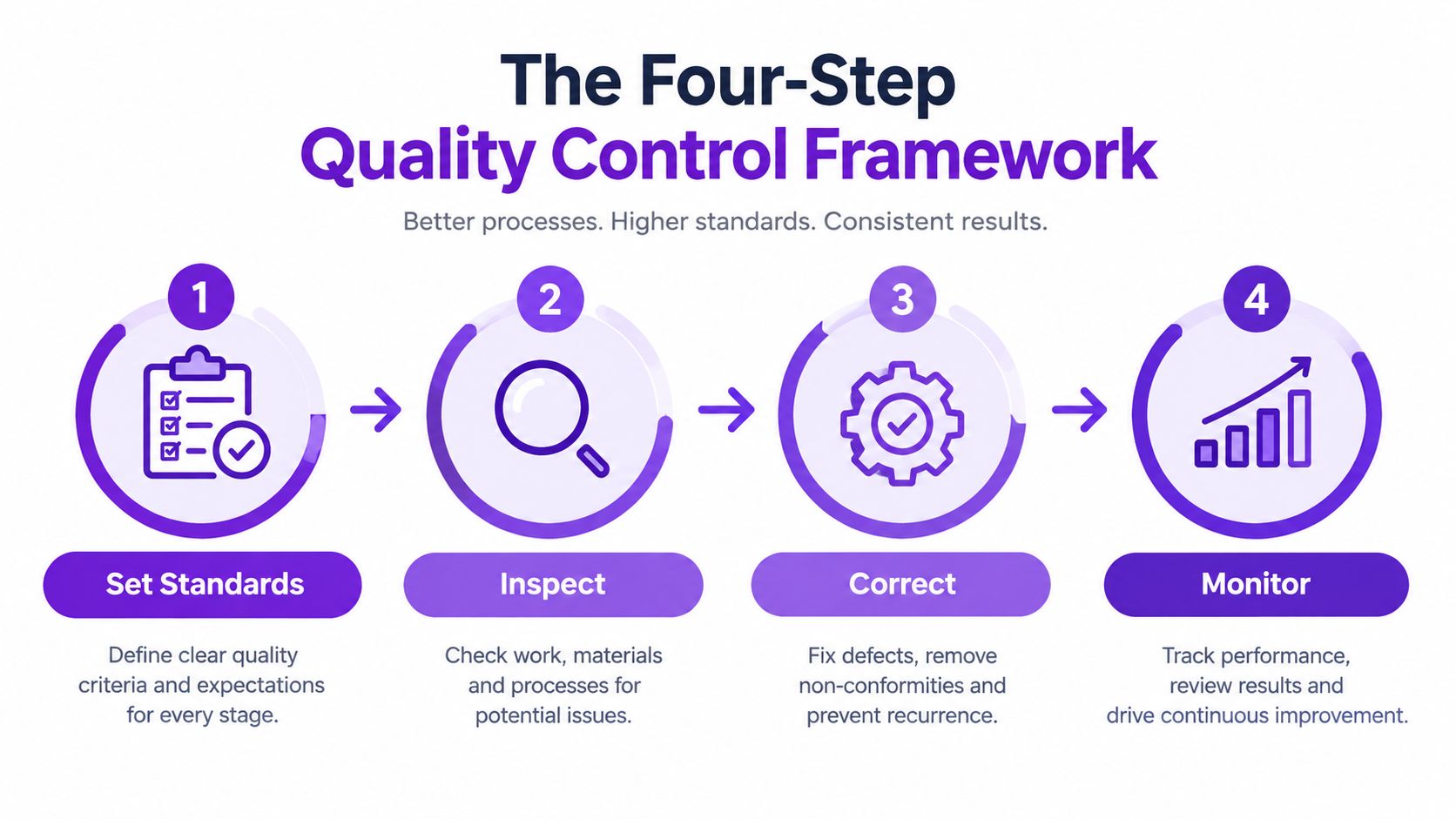
This is the longest checkpoint because not all errors have equal consequences. Review every proper noun, number, price, date, URL, product term, negation, and claim-bearing sentence against the audio. Check profanity too, including partial or incorrectly segmented words that may appear harmless in isolation.
For high-stakes business, medical, financial, educational, or local-lead content, retain timestamps through approval. If the transcript says “not included” but the audio says “now included,” a reviewer needs to resolve that difference immediately.
The University of Washington findings make a readable-looking transcript an insufficient quality threshold. The point isn't to chase a single accuracy score. It's to catch the specific words that can change what viewers believe.
Once verified, treat the transcript as the source of truth. Generate the hook, caption, summary, blog copy, and email text from that version, not from the raw output. If the source changes, regenerate or review every derivative.
Never publish text you wouldn't say out loud in front of the camera.
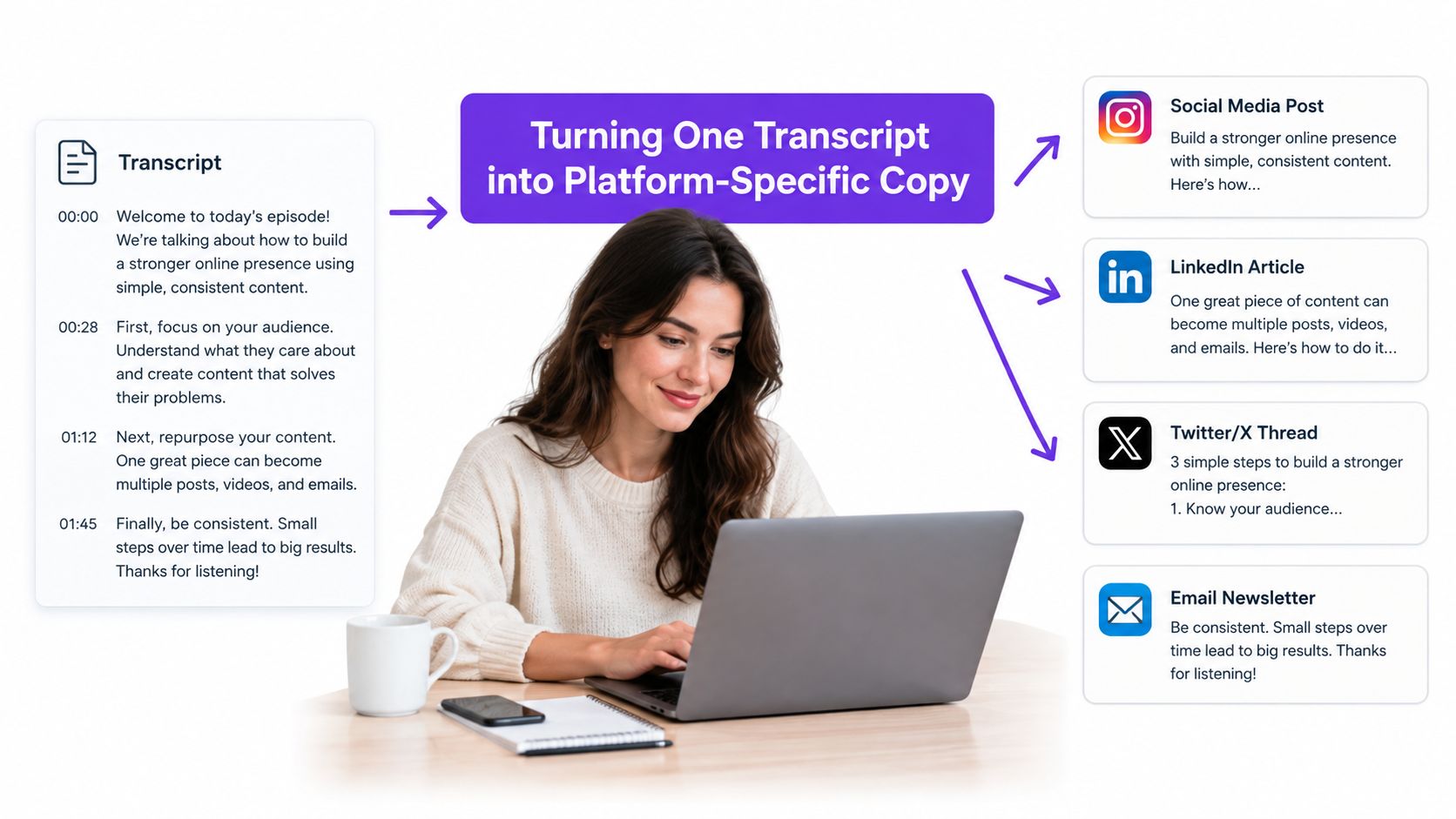
A verified transcript is raw material, not finished copy. Each platform needs a different job performed by the text. A TikTok hook must create immediate interest, while a LinkedIn post can develop a professional lesson and a blog paragraph can answer a searcher's question directly.
Suppose a real estate agent's verified transcript says: “This two-bedroom apartment gets morning light, has a separate workspace, and sits within walking distance of the town center. The seller is accepting viewings this week.”
The transformations might look like this:
The same source supports several formats, but copy-paste would make each asset sound wrong for its platform. Use the content repurposing workflow as a model for separating source material from channel-specific presentation.
Review the outputs after generation. A model may introduce a stronger claim than the video supports, change “this week” into a permanent statement, or add a location detail that never appeared in the recording. Source accuracy must propagate through every format.
An English transcript isn't enough for every audience. TikTok serves an international market, and text repurposing can help creators publish captions, summaries, and search content across languages. But transcription and translation are separate operations, and combining them too early makes errors harder to diagnose.
First identify the language of the original audio and select it deliberately in the caption or transcription workflow. Then create the original-language transcript, preserve timecodes, and flag uncertain words before translation. Build a glossary for names, branded terms, locations, product vocabulary, and recurring phrases.
Accent variation deserves special attention. Independent speech-recognition research reported word error rates ranging from 11.2% to 33% across 99 speakers with the same accent, with a mean of 20%, while research on diverse accents found significantly worse caption accuracy than for a standard U.S. broadcast accent, according to the speech-recognition research on accent variation. A single accuracy figure can hide an error that changes the meaning of a sentence.
Machine translation can be acceptable for internal notes or an early draft. Human review is mandatory for public subtitles, regulated claims, paid advertising, customer testimonials, and content where a mistranslation could damage trust.
Governance belongs in the same workflow. Before uploading interviews, testimonials, or sensitive recordings to a third-party service, confirm that participants consented to the processing and that the tool's handling of the material suits your organization. Speed is useful, but a fast transcript can create privacy and reputational problems when the source contains personal information.
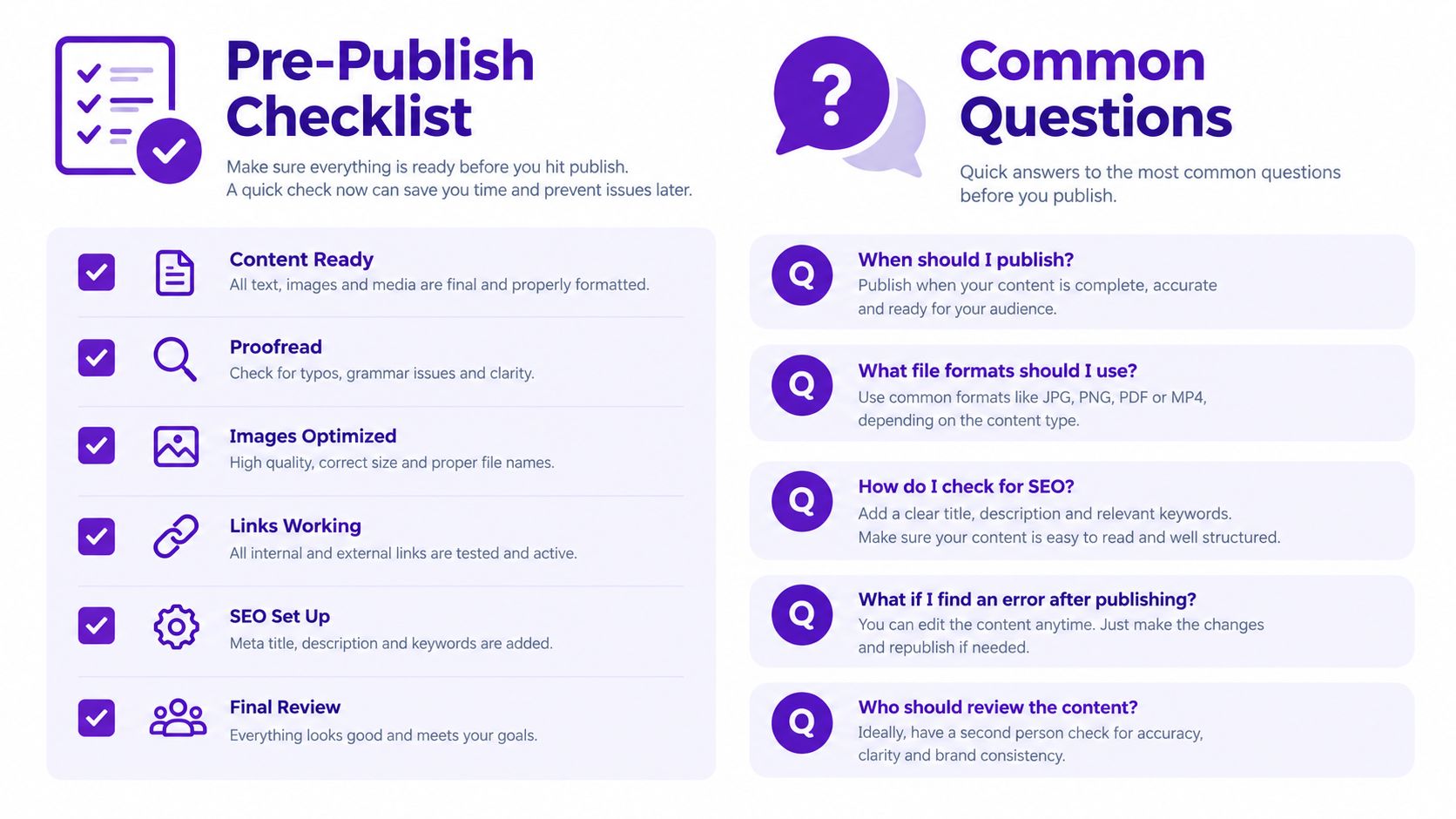
Run the final text through a short review before publishing. Don't rely on the fact that the transcript sounds natural. Compare the written asset with the source video, then inspect how it appears without sound and on the destination platform.
How long should TikTok to text take?
There isn't a dependable universal time per minute. Audio quality, speaker count, accent, terminology, language, and the required review standard determine the workload. A short, clean monologue may move quickly, while an interview with music and overlapping voices needs far more inspection.
Do auto-captions affect reach?
Captions support accessibility and give viewers text to follow, especially when they watch without sound. They don't compensate for weak content, and inaccurate captions can undermine comprehension. Treat them as part of the viewing experience, not a guaranteed distribution lever.
What should I do when a transcriber sounds confident but is wrong?
Return to the audio, correct the source transcript, and identify the failure pattern. Add the term to a custom dictionary, mark similar clips for mandatory review, and regenerate downstream assets from the corrected version.
Does turning TikTok text into a blog create duplicate content?
Not automatically. A blog that just repeats a transcript may offer little additional value. A useful article adds context, structure, definitions, examples, and answers to a reader's intent while preserving the original message.
TikTok's scale makes this discipline worth building into normal operations. DataReportal reported at least 1.59 billion TikTok users worldwide in January 2025, representing approximately 27.5% of the global population aged 18 and older, based on advertising-planning resources. The figures describe advertising reach rather than a precise count of monthly active viewers, but they show why short-form video can support searchable and multilingual text assets through a careful workflow, as detailed in DataReportal's TikTok statistics.
The lasting advantage isn't a faster export. It's a repeatable habit that turns each approved clip into accurate captions, accessible text, and useful content for the channels your audience already uses.
Taja AI can turn a TikTok URL or uploaded video into a transcript, summary, and repurposing assets while giving your team a single source to review before publication. Visit Taja AI to explore a faster workflow for turning short videos into captions, posts, and reusable written content.


We are blessed to work with leading brands & Companies


We try to make easy and simple for every professionals. Get 30 days free trial - No credit card required.


© 2025 Taja AI. All rights reserved.