.jpeg)
How to Get Views on YouTube Short in 2026
Learn how to get views on YouTube short with hooks, 9:16 cuts, titles, and a simple analytics check that shows what to fix.
5 min read
November 1, 2026

Transform one long video into weeks of content with our social video editing workflow. Covers AI batching, vertical editing, captions, & scheduling.
Written by:


You know the pattern. You publish a strong webinar, podcast, product demo, interview, or tutorial. It gets an initial bump from your email list or existing audience. Then the graph falls off a cliff. Forty-eight hours later, that video might as well not exist.
That isn’t a content quality problem most of the time. It’s a social video editing and distribution problem. One long-form asset can’t survive on one upload anymore. If video is projected to account for roughly 82% of global internet traffic by 2025, and social videos are shared about 1,200% more often than text and image posts combined, the takeaway is simple: publishing once is a waste of footage, effort, and budget (social video usage projections).
The teams that stay visible don’t create endlessly. They repurpose systematically. They treat every long-form recording as raw material for a batch of shorts, clips, captions, thumbnails, and platform-specific posts.
The least efficient workflow in content creation remains the industry standard. Creators record a long video, publish it, and perhaps cut one short clip if time permits. They then move on to the next project because the calendar is empty once more.
That approach burns people out fast. It also hides the underlying problem. Your best ideas aren’t underperforming because they’re weak. They’re underperforming because they were distributed in a single format to a fragmented set of platforms with completely different viewing behavior.
A webinar can become a contrarian short for LinkedIn, a punchy Reel, a sequence of YouTube Shorts, quote graphics, a thread, and a blog post. A podcast episode can become objection-handling clips, story clips, tactical clips, and “mistake to avoid” clips. A training video can become a mini-series.
Most creators know this in theory. They still edit like each clip is a custom one-off project. That’s where the bottleneck lives.
Practical rule: If a long-form video only produces one published asset, the workflow failed even if the video was good.
The shift is operational. Stop asking, “How do I edit this video?” Start asking, “How do I turn this recording into a week or month of platform-native assets without rebuilding everything by hand?”
Social video editing isn’t just trimming clips anymore. It’s choosing moments, reframing them, adding context, making them understandable without sound, and packaging them differently for each platform.
That matters because discoverability and sharing now depend on volume plus fit. A strong long-form video often contains several hooks, several stories, and several teachable moments. Leaving those buried in a full episode is expensive.
A better system looks like this:
That’s the escape hatch from the content hamster wheel. Not more recording. Better repurposing.
Most bad social video editing starts before the timeline opens. People choose clips because they were easy to spot, not because they can stand alone. Then they spend an hour polishing a weak moment.
The useful mindset is content mining. Your long-form video already contains multiple short-form assets, but they aren’t equal. Some moments make sense only inside the full episode. Others can survive as independent clips with a clean setup, one sharp idea, and a fast payoff.
Look for pieces that answer one clear question or trigger one clear reaction. Good short clips usually fall into a few repeatable categories:
If a clip needs a long runway, it usually won’t work. If the viewer can understand the premise quickly, you’ve found a candidate.
Don’t mine for “highlights.” Mine for moments that still work after they’ve been ripped out of context.
That’s why repurposing is partly editorial, not just technical. You’re not preserving the original piece. You’re rebuilding the useful parts into new native assets.
The biggest mistake in social video editing is forcing one version everywhere. That’s lazy distribution. It also creates obvious platform mismatches.
More than 90% of social media users watch videos on smartphones, and for vertical platforms like Instagram and TikTok, the standard is 1080×1920 in a 9:16 aspect ratio. If you drop a horizontal clip in without reframing, you get letterboxing, weaker visual impact, and important elements can disappear behind interface overlays (mobile-first video specs and framing guidance).
Use this as a working reference:
| Platform | Aspect Ratio (Recommended) | Max Length | Resolution |
|---|---|---|---|
| TikTok | 9:16 | Platform limits vary, shorter clips usually work better | 1080×1920 |
| Instagram Reels | 9:16 | Platform limits vary, shorter clips usually work better | 1080×1920 |
| YouTube Shorts | 9:16 | Platform limits vary, shorter clips usually work better | 1080×1920 |
| Depends on format and audience intent | Platform limits vary | Reframe intentionally for placement |
The point of the table isn’t to memorize specs. It’s to force the planning question early: where is this clip going, and what version does that platform need?
For broader content repurposing strategies, it helps to think in asset families instead of individual posts. One source video can produce educational clips, opinion clips, quote posts, and carousel ideas if you extract angles before editing.
If you want a practical example of how AI can help turn one idea into multiple usable posts, Taja’s guide to a social media content generator workflow is useful for seeing how planning and production can live in the same system.
A clip map is a simple document or spreadsheet. Nothing fancy. It saves a lot of wasted editing time.
Create columns for:
A podcaster might tag one segment as “founder mistake,” another as “pricing lesson,” and another as “client red flag.” An educator might label clips by learning objective. A real estate agent might split one neighborhood video into lifestyle, schools, commute, and market explanation clips.
That planning step matters because editing gets expensive when decisions happen too late. If you know the angle, platform, and CTA before cutting, social video editing becomes assembly instead of guesswork.
Once the right moments are selected, the edit has one job: keep attention without making the clip feel chaotic. Social feeds reward clarity first. Fancy effects come later, if at all.
A lot of editors still bring long-form pacing into short-form environments. That’s why decent source material turns into sluggish clips. The viewer doesn’t owe you patience on TikTok, Reels, or Shorts.
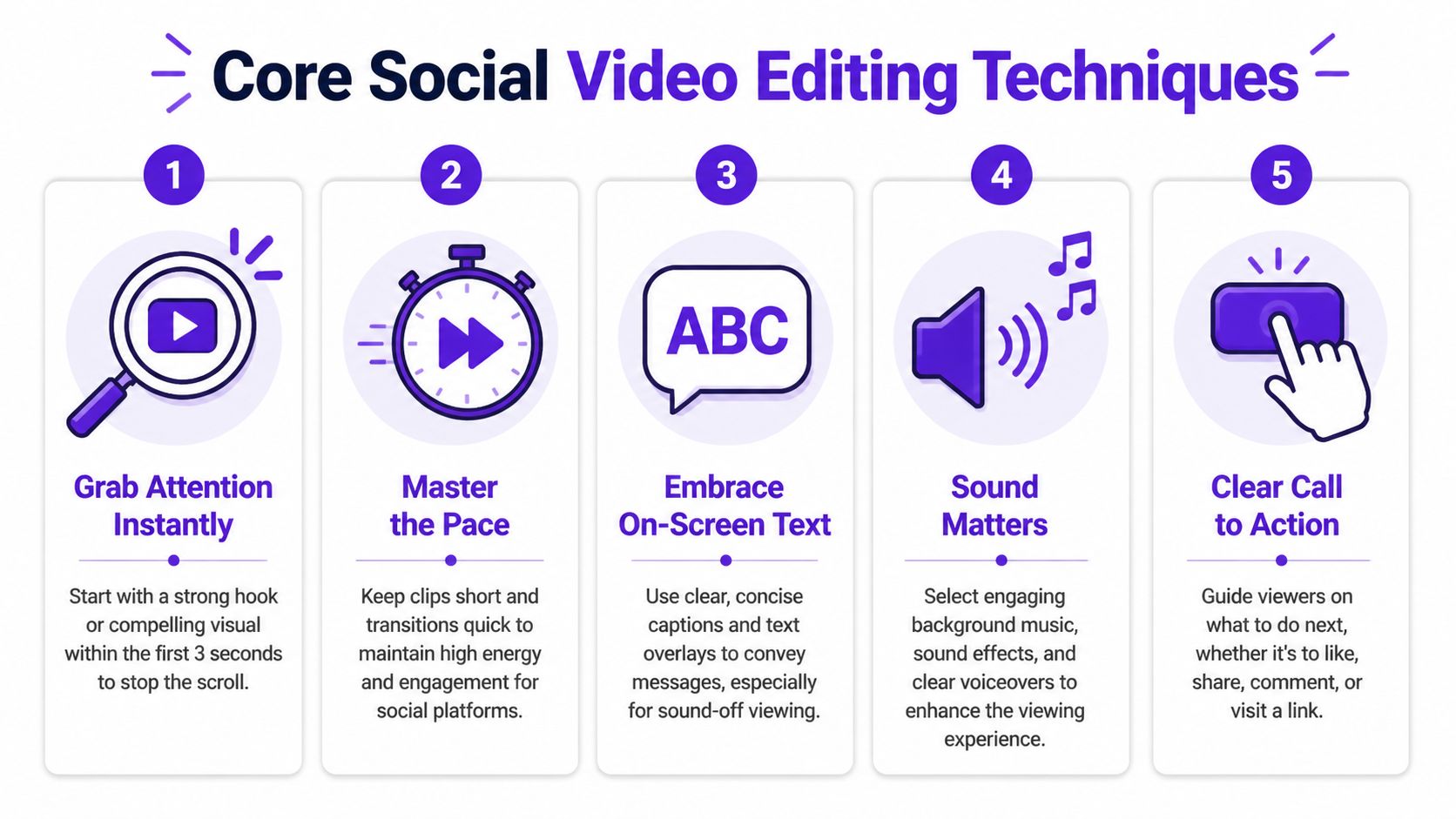
The opening doesn’t need cinematic polish. It needs immediate orientation and tension. The viewer should know what this clip is about almost instantly.
Strong hooks usually do one of four things:
Cut throat-clearing. Remove “hey guys,” setup chatter, and any sentence that delays the point. If the best line starts twelve seconds into the clip, your clip starts there.
Automatic resizing gets you part of the way. It doesn’t replace editorial judgment. When you move a horizontal clip into vertical, ask one question: what is the viewer supposed to look at in each moment?
Sometimes that means a tight crop on the speaker’s face. Sometimes it means leaving room for gesture. Sometimes it means cutting to B-roll, screenshots, charts, or a product interface because a talking head alone won’t carry the point.
Watch for these common failures:
Good social video editing removes drag. Bad editing removes rhythm. There’s a difference.
Use cuts to compress dead air, repeated phrases, filler words, and long breaths. But don’t slice every pause so aggressively that the speaker sounds robotic. The best short-form clips still feel conversational.
Useful timeline moves include:
Smooth pacing usually beats flashy pacing. Most clips fail because they’re slow, not because they lack effects.
A major shift in social video editing is accepting that many people watch with the sound off. That changes the entire edit. Visuals carry the meaning. Audio supports it.
Best practices now require a sound-off design approach with captions and text overlays as core components, not decoration. Videos designed this way retain viewers better in silent environments (sound-off editing principles for social video).
Build each clip on two layers:
That means captions need to be edited, not just generated. Clean punctuation. Remove obvious transcription errors. Highlight important words sparingly. Keep lines readable. If every word animates in a different style, you’re decorating instead of communicating.
Text overlays, emojis, jump zooms, animated shapes, and screen callouts all have a place. Most are overused.
A better rule is simple: every visual element should either improve comprehension or maintain attention. If it does neither, cut it.
Try this stack:
| Element | Best use |
|---|---|
| Headline text | Establish the clip’s promise early |
| Captions | Preserve meaning for sound-off viewing |
| B-roll | Prevent talking-head fatigue |
| Progress marker | Signal structure and payoff |
| CTA text | Clarify what to do next |
That’s usually enough. Social video editing gets stronger when you remove noise and keep the viewer pointed at one idea.
A clip can be well edited and still underperform because the packaging is weak. Many creators lose reach at this stage without realizing it. They obsess over cuts and transitions, then publish with default captions, a vague title, and a platform mismatch.
That’s not a creative issue. It’s an optimization issue.
A 2025 Hootsuite report says 68% of small businesses struggle with format inconsistencies across platforms, losing up to 22% engagement on mismatched posts. The same referenced analysis notes that horizontal clips can outperform verticals by 15% for B2B leads on LinkedIn, which is the kind of data that should kill the “just post the same vertical everywhere” habit (platform-specific format trade-offs).
Auto-captions are the baseline now. But the raw export usually isn’t good enough. Most tools still make punctuation mistakes, split phrases awkwardly, or stack too many words on screen.
Edit captions for rhythm and emphasis:
Captions also shape perceived quality. Clean subtitles make average footage feel more intentional. Sloppy subtitles make polished footage feel rushed.
Some creators act like thumbnails only matter on YouTube. That’s shortsighted. Any place where users browse a profile grid, search results, playlists, or channel pages turns the thumbnail into a selection mechanism.
A useful thumbnail usually includes:
Later in the workflow, it helps to watch a few examples of strong short-form packaging choices in context:
For creators specifically working to improve discoverability on YouTube’s short-form ecosystem, this walkthrough on how to create YouTube Shorts is a useful companion because it focuses on how format and packaging affect visibility, not just editing.
Video SEO on social platforms is less about stuffing terms and more about aligning language with search intent and viewer intent. The title, caption, and hashtags should all reinforce the same topic.
A practical workflow:
For LinkedIn, the copy can be more contextual. For TikTok, the opening line and on-screen text do more of the work. For Shorts, title clarity matters more than many creators think.
The broader point is blunt. Editing gets attention. Optimization earns distribution.
Manual clip-by-clip editing worked when social posting was occasional. It breaks when content becomes operational. If you need a consistent presence across multiple platforms, editing every asset as a separate project is the slowest possible model.
That’s why AI has moved from novelty to infrastructure. 51% of marketers have already used AI tools for video creation or editing, and 54% of those users rely on AI specifically to speed workflows and reduce production costs (AI in marketing usage data).
The important point isn’t that AI can edit. It’s that AI can help you build a batch workflow.
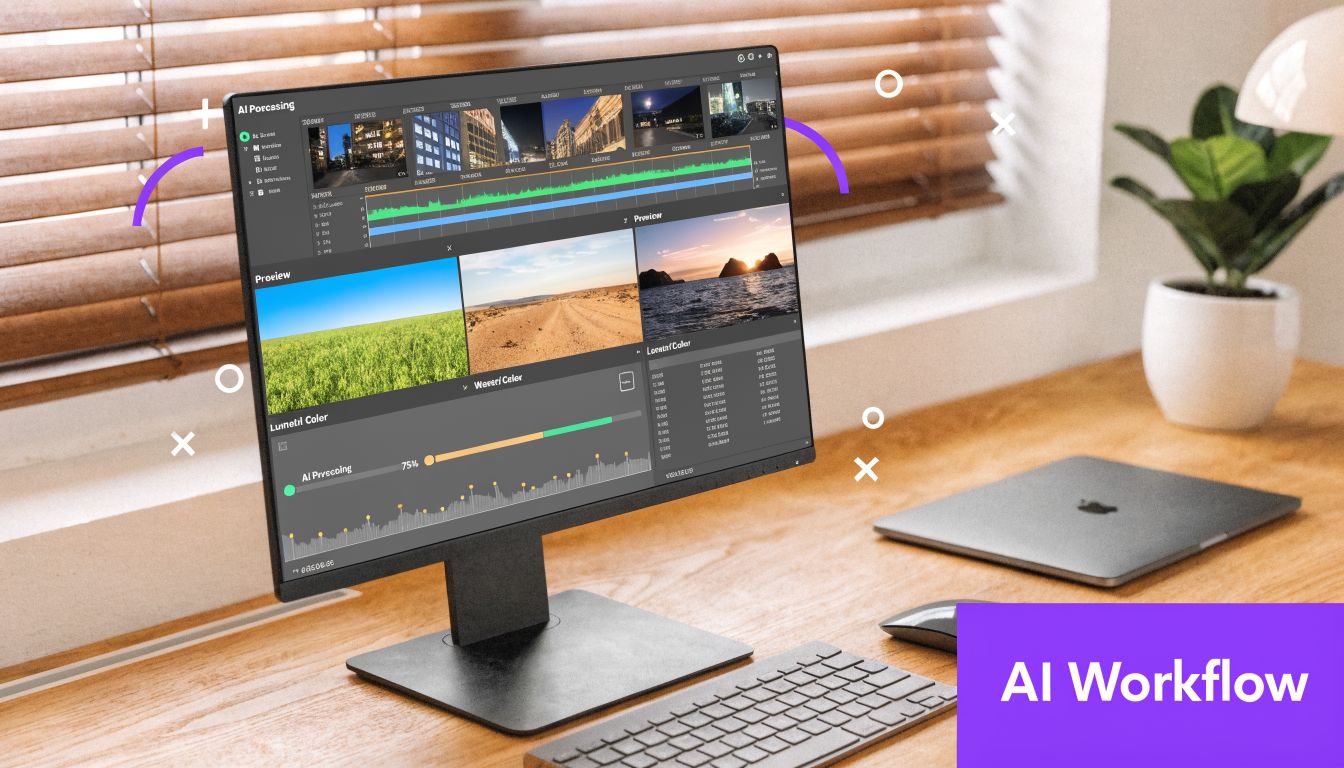
A batch workflow starts with a source asset. Usually that’s a podcast, webinar, sales call recording, lesson, interview, or long YouTube video. Instead of opening your editor and hunting manually, you run that source through a repeatable production sequence.
A solid sequence looks like this:
| Stage | What happens |
|---|---|
| Ingest | Upload the long-form source and define the audience or platform goals |
| Identification | Find candidate clips, strong moments, and usable hooks |
| Adaptation | Resize, caption, retitle, and package for each platform |
| Review | Approve, trim, polish, or reject weak outputs |
| Distribution | Schedule the approved assets in batches |
That’s the difference between editing and operating. The first creates a clip. The second creates a system.
There’s a lot of vague talk about AI in content. The practical use cases are narrower and more valuable than the hype suggests.
AI is useful when it handles repetitive editorial labor:
It’s less useful when you expect it to replace taste. AI can surface candidates. You still need to decide whether a clip has tension, clarity, and audience fit.
The best use of AI in social video editing is not replacing judgment. It’s removing repetitive production drag so judgment can happen faster.
This is also why it helps to understand the broader shift toward AI-powered video creation. The value isn’t just generated footage. It’s the growing ability to analyze, adapt, package, and redistribute video at scale.
A good tool doesn’t just produce more outputs. It reduces the number of low-value decisions you have to make every week.
That includes decisions like:
Descript, CapCut, Adobe Premiere Pro, Final Cut Pro, OpusClip, and similar tools each help with pieces of this. Some are stronger on manual editing, some on captioning, some on clipping, some on templates.
Taja AI fits this workflow as a repurposing platform that turns one long-form upload into multiple short assets, captions, thumbnails, blogs, and platform-specific posts from a single system. That makes sense for teams or solo operators who don’t want to stitch together separate tools for clipping, copy, and scheduling. If you’re comparing options, this overview of the best AI tools for content creators is a practical place to evaluate where each type of tool belongs.
The operational win is bigger than the software choice. Pick one or two production windows each week. Upload source videos in batches. Review generated clips in one sitting. Approve the strong ones. Fix the near-misses. Schedule the whole set.
That workflow changes the emotional side of content too. You stop waking up wondering what to post today. You start managing an inventory of usable assets.
That’s how creators avoid burnout without disappearing. Not by becoming more disciplined about daily editing. By refusing to depend on daily editing in the first place.
Once the clips are ready, don’t drop them into the world randomly. Publishing should feel boring. Boring is good. Boring means the system is working.
A single repurposing session should produce enough approved assets to fill a schedule ahead of time. That gives you consistency without forcing you to edit in reaction to the calendar every morning.
Before anything goes live, run the same checks every time:
This avoids the common mess where a decent clip goes out with cropped text, broken copy, or a title that says nothing.
Don’t overcomplicate analytics. You need enough feedback to improve clip selection and packaging, not a dashboard addiction.
Watch for:
| Signal | What it tells you |
|---|---|
| Early retention | Whether the hook worked |
| Drop-off point | Where pacing or clarity failed |
| Shares and saves | Whether the idea felt useful or worth passing along |
| Click-through behavior | Whether the packaging and CTA matched intent |
| Comments | What angle sparked response or confusion |
If viewers keep dropping after the setup, your openings are too slow. If one type of clip gets shared more, mine more moments like that from future recordings. If a topic gets solid watch time but weak clicks, your CTA or packaging probably needs work.
Review performance by pattern, not by ego. One weak clip doesn’t mean the topic failed. It may mean the edit, framing, or packaging failed.
The point of analysis is simple. It should improve the next mining session. Social video editing becomes much more efficient when every batch teaches you what to extract, how to frame it, and where to publish it.
No. You need a workflow more than a premium tool stack. A simple editor with trimming, resizing, captions, and text overlays is enough to begin. Upgrade when your bottleneck becomes speed, collaboration, or batch output, not because you assume expensive software will fix weak clip choices.
There’s no universal number worth chasing. The better question is how many distinct usable angles the source contains. Some recordings produce only a few strong standalone clips. Others can support a whole week or more of publishing because the conversation includes stories, lessons, objections, and sharp opinions. Quality of angles matters more than forcing a quota.
Sometimes, but don’t build your whole workflow around it. Platform norms, music libraries, and audience expectations differ, so a clip that feels native on one app can feel awkward on another. Keep the underlying edit strong enough to work without the trend layer. If LinkedIn is part of your mix, focus more on message packaging and audience fit than trend-chasing. For that side of distribution, this guide to LinkedIn posting strategy is useful because it treats the platform like its own content environment rather than a dumping ground for recycled vertical clips.
Consistency wins over occasional perfection. Strong social video editing helps, but the bigger advantage comes from repeating a system often enough to learn what works. That’s why batch workflows outperform heroic one-off edits. They keep you visible long enough to improve.
If you want a simpler way to turn one long-form video into clips, captions, thumbnails, posts, and scheduled assets without rebuilding the workflow by hand, try Taja AI. It’s built for repurposing at scale, especially if you’re publishing across multiple channels and need a faster path from upload to ready-to-post content.


We are blessed to work with leading brands & Companies


We try to make easy and simple for every professionals. Get 30 days free trial - No credit card required.


© 2025 Taja AI. All rights reserved.