.jpeg)

10 Burnout Prevention Strategies for Creators
Explore 10 burnout prevention strategies for creators, solopreneurs, and small teams, with practical steps, checklists, measurement tips, and tools.
5 min read
September 30, 2026

Master social media video production in 2026. This guide covers low-cost techniques, repurposing, and automation to grow your brand without burning out.
Written by:


Short-form video has become the most effective format on social platforms, according to marketers across the industry. That matters because many creators are still using a production process built for YouTube in 2018, not social distribution now.
That old process is expensive, slow, and unnecessary.
Social media video production works better when you start with one strong long-form recording and build a repeatable system around it. Capture a webinar, podcast, interview, training, or client Q&A once. Then cut that source into vertical clips, trim each one around a single idea, adapt the packaging for each platform, and automate the repetitive editing and publishing steps.
This approach gives you more output from less effort. It also gives you a content system you can sustain every week, which is what drives reach, consistency, and learning over time.
If your publishing calendar still depends on constant new shoots, fix that first. A simple content calendar for repurposed video will do more for your output than another camera upgrade.
Planning is often treated like a scriptwriting exercise. That's too narrow. In social media video production, planning is an asset-design problem. If your source video isn't built for repurposing, post-production becomes a scavenger hunt.
The fix is modular storytelling. Build your long-form video from self-contained segments that can survive on their own as Shorts, Reels, or TikToks. That matters because 68% of viewers abandon shorts that feel disjointed or lack a clear hook-to-resolution arc, as noted in Studio Global's discussion of modular storytelling and narrative structure.
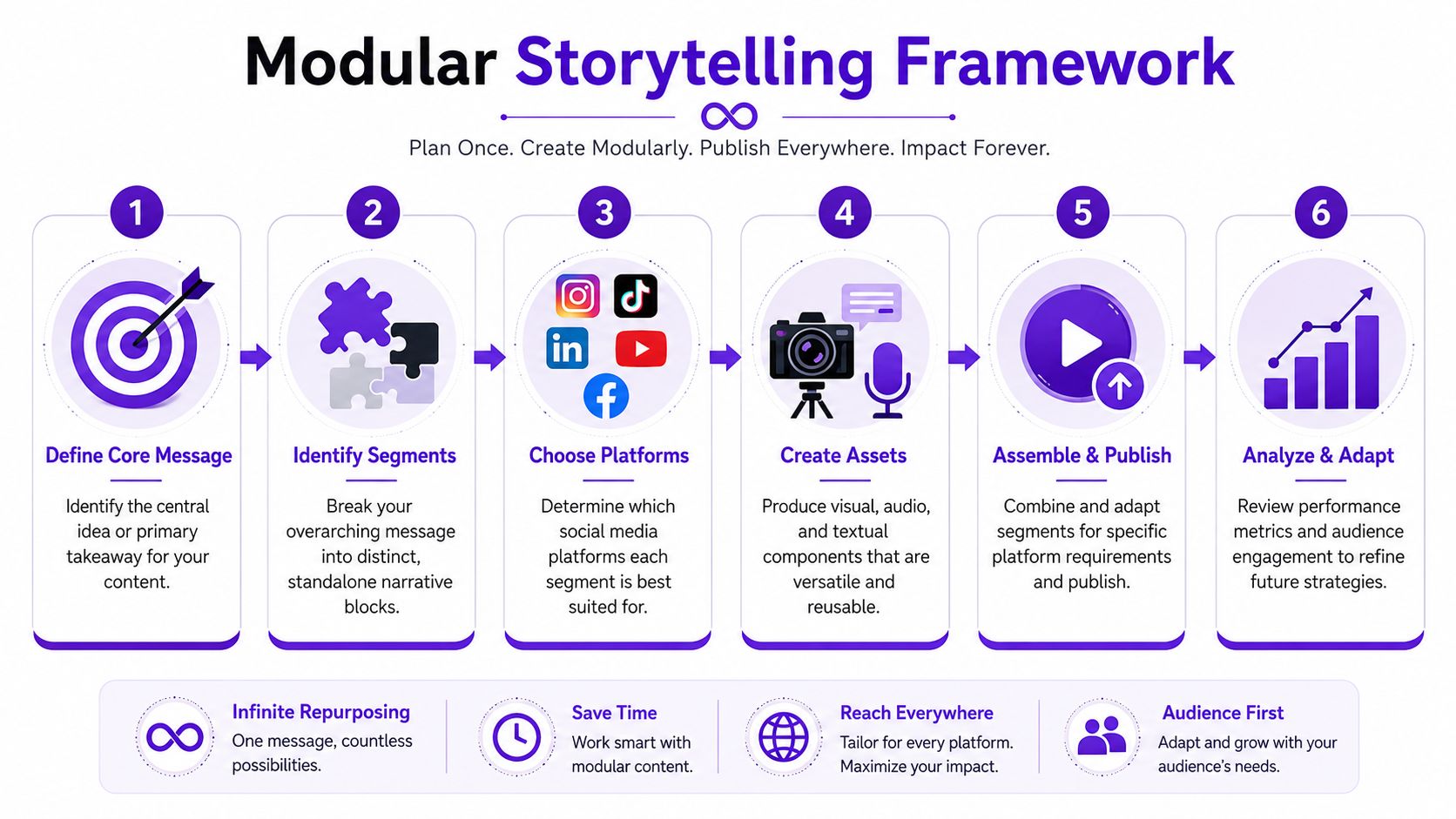
A useful long-form recording usually contains several distinct units:
That structure works for podcasts, webinars, interviews, tutorials, sermons, listing videos, and client education. If one section can stand alone without the rest of the episode, you've got a clip worth publishing.
Practical rule: If a segment needs a two-sentence explanation before it makes sense, it's not modular enough yet.
Weak openings destroy repurposing. Don't start with greetings, housekeeping, or scene-setting that only matters in the full-length version. Start with a line that can anchor a short by itself.
Use hook types like these:
Then answer the hook fast. Don't circle around it.
When you outline a long-form video, mark the parts most likely to become clips before you hit record. That means identifying moments where you:
This also makes content operations easier later. A simple planning document, paired with a real publishing rhythm, beats random inspiration every time. If your scheduling process is messy, tighten it with a content calendar that supports recurring repurposing.
Planning this way feels less artistic at first. Good. It's supposed to. You're not making one video anymore. You're building a library of future assets from a single recording session.
Most creators don't have a gear problem. They have a fundamentals problem.
You can produce strong social content with a phone if you stop obsessing over camera specs and start controlling the things viewers notice first: lighting, sound, and framing.
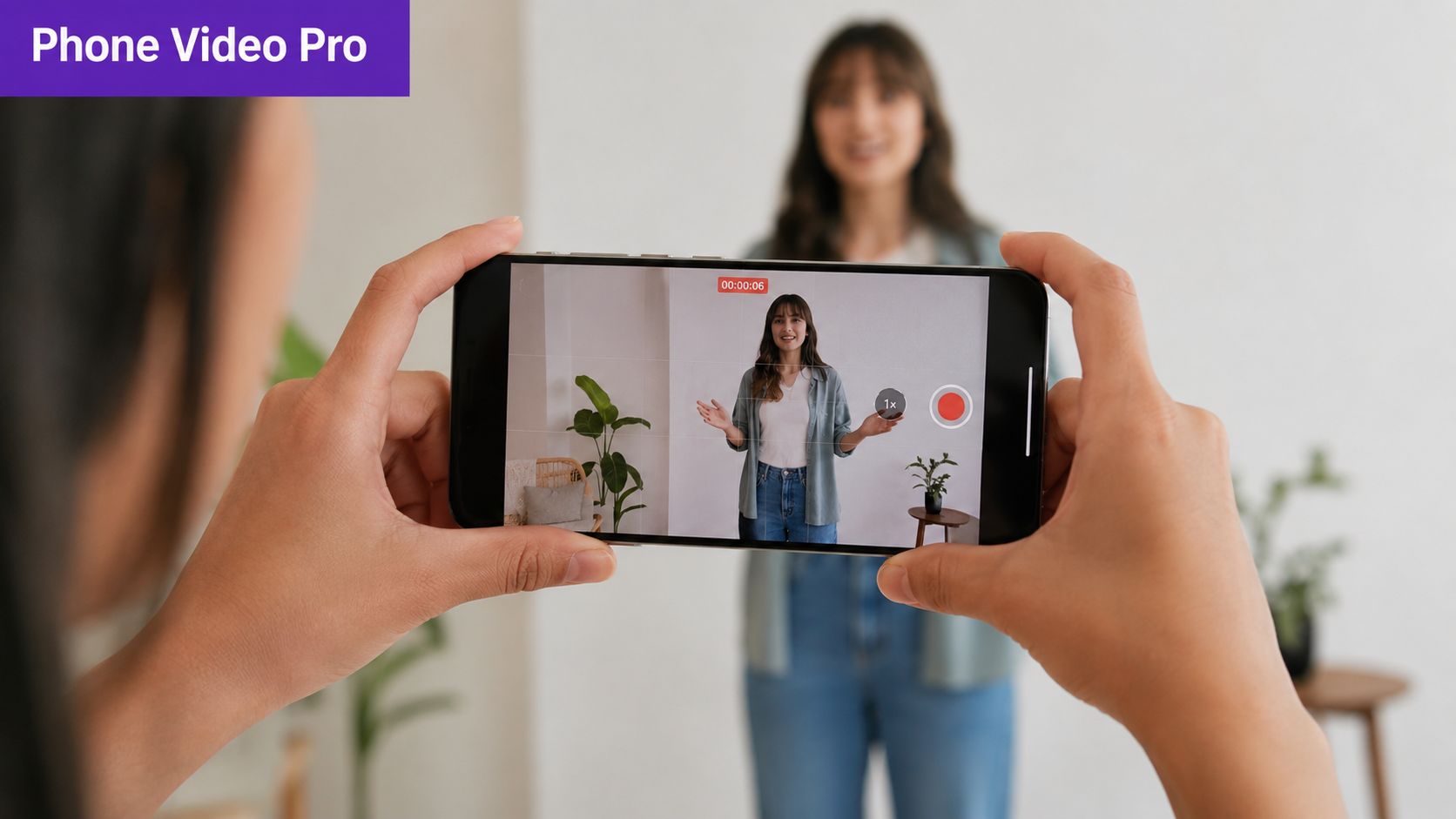
A core technical standard for mobile-first video is the 9:16 vertical aspect ratio at 1080x1920 pixels, and Upskillist's mobile video production guide also notes that lighting placed at a 45-degree angle creates depth, while B-roll should make up 30 to 40% of runtime to cover edits and add visual variety.
If the video is meant for Shorts, Reels, or TikTok, record vertically from the start. Don't shoot horizontal and hope to crop your way out of it later. That usually creates bad framing, awkward headroom, and cut-off gestures.
Use this basic phone setup:
Lighting decides whether your footage looks flat or intentional. Put your main light source at roughly a 45-degree angle to your face. If you're using a window, stand near it and turn slightly. If you're using a small LED or ring light, offset it instead of blasting it straight on.
That one change adds shape to the face, prevents the washed-out webcam look, and gives your video actual dimension.
Bad lighting makes even good advice feel low value.
If you're indoors, also turn off ugly overhead lights when they create mixed color or harsh shadows. One good light source beats three messy ones.
People will tolerate imperfect visuals. They won't tolerate muddy audio for long. A basic lav mic or compact shotgun mic connected to your phone usually makes a bigger difference than a camera upgrade.
Record in a smaller, softer room if possible. Hard walls and empty spaces create echo. Curtains, rugs, bookshelves, and furniture help. So do closed doors.
Here's a practical demonstration worth watching before your next shoot:
Talking-head footage alone gets stale quickly. Add cutaways of your workspace, product, process, screen, hands, environment, or results. That's where the 30 to 40% B-roll guidance becomes useful. It gives the viewer visual resets and gives you places to hide cuts cleanly.
If your phone footage is well-lit, stable, and easy to hear, you're already ahead of a huge chunk of business content online.
Editing gets bloated when creators treat every platform like it wants the same video. It doesn't.
A decent base clip can work across TikTok, Instagram Reels, YouTube Shorts, Facebook, LinkedIn, and X. But the final packaging has to change. Pacing, on-screen text, crop decisions, and CTA placement all need platform-specific judgment.
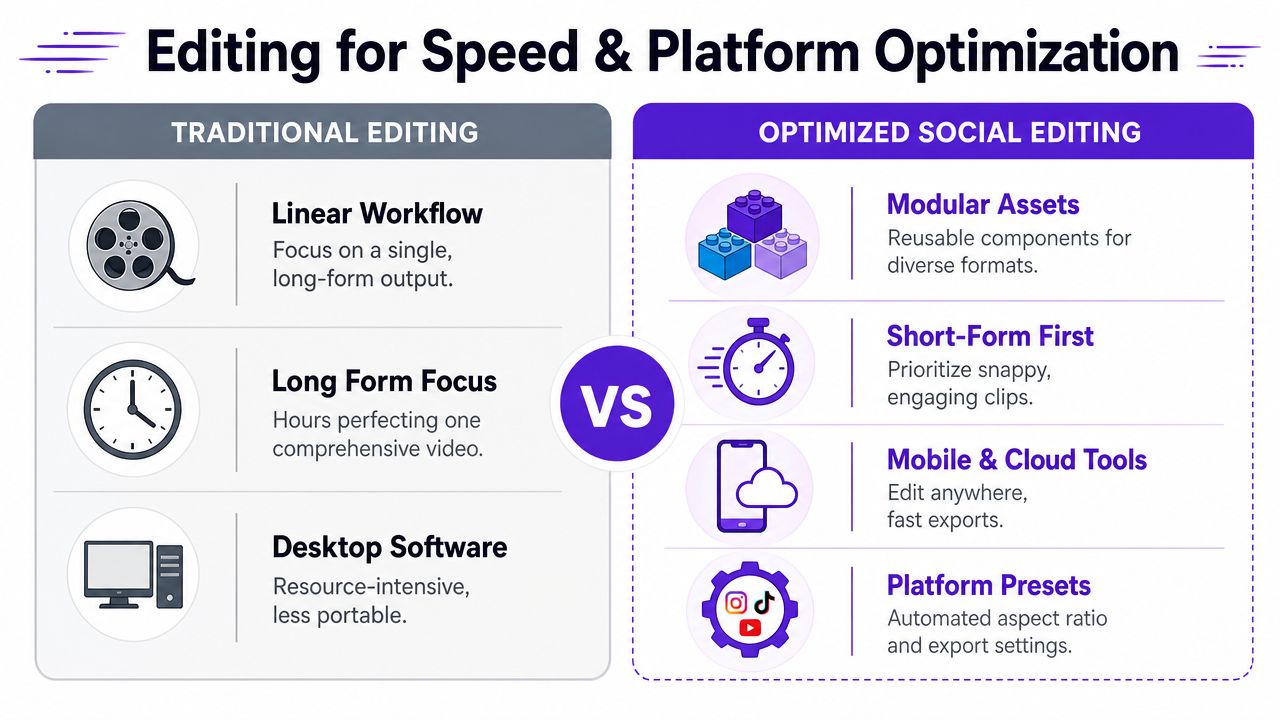
Old-school editing workflows usually look like this:
That's fine if you publish rarely. It's terrible if you need consistent social output.
Optimized social editing is modular. You identify the strongest moments first, cut those into short assets, and adapt presentation based on where they'll live.
Edit for distribution, not for your hard drive.
A single clip should go through different checks before publishing. Here's the fast version:
Captions also need discipline. Keep them readable, high contrast, and placed where UI elements won't crush them. If important text sits too low or too close to the edges, the platform will bury it under buttons, usernames, or captions.
| Platform | Aspect Ratio | Max Length | Key Optimization Tip |
|---|---|---|---|
| TikTok | Vertical | Varies by platform rules | Start with the strongest hook, not an intro |
| Instagram Reels | Vertical | Varies by platform rules | Keep visuals clean and text placement safe |
| YouTube Shorts | Vertical | Varies by platform rules | Prioritize searchable topics and clear spoken phrasing |
| Facebook Reels | Vertical | Varies by platform rules | Design for viewers who may watch with sound off |
| LinkedIn video | Vertical or square | Varies by platform rules | Lead with a practical business insight |
The fastest editors don't work harder. They eliminate repeated decisions. Build export presets, save text styles, store brand colors, and create reusable lower-thirds. If your process still starts from zero every time, that's the bottleneck.
If editing keeps swallowing your week, fix the workflow before you add more content goals. A tighter editing workflow for creators who need speed is usually more valuable than another plugin.
Repurposing is often misunderstood. It is commonly believed to mean chopping a video into smaller pieces. That's only part of it, and it's the lazy part.
Real repurposing means extracting different narratives, different emphases, and different visual energy from the same source. If all your clips look like identical leftovers, they won't hold attention.
A long interview, training, sermon, market update, or podcast episode usually contains more usable material than creators realize. But the value isn't in exporting random timestamps. The value is in finding moments that can become their own complete viewing experience.
That might mean turning one source video into:
Each one should feel native to the platform where it appears. That requires selection and framing, not just trimming.
One of the biggest gaps in social media video production is visual variety from a single recording. This discussion of short-form repurposing and dynamic framing points out that most high-performing social videos rely on dynamic framing shifts, while creators struggle to extract multiple compelling cuts from one talking-head video without re-shooting.
That's exactly why static center-frame clips underperform. The viewer sees one locked shot, one cadence, one visual layer, and checks out.
You can fix that by simulating angle changes in post:
A single-camera recording can still behave like a multi-angle asset if the edit is intentional.
Don't review the source video in order and ask, “What can I clip?” Ask a better question: “Which moments solve different publishing jobs?”
For example:
| Clip function | What to look for in the source video |
|---|---|
| Hook clip | A surprising claim stated in one sentence |
| Trust clip | A concise explanation that shows expertise |
| Relatable clip | A frustration your audience already feels |
| Conversion clip | A practical takeaway with a clear next step |
That approach gives you range. It also keeps your feed from sounding repetitive, even when the content came from one recording session.
If you're a solo creator or small team, this is the workflow to adopt. Re-shooting the same ideas from new angles every week is a waste. Extract more from what you already recorded.
Creators waste more time on handoffs than on recording.
The main bottleneck is everything that happens after the camera stops. Renaming files, trimming variants, rewriting captions, resizing for different platforms, building thumbnails, and scheduling one post at a time will choke your output no matter how good your ideas are.
A workable workflow removes repeat decisions.
Start with a fixed sequence your team can run every time:
That structure matters because competition is heavier, feeds move faster, and manual production breaks under volume. If you want to publish consistently without adding hours of editing overhead, your process has to behave like an assembly line.
Keep human attention on judgment. Hand repetitive steps to software.
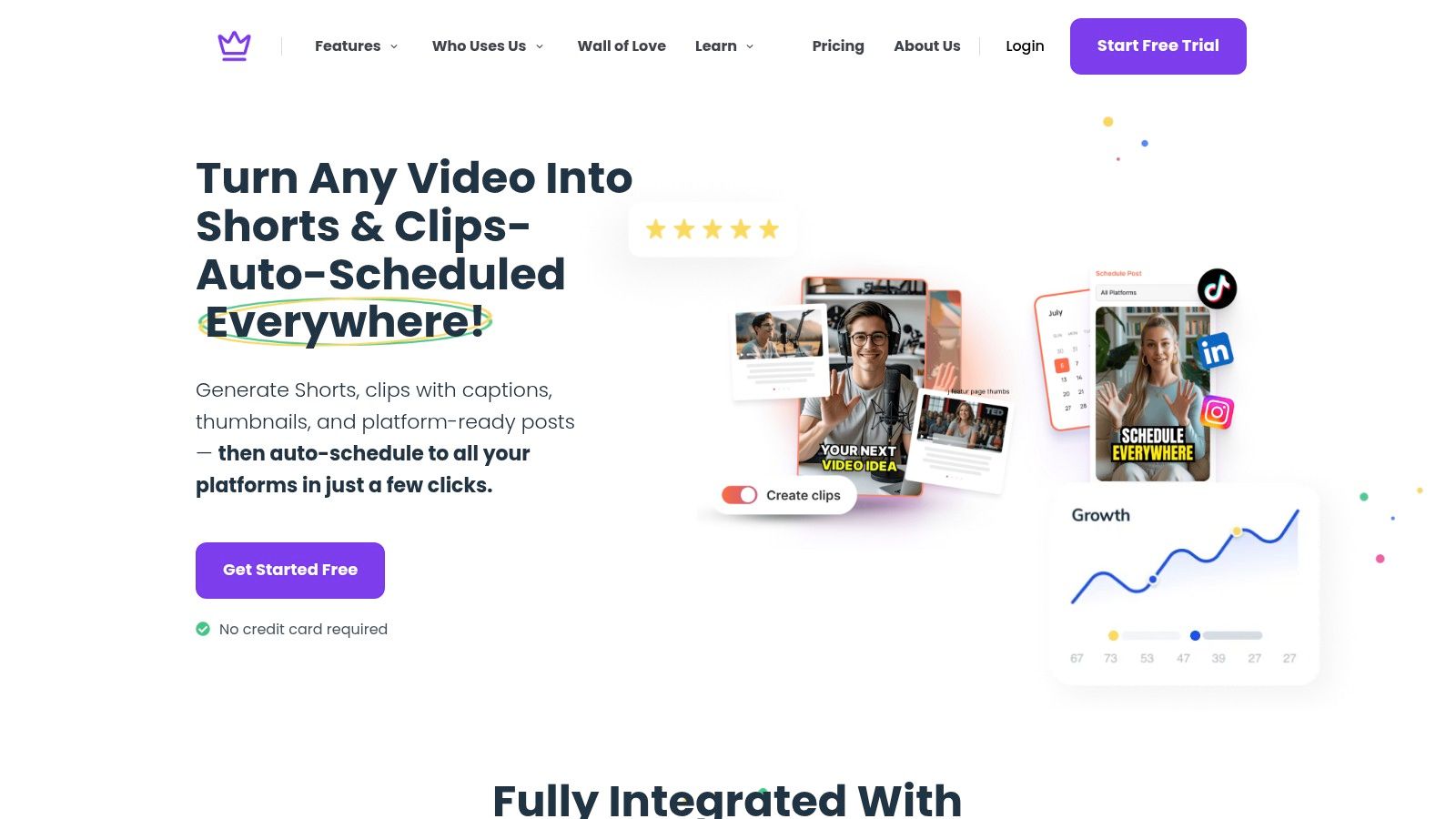
CapCut handles quick cleanup and formatting. Descript speeds up transcript-based editing. Buffer and native schedulers handle distribution. Taja AI fits this workflow when you want one upload to produce shorts, captions, thumbnails, blogs, and platform-specific posts from the same source asset. If your current process still depends on copying and pasting the same work into five tools, review this guide on how to automate content creation with a repurposing workflow.
The point is simple. Creative decisions need a person. Repetitive production steps do not.
If a task repeats every week and follows the same logic, systemize it.
Automation fails when the workflow around it stays chaotic. Record on one day. Review on one day. Approve assets in one pass. Schedule a full batch instead of posting from scratch every afternoon.
This is the low-lift model that makes modern social video production work. One strong source video becomes the input. Templates, AI assists, and schedulers handle the adaptation. Small teams get more output from the same footage, with less friction and fewer dropped publishing weeks.
Views tell you distribution. They do not tell you why a video worked, why it failed, or what to make next.
Track the metrics that expose viewer behavior:
Read these metrics together. A video can pull strong reach and still be a weak asset if retention collapses halfway through. That usually means the packaging did its job, but the content did not.
Drop-off patterns are production feedback. Use them that way.
If viewers leave in the first few seconds, the hook is too broad, too slow, or too easy to ignore. If they stay past the opening and then fall off, the middle probably rambles, repeats, or delays the payoff. If watch time holds but clicks stay weak, the video earned attention but failed to direct it.
A simple review process works:
| Metric pattern | What it usually means | What to change next |
|---|---|---|
| Fast early drop-off | Hook lacked tension or relevance | Rewrite the first line and open with a sharper claim |
| Mid-video decline | Pacing slowed or the point got muddy | Cut repetition and move the payoff earlier |
| Good watch time, weak action | Message connected, CTA stayed vague | Tell viewers exactly what to do next |
| High shares, average views | Topic hit a specific nerve with a smaller audience | Make more clips on that exact problem |
This part should be fast. You are not conducting a research project. You are spotting patterns that help the next batch perform better.
Creators waste time blaming format when the primary issue is topic selection.
Review videos in clusters. Group clips by audience pain point, hook type, source episode, or CTA style. Then compare outcomes across the group. That is how you find repeatable wins from one long-form asset instead of judging each short like an isolated event.
This matters even more in a repurposing workflow. If five clips came from the same source video and only one drove saves and profile visits, do not just copy its visual style. Examine the underlying subject, phrasing, and promise. Repurposing works best when you identify which ideas travel well across platforms, then use automation to scale those ideas faster.
The teams that improve fastest are not the ones with the most polished footage. They are the ones that review performance every week, make one clear adjustment, and publish the next round without dragging the process out.
If you are using Taja AI in that workflow, treat it like a production system, not a slot machine. Feed it stronger source videos, review which outputs hold attention, and refine the inputs. That is how one long recording turns into a month of social content that keeps getting better.


We are blessed to work with leading brands & Companies


We try to make easy and simple for every professionals. Get 30 days free trial - No credit card required.


© 2025 Taja AI. All rights reserved.