Podcast to Blog Post: Step-by-Step SEO Workflow
Turn any podcast episode into a publishable podcast to blog post: clean the transcript, verify facts, structure for search and publish with confidence.
5 min read
November 12, 2026

Closed captions vs subtitles compared: the technical, accessibility and platform differences, plus which format each video needs and how to publish both.
Written by:


If a deaf viewer switched on the text track of your last video, what would they get? A clean transcript of the dialogue, or the full picture: the phone ringing off screen, which of the two speakers is talking, the music that warned something was about to go wrong?
Most creators can't answer that, because they've assumed closed captions and subtitles are the same thing wearing different names. They aren't. One is an access technology built for people who can't hear the soundtrack. The other is a translation tool built for people who can hear it fine but don't read the language.
That distinction decides which file you export, which setting you tick at upload, and, increasingly, how much human review a video needs before it goes live. AI can draft either track in minutes. Knowing which track you're publishing, and where an unreviewed draft turns into a liability, is the part that takes judgment.
Start with the plain answer. Subtitles transcribe or translate spoken dialogue for viewers who can hear the audio, often from one language into another. Closed captions are built for viewers who cannot fully hear the soundtrack, so they carry dialogue plus the information that makes a scene make sense: speaker identification, music, sound effects and significant background noises, as the peer-reviewed overview of captioning and subtitling describes.
The real dividing line. The difference is who the text is for, not how it looks. Font size, colour and screen position are styling choices. Audience is the definition.
Closed captions vs subtitles side by side
| Feature | Closed captions | Subtitles |
|---|---|---|
| Primary purpose | Give access to viewers who cannot fully hear the audio | Transcribe or translate dialogue for viewers who can hear it |
| Non-speech sound | Describes music, sound effects and speaker changes | Usually omitted unless accessibility is explicitly required |
| Viewer control | Separate track the viewer can switch on or off | Often a separate track, or permanently visible if open |
| Typical audience | Deaf and hard-of-hearing viewers | Viewers who speak another language or want text alongside the audio |
| Language | Usually the same language as the audio | Often translated into another language |
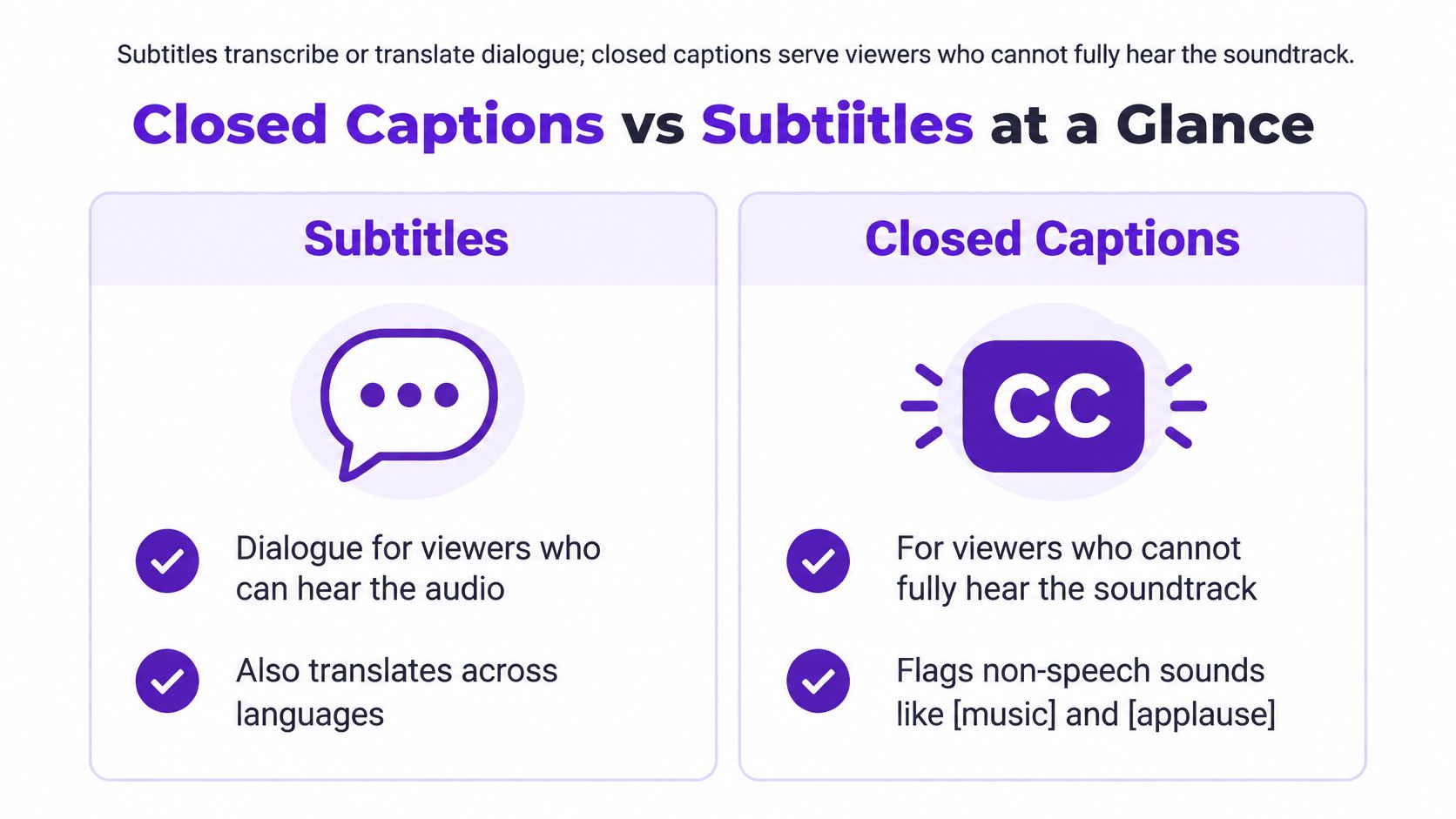
Optional or permanent is a second, separate question. Closed captions travel as a separate data stream that the viewer turns on or off, while open subtitles are permanently visible in the video picture. A single video often ends up carrying several text layers at once: translated subtitles for international audiences, same-language captions for accessibility, and platform-specific styling or timing for each destination.
Then there's the naming mess. Research literature describes same-language captions as "same-language subtitles", which shows terminology shifts between countries and platforms rather than following one universal rule. An Ofcom literature review defines subtitling as on-screen text representing speech and sometimes background sounds, which is a definition that comfortably covers both formats. So the label on the file settles nothing.
Run this two-part test on any text track you receive. Does the text describe the sounds, and can the viewer switch it off? If it names the music and the speaker changes and it's toggleable, you have a genuine closed caption track. If it's dialogue only and burnt into the pixels, you have open subtitles, whatever the filename says.
The same words can live in half a dozen containers, and the container decides three things: whether viewers can switch the text off, whether the sound cues survive the export, and where the file can be uploaded at all. Pick the format before you start timing, not after.
File formats and where each text track works
| Format | Typical use | Viewer can turn it off | Sound cues and styling |
|---|---|---|---|
| SRT | Uploads to YouTube, Vimeo and most editing tools | Yes, as a separate track | Plain text and timing, no styling standard |
| WebVTT | HTML5 video players on the web | Yes | Supports positioning, styling and speaker tags |
| SCC | Legacy US broadcast captions (CEA-608, line 21) | Yes, through the decoder | Fixed grid, limited sound-cue formatting |
| CEA-708 | US digital television captions | Yes | Multiple services, customisable fonts and colours |
| TTML / DFXP | Professional streaming and broadcast delivery | Yes | Rich XML styling and precise timing |
| Burned-in subtitles | Social clips, quick overlays and reels | No, always visible | Styling fixed in the render; sound cues only if typed in |
For day-to-day editing, that table collapses into a few rules. SRT is the safe default for uploads to YouTube, Vimeo and most editing tools, because every platform accepts it. WebVTT is what you want when the video sits in an HTML5 player on your own site, since it carries positioning and speaker tags that SRT drops.
Broadcast chains are their own world. SCC and CEA-708 exist because US television has carried captions inside the video signal itself, a lineage the National Court Reporters Association captioning history traces from experimental transmissions in 1971 to the FCC authorising line-21 technology for closed captions in 1976. TTML and DFXP handle professional streaming delivery, where precise timing and rich styling matter more than portability.
Practical rule. A plain SRT carries timing and text and almost nothing else, so check its content before you label it a closed caption track. If the file has no sound descriptions, it's dialogue with a caption filename.
Burned-in text is the fallback when a platform won't accept a sidecar file, which is most social feeds. It's also the only version that can't be switched off, so it never satisfies an accessibility requirement on its own if you have a choice.
The delivery order that saves rework: keep one master file in a rich format, usually WebVTT or TTML, and export platform-specific versions from it. If you're still sorting out the basics of getting a text track onto a video, this walkthrough on how to add subtitles to a video for free covers the upload paths for the major platforms.
The legal question isn't "did we add text?" It's "did the text do the job?" For US television, the FCC sets four core requirements for captions: accuracy, synchrony, completeness and placement, as the FCC's consumer guide to closed captioning explains. Each one is testable on a real file.
The non-speech layer is where accessibility deliverables separate from translation deliverables. Captions identify meaningful sounds such as music, laughter, alarms and speaker changes. Subtitles usually leave those out unless accessibility requirements are explicitly applied to them.
Many platforms use SDH as the label for a track that carries caption-grade information inside a subtitle file. When a viewer opens the settings menu and sees "English SDH" next to plain "English", the SDH version is the one with speaker labels and sound cues. Recognising that label matters when you're choosing a track on someone else's video, and when you're naming your own uploads.
Rules differ by market, so check the one that governs where the video will run. US broadcast captioning sits under FCC rules, the European Accessibility Act covers certain digital services, and individual platforms layer their own policies on top for uploads. A track that satisfies one market may be incomplete for another.
File test before delivery. Does the track meet all four requirements, and does it carry the sound layer? Speaker labels, sound cues and placement get checked alongside the transcript text, because a clean transcript with missing sound information fails a deaf viewer on the very content the captions exist to deliver.
The pits are predictable, and they're documented. Our breakdown of common closed caption fails covers the ones that come back as rejects most often, from dropped sound cues to cues that appear after the line has already been spoken.
Text tracks earn their keep twice: once with viewers and once with the systems that decide who sees the video. Three mechanisms do the work, and each has a ceiling worth knowing before you count on it.
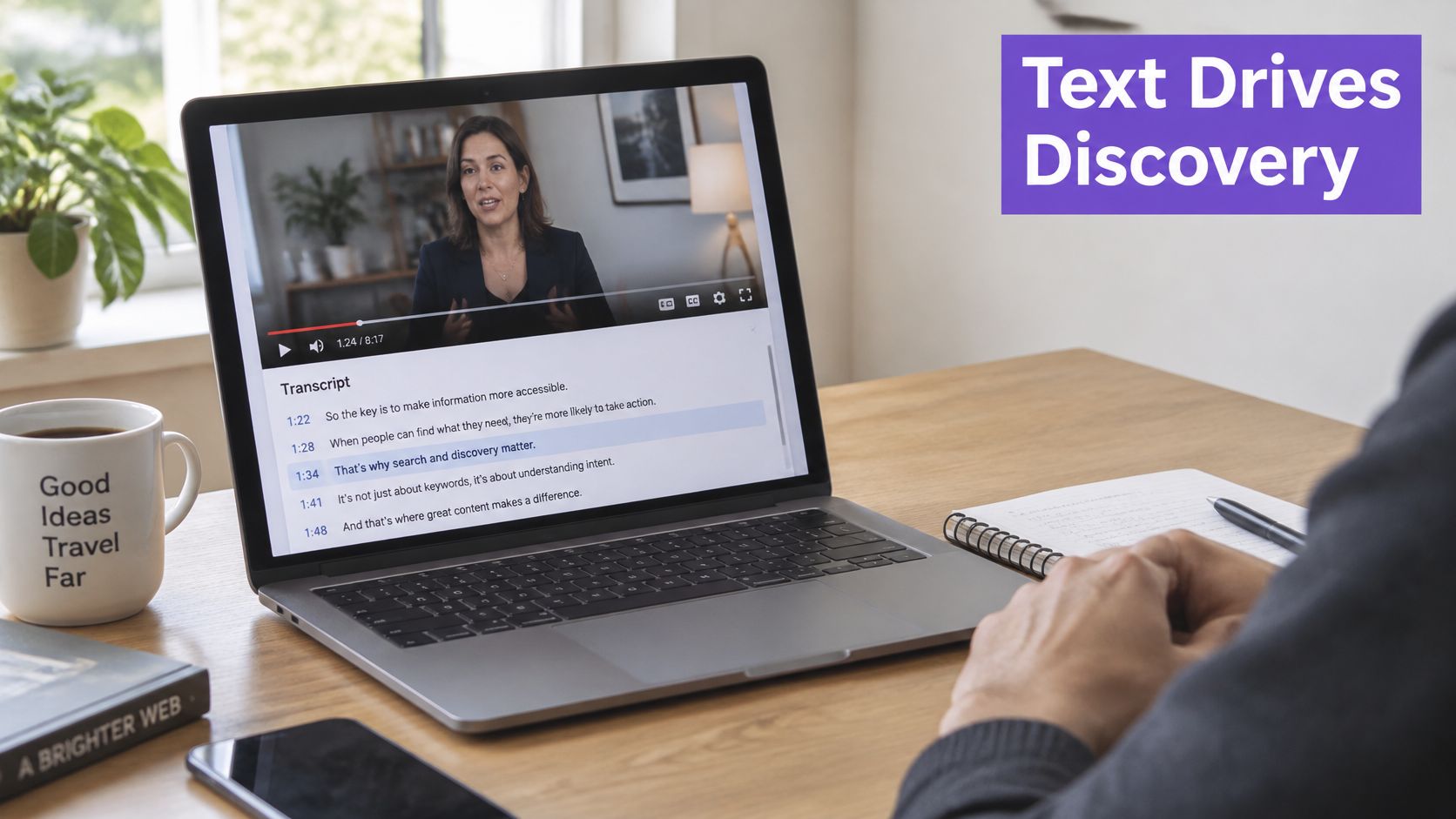
Discovery through the transcript. Platforms and search engines read the text track as a description of what the video covers, which helps it surface for the topics spoken in it. The limit is accuracy: a transcript that mangles product names, place names and technical terms weakens the match instead of strengthening it.
Watching with the sound off. A large share of feed viewing happens muted, in public or on a commute, and captions let those viewers keep watching instead of scrolling past. The limit is that captions can't rescue a weak title, a confusing thumbnail or a flat opening, so treat them as a floor, not a growth strategy.
Reach across languages. A translated subtitle track lets viewers who don't speak the source language stay to the end, which extends the audience for the same footage. The limit is that a bad translation does the opposite of what you intended, so it needs the same name, number and negation checks as the original.
Say you publish a ten-minute tutorial with an accurate transcript, chapter markers in the description and a Spanish subtitle track. A viewer who searches for the exact problem the tutorial solves can find it by what's said in it, skim the chapters, and follow the whole thing with the volume down. Without the text, that same viewer has no entry point.
Measure what the platform reports. Watch retention for each language track separately, since an aggregate number hides a dying translation. Track search impressions for the terms spoken in the video across a four-week window before the track went live and a four-week window after, so you can separate the effect from normal traffic drift.
The transcript is also the raw material for everything else. Taja AI builds SEO descriptions from three inputs: the video's transcript, the channel's target audience, and the highest ranking title. Generate a clean transcript with our video transcript generator and the same text feeds descriptions, chapters and captions without retyping a word.
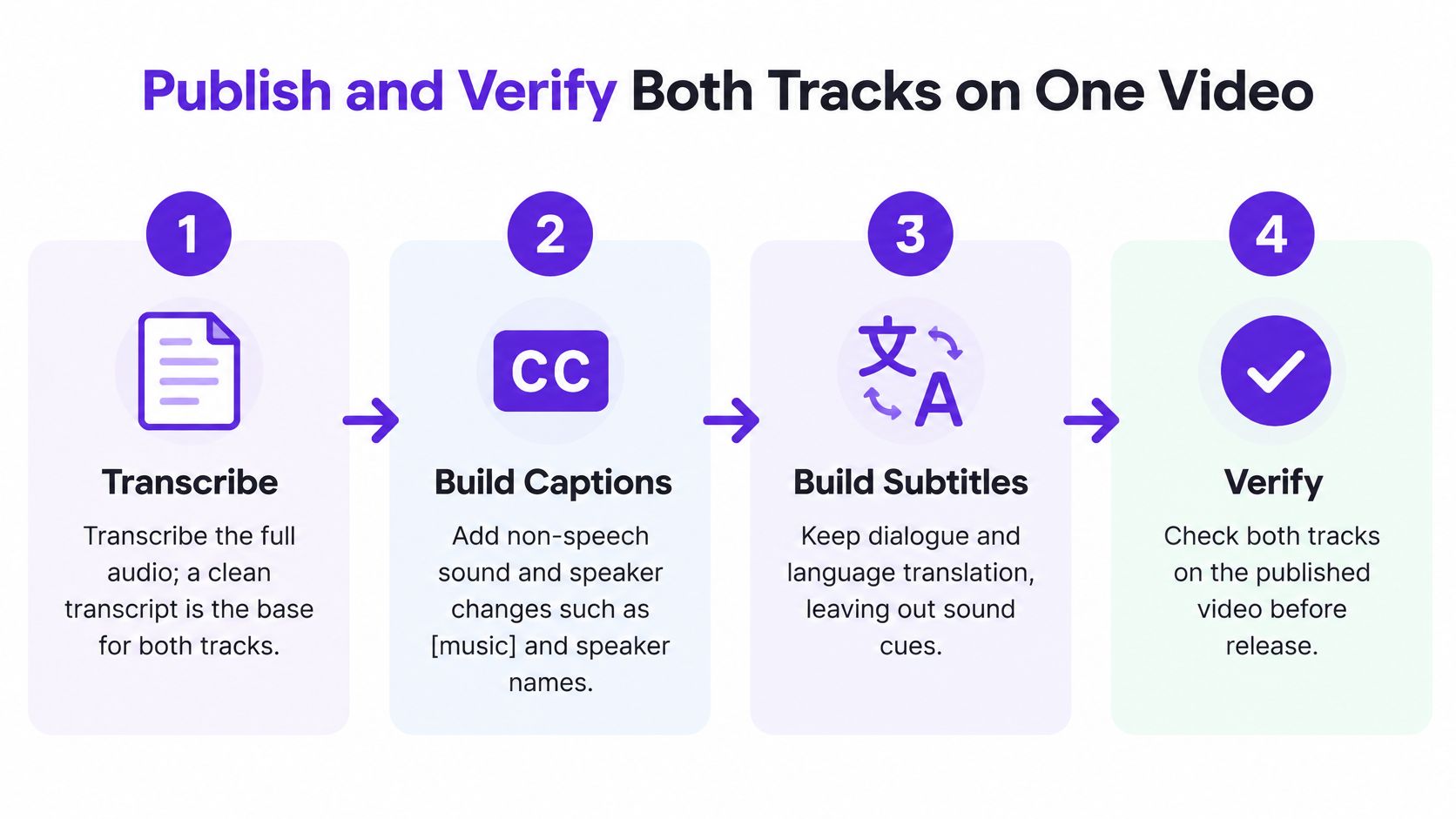
Producing both formats from one source is faster than building them separately, and it keeps them consistent. Work in this order.
Word error rate counts substitutions, deletions and insertions against the spoken transcript, so a lower number means closer textual fidelity. It's the standard yardstick, and it's worth knowing what a good score looks like. A peer-reviewed comparison of automated and human-assisted live captioning reported the following across the programs studied.
| Workflow | WER | Latency |
|---|---|---|
| Automated live captioning | 3.76%-7.29% | About 4 seconds |
| Human-assisted live workflow (incumbent) | 32.24%-44.14% | Not reported in the study |
Those figures describe live captioning in one study, not your pre-recorded upload, so use them as a reference point rather than a target. What matters is the habit: score the file, then decide how much human attention the score buys.
A good aggregate number can still contain the mistake that matters. WER doesn't weight names, negations or sound identification heavily, so a caption reading "four" where the speaker said "40" can pass the average test and change the price in a demo. The same is true of "can" for "can't", which flips the meaning of a compliance statement without moving the score much.
Review high-risk segments by hand, whatever the score says: proper nouns, numbers, technical terminology, heavy accents, overlapping speakers and rapidly edited dialogue. In our own workflow, Taja provides multi-language transcription for video optimization, and captions are included and editable before posting, so the correction pass happens on real text instead of a finished render.
A low error rate can't compensate for captions that arrive late, vanish early or outrun the viewer's reading speed. Check three things on playback. Cue in and out points should sit on the speech, not drift a second behind after a cut. Duration should give a viewer enough time to read the line twice, not once. Line length should break at natural phrase boundaries rather than mid-thought.
Publishing gate. A good score earns a spot check, not a free pass. Names, numbers, negation, sound cues and timing all get eyes before the file goes live.
Keep the master file and the per-platform exports in the same folder as the video project, named by language and version. When a platform changes its caption limits or a translator sends a correction, you'll be re-exporting from the master rather than rebuilding the track from scratch.
Most serious videos need both formats, one for each audience, so the question isn't which to make. It's which to make first, and how much human review each one needs before it publishes. That second question is where AI changes the workflow without removing the judgment.
Format and review level by video situation
| Video situation | Format to publish | Review before publishing |
|---|---|---|
| Legal, medical or financial video | Closed captions, full track | Full human review of every line |
| Children's content | Closed captions with sound cues | Full human review of dialogue, names and sound cues |
| Multilingual audience | Subtitles in each language, plus captions | Native-speaker review of translations |
| Live or real-time event | Captions generated live | Monitoring with a correction workflow |
| Social clip for silent autoplay | Burned-in subtitles, plus a caption file | Light check of names, numbers and timing |
| General lower-risk explainer | AI-drafted captions | Light check of names, numbers, negation and sound cues |
The logic behind that table is stakes, not technology. A 2025 study comparing professional subtitling with AI-generated subtitling for Deaf and hard-of-hearing audiences, published in Revista de Investigación e Innovación en Ciencias de la Salud, identified continuing concerns about accuracy, understandability and adaptation to context. A separate 2025 large-language-model study in the same source reported an LLM-enhanced workflow cutting word error rate from 23.07% to 9.75%, a relative improvement of about 57.72%, while noting that a lower error rate doesn't guarantee correct speaker labels, culturally appropriate sound descriptions, timing or accessibility.
Viewers feel that gap. In the same research, only 4% of surveyed participants rated AI captions "extremely accurate", and disabled respondents were less likely than nondisabled respondents to rate them "mostly accurate", 50% versus 59%. The people who depend on captions most are the least convinced by unreviewed output.
So treat review as a dial, not a switch. Legal, medical, financial, technical, children's, multilingual, live and identity-sensitive content gets full human review, because an error there carries consequences beyond a confusing minute. Lower-risk material can ship as an AI draft followed by a targeted check of names, numbers, negation, jargon, timing and non-speech audio.
Where to start. Build the caption master first, then derive the subtitles from it. The transcript work is shared, and the accessibility version is the one with the harder deadline.
For the social versions, Taja creates shorts, clips with captions, thumbnails and platform-ready posts from a long-form video, then auto-schedules them to all of the user's platforms, so the burned-in captions and the platform caption file come from the same transcript you already reviewed.
The closed captions vs subtitles decision gets much easier when one upload can produce both tracks. Taja AI transcribes your long-form video, generates captions you can edit before anything publishes, and turns the same source into vertical clips with burned-in captions, thumbnails and platform-ready posts scheduled across your channels. Upload a video, review the transcript where accuracy matters most, and publish a captioned version alongside a subtitled one without building either from scratch. Start free at Taja AI and put both tracks on your next release.


We are blessed to work with leading brands & Companies


We try to make easy and simple for every professionals. Get 30 days free trial - No credit card required.


© 2025 Taja AI. All rights reserved.