Caption Generator for Instagram: 10 Tools Compared in 2026
Compare 10 Caption Generator for Instagram tools by features, free access, limits, and best use cases, with sample captions for each tone.
5 min read
November 9, 2026

Learn how to schedule posts across Instagram, LinkedIn, X and more, with platform windows, a repeatable calendar and automation checkpoints.
Written by:


Stop searching for the one best time to post. That popular advice sends you looking for a magic hour, then scheduling every network at the same clock time and calling it a strategy. It doesn't work that way. The strongest window on LinkedIn rarely matches the strongest window on Instagram, and neither matters if your audience lives three time zones away. I treat every published benchmark as a resource allocation hypothesis, a place to spend your first posts while you learn what your own audience does. That's how to schedule posts without wasting a month on someone else's average.
Midweek is the cleanest place to spend the first posts. Sprout Social's 2026 analysis examined nearly 2 billion engagements from approximately 307,000 social profiles worldwide and found the strongest overall engagement from Tuesday through Wednesday, generally between 11:00 a.m. and 6:00 p.m. in the audience's local time. That band is a baseline hypothesis. It is not a clock you paste onto every channel.
| Platform | Starting window (Sprout Social 2026) | Second slot worth testing |
|---|---|---|
| Tuesday and Wednesday, 12 p.m. to 8 p.m. | Early afternoon versus early evening, both inside that window | |
| Tuesday 1 p.m. to 7 p.m.; Wednesday 12 p.m. to 9 p.m. | Mid-afternoon versus the late end of the same range | |
| Tuesday to Thursday, 11 a.m. to 5 p.m. | The 11 a.m. edge versus late afternoon | |
| X | No window in this analysis | Two separated slots on Tuesday or Wednesday |
| TikTok | No window in this analysis | Two separated slots on Tuesday or Wednesday |
Published windows disagree because the datasets cover different audiences, industries, and content mixes. Copying any single row as a permanent rule wastes the posts you can make. Format changes the result too. A carousel people save at lunch does not behave like a short video people watch after dinner.
Where this analysis already gives a range, split it. Two slots inside a known window tell you more than one "best" hour. Where the row is blank, do not import a peak from a second report that measured something else. Use the strong midweek days, place two posts far enough apart that one cannot be mistaken for the other, and review both choices before they enter an automated queue. A queue with a single slot has nothing to compare.
Pick two starting windows per channel, not one. A single slot gives you nothing to compare against.
I would put the first posts inside the Sprout Social midweek windows, and give each channel one contrasting slot from the table. Compare reach, engagement rate, clicks, and conversions against that channel's own baseline. The point is to see where your limited posts earn the most, then move more of them there.
Frequency advice usually starts with an ideal. I'd start with what people sustain.
| Posting frequency | Adobe 2024 (social media users) | GoodFirms 2024 (businesses) |
|---|---|---|
| Multiple times per day | 27% | Not reported |
| Once per day | 25% | 27.1% |
| Every other day | Not reported | 29.3% |
| A few times per week | 33% | Not reported |
| Twice weekly | Not reported | 23.7% |
In Adobe's 2024 survey of 1,010 social media users across six countries, 33% posted a few times per week, 27% posted multiple times per day, and 25% posted once daily. In GoodFirms' 2024 survey of 650 businesses, 27.1% posted daily, 29.3% posted on alternate days, and 23.7% posted twice weekly. Most operators cluster between twice weekly and daily. Very few schedules need more than that to be testable.
Consistency matters more than chasing the top of that range. Buffer's analysis of more than 100,000 users found that regular posting was associated with 5 times more engagement. Creators who posted at least once per week for 20 or more weeks received 450% more engagement per post than creators who posted fewer than five times during the same period.
Read that as association, not proof. It doesn't show scheduling software causes the lift. Accounts that post consistently may also have stronger content or larger audiences. What it does support is continuity as a design goal for your calendar.
Practical rule: Choose the lowest frequency you can keep for 20 weeks, then protect it.
For a solopreneur, that might be twice weekly on one priority channel and once weekly on a second. For a small team, it might be alternate days. Raise frequency only when creative quality and reply capacity hold steady, because consistency isn't the same as sheer volume. Once you're rushing hooks, skipping captions, or leaving comments unanswered for a day, extra posts cost you more than they return.
A posting window is a resource-allocation hypothesis, not a universal rule. Scheduling every network at 9 a.m. your time may be convenient, but it can miss the people you want to reach. Start with audience geography, then test windows for each platform and time zone.
Export each channel's top audience locations from its native analytics. YouTube Studio, Meta Business Suite, Instagram Insights, and LinkedIn analytics show where viewers and followers are concentrated. Use those locations to set each channel's dominant time zones. The right schedule may differ by platform, even for the same business.

Benchmarks can suggest a starting window, but treat them as hypotheses to test against your own audience. Sprout Social's cross-platform analysis covered nearly 2 billion engagements across approximately 307,000 social profiles and reported times in users' local time. Buffer's reported peaks vary by network: Facebook around 5 to 7 a.m. local time, Instagram around 3 to 6 p.m., and X around 8 to 10 a.m. Use these as initial test windows, not fixed rules.
A dental clinic's Instagram audience is concentrated in Eastern time, with a sizeable minority in Central time. The clinic starts with 6 p.m. Eastern as its primary window, then schedules an equivalent post for the Central audience the following week. Separate schedules make it easier to compare responses from each audience without mixing the results.
Measure outcomes that fit the goal. A slot may generate likes without inquiries, so track profile visits, inquiries, and registrations alongside engagement per impression, video completion rate, and click-through rate. Compare equivalent content across several local windows over four weeks. One unusually strong or weak post is not enough to settle the question.
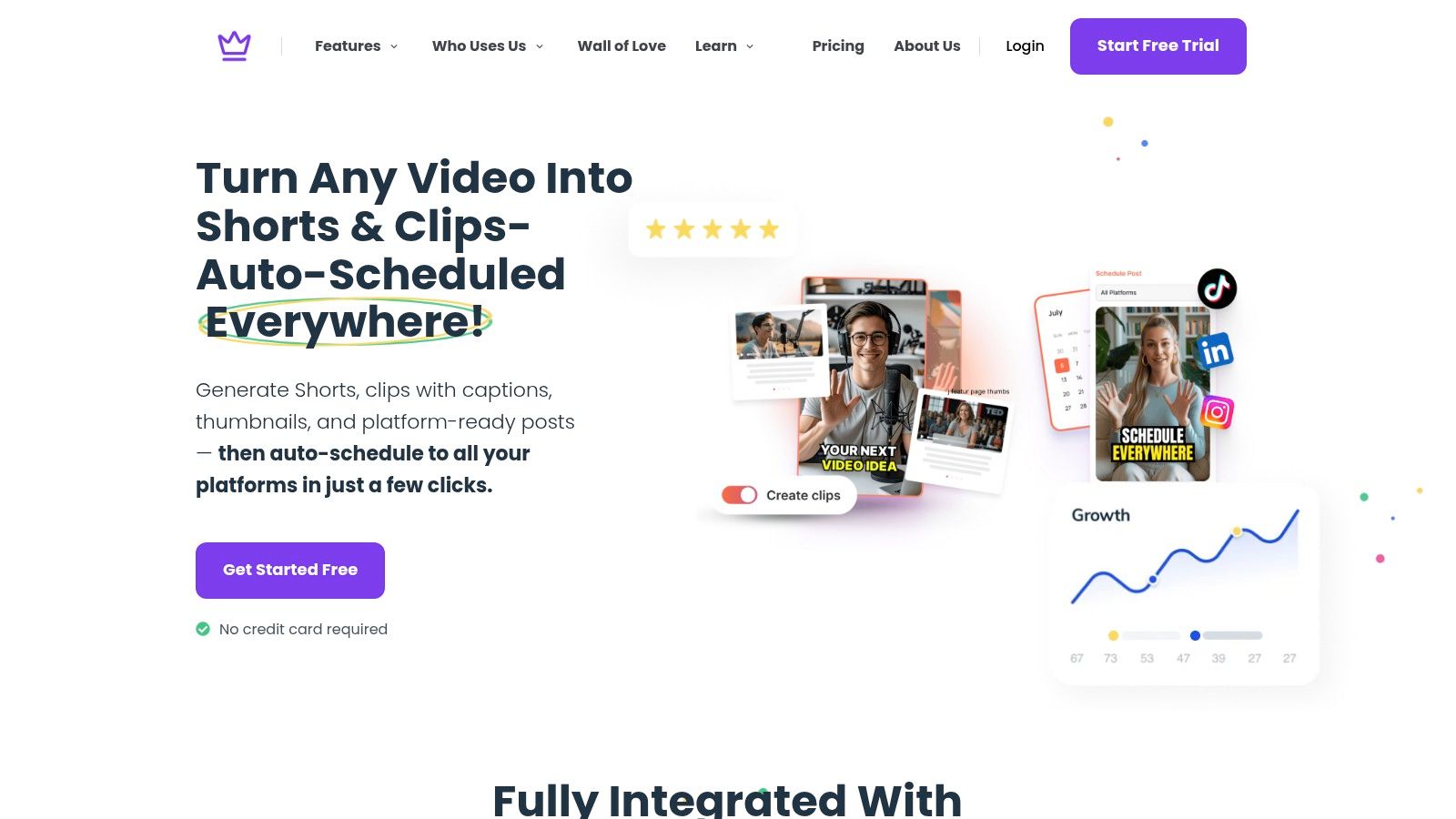
Here's a screenshot of one repurposing platform's dashboard, the third category in the comparison below.
| Option | Platforms covered | Best for | Main limit |
|---|---|---|---|
| Native platform schedulers (YouTube Studio, Meta Business Suite) | One network each | Creators or teams on one or two channels | Separate queue and reports for every network |
| Multi platform schedulers | Multiple networks in one calendar | Teams posting to four or more channels | Usually a paid subscription |
| Taja AI | YouTube, X, Instagram, Facebook, TikTok, LinkedIn | Creators who repurpose long videos into posts for several platforms | Built around long form source videos |
Native tools are free and direct. If you publish to one or two networks, they're often enough, and I'd start there before paying for anything. The cost shows up in reporting. Each network keeps its own queue and its own numbers, so comparing a Tuesday LinkedIn slot against a Tuesday Instagram slot means manual work in a spreadsheet.
Multi platform schedulers solve that by putting every channel in one calendar. You save clicks and centralize reporting, which matters once you're running four or more channels. Repurposing platforms go a step further and generate the batch as well as schedule it. With Taja AI, content scheduled through the platform doesn't need to be re-uploaded to other services, which removes a tedious handoff when one long video becomes posts for several networks. For a deeper look at coordinating channels, see our guide to multi channel management.
This walkthrough shows how a repurposed batch moves from one source video into scheduled posts.
Whichever category you pick, check two things before you commit. First, does the tool export per channel timing and analytics. Your whole method depends on comparing each channel against its own baseline, so a tool that only shows blended totals slows you down. Second, does the calendar stay usable at your real volume, with labels, filters, and bulk rescheduling. Teams building shared component libraries for consistent publishing interfaces can learn from design system expertise from Wecomeet, since a calendar your team can't scan quickly is a calendar they'll stop trusting.
Every tool shares one limit. It handles timing and delivery well. It can't decide whether a post still makes sense on the day it goes live. Treat each recommended window as a hypothesis you can move later, and leave a review step in the queue so a person can pull or edit a post before it publishes.
Build in two stages. First establish a reliable cadence, then optimize timing per platform.
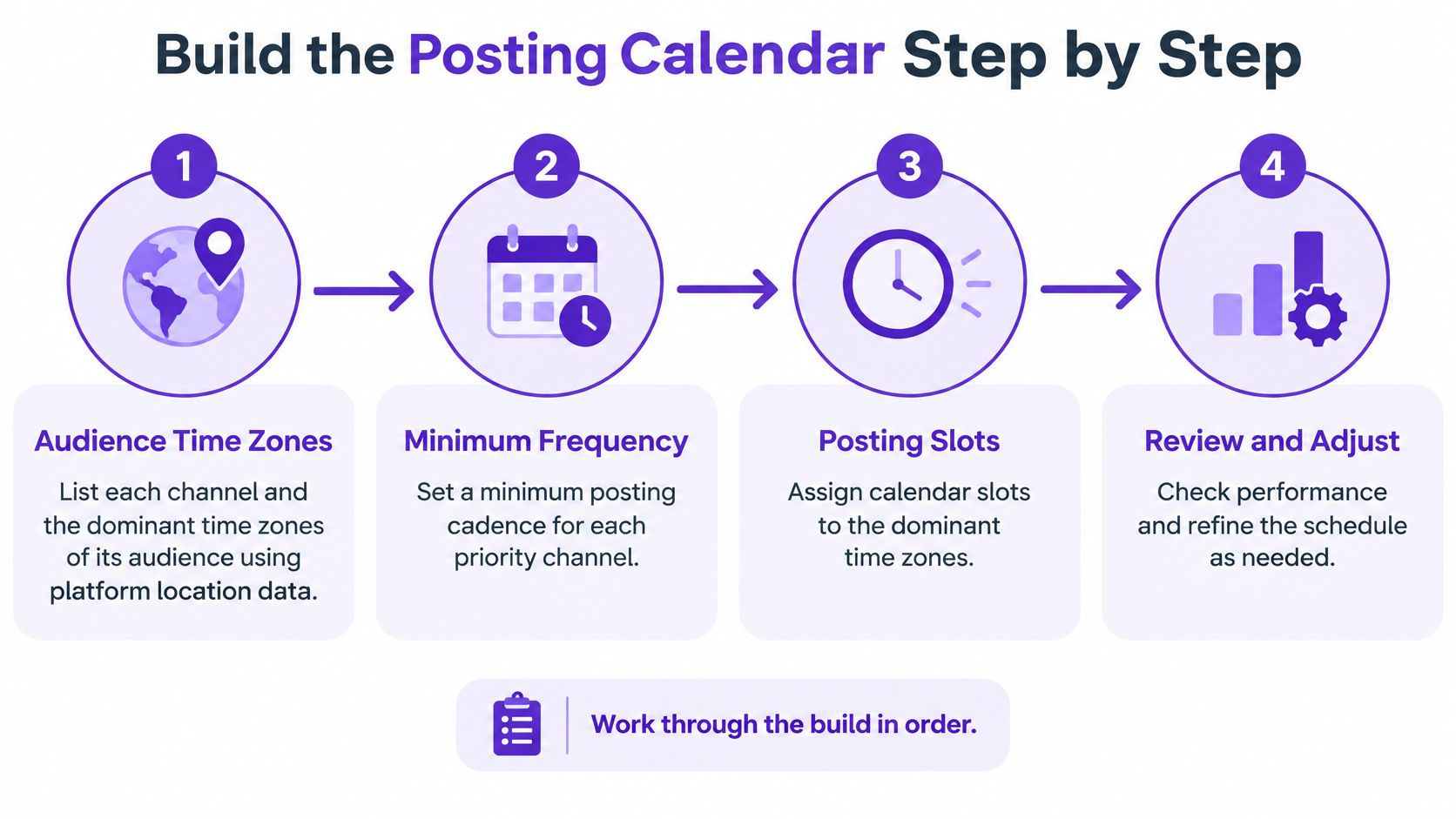
That order has evidence behind it. In a 26 week analysis of more than 100,000 users reported in Buffer's data analysis, accounts that posted during at least 20 different weeks generated 450% more engagement per post than accounts that posted fewer than five times. Engagement peaked around week 21 at a median of 4.47 interactions per post. Cadence first, timing second.
If you want the fields and structure for the calendar itself, Rankira's content calendar documentation is a useful reference for what to track per post. Pair that with our content calendar best practices for the review rhythm that keeps the sheet current.
Say a freelance consultant works LinkedIn and Instagram. She batches six weeks of posts on a Monday, places LinkedIn on Tuesday mornings and Instagram on Tuesday afternoons, and reviews the sheet every other Friday. When she tests a new Instagram window, she holds topic mix and format steady and compares median reach, watch time, saves, comments, and qualified clicks rather than likes alone.
Don't let one viral post rewrite your calendar. Judge windows on medians across several posts.
Watch for diminishing returns as you scale. Increase frequency only when production quality and response management remain stable. If review time disappears, you're not building consistency, you're building volume you'll have to clean up later.
Marketing Dive's report on small business social media use found that 54% of SMBs reported difficulty keeping online content fresh and current with social trends, while more than three quarters said social media positively affects business performance. Freshness, accuracy, and reply capacity set the limit on how far an automated queue can run.
A scheduled window is a resource guess: one platform, one time zone, one hypothesis you can still change. Batch evergreen posts, let reminders pull a reviewer in before publish, and keep manual approval for sensitive or fast-changing posts. I would rather hold a slot empty than let a stale claim go out on time.
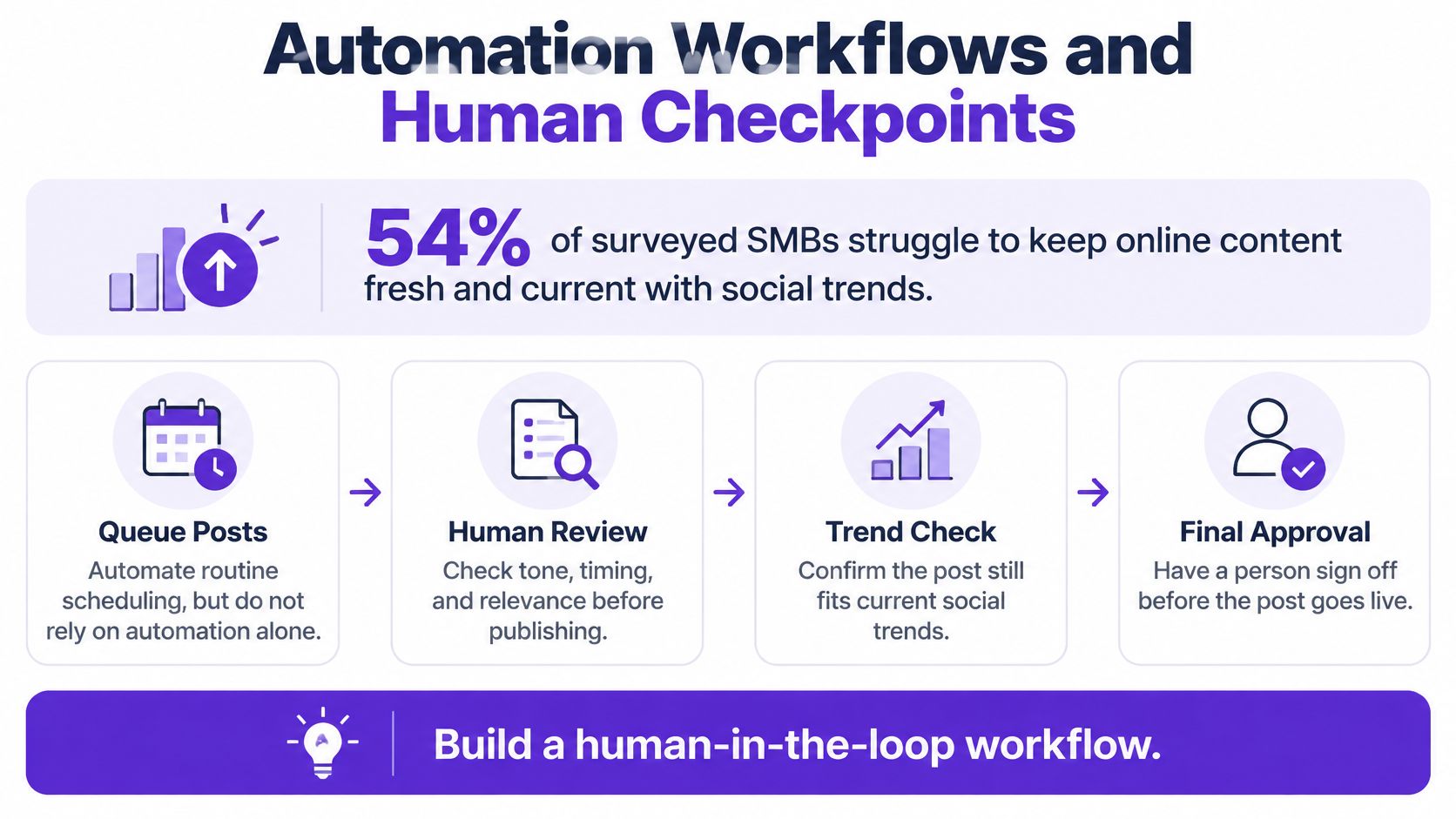
If you are building a repeatable production rhythm around that review work, this weekly pipeline for useful content shows one way to structure it. AI for social media marketing is the companion piece on where automation helps and where a person still has to sign off.
Caption timing and synchronization errors are a common barrier to comprehension. A caption file that drifts two seconds behind the speech is not a minor flaw. Check it before scheduling, not after a viewer complains.
Time-sensitive announcements, breaking news, community notices, and anything that needs an immediate reply still need a person available at publish time. Skipping that checkpoint makes a bad post cheaper to send and more expensive to correct.
For repurposed batches, optimized and repurposed content is ready on the Taja AI dashboard about 30 minutes after a video is added to the playlist. Do the review on the batch day, while the material is fresh. A publish-day rush is where drifting captions, expired offers, and unstaffed replies slip through.
You can start this week. Keep each checkpoint short and dated.
Week one: List your active channels, their audience time zones, and the minimum weekly frequency you can keep for 20 weeks. Write it down where your team can see it.
Week two: Schedule two starting windows per channel plus one control slot. Add expiry dates to every time sensitive post before it enters the queue. If you're testing with repurposed video, our free trial lets you optimize and repurpose up to 4 long form videos, which is enough source material for a real four week batch.
Week three: Watch comments in the first hour after each post. Record reach, watch time, saves, comments, and qualified clicks, and don't judge any window on a single post.
Week four: Compare median results for each window against its channel's own baseline. Check downstream outcomes such as profile visits or inquiries before deciding, keep the winner, change only one variable, and set the next cycle.
Check the calendar, not the clock. A sustainable system you review beats a perfect hour you guessed once.
Turn one long form video into a scheduled, multi platform calendar instead of posting by hand every day. Taja AI repurposes your videos into platform ready posts and schedules them across your channels, so you can run the four week timing test above on real content rather than placeholders. Start your free trial today and build your first batched calendar this week.


We are blessed to work with leading brands & Companies


We try to make easy and simple for every professionals. Get 30 days free trial - No credit card required.


© 2025 Taja AI. All rights reserved.