.jpeg)

How to Make a Video with YouTube Clips: Steps and Rights
How to make a video with YouTube clips: select clips, stitch them, format for each platform, stay copyright-safe, and repurpose long videos.
5 min read
November 4, 2026

Learn how to use AI for social media marketing to automate content and grow your audience. This 2026 guide covers tools, workflows, ROI, and pitfalls.
Written by:


AI for social media marketing stopped being a side experiment the moment the category hit USD 3.42 billion in 2026 and started tracking toward a projected USD 11.37 billion by 2031, with a 27.15% CAGR according to Mordor Intelligence's AI in social media market report. That kind of growth tells you something simple. Teams aren't buying AI because it sounds futuristic. They're buying it because manual social media operations break under real workload.
Most creators and SMBs face the same problem. One video needs to become clips, captions, thumbnails, posts, and platform-specific versions for TikTok, Instagram, YouTube, LinkedIn, Facebook, and X. The hard part isn't making one good piece of content. The hard part is doing it consistently without turning yourself or your team into full-time editors and schedulers.
That's where AI earns its place. Not as a replacement for taste, positioning, or judgment. As a working layer inside the social media process that handles the repetitive decisions, surfaces patterns faster than a human can, and keeps content moving when the calendar is crowded. Used well, it gives marketers room to focus on message, offer, audience, and timing. Used badly, it produces polished nonsense at scale.
The pressure on social teams is structural now. Audiences expect regular content, fast replies, strong creative, and channel-native execution. A solo creator feels it. A local business feels it. A five-person marketing team feels it even more because they're expected to look like a much larger operation.
AI adoption is rising because it solves a very specific operational problem. It reduces the amount of manual work needed to keep a brand visible across multiple platforms. That matters when your week gets consumed by clipping videos, rewriting captions, resizing assets, checking comments, and trying to guess what to post next.
Social media burnout usually doesn't start with strategy. It starts with repeated low-impact tasks.
Those problems compound when the process lives across disconnected tools. One app for captions. One for clipping. One for thumbnails. One for scheduling. One for analytics. The result is more handoffs, more rework, and more inconsistency in brand voice.
Practical rule: If your social workflow depends on copying and pasting the same idea into five tools, AI isn't the problem. Your process is.
The strongest use case for ai for social media marketing isn't “make content for me.” It's “remove the repetitive steps that slow down good marketing.” That includes surfacing content opportunities, repurposing source material, adapting copy by channel, and helping teams publish at a pace they can sustain.
That shift matters because good social media still needs human judgment. Someone still has to decide what the business stands for, what audience it wants, what offer it's pushing, and what tone sounds credible. AI can speed up execution. It can't invent a sharp strategy where none exists.
Marketers who understand that distinction usually get the most value. They let AI handle the grunt work and keep humans in charge of the message.
When people say “AI,” they often lump very different functions into one bucket. In practice, ai for social media marketing is closer to hiring a compact digital team. One part researches trends. One part drafts copy. One part helps edit content. Another part monitors reactions and performance signals while you sleep.

You don't need a technical background to use these tools well, but you do need a basic mental model.
| AI layer | What it does in social media | Why it matters |
|---|---|---|
| Machine learning | Finds patterns in performance, audience behavior, and timing | Helps with ranking, targeting, scheduling, and optimization |
| Natural language processing | Interprets language in captions, comments, reviews, and messages | Supports sentiment analysis, moderation, and topic clustering |
| Generative AI | Produces new text, images, scripts, drafts, or variations | Speeds up creation and repurposing when guided well |
Machine learning is the quiet engine behind a lot of social decisions. It helps platforms rank feeds and helps marketers spot patterns in what tends to get attention. Natural language processing is what lets software interpret the meaning behind comments and conversations rather than just counting keywords. Generative AI is the visible part most people notice first because it writes, rewrites, summarizes, and drafts.
A better way to understand AI is to map it to jobs inside your workflow.
This is why many small teams adopt AI before large enterprises finish debating it. The value is immediate. A team that couldn't keep up with the content load suddenly has support across multiple functions without hiring a specialist for each one.
AI is most useful when it handles first drafts, first cuts, and first passes. Humans should still own final judgment.
If you're working on growing small businesses on social media, that framing matters because SMBs rarely need abstract AI theory. They need a way to publish consistently, stay on-brand, and avoid drowning in production work.
It's not a strategy by itself. It won't fix weak positioning, a vague offer, or content that says nothing original. It also won't automatically preserve your brand voice unless you give it examples, rules, and constraints.
That's the mistake behind most disappointing AI implementations. Teams ask the tool to create finished work when they should be asking it to accelerate a system. The tool then outputs generic content because the inputs were generic.
Strong operators use AI like a structured assistant. They define the audience, clarify the angle, set formatting rules, and review output before publishing. That's when quality starts to rise instead of flatten.
The most useful way to evaluate ai for social media marketing is by workflow stage. Not by hype. Not by feature lists. By whether it removes friction at the exact point where your process keeps stalling.
This is one of the clearest wins. In 2026, 59.5% of social media marketers use AI specifically for content ideation and trend research, and it can reduce ideation time by an estimated 60-83% by processing large volumes of real-time platform data, according to Sociality.io's AI in social media marketing report.
That matters because ideation is where many teams lose momentum. They don't need more content formats. They need sharper prompts for what to say next.
AI helps here by clustering recurring topics, identifying rising phrases, comparing engagement patterns, and turning raw platform noise into usable editorial angles. A podcaster can scan episode themes for short-form hooks. A realtor can pull repeated buyer questions into a weekly content series. A service business can spot language customers use and build posts around that language.
What doesn't work is asking a chatbot for “10 viral ideas.” That usually produces generic topics with no competitive context. Better input gets better output. Feed the model your audience type, past winning posts, offer category, and platform.
Once the angle is clear, AI becomes a variation engine. It can turn one content idea into multiple caption styles, title options, CTAs, and opening hooks. That's useful because different platforms reward different packaging.
A practical pattern looks like this:
If you're comparing writing tools before building that layer, Feather's review of top AI writing software is a useful reference point because it looks at how different tools handle drafting and editorial support rather than treating all AI writers as interchangeable.
Video-centric businesses get the biggest operational lift. Most brands already have raw material. Podcasts, webinars, interviews, listing walkthroughs, sermons, demos, and customer education videos all contain dozens of social posts. The bottleneck is extraction and packaging.
AI tools can identify usable moments, create transcript-based captions, suggest titles, and adapt outputs by platform. The strongest systems don't stop at clipping. They also help shape the support assets around the clip, such as captions, thumbnails, text posts, and summaries.
For creators who want a broader view of the ecosystem, this roundup of AI tools for content creators is a practical starting point because it compares tools by workflow fit rather than by novelty.
The real asset isn't the clip. It's the repeatable process that turns one source file into a week or month of usable distribution.
One example in this category is Taja AI, which focuses on turning long-form videos into platform-specific assets and scheduling outputs across channels. That's useful for teams trying to centralize repurposing instead of stitching the process together manually.
AI also helps after the content is created. It can suggest publish timing, identify backlog opportunities, and reduce the guesswork around cadence. That doesn't mean the tool magically knows the perfect post time forever. It means it can learn from account history and remove some of the random trial-and-error that wastes time.
The best use of this capability is operational, not mystical. Let AI narrow the range. Then test. If a platform's recommendations keep underperforming compared with your manual instincts, trust the results and adjust.
Marketing professionals often don't need more dashboards. They require clearer interpretation. AI can help summarize sentiment, spot repeated audience objections, and group content by pattern instead of leaving you with a pile of disconnected post metrics.
The trap is overvaluing prediction. Many tools promise to forecast performance before you post. Treat that as directional help, not authority. A good strategist still asks harder questions. Is this relevant to the offer? Is the hook specific enough? Does the post sound like us? Are we making one clear point?
When teams use AI across these stages together, the workflow changes. Social stops feeling like a daily scramble and starts behaving like a system.
Many organizations fail with AI because they buy tools before they define process. They add a caption writer, then a scheduler, then an image generator, and end up with more moving parts than they had before. A workable system starts with the bottleneck, not the software stack.

Before you automate anything, map how content currently moves from idea to publication. Most SMBs discover the same pattern. Content doesn't fail because nobody had a good idea. It fails because handoffs are messy and the finishing work never gets done.
Look for delays in these areas:
Once you can see the friction clearly, the first AI use case usually becomes obvious.
Don't try to automate your entire social stack in one week. Start with the workflow that burns the most time and has the clearest output. For many video-first teams, that's repurposing.
Repurposing works well as a first AI project because the source material already exists. You're not asking the tool to invent strategy from nothing. You're asking it to extract, package, and distribute value that's already in the content.
Here's a simple rollout:
Teams that want to tighten that process can learn from structured approaches to automating content creation, especially when long-form video is the main content source.
Many teams get lazy in this area and then blame AI for sounding generic. The tool can only work within the boundaries you provide.
Create a lightweight brand voice file that includes:
That's enough to improve outputs dramatically. You don't need a massive brand book. You need practical constraints.
Working standard: If your brand voice guide wouldn't help a freelance writer sound like you, it won't help AI either.
After that, establish templates. Templates reduce decision fatigue and improve consistency. Use repeatable structures for recurring formats like educational posts, opinion posts, product demos, FAQs, event promotion, and client proof.
A short demo helps teams visualize how this kind of system works in practice:
Integrated tools usually beat a patchwork of single-purpose apps when speed matters. That doesn't mean one platform must do everything. It means you should reduce avoidable handoffs.
A strong system often has three layers only:
| Layer | Job |
|---|---|
| Creation layer | Drafts, repurposes, or edits content from source material |
| Distribution layer | Schedules and publishes to the right channels |
| Measurement layer | Tracks outcomes and feeds insights back into planning |
If one tool can handle multiple layers cleanly, that reduces friction. If not, keep the stack lean and make sure each tool earns its place.
Much AI spending remains unproven because teams track output instead of business value. That is why measurement becomes the essential dividing line between “we use AI” and “AI improved our marketing.”
A 2026 analysis noted that adoption rose 25% in SMB marketing, but 62% of users reported unmeasured ROI due to a lack of integrated, platform-specific analytics, according to Regan Communications' review of AI in social media marketing research. That's the predictable outcome when teams add tools faster than they build reporting habits.
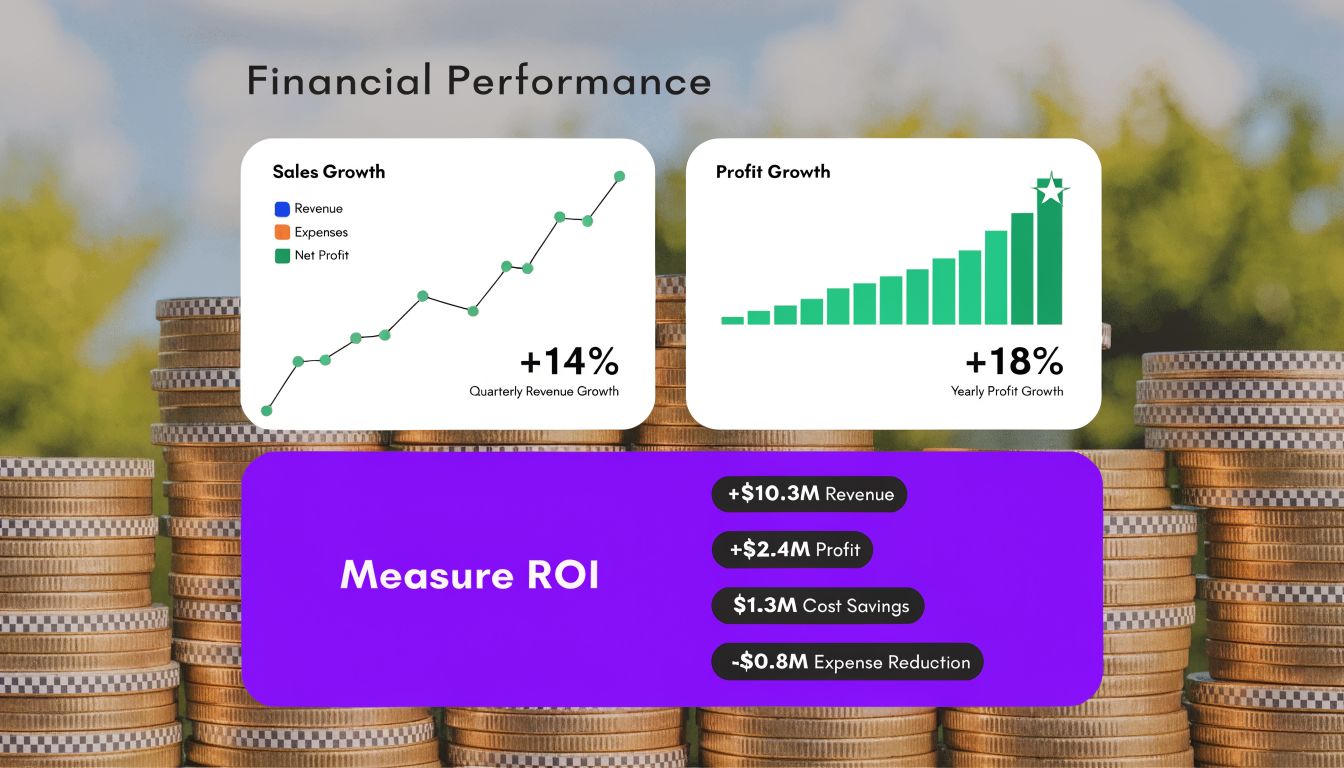
For SMBs, the first proof point is usually operational, not revenue attribution. Ask:
These metrics matter because time reclaimed has value even before you tie it directly to pipeline or sales. If a founder or small team gets hours back every week, that capacity can move into sales calls, client work, strategy, or higher-quality creative.
After operational gains, track business impact with a simple scorecard.
| Metric category | What to look for |
|---|---|
| Time saved | Hours removed from editing, captioning, scheduling, and repurposing |
| Content velocity | More channel-ready assets from the same source material |
| Engagement quality | Better comments, saves, replies, shares, or qualified conversations |
| Lead contribution | More inquiries, bookings, demo requests, or sales conversations from social content |
Don't overcomplicate the first version. Compare a manual period against an AI-assisted period. Keep the format, offer, and distribution effort reasonably similar. Then review what changed.
For teams that want a broader business framing around social performance, the Titan Blue Australia digital marketing report is a useful supplementary read on ROI thinking for SMBs.
Likes are feedback. ROI is proof.
The most reliable signal is whether AI helps you produce and distribute better content with less drag while maintaining quality. If it does, you're building an advantage. If it only creates more posts without helping the business move, the workflow needs adjustment.
AI can improve speed fast. It can also magnify sloppy marketing fast. The biggest mistakes aren't technical. They come from handing too much authority to the tool and too little responsibility to the operator.
The first risk is sameness. AI-generated content often sounds polished but generic when teams publish drafts with minimal editing. That's dangerous for creators and SMBs because trust usually comes from specificity, lived experience, and a recognizable point of view.
If every post sounds like a cleaned-up average of the internet, your brand disappears into the feed.
A better standard is simple. Let AI create structure. Let humans add judgment, examples, opinions, and stakes. That's what keeps the content credible.
Generative systems are good at producing plausible language. Plausible isn't the same as correct. If your posts include claims, advice, local details, product information, or sensitive topics, someone has to verify them before publishing.
This matters even more in categories like real estate, health-adjacent services, finance, education, and faith-based communications. In those contexts, small inaccuracies can create outsized trust problems.
Use a review checklist:
That kind of review takes far less time than building everything manually, but it prevents expensive mistakes.
Fast content is only useful if it's still trustworthy.
Every connected social tool adds convenience and exposure at the same time. When teams rush to test multiple AI apps, they often grant broad permissions without thinking through data handling, account access, or who owns the generated output.
Keep the tool stack tight. Review permissions. Limit account access to what the workflow needs. If a tool doesn't clearly fit the process, don't connect it just because it has an AI label.
Bias in AI doesn't always look dramatic. Often it appears in topic suggestions, sentiment interpretation, or which audience language gets treated as “normal.” Local businesses and niche communities should be especially careful here because software can misread regional phrasing, cultural context, or emotionally loaded conversations.
That's why the human-in-the-loop model works. AI assists with speed and pattern detection. Humans make the final call on nuance, fairness, and brand responsibility. That isn't a limitation. It's the right division of labor.
Most social teams don't have a content shortage. They have a packaging and distribution shortage. Long-form video holds more usable social material than most businesses ever publish. Interviews, podcasts, coaching calls, webinars, tutorials, sermons, listing videos, and demos all contain dozens of clips, posts, and SEO angles. The challenge is extracting them consistently without turning content operations into a second full-time job.

That's the gap many generic AI guides skip. Most AI guides miss a key gap: integrating content repurposing tools to maintain brand voice consistency across platforms. Platforms like Taja AI address this by analyzing a user's niche and brand from one video upload to generate over 27 optimized assets, saving users an average of 2.3 hours per video, as noted in Sprout Social's AI in social media insights coverage.
Repurposing matters because it turns one act of creation into repeated distribution. For a podcaster, that can mean clips, quote posts, summaries, and titles from a single episode. For a real estate professional, it can mean turning one walkthrough or market update into short videos and platform-specific posts. For an SMB team, it can mean finally building a content calendar from assets they already have.
The practical advantage isn't just speed. It's consistency. When one source file feeds multiple channels through the same workflow, your messaging gets tighter and your publishing rhythm gets easier to maintain.
A true workflow tool doesn't just generate captions. It handles the chain reaction after upload. It identifies usable moments, formats for vertical platforms, drafts supporting text, and helps move assets toward publication. That's a different job from a generic chatbot.
For teams comparing systems in this category, tools built around a social media content generator workflow tend to be more useful than general-purpose AI because they connect creation to distribution rather than stopping at draft output.
A strong repurposing workflow also needs a few things many tools still handle poorly:
That's why repurposing has become such a central use case inside ai for social media marketing. It solves a real production bottleneck while preserving the value of content you've already invested in making.
If your team is already recording useful long-form content, the next efficiency gain probably isn't creating more from scratch. It's building a cleaner path from one recording to many channel-ready assets without losing voice, context, or control.
Taja AI helps creators and SMBs turn one long-form video into ready-to-publish shorts, captions, thumbnails, blogs, and platform-specific posts without managing a messy stack of separate tools. If your current process is slowing down at repurposing, packaging, or scheduling, Taja AI is worth exploring.


We are blessed to work with leading brands & Companies


We try to make easy and simple for every professionals. Get 30 days free trial - No credit card required.


© 2025 Taja AI. All rights reserved.