.jpeg)

10 Burnout Prevention Strategies for Creators
Explore 10 burnout prevention strategies for creators, solopreneurs, and small teams, with practical steps, checklists, measurement tips, and tools.
5 min read
September 30, 2026

Use these content calendar best practices to plan, repurpose, schedule, measure, and automate long-form video content across every channel.
Written by:


A strong long-form video can disappear the moment it's uploaded. The recording may contain a useful lesson, a sharp opinion, a customer story, and several short clips, yet many creators publish only the original file and move on. That's not a content strategy. It's an expensive missed opportunity.
The most effective content calendar best practices connect the full lifecycle: strategic pillars, recording, production buffers, repurposing, platform-native distribution, quality control, seasonal planning, timely ideas, and measurement. A calendar should tell you not only what goes live and when, but also who owns the asset, which version belongs on each channel, what needs approval, and how the result will influence the next recording.
A documented content calendar is associated with a 67% increase in marketing efficiency, while 82% of marketers rely on content calendars for scheduling, according to content calendar efficiency research. Those figures matter because a calendar turns publishing from improvisation into an operating system.
This guide shows creators, solopreneurs, and small businesses how to turn one long-form upload into a reliable publishing system. Tools such as Taja AI can help transform a video into shorts, clips, captions, thumbnails, blogs, and platform-specific posts, but the strategy still belongs to the person who understands the audience, the offer, and the brand. For a broader view of building a measurable content marketing workflow, start by treating every calendar entry as part of a connected production chain.
A content pillar gives every long-form video a strategic home. Instead of asking, “What should we post today?” you can ask, “Which audience problem are we addressing, and how does this video support the business?”
Choose a small set of durable themes that connect your expertise, customer interests, and commercial priorities. A real estate professional might use property education, market insights, neighborhood guidance, client stories, and industry trends. A podcaster could organize episodes around core topics, guest expertise, listener pain points, education, and storytelling. A faith-based organization might use teachings, community events, member experiences, volunteering, and spiritual guidance.
Keep each pillar specific enough to guide production. “Helpful content” is too broad. “First-time buyer financing questions” can shape a video brief, a thumbnail, a short clip, a blog post, and a call to action.
Tag each long-form video with its primary pillar before recording or uploading it. In Taja AI, that label can help organize repurposed assets and keep related clips grouped for later scheduling. You can also use the platform's Next Video Idea tool to test whether a proposed topic aligns with search demand and competition signals, then make the final decision using your own audience knowledge.
A useful planning mix includes:
Review pillars against analytics on a regular cadence. If one theme attracts attention but produces no meaningful business response, change the angle or its role in the calendar. If customers repeatedly ask questions outside your current framework, update the pillars rather than forcing those questions into an unsuitable category.
Themes make a calendar easier to operate because they reduce the number of decisions made from scratch. A local service company might publish practical advice on one recurring day, customer stories later in the week, and a lighter community post before the weekend. A podcast could reserve one day for interviews, another for listener questions, and another for highlights from its archive.
The value isn't the catchy label. The value is the repeatable production pattern behind it. When Tuesday always supports education, the team knows which long-form videos, clips, captions, and visual templates belong there.
Build a master theme view far enough ahead to reveal gaps and repetition. A monthly theme such as “moving preparation” can produce one long-form guide, several short answers, a checklist post, an email, and a customer story. The same subject becomes a connected campaign instead of unrelated updates.
Assign each video to a theme before you schedule its derivative assets. An interview episode might publish on the main show day, followed by a short clip about the guest's strongest insight, a quote graphic, and a platform-specific discussion prompt. Taja AI's guide to creating a content calendar can help teams connect those assets to planned publication dates.
Avoid making themes so rigid that every post sounds identical. Mix evergreen themes with seasonal variations and audience-led topics. A “tips” theme can address a common beginner mistake one week, a seasonal concern the next, and a response to a customer question after that.
Practical rule: Use themes to reduce planning friction, not to eliminate editorial judgment.
Track performance by theme, not only by individual post. If educational videos consistently generate useful conversations while promotional posts receive little response, adjust the balance and improve the offer around the stronger theme.
Batching works because it protects attention. Recording one long-form video, changing the setup, writing a new outline, checking the audio, and repeating the process can exhaust a solo creator before the useful work is done. A dedicated recording block lets the creator maintain momentum and build a buffer for editing and distribution.
A practical workflow starts before the camera turns on. During a planning session, outline the title, hook, key points, examples, and call to action for several videos. Then schedule recording as a protected appointment, with the equipment, lighting, microphone, backdrop, and supporting footage prepared in advance.

For example, a real estate agent can record several property walkthroughs during one organized shoot, while a podcaster can record multiple interviews in a single session. A small marketing team might use one day for planning, another for recording, and a later review block for Taja AI uploads and approvals.
A buffer should protect the workflow from illness, client emergencies, equipment problems, and delayed approvals. It shouldn't become an excuse to publish outdated advice. Record evergreen subjects in larger batches, but keep current events and fast-moving commentary closer to their publication date.
Use folders named for pillars, campaigns, and recording dates. Capture clean B-roll while the setup is already active. Upload the source videos with their outlines and intended audience context so repurposing tools have stronger direction.
A simple outline template can include:
Short planning sessions and protected production blocks create a steadier system than trying to “find time” every day.
Here's a practical demonstration of how a creator can structure the recording and publishing workflow:
One long-form video can produce many assets, but each one should not receive the same editing time. A weak clip published everywhere increases review work without adding much value. Rank assets by audience fit, business priority, past performance, and the role each channel serves in the customer journey.
Begin with the source video's strategic purpose. Identify the primary audience, the main promise, and the action you want viewers to take. Then map derivative assets to those priorities. A B2B software company might give the full video and insight-led clips priority on LinkedIn and YouTube, while using short vertical edits on Instagram or TikTok for awareness. A multi-generational community organization may prioritize YouTube and Facebook, with short-form content aimed at younger audiences.
Use your own channel data instead of copying general platform advice. A channel with fewer followers may deserve more production time if it generates stronger conversations, inquiries, or qualified visits.
A practical hierarchy:
Put these decisions in the calendar beside each source video. Mark which clips require careful scripting, captions, thumbnails, or manual review, and which can use a lighter treatment. This protects quality control while keeping repurposing work within the available production buffer.
Taja AI can support automated content creation workflows by turning one upload into channel-ready derivatives, but the team should still decide which assets receive final approval. Review the highest-priority clips most carefully, then simplify lower-priority experiments.
Publishing everything everywhere creates duplication rather than distribution. A clear hierarchy gives the strongest ideas better packaging and reserves lighter adaptations for channels where they fit. Review the hierarchy after each reporting cycle, and promote formats that produce meaningful audience or business signals.
One long-form video can support YouTube, TikTok, Instagram, LinkedIn, and Facebook, but each channel needs its own job. A full property tour may belong on YouTube, while Instagram gets a visual reveal, TikTok gets one practical tip, LinkedIn gets the market explanation, and Facebook gets a client-focused discussion prompt.
Write those decisions into the calendar beside the source video. For every placement, record the audience, format, opening angle, caption approach, visual treatment, call to action, destination, and publishing window. This turns distribution from a final checklist into part of production planning.
Keep source assets separate from adaptations. Label each derivative as a vertical clip, text post, image, discussion prompt, or long-form cut. Then note whether it needs a new hook, tighter crop, different duration, platform-native captions, or a distinct destination. A shared recording can support several channels without forcing one caption or call to action onto all of them.
Use a simple decision rule: give the most production time to the channel and format linked to the primary goal. Assign secondary assets to reach or customer-journey support, and reserve smaller tests for new audiences or formats. Mark which clips require careful scripting, thumbnails, captions, or manual review, so repurposing stays within the production buffer.
Taja AI's brand templates can help apply recognizable styling while allowing different thumbnail, overlay, and caption treatments. Its scheduling tools can reduce repetitive publishing work, but the calendar should still record why each asset belongs on a specific channel and who approves the final placement.
Timing belongs beside the format, not in a separate document. One industry study reported that morning posts produced an 8.8% increase in link clicks compared with afternoon posts and an 11.1% increase compared with evening posts, while average engagement varied across Facebook, Instagram, and Twitter. Review the American Marketing Association's scheduling analysis for the study details, then test those findings against your analytics, audience behavior, and time zones. Revisit the channel plan after each reporting cycle and promote formats that produce meaningful audience or business signals.
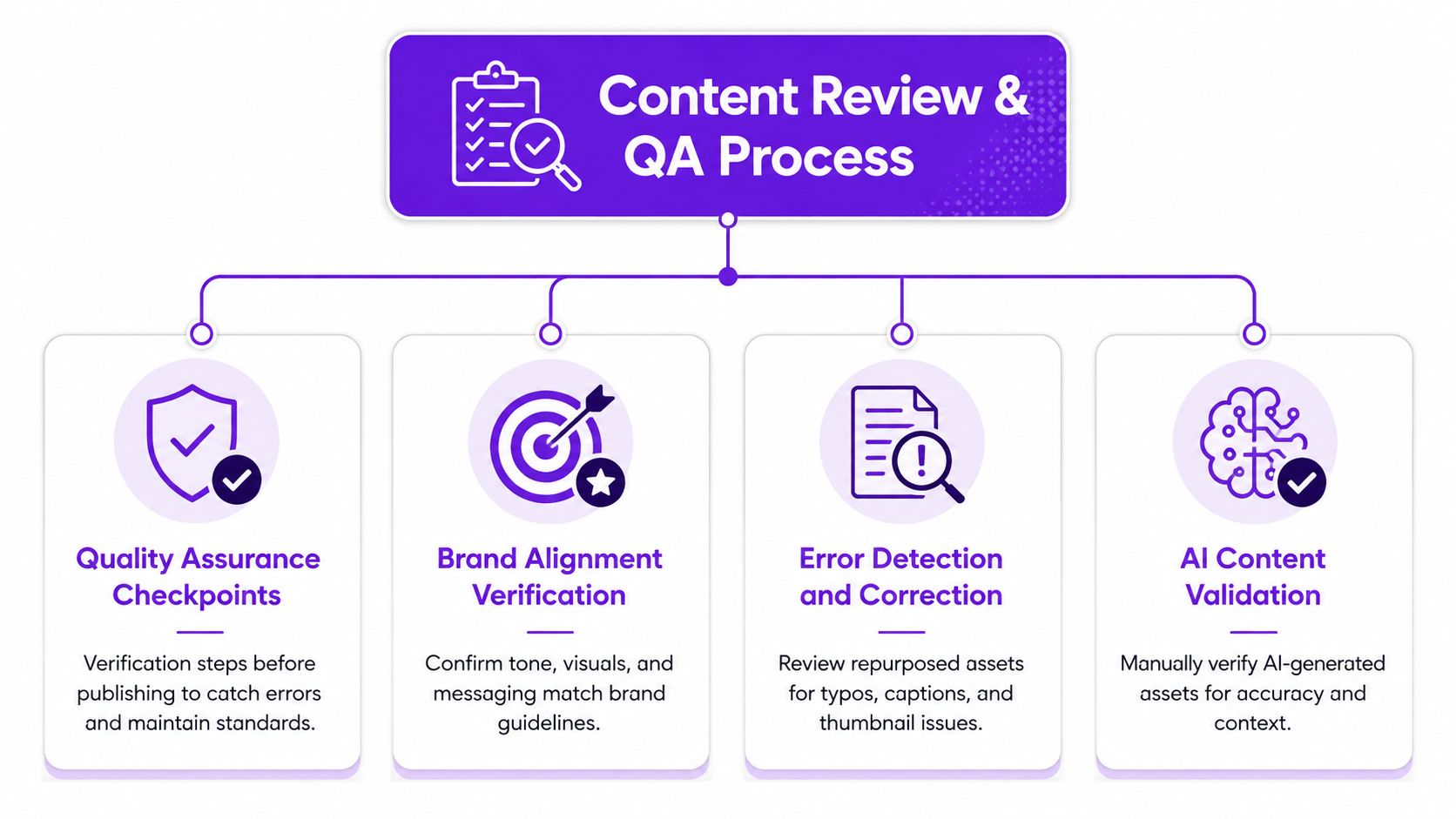
A repurposed clip remains published brand communication. Before approval, verify that it preserves the speaker's meaning, matches its caption, makes an honest thumbnail promise, and sends viewers to the correct destination.
Build the review into the long-form video lifecycle, from the initial recording through every derivative asset. AI can speed up selection, formatting, and drafts, but people still need to check sensitive claims, customer details, product language, and organizational values. A real estate team should confirm listing information and personal details. A SaaS team should verify product capabilities. A podcast team should check transcript accuracy and whether each clip begins and ends at a natural conversational point.
Give every gate an owner in the calendar. One person may cover several roles, but unclear ownership creates late revisions.
Keep a revision buffer after the main edit. Taja AI's built-in editor can adjust captions, overlays, and thumbnails after generation, while the calendar should reserve time for changes that require human judgment. Document owners and stages with this content approval workflow. Agencies and service providers can also optimize post-shoot client feedback before final approval.
Quality control should match the asset's risk. A quick short-form cut may need a focused check, while a product claim or client-facing video deserves fuller review. Record the final approver, unresolved notes, and publish readiness beside the asset, so approved clips do not return to production by mistake.
A QA process earns its place when teams can use it every time and catch errors before they weaken audience trust.
Pillar videos create consistency, while timely content keeps the calendar connected to current audience questions. A real estate professional may respond to a market development. A podcaster may address a major industry discussion. A startup may explain a product change while customers are still seeking answers.
Reserve open capacity for these situations and set clear selection rules. Add a trend only when it fits the brand's expertise, serves a real audience need, and can be produced without weakening accuracy. A popular topic with no meaningful connection to the channel usually takes time away from stronger work.
Timely content can move through fewer production stages, but it still needs clear quality checks. Use a compact workflow:
Use Taja AI's Next Video Idea tool as one input for topic discovery. Confirm relevance through customer questions, industry forums, alerts, and direct conversations. Give these assets a separate timely label instead of forcing every idea into a strategic pillar. That label helps you compare short-lived reactions with evergreen videos during later performance reviews.
The trade-off is clear: reactive work can increase relevance and conversation, but it can also consume time reserved for foundational videos and their repurposed assets. Review open calendar slots at a fixed point each week. Reject ideas that do not serve the audience or business, and protect the production buffer for planned long-form releases.
Seasonal opportunities reward early preparation because the audience's needs are predictable even when the exact creative angle changes. A real estate business can plan content around buying seasons, moving periods, and year-end decisions. A podcast can build episodes around goal setting, summer learning, or holiday planning. A faith-based organization can coordinate teachings, community activities, and event coverage around its calendar.
Map relevant holidays, industry events, launches, and cultural moments in a master view. Then connect each event to a pillar and a production requirement. A seasonal topic might need a long-form explanation, several short clips, an email, a local post, and an updated version of a prior asset.
Evergreen seasonal videos shouldn't be copied forward without review. Check dates, examples, references, offers, visuals, and calls to action. Taja AI's Backlog Boost feature can help identify previously published videos for repurposing and updating, but a person still needs to decide whether the source remains accurate and useful.
Recent planning guidance recommends allocating 15% to 25% of content capacity to updating existing assets, with some topics needing refresh cycles of about 6 to 8 months, as described in content refresh planning guidance. Treat that capacity as part of the calendar, not as spare work to complete only when production slows.
Build seasonal series when the subject supports multiple useful questions. Schedule the supporting assets early enough for review and adaptation, while leaving space to adjust the message if audience questions or business priorities change. Seasonal planning should make timely publishing easier, not lock the team into stale creative.
A calendar becomes useful when it records what happened after publication. Without performance data, teams tend to repeat familiar formats, reward vanity metrics, or abandon strong ideas before they've had a fair test.
Track the relationship between the source video and its derivatives. Record the pillar, topic, platform, format, posting window, views, engagement, meaningful actions, and business outcome that matters for the campaign. A podcast might compare guest themes and clip styles. A real estate team might compare property education with neighborhood content. A startup might connect product explainers to visits, conversations, or trial activity.
Start with the metrics that support the decision you need to make:
Review the calendar briefly each week and conduct a deeper analysis monthly. Avoid rebuilding the strategy after one unusually weak or strong post. Compare similar assets, keep the test conditions clear, and change one meaningful variable at a time.
Record conclusions in a performance playbook. “Interview clips work” isn't specific enough. “Clips that answer one listener question with a clear example create more useful discussion than general guest introductions” is a planning insight. Use those observations to refine pillars, hooks, formats, posting windows, and distribution priorities.
Your analytics dashboard shouldn't sit apart from the calendar. It should explain what deserves a place in the next version.
Rigid calendars fail in two ways. They either force the team to publish irrelevant content because every slot is filled, or they create unrealistic plans that collapse as soon as one task slips. Flexibility works better when it's designed into the system rather than treated as a lucky escape.
Recent guidance recommends planning 70% to 80% of content in advance and keeping 20% to 30% open for real-time opportunities, according to 2026 content calendar guidance. That range gives a useful operating principle, but each team should adjust it based on production capacity, audience behavior, and how quickly its subject matter changes.
Label flexible entries clearly. A flex slot might hold an audience-requested video, a response to a developing story, an urgent business update, or a spontaneous idea that fits the brand better than the scheduled post.
Set rules for using the space:
Keep a watch list of questions, trends, customer requests, and industry moments. Review it regularly, then use a quick recording and QA path for the ideas that qualify. Taja AI can help turn a short response into channel-ready assets, but speed shouldn't remove review.
The calendar should provide enough structure to protect consistency and enough space to let the team respond intelligently.
| Strategy | 🔄 Implementation Complexity | ⚡ Resource Requirements | ⭐ Key Advantages | 📊 Expected Outcomes | 💡 Ideal Use Cases |
|---|---|---|---|---|---|
| Establish a Content Pillars Framework | 🔄 Low–Medium: one-off strategy + quarterly reviews | ⚡ Low: planning sessions, basic analytics | ⭐ Consistent brand voice; easier planning & prioritization | 📊 Clear content focus; improved asset organization | 💡 Brands needing stable themes; repurposing pipelines (e.g., Taja) |
| Implement Theme-Based Planning (Weekly/Monthly Themes) | 🔄 Medium: calendar design and recurring setup | ⚡ Low–Medium: scheduling tools, template creation | ⭐ Predictability; easier batching and audience habit-building | 📊 Reduced weekly planning time; steadier engagement | 💡 Weekly cadence creators; teams using auto-scheduling |
| Practice Content Batching, Time-Blocking and Pre-Planning | 🔄 Medium–High: disciplined scheduling and prep | ⚡ Medium: studio/time blocks, editing/upload capacity | ⭐ Large efficiency gains; sustained content buffer | 📊 40–60% production time savings; consistent publishing | 💡 Solo creators and teams with limited production windows |
| Build a Content Repurposing Hierarchy & Asset Prioritization | 🔄 Medium: audience research + prioritization matrix | ⚡ Low–Medium: analytics review, editorial time | ⭐ Focuses effort on highest-ROI assets and channels | 📊 Improved average engagement; better resource allocation | 💡 Small teams; channels with varied audience segments |
| Create Channel-Specific Distribution Plans Within Your Calendar | 🔄 High: platform rules + format mapping per channel | ⚡ Medium: platform templates, creative adaptations | ⭐ Maximizes platform-native performance and formatting | 📊 Higher per-platform engagement; fewer format errors | 💡 Multi-platform campaigns; brands needing tailored messaging |
| Establish a Content Review and QA Process | 🔄 Medium: defined checkpoints and role assignments | ⚡ Medium: reviewers, editor tools, QA checklist | ⭐ Prevents errors, protects brand and accuracy | 📊 Fewer publishing mistakes; higher professional quality | 💡 High-stakes content (legal/compliance), teams using AI assets |
| Balance Pillar Content with Real-Time/Trending Topics | 🔄 Medium: monitoring + quick-response workflow | ⚡ Low–Medium: trend tools, rapid-record capability | ⭐ Increases discovery and timeliness without losing structure | 📊 Spikes in reach/virality; improved relevance | 💡 News-adjacent niches; creators seeking viral opportunities |
| Plan for Seasonal Content and Holiday/Event Hooks | 🔄 Medium: advance mapping 3–6 months out | ⚡ Medium: pre-production, research, scheduling | ⭐ Captures predictable high-engagement windows | 📊 Better seasonal SEO and engagement peaks | 💡 Retail, events, seasonal-niche creators/teams |
| Implement Performance Tracking & Data-Driven Adjustments | 🔄 Medium–High: analytics setup and recurring analysis | ⚡ Medium: analytics tools, time for reporting | ⭐ Removes guesswork; informs strategic pivots | 📊 Optimized content mix and measurable ROI improvements | 💡 Data-driven teams; scaling creators seeking efficiency |
| Maintain Flexibility Built Into Your Calendar (The 20% Rule) | 🔄 Low: policy + reserved slots in calendar | ⚡ Low: monitoring tools, quick-turn workflows | ⭐ Preserves creativity and rapid trend response | 📊 Faster turnaround for timely opportunities; fresher feed | 💡 Teams needing agility; creators who react to audience requests |
The strongest content calendar best practices connect decisions that teams often manage separately. Pillars determine which long-form videos deserve production time. Batching creates a manageable source library. A repurposing hierarchy directs editing effort toward the most valuable assets. Channel-specific planning prevents copy-and-paste distribution. QA protects accuracy and trust. Seasonal planning and flexible capacity keep the system relevant.
A calendar entry should therefore contain more than a title and a publication date. Add the source video, pillar, audience, format, channel, owner, status, review gate, call to action, and measurement goal. When a team can see those fields in one place, it can spot missing approvals, overloaded production days, duplicate messages, and unused assets before they become publishing problems.
Start with a focused first week rather than attempting to rebuild the entire content operation at once. Choose your core pillars, select one long-form video, and map its useful moments into a week of channel-specific assets. Add one QA checkpoint before scheduling, assign a clear owner to every step, and choose a small KPI set that reflects the purpose of the campaign.
Then let the system run long enough to produce meaningful patterns. Use weekly reviews to catch workflow problems, monthly analysis to compare topics and formats, and quarterly recalibration to revise pillars, platform priorities, templates, and production capacity. If the team misses deadlines repeatedly, reduce the plan before adding another tool. The calendar should represent what the team can deliver consistently, not what looks ambitious in a planning meeting.
Automation can reduce repetitive work, especially after the strategic decisions are clear. Taja AI can support long-form video repurposing, editing, captions, thumbnails, brand templates, bulk scheduling, platform distribution, and backlog reuse. Its content calendar can give creators a central view of scheduled assets, while its idea tools can contribute topic suggestions based on keyword and performance signals. Those features are useful when they shorten production steps without taking ownership of the editorial judgment.
Operational reliability matters because content value often extends beyond the original upload. A strong video can answer several audience questions, support different stages of the buying journey, and remain useful through updates and seasonal reuse. The calendar captures that lifecycle, so the team doesn't have to rely on memory or last-minute inspiration.
The best system is not the one with the most posts. It's the one that helps a creator or small business publish relevant work, protect quality, learn from performance, and keep producing without burning out. Build that system around the full life of the video, then improve it every time the data gives you a better decision.
Taja AI turns long-form videos into ready-to-publish shorts, clips, captions, thumbnails, blogs, and platform-specific posts, with editing, templates, bulk scheduling, and backlog reuse for a connected calendar workflow. Visit Taja AI to upload a video, organize its repurposed assets, and start building a more consistent publishing system.


We are blessed to work with leading brands & Companies


We try to make easy and simple for every professionals. Get 30 days free trial - No credit card required.


© 2025 Taja AI. All rights reserved.