.jpeg)

10 Burnout Prevention Strategies for Creators
Explore 10 burnout prevention strategies for creators, solopreneurs, and small teams, with practical steps, checklists, measurement tips, and tools.
5 min read
September 30, 2026

Master small business video marketing with our 2026 playbook. Learn to plan, produce, repurpose, and measure video content that drives growth on a budget.
Written by:


91% of businesses use video as a marketing tool, and 96% of marketers agree it increases user understanding of a product or service according to G2's video marketing statistics roundup. For a small business owner, that changes the conversation. Video is no longer a nice extra for brands with spare time. It's part of how buyers evaluate whether you're current, credible, and worth contacting.
The problem is that most small businesses still treat video like a side task. They post when they have time, disappear when work gets busy, then wonder why results are uneven. That approach burns energy because every video starts from zero.
Small business video marketing works better when you stop thinking in terms of individual posts and start thinking in terms of a repeatable system. One strong recording can become your weekly social clips, your website explainer, your email content, your blog draft, and your follow-up assets. That shift matters more than any trend, gear purchase, or editing trick.
A lot of small businesses are stuck in what I call random acts of video. A founder records a quick Reel one week, uploads a product demo the next, then goes quiet for a month because client work takes over. The issue usually isn't effort. It's that the workflow has no structure.
That matters because the market has already moved. Video has become standard business practice, not an experiment. If you're still approaching it casually while competitors publish consistently, you lose attention before the sales conversation even starts.
Buyers can forgive a simple setup. They rarely forgive confusion.
When a company's video presence is scattered, the audience gets mixed signals. One post is educational, another is promotional, another has no clear audience at all. There's no narrative. No repeated message. No reason to remember the business after the scroll ends.
Practical rule: Don't ask, “What video should we make today?” Ask, “What system will let us publish useful video next month without starting over?”
For most small teams, time is the primary constraint. Not creativity. Not platform access. Not even budget, at least at the beginning. Time is why good intentions turn into abandoned channels and half-finished content calendars.
That's why I'd point owners toward workflow-focused resources before I'd tell them to chase trends. If you want a broader view of how AI-assisted creation is changing content production, LunaBloom's AI video generator blog is useful for understanding the tool options without assuming you need a studio team. And if your challenge is turning that content into something that works effectively across channels, this guide on AI for social media marketing is a practical next step.
A sustainable small business video marketing strategy is built on one idea. Create once, distribute many times.
That means you stop treating every platform as a separate production problem. Instead, you record one substantial piece of content with enough depth to cut into multiple assets later. A customer Q&A, a service walkthrough, a lesson, a webinar, a product comparison, or a client interview can all do the job.
What doesn't work well is making every post from scratch. That creates a constant planning burden, a constant filming burden, and a constant editing burden. It also makes your message less consistent because each asset gets invented in isolation.
The businesses that keep showing up usually aren't producing endlessly. They're repurposing intelligently. That's the difference between video feeling like another chore and video becoming part of how your marketing runs.
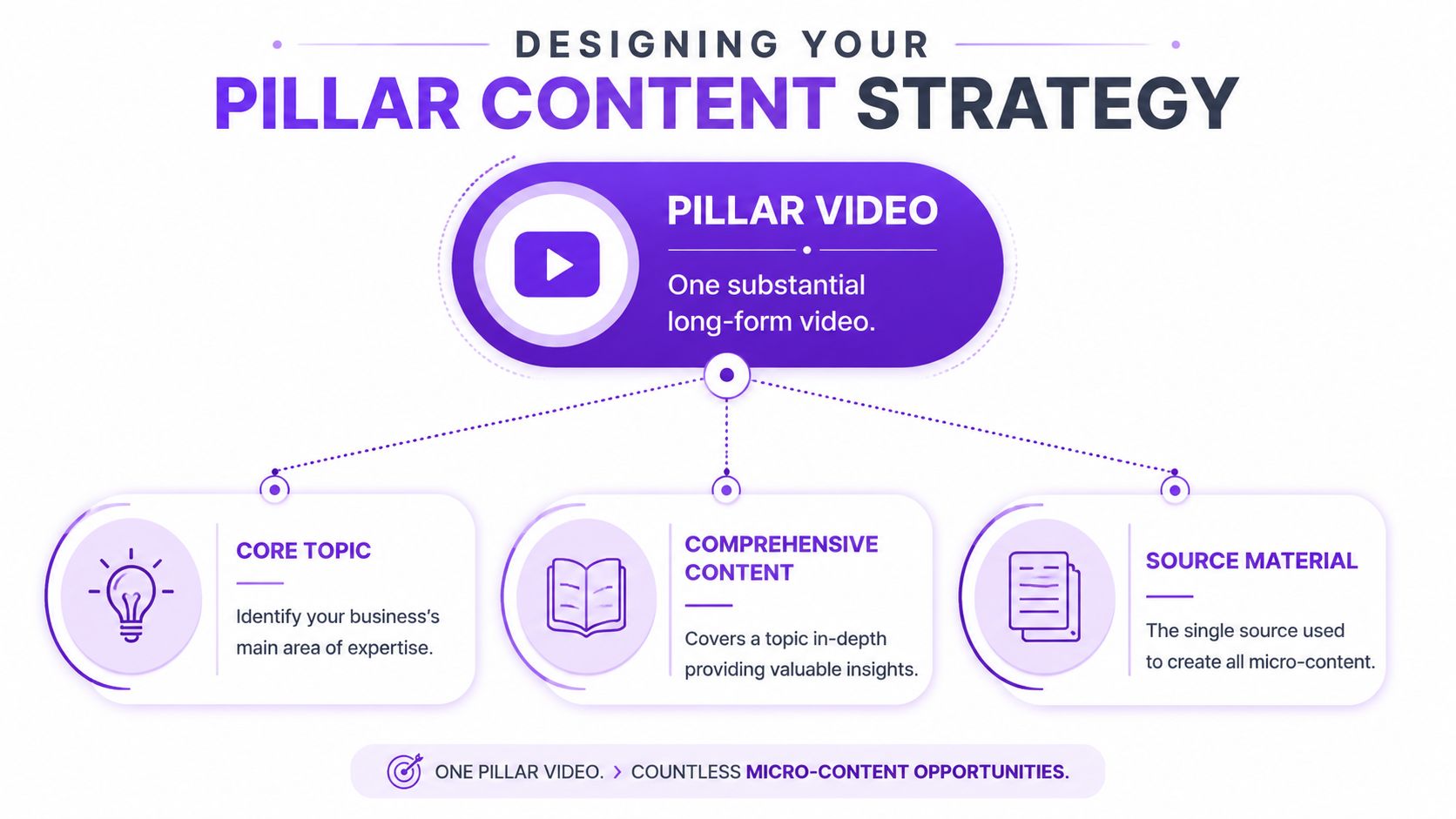
The simplest way to make small business video marketing sustainable is to build around pillar content. Think of it as the trunk of a tree. Everything else grows from it.
A pillar video is one substantial recording built around a topic your audience already cares about. It should be broad enough to produce multiple clips, but specific enough to attract the right buyer. Good examples include a common-service explainer, a detailed FAQ session, a live workshop, a product walkthrough, or an interview that answers objections.
Shopify notes that marketers using video grow revenue 49% faster than non-video users, 41% report a high ROI from video marketing, and 81% use a dedicated video budget that often accounts for 41% to 60% of total marketing spend in its video marketing statistics roundup. The lesson for a small business isn't “spend more.” It's that companies treating video as an actual operating function tend to treat planning seriously.
A pillar topic should sit at the overlap of three things:
A bad pillar topic is trendy but disconnected from what you sell.
A strong pillar topic creates demand and pre-qualifies buyers. A local accountant might record “What small business owners should organize before tax season.” A real estate agent might record “How to prepare your home before listing.” A fitness coach might record “Why beginners stall after the first month and how to fix it.”
Most repurposing problems start in the script.
If your long-form video rambles, the short-form assets will be weak. The fix is simple. Structure the recording in segments that can stand alone later.
Use a format like this:
Open with the core problem
Start with one clear issue the audience recognizes immediately.
Break the topic into distinct parts
Each section should answer one sub-question. This gives you natural clip boundaries.
Include specific examples
Examples make clips easier to title and easier for viewers to understand without full context.
Add one direct next step
End each major segment with a clear action, not just general advice.
A pillar video should feel like five to ten useful clips hiding inside one recording.
You do not need a complex editorial department to make this work.
You need one content theme for the month, one recording date, and a simple outline with strong transitions. If you want topic ideas with less guesswork, keyword tools and platform search prompts can help surface recurring questions. The important part is to choose a subject that supports your business goals, not just a subject you can talk about easily.
When a pillar strategy is working, content planning gets simpler. You're no longer asking your team to invent fresh material for every platform every few days. You're asking them to extract more value from one well-chosen asset.
Production is where a lot of owners freeze. They assume they need expensive cameras, a polished set, and broadcast-level editing before they can publish anything worth watching.
They don't.

For small business video marketing, the goal is not cinematic perfection. The goal is usable source footage. If the audio is clean, the lighting is clear, and the message is organized, you have what you need to create strong repurposed assets.
If your budget is limited, put your attention on what viewers notice first.
You also want enough empty space around you in frame so clips can be resized for vertical formats without chopping off your face or captions.
Most camera-shy business owners try to sound polished and end up sounding stiff.
The better approach is to speak like you do in a good client meeting. Slightly more energy than normal conversation, but not presenter voice. If you know your material well, viewers will forgive a few imperfect lines. They won't forgive vagueness.
A useful production habit is to record in short sections instead of one long uninterrupted take. That makes mistakes less costly and creates cleaner edit points later. If your team handles in-house editing, a workflow like the one outlined in this guide to social video editing can reduce cleanup time substantially.
What you do during recording affects everything downstream.
Say your hooks clearly. Pause briefly between ideas. Repeat key phrases in complete sentences so a short clip makes sense without extra setup. If you mention an offer, describe it in plain terms instead of relying on context from earlier in the full video.
This kind of demonstration is a good reminder that simple production can still feel credible when the messaging is clear:
Good production for a small business means your audience can hear you, understand you, and trust you. It doesn't mean your office has to look like a studio.
When owners get this right, production stops being the bottleneck. It becomes a routine capture process that feeds the rest of the marketing machine.
Small business video marketing thus becomes efficient.
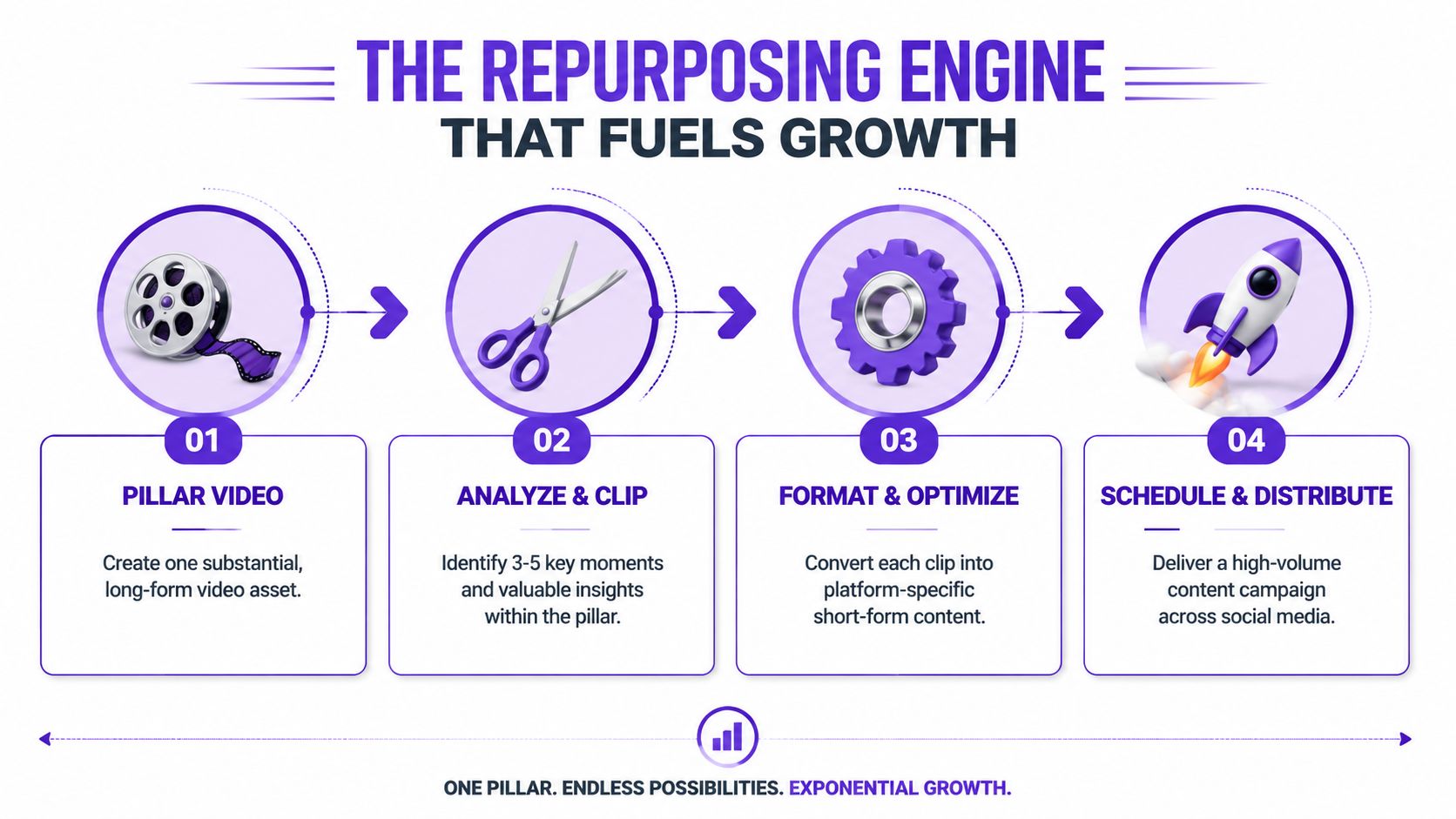
A single long-form recording has far more value than the original upload. Used properly, it becomes your clip library, your caption source, your blog draft, your email talking points, and your platform-specific social content. Repurposing is not cleanup after production. It is the core return on the time you spent recording.
HubSpot's video marketing data notes that marketers projected $111 billion in short-form video ad spend for 2025, and that videos under one minute average about a 50% engagement rate while videos over 60 minutes drop toward 17% in its video marketing statistics report. For a small business, that doesn't mean long-form is dead. It means long-form should be the raw material, and short-form should be the distribution layer.
A strong pillar video can usually produce several different asset types, each with a different job.
Many businesses lose momentum, recording something useful then only publishing the full video once. That leaves most of the value trapped in one format.
Don't clip randomly. Review the recording with specific triggers in mind.
Look for:
If you want a practical walkthrough on extracting clips from long-form uploads, these content redistribution tips by Narrareach are useful for thinking through the mechanics.
The clip isn't the leftover. The clip is often the asset that earns the first touch.
One of the most common mistakes is posting the same edit everywhere with no adaptation.
A clip pulled from a webinar might need a tighter opening for TikTok, stronger captions for Instagram, and a more context-rich post copy for LinkedIn. The message can stay the same. The packaging usually shouldn't.
That means adjusting:
For teams that need help moving from long-form footage to ready-to-post assets, automate content creation workflows can remove a lot of manual friction. One option in this category is Taja AI, which turns long-form video into shorts, captions, thumbnails, blogs, and platform-specific posts from one upload. That's useful when the actual issue is not ideas, but the editing and distribution workload.
The smartest repurposing system is not the one that creates the most assets. It's the one your team can keep running.
For some businesses, that means one pillar recording every two weeks and a steady stream of derivative clips. For others, it means monthly recordings batched in a single day. Either can work if the system is consistent.
What doesn't work is relying on bursts of enthusiasm. Sustainable growth usually comes from a repeatable chain: record, clip, adapt, schedule, review, repeat.
The hard part isn't only making content. It's getting the right version of that content in front of the right audience without creating a full-time job for yourself.
That's why distribution needs rules. Not vague intentions. A common operational challenge for teams is time, especially when they're trying to repurpose one recording across multiple networks without a full-time editor, as discussed in Atlassian's piece on small-business video marketing workflows. When distribution lacks a plan, the team spends more time deciding where to post than posting.
Each platform rewards different behavior. The content can come from the same source video, but the edit and framing should reflect the audience's expectations.
| Platform | Best Format | Ideal Length | Recommended Tone | Primary Goal |
|---|---|---|---|---|
| YouTube Shorts | Educational tip, quick answer, teaser from longer video | Under one minute | Clear and direct | Reach new viewers and drive them to deeper content |
| Instagram Reels | Visual tip, behind-the-scenes moment, transformation, customer-focused clip | Short and punchy | Approachable and personable | Build familiarity and ongoing visibility |
| TikTok | Fast hook, opinion clip, myth-busting, relatable problem-solution content | Short and pattern-interrupting | Casual and native to the platform | Attention and discovery |
| Insight clip, lesson learned, industry commentary, founder perspective | Short with context in caption | Professional but conversational | Authority and lead quality | |
| Community update, testimonial clip, practical local-business content | Short to moderate | Familiar and trust-building | Engagement with existing audience and local reach |
The key is not to ask which platform is best in general. Ask which platform fits the asset you already have and the buyer you want.
A manageable system usually looks like this:
That approach removes daily content panic. You're not inventing new ideas every morning. You're distributing planned assets with a purpose.
For businesses trying to widen reach beyond social alone, these practical tactics to promote your business are helpful because they reinforce a broader point. Video works best when it supports the rest of your visibility system, not when it sits on one channel in isolation.
A lot of owners overcommit early. They try YouTube, Shorts, Instagram, TikTok, LinkedIn, Facebook, and email all at the same time. Then the workload collapses.
Start with the channels that fit your buyer journey. A local service business may benefit more from Facebook, Instagram, and YouTube than from trying to win TikTok. A B2B consultant may get more from LinkedIn clips and YouTube than from daily Reels.
Choose the platforms your buyers already use during consideration. Don't choose channels just because other marketers are talking about them.
A smaller, well-run distribution system beats a sprawling one that dies after two weeks.
A lot of small business video marketing reporting is still too shallow. Owners look at views, likes, and follower counts, then try to guess whether any of it helped revenue.
That's backwards.
Views matter only if they support a business outcome. If a clip gets attention but never drives inquiries, visits, booked calls, or conversions, it may still help awareness, but it shouldn't be treated as proof the strategy is working.
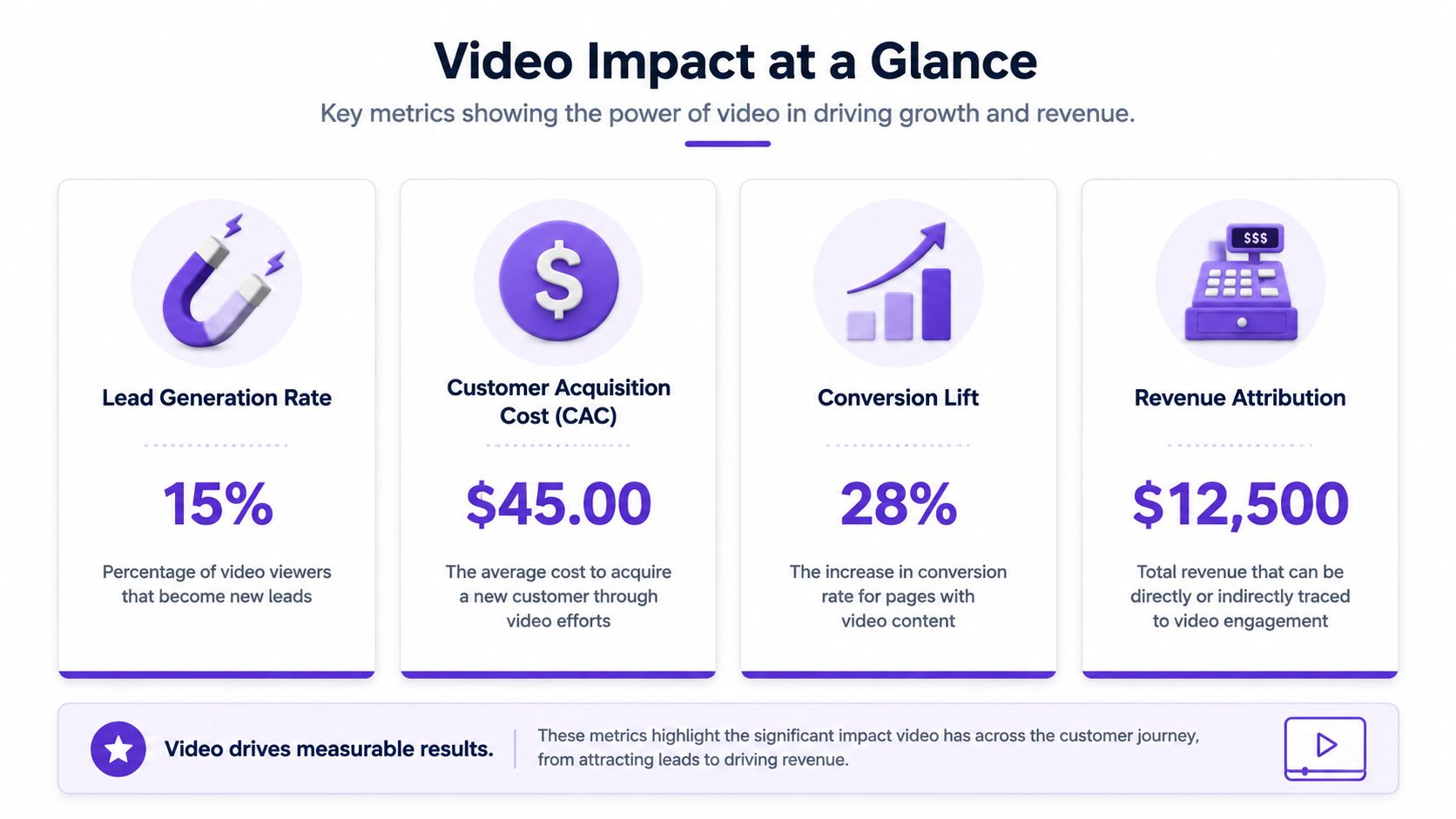
The most useful metrics usually sit closer to intent:
Wistia found that for videos over 60 minutes, placing a lead-generation form in the 2nd and 4th quarters can achieve a 67% to 75% click-through rate, which is why end-only CTAs often underperform, according to its video marketing statistics analysis. The practical takeaway is straightforward. If you use longer videos for education, webinars, or interviews, put offers inside the experience and measure those conversion points directly.
You don't need enterprise analytics to get useful answers.
Use tracked links in captions and descriptions. Give different clips different URLs or UTM-tagged destinations. Check which assets lead to actual site activity. If your team uses lead forms, compare inquiries that came from educational clips versus promotional clips. If you publish long-form video, review not only completion and watch behavior but also where viewers clicked or converted.
A simple review process can look like this:
Identify the asset
Which clip or long-form video are you evaluating?
Match it to a goal
Was it meant to generate awareness, traffic, or leads?
Check the action metric
Look for clicks, form fills, calls, or assisted conversions.
Decide what to repeat
Keep the hooks, topics, and CTA placements that influenced business outcomes.
A clip that helps close a sale later is often more valuable than a clip that collected empty engagement on day one.
At this stage, many teams mature. They stop asking which video got the most views and start asking which video moved a buyer one step closer to action.
If your biggest obstacle is turning one long-form recording into a repeatable stream of clips, captions, posts, and publishing tasks, Taja AI is built for that workflow. It helps businesses repurpose uploaded videos into ready-to-publish short-form assets and text outputs from a single dashboard, which is useful when consistency matters but editing time is limited.


We are blessed to work with leading brands & Companies


We try to make easy and simple for every professionals. Get 30 days free trial - No credit card required.


© 2025 Taja AI. All rights reserved.