.jpeg)
Create Youtube Shorts from Youtube Video
Create youtube shorts from youtube video. Create YouTube Shorts from a YouTube video with this practical 2026 guide. Learn clipping, captions, thumbnails
5 min read
October 17, 2026

Explore 10 short form video trends for 2026, with platform tactics, metrics, examples, and efficient repurposing workflows for creators and SMBs.
Written by:


Short-form video now takes 58% of all time spent on social media, according to a 2026 industry summary of short-form video statistics. That changes the job. A short isn't merely a compact version of a longer video, and it isn't a lottery ticket for a viral spike. It's part of an operating system for consistent discovery, trust, and response.
Creators and small businesses need a workflow that starts with one useful idea, packages it for mobile viewing, earns attention quickly, and then adapts the asset for TikTok, Instagram Reels, YouTube Shorts, Facebook, X, and LinkedIn. The winning version may not be identical everywhere. Its hook, framing, caption, call to action, and publishing context should reflect how people use each platform.
This guide organizes the major short form video trends around that practical workflow. You'll see what to keep fixed, what to change by channel, which signals to monitor, and how to turn audience response into the next asset. Tools such as Taja AI can reduce the manual work involved in formatting, editing, captioning, and scheduling, but they won't replace judgment about your audience or offer. For a broader paid-content perspective, use this ecommerce short form ad playbook alongside your organic process.
Vertical video is the starting canvas for mobile-first distribution. A portrait frame fills the screen on TikTok, Instagram Reels, and YouTube Shorts, while a horizontal source often leaves unused space or forces viewers to watch a reduced subject. The format matters most when the visual proof carries the message, such as a property tour, product demonstration, devotional reflection, or before-and-after service result.
Shoot with the viewer's phone in mind. Keep the speaker, product, or action in the central safe area, because interface buttons, captions, and calls to action can cover the edges. A real estate professional showing a kitchen should position the camera so the countertop and key features remain visible after platform overlays appear. A local contractor demonstrating a repair should keep the hands and damaged part large enough to understand without squinting.
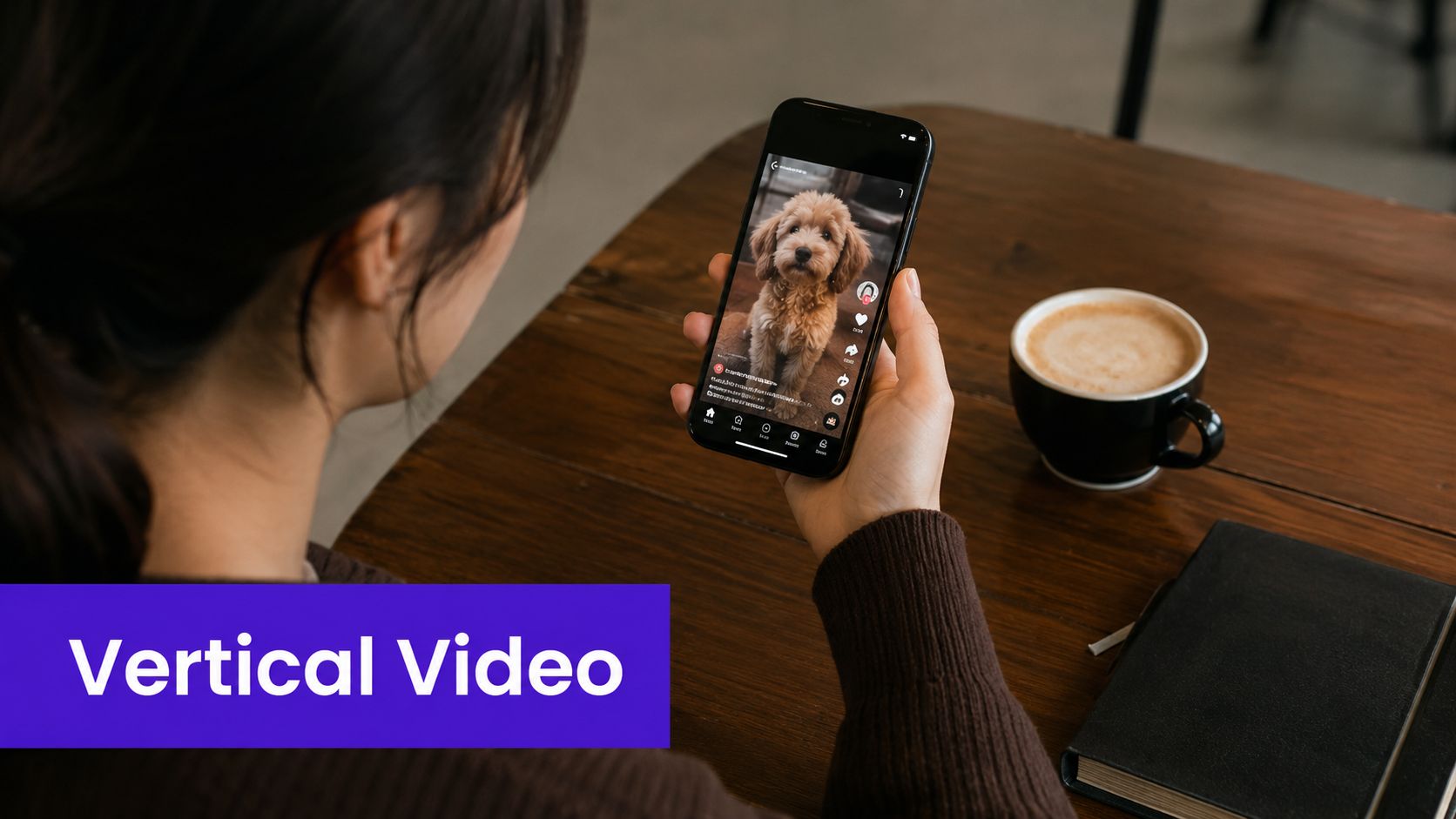
A vertical master makes repurposing easier, but it shouldn't mean exporting one careless file everywhere. Review the crop on each channel, check whether captions sit behind interface elements, and create alternate openings when the platform context calls for one. Taja AI's guide to TikTok aspect ratio is useful when you're preparing a source video for that environment.
Track early retention, average view duration, replays, and profile actions. If viewers watch but don't click, the framing may be fine while the offer or call to action needs work. If they leave immediately, inspect the first frame and crop before blaming the topic.
Captions have moved from an accessibility add-on to a core editing layer. They let people follow a clip in quiet environments, clarify fast speech, and reinforce the words that carry the argument. They also help an instructional clip function as a reference, especially when viewers pause or replay a demonstration.
Use captions to support the story, not to duplicate every visual detail. A podcaster's clip might emphasize the central phrase while the speaker's face remains unobstructed. A SaaS tutorial should place text away from the interface element being demonstrated. A multi-person interview benefits from speaker labels, but those labels need a restrained visual treatment so the screen doesn't become a wall of text.
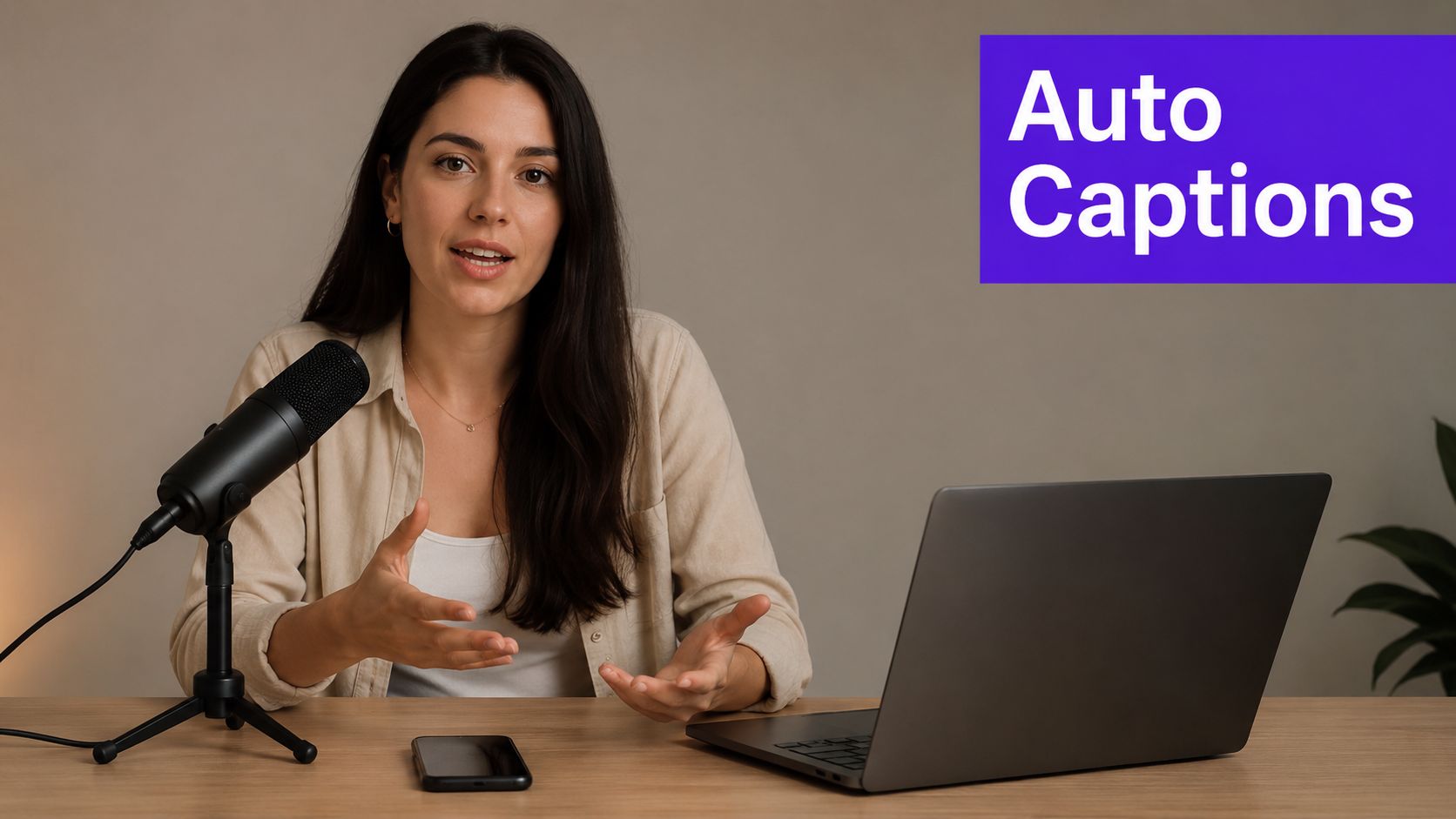
Automatic transcription saves time, but it can misread names, product terms, accents, and specialist language. Review every caption before publishing. One wrong word can change the meaning of a legal, medical, financial, or faith-based statement.
For a practical production workflow, see Taja AI's guide on how to add subtitles to videos. Monitor retention before and after the first caption change, plus saves and comments that indicate the clip was useful rather than merely watched.
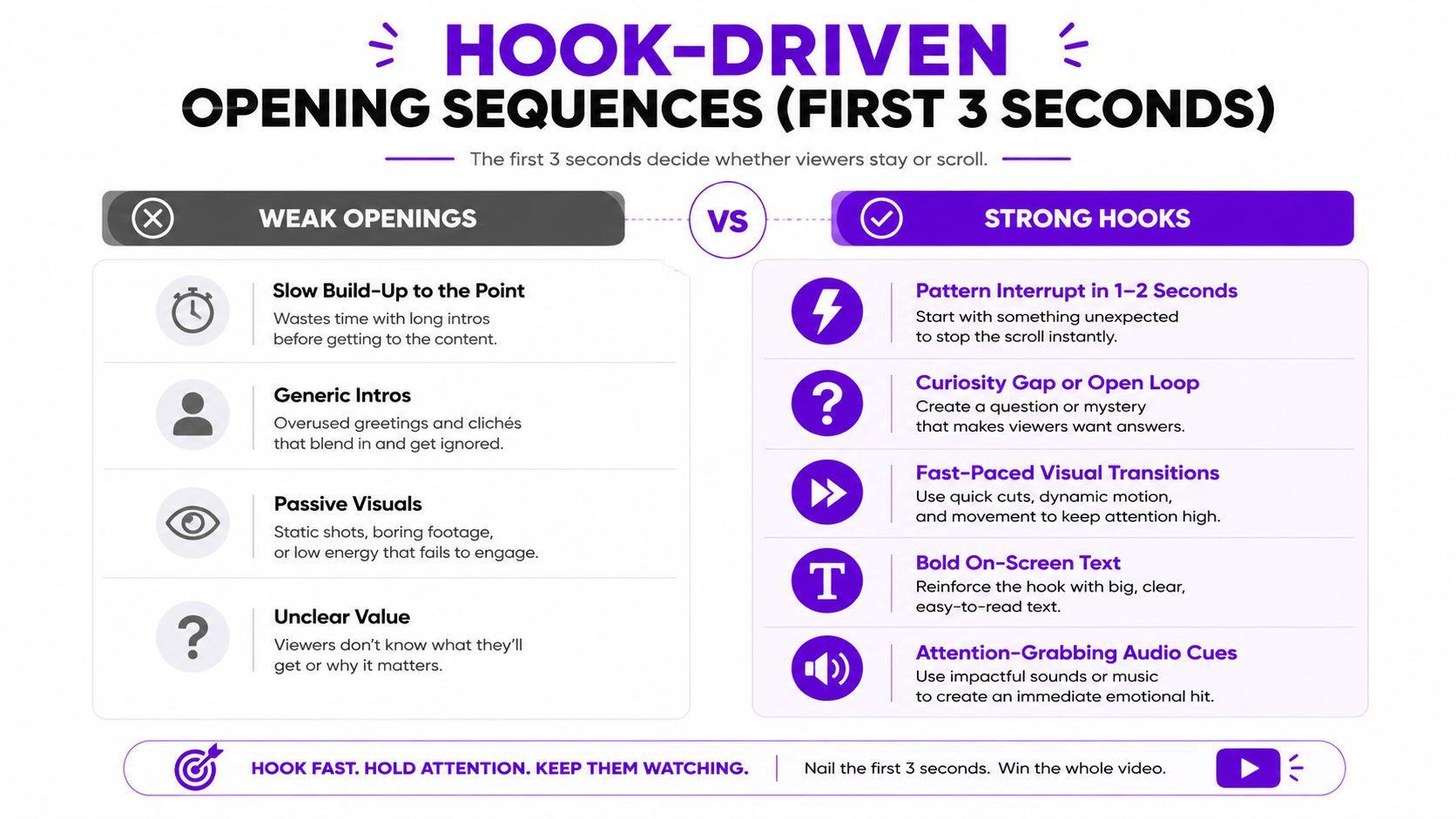
A viewer decides whether your opening deserves attention before your explanation has had time to develop. That makes the first visual, spoken line, and on-screen phrase one connected package. “This house has a hidden feature” can work for a property tour only if the reveal arrives quickly and delivers. “Everyone learns this wrong” can open an educational clip, but the correction must be specific rather than manufactured outrage.
Strong hooks create a clear reason to continue. They can introduce a mistake, show a result before the process, challenge a common assumption, or present a concrete question. The best choice depends on the offer and audience. A local service provider may earn more qualified attention by naming a costly mistake than by copying a dramatic entertainment trend.
Write several openings for the same source idea before you edit the full clip. Keep the core lesson fixed, then vary the entry point:
An opening should promise only what the clip can deliver. Overstatement may win an initial view, but it damages trust when the payoff is weak. Compare retention through the opening, completion, rewatches, comments, and downstream clicks. This hook sequence example shows why the first visual and the first line should work together, rather than arrive as separate introductions.
Publishing everywhere is useful only when the asset still feels native after it arrives. A single long-form interview can produce clips for TikTok, Instagram Reels, YouTube Shorts, Facebook, X, and LinkedIn, but the same caption and call to action won't serve every audience equally. TikTok may need a conversational opening. LinkedIn may need clearer professional context. YouTube Shorts may benefit from a searchable title that states the lesson directly.
Keep the central idea, evidence, and brand voice consistent. Change the wrapper. Remove watermarks from other platforms, rewrite the description for the destination audience, and adjust the ending so the next action makes sense. A podcast clip might ask TikTok viewers to follow for another opinion, while the LinkedIn version points toward a fuller professional discussion.
Don't publish a clip everywhere and then judge it by one blended number. Record the platform, version, hook, topic, and call to action in a simple content calendar. Compare retention, completion, shares, saves, comments, profile visits, link actions, and qualified inquiries by channel. Reach can reveal distribution, but it doesn't prove business value.
A small business might discover that Instagram generates saves, YouTube creates longer-term discovery, and LinkedIn produces fewer but more relevant conversations. That isn't a reason to abandon the other channels. It's a reason to assign each one a job. Taja AI's content distribution strategy resources can support a more organized repurposing and scheduling process.
Trending audio, memes, challenges, and cultural moments can give a relevant idea a timely wrapper. They can also waste a small team's time when the trend has no connection to the customer's problem. A realtor who adapts a popular sound to a distinctive property detail may make the format feel natural. A tax advisor forcing the same sound onto a serious explanation may create attention without credibility.
The practical skill is selection speed with editorial restraint. Watch for trends that already match your audience's language, humor, or use case. Prepare reusable footage, product shots, demonstrations, and reaction clips so your team can add the trend without rebuilding the entire production process.
Trend-led posts have a short useful life. Evergreen education, product explanations, customer questions, and behind-the-scenes material can continue supporting discovery after the moment passes. Keep both in your library, but don't let trend work crowd out the assets that explain why someone should trust or buy from you.
Before publishing, ask:
Measure comments, shares, follows, profile visits, and conversions separately from raw views. A trend may bring broad attention but weak intent. Use that result to decide whether to create a follow-up that answers the practical question behind the reaction.
Behind-the-scenes content gives people evidence of how the work happens. A service business can show the preparation before arriving at a client site. A podcaster can reveal how an interview is researched and recorded. A faith-based organization can share the people and routines that support a community event. These moments make the brand easier to understand because viewers see decisions, effort, and personality rather than only a polished outcome.
Authenticity doesn't mean publishing everything. It means choosing real details that support the relationship you want to build. Show the failed setup if it teaches something. Show the revision if quality matters. Show the team member who solves the problem, but obtain consent before featuring people or customer information.
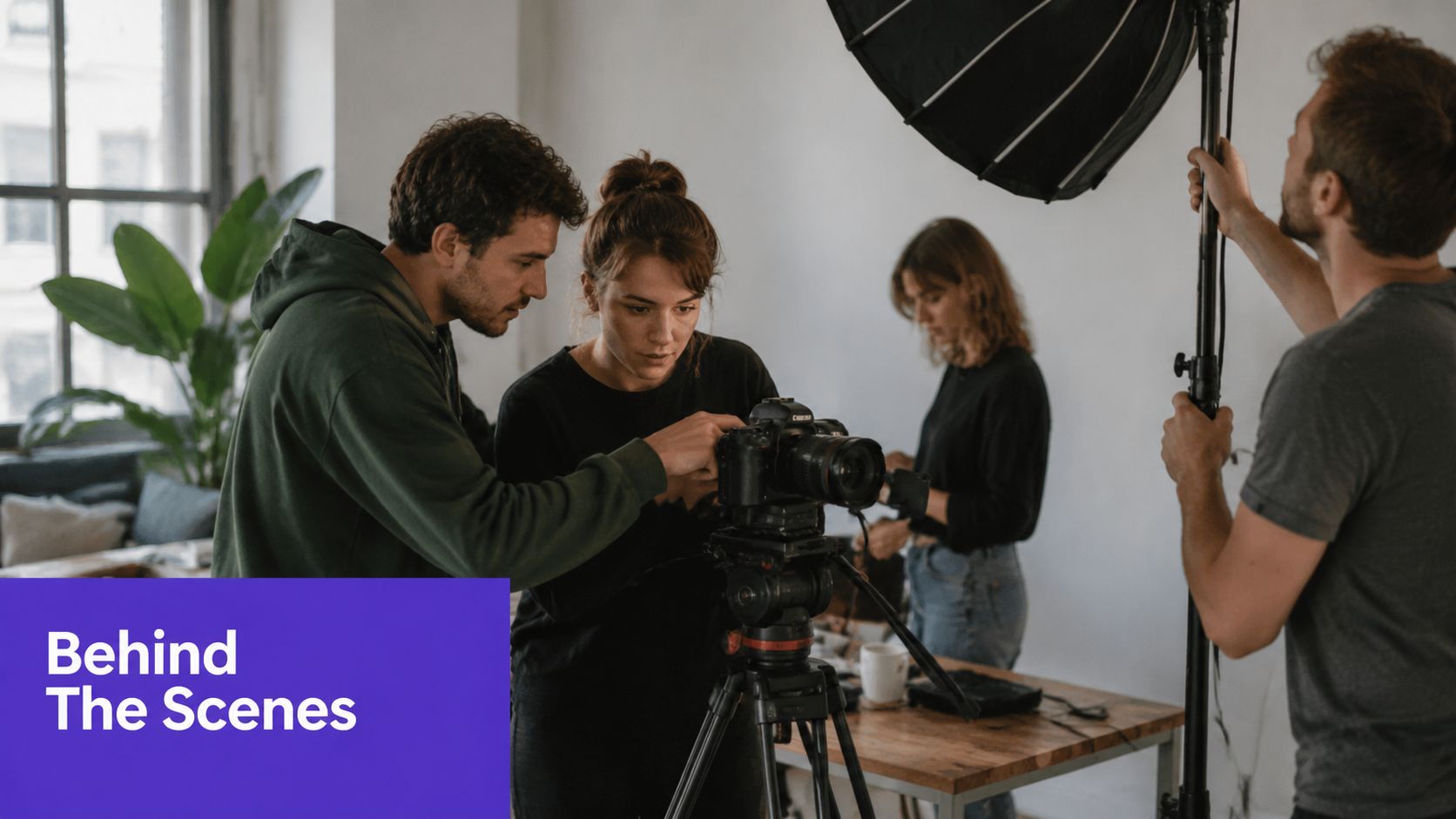
A BTS clip still needs a point. “A day at the office” becomes stronger when it answers a customer concern, explains a standard, or reveals why a result takes care. A contractor can show the inspection step that prevents rework. A creator can explain why an interview question was changed. A restaurant can show the preparation behind a signature dish while connecting it to the customer experience.
Practical rule: Let the footage stay human, but give the viewer a clear reason to care.
Use simple cuts, natural sound where it helps, and captions for context. Watch comments for questions about the process. Those questions are not just engagement. They're prompts for educational clips, FAQ responses, sales-page copy, and future BTS episodes.
Short-form education works best when one clip solves one small problem. A financial educator can explain a single term. A real estate professional can demonstrate one inspection question. A software company can show one workflow. A coach can isolate one decision that improves a larger process. Trying to compress an entire course into one short usually produces a rushed explanation with no usable takeaway.
The structure can stay simple. State what the viewer will learn, teach the point with a concrete example, then restate the practical outcome. Demonstrate whenever possible. A screen recording, annotated object, gesture, or before-and-after view gives the audience something to follow while they listen.
eMarketer reports that Shorts average 116% viewed, a measure indicating viewing beyond a single play-through, in its short-form video coverage. That makes instructional design especially important. Viewers may replay a step, pause a detail, or return to the clip as a reference.
Don't use unsupported statistics to make a lesson sound authoritative. Use the evidence that belongs to your business, such as a product screen, process document, customer question, or clearly explained example. Monitor completion, replays, saves, comments asking for clarification, and clicks to the next resource.
A strong educational library can become:
The clip should leave the viewer more capable than before. That standard matters more than decorative editing.
A series turns isolated posts into a reason to return. The story might follow a renovation, a product launch, a client challenge, a research process, or a multi-part explanation. Each episode should work on its own while giving the audience a clear reason to watch the next one.
Plan the arc before publishing the opening episode. Identify the starting problem, important turns, evidence, and final outcome. Label episodes clearly, use a recognizable visual treatment, and place the essential context inside each clip because many viewers will discover the middle of the series first.
A cliffhanger can encourage another view, but withholding the answer too aggressively frustrates viewers. Give each episode a meaningful payoff, then introduce the next question. A property renovation account might reveal the structural problem in one clip, show the repair decision in the next, and explain the finished result afterward. A SaaS founder might document the customer problem, prototype, feedback, and launch rather than announcing the final product.
Ask the audience for input where their response can affect the next episode. Use comments to choose between examples, answer objections, or clarify the next step. Track completion, returning viewers, follows, profile actions, and movement between episodes. If people watch the first episode but don't continue, improve the handoff, title, context, or payoff rather than extending the story indefinitely.
Repurposing saves production effort, but copying a file unchanged across every network creates avoidable problems. TikTok, Instagram Reels, YouTube Shorts, Facebook, X, and LinkedIn have different interfaces, audience expectations, editing tools, and discovery behaviors. A useful master clip is the source, not the final answer.
Start with a clean vertical edit and then create platform versions. Add a native sticker or question where interaction makes sense. Rewrite the caption for the audience's intent. Adjust the title and description on YouTube to explain the subject clearly. On LinkedIn, provide enough professional context for the clip to make sense in a business feed. On Facebook, make the opening understandable to people who may encounter it outside your usual audience.
The following elements should usually remain stable:
The flexible elements include the first line, on-screen layout, caption, title, sound, comments prompt, and ending. Upload directly when practical, review the preview, and check for covered text or awkward crops. Compare native watch behavior, shares, saves, comments, profile actions, and conversions by platform. A platform-specific edit may take more effort, but it can produce a clearer learning signal than one universal export.
The comment section can become your next editorial calendar. Questions, objections, corrections, and customer stories reveal what viewers want explained. A coach can respond to a specific question with a demonstration. A podcaster can answer a listener's point in a video. A local service provider can invite customers to describe the outcome they wanted, then use that language in future educational content.
Make participation easy. Ask one focused question instead of requesting vague engagement. Invite a response video, duet, stitch, testimonial, or example when the format supports it. Credit contributors, obtain permission for customer footage, and avoid promising rewards you won't provide.
Audiences become a production resource when you listen carefully, not when you ask them to manufacture your marketing for free.
A thoughtful reply can generate several follow-up formats:
Track meaningful comments, shares, saves, profile visits, direct inquiries, and the quality of user submissions. Fast replies can keep a conversation active, but speed shouldn't replace accuracy or courtesy. The strongest community strategy treats feedback as research and turns recurring needs into a structured content library.
| Item | Implementation Complexity 🔄 | Resource Requirements ⚡ | Expected Outcomes ⭐ / 📊 | Ideal Use Cases 💡 | Key Advantages 📊 |
|---|---|---|---|---|---|
| Vertical Video Optimization (9:16 Aspect Ratio) | Medium, reframing & composition work 🔄 | Low, templates & export settings ⚡ | ⭐⭐⭐, higher mobile engagement and watch-through 📊 | Mobile-first shorts, promos, tours 💡 | Full-screen mobile use; native platform compatibility 📊 |
| AI-Powered Auto-Captioning & Subtitle Generation | Low, integrate AI + review 🔄 | Low, cloud transcription; light manual edit ⚡ | ⭐⭐⭐, accessibility boost; improved SEO & retention 📊 | Sound-off viewers, multilingual audiences, podcasts 💡 | Accessibility, time-savings on transcription, SEO lift 📊 |
| Hook-Driven Opening Sequences (First 3 Seconds) | Medium, creative testing & A/B 🔄 | Low, editing & rapid iteration ⚡ | ⭐⭐⭐⭐, large CTR and retention improvements 📊 | Viral content, promos, attention-critical pieces 💡 | Strong stop-scroll effect; boosts watch time & algorithm signals 📊 |
| Multi-Platform Simultaneous Publishing (Cross-Channel) | Medium, scheduling + per-platform tweaks 🔄 | Medium, scheduling tools, templates, analytics ⚡ | ⭐⭐⭐, multiplied reach; saves creator time 📊 | SMBs, solopreneurs, repurposing long-form content 💡 | Maximizes reach; reduces production workload significantly 📊 |
| Trend-Jacking & Rapid-Response Content | High, real-time monitoring & fast workflows 🔄 | High, alerts, rapid editing capacity ⚡ | ⭐⭐, short-term reach spikes; volatile impact 📊 | Timely cultural moments, discovery-focused growth 💡 | Algorithmic boost and rapid audience discovery 📊 |
| Behind-the-Scenes (BTS) & Authentic Narrative | Low, light editing; consistent capture 🔄 | Low, minimal gear; regular filming time ⚡ | ⭐⭐⭐, builds trust, authenticity, loyalty 📊 | Brand humanization, team culture, creator journeys 💡 | Low barrier to entry; stronger audience connection 📊 |
| Educational & Skill-Based Content (Micro-Learning) | Medium, concise scripting & expertise required 🔄 | Medium, prep, visual aids, demonstrations ⚡ | ⭐⭐⭐, high engagement; authority & lead generation 📊 | Professional development, tutorials, lead gen 💡 | Positions creator as expert; drives traffic to long-form 📊 |
| Storytelling Through Series & Content Arcs | High, narrative planning & consistent release 🔄 | Medium, recurring production commitment ⚡ | ⭐⭐⭐⭐, binge behavior; repeat viewership gains 📊 | Multi-part journeys, serialized lessons, transformations 💡 | Habit formation; higher retention and monetization potential 📊 |
| Platform-Specific Algorithm Optimization (Native) | High, per-platform expertise & updates 🔄 | Medium, native uploads, testing, account management ⚡ | ⭐⭐⭐⭐, 2–3x reach multiplier vs. repurposed content 📊 | Priority platforms where virality is the goal 💡 | Native features access; superior algorithm favorability 📊 |
| Community Engagement & User-Generated Content (UGC) | Medium, design for interaction + moderation 🔄 | Medium, community management & curation ⚡ | ⭐⭐⭐, engagement multiplier; organic content growth 📊 | Challenges, Q&A, duet/stitch campaigns, response videos 💡 | Scales content via UGC; builds loyalty and social proof 📊 |
These short form video trends work together as a production system. Vertical framing makes the source usable on mobile. A strong hook earns the first opportunity to be heard. Captions make the message easier to follow. Educational content builds utility, behind-the-scenes footage builds trust, series content creates continuity, and community responses give you the next set of topics. Trend-jacking adds timely reach when it fits, while intelligent distribution helps each platform receive a version that makes sense there.
Start with two or three trends that match your audience and offer. A real estate professional might begin with vertical tours, hook-driven explanations, and comment responses. A podcaster might choose captions, educational micro-clips, and a serialized guest story. A local service provider may get more value from demonstrations, BTS process footage, and customer questions than from chasing every popular sound.
Next, audit your existing long-form footage. Look for clear opinions, useful explanations, emotional turns, customer questions, demonstrations, and moments where the speaker says something in a concise way. Don't select clips only because they sound interesting in isolation. Ask whether each one can stand alone, whether the viewer understands the context, and whether the clip supports a business or audience goal.
Then create the first edit. Put the hook at the front, crop for vertical viewing, protect the subject from interface overlays, review the captions, and remove pauses that don't add meaning. Adapt the title, description, opening text, and call to action for each destination. Keep the factual content and proof consistent while allowing the wrapper to change.
Run a controlled cross-platform test. Publish related versions, not a random collection of unrelated clips, so you can compare the effect of the hook, topic, format, and channel. Monitor retention, completion, shares, saves, comments, profile actions, link clicks, inquiries, and conversions. A view is useful as a distribution signal, but it doesn't tell you whether the audience understood the offer or took the next step.
Use the results to create the next asset. A save may indicate a tutorial deserves a longer version. A repeated question can become a response series. A strong hook can be reused with a different example. A weak conversion signal may call for a clearer offer rather than more aggressive editing. Review the library regularly instead of treating every upload as a separate campaign.
Taja AI can support this workflow by turning one long-form upload into short assets and text outputs, applying vertical formatting and brand templates, generating captions and related packaging, and helping schedule content across channels. Its Backlog Boost feature can also help surface previously published videos for renewed repurposing, while its idea and calendar tools can reduce the guesswork involved in choosing what to make next. Use automation for repetitive production work, but keep human review for claims, tone, context, rights, and final selection.
The sustainable approach is balanced. Build an evergreen base of educational clips, add authentic narrative, respond to community questions, develop series where the story supports it, and use trend-jacking selectively. The aim isn't to imitate every format. It's to create a repeatable loop where one useful recording becomes a managed library, audience response improves the next edit, and distribution compounds the value of the work you've already done.
Taja AI can turn long-form videos into ready-to-publish Shorts with vertical formatting, captions, hooks, thumbnails, and platform-specific text outputs, helping creators and SMB teams apply these trends without editing every asset manually. Visit Taja AI to explore a workflow for repurposing, organizing, and scheduling your next short-form video library.


We are blessed to work with leading brands & Companies


We try to make easy and simple for every professionals. Get 30 days free trial - No credit card required.


© 2025 Taja AI. All rights reserved.