YouTube Video Name Generator: 10 Best Tools in 2026
Compare 10 of the best youtube video name generator tools, see how their outputs differ, and learn title best practices that boost search clicks.
5 min read
November 14, 2026

Learn how to promote your YouTube video free with packaging, playlists, Shorts clips, community sharing and analytics checks that show what works.
Written by:


In 2024, U.S. adults watched an average of 48.7 minutes of YouTube content per day, according to eMarketer data reported by Search Engine Land. That's most of an hour of attention flowing through a single platform, every day, and none of it costs a creator anything to compete for.
The trap is reading that stream as a scoreboard. A view is distribution, not success. One view arrives from a search query typed by someone with the exact problem your video solves. Another arrives because a link got dropped into a group chat where nobody cared. They look identical in the view count and behave nothing alike on the retention graph. The steps below judge every free tactic on audience fit, watch time and return visits, because those are the only signals that compound when you promote your YouTube video free.
The scale is why free promotion works at all. Pew Research Center reported that 83% of U.S. adults used YouTube in 2023, making it the most widely used online platform in that survey and one of only two platforms used by a majority in every adult age group. The age breakdown matters more than the headline figure: 93% of adults ages 18 to 29, 87% of those 30 to 49, 81% of those 50 to 64 and 60% of adults 65 and older reported using it in the same study.
That breadth reframes the job. You aren't hunting a tiny niche, you're raising the odds that a video gets discovered inside a very large, cross-generational audience. Free means no paid spend, not no effort. The cost moves into packaging, replies and measurement, which is exactly where most creators run out of patience.
Four stages, run in order:
| Stage | What to Do | When | Done When |
|---|---|---|---|
| 1. Package | Set title, thumbnail and first 30 seconds | Before publishing | Title states the result in its first few words |
| 2. Distribute | Add to playlists, embed on relevant pages, share in communities and by email | First 24 hours | Every share uses a tagged link and is logged |
| 3. Engage | Reply to early comments and post a teaser that answers one question | Days 1 to 7 | Comments are answering real questions |
| 4. Review | Compare traffic sources in YouTube Analytics | After enough impressions, about 2 to 4 weeks | Sources ranked by retention and click-through rate |
Every stage carries a done-when check, and the check is what separates a plan from a ritual. Distribution isn't finished because you posted a link; it's finished when every share carries a tagged link and sits in a log you'll read in three weeks. Engagement isn't finished because you replied once; it's finished when the comment thread is answering the questions the video raised. A well-packaged video also stays searchable long after publication, which is why this loop rewards a library rather than one-off campaigns.
Packaging is the only free lever that changes click-through rate without adding traffic. YouTube's guidance on video discovery warns that misleading titles or thumbnails make viewers stop watching and can damage discoverability, so the goal is expectation matching, not maximum curiosity. Curiosity buys the click. Accuracy buys the watch time.
Here's the packaging flow in three moves:
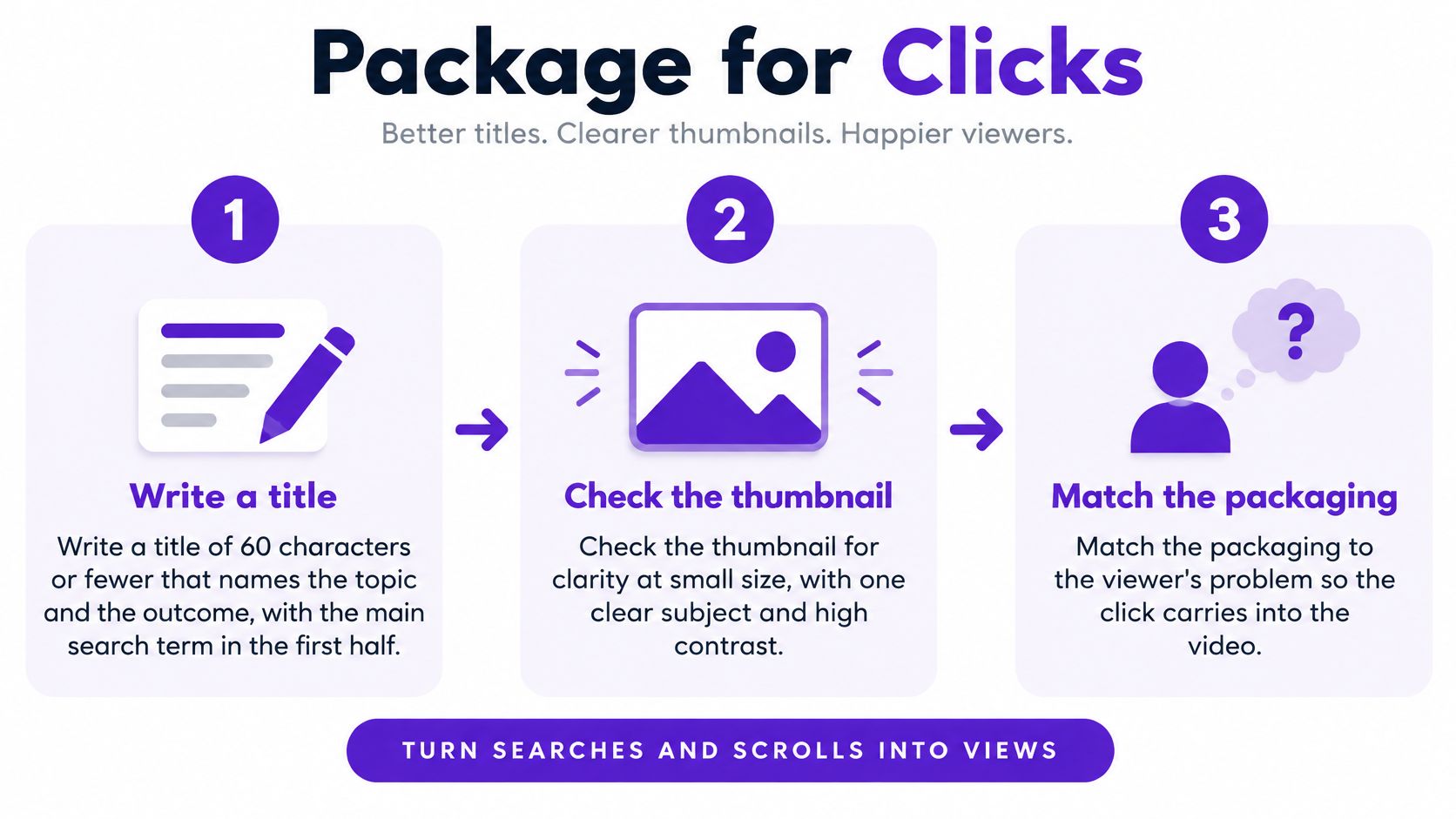
Title in 60 characters or fewer, with the result first. Name the topic and the outcome, and get the main search term into the first half of the string. Search results and the sidebar truncate from the right, so the words that decide the click need to survive mobile. The common slip is wordplay that hides the subject.
Read the title and thumbnail together. They should promise the same thing to the same person. A title about fixing a running toilet paired with a thumbnail of a bathroom remodel gets clicks from the wrong viewer, and the wrong viewer leaves at 12 seconds.
Thumbnail: one subject, two to four words, real contrast. It has to be legible at roughly 120 pixels wide on a phone in a feed. Three competing objects in the frame turn a click into a guess, and a guess is a scroll. If thumbnail concepts are the weak point, work from these YouTube thumbnail ideas rather than starting blank.
Use the first two description lines to answer the query directly. Not a channel bio, an answer to what the viewer typed. Then add chapters with timestamps and exactly one link to a closely related video.
Tag how viewers phrase the problem. "toilet keeps running after flushing" beats "plumbing tutorial" because it matches the sentence in someone's head. Generic tags drop you into a queue with millions of other videos.
Rebuild the first 30 seconds. State the promise, show the result, then explain how you got there. Long branded intros cost retention on every upload forever, and cutting them is free.
Change one element at a time. Keep the topic and the initial distribution comparable, then compare click-through rate and early retention against your last 10 videos of similar length. There's no universal organic success rate to chase, because performance depends on audience, topic and traffic source, so your own baseline is the only honest benchmark. A title that lifts clicks while dropping retention hasn't worked; it has moved the loss further down the page.
A single video is a dead end unless you build the road out of it. 63% of consumers used YouTube as a channel for researching products in 2025, according to a consumer survey conducted by Plainly Videos, which tells you a large share of arrivals start with a question and land on one clip with no idea what to watch next.
A playlist titled by the question it answers gets found and gets finished. A plumber with three repair videos on the same fixture puts them in one playlist called "Fix a Running Toilet" instead of scattering them across a channel organized by month. A language teacher groups lessons by grammar point, so a viewer who finishes the past tense gets the next past tense lesson queued automatically.
Put the strongest playlist first on the channel home page. Order matters more than quantity, which is the logic behind the playlist rather than the catalogue: a set of three clips viewers finish beats a random library of twenty.
The unit that matters: watch sessions, not views. One viewer who finishes three related videos tells you more about fit than ten viewers who each leave at 40 seconds.
Finish with a two-minute check. Open the channel on a phone and confirm the first playlist and the newest video are both visible without much scrolling.
A high-performing Short is not a funnel. YouTube reports that Shorts average more than 200 billion daily views globally, and Google notes that 45% of Shorts users are not on TikTok and 65% are not on Instagram Reels, per Google's analysis of YouTube marketing opportunities. Those figures establish reach. They say nothing about whether a Shorts viewer will sit through a 12-minute walkthrough.
The clip work is editing work, and that's where the intent gets set:

Pull three to five moments that each answer one question from the full video. Not the most dramatic 45 seconds, the most useful ones. A dramatic excerpt attracts viewers who never wanted the tutorial.
Write a caption that names the problem the clip solves and points to the timestamp where the long video goes deeper.
Add an on-screen line naming the next step. "The full walkthrough covers the wiring" does more than a subscribe prompt, because it gives a reason to continue.
Publish each clip on a different day with a different angle. The same edit reposted everywhere tests nothing.
Judge each clip on click-through to the full video, average percentage viewed and returning viewers. Views are the input, follow-on behavior is the result.
If you want the mechanical side handled properly, this walkthrough covers cutting clips that keep the original context intact:
For a repeatable process, this guide on creating YouTube Shorts from a YouTube video works from the full upload rather than the finished clip, which keeps the context that makes a clip convert.
Keep a clip format only if it moves viewers into the long video. Audience and intent continuity does the work: the clip should promise the same problem, the same person and the same outcome as the full upload, with an explicit reason to keep watching.
The mistake is treating every group, forum and inbox as a billboard. Creators paste the same link into six Facebook groups in one afternoon, get removed from four, and conclude that free promotion doesn't work. What failed was relevance, not the platform.
The working rule is narrower. Share where the video directly answers an open question, and give the useful part in the thread before the link. A bookkeeper answering a small-business forum question about setup with a six-minute video on building a chart of accounts gets read. The same link dropped into a general "share your business" thread gets deleted.
| Channel | Best Use | Main Risk | How to Track |
|---|---|---|---|
| Relevant online community answering an open question | Share the link after giving a useful answer in the thread | Removed for repetitive or off-topic posting | Tagged link and date logged |
| Email to existing subscribers | One relevant video per issue with a clear problem-based subject line | Low clicks if the subject is vague | Tagged link in each email |
| YouTube community post | Teaser or poll tied to a question the video answers | Ignored if it is not timely | Tagged link or comparison with the poll response |
| Social profile post | Short teaser with one specific takeaway and the full video link | Reach varies widely by platform and day | Tagged link and clicks tracked by source |
Answer first, link second. A link that follows a useful answer gets read. A link that arrives alone gets removed.
Email follows the same logic. Send one relevant video per issue to people who already subscribed, with a subject line that names the problem the video solves. The tagged link is what turns a share into evidence, because it shows which channel delivered viewers who stayed long enough to matter. If you're unsure how a link will travel between platforms, this guide on how to share a YouTube video covers the mechanics of clean, trackable sharing.
A view count tells you a video was distributed. It doesn't tell you anyone was served. YouTube's guidance on promotion and recommendations states that paid promotions don't affect a video's organic recommendations and that paid viewers may show different retention and click-through behavior from organically acquired viewers, so mixing paid and organic results in one comparison destroys the read.
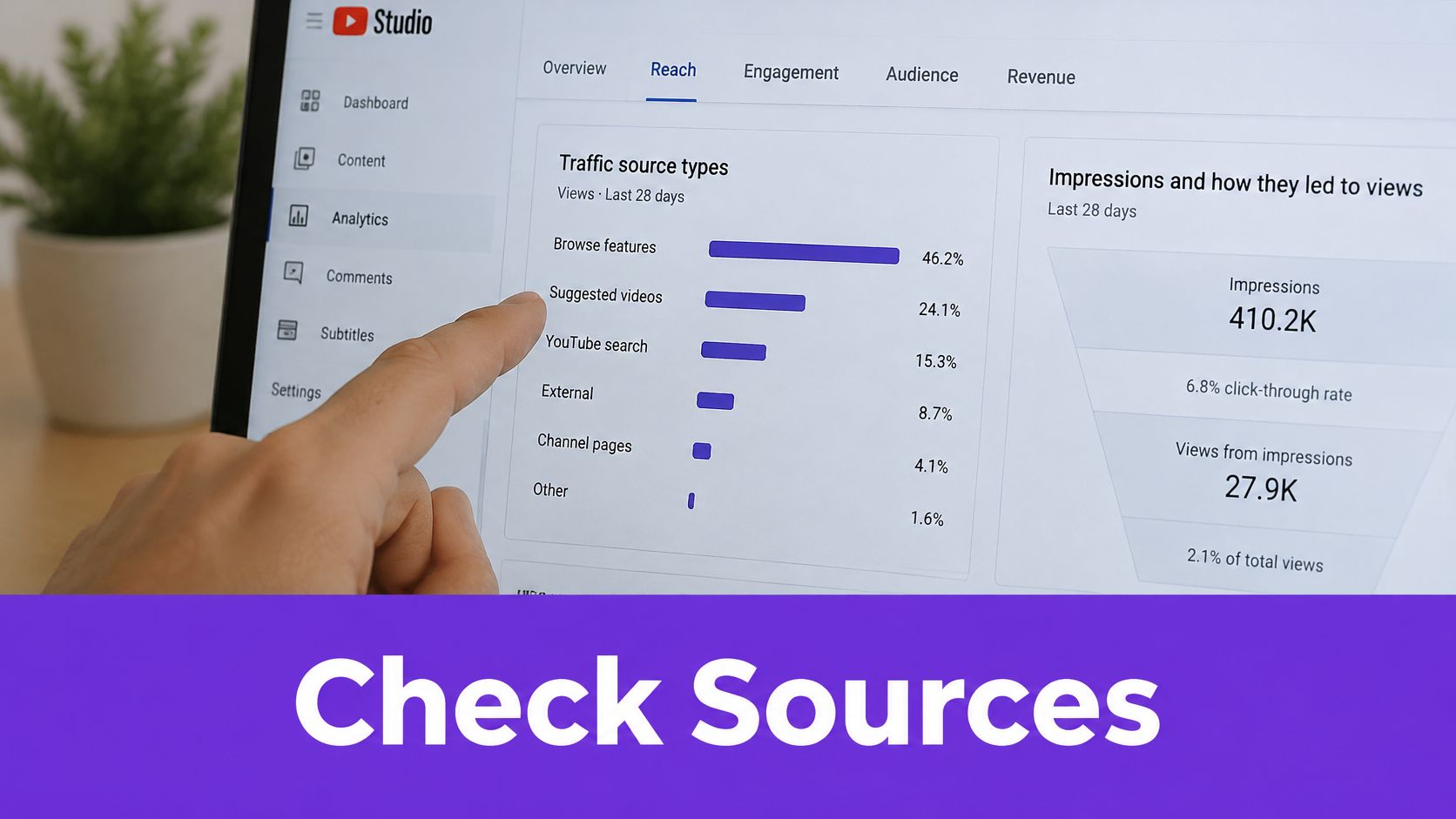
Open the Reach tab and separate the sources instead of averaging them. Compare impressions, click-through rate, watch time, the retention curve and returning viewers for each one against your last 10 videos of similar length.
| Traffic Source | What to Check | Good Sign | Warning Sign |
|---|---|---|---|
| YouTube Search | Impressions, click-through rate and retention | Steady clicks with watch time close to your channel baseline | Clicks followed by very short sessions |
| Suggested videos | Returning viewers and average view duration | Viewers who come back for more videos | Views that never produce a second visit |
| Playlists | Watch time per playlist session | Viewers who watch several videos in one session | Single views that end with the first video |
| External websites | Click-through rate and average view duration | Long sessions from the linked page or post | High view count with most viewers leaving within seconds |
Off-platform traffic usually starts with a link on a page you control, and a site with thin authority won't move much of it. Cleaning up directory links without SEO risk is unglamorous groundwork, but it's what gives an embedded video somewhere credible to live.
Subscriber gains are the weakest signal on the page. YouTube's promotional subscriber metric counts a subscription after at least 10 seconds watched or a click within three days, per YouTube's documentation on measuring promotions, which is why subscriber volume alone proves almost nothing about fit.
Picture a realtor's neighbourhood video. It gets a burst of views from a local group, and many of those viewers leave within seconds, while a smaller set of search viewers watches to the end and clicks the listing page. The group share was noise. The search result is the signal, and it's the only one worth repeating next month.
Pick one video and write the test down before you touch anything: the video, one packaging change, one channel link, one share method and the date you'll review. Vague intentions produce vague results, and this whole loop collapses without a baseline.
Choose one video from the last 90 days with solid content and weak views. Content quality is the constant. Distribution is the variable.
Apply the packaging steps and change only the title or only the thumbnail. Two changes at once tells you nothing about which one moved the numbers.
Share it through one relevant community and one playlist, using a tagged link in both places so the source shows up in Analytics later.
Review in two to four weeks using the source checks, then keep only the sources that brought viewers who stayed.
Record your baseline first, taken from your last 10 videos of similar length. Without it, a lift is just a feeling.
Tools can speed up the packaging half of this, and it's fair to use them for that. Taja can optimize a video inside YouTube Studio and sync the SEO back automatically, and the free trial covers up to 4 long-form videos, which is enough to test on a real channel before deciding anything. Treat any tool as support rather than strategy, because the result still depends on reading retention and sources correctly.
Two to four weeks from now, one question settles the test: which source brought people who stayed?
Taja AI takes the slowest part of this loop, the packaging and repurposing, and puts it on a schedule: upload a long-form video and it generates SEO-optimized titles, descriptions, chapters, tags, shorts, captions and thumbnails you can test, then pushes them to YouTube and your other channels. For a small channel running free promotion on time rather than budget, that means less hours spent editing and more attention left for the review stage where decisions happen. Visit Taja AI to start free and run your next test with the assets already built.


We are blessed to work with leading brands & Companies


We try to make easy and simple for every professionals. Get 30 days free trial - No credit card required.


© 2025 Taja AI. All rights reserved.