.jpeg)
How to Share Instagram Reel to TikTok: A 2026 Guide
Learn how to share Instagram Reel to TikTok without the watermark. Our 2026 guide covers saving, audio, captions, and optimizing for both platforms.
5 min read
September 25, 2026

Learn how to post a YouTube video on Facebook in a few simple steps. Follow these methods to share videos easily and boost your social media engagement in 2026.
Written by:


You've published a YouTube video, copied the link, pasted it into Facebook, and waited for the familiar burst of reactions. Instead, the post sits still while your carefully edited video sends viewers somewhere else. The problem usually isn't the video. It's that how to post a YouTube video on Facebook depends on what you want Facebook to do.
A link share is fast and useful when YouTube is the destination. A native upload or short repurposed clip makes more sense when you're trying to build attention inside Facebook. The mechanics take seconds. Choosing the wrong format can waste the reach you worked to earn.
The fastest route is the one most creators use:
On desktop, you can also choose Copy link, open Facebook, and paste the URL into the composer. Wait for Facebook to generate the preview card before publishing. The card normally pulls in the YouTube thumbnail and page information, while the Facebook caption gives you space to explain why someone should click.
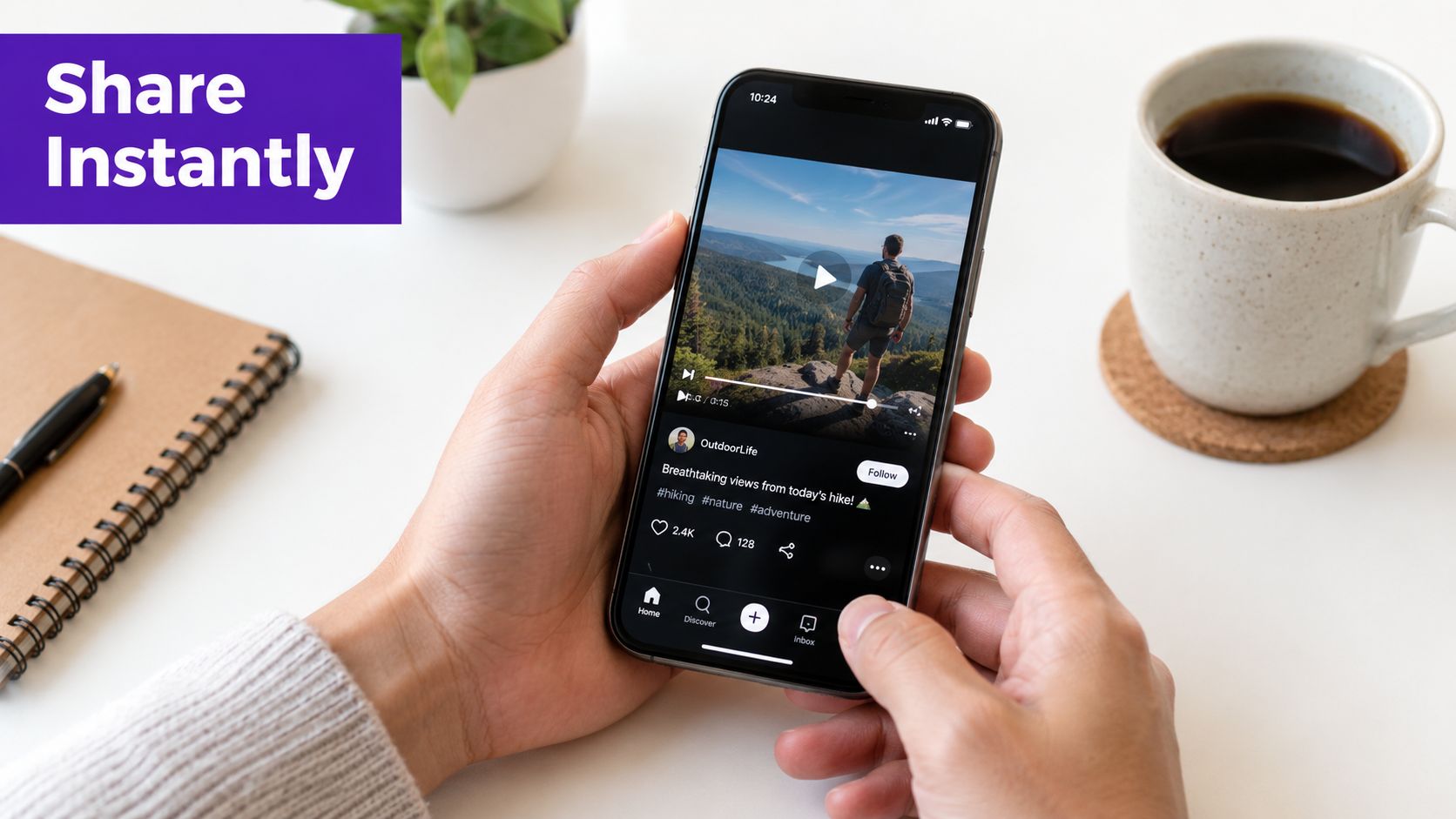
Mobile is convenient for a quick personal share or a time-sensitive update. Desktop gives Page administrators more room to verify the destination, inspect the preview, and write a caption that fits the audience. For a more detailed walkthrough of the basic sharing flow, see this guide to sharing a YouTube video.
A caption such as “New video is live” gives people no reason to leave their feed. Lead with the problem, result, or question the video addresses. For example, explain who will benefit from watching, identify the decision the video helps with, or pull out one useful point without giving away everything.
Practical rule: Treat the preview as confirmation of what you shared, not as the entire post.
The hidden trade-off is destination. A Facebook link post gives users a preview, but watching usually takes them to YouTube. That's useful when your priority is channel discovery, long-form viewing, or YouTube subscribers. It's less useful when your priority is Facebook comments, reactions, and on-platform viewing.
The quick share method solves distribution with almost no production work. It doesn't solve the larger question of whether Facebook should receive a link, a complete video, or a shorter native asset.
The two methods may promote the same YouTube video, but they create different viewer experiences.
A link share places a YouTube URL inside a Facebook post. Facebook generates a preview card, and the viewer clicks through to YouTube to watch. A native upload uses the original video file, so Facebook processes and plays the video in its own feed.
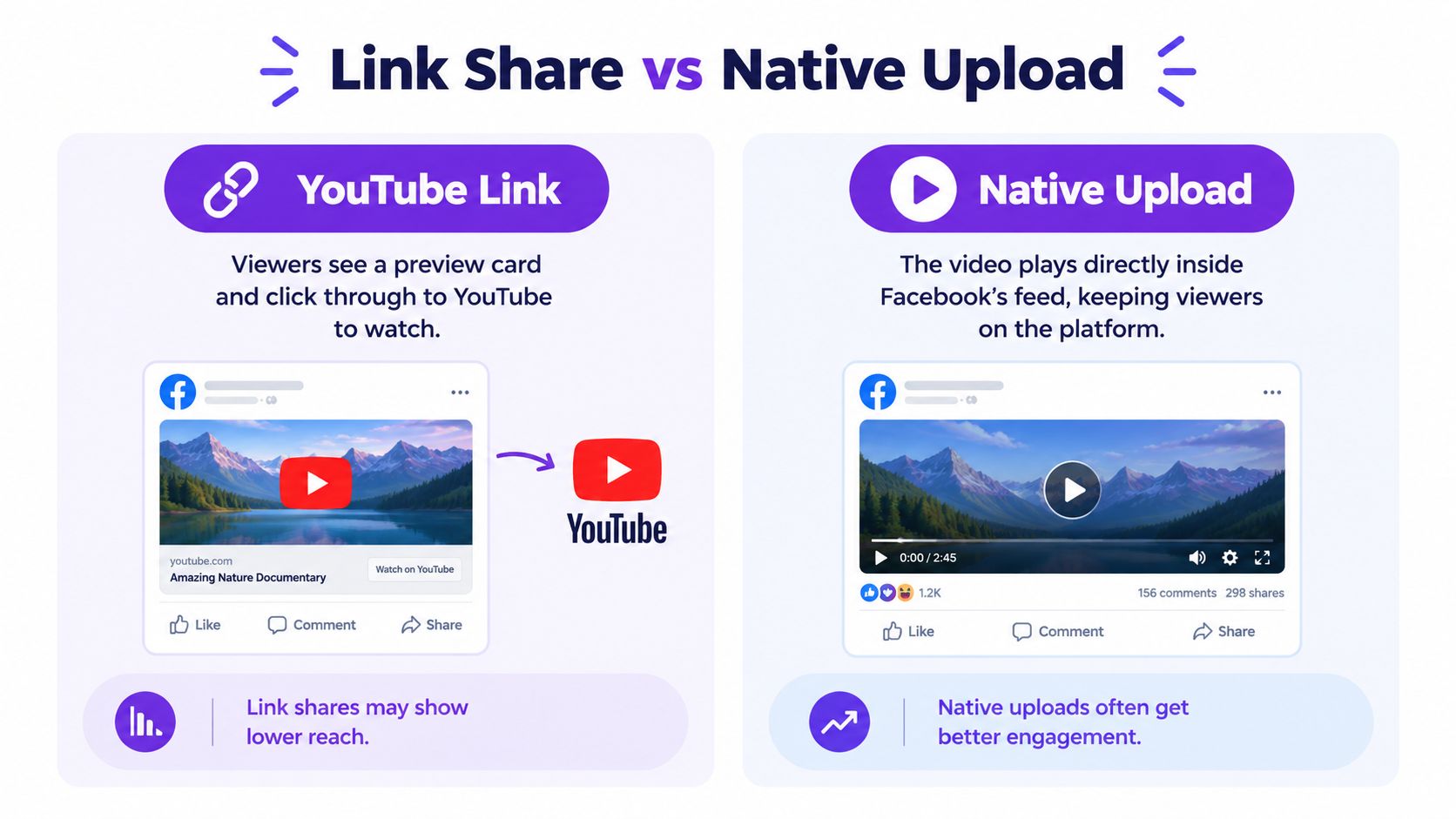
| Method | Where Viewers Watch | Best For |
|---|---|---|
| YouTube link | On YouTube after clicking the Facebook preview | Driving traffic to YouTube and the full version |
| Native upload | Directly inside Facebook's feed | Building Facebook engagement and reducing viewing friction |
Link sharing wins on speed and simplicity. You don't need to locate the source file, check export settings, or wait for another upload. It also preserves YouTube as the clear destination, which matters if the complete viewing experience, channel subscription, or related videos are central to your plan.
Native uploading wins on platform fit. Viewers can start watching without leaving Facebook, and you can tailor the opening seconds, caption, thumbnail, and aspect ratio to the placement. The extra work is real, especially if your source video is long or your original file is buried in an old project folder.
The wrong approach is asking one post to perform two conflicting jobs. A link post can send people to YouTube, but it shouldn't be judged only by Facebook watch behavior. A native upload can create a stronger Facebook viewing experience, but it may not send the same audience to the complete YouTube video.
Ask one question: Where do you want the viewer to spend the next few minutes?
Choose the YouTube link when the answer is YouTube. Choose native video when the answer is Facebook. If you want both outcomes, publish a focused Facebook clip that stands on its own, then point interested viewers toward the longer YouTube version. That gives Facebook users an immediate reason to stop while preserving a path to the full content.
The practical details of sharing videos across Facebook destinations are covered in this guide to how video sharing works on Facebook. The important decision comes first, before you touch the Share button.
A creator can post the same YouTube link across platforms and still get very different results. Facebook's reach makes that difference worth addressing. Statcounter's September 2026 global social-media market-share data lists Facebook at 71.37% and YouTube at 8.22%, giving Facebook the larger share in that dataset (Statcounter data). Meta also reported 3.60 billion family daily active people in June 2026, showing the potential audience available to a Facebook post.
These figures do not mean every Facebook post will outperform every YouTube upload. They show why Facebook should receive more than a copied URL and a default caption. A link can direct viewers to YouTube, while a Facebook-native version can give people something to watch immediately in the feed.
Short-form behavior changes the packaging. The 2026 industry comparison reports that short-form Reels receive 22% higher engagement than regular video posts (Facebook and YouTube cross-posting context). Meta's earlier Reels disclosure reports more than 200 billion combined daily views for Facebook and Instagram Reels (Meta Reels disclosure).
That affects how a YouTube video should be repurposed. A longer upload may contain several strong openings, reactions, or answers that can stand alone on Facebook. Extracting one of those moments into a short native clip gives viewers a reason to stop before asking them to click elsewhere. AI repurposing can speed up that process by identifying usable sections and adapting them for Facebook, but the creator still needs to check the hook, context, captions, and final cut.
Format benchmarks reinforce the trade-off. Images led with a 5.20% median engagement rate, video followed at 4.84%, and Facebook Reels recorded 0.13% engagement in Q2 2026, while remaining the most engaging video format in that comparison (Buffer's 2026 engagement report). The figures are not interchangeable, but they confirm that packaging influences performance.
Timing still matters after the format is chosen. Use this Facebook posting schedule guide, then compare its recommendations with your Page data rather than treating a general schedule as a guarantee.
A cross-post can look fine on YouTube and still fail in the Facebook feed. Start with the original editing-project export or the master file you uploaded to YouTube. Avoid screen recordings and files that have already been compressed by another platform.
For compatibility, use MP4 or MOV with H.264 video and AAC audio. Keep the export at 1080p, and use a frame rate at or below 30 fps when that suits the intended placement. These settings give Facebook a familiar file to process and reduce avoidable conversion problems (native Facebook upload specifications).
Choose the frame shape before exporting:
Standard Facebook video uploads generally support files up to 10 GB and 240 minutes. Reels and Stories use tighter duration and formatting limits. Check the placement requirements before exporting (Facebook video publishing guidance). A file can satisfy the size limit and still perform poorly because of slow processing, awkward cropping, or empty space. Re-exporting is faster than repairing a bad crop after publication.
Create a placement-specific export instead of putting a wide master into a Reel and expecting Facebook to fix it. Review captions, spoken audio, and on-screen text on a phone. A clean desktop preview can still look cramped or become unreadable on mobile.
Consistent visual identity also helps viewers connect the upload with your channel. If the branding still feels unfinished, this guide to choosing the best YouTube photo for trust covers the profile image decision.
The most useful decision framework starts with the action you want after the post, not the file you happen to have available.
If the desired action is watch the complete video on YouTube, share the YouTube link. Make the caption earn the click by naming the viewer's problem and showing what the full video adds. This path is efficient because you don't need to create a second export, and it keeps the audience in the environment where your longer content already lives.
If the desired action is watch, react, or comment on Facebook, upload a native version. Use a strong opening, remove slow setup, and make the video understandable even to someone who has never seen the YouTube title. The native version should feel like a Facebook post, not a file reluctantly moved from another platform.
| Your primary goal | Recommended format | What to optimize |
|---|---|---|
| YouTube traffic | YouTube link | Caption, preview, and click reason |
| Facebook discussion | Native upload | Opening, subtitles, and feed-friendly framing |
| Reach across placements | Short native adaptations | Aspect ratio, length, and platform-specific hook |
| Maximum reuse from one recording | A set of edited derivatives | Consistent message with distinct formats |
A long-form recording often contains more than one usable idea. One section can become a short Facebook clip, another can support a Story, and the full version can remain the destination for viewers who want depth. That approach takes more planning than pasting a URL, but it avoids forcing one asset to satisfy every platform's viewing behavior.
Tools can reduce the repetitive part of that process. Taja AI analyzes a long-form video and can generate short assets, captions, thumbnails, blog content, and platform-specific posts, with scheduling across Facebook and other channels from one dashboard. It's an option for creators who need to turn one recording into multiple publishable formats without manually rebuilding every version.
The useful question isn't “How do I share this video everywhere?” It's “What should each audience do next?”
For broader principles on matching content to distribution channels, this guide to the best way to distribute content is a useful reference. Pick the link when YouTube is the destination. Pick native video when Facebook is the experience. Create a shorter adaptation when you need both a low-friction Facebook moment and a path to the full recording.
Taja AI can turn a long YouTube video into Facebook-ready clips, captions, thumbnails, and scheduled posts, so you can adapt the format instead of relying on a raw link. Visit Taja AI to upload a video and build a practical cross-platform publishing workflow.


We are blessed to work with leading brands & Companies


We try to make easy and simple for every professionals. Get 30 days free trial - No credit card required.


© 2025 Taja AI. All rights reserved.