.jpeg)
How to Make a Highlight Reel That Actually Performs
Learn how to make a highlight reel that hooks in the first three seconds, keeps viewers watching, and converts across YouTube, TikTok, and Instagram.
5 min read
October 3, 2026

Learn how to optimize YouTube videos with proven SEO tactics, thumbnail strategies, and analytics insights that drive views, watch time, and channel growth.
Written by:


Most advice about how to optimize YouTube videos still begins and ends with watch time, tags, and keyword placement. That advice misses the harder problem. YouTube doesn't only need to know whether someone clicked or how long they stayed. Its recommendation guidance also includes predicted interest, engagement, and viewer satisfaction signals such as likes, dislikes, “Not interested,” “Don't recommend channel,” and satisfaction surveys (Google's explanation of recommendations).
The practical consequence is simple: your title and thumbnail must earn a qualified click, your opening must confirm the promise, and the video must give viewers a reason to return. Metadata can help YouTube understand a topic, but it can't rescue a video that attracts the wrong audience or delays the payoff.
Watch time still matters, but maximizing minutes can produce the wrong video. Long openings, padded explanations, repeated calls to action, and filler sections may keep some viewers watching while reducing satisfaction and return visits. Packaging, content payoff, and viewer response now need to work together.
YouTube's measurement system connects thumbnail impressions, clicks, views, and watch time. Its reporting API counts an impression when a thumbnail remains visible for more than one second with at least half of it on screen, then calculates click-through rate from clicks divided by impressions (YouTube Analytics documentation). Packaging earns the opportunity, but the viewing experience determines whether that opportunity becomes useful performance.
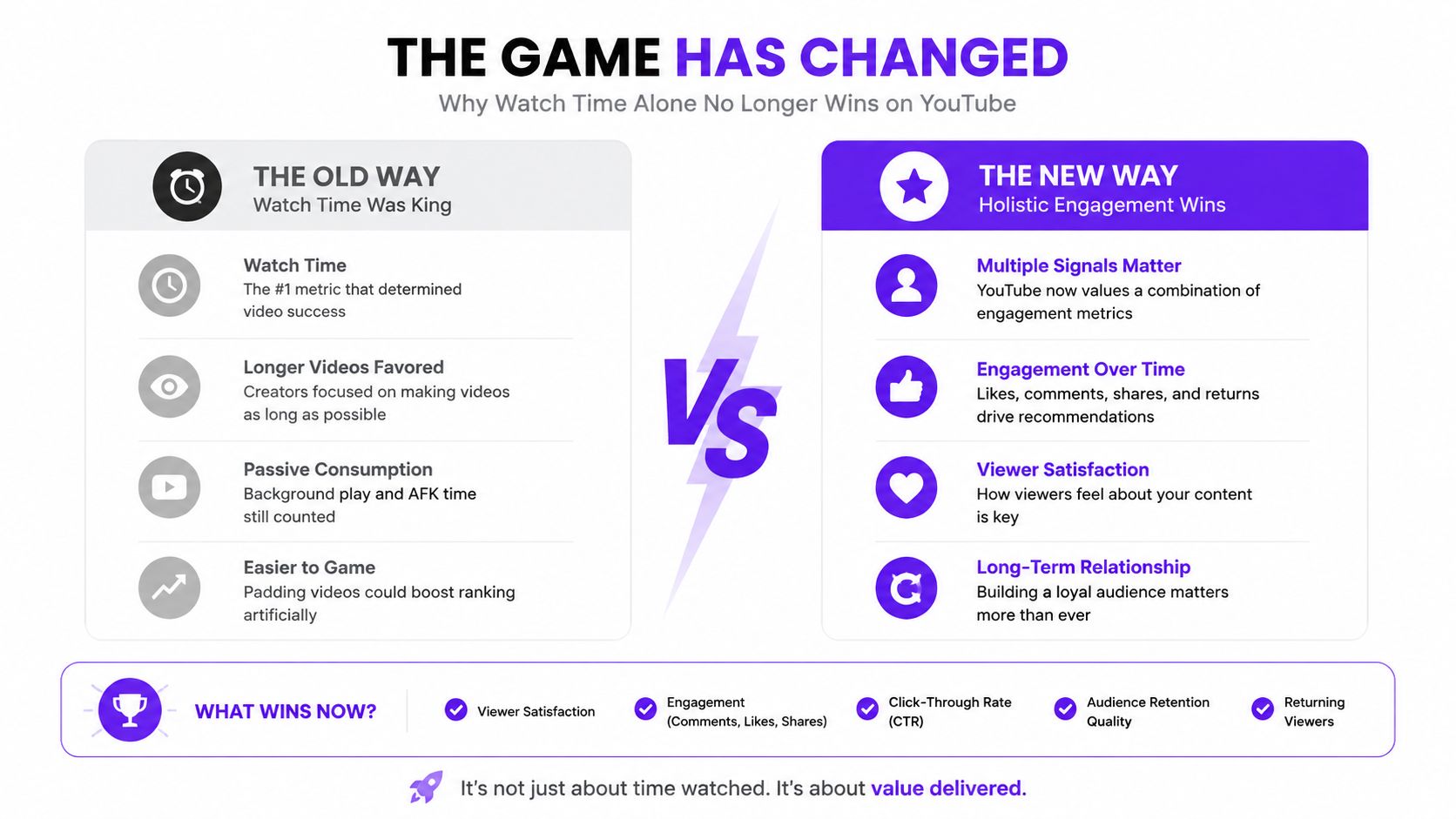
A shorter video that answers the viewer's question directly can outperform a longer one that delays the point. Keep context that improves understanding, then remove material included only to make the runtime appear more substantial.
A peer-reviewed study found that higher CTR was significantly associated with more views, while finding little or no evidence that higher audience retention or total average watch time per view independently predicted more views (the study in the International Journal of Public Administration and Community Development). The practical sequence is clear. Improve the promise and packaging so the right viewers click, then test whether the video delivers what that promise led them to expect.
Practical rule: A strong CTR shows that your packaging attracts attention. It does not prove that the video merits broader distribution.
Creators with advanced features can test up to three title and thumbnail combinations for long-form videos over up to two weeks. YouTube selects the winning combination by highest watch time per impression, rather than by highest click-through rate alone (YouTube Analytics documentation). The trade-off matters. Curiosity can win the click, while relevance and payoff determine whether those impressions become satisfying viewing.
Track return-viewer behavior, satisfaction feedback, early drop-off, and the relationship between the packaging promise and the actual content. A high CTR paired with a sharp opening drop-off points to a mismatch. Strong retention with weak impressions points toward packaging that undersells the video. The useful question is whether viewers received what they expected and would choose another video from the channel.
Use this guide to YouTube ranking factors as a diagnostic reference for discovery signals, not as a checklist of rumored tricks. Metadata can clarify a topic, but it cannot compensate for a misleading promise or a weak payoff.
A keyword can attract the wrong audience even when its search volume looks appealing. A viewer searching for a tutorial expects clear steps. Someone comparing products wants criteria for a decision. An entertainment query may promise a story or experience rather than a direct answer. Match the phrase to the outcome your video can deliver, or the packaging may earn attention without building satisfaction or return viewing.
Start with a seed topic and search it directly on YouTube. Record autocomplete suggestions, repeated wording in titles, and questions viewers ask beneath ranking videos. Google results can reveal additional question patterns, but YouTube's results show the formats and promises viewers already recognize.
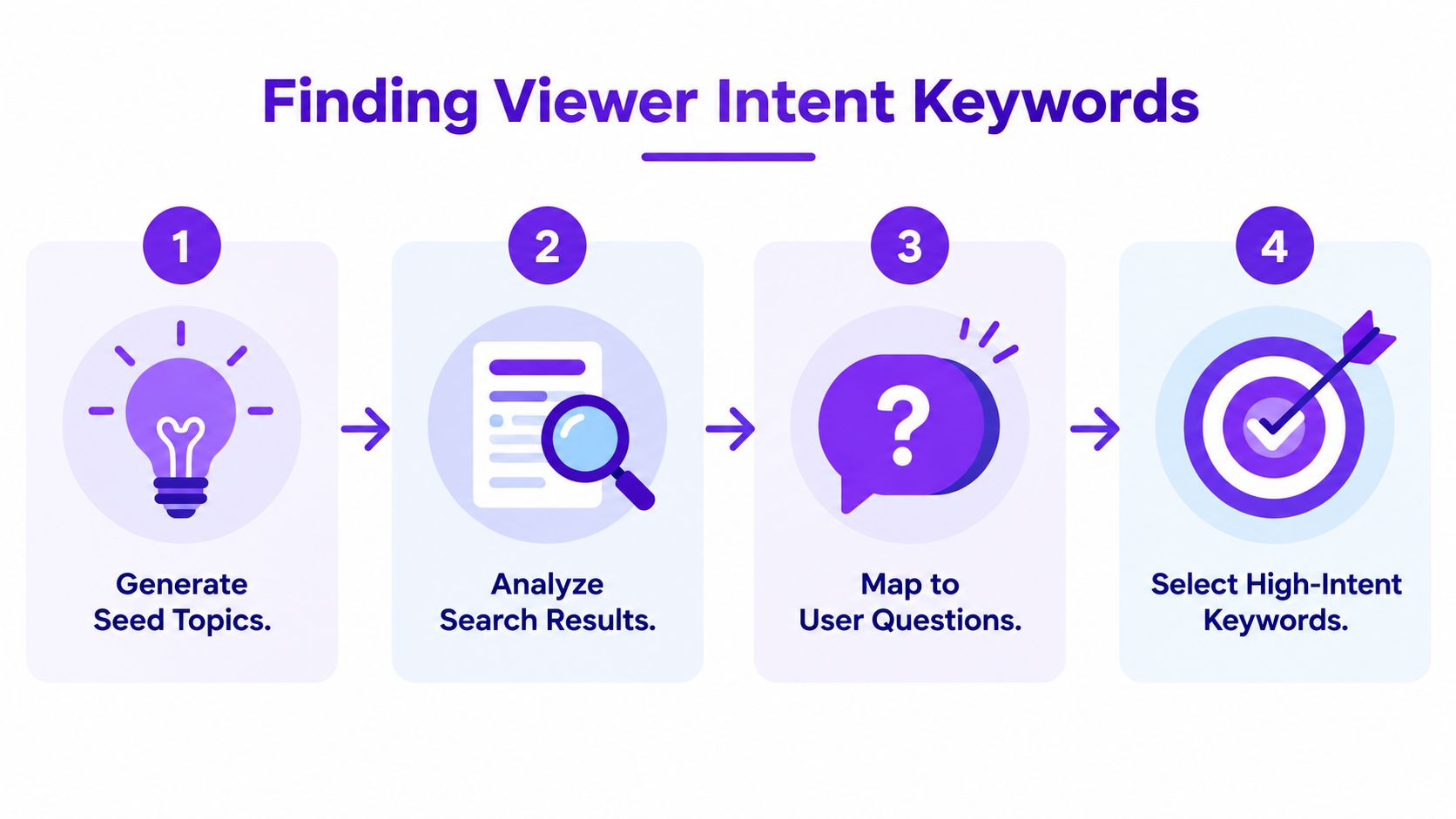
A useful phrase gives the video a clear editorial contract. Sort related terms by the job the viewer wants completed:
The intent should shape the payoff. A problem-solving query needs the fix early. A comparison needs decision criteria before the conclusion. A tutorial needs visible progress, not an extended explanation of why the subject matters. For more detail on the classification, see SemDash's resource on keyword search intent explained. Choose a phrase according to the viewer's expected result, not apparent popularity alone.
Tools such as TubeBuddy and VidIQ can surface related phrases and competitor metadata. Google Trends can help compare interest patterns, while manual inspection shows whether the videos ranking for the query match the format you can produce.
Review the leading results for:
Broad topics often produce vague videos because one upload tries to satisfy several intents. A narrower phrase gives you a more precise promise. “Laptop problems” names a topic. “How to fix a slow laptop on Windows 11” identifies a specific problem and points toward a concrete payoff.
Use the target phrase naturally in the title, opening explanation, description, spoken content, and chapters where it fits. Repeating it in tags or prose adds little. Metadata clarifies the subject, while the video must satisfy the reason behind the search. Review your own CTR and audience response in YouTube Analytics documentation, then compare that evidence with the intent and format you identified.
For creators organizing research, AI tools for keyword research can support ideation and clustering. Human review still decides whether the phrase matches competing formats, viewer intent, and the payoff you can credibly deliver.
A thumbnail and title form one conversion system. The thumbnail earns attention, the title clarifies the situation, and the pair creates an expectation that the opening must confirm.
YouTube counts impressions when thumbnails meet its visibility conditions, then calculates CTR from clicks divided by impressions (YouTube Analytics documentation). An impression without a click creates no viewing opportunity. A click caused by a misleading promise creates a different problem, because the viewer may leave before the content establishes value.
Start by writing the viewer's expected outcome in one sentence. Then give the title and thumbnail different jobs.
The title can state the problem, audience, or result. The thumbnail can show the tension, contrast, evidence, or emotional consequence. Repeating the same words in both wastes space and usually produces a weaker package.
A practical review asks:
Avoid adding visual elements merely because there's room. Strong contrast, a clear focal point, and readable text usually matter more than decorative detail. The exact treatment depends on the niche, audience, and traffic source, so borrow structural ideas from relevant competitors rather than copying their style.
YouTube's built-in testing option makes packaging iteration more disciplined. Advanced-feature creators can test up to three combinations for long-form videos, and YouTube chooses the winner by watch time per impression over a period of up to two weeks (YouTube Analytics documentation). That metric discourages a cheap CTR win that produces disappointed viewers.
The 2023 study linked higher CTR with more views, but it didn't support treating retention or average watch time per view as independent predictors of views (peer-reviewed CTR study). Use that finding carefully. It supports improving packaging, not exaggerating the promise.
| Strategy | Typical CTR Range | Retention Impact | Best For |
|---|---|---|---|
| Clear, search-aligned packaging | Not specified in the verified data | Usually supports expectation alignment | Tutorials and problem-solving videos |
| Curiosity-led packaging | Not specified in the verified data | Can weaken satisfaction if the payoff is delayed or unclear | Stories, experiments, and commentary |
| Broad-appeal packaging | Not specified in the verified data | May attract viewers outside the ideal audience | Large, accessible topics |
| Narrow, audience-specific packaging | Not specified in the verified data | Often creates a stronger match between click and content | Specialist topics and qualified viewers |
Don't insert unsupported CTR benchmarks into your process. Instead, compare each package with your own channel history and evaluate clicks alongside early retention and later viewer behavior. The best thumbnail isn't the one that attracts the most people. It's the one that attracts the right people and makes the video easier to enjoy.
For a practical way to inspect how your package appears before publishing, use this YouTube thumbnail preview tool. Review it at small sizes, because many viewers encounter your video among competing recommendations rather than on a full watch page.
Descriptions should help two audiences at once. YouTube needs clear textual context, while viewers need a concise explanation of what they'll get, why it matters, and where to find the relevant part.
Open with the primary topic and value proposition. The first lines should make sense before a viewer expands the description, so don't bury the answer under social links, disclaimers, or a long brand introduction.
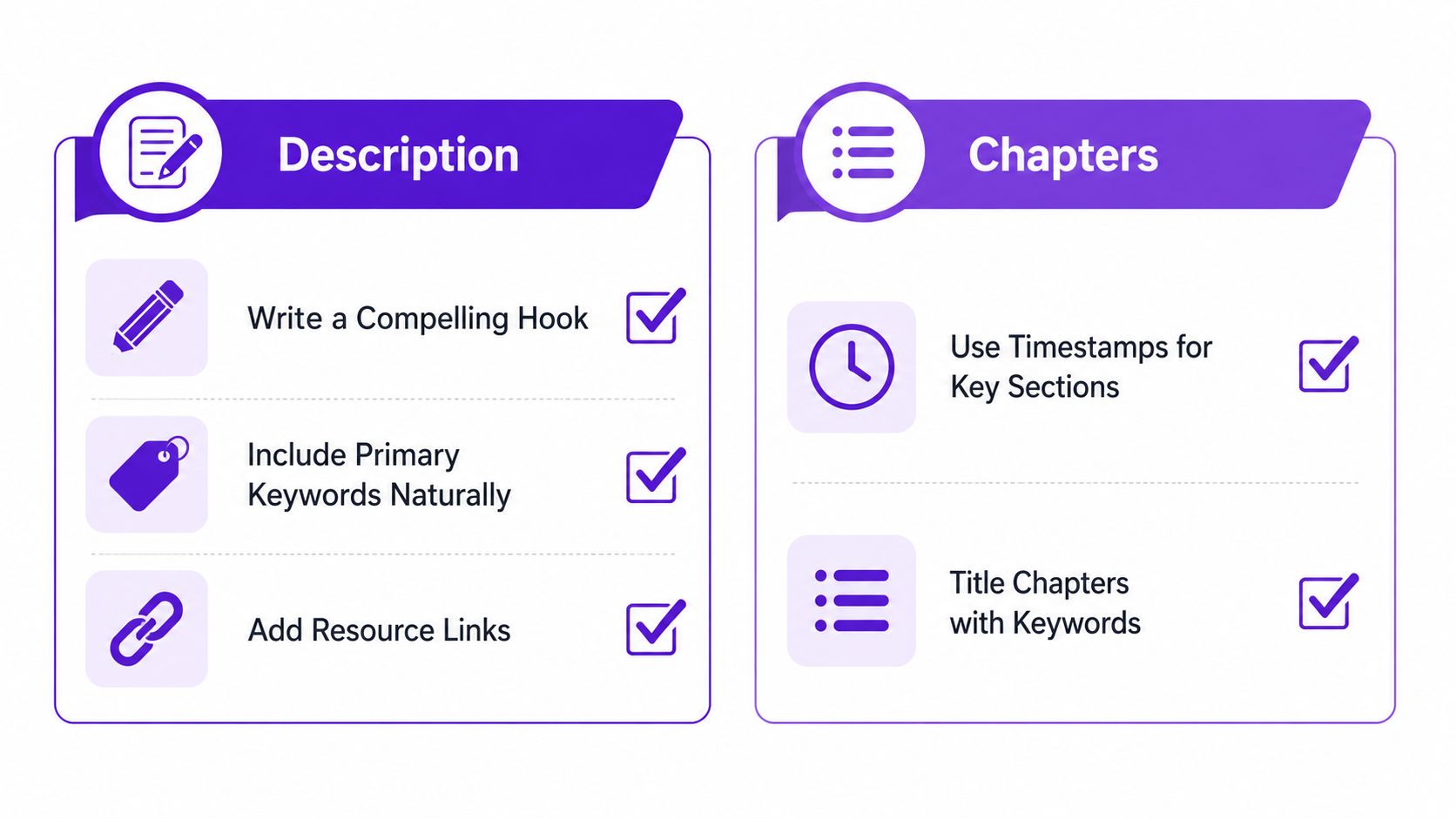
A readable description can follow this order:
Use the exact language viewers use when it describes the content. Don't turn the description into a keyword list. Repetition can make the copy harder to read and can signal that the metadata exists for search engines rather than people.
Chapters work best when their labels describe a real question or task. A viewer should be able to scan them and understand the route through the video. Use 0:00 as the first timestamp, then add later timestamps at meaningful transitions. Keep labels concise enough to scan, and prefer “Fix microphone clipping” over an inside joke that only regular viewers understand.
Accurate captions improve accessibility and give YouTube additional text that can clarify the subject. Upload a reviewed SRT file when possible instead of publishing obvious errors from automatic transcription. Correct names, technical terms, product names, and specialist vocabulary before the video goes live.
Captions shouldn't become a place to force keywords. Speak naturally, explain the topic clearly, and edit the transcript so it reflects what the video says. That alignment helps viewers follow the material and reduces the risk of creating a misleading textual description.
A consistent template saves time, but don't let boilerplate overwhelm the unique information for each upload. The description should answer the viewer's immediate question first, then provide navigation and useful next steps.
Use chapters as navigation, not decoration. If a section doesn't represent a genuine change in subject or task, it probably doesn't need its own timestamp.
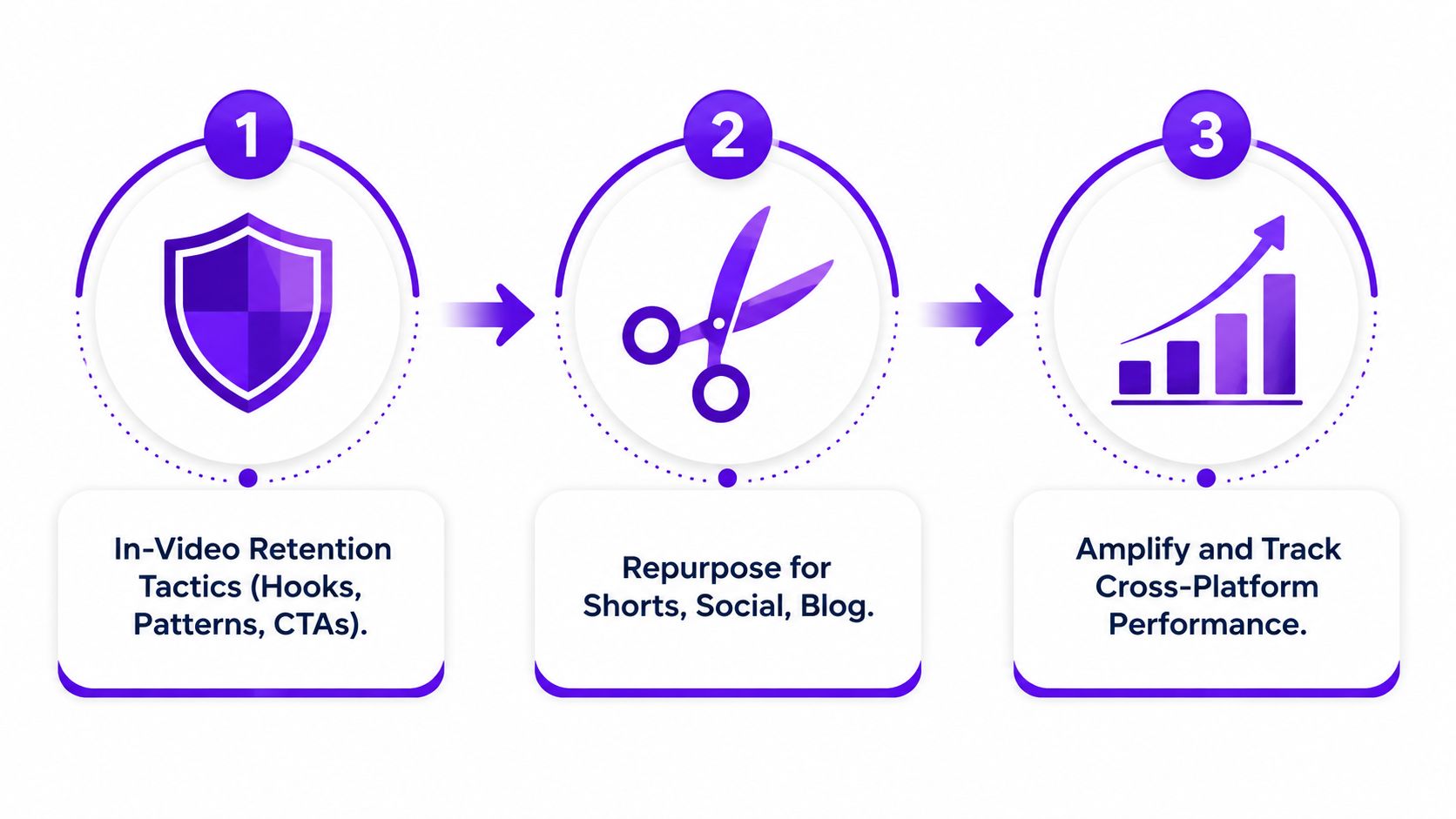
The most efficient optimization system starts inside the video, then distributes the strongest moments through formats that create new entry points. Repurposing can expand reach, but only when the source video contains clear, self-contained ideas worth extracting.
Front-load the useful part. Viewers should understand the problem, outcome, or surprising premise early enough to decide that the video is worth their attention. A polished logo animation or extended personal update may be pleasant for loyal viewers, but it delays the evidence that helps new viewers feel confident.
Use visual changes when they clarify the argument, not because a timer says an interruption is due. A diagram, screen recording, example, change of camera angle, or relevant B-roll can reset attention while keeping the explanation coherent.
Open loops can work when they lead to a real payoff. They fail when the creator promises a reveal, delays it artificially, or ends with a weak conclusion. Calls to action should also fit the viewer's state. A pinned comment can direct someone to the next relevant video, while an in-video prompt can invite a specific answer that continues the discussion.
Google's recommendation guidance includes satisfaction surveys and negative feedback controls alongside viewing and engagement behavior (Google recommendation guidance). That means retention tactics should reduce confusion and maintain momentum, not pressure viewers into staying.
After publication, inspect the retention graph and identify sections that communicate a complete idea. Extract clips for Shorts, TikTok, and Instagram Reels, then rebuild each one for vertical viewing with a platform-specific opening and accurate captions.
A useful repurposing workflow looks like this:
A blog post, podcast segment, email, or social thread can extend the same idea for a different audience. The purpose isn't to duplicate every sentence. It's to make the core insight useful in the format where each audience encounters it.
Taja AI fits as one workflow option. It analyzes a YouTube video and channel, generates optimization suggestions, detects high-retention segments for Shorts, and creates related text and visual assets from a long-form upload. Use it to accelerate production, then review every output for accuracy, brand fit, and promise alignment.
Views tell you what happened. Analytics helps explain why.
Start with the relationship between impressions and CTR. YouTube defines CTR as clicks divided by thumbnail impressions, with impressions counted under specific visibility conditions (YouTube Analytics documentation). Break the result down by traffic source when available, because a package that works in Search may not communicate the same value on Home or Suggested.
Then inspect the retention graph alongside average view duration. Look for the first major drop, abrupt exits after a promise, and sections where viewers skip forward. A drop immediately after the opening often points to a mismatch between title, thumbnail, and introduction. A later decline may indicate repetition, weak structure, or a payoff that arrives too late.
| Symptom Pattern | Likely Cause | Optimization Action |
|---|---|---|
| Impressions are strong, but CTR is weak | The package doesn't communicate a compelling or specific promise | Test a clearer title and thumbnail pairing |
| CTR is strong, but viewers leave early | The opening doesn't confirm the package | Rewrite the first moments around the promised outcome |
| Retention is stable, but reach plateaus | The topic may have limited audience fit or weak discovery context | Review intent, topic relevance, and supporting metadata |
| Viewers engage, but few explore further | The video lacks a clear next step or related content path | Add a relevant end screen, card, playlist, or pinned comment |
| Returning-viewer behavior is weak | Individual videos work in isolation but don't create channel momentum | Build connected topics, recurring formats, and sequenced follow-ups |
YouTube's recommendation system also uses watch history, search history, subscriptions, likes and dislikes, “Not interested,” “Don't recommend channel,” and satisfaction surveys (Google recommendation guidance). Use those signals to distinguish a packaging problem from a content problem. A video can attract attention and still fail to create trust.
Don't replace the thumbnail, rewrite the title, add chapters, and restructure the opening at the same time. Make one controlled change, document the date and reason, then compare the result with relevant channel context rather than relying on a single dramatic fluctuation.
Look beyond the headline dashboard. Traffic sources, retention curves, audience interests, comments, and returning-viewer patterns can reveal whether a topic deserves a sequel or whether the original promise needs refinement. Recent creator analysis argues that satisfaction and return behavior deserve more attention than pure watch-time optimization, including whether viewers return to the channel within seven days (2025 analysis of YouTube satisfaction signals).
Optimization becomes productive when every upload teaches you something specific. Record the hypothesis, make the smallest useful change, and let the next publishing decision reflect what viewers did.
If you want to reduce the manual work behind this process, visit Taja AI to turn long-form videos into optimized metadata, Shorts-ready clips, captions, thumbnails, blogs, and platform-specific posts. Upload a video, review the suggested packaging and extracted segments, then use the resulting assets to maintain a consistent discovery and return-viewer workflow.


We are blessed to work with leading brands & Companies


We try to make easy and simple for every professionals. Get 30 days free trial - No credit card required.


© 2025 Taja AI. All rights reserved.