.jpeg)
YouTube Shorts vs TikTok: Which Wins for Creators in 2026
YouTube Shorts vs TikTok compared on specs, reach, algorithms and monetization, with a clear platform pick for creators and brands in 2026.
5 min read
October 27, 2026

Find the best editorial calendar tool to stop content chaos. We review 10 top options for scheduling, collaboration, and planning your 2026 marketing strategy.
Written by:


Your content strategy is broken if you're still herding ideas through spreadsheets, Slack threads, and half-remembered Docs links. You're not short on ideas, you're short on a system that shows what's live, what's blocked, and what needs to ship next. A real editorial calendar tool fixes that by turning chaos into a visible workflow, not just a list of dates, and modern tools now stretch across blogs, newsletters, and social channels instead of stopping at a basic timetable. If you're trying to grow a church, a local brand, a client account, or your own creator business, you need one place to plan, route, and publish content without the daily scramble. For a focused example of how content planning supports distribution, see this guide on church SEO from HolyJot.
Taja AI is a strong option if your biggest problem is not planning ideas, but turning one good asset into a full content engine. It takes a long-form video, analyzes your channel, niche, and brand voice, then generates shorts, clips, captions, thumbnails, blogs, and platform-specific posts from a single upload. That matters because the best editorial calendar tool is no longer just a scheduling board, it also has to feed the calendar with enough material to keep publishing consistent.
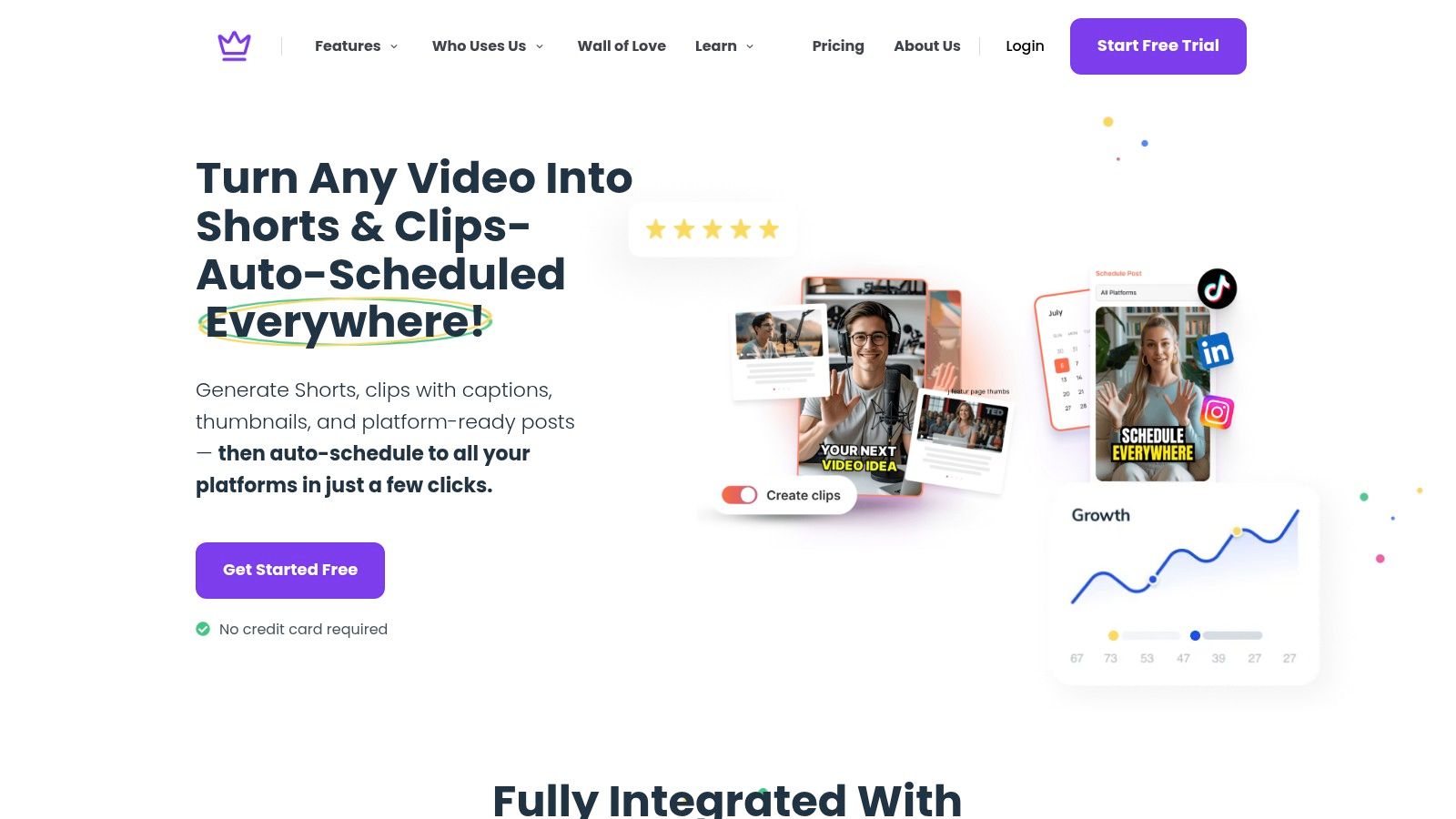
Taja's workflow is built for speed. The platform says users save up to 2.3 hours per optimized video, and it reports 2,652,887+ total hours saved across 256,000+ businesses on its product pages. It also auto-generates an average of 27 short assets and text outputs per long-form video, which is exactly the kind of volume a content calendar needs when you are trying to fill weeks of posts from one recording. Those claims come from Taja's public product materials, and they fit the broader shift toward calendars as coordination layers, not static schedules.
Practical rule: if one recording cannot produce enough follow-up content to support your calendar, your workflow is too manual.
The built-in Content Calendar, bulk scheduling, brand templates, thumbnail generator, and Next Video Idea feature make the tool especially useful for creators who need planning and execution in the same dashboard. You can upload, edit, schedule, and distribute across YouTube, Instagram, TikTok, Facebook, X, and LinkedIn without bouncing between tools. Taja also offers a free start with no credit card required, which lowers the barrier if you are testing a new repurposing workflow. For teams that care about process, the cleaner move is simple. Use Taja to feed the calendar, not just sit beside it. Visit Taja AI if you want an editorial calendar tool that helps you produce more content instead of just organizing the backlog.
A marketing team with too many moving parts needs a calendar that shows the full campaign, not just a list of dates. CoSchedule is built for that job. Its drag-and-drop editorial calendar brings blog posts, tasks, and social publishing into one view, so launches, promotions, and recurring content themes stay visible together instead of scattered across separate tools.
CoSchedule's website makes the positioning clear, and the platform is one of the more established names in the category. The 2026 tool roundup places it alongside mature tools like StoryChief and Narrato, which is a sign of how far the category has moved beyond spreadsheets. CoSchedule also fits the broader shift toward editorial calendars as workflow layers, where planning and execution live in the same system.
CoSchedule's strengths are practical. You get shared calendars, collaboration, reusable templates, and social scheduling in one environment. That setup works well for marketing teams that need a clear view of what is coming next and who owns each step. It is a weaker fit if you only want a lightweight posting board, because CoSchedule is designed for teams that need coordination, accountability, and visibility.
Use CoSchedule as the command center for a campaign. Put the content pillar, email send, blog post, and social promotion on the same calendar, then use that view to spot gaps before they turn into missed deadlines. If your team is stuck in disconnected planning, CoSchedule gives you a cleaner way to keep everyone aligned without burying the work in scattered documents.
Loomly is the editorial calendar tool you choose when approvals are your bottleneck. Agencies and brand teams love it because the workflow is built around ideation, review, and sign-off, not just scheduling. If your content gets stuck in comment threads or client emails, Loomly brings that mess into one visible system.
Visit Loomly and you'll see a platform centered on social content calendars, asset libraries, and structured approvals. It's especially useful for teams that manage many profiles and need every post to move through a controlled process before anything goes live. That controlled process matters because, as noted in the broader market coverage, the strongest calendar tools now support ownership and workflow states, not just title and date.
Loomly's real advantage is clarity. You can move a post from draft to review to scheduled without losing the feedback trail, and that reduces the back-and-forth that usually slows social teams down. It also includes idea management and analytics, so the calendar isn't just a queue, it's part of a repeatable content process.
Use Loomly if your team already knows what to post but keeps tripping over internal review. That's where it pays off. It won't replace a broader content operations system, but for brands and agencies that live inside social publishing, it gives you the discipline many teams are missing.
Later is the right editorial calendar tool when your content strategy lives on visual social channels. Its calendar is built for Instagram, TikTok, Facebook, LinkedIn, Pinterest, YouTube, Threads, and Snapchat, which makes it a strong fit for creators who think in platform-specific visuals rather than blog-first publishing. The interface makes it easy to map out what's going out, where, and when.
Later's platform leans hard into social planning, and that's its strength. The social sets model is helpful if you want a consistent structure for multiple networks, because it keeps related accounts bundled in a way that's easy to scan. It's a clean answer for brands that want one visual calendar across several channels without turning the workflow into a project management maze.
Later works best when your team values speed and repeatability. The drag-and-drop calendar, bulk scheduling, and best-time-to-post features help creators keep a steady pace without overcomplicating the process. It's not the right answer if your editorial workflow includes heavy blog production, deep approvals, or complex cross-functional handoffs. It's built for social-first teams that need clarity, not a giant operations stack.
If your main pain point is inconsistency, Later helps you stop posting randomly. That alone can make your calendar feel more like a system and less like a suggestion.
Buffer is the simplest editorial calendar tool on this list, and that is exactly why creators keep coming back to it. It gives small teams a clean schedule, straightforward queueing, and predictable pricing without forcing them through a steep learning curve. If your job is to get posts out the door fast, Buffer keeps the process tight and uncluttered.
Buffer is easy to recommend to creators and marketers who want a direct publishing workflow. The platform supports planning and publishing across major networks from a visual calendar, and its per-channel pricing model makes it easier to add accounts without jumping into a much bigger plan. That matters when you are growing steadily and need to keep costs under control.
Buffer works well for social-first teams that want speed, consistency, and a simple place to manage recurring posts. It includes basic analytics and a link-in-bio page, so you can publish and track without stitching together extra tools. It does not try to run your whole content operation, and that restraint is part of the appeal. Use it when you need a reliable posting system, not a project hub.
If your workflow includes repurposing content before it reaches the calendar, pair Buffer with an approval workflow for content teams so drafts get reviewed before they go live. For readers trying to automate social posting, this guide on automating social media posting is a useful companion for connecting scheduling discipline with repurposed content.
Planable is built for teams that need to collaborate with clients without turning every review round into a meeting. It makes approvals visual, auditable, and easy to understand, which is why agencies reach for it when they're tired of chasing feedback through email. The whole platform is centered around a shared calendar and post previews that look exactly like they will appear when published.
Planable is a strong choice if you work across multiple stakeholders and need everyone to see the same thing at the same time. The platform's pricing model is workspace-based, not seat-based, which helps when a lot of people need visibility but you don't want per-user costs spiraling out of control. That's a real advantage for client-facing teams.
Its feed, calendar, grid, and list views give planners enough flexibility to work the way they prefer. The value shows up when a client can comment directly on a post mockup instead of sending abstract notes that no one can interpret later. That reduces revisions and keeps the approval trail intact.
If you're managing campaigns for brands, nonprofits, or multiple clients, Planable gives you a cleaner approval system than most general scheduling tools. It's not a full content operations suite, and it doesn't try to be one. It's a sharp, focused answer for collaborative social publishing.
For teams that want a deeper playbook on approval flow, this content approval workflow guide pairs well with Planable's model.
ClickUp fits teams that need their editorial calendar inside a larger work system. It handles briefs, drafts, deadlines, dependencies, and handoffs in the same place, so content work stays tied to execution. If writers, designers, reviewers, and project managers all touch the same pipeline, ClickUp keeps the process organized.
ClickUp gives content teams multiple views, including calendar, timeline, Gantt, and workload, which makes campaign planning easier to manage across multiple stages. It also includes docs, dashboards, automations, and guest permissions, so the operational side of content work can live alongside the editorial side. That mix matters when your calendar has to support both planning and production.
ClickUp can feel heavy if all you need is a simple posting calendar. For real content operations, that structure pays off. The brief, task, and due date stay attached to the same content object, which cuts down on confusion and keeps ownership clear.
Use ClickUp for editorial roadmaps, campaign tracking, and production systems that involve more than one function. It works well for content teams that need coordination across roles and stages, and it gives project managers a clearer view of what is blocked, what is in progress, and what still needs review. If you need direct publishing, another tool still belongs in the stack, but ClickUp does a lot of the internal heavy lifting.
Notion works well for editorial calendars that need structure without forcing a rigid workflow. It suits creators and small teams that want ideas, briefs, calendars, and documentation in one workspace. If you want to shape your own system instead of fitting into a preset layout, Notion gives you that control.
Notion fits teams that want planning and knowledge management in the same place. You can build databases, calendar views, board views, and templates to track content from idea to publication. It also works well for teams that need the editorial calendar to hold research, notes, and process docs alongside the schedule.
Notion works best for content operations that need a shared workspace people can shape. A creator planning solo content can use it to keep ideas, drafts, and publishing notes together. A small marketing team can use it to connect an editorial calendar with briefs, status tracking, and reference material. A team that already uses a practical guide for building a content calendar can turn that process into a living system inside Notion.
The tradeoff is setup. Someone has to model the workflow clearly and keep the structure clean. Skip that, and you end up with a polished-looking mess that nobody trusts. Build it well, and Notion becomes a solid source of truth for editorial planning, especially when the team needs room to adapt the system over time.
Notion is the right call for teams that want flexibility and documentation in one place, and for creators who care as much about process notes as the calendar itself. It is a database tool first, so it rewards teams that are willing to design their own workflow. If your main goal is a ready-made publishing engine, use something else.
Airtable is the database-first choice for content teams that need structure, relationships, and reporting. It combines spreadsheet familiarity with database power, which makes it one of the best editorial calendar tools for multi-channel operations. If you're tracking ideas, assets, owners, channels, and deadlines all at once, Airtable handles that kind of complexity better than a basic calendar ever will.
The Airtable platform is built around linked records, multiple views, and automations, which is exactly what cross-functional content teams need. Its calendar, kanban, timeline, and Gantt views let different stakeholders see the same content from different angles without duplicating work. That matters when your process needs both editorial visibility and operational discipline.
Airtable is strongest when one piece of content has many moving parts. A blog post can be tied to an owner, an asset list, social variants, and a publication date, all inside one base. That relational model is what makes Airtable feel more like an operations layer than a simple planner.
The tradeoff is governance. Airtable needs someone who owns the schema and keeps it clean. Without that person, the system gets messy fast. If you have that operational mindset on the team, Airtable is one of the most capable tools for coordinating content across brands and channels.
monday.com is the editorial calendar tool for teams that want everything highly visible and easy to follow. Its boards, timelines, calendar views, and automations make it simple to map content from idea to publish date without making the workflow feel hidden. That's especially useful for stakeholder-heavy teams that need clarity more than customization.
Monday.com fits the project management category, but it adapts well to content planning. You can standardize briefs, track statuses, and route approvals with templates and automations. It's a strong option if your editorial work overlaps with campaigns, product launches, or marketing operations, because it gives people a shared visual system.
Its strength is easy adoption. Teams usually understand how to read the boards right away, and that lowers friction during rollout. The tradeoff is that it can get pricey and layered if you only need the calendar portion of the product. Still, for teams that want a broad work OS with editorial planning built in, monday.com is a dependable pick.
Use it when your content team needs to stay aligned with adjacent functions. It's less about deep publishing features and more about making sure everybody sees the plan.
| Tool | Key Capabilities | Quality & Ease ★ | Value & Pricing 💰 | Target Audience 👥 | Unique/Selling Points ✨ |
|---|---|---|---|---|---|
| 🏆 Taja AI | Auto-generates ~27 short assets/video; vertical-first repurposing; multi-platform auto-scheduling | ★★★★☆, fast editor & brand templates | 💰 Free start (no card); high time-savings (~2.3h/video) | 👥 Creators, SMBs, social managers, podcasters, realtors | ✨ AI SEO optimization, Next Video Idea, Backlog Boost, thumbnail generator |
| CoSchedule | Unified editorial calendar + social scheduling; campaign & task unification | ★★★★☆, calendar-first UX | 💰 Mid–High; suite pricing, some features via sales | 👥 Marketing teams & agencies | ✨ Single master calendar for campaigns & social |
| Loomly | Social content calendar, approvals, asset library, analytics | ★★★★☆, structured approval workflows | 💰 Mid; noticeable jumps between tiers | 👥 Brands & agencies with multi-profile workflows | ✨ Multi-level approvals, hashtag manager, integrations |
| Later | Visual drag-and-drop calendar; bulk scheduling; social-sets model | ★★★☆☆, strong visual planner | 💰 Affordable entry; advanced analytics on higher plans | 👥 Instagram/TikTok-focused creators & brands | ✨ Social-set parity model, Link in Bio, best-time scheduling |
| Buffer | Clean publishing calendar, queues, basic analytics; per-channel pricing | ★★★★☆, very simple & predictable | 💰 Transparent per-channel pricing; free tier | 👥 SMBs & solo creators valuing simplicity | ✨ Predictable pricing, easy onboarding |
| Planable | Client-friendly collaboration: feed/calendar/grid/list + approvals | ★★★★☆, audit-friendly client reviews | 💰 Per-workspace pricing; analytics/inbox are add-ons | 👥 Agencies & client-facing teams | ✨ Unlimited users per workspace; clear client approvals |
| ClickUp | Work OS: calendars, timelines, docs, automations, time tracking | ★★★★☆, highly customizable (can be complex) | 💰 High value at lower tiers; workspace-wide upgrades | 👥 Cross-functional content ops & project teams | ✨ Deep automations, multiple views, native docs |
| Notion | Databases + calendar/board/timeline views, docs & templates | ★★★☆☆, flexible but needs setup | 💰 Robust free tier; AI Agents/credits extra | 👥 Small teams, editorial hubs, documentation-centric teams | ✨ All-in-one docs + calendar + customizable schemas |
| Airtable | Relational bases linking ideas, assets, channels; interfaces & automations | ★★★★☆, powerful for ops (setup required) | 💰 Seat-based pricing; free read-only collaborators | 👥 Ops-minded content teams & cross-functional users | ✨ Relational modeling, interfaces, API & automations |
| monday.com | Boards, calendar/timeline/Gantt, automations, templates | ★★★★☆, visual workload & deadlines | 💰 Seat-based with team minimums; layered AI credits | 👥 Mid-large marketing teams & agencies | ✨ Extensive templates, automations, mobile apps |
Choosing an editorial calendar tool is the first fix, not the full solution. Growth happens when your planner connects to an execution engine that keeps the pipeline moving after the idea is approved. That's why the smartest teams don't stop at scheduling, they build a workflow that turns one strong piece of content into a repeatable system.
The market data backs that up. In the Content Marketing Institute benchmark cited in the research, 73% of B2B marketers had a documented content marketing strategy, and documented teams reported being 64% very or extremely successful versus 14% without documentation, which strongly suggests that planning discipline matters. A separate Buffer survey cited there found 43% of marketers still publish spontaneously without a calendar, and those teams reported worse consistency and engagement than teams using structured schedules. Editorial calendars are no longer optional if you want content that ships on time and keeps compounding.
That's why the best stack is usually a planner plus a repurposer. A tool like Notion, Airtable, or CoSchedule can organize the schedule, the approvals, and the handoffs. A tool like Taja AI can then take your long-form content and fill that calendar with shorts, captions, blogs, thumbnails, and platform-specific posts from a single source. You stop feeding the calendar manually, and start feeding it with systems.
For creators, marketers, and small teams, that shift changes everything. It reduces the blank-page problem, cuts the copy-paste grind, and gives your best ideas more than one life. If your content feels scattered, don't just add another spreadsheet. Build a workflow that can plan, repurpose, and distribute in the same motion.
If you want a faster way to turn one recording into a full content plan, Taja AI gives you the repurposing layer your calendar has been missing. It helps you generate shorts, captions, blogs, thumbnails, and scheduled posts from one upload, so your content system stays full instead of stalling out. Start with Taja AI and make your editorial calendar work like a distribution engine, not a parking lot.


We are blessed to work with leading brands & Companies


We try to make easy and simple for every professionals. Get 30 days free trial - No credit card required.


© 2025 Taja AI. All rights reserved.