.jpeg)
Facebook Video Upload Made Simple in 2026
Master Facebook video upload in 2026 with this step-by-step guide covering formats, resolutions, privacy, captions, and troubleshooting tips.
5 min read
October 7, 2026

Build a content calendar for small business that prevents burnout and drives growth. Learn realistic cadences, repurposing workflows, and automation tips.
Written by:


You've got a folder full of half-written ideas, a camera roll of videos you meant to edit, and three platforms waiting for something new. Between serving customers, managing operations, and handling sales, publishing often becomes a late-night scramble. You post when you remember, skip a week when work gets busy, then try to make up for it with a burst of content that's difficult to sustain.
A practical content calendar for small business solves that problem only when it reflects the way your team works. The strongest calendar isn't a daily checklist packed with original posts. It's a distribution system that starts with one useful long-form asset, turns it into platform-specific material, and gives every piece a clear job.
The biggest mistake is assuming that small businesses need to publish everywhere, every day. That advice sounds ambitious, but it ignores the constraint that determines whether a calendar survives: available production capacity.
A 2025 Adobe Express survey found that 44% of business owners post weekly and 18% post daily, while 63% feel pressure to post daily and 24% say their audience expects daily content. The same survey reported that business owners considered seven posts per week ideal. Those figures reveal the gap between expectation and execution, not a universal requirement to publish daily. You can review the findings in this summary of small-business social media publishing data.
A calendar fails when the owner plans for an imaginary marketing department instead of the people who must create, approve, and publish the work. The first week looks productive. By the third week, captions are rushed, videos remain unfinished, and the calendar becomes another source of guilt.
Watch for these symptoms:
A 2023 Databox benchmark found that small businesses in the study posted a median of 10 Facebook posts per month, while cross-platform benchmark groups clustered around about 2 to 3 posts per week. The practical lesson is straightforward. Organized consistency became more useful than occasional bursts, but consistency doesn't require maximum volume. See the historical content calendar benchmark for the underlying context.
Practical rule: If missing one busy day causes the whole calendar to collapse, the calendar is overbuilt.
Treat the calendar as a performance system, not a publishing checklist. It should protect production time, reduce content gaps, connect content to business priorities, and create enough structure for learning. A smaller schedule that stays active gives you better feedback than an ambitious schedule abandoned after a few weeks. Capacity planning belongs in the design itself, which is why team capacity planning should happen before you promise a publishing volume.
Before opening a spreadsheet or scheduling platform, make three decisions in order: which channels deserve attention, how often you can publish, and which recurring topics support the business. Reversing that order usually produces a crowded template with no operating logic.
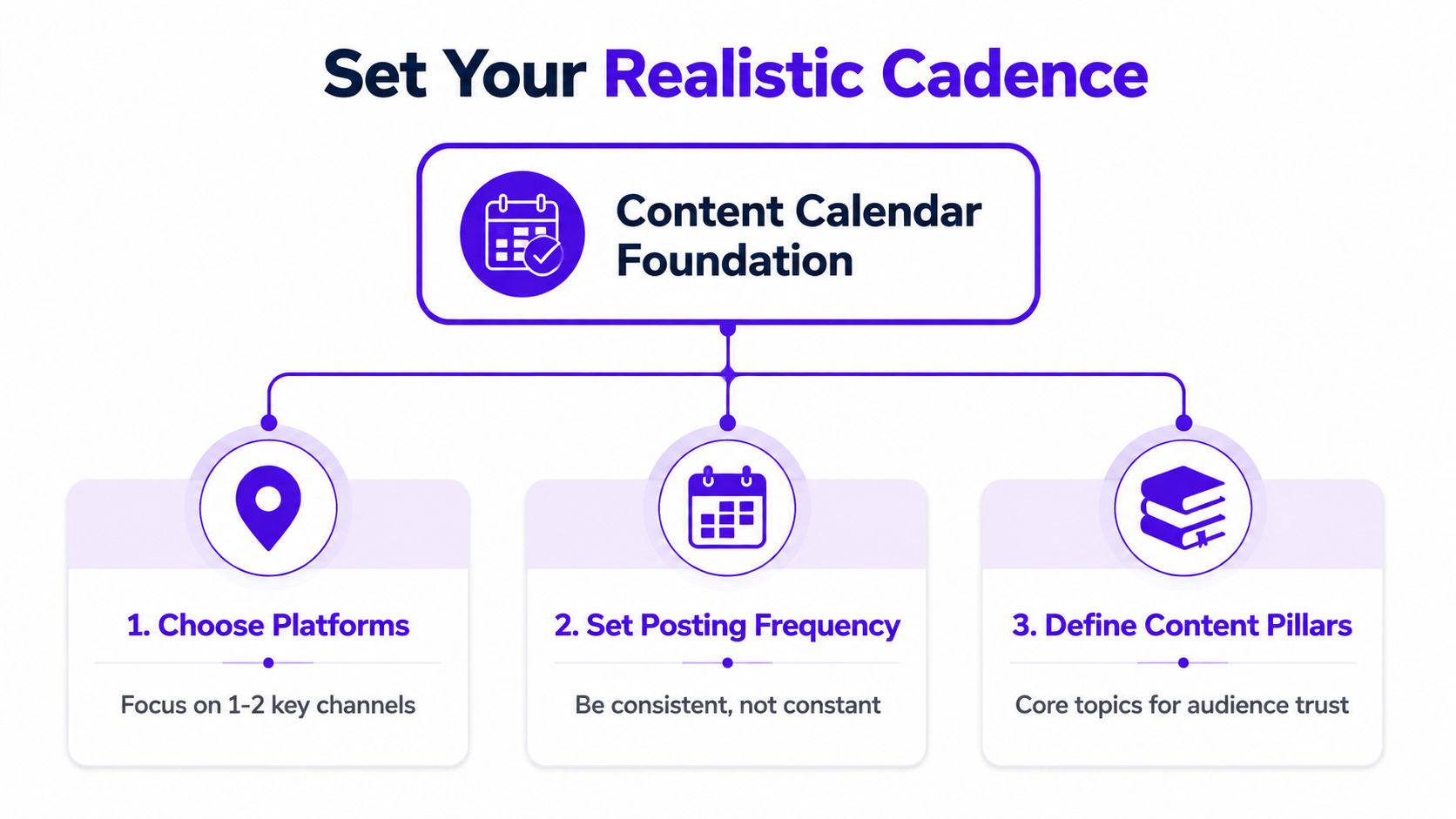
Start with the channels where your customers already research, compare, or ask questions. A local service provider may prioritize Instagram and Facebook. A consultant may get more value from LinkedIn and YouTube. A visual brand may need Instagram or TikTok, while a property professional may combine video discovery with local search content.
For most small teams, practical guidance recommends selecting one or two platforms and committing to roughly two to four posts per week per platform, rather than spreading effort across every available channel. That approach is outlined in this small-business social media calendar guide. The right choice depends less on platform popularity than on whether your team can create native, useful material there.
Choose a publishing rhythm that fits your production week. If you can reliably create two strong assets, build around two. If you can adapt one recording into several formats, count the finished distribution assets separately from the original production effort.
Write the decision down. A documented content marketing plan matters because one independent survey reported success among 96.05% of respondents with a documented plan, compared with 69.69% of those without a documented strategy. The source reports a roughly 26-point absolute difference, and you can review the methodology and findings in this small-business content marketing survey.
Document the owner, format, channel, intended audience, business goal, deadline, and approval status. For voice consistency across contributors, use clear tone of voice guidelines so editing doesn't become a subjective debate every time.
Build three or four content pillars around the questions your audience asks before buying. A service business might use education, proof, objections, and behind-the-scenes expertise. A real estate team could organize around neighborhood knowledge, buyer education, seller guidance, and property storytelling. For a more specialized example, review these content pillars for real estate teams.
Each pillar should connect to a business destination. An educational article can link to a relevant service page. A short video can point to a consultation page. A customer question can become an email topic and an FAQ that supports organic search. Your calendar should record that connection, not just the date and caption.
A repurposing-first calendar begins with a source asset, not an empty row. Record one useful conversation, tutorial, interview, demonstration, webinar, or customer Q&A. Then extract the strongest ideas and assign each version to a channel.
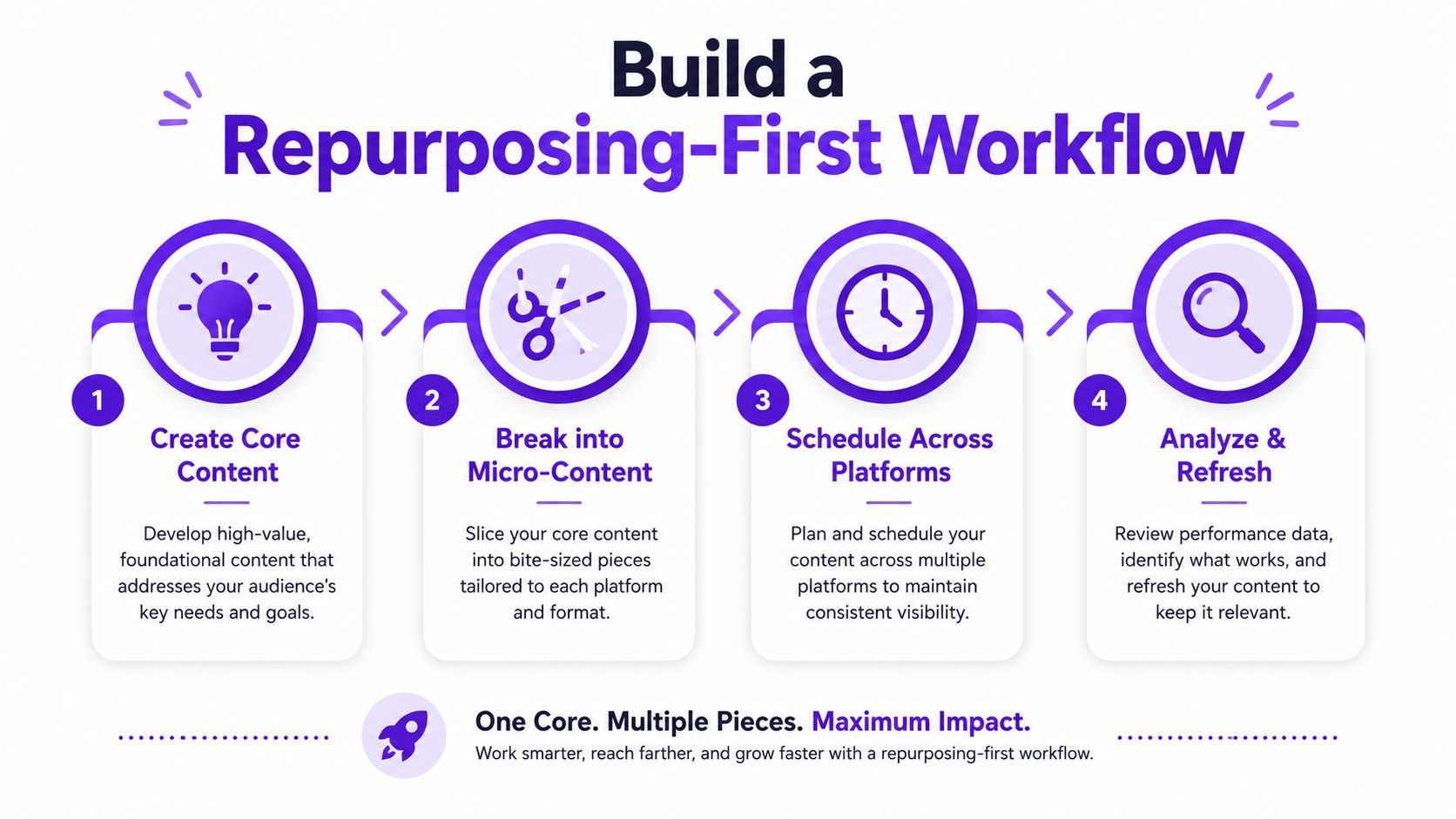
Choose a topic with enough depth to answer several related questions. A five-minute explanation of a common customer problem may produce a short clip and a caption. A longer interview or tutorial can support several clips, a blog article, an email, quote graphics, a thumbnail concept, and platform-specific text.
The source asset needs a clear point of view. Repurposing weak material only multiplies weak material. Before recording, identify the main promise, supporting points, examples you can safely share, and the action you want viewers to take.
Don't publish the same file everywhere and call it repurposing. Adapt each piece to the channel:
Use a calendar row for the source asset and separate rows for the derivatives. Add fields for format, channel, publish date, owner, status, source link, target keyword, and call to action. This makes the workflow visible and prevents a finished clip from disappearing in a folder.
Stagger related assets so the audience encounters the idea in different forms. Publish the full recording first, release a short clip that highlights the central problem, follow with a practical text post, and later answer a related objection. The sequence should feel like a conversation, not duplicated announcements.
A platform-specific content distribution approach helps you decide which version belongs where. Tools can assist with transcription, clipping, captions, thumbnails, and scheduling, but a person still needs to check factual accuracy, context, brand fit, and the final call to action. Repurposing saves creation effort only when the adapted assets remain useful on their own.
A unified calendar doesn't mean identical publishing across channels. Each platform asks for a different treatment of the same idea, and the schedule should reflect production capacity rather than pretend every channel has the same audience behavior.
The table below gives a practical starting point. These are operating recommendations, not universal performance guarantees. Adjust them after reviewing your own audience response, production time, and business priorities.
| Platform | Posts Per Week | Best Formats | Optimal Timing |
|---|---|---|---|
| YouTube | 1 core video, supported by Shorts | Tutorials, interviews, demonstrations, Shorts | When your audience can watch longer content |
| 2 to 4 | Reels, carousels, Stories, client or product visuals | Test audience-active windows and maintain a repeatable pattern | |
| TikTok | 2 to 4 | Vertical clips, demonstrations, answers to questions | Publish when your audience is most likely to browse short-form video |
| 2 to 4 | Short videos, local updates, links, community posts | Use times that fit your community's browsing habits | |
| X | 2 to 4 | Short insights, threads, clips, conversation prompts | Prioritize periods when customers and industry peers are active |
| 2 to 4 | Educational posts, documents, clips, professional stories | Favor working-day windows that match your network's routine |
A long-form YouTube tutorial can become a vertical Instagram Reel, a TikTok answer, a LinkedIn lesson, and a Facebook community prompt. The idea stays consistent, but the opening, length, context, and call to action change.
Video-first distribution deserves a place in the calendar, especially for businesses that can demonstrate expertise on camera. Recent guidance has emphasized short-form and vertical video alongside interactive formats, so a text-only template can leave useful distribution opportunities unplanned. The step-by-step guide to social media listings offers a useful example of how a property-focused business can think about channel-specific publishing.
Pick one pillar for the week and give it different jobs:
That structure reduces ideation because the team develops one theme rather than six unrelated campaigns. It also makes review easier. If the topic performs well in one format, you can refresh the angle without creating an entirely new source asset.
The calendar becomes manageable when you separate creation, editing, approval, and distribution. Trying to do all four every day creates constant context switching. Batching turns content work into focused production blocks with clear handoffs.

Set one block for recording, another for editing and quality checks, and another for scheduling. The exact day matters less than protecting the blocks from meetings and customer work. Keep a shared folder with source recordings, approved brand assets, captions, thumbnails, and links so nobody has to reconstruct the campaign from scattered messages.
Use a simple status system:
Bulk scheduling is useful once the review stage is complete. Schedule approved assets from one dashboard, but don't automate sensitive replies, claims that require context, or posts tied to fast-changing events without a human check.
Taja AI is one option for this workflow. It can turn a long-form video into shorts, clips, captions, thumbnails, blog content, and platform-specific posts, then organize and schedule distribution across YouTube, Instagram, TikTok, Facebook, X, and LinkedIn. Its product materials also describe features such as a built-in editor, brand templates, backlog revival, and content-calendar fields for ownership, status, keywords, asset links, and calls to action.
Review the queue on a fixed cadence. Remove outdated offers, update links, identify posts worth refreshing, and compare output with the business goals you documented. Automation should reduce repetitive handling, not remove judgment.
A short walkthrough can help your team visualize how a scheduled workflow fits together:
Don't try to build a perfect annual calendar. Build one month that your team can operate, review, and improve.
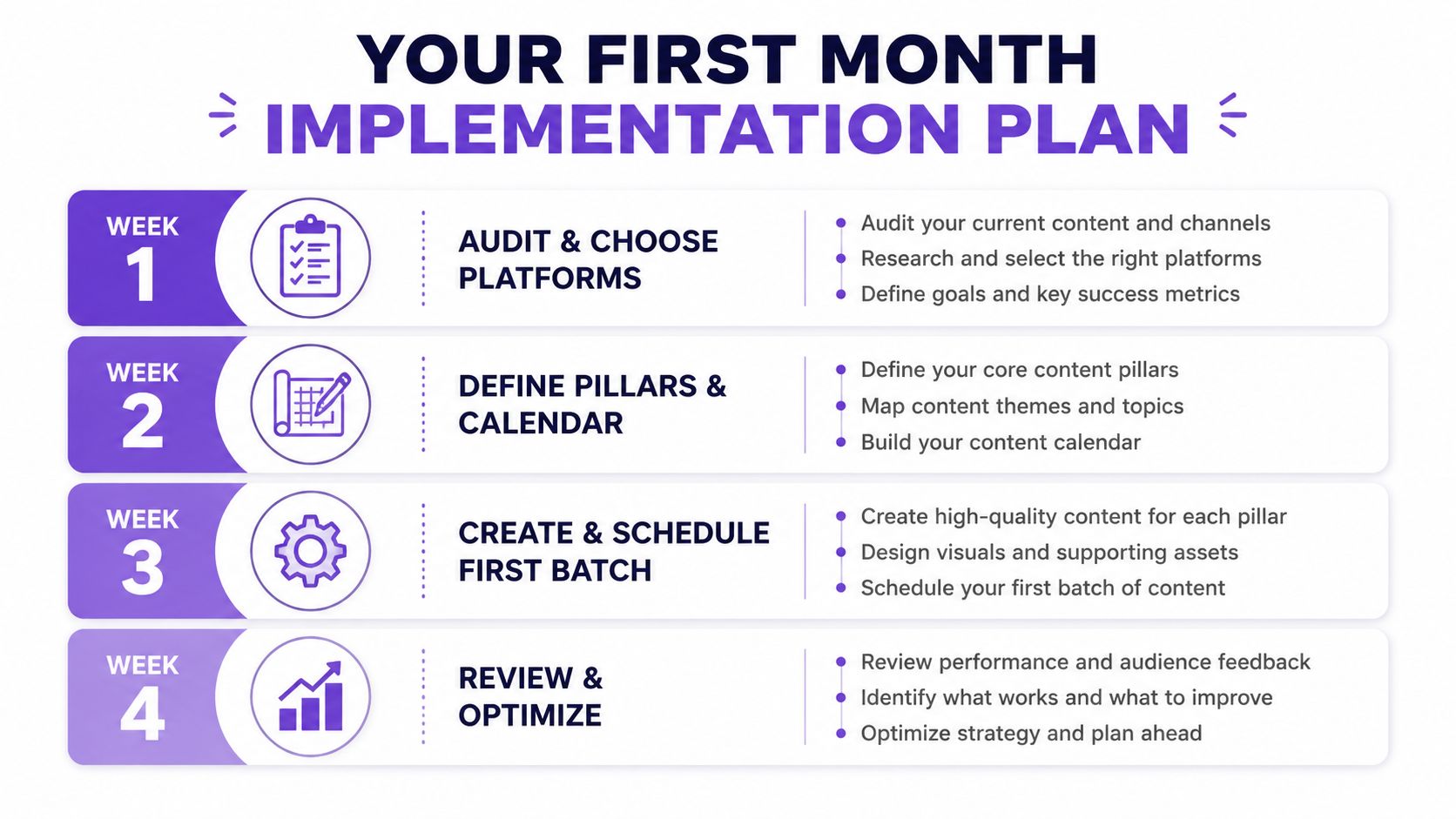
Review existing videos, articles, emails, customer questions, testimonials, and sales conversations. Mark the material that can become a source asset, then choose the one or two channels where your audience and team capacity overlap. Remove inactive channels from the initial plan rather than carrying them as obligations.
Select three or four recurring topics and connect each to a business goal. Assign a realistic posting rhythm, owners, approval steps, source links, and calls to action. If X is part of the mix, this practical resource can help you plan your X content schedule without treating every post as a separate campaign.
Record or select one substantial asset. Extract clips, write adapted captions, outline a blog post, prepare visual elements, and place every derivative into the calendar. Check that each item works independently and that the sequence leads people toward a relevant next step.
Schedule the approved batch, store live links after publication, and review audience responses alongside business signals such as inquiries, consultations, downloads, or sales conversations. Don't increase volume just because the calendar has empty spaces. Add capacity only when the current process stays reliable and the added work has a clear purpose.
Common failures are predictable: over-scheduling, assigning no owner, skipping review, and confusing activity with progress. Keep the calendar flexible enough to respond to customers, but structured enough that a busy week doesn't erase your presence.
Taja AI helps small businesses turn one long-form recording into ready-to-publish clips, captions, thumbnails, blogs, and platform-specific posts while organizing distribution in a content calendar. Visit Taja AI to start building a repurposing-first workflow that keeps your publishing consistent without making you a full-time editor.


We are blessed to work with leading brands & Companies


We try to make easy and simple for every professionals. Get 30 days free trial - No credit card required.


© 2025 Taja AI. All rights reserved.