.jpeg)
Auto Generate Captions for Video in 2026
Learn how to auto generate captions for video with AI tools, accuracy tips, and platform publishing workflows that actually scale in 2026.
5 min read
October 18, 2026

Discover the top 10 YouTube video playlist maker tools for 2026. Compare apps, extensions, and AI generators to organize your content and boost engagement.
Written by:


YouTube is already central to video strategy. A HubSpot survey summary cited here reports that 94% of marketers use the platform, and 71% of those marketers allocate more than 30% of their video budget to YouTube. That scale raises the cost of sloppy organization. If your library is hard to browse, viewers miss the next logical watch and your back catalog does less work.
A YouTube video playlist maker helps solve that problem, but its main value is not the basic act of grouping videos. It is building clear viewing paths for different jobs: onboarding new subscribers, extending session time, organizing series, resurfacing old uploads, and separating public content from unlisted or client-facing assets.
Creators often hit the same wall. The native "Add to playlist" feature is fine at the beginning, then the channel grows and the system falls apart. Tutorials mix with Shorts. Live replays sit beside polished evergreen content. Seasonal campaigns stay public too long. A playlist stops being a neat folder and starts becoming a weak point in channel UX.
The tools in this guide are organized by workflow, because creators do not all need the same kind of playlist maker. Some tools are built for bulk curation across large libraries. Some focus on sorting, cleanup, and day-to-day management. Others generate playlists with AI or make distribution easier with one-click buttons and shareable interfaces. If you are also working on discoverability, this breakdown pairs well with practical guidance on YouTube SEO strategies that improve video reach.
That distinction matters. A channel with 40 videos and a solo operator has a different problem than a media team managing hundreds of uploads across formats. The best playlist maker is the one that fits your workflow, reduces maintenance time, and turns playlists from passive containers into assets that support discovery and retention.
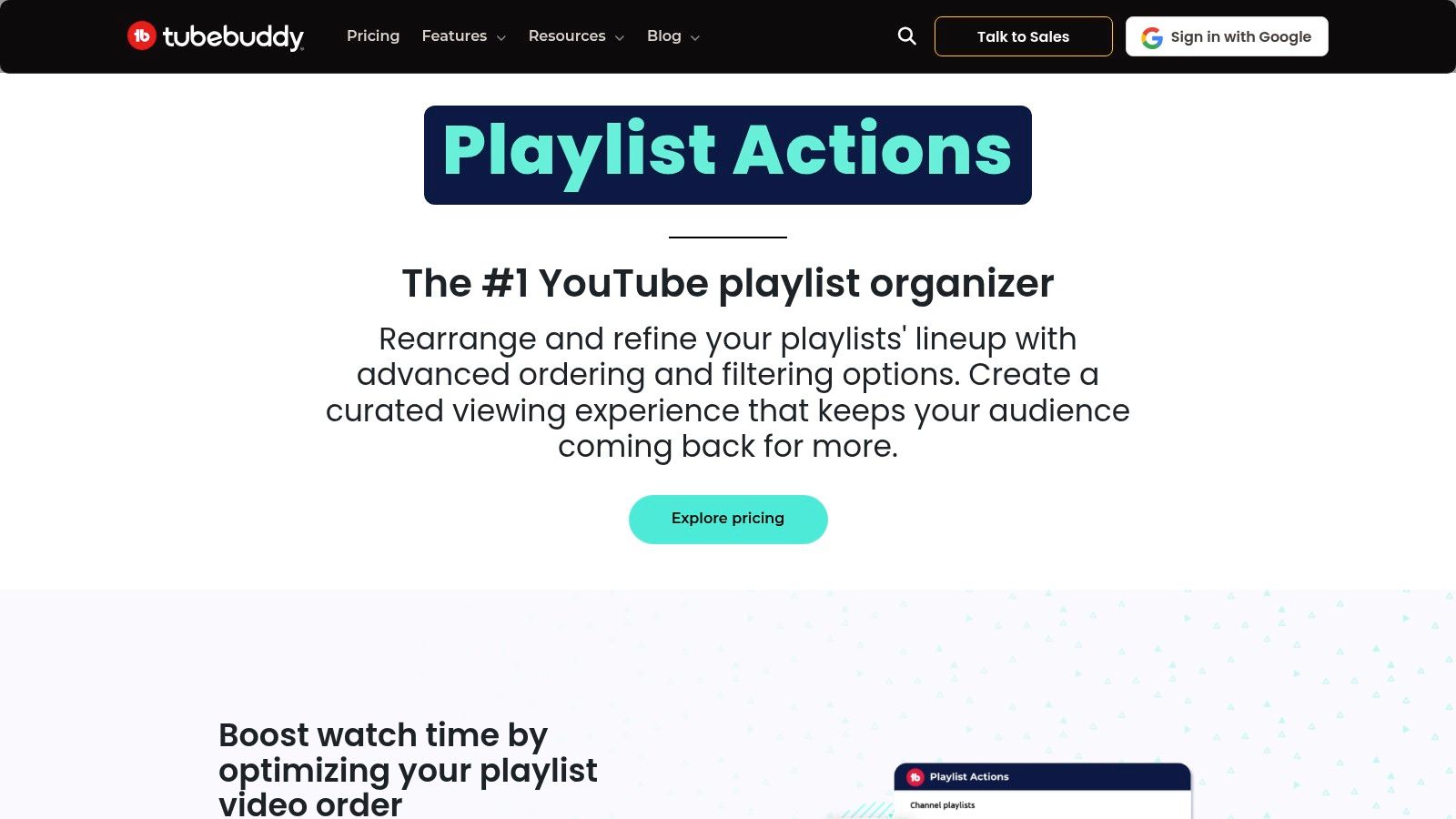
TubeBuddy is the safest recommendation when you want playlist management inside a broader creator operating system. Its Playlist Actions feature is useful because it solves the dull, recurring work that slows channels down: sorting videos, removing duplicates, clearing unlisted items, and changing privacy settings in bulk.
For established channels, that's more valuable than it sounds. The actual bottleneck usually isn't creating playlists. It's maintaining them after months or years of uploads.
TubeBuddy fits naturally into a Studio-heavy workflow. If you already use browser-based creator tools, it feels less like adopting a new app and more like adding a control panel to YouTube.
What stands out most:
Practical rule: Use TubeBuddy when your problem is maintenance, not discovery. It's strongest after the videos already exist.
Its biggest strength is consolidation. If you're already handling SEO, testing, and channel optimization in one place, adding playlist cleanup there makes sense. That's especially true for creators refining how videos connect to channel-level discovery, which ties closely to YouTube SEO workflow decisions.
The trade-off is simple. Some stronger features sit behind paid tiers, and pricing can feel a little unclear until you're inside the product. If you only need a lightweight YouTube video playlist maker and nothing else, TubeBuddy may feel larger than necessary.
Use it when playlists are one part of a larger channel system. Skip it if all you need is quick ad hoc curation.
Visit TubeBuddy Playlist Actions
PocketTube is for people who've outgrown YouTube's default sidebar. If your playlists are piling up across courses, research sets, inspiration folders, competitor tracking, or personal study queues, PocketTube gives you structure that YouTube still doesn't provide well natively.
This one feels creator-built in the best sense. It focuses on how people manage clutter.
PocketTube lets you group playlists into folders, filter by watched status or duration, sort by count, views, or last updated, and quickly remove watched videos. That combination makes it strong for educational channels, researchers, and anyone managing many themed collections at once.
The sidebar access matters more than it sounds. Fast access changes behavior. When playlists are visible and organized, people do use them.
One practical downside is dependency on YouTube's interface. Like many browser extensions, PocketTube can feel brittle when YouTube changes its UI. Most of the time that's manageable, but if you need mission-critical reliability for a team process, it's worth remembering.
Small creators often ask whether playlist optimization only helps bigger channels. That concern is real, and comments on creator tutorials show the skepticism. But the more useful framing is this: organized playlists help any channel that publishes series-based content or serves multiple viewer intents.
There's another strategic reason PocketTube works well. Tutorials about playlists often stop at manual setup, while demand clearly exists for more scalable workflows like drag-and-drop creation or converting large collections into structured lists, as discussed in Artlist's guide to creating YouTube playlists. PocketTube sits closer to that real-world need than YouTube's default tools do.
PushList fits a very specific workflow. You already know what videos you want to collect, and the bottleneck is adding them fast enough to keep momentum.
That makes it more useful for bulk curation than for playlist planning.
If you spend time on search results, channel pages, or existing playlists looking for source material, PushList cuts out a lot of repetitive clicking. Instead of opening videos one by one and sending them to a playlist manually, you can add in batches from the page you are already on. For educators building resource lists, researchers tracking a topic, or channel managers curating around a niche, that time savings is the whole point.
Where it earns its place is operational speed:
That last point matters more than it sounds. A lot of creators do not need another full management layer. They need a faster way to turn browsing and research into a working playlist draft while they are still in curation mode.
The trade-off is reliability versus convenience. PushList depends on YouTube's front-end structure and works in Chrome, so changes to the interface can create friction until the extension is updated. That is normal for this tool category, but it matters if your playlist workflow supports a team process or client delivery.
PushList also works best as one part of a larger system. Use it to gather raw material quickly, then move to a management or sorting tool when it is time to clean duplicates, refine order, and shape the playlist for session time and discoverability. That distinction matters. Fast collection helps you publish more organized series, but retention usually comes from what you do after the videos are added.
Playlister is for idea generation first, management second. You give it a prompt or keywords, refine the output, and then save the resulting playlist to YouTube after signing in with Google.
That makes it useful when you don't want to start from a blank page.
This kind of tool works best for mood-based collections, event playlists, themed educational sets, or inspiration lists. If you know the outcome you want but don't want to hand-pick every entry, Playlister can get you to a usable draft quickly.
A few places it fits well:
The trade-off is obvious. AI generation isn't the same as channel management. Once the playlist exists, you still need to think about order, naming, descriptions, and how the list fits into the rest of your catalog.
That's why I'd treat Playlister as a front-end ideation tool, not a complete YouTube video playlist maker for serious library maintenance. It's helpful when you want a jump-start. It's less helpful when you need bulk editing, deduplication, or analytics.
AI playlist generation is strongest when your bottleneck is starting. It's weakest when your bottleneck is governance.
If your workflow is editorial and experimental, Playlister is convenient. If your workflow is operational, you'll probably pair it with a stronger management tool later.
Visit Playlister
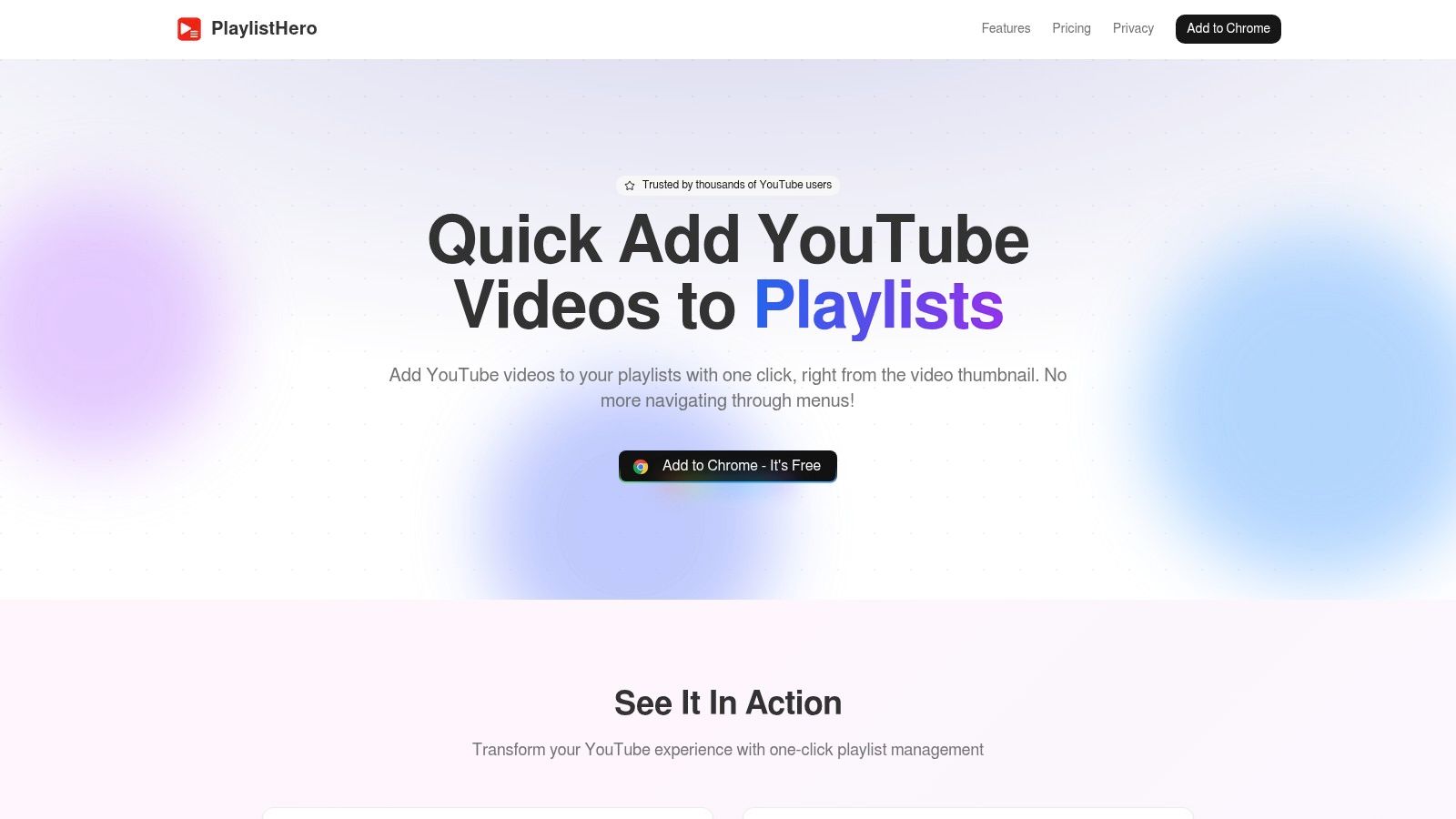
PlaylistHero solves a tiny problem that becomes a big one when repeated hundreds of times. It adds one-click playlist buttons to YouTube thumbnails so you can save videos without opening each one and navigating through menus.
That sounds narrow because it is narrow. It's also useful.
If you spend time browsing YouTube for references, competitors, future episode ideas, testimonials, niche examples, or music options, PlaylistHero cuts friction. The extension remembers recent playlists and supports Watch Later, so routine sorting happens at browse speed.
This is where it shines:
For solo creators and researchers, that speed matters. You'll sort content when the action is one click. Without that shortcut, many people default to “I'll organize this later,” which usually means never.
The limitation is that PlaylistHero won't manage what happens after the save. It doesn't sort thoroughly, clean duplicates, or help rebuild playlist order around performance. It's a capture tool, not a management suite.
It pairs naturally with native workflows. If you need a refresher on the baseline YouTube process before layering on speed tools, this walkthrough on making a new playlist on YouTube covers the standard setup.
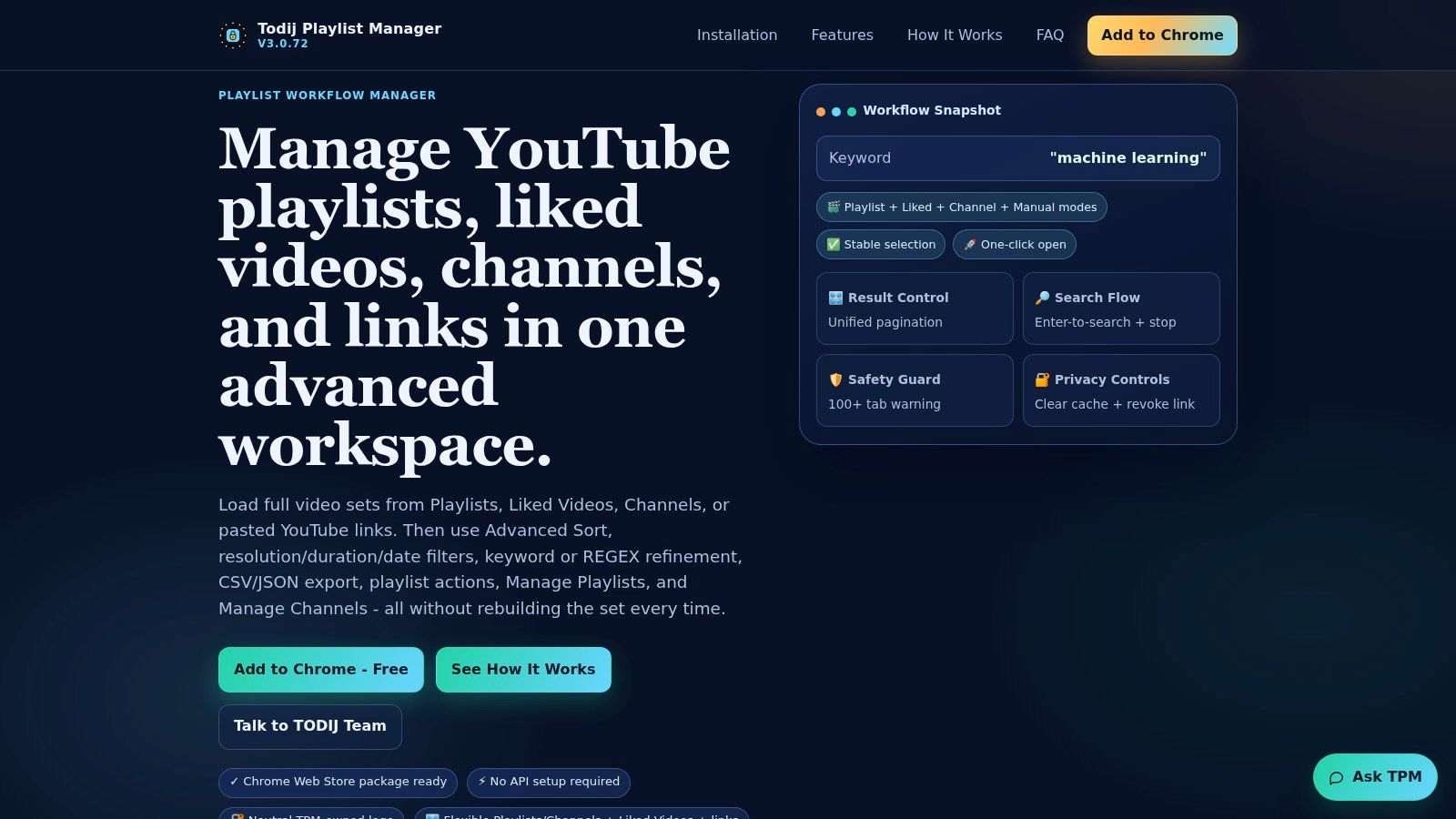
TPM is for power users. If most tools on this list feel like convenience layers, Todij Playlist Manager feels like a workspace. It pulls videos from multiple playlists, channels, liked videos, or pasted URLs into one grid and gives you filtering, export, and copy or move controls.
That makes it one of the best fits for serious archive work.
TPM's advanced filters are what separate it from lighter tools. Date filters, duration filters, regex search, duplicate cleaning, and export options make it useful for people handling content libraries rather than just personal viewing lists.
Good use cases include:
There's a real learning curve here. Casual users may open it and feel overloaded. That doesn't mean it's poorly designed. It means the tool assumes you have an actual playlist management problem.
Modern playlist tooling has also expanded beyond simple organization into planning and measurement. Independent tools now emphasize duration calculation, watch scheduling, and exportable statistics, which signals how playlist work has shifted from simple collecting to workflow optimization, as shown by YouTube Playlist Analyzer.
TPM fits that broader shift well. It treats playlists as data sets you can inspect, transform, and republish. If your channel has multiple formats, multiple stakeholders, or years of uploads, that mindset is more useful than a prettier “Add to playlist” button.
Xort is a lightweight browser-based option for one specific need: reordering and filtering existing playlists without committing to a big extension suite. That makes it appealing when you need quick cleanup and don't want another always-on browser tool running in the background.
It's modest, but that's part of the appeal.
Some creators don't need a full management platform. They need to take a playlist that grew chaotically and put it back into a sensible sequence. Xort handles that use case well enough.
What it does best:
The limitation is depth. If you want folder systems, bulk privacy changes, duplicate detection, or analytics-style insight, Xort won't replace more developed tools. Public detail is also a bit sparse unless you load the app itself, which can make evaluation harder than it should be.
Still, there's value in a tool that stays focused. Many creators overbuy software for a narrow job. If your main challenge is sequence, not scale, Xort may be enough.
A good playlist order depends on intent. Chronological order works for episodic series. Performance-first order can work better for discovery playlists. Skill progression is usually best for tutorials.
That last point matters because playlist strategy often gets oversimplified. Some creators explicitly separate playlists by format, such as shorts-only or livestream-only, and reorder based on analytics rather than chronology, a nuance highlighted in this creator discussion on playlist strategy. Xort helps when you already know the order you want and just need a clean way to execute it.
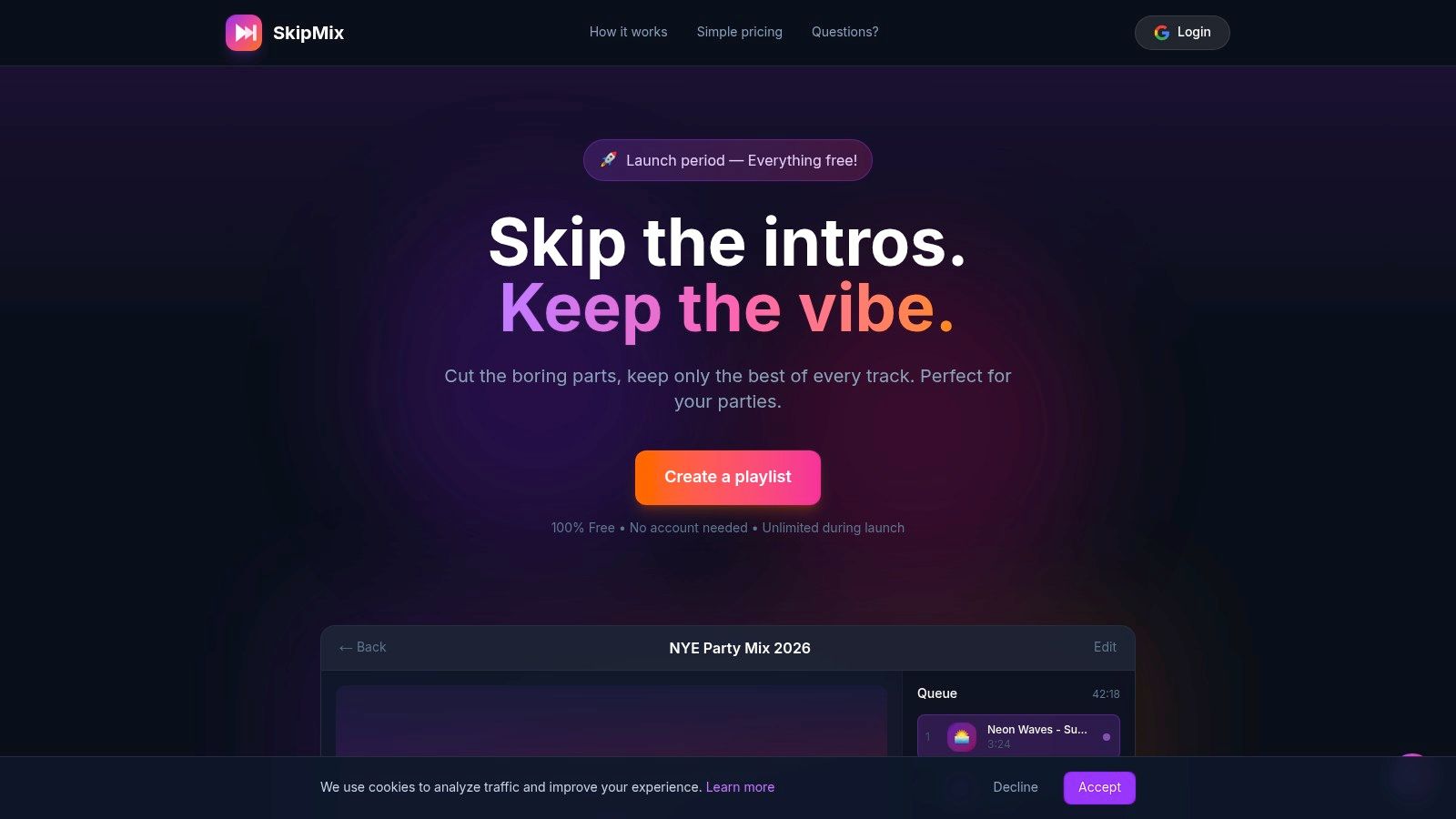
SkipMix approaches playlists from a different angle. Instead of helping you organize a channel library, it helps you control what part of each video plays by setting custom start and end timestamps.
That's a niche feature, but when you need it, it's the whole reason to use the tool.
SkipMix is strong for watch parties, classroom moments, team demos, event pre-roll, and highlight collections where full videos are too slow or inconsistent. You paste YouTube links, trim the playback window per video, and create a smoother viewing sequence.
It works well when you want to:
The main caveat is strategic fit. SkipMix won't help you manage playlists inside your channel ecosystem. It doesn't handle SEO, sorting logic, channel-level maintenance, or audience journey design. It's a playback experience tool.
That said, I'd still count it among the various YouTube video playlist maker options because it solves a real curation problem native playlists don't solve at all. For live events and internal presentations, that can matter more than public discoverability.
If you run education, community, or entertainment sessions where pacing matters, SkipMix earns a place in the stack. Just don't expect it to replace a management tool.
InstaDJ is minimal by design. You can search YouTube, import an existing playlist URL, use add-all style controls, and share the result through a simple built-in player.
That makes it better for lightweight curation than for serious channel operations.
If you're brainstorming themes, building casual listening or viewing lists, or assembling a quick collection with other people, InstaDJ is refreshingly direct. There isn't much setup overhead, and that simplicity lowers the barrier to experimentation.
Where it fits:
The GitHub presence is a small plus for technical users who like transparency, but most creators will care more about the straightforward interface than the code pedigree.
Its weakness is obvious. There's no deep sorting by performance metrics, no serious dedupe layer, and no advanced governance. If your needs are operational, InstaDJ will feel too thin. If your needs are exploratory, it may be exactly right.
I'd use InstaDJ at the idea stage, then move finished structures into YouTube or a stronger management environment once the concept proves useful.
Spotivibly focuses on AI-generated music playlists for YouTube and YouTube Music. You enter a mood, artist, era, or theme, and it generates a playlist you can save or share.
That focus is narrow, but practical for creators who need atmosphere more than catalog control.
If you run livestreams, retail ambience, event soundtracks, waiting-room loops, or mood-board sessions, Spotivibly can help you assemble a draft fast. It's less about managing a content library and more about getting to a usable vibe without hand-curating every track.
Its strengths are straightforward:
The limitation is that it's music-oriented. It won't help much with tutorial series, product education, customer onboarding videos, or archive management. If your playlist strategy is channel-structural rather than mood-driven, this isn't the right fit.
Still, AI playlist generation has a real place in creator workflows. Teams already using AI across production and distribution often prefer tools that reduce repetitive curation steps, especially when content volume is high. If you're mapping a broader stack, this overview of AI tools for content creators is a useful companion.
| Tool | Core features / Capabilities | Target audience 👥 | UX / Quality ★ | Unique selling point ✨ / 🏆 | Price / Value 💰 |
|---|---|---|---|---|---|
| TubeBuddy – Playlist Actions | Advanced sorting, duplicate/unlisted removal, bulk privacy, YouTube Studio integration | Creators optimizing channel watch flow | ★★★★☆ Integrated & reliable | 🏆 Part of a full creator suite; data‑driven ordering | 💰 Freemium → paid tiers |
| PocketTube – YouTube Playlist Manager | Folder grouping, filters, one‑click remove watched, sidebar access | Series/educational creators managing many playlists | ★★★★ Core features free & stable | ✨ Deep organization across browsers | 💰 Free + patron features |
| PushList – Bulk Add Videos | Bulk add from playlists/search/channel pages, handles 1,000+ videos, background processing | High‑volume curators & teams | ★★★★ Fast, lightweight curation | ✨ Bulk adds without leaving YouTube pages | 💰 Freemium / Pro options |
| Playlister – AI Playlist Generator | Text‑prompted curation, iterative add/remove, saves to YouTube after sign‑in | Idea generators, mood/event playlists | ★★★☆☆ Quick from prompt → saved playlist | ✨ AI prompt → instant playlist creation | 💰 Mostly free / low friction |
| PlaylistHero – One‑Click Add Buttons | One‑click add on thumbnails, remembers playlists, color/customize | High‑volume triagers & curators | ★★★★ Time‑saving micro workflow | 🏆 Instant add buttons across feeds | 💰 Free / lightweight |
| Todij Playlist Manager (TPM) | Multi‑source grid, advanced filters (regex/date/duration), export, move/copy | Power users, researchers, library managers | ★★★★☆ Pro‑grade, dense UI | ✨ Multi‑playlist workspace + export tools | 💰 Free / power‑user focused |
| Xort – Playlist Sort Tool | Browser sorting/filtering, reorder & recreate playlists | Users wanting quick reorders without installs | ★★★☆☆ Lightweight & browser‑based | ✨ No install; focused reordering | 💰 Free / lightweight |
| SkipMix – Timestamp Playlists | Per‑video start/end timestamps, continuous playback, mobile friendly | Watch parties, highlight reels, event playlists | ★★★★ Handy for highlights | 🏆 Skips intros/boring bits for seamless playback | 💰 Free / no account required |
| InstaDJ – Create & Share Playlists | Search/add from YouTube, import URLs, simple player & sharing | Casual curators & communal listening | ★★★☆☆ Minimal, fast UX | ✨ Rapid brainstorming & sharing; open source | 💰 Free |
| Spotivibly – AI Music Playlist Generator | Prompted music curation, ~30‑track playlists, save to YouTube/YouTube Music | Streamers, stores, mood soundtrack creators | ★★★★ Fast, music‑focused results | 🏆 AI mood/era/artist playlists saved directly | 💰 Free / music‑centric |
Choosing the right YouTube video playlist maker comes down to workflow fit. TubeBuddy and TPM make sense when you're managing a serious catalog and need cleanup, sorting, and operational control. PushList and PlaylistHero are better when your bottleneck is capture speed. Playlister and Spotivibly are more useful when the challenge is generating a starting point instead of governing a large library.
That distinction matters because most playlist problems aren't really “playlist problems.” They're workflow problems. You're producing long-form videos, repurposing clips, publishing shorts, running lives, saving references, and trying to keep all of it understandable for viewers. Without a system, your channel becomes a storage unit instead of a viewing path.
YouTube itself signals how important playlists are by making them a native, manageable layer of the platform. Users can create them from multiple surfaces, manage them in Studio, share them, and access them through the API. That's why third-party tools keep expanding around them. The need isn't just organization anymore. It's planning, filtering, sequencing, and making a large library easier for humans to explore.
For creators, the practical move is to pick one primary playlist workflow and one supporting workflow. For example, you might use PushList for bulk discovery and TubeBuddy for cleanup. Or PocketTube for day-to-day organization and Xort for occasional reorder jobs. If you host events, SkipMix can sit beside your normal stack without replacing it. If you're experimenting with AI-led curation, Playlister or Spotivibly can help you draft faster, then hand off to a stronger management tool.
The bigger strategic shift is to stop treating playlists as a final housekeeping task. Use them to separate content formats, direct new viewers into beginner-friendly sequences, cluster videos by intent, and keep your backlog usable. If you publish mixed formats, that usually means different playlists for shorts, long-form tutorials, live streams, clips, podcasts, or internal unlisted assets. One giant catch-all playlist rarely helps anyone.
This gets even more important as repurposing scales up. If you're using a platform like Taja AI to turn long-form videos into clips, posts, and supporting assets, playlist discipline becomes part of distribution discipline. More output creates more opportunity, but it also creates more organizational debt if you don't route videos into clear viewer journeys.
A good playlist system doesn't just make your channel look cleaner. It helps the right viewer find the right next video with less friction. That's the point. Better curation creates better continuity, and better continuity gives every upload a stronger chance to keep working after publish day.
If you're producing long-form videos and need a cleaner system for turning them into clips, posts, and publish-ready assets, Taja AI is worth exploring. It's built for repurposing and scheduling at scale, which makes playlist planning easier when your content volume starts growing beyond what manual organization can comfortably handle.


We are blessed to work with leading brands & Companies


We try to make easy and simple for every professionals. Get 30 days free trial - No credit card required.


© 2025 Taja AI. All rights reserved.