.jpeg)
How to Flip Video: Mirror and Rotate Quickly
Learn how to flip video in popular editors and mobile apps. Step-by-step guide to horizontal mirrors and vertical flips with quality and privacy tips.
5 min read
October 9, 2026

Master YouTube to text conversion. Learn to extract auto-captions, download SRT files, use AI tools, and repurpose video content for SEO and growth.
Written by:


You've finished recording a useful YouTube video, but the value is still trapped inside the timeline. A viewer may hear a strong explanation, while your website has no searchable version, your social channels have no ready-made excerpts, and your newsletter team has nothing to work from. Converting YouTube to text solves only the first problem. The real work begins when you turn that transcript into accurate, structured, reusable content.
“YouTube to text” sounds like a file-conversion task. In practice, it's a content operations workflow. A transcript can become a searchable record of the discussion, a source for a blog post, a set of social excerpts, a newsletter draft, and a map of the strongest moments in the video.
That makes text more flexible than the original format. Video is excellent for demonstrating tone, context, and visual ideas, but text is easier to search, edit, quote, translate, classify, and hand to another writer. A clean transcript gives your team a working document instead of forcing everyone to revisit the recording.
YouTube's own caption history shows how this use case expanded. Caption support began in 2006, and automatic captions powered by Google speech recognition arrived in 2009. By February 2012, creators had uploaded captions for more than 1.6 million videos, while automatic captions had been enabled for 135 million videos, according to YouTube's account of its caption development. The platform also supported creator-added captions and subtitles in 155 languages and dialects, making captions part of accessibility and international distribution rather than a minor convenience.
A transcript shouldn't be published unchanged as an article. Spoken language repeats itself, wanders, and relies on vocal emphasis that disappears on the page. Treat it as source material. Extract the argument, group related ideas, clarify the order, and add the context a reader needs.
The most productive workflow separates four assets:
Practical rule: A transcript is a source of truth only after someone has checked it against the audio.
The best method depends on ownership, audio quality, language, and the consequence of an error. YouTube's built-in captions are convenient for a quick understanding of your own recording. They're less suitable when you need a polished transcript, reliable names, or a downloadable file for a broader production workflow.
For videos you manage, the YouTube Data API supports caption-track listing, downloading, uploading, and updating. Its download workflow is intended for videos managed by the authenticated owner, so third-party videos require another permitted retrieval or transcription route. The official YouTube captions documentation is the right place to confirm access rules before building automation.
| Method | Accuracy | Cost | Best For |
|---|---|---|---|
| YouTube automatic captions | Useful but variable | No separate transcription fee | Fast review, rough notes, and accessible viewing |
| SRT or caption-track download | Depends on the underlying track | Usually included with the permitted workflow | Editing subtitles while preserving timecodes |
| Third-party AI transcription | Varies by language, audio, and tool | Tool-dependent | Repeatable production, formatting, and repurposing |
| Human-reviewed transcript | Highest control when properly edited | Highest effort | Legal, medical, financial, branded, or publication-ready content |
YouTube's automatic captions are a sensible first pass when the speaker is clear and the purpose is internal. They become risky when the recording contains overlapping voices, background music, specialized vocabulary, or important figures. An AI transcription platform may produce cleaner punctuation and exports, but it still needs validation.
For a broader tool comparison, the best video-to-text converter guide can help you evaluate workflow features alongside transcription output.
Choose based on the intended asset, not the tool's marketing promise. Search notes can tolerate occasional imperfections. A sales page, subtitle track, or article containing names and claims requires a stricter review standard.
Start by retrieving an existing caption track when one is available. If captions aren't available or are inadequate, use an authorized audio-transcription route. Keep the original file untouched, because the unedited version lets you investigate disagreements later.
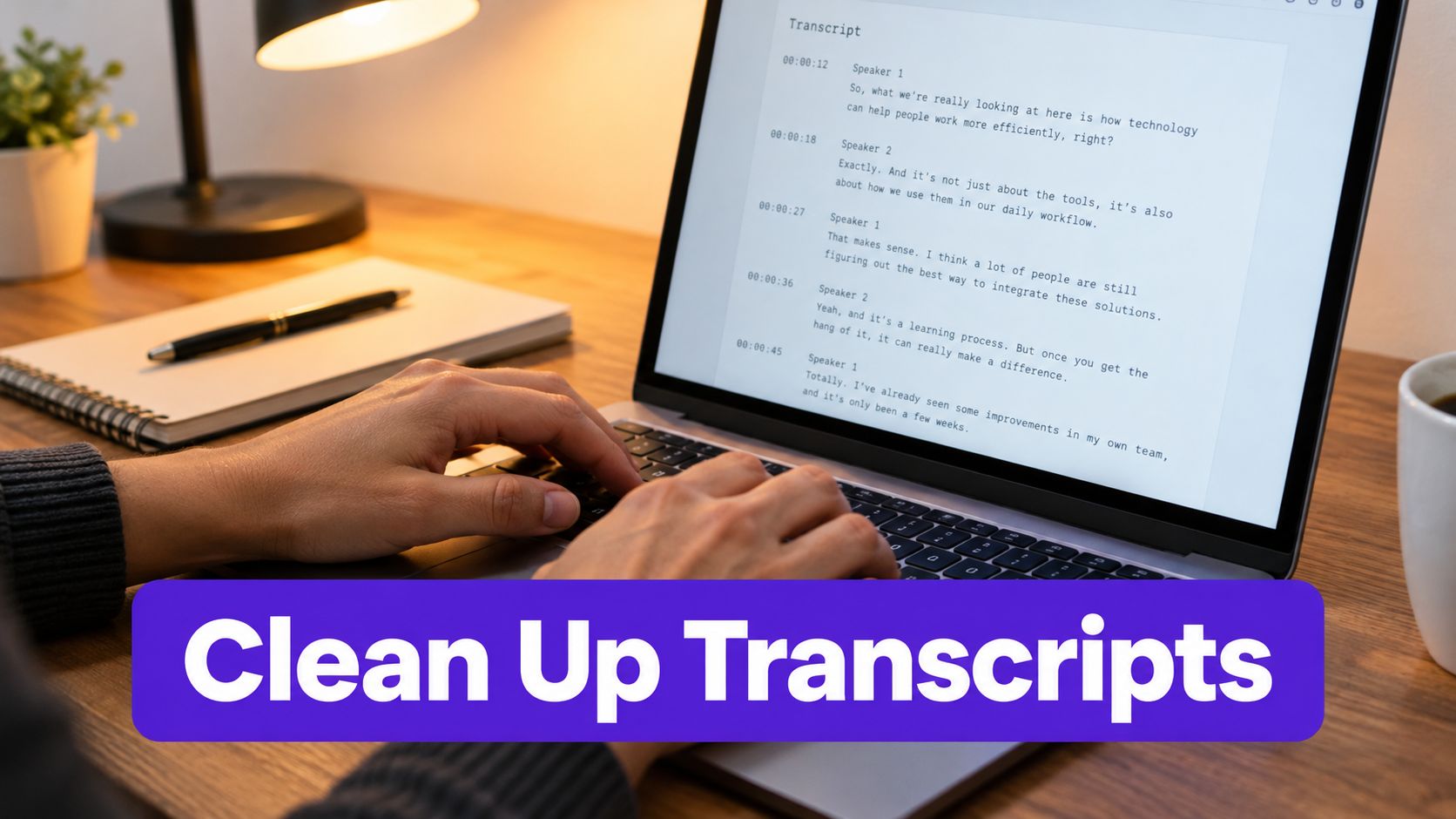
Keep the metadata. Record the video URL, speaker language, caption language, date, and source file. If you have an SRT, retain its timecodes before editing the wording.
Normalize the text. Correct broken Unicode characters, inconsistent apostrophes, stray line breaks, and obvious punctuation problems. Don't merge every caption block into one giant paragraph. Rebuild readable sentences while preserving the connection to the original timing.
Edit for meaning, not polish alone. Remove repeated filler only when it doesn't change emphasis. Keep meaningful pauses, qualifications, and corrections. A speaker who says “usually” shouldn't be edited into a universal claim.
Flag uncertainty. Mark unclear words instead of guessing. Proper nouns, locations, product names, technical terms, and numerals deserve a direct audio check.
Create sentence-level units. Sentence segmentation makes later summarization, clipping, and search extraction far more reliable. It also lets editors trace a blog statement back to the exact moment it was spoken.
Sample against the audio. Review the opening, several sections with dense information, speaker changes, and any passage selected for publication. For a formal evaluation, Word Error Rate is calculated as substitutions, deletions, and insertions divided by the number of reference words.
If subtitle formats are new to your team, a StreamGen subtitle comparison can provide useful context on how automated subtitle workflows differ in editing and export features.
For a simple manual workflow, this guide to copying a YouTube transcript is useful when you only need the spoken text for notes or editorial drafting. For recurring production, however, a structured file with timestamps and language metadata is more valuable than a pasted block of words.
Don't discard the source after cleaning. Store both versions, then attach each downstream asset to the relevant time range. That small habit makes corrections faster when a speaker updates a claim or an editor questions a quotation.
A cleaned transcript still isn't an SEO article. Search performance depends on satisfying a reader's intent, not on publishing every spoken sentence. Read the transcript for questions, definitions, objections, examples, and repeated themes. Those patterns reveal the structure your audience may need.
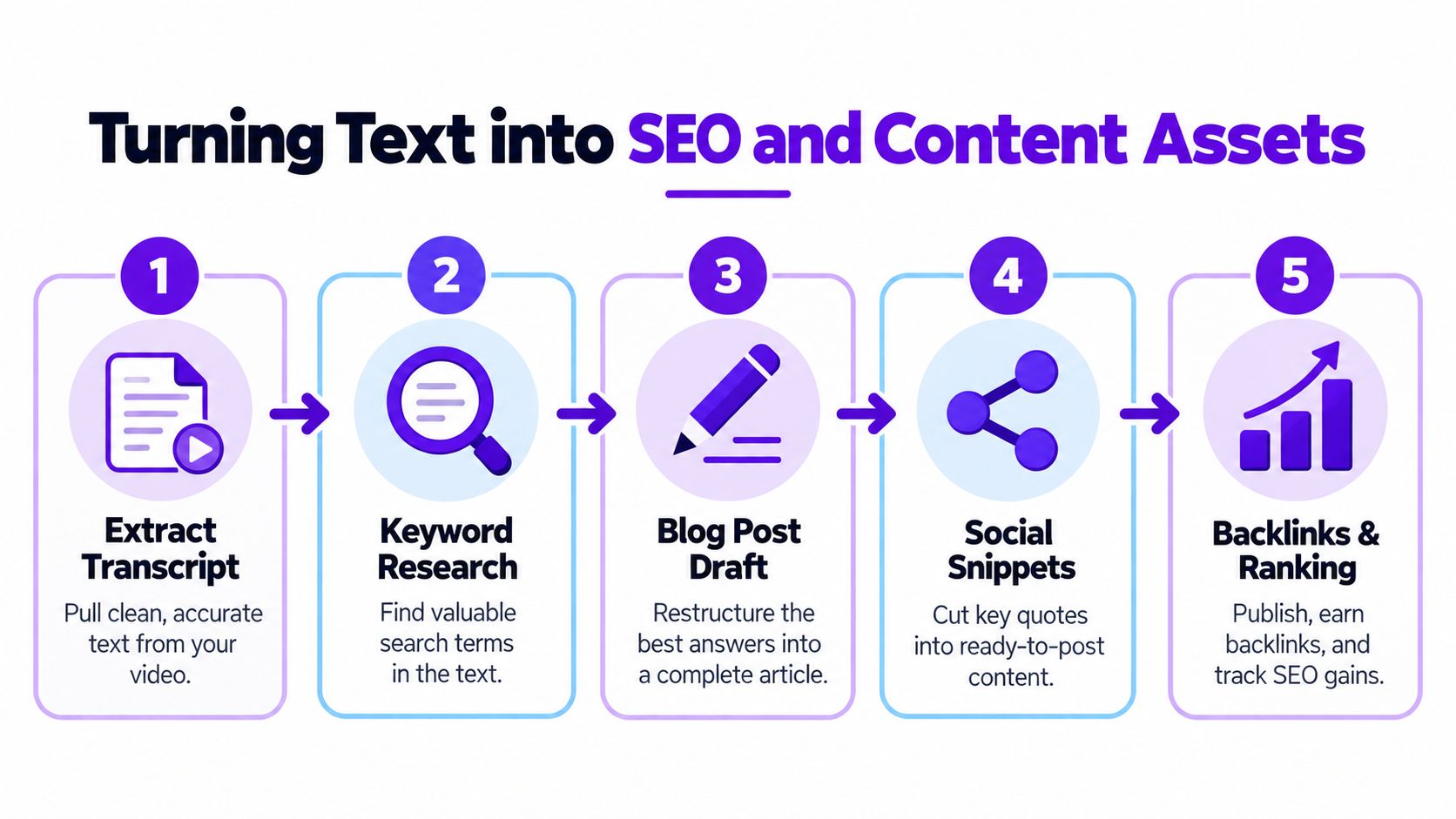
Extract the language the speaker uses, then validate it with keyword research and search intent. Use relevant terms naturally in the page title, introduction, headings, video description, image alt text, and internal-link context. Don't force every phrase into the copy. A transcript can reveal vocabulary, but it doesn't automatically reveal what deserves its own page.
A strong blog draft usually needs:
The video transcript generator can support the starting point, but editorial judgment should decide which ideas become headings, which become examples, and which belong in the source archive.
A single conversation can feed several formats without copying the same paragraph everywhere:
Taja AI is one option for turning uploaded long-form video into transcripts, metadata, captions, blogs, and platform-specific posts. Whatever tool you choose, require a human check before publication, especially when the generated asset contains claims, names, or calls to action.
Automatic captions are not publication-ready by default. YouTube reported that more than 1 billion videos had automatic captions by February 2017, and viewers watched videos with automatic captions more than 15 million times per day. The same update reported a 50 percent improvement in English automatic-caption accuracy, which shows meaningful progress, not perfect recognition. You can review that history in YouTube's captioning milestone announcement.
A later speech-recognition update reported an overall Word Error Rate reduction of approximately 20 percent, with illustrative examples moving from roughly 50 percent recognized words to about 60 percent, and from 75 percent to about 80 percent. Those examples make the operational point clear: better recognition still leaves errors that can change a sentence.
Research comparing YouTube automatic captions found statistically significant Word Error Rate differences across dialect and race groups, with the lowest error rates in that dataset for General American and white speakers. A separate evaluation reported mean WER of 0.31, with a standard deviation of 0.07, under its study conditions, as documented in the published InterSpeech evaluation.
Review selected passages against audio, and use a glossary for recurring names and technical terms. Don't replace uncertain tokens without flagging them. Surface them for a person who understands the subject.
Automation works best when it removes repetitive handling, not when it removes accountability. Set up a pipeline that retrieves an authorized caption track first, falls back to transcription when necessary, preserves timecodes and language metadata, normalizes the text, and routes risky passages to review.
Use this checklist before choosing a tool:
Research on Spanish YouTube captioning reported WER ranging from 16 percent for Puerto Rican Spanish to 24 percent for Argentine Spanish, with other Latin American varieties between 18 percent and 22 percent, as summarized in the locale-focused research. That variation is why language detection, locale-aware review, and native-speaker checks matter before scaling multilingual content.

Taja AI can turn uploaded YouTube videos into transcripts and use the resulting text to create metadata, blogs, captions, and platform-specific posts. If you want to move from raw YouTube to text extraction into a repeatable repurposing workflow, visit Taja AI and start building your next set of reviewed content assets.


We are blessed to work with leading brands & Companies


We try to make easy and simple for every professionals. Get 30 days free trial - No credit card required.


© 2025 Taja AI. All rights reserved.