.jpeg)

Content Strategy for Small Business That Actually Ships
A content strategy for small business that sets one goal, picks a few channels, turns one video into many posts, and tracks real leads.
5 min read
October 23, 2026

Learn what is a lower third, how it works in modern video, and how to design, size, and add one across platforms without hurting readability.
Written by:


A lower third is the on-screen graphic in the bottom portion of the frame that identifies a speaker, place, or topic. In practice, it usually sits in the bottom 10% to 15% of the image, and the useful part for a creator is simple, it gives viewers context without stealing attention from the subject.
If you've ever watched a podcast clip on your phone and had to guess who the guest was, you already know why this matters. A good lower third helps you label people, keep the frame readable on small screens, and add context fast, whether you're designing for broadcasts, shorts, or repurposed clips.
A viewer is scrolling fast, stops on a clip, and sees a smiling guest or a realtor walking through a house. The problem is immediate, there's no name, no role, no location, and no clue why they should care. That tiny strip of text near the bottom fixes the confusion before the viewer swipes away.
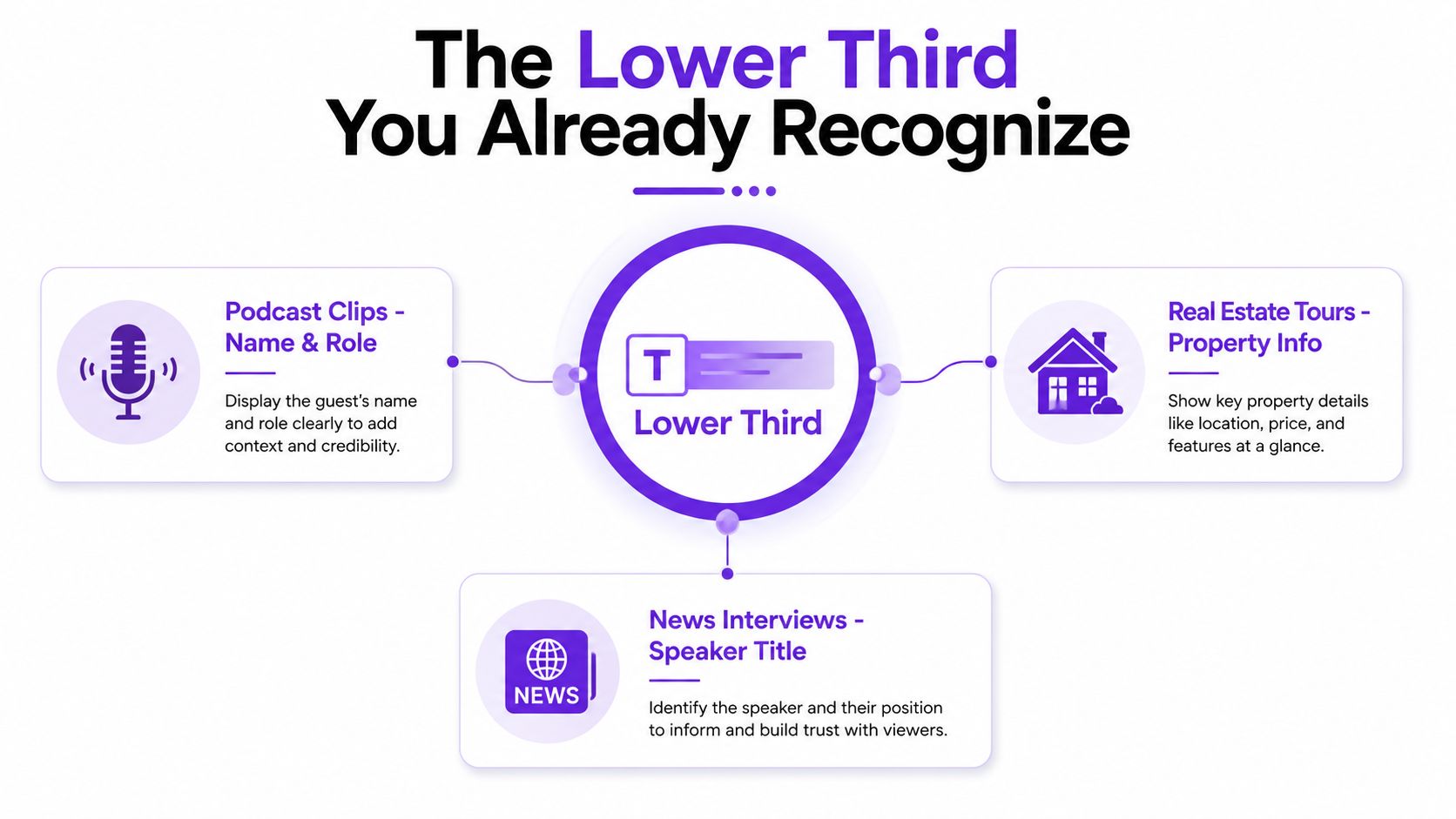
A lower third is that small on-screen label in the lower area of a video frame. It usually carries the person's name on one line and a role, title, affiliation, or location on the second line, so viewers get context without the graphic taking over the shot as described in broadcast terminology.
The best way to understand it is to compare it to a museum label beside an exhibit. The artwork stays visible, but the label tells you what you're looking at and why it matters. A lower third does the same thing for video.
That's why it shows up constantly in interviews, documentaries, livestreams, and creator clips. It helps people follow along even when they join late, watch without sound, or see the video in a tiny feed preview. Historically, that usefulness is exactly why the format stuck around in broadcast journalism and documentaries, where clarity had to land quickly.
Practical rule: if a viewer needs to identify the speaker or topic before they can follow the clip, a lower third earns its space.
The term sounds more technical than it is. It doesn't mean the graphic must fill the bottom third of the frame exactly, only that it lives in that region and behaves like a context bar, not a decoration. That distinction matters, because many beginner edits overdesign the label and forget its job is to clarify, not distract.
Lower thirds came out of television production, where screen edges were never guaranteed to behave the same way on every set. Broadcasters had to account for older TVs that could crop or distort the frame, so the safest place for identifying text was low in the image and inside a protected region that would stay readable across devices and markets.
That history still shows up in the shape of the graphic today. On a phone, the format feels natural because it stays low, keeps the message short, and uses contrast to separate the text from the video. The idea lasted because it solves a practical problem, you need to identify a person or topic without covering the picture.
The original broadcast rules were not written for TikTok, Reels, or vertical podcasts, but the same logic still fits. Short copy reads faster. Clear hierarchy reduces hesitation. Simple layout survives small screens and motion. Contemporary guidance keeps returning to those broadcast habits, especially the need for high contrast, concise wording, and a layout that can be read quickly at small size and in motion as summarized in StudioBinder's lower-third overview.
That is why lower thirds moved beyond newsrooms and studios. They now appear in livestreams, conference recordings, and creator videos because they balance screen space, readability, and context delivery better than many other on-screen labels.
Mobile did not break the format. It exposed weak versions of it. Ornamental bars, cramped type, and overloaded titles fall apart in a vertical feed, while a clean lower third still does the job. The old TV rule set still matters, but only if it is trimmed for a phone screen.
A useful way to judge the format is to ask whether the viewer notices the information first and the graphic second. That distinction is what keeps the label from becoming clutter. A lower third should work like a context layer, something the viewer absorbs in a glance while the video keeps moving.
That is the key reason the format survived. It is a compact way to tell people who they are watching, why the speaker matters, and how to keep the clip understandable even when it is repurposed into a short without a fresh edit. Tools like border setup guidance for video follow the same thinking, because framing choices and on-screen context both shape what people can read fast on mobile.
A strong lower third looks simple because it is carrying several jobs at once. The viewer has to read it quickly, understand it immediately, and keep attention on the speaker. Every visible part of the design needs a clear purpose.
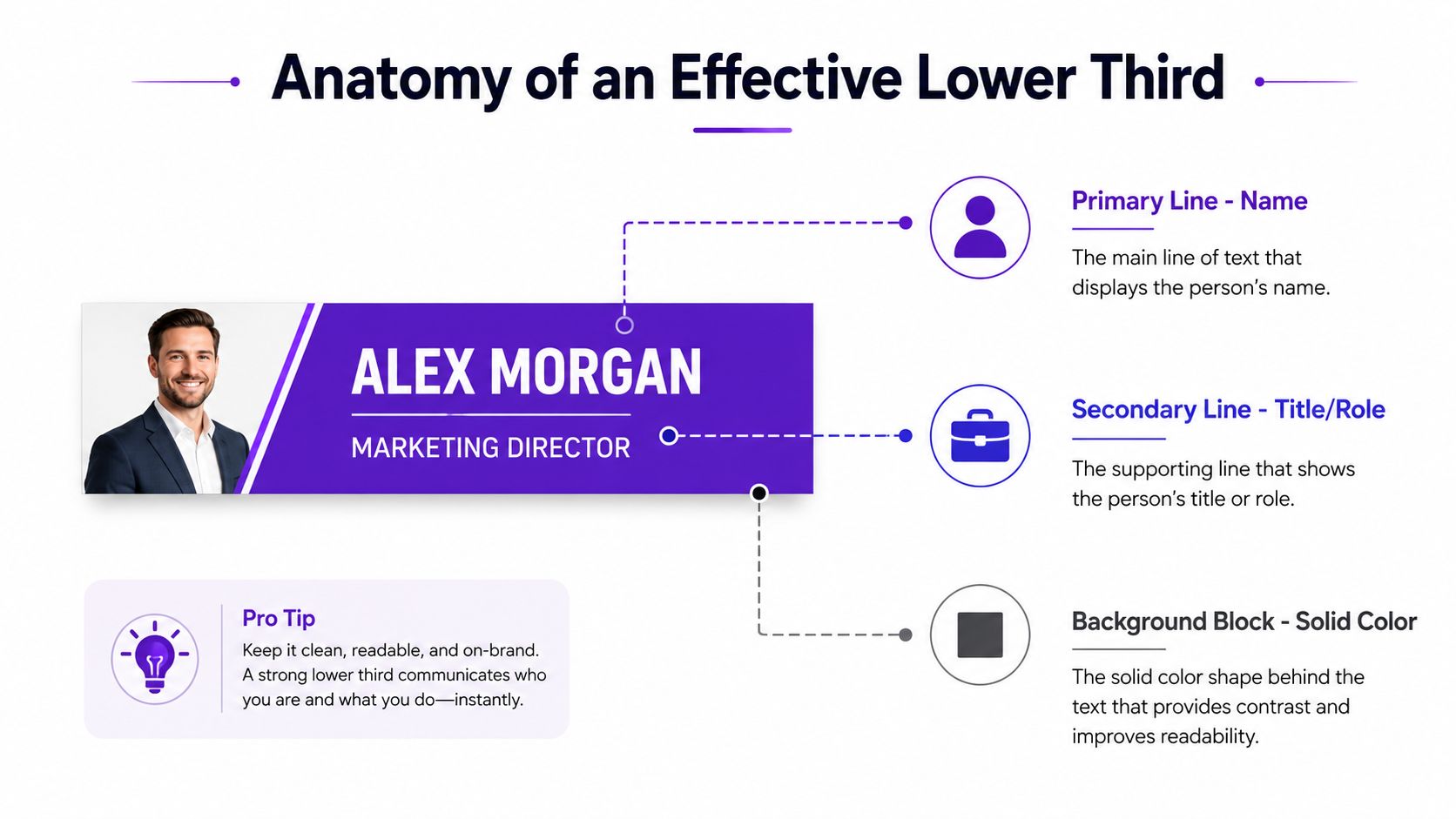
The standard structure uses two text lines. The first line is the primary line, usually the person's name. The second line is the secondary line, usually the role, title, affiliation, or location, as outlined in production guidance. That hierarchy keeps the viewer from having to decode a full sentence while also following moving footage.
The typography has to stay legible at speed. ModelDiplomat's lower-third glossary entry keeps the basic production guidance focused on readable sizing, strong contrast, and a short entrance animation, which is the right order of priorities for a graphic that only has a moment to register. A name line that is too small, a title line that is too thin, or a motion cue that lingers too long all make the label harder to catch, especially on a phone screen.
The bar or block behind the text exists to separate the words from the footage. That background can be solid, semi-transparent, or shaped to fit a brand system, but it has to make the text easy to scan. If the graphic disappears into a bright studio, a dark hallway, or a busy outdoor shot, it is failing its basic job.
A clean lower third usually pairs a simple font with a calm visual treatment. The point is not to show off motion design. The point is to deliver context immediately, then get out of the way.
Animation can help the graphic feel polished, but it should not pull focus from the speaker. A quick entrance, then a clear hold, usually does the job. Overly fast motion makes the label harder to read, especially on small screens or in a live clip.
If you are deciding whether the lower third should feel like a strip, a card, or a subtle brand frame, the borders for video guide is a useful companion reference. It helps you judge how framing and on-screen context work together, especially in repurposed shorts where the graphic has to sit inside an already crowded mobile frame.
A lower third that works in a 16:9 interview can fail in a vertical edit because the interface steals space. Captions, profile icons, progress bars, and platform buttons all crowd the frame, so the “safe zone” is bigger than the old TV rule suggests. The graphic still needs to sit low, but it has to avoid the parts of the screen the platform already claims.
| Platform | Aspect Ratio | Recommended Vertical Space | Watch Out For |
|---|---|---|---|
| YouTube | 16:9 | The lower portion of the frame, often around 10% to 15% | Captions and on-screen controls |
| Instagram Reels | Vertical | Keep it above the UI zone near the bottom edge | Profile text, buttons, captions |
| TikTok | Vertical | Keep it clear of the lower UI stack | Username, captions, engagement buttons |
| Vertical podcasts | Vertical | Place it where it won't cover the speaker's face or torso | Host labels and guest swaps |
| Live streams | Mixed | Keep it inside the title-safe area and away from live overlays | Chat callouts, banners, switching graphics |
The key mistake is designing for the screen instead of the platform. A lower third can look perfect in your editor and still land on top of a caption box once it's posted. That's why mobile-first video needs a more deliberate placement strategy than legacy broadcast graphics did.
The general broadcast convention still points you in the right direction, but you have to adapt it to the feed you're using. The graphic should sit low enough to feel native, yet high enough to survive interface overlays. In vertical video, that often means nudging it upward compared with what you'd use in a traditional interview frame.
The more the platform adds around the video, the less room your lower third has to breathe. Short names work better than long names. Single titles work better than stacked job descriptions. Clean labels are easier to read when the viewer is also processing movement, captions, and buttons.
If the graphic competes with the platform UI, it loses before the viewer even reads it.
For editors who need to combine text and graphics cleanly, the subtitles for videos guide is a practical reference point. Subtitles and lower thirds do different jobs, but they fight for the same visual territory, so they should be planned together.
Most creators build lower thirds one of two ways. They either make them inside an editor with a template, or they design a reusable brand asset and drop it into multiple videos. The second approach saves time once you're publishing across several platforms, because the layout stays consistent and the text changes are easier to manage.
In tools like Premiere Pro, Final Cut Pro, DaVinci Resolve, or Canva, the quickest path is a template. Build the bar, choose a readable font, set the text hierarchy, and keep the background treatment consistent with your brand. Once that shell exists, you can swap names and titles without redesigning the whole frame.
If you're working in a live environment, browser-based tools often use overlays or banners to do the same job. That model is useful because it separates the visual shell from the editable text. The shell stays branded, while the names can change from guest to guest.
The best workflow is to treat the lower third like a brand component, not a one-off graphic. Save it as a reusable asset, then apply it wherever the same speaker or content style appears. That matters even more when you're clipping long-form recordings into short-form edits, because the lower third can stay attached to the speaker instead of being rebuilt for every export.
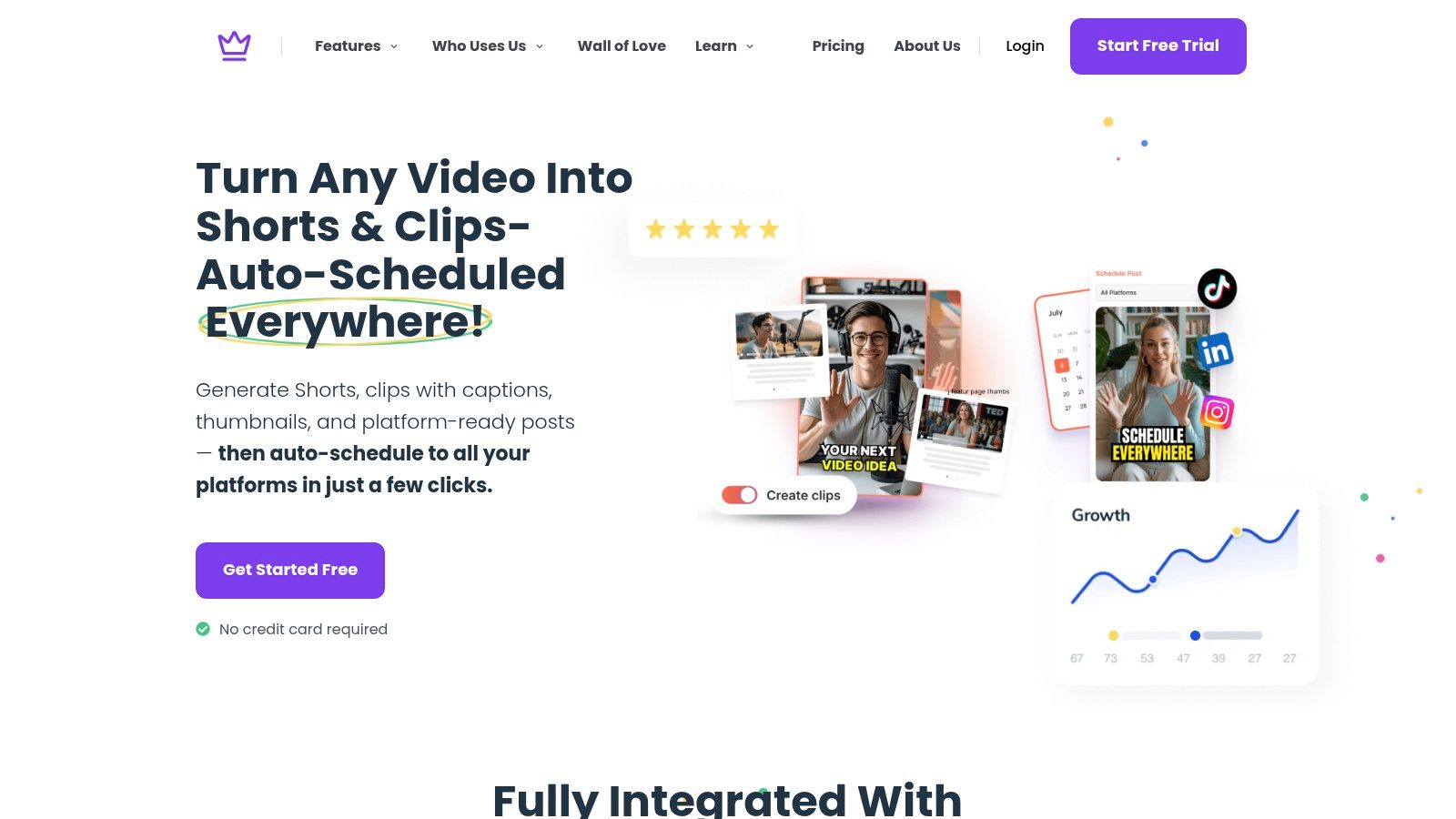
Some creators now bake that into repurposing workflows. A platform like Taja AI can generate shorts from long-form video, and a brand-template approach lets you keep lower thirds inside the asset system instead of re-editing each clip by hand. That keeps the context layer intact when you move from a full episode to a vertical post.
A lower third should appear when the viewer needs the context, not randomly in the middle of the clip. Match the entrance to the speaker's first useful line, then hold it long enough to be read comfortably. If the label is only on screen for a blink, it's not helping.
For a practical live-production workflow, StreamYard's overlay and banner model is one example of how creators keep nameplates and titles organized in a browser studio, with transparent overlays and live-editable text working together in its lower-third tool guide. The method matters less than the principle, build the graphic once, then make the text easy to swap.
Podcast clips are the clearest example. A guest might be visually obvious in the studio, but once the clip lands in a feed, the audience may not know who they are. A lower third solves that instantly by pairing the speaker's name with a role like host, founder, or educator.
Real estate videos use the same idea differently. The nameplate can identify the agent while a second line gives the brokerage or neighborhood, which keeps the walkthrough grounded. Faith-based and educational videos often lean on lower thirds to credit a speaker, label a scripture reference, or identify the lesson topic without interrupting the flow.
They stay short. They match the tone of the footage. They clarify the clip without feeling like an ad. The rookie mistake is trying to include every credential or every detail in one graphic, which makes the text too dense for mobile viewing.
News-style explainers use lower thirds to signal both subject and credibility. That can be a name, a title, a location, or a topic line, depending on the format. The key is that the viewer should understand the label at a glance.
If you're comparing editing tools or choosing a workflow for a small team, an editing guide for busy professionals can be helpful context for how lightweight production choices shape turnaround. The lower third decision sits inside that bigger edit decision, because the faster you publish, the more reusable your graphics need to be.
Watch the clip without sound. Then watch it on a phone while it's paused and again while it's playing. If the label is hard to read, too long, or visually noisy, it's working against the footage.
That's the standard across use cases. The best lower third doesn't announce itself as design. It tells the viewer exactly what they need to know and leaves the rest of the frame alone.
Lower thirds are useful when a viewer needs orientation right away. They're less useful when the clip already makes the speaker or topic obvious, or when the video is so short that extra text only slows it down. In short-form, mobile-first content, too many lower thirds can turn into visual noise.
If the viewer sees a speaker and needs to know who they are within the first second, the lower third earns its place. If the clip is an interview excerpt, a walkthrough, or a repurposed segment with no surrounding context, the label helps the audience follow along. That's especially true when the same clip gets shared outside its original setting.
A lower third can become clutter when it repeats obvious information. It also gets in the way when it sits too low on a vertical frame, covers the speaker, or uses weak contrast that disappears on a phone. In those cases, the graphic adds effort for the viewer instead of removing it.
The fastest test is still the simplest one. Pause the clip on your phone, shrink it to thumbnail size, and see whether the text still reads cleanly. If it doesn't, the lower third is doing decoration work, not communication work.
Use lower thirds as a context layer, not as a habit.
That rule keeps the format honest. In repurposed shorts, it's often better to use one clean identifier early, then let the rest of the clip breathe.
If you're building short-form video from longer recordings, Taja AI can help you turn one upload into clips, captions, and brand-ready assets that are easier to package with context layers like lower thirds. Visit Taja AI if you want a repurposing workflow that keeps your graphics, text, and publishing process moving in one place.


We are blessed to work with leading brands & Companies


We try to make easy and simple for every professionals. Get 30 days free trial - No credit card required.


© 2025 Taja AI. All rights reserved.