.jpeg)
10 Best YouTube Video Thumbnail Maker Tools for 2026
Compare the top YouTube video thumbnail maker tools by features, pricing, ease of use and integrations, plus what makes thumbnails get clicks.
5 min read
October 13, 2026

Learn how to make video montages that capture attention. This guide covers planning, editing, and time-saving workflows for creators and small businesses.
Written by:


You already have footage. That's usually the main bottleneck.
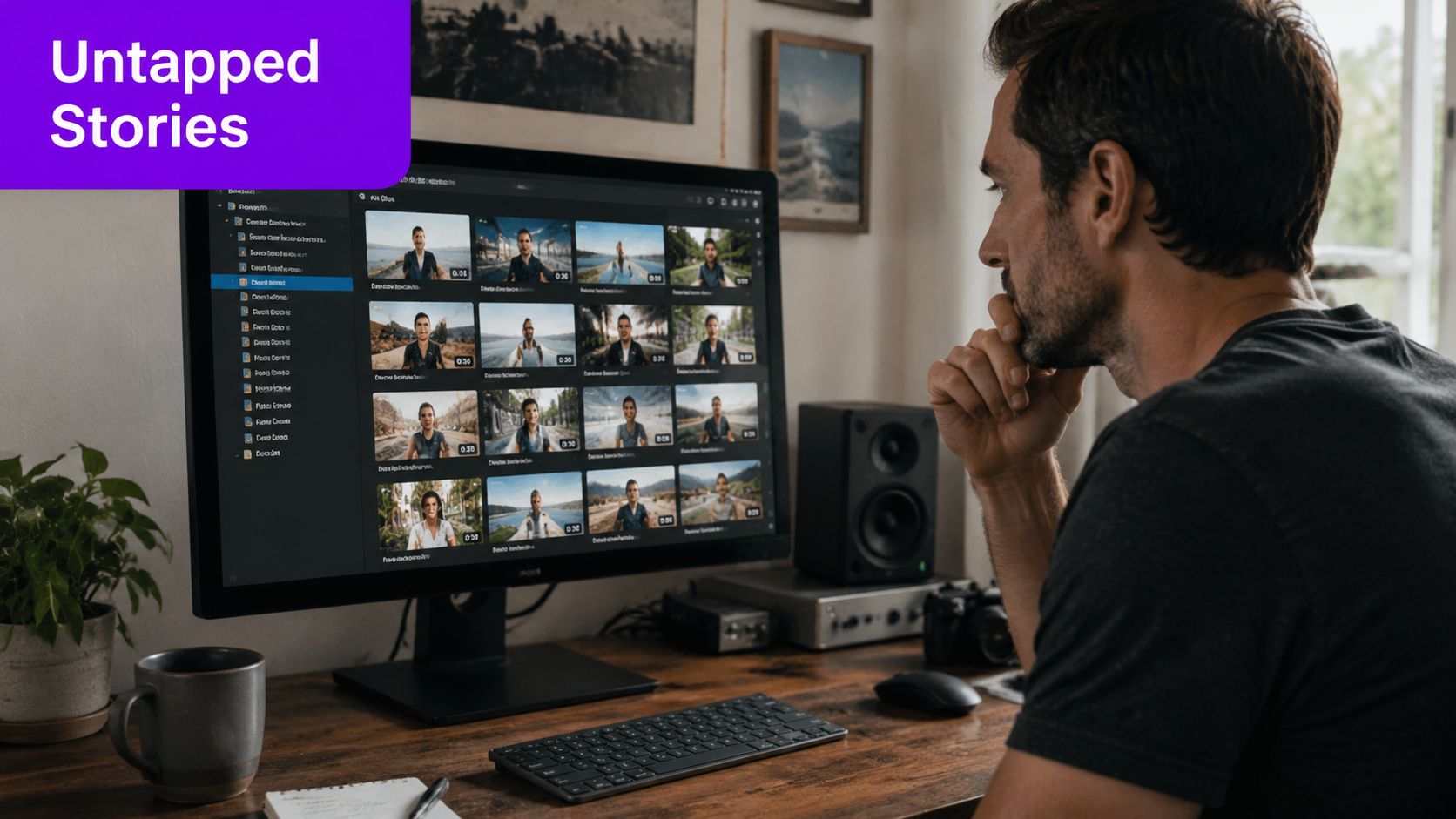
The problem isn't that you need to shoot something new. It's that your best moments are trapped inside a webinar nobody will rewatch, a podcast interview with three strong sound bites, a product demo with one clear objection-handling segment, or a property walkthrough that drags because it was recorded in real time.
Busy founders and small teams often think they need a cinematic setup to make video montages worth posting. They don't. What they need is a faster way to extract the parts that hold attention, package them for the right platform, and publish consistently.
Most montage tutorials assume you're shooting for the montage from the start. Multiple angles. Fancy transitions. Slow-motion inserts. Layered effects. That advice isn't wrong. It's just not how most businesses work.
Those who make video montages often start with one long recording and a tight deadline. They have a Zoom interview, a livestream, a single-phone product demo, a sermon, a training session, or a customer walkthrough. They need clips that look intentional without rebuilding the whole thing from scratch.
That shift matters because video isn't a side format anymore. Global spending on digital video advertising exceeded $191.4 billion in 2024, and 89% of businesses used video marketing in 2025, only slightly below 91% in 2024, according to Wix's roundup of video marketing statistics. If you're publishing video at all, you're competing in a mature environment where speed, consistency, and repurposing matter.
One of the most useful corrections for beginners is this: a montage doesn't need more camera angles to feel engaging. Guidance aimed at low-budget creators points to a common question, namely how to build an effective montage from one camera roll, one livestream, or one long recording with minimal post-production. The practical answer is often simpler shot selection and faster pacing, especially when retention matters more than cinematic complexity.
A clean sequence of strong moments usually beats a cluttered sequence of mediocre angles.
If you're a local business, creator, or event organizer, your raw material often already exists. Teams that centralize event photos and videos usually make repurposing easier because the footage is collected in one place instead of scattered across phones, cloud folders, and DMs.
The same logic applies to long-form publishing. If you're turning YouTube content into short assets, this guide on how to repurpose YouTube videos for Shorts is useful because it treats the source video as a content library, not a one-and-done upload.
A hidden montage is usually sitting inside content you already made:
When people say they don't have enough content, they often mean they don't have enough edited content. That's a different problem. And it's much easier to solve.
A montage fails when it's just a pile of decent clips. It works when every shot pushes one message forward.
That means the first decision isn't the software. It's the job the montage needs to do. Are you trying to earn views on short-form social, warm up leads, show product value, recap an event, or make a long video easier to consume?
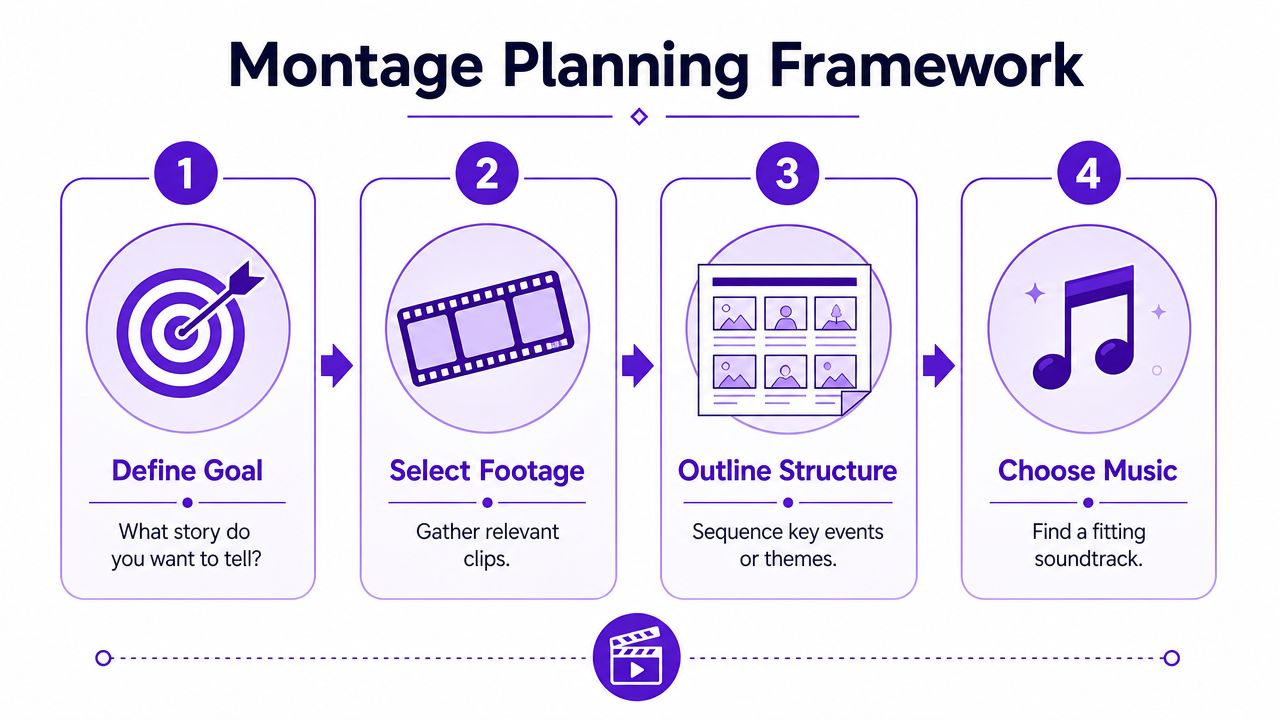
Before you touch the timeline, write a one-line outcome. Keep it narrow.
A few examples:
If you try to make one montage do all four, it usually becomes vague.
Good repurposing starts by screening footage with purpose. Don't review your long-form video asking, "What's interesting?" Ask, "What supports the outcome?"
Look for clips with at least one of these qualities:
Immediate clarity
A segment makes sense even if the viewer never saw the full recording.
Emotional charge
The speaker gets more animated, more direct, or more specific.
Visual change
A demo action happens, a scene shifts, text appears, or the framing changes enough to reset attention.
Business relevance
The clip answers a customer question, addresses a concern, or demonstrates a useful result.
Practical rule: If a clip needs too much setup, it's probably better left in the long-form version.
A montage built from long-form content still needs a beginning, middle, and end. Even a short edit should feel like a compact mini-story. Guidance from an experienced montage editor recommends keeping most dramatic montages within roughly 30 seconds to 2 minutes, with an average around 1.5 minutes, because one of the most common mistakes is making them too long, as explained in this montage editing breakdown.
The same source footage can produce different montages depending on where you're posting it.
| Platform context | What usually works | What usually fails |
|---|---|---|
| Vertical short-form feeds | Strong opening line, quick visual movement, tight clip changes | Long intro, slow title cards, context-heavy setup |
| Clear business angle, insight-led sequence, practical takeaway | Trend-chasing edits that bury the message | |
| YouTube Shorts | Fast payoff, strong first line, focused narrative thread | Random highlights with no connective logic |
| Instagram Reels | Visual rhythm, mood, concise story, readable captions | Dense talking-head blocks with no visual reset |
A paper edit is just a rough sequence written before the actual edit. It saves time because it forces decisions early.
Try this simple outline:
Hook
Start with the most arresting sentence, result, or visual.
Support
Add two to four clips that prove or expand the hook.
Turn
Include a moment of contrast, objection, or surprise.
Close
End on a takeaway, transformation, or next step.
That structure works whether you're repurposing a coaching call, a founder interview, or a behind-the-scenes shoot.
Most montages don't need more effects. They need better decisions.
The core editing job is simple: remove drag, preserve momentum, and make the viewer feel guided from one moment to the next. That's true whether you're editing in CapCut, Premiere Pro, Final Cut Pro, DaVinci Resolve, or a simpler mobile app.
A solid principle from montage craft is that the edit should start with a clear narrative purpose. Select only the footage that supports that purpose, arrange clips in a logical sequence, then tune music, cuts, and pacing to make the story feel cohesive. Editors also commonly recommend using hard cuts as the default and saving dissolves for moments where you have a real reason, which is explained well in this guide to montage construction.
Music can give a montage shape fast. It can also tempt people to cut lazily.
Start by finding the emotional lane. Is this energetic, reflective, urgent, polished, playful? Once you know that, use the beat as a pacing reference, not a prison. Every cut doesn't need to hit a beat. But the sequence should still feel rhythmically intentional.
A practical method:
If your source is a single-camera interview, music helps create momentum between moments that were originally far apart in time.
Beginners often overuse transitions because they want the montage to feel polished. The result usually feels slower and less confident.
Hard cuts create energy. They also tell the viewer that each new shot matters. Dissolves have their place, especially for memory, passage of time, or softer emotional transitions, but they shouldn't be your default.
What usually works:
What usually doesn't:
If you want extra polish without clutter, this overview of video editing with effects is worth reviewing because it helps separate purposeful effects from filler.
You don't need advanced gear to smooth a montage. You do need to control audio.
Two techniques matter a lot:
These are especially useful in repurposed edits because they hide the seams between chunks taken from different parts of a long recording.
A quick checklist for spoken montages:
| Problem | Fix |
|---|---|
| Cuts feel abrupt | Use a J-cut or L-cut |
| Sequence feels flat | Alternate talking footage with supporting visuals |
| Viewer loses the point | Put key words on screen |
| Clip order feels random | Rebuild around one argument, not chronology |
Here's a useful visual walkthrough before you start tightening your own timeline.
This is the trade-off many business owners miss. The goal isn't to preserve the long-form piece in miniature. The goal is to create a short asset people will finish.
That means you'll often cut context that felt important in the original recording. You'll remove polite intros. You'll skip transitions that happened naturally in conversation. You'll cut repeated points down to one line.
If the montage makes sense only after someone watches the full video, it's not a montage. It's a trailer with homework attached.
The strongest edits usually feel slightly ruthless. That's a good sign.
A rough montage becomes usable when three things line up: the image looks consistent, the sound feels controlled, and the final file fits the platform you're posting to.
You don't need a cinema-grade finishing pass. You need a clean finish that survives mobile viewing, autoplay, and platform compression.
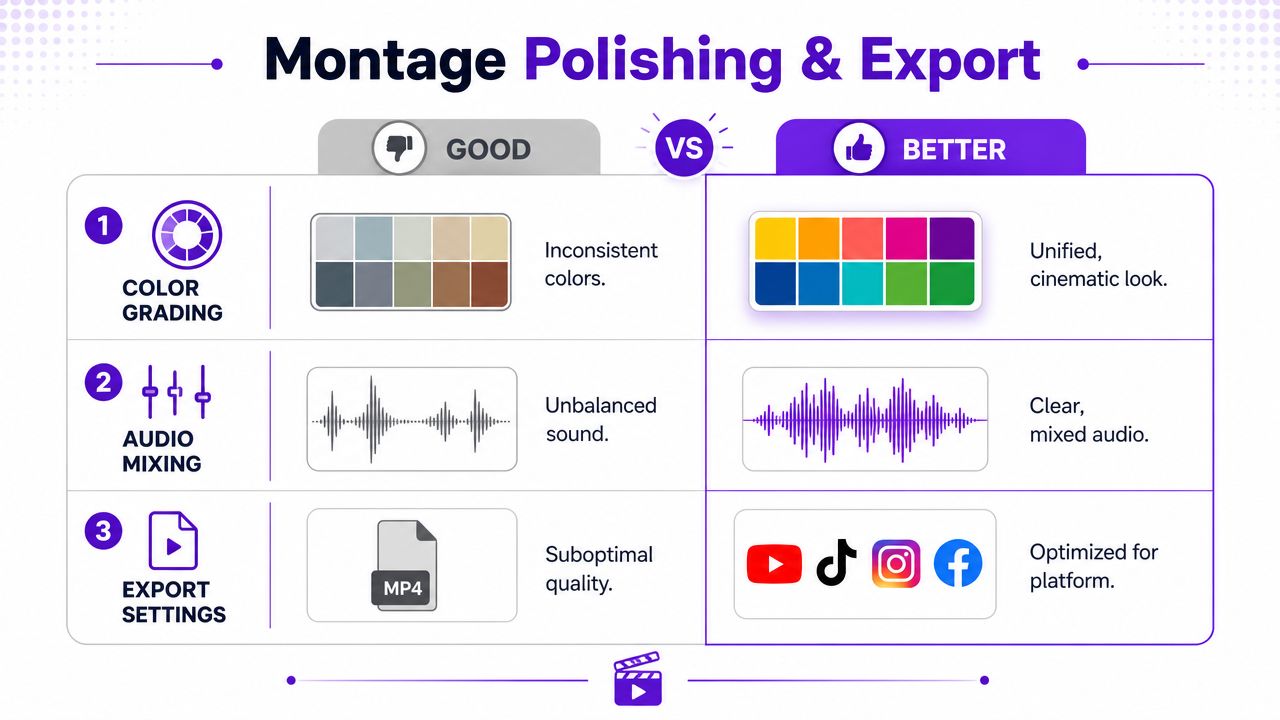
Most amateur-looking montages have the same issues. Clips don't match. Speech volume jumps. Captions are hard to read. None of that requires advanced grading.
Start with a simple finishing pass:
Clean audio forgives average visuals faster than clean visuals forgive messy audio.
For many business montages, captions aren't an accessibility extra. They're part of the creative.
Good captions do three jobs at once. They preserve meaning when sound is off, they reinforce pacing, and they tell the viewer where to focus. Keep them readable. Don't crowd the frame. Highlight only the words that deserve emphasis.
A few practical rules help:
Keep each caption chunk short
Long subtitle blocks pull attention away from the video.
Place captions consistently
Random movement looks messy unless it's done with intent.
Leave room for platform UI
Bottom-heavy layouts can get covered by buttons and description overlays.
A common mistake is exporting once and posting the same file everywhere. That saves time up front but creates avoidable quality problems later.
Use this platform-first approach:
| Destination | Format choice that usually fits |
|---|---|
| Reels and Shorts | Vertical framing |
| TikTok | Vertical framing with large, readable on-screen text |
| LinkedIn feed video | Square or vertical, depending on your layout and message density |
| YouTube long-form recap | Horizontal if the source footage supports it |
If your source is horizontal and the platform is vertical, don't just crop blindly. Reframe around the actual subject. In interviews, that might mean tracking the speaker's face. In demos, it might mean centering the product action or text on screen.
A practical export checklist:
Polish doesn't mean complexity. It means removing the reasons someone would swipe away.
Manual editing still matters. It's how you learn judgment.
But most entrepreneurs don't struggle because they can't cut clips. They struggle because the full workflow takes too long. Review the long video. Find usable moments. Reframe for vertical. Write captions. Generate titles. Post across channels. Repeat next week.
The bigger shift in montage work isn't a new transition style. It's the move from manually assembling one highlight reel to repurposing one recording into many platform-specific assets. Current guidance often misses the connection between montage structure and outcomes like discoverability, SEO, and lead generation, even though major platforms continue prioritizing vertical, short-form viewing, as discussed in this analysis of platform-specific repurposing.
AI is useful when the task is repetitive, pattern-based, or formatting-heavy. It's less useful when the task depends on nuance, brand judgment, or context only you know.
Good use cases for AI in montage workflows:
Tasks you should still review manually:
If you're evaluating systems beyond a single video editor, it helps to look at how a broader social media AI platform fits into scheduling, publishing, and content operations, not just clip generation.
In this context, repurposing tools become practical, not theoretical. Instead of treating every montage as a one-off project, you can treat a long-form recording as a source file for a batch of outputs.
One option is automated content creation workflows. Taja AI, for example, is built around turning long-form videos into ready-to-publish shorts, clips, captions, thumbnails, blogs, and platform-specific posts from one upload. That makes it relevant when the challenge isn't editing one montage. It's producing a repeatable stream of them without spending your week in the timeline.
For a brand film, manual editing from scratch still makes sense.
For a founder posting weekly insights, a coach clipping webinars, a church repurposing sermons, or a real estate team breaking down walkthroughs, the bottleneck is usually consistency. In those cases, AI helps most when it shortens the path from raw recording to publishable draft. You still need editorial judgment. You just don't need to do every repetitive step yourself.
The fastest montage workflow is the one that preserves your standards without requiring your full attention every single time.
That's the main win. Not replacing the editor. Reducing how often you have to act like one.
A real estate agent records a full property tour on one phone. The original video is useful but slow. The montage version opens with the kitchen and outdoor space, cuts to the three strongest selling points, overlays short captions, and ends with a direct invitation to book a viewing. Same footage. Different job.
A podcaster has a strong interview but no time for custom social edits. Instead of posting a generic trailer, they build a quote montage around one theme. A sharp opening statement leads, reaction shots and waveform-style visuals support the pacing, and each cut advances the same idea. The result feels designed, not recycled.
A small business records a product demo for prospects. The full version explains everything. The montage version narrows the message to one problem and one clear solution. It starts with the frustration point, shows the product in use, adds on-screen proof points, and closes with a simple next step suited for LinkedIn.
These examples work because they don't try to preserve the original experience. They rebuild it for attention, clarity, and platform fit.
Keep this rule set simple
Plan with purpose.
Edit for rhythm, not flash.
Optimize for the platform.
Automate to scale.
If you're trying to make video montages on a budget, that's the playbook. Start with the long-form content you already have. Cut for one business outcome. Remove everything that doesn't support it. Then turn the process into a repeatable system.
If you want to turn long videos into publish-ready shorts, captions, thumbnails, and platform-specific posts without doing every step manually, Taja AI is built for that workflow. Upload one long-form video, generate multiple repurposed assets, and keep your content pipeline moving without becoming a full-time editor.


We are blessed to work with leading brands & Companies


We try to make easy and simple for every professionals. Get 30 days free trial - No credit card required.


© 2025 Taja AI. All rights reserved.