.jpeg)

10 Best Instagram Reels Maker Tools for Creators in 2026
Compare 10 Instagram Reels Maker tools for editing, vertical templates, captions, and publishing, with honest limits and use cases for 2026.
5 min read
October 15, 2026

Learn how to send a video through text message on iPhone & Android. Use MMS, iMessage, or link sharing to send videos without quality loss or errors.
Written by:


You tap the video, hit send, and watch it stall, fail, or arrive looking like it was recorded on a flip phone. That's the common issue users encounter when searching for how to send a video through text message. The confusing part is that your phone makes recording video easy, but texting that same video is still messy.
The fix is to stop thinking about this as one action.
There are really two different jobs hiding inside the same question. One is sending something fast with the least friction. The other is delivering a video that still looks good when the other person opens it. Once you separate those goals, picking the right method gets much easier.
My practical rule is simple. If the clip is short, disposable, and you only care that it gets there, try sending it directly. If the video matters, use a link. That mental model saves a lot of failed sends, blurry uploads, and back-and-forth troubleshooting.
You can send the same clip to two people and get two completely different results. One gets it instantly. The other sees a failed message, a heavily compressed blur, or nothing at all. That inconsistency is what makes video texting frustrating.
The reason is simple. “Text message” is not one delivery method.
SMS handles plain text. MMS allows media, but carriers and devices still treat it differently, and size limits stay tight. iMessage and RCS improve the experience in the right conditions, but they do not replace every older path a message can fall back to. The result is a mixed system where the route changes based on the phone, carrier, app, and recipient.
Phones now record large, high-resolution video by default. Text messaging systems were not built around preserving that kind of file cleanly across every scenario. Once the video is too heavy for the path your message is using, something has to give.
Usually, one of four things happens:
That is the mental model that matters. Before sending, decide what you care about more. If speed and low friction matter most, direct attachment is fine for short clips. If the video needs to look good when opened, texting the file itself is often the wrong move.
If you want a clearer explanation of the technical split, CartBoss's SMS and MMS insights break down how those messaging layers differ.
An iPhone-to-iPhone send can feel easy because it may stay inside Apple's system. Send that same file to someone on a different device or carrier, and the message may be handled in a completely different way. Android adds its own variables, including the messaging app in use and whether richer chat features are active.
I've found that people who already pay attention to delivery specs run into fewer surprises here. The same habits used when checking Instagram video format requirements help with texting too. The channel shapes the result.
Use this rule every time. Direct send is for convenience. Links are for quality control. Once you make that choice first, failed sends become a lot less common.
You record a clip, tap send, and expect it to be done in seconds. Then the video stalls, looks worse on the other phone, or never arrives. Native texting still has a place, but it only works well when you choose it for the right reason.
Use this mental model first. Send the file directly when convenience matters most and the clip is short, casual, and disposable. If the video needs to stay clear, open reliably across phones, or represent your work well, native texting is a gamble.
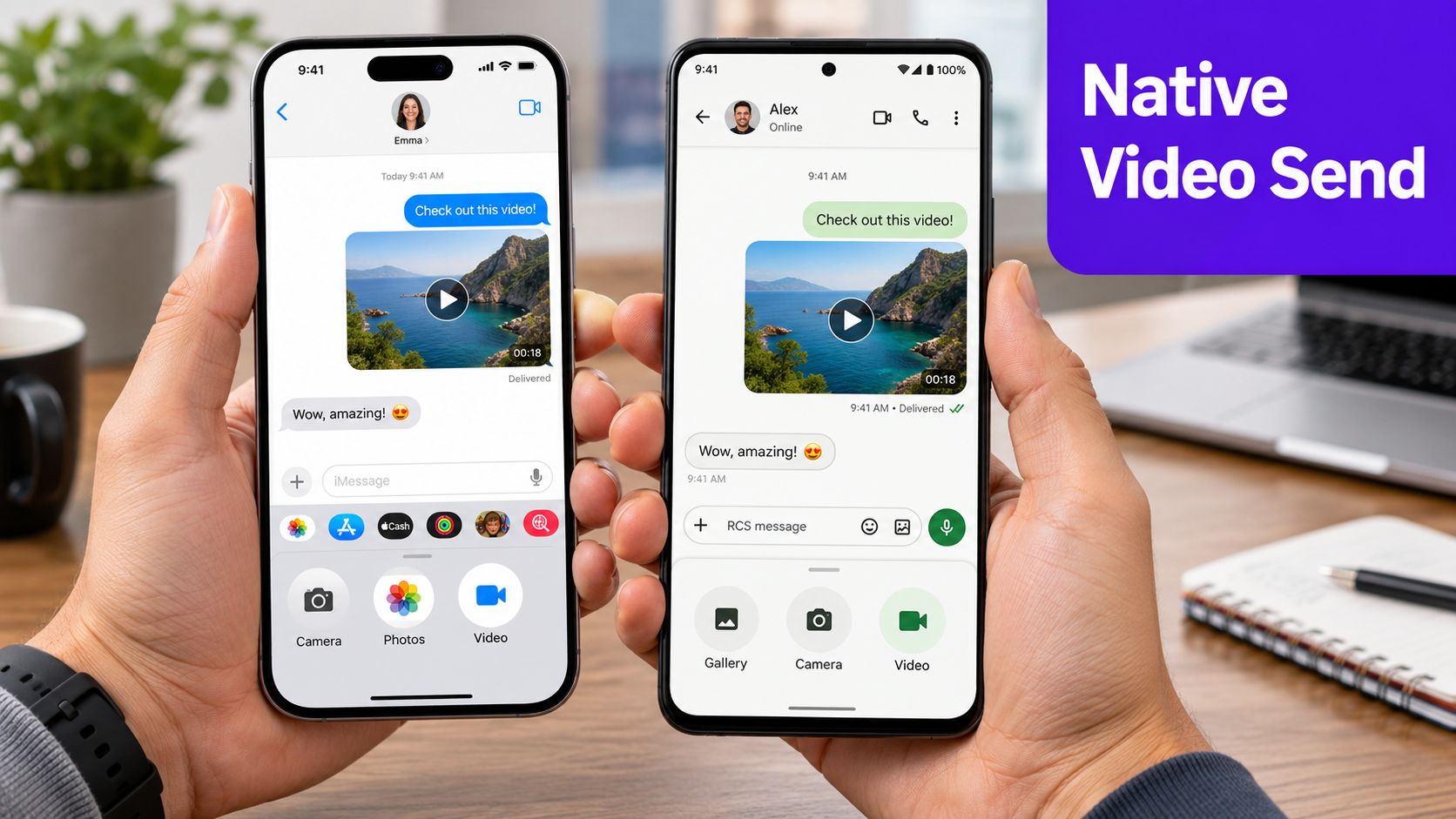
Apple's built-in path is simple. Open the video, send it through Messages, and let the phone handle the rest. Apple Support documents the share flow through Photos and Messages, which is the fastest native route for most iPhone users.
Use these steps:
That method works best when speed matters more than control. In my experience, it's fine for a quick family clip or a short update. I do not use it for anything client-facing unless I've already accepted that the phone may compress it or route it differently depending on who receives it.
Native iPhone sending makes sense for:
If the file is already too large, shrinking it before you send usually saves time. A quick guide on how to make a video file smaller on your phone helps when the native send button is failing.
Android is less consistent because the exact path depends on the phone maker and messaging app. The usual pattern is still the same. Start in your messaging app, attach the video from the gallery, and send it. Google's Messages help documentation and common Android gallery workflows both reflect that attachment-based process.
Typical steps:
The trade-off is the same as on iPhone, but Android adds more variation. One device may send cleanly through rich chat features, while another falls back to older messaging behavior. That is why I treat Android native sending as convenient, not dependable, unless I've tested the exact phone and chat setup before.
Here's the practical filter:
| Goal | Native send fit |
|---|---|
| Fastest possible send | Good |
| No extra app or link | Good |
| Best video quality | Poor |
| Predictable results across different phones | Mixed |
| Professional or client-facing video | Weak |
Native sending is the low-friction option. Use it for short clips you can afford to lose quality on. Use a link or another method when the video itself matters more than the convenience of sending it directly.
When a video is only a little too large, trimming can rescue it. This is the fastest fix if you're trying to send something directly and don't want to switch methods yet.
The trade-off is obvious. You make the file easier to send by removing seconds, lowering detail, or letting the phone compress it more aggressively. That can work fine for casual messages. It's a bad move for footage where clarity matters.
On iPhone, open the video in Photos, tap Edit, and drag the ends of the clip inward to shorten it. Save the trimmed version, then try sending that smaller file through Messages.
On Android, open the video in Google Photos or your phone's gallery editor, choose Edit or Trim, and shorten the beginning or end. Save the edited clip before you attach it.
A few seconds can make the difference between a failed send and a delivered one, especially when the original clip is close to what the messaging system can handle.
Phones often compress video automatically when you try to text it. That helps the file go through, but it's also why people ask why their video suddenly looks soft, blocky, or muddy.
Use this order:
If your bigger problem is file size in general, this guide on how to make a video file smaller is useful because it focuses on reducing size without turning the file into mush.
Trimming is first aid, not a long-term strategy. It helps when the clip is close to sendable. It won't turn a large high-quality video into a great text attachment.
Don't trim just to satisfy the channel if doing so removes the point of the video. That's common with walkthroughs, testimonials, product demos, and anything where visual detail matters.
In those cases, changing the delivery method is smarter than changing the content.
If you care about how the video looks when the recipient opens it, send a link, not the actual file through the text itself. This is the method I'd treat as the default for client work, marketing assets, event footage, interviews, and anything you don't want crushed by carrier handling.
The logic is simple. A text can carry a URL far more easily than it can carry a large video file.
For larger or higher-quality videos, texting a share link avoids the typical text-message video size ceiling of about 3.5 MB, and Dropbox explains that Dropbox Transfer supports files up to 250 GB by sending only a URL. That's the cleanest illustration of why link sharing wins. You're no longer trying to squeeze a real video file through a system that wasn't built for it.
This also preserves original quality far better and avoids a lot of cross-device weirdness.
Here are the methods that work well in practice:
For family events, reunions, or weddings, this same principle applies to photos too. A tool built to Share guest photos can be more practical than asking everyone to text media back and forth in a giant thread.
Use a link when any of these are true:
| Situation | Better choice |
|---|---|
| You need quality preserved | Link |
| The video is important to your brand | Link |
| The recipient uses a different phone ecosystem | Link |
| The file is long or high-resolution | Link |
| You need instant inline playback in the thread | Native send |
Send the message, not the file. The text delivers access. The link delivers the video.
If your workflow ends with a hosted video rather than a cloud file, this guide on how to share a YouTube video covers the same core idea from a public-video angle.
Sometimes you want something in the middle. You don't want MMS-style limits, but you also don't want to upload a file to cloud storage and send a separate link. That's where internet-based messaging apps help.
Apps like WhatsApp, Telegram, and Facebook Messenger use your internet connection instead of the old carrier MMS path. In practice, that usually means more consistent media sharing across iPhone and Android.
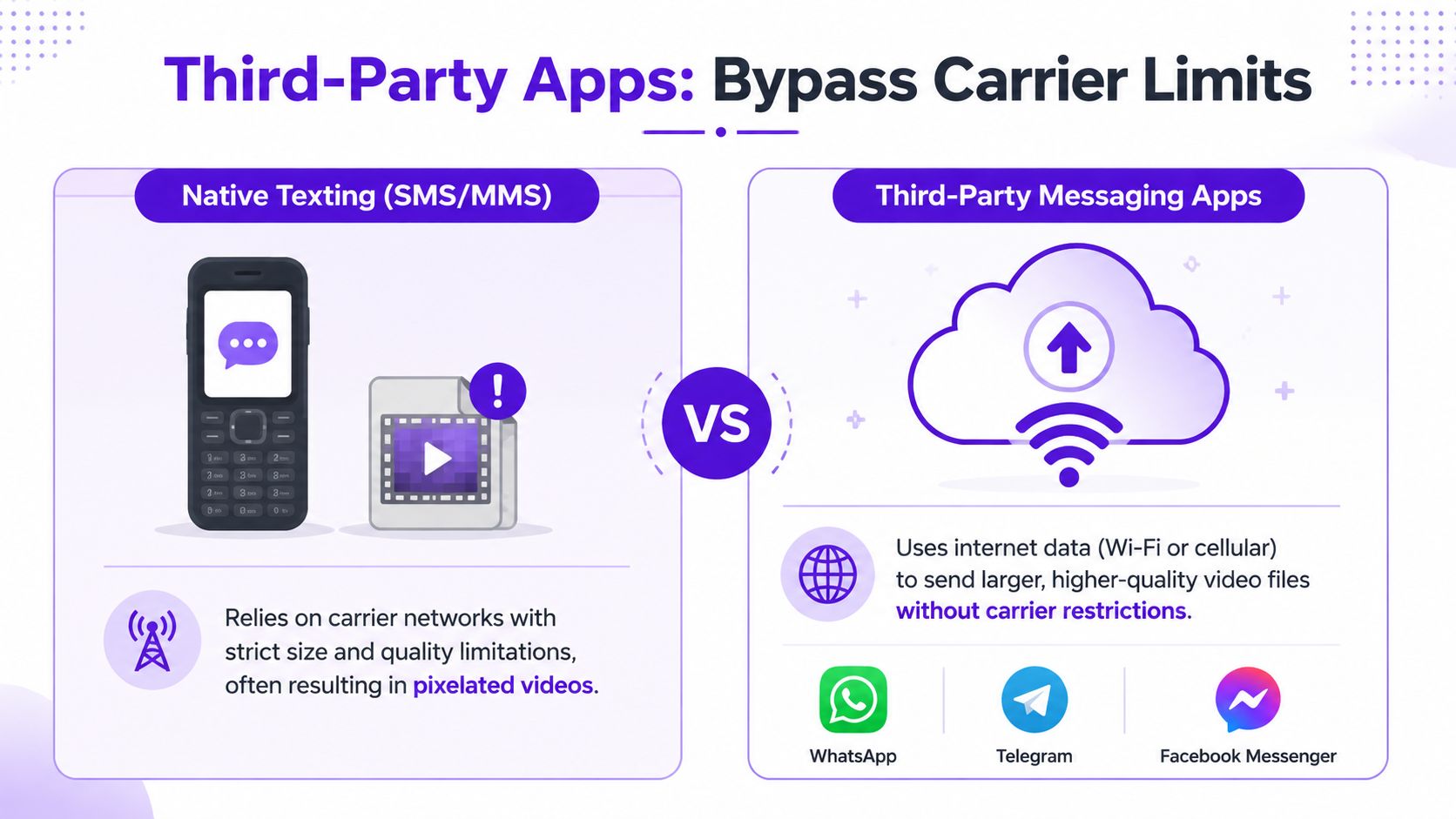
Third-party messaging apps are useful when:
What they don't solve is universal reach. If the recipient doesn't have the app, the convenience disappears fast.
The biggest difference is where the message travels.
| Method | How it sends video | Best for | Main limitation |
|---|---|---|---|
| SMS | Text only | Plain text updates | No native video support |
| MMS | Carrier multimedia path | Tiny direct clips | Small size, heavy compression |
| iMessage or richer native chat | Platform-specific messaging | Quick personal sharing | Not universal across all recipients |
| WhatsApp, Telegram, Messenger | Internet-based app messaging | Better cross-platform media sharing | Both users need the same app |
| Share link by text | URL inside a normal text | High-quality video delivery | Requires click-through |
If the recipient is a friend, coworker, or client who already lives in one messaging app, using that app can be the easiest route. If you're not sure what they have installed, a texted share link is usually the safer choice.
Third-party apps are a convenience layer. Link sharing is still the cleanest method when you can't control the recipient's setup.
For business communication, that distinction matters. You want the method that asks the least from the other person while still protecting the video.
Blurry video usually means the file went through a path that shrank it hard before delivery. That happens a lot with MMS and sometimes in mixed-device text threads where the phone falls back to a lower-quality send method.
The useful question is not "why is it blurry?" It is "did I choose the right send method for the goal?" If the goal was speed and the clip was casual, direct send was fine. If the goal was quality, a share link was the better choice from the start.
Usually, yes, if you check the share settings first.
Some links are open to anyone who has the URL. Others stay limited to selected people, logged-in users, or invited accounts. Before sending private client footage, internal work samples, or family videos, confirm whether the link is public, whether downloads are allowed, and whether access can be revoked later.
That extra check matters more than the app name.
Yes, but group texts expose every weak point at once. Different phones, different carriers, and different fallback rules can all affect quality and delivery.
For a small, low-stakes clip, direct send can still work. For anything people need to watch clearly, send one link to the group. It avoids the usual compression problems and keeps everyone looking at the same version.
Texting remains the default communication channel for a lot of personal and business conversations. U.S. mobile users sent 2 trillion text messages in 2021, which equals about 6 billion per day, according to Intradyn's text messaging statistics review.
That volume explains why people keep trying to send video by text even though the results vary so much by device and method. The habit is strong. The send path is the part that needs more thought.
Use a simple filter.
That mental model saves time because it matches the method to the goal. Convenience points to direct send. Quality points to link sharing. If you choose that first, video delivery gets a lot more predictable.
If you're turning long videos into clips, captions, thumbnails, and written content on a regular basis, Taja AI can help you repurpose everything faster. It's built for creators, small businesses, and teams that want to turn one video into multiple ready-to-publish assets without getting buried in manual editing.


We are blessed to work with leading brands & Companies


We try to make easy and simple for every professionals. Get 30 days free trial - No credit card required.


© 2025 Taja AI. All rights reserved.