.jpeg)

How to Flip Video: Mirror and Rotate Quickly
Learn how to flip video in popular editors and mobile apps. Step-by-step guide to horizontal mirrors and vertical flips with quality and privacy tips.
5 min read
October 9, 2026

Learn how to schedule LinkedIn posts using native tools and third-party platforms. Includes timing tips, bulk workflows, and troubleshooting
Written by:


You write a strong LinkedIn post on Monday, plan to publish it midweek, then lose the slot to client work, meetings, or an urgent customer request. By Friday, you're either scrambling to write something weaker or accepting another quiet stretch on your profile or company page.
That pattern isn't usually a discipline problem. It's a distribution system problem. Scheduling gives you a way to separate creating content from publishing it, protect your best ideas from busy days, and coordinate posts across audiences and time zones without relying on memory.
A founder finishes a post after a customer call, a consultant saves a useful framework, or a marketing manager approves a product announcement. The writing is ready, yet publication still depends on choosing the right account, checking the creative, and finding a suitable time. Managing a personal profile and a company Page adds another layer, because permissions, queues, and available tools do not always match.
Manual posting is fine for occasional updates. It becomes unreliable when one person handles several profiles, Pages, client accounts, and other channels. Each publishing session creates more decisions and interrupts higher-value work, such as writing, reviewing performance, or responding to comments.
Practical rule: Create in batches, publish from a calendar, and reserve live posting for genuinely time-sensitive updates.
A scheduling system also separates account responsibilities. A personal profile usually depends on the individual's access and voice, so its queue needs a clear owner and a review process that does not make the content sound corporate. A company Page may involve administrators, approval steps, brand checks, and several contributors. Treating both accounts as one publishing stream makes permission errors and duplicated posts more likely.
Timing requires the same operational split. A personal brand may test posting windows around the creator's audience and availability for replies. A company Page may need coverage across regions, with someone assigned to monitor comments after publication. LinkedIn's largest single market is the United States, with roughly 247 to 252 million registered users, while Asia-Pacific is the largest region overall with more than 370 million members, according to LinkedIn market and engagement statistics. One convenient time will not suit every audience.
A repeatable cadence gives teams enough output to compare formats and publishing windows. It also reduces last-minute choices without forcing every post into a rigid template. Scheduling cannot rescue weak content, but it can make testing and follow-through practical.
Use the simplest workflow that fits the account:
Content production belongs in the same system. For interviews, podcasts, or webinars, a content creators audio tool can turn recorded material into source ideas before they enter the LinkedIn calendar.
LinkedIn's built-in scheduler is the cleanest starting point because it avoids account connections, extra subscriptions, and API-related surprises. The workflow differs slightly between a personal profile and a company Page, and those differences matter for anyone managing both.

From your LinkedIn home feed, select Start a post and write the post as usual. Before selecting Post, click the clock icon, choose your date and time, select Next, then confirm with Schedule. LinkedIn supports this workflow on desktop and mobile, and the Help documentation explains the available scheduling controls in its official post scheduling instructions.
Personal posts can be scheduled from 10 minutes to three months ahead. That short minimum is useful for a post you've just finished but don't want to publish immediately, while the longer horizon supports campaign planning and recurring thought-leadership content. Exact-time selection is available beyond the default half-hour increments, which helps teams coordinate distribution across markets.
To review the queue, open the post composer again, select the clock icon, and choose View all scheduled posts. From the scheduled-posts drawer, you can modify the schedule or delete an item. LinkedIn's Help guidance also makes an important operational point: once a post is scheduled, it publishes automatically at the selected time, but admins can't edit the content after scheduling. If the copy changes, delete the scheduled item and create it again.
For a Page, open the Page's admin view and start a post from the Page identity rather than your personal profile. Only Super Admins and Content Admins can schedule Page posts, so confirm permissions before building a calendar around a colleague's account.
Page scheduling starts one hour ahead and extends to three months, a different window from personal-profile scheduling. The post can be rescheduled or deleted later, but the content itself can't be edited after scheduling. That restriction makes a final copy, link, tagging, and asset review essential.
Native scheduling is deliberately simple, but it isn't a full publishing operation. It doesn't provide bulk scheduling, cross-platform publishing, approval queues, or a unified analytics workflow. Format support can also vary by account type and publishing surface, so check the post composer before promising a campaign built around specialized assets. For technical requirements around video preparation, use this LinkedIn video specifications guide before uploading.
Native tools are best when one person controls the account and the content volume remains manageable. Once several stakeholders need to review posts or several channels need coordinated publishing, a dedicated platform usually reduces more work than it creates.
Third-party platforms earn their place when LinkedIn is one part of a larger content operation. The decision shouldn't start with a feature list. Start with the workflow: how many accounts need access, whether posts arrive in batches, who approves them, and whether reporting must cover LinkedIn alongside other channels.
| Tool | Profile Scheduling | Page Scheduling | Bulk Upload | Starting Price |
|---|---|---|---|---|
| Buffer | Available on supported connections, verify current profile capabilities | Yes | Queue and bulk workflows vary by plan | Varies by current plan |
| Hootsuite | Availability depends on LinkedIn connection and current API support | Yes | Available through supported plans and workflows | Varies by current plan |
| Sprout Social | Availability depends on LinkedIn connection and current API support | Yes | Available through advanced publishing workflows | Varies by current plan |
| Taplio | LinkedIn-focused profile workflows, subject to current product capabilities | Limited compared with general Page-focused platforms | Product-dependent | Varies by current plan |
| AuthoredUp | LinkedIn-focused profile workflows, subject to current product capabilities | Limited compared with general Page-focused platforms | Product-dependent | Varies by current plan |
The most important limitation affects personal profiles. LinkedIn's API access means many general-purpose platforms support company Page scheduling more consistently than personal-profile publishing. Before subscribing, connect the exact account type you use and test the publishing path. Some LinkedIn-specific products rely on browser extensions or desktop applications for profile workflows, which can be more convenient for creators but introduces a different dependency than an API connection.
Buffer suits a solo operator or small brand that wants a straightforward queue, a shared dashboard, and publishing across LinkedIn and other networks. It's easier to maintain than a collection of native tabs, but check whether the specific LinkedIn profile features you need are supported.
Hootsuite is more appropriate for organizations managing several channels, accounts, and monitoring streams. Its broader environment can help teams coordinate publishing and listening, though the interface and plan structure may be more than a solo creator needs.
Sprout Social serves teams that need structured approvals, role-based access, reporting, and stakeholder oversight. It makes more sense when a marketing department needs a documented review process than when one person wants to queue posts.
Taplio and AuthoredUp are designed around LinkedIn-focused creator workflows. They can be useful for personal-brand operators who care more about profile writing, drafting, and LinkedIn-specific productivity than about managing a large social portfolio.
Bulk upload is valuable for planned campaigns, but don't treat a CSV import as permission to publish without review. Check every row for the correct account, link, asset, date, timezone, and campaign label. Automation platforms such as Zapier and Make can also connect RSS feeds, content databases, or approval steps to a scheduling workflow, but they should trigger a controlled review rather than send unedited material straight to LinkedIn.
For a broader cost comparison across scheduler categories, review this guide to the cheapest social media scheduler options. The cheapest tool isn't automatically the right one. A lower subscription price can be offset by manual approvals, disconnected analytics, or a profile workflow that still requires browser-based publishing.
“Post Tuesday at 10 AM” is a starting hypothesis, not a publishing rule. Audience location, industry, seniority, work patterns, and format all affect performance. A consultant's personal profile may attract attention during an early commute, while a company Page aimed at business buyers may perform better during a shared workday window.
Published recommendations differ because their datasets and audiences differ. LinkedIn's marketing guidance points to 8 AM to 11 AM. A recent LinkedIn timing analysis places activity in other late-morning, midday, and afternoon windows. Treat those findings as test inputs, not instructions to copy.
The account type changes the test. A personal profile usually depends on the creator's network and can benefit from early engagement by the author. A company Page may need to match the working hours of its target buyers and the availability of the team that will monitor comments. Scheduling tools can also expose different time options or approval controls, so record which account and tool published each post.
Choose a few windows in the audience's local timezone. Start with Tuesday through Thursday, then compare adjacent late-morning, early-afternoon, and later weekday slots. Keep the topic, call to action, and production quality reasonably consistent. Changing the time, format, and message together makes the result difficult to interpret.
Open LinkedIn Analytics and inspect When your followers are on LinkedIn. Select three or four recurring slots, then test one or two adjacent windows each week. Compare the median results of similar posts rather than letting one unusually strong update set the schedule.
Record early interaction and later distribution. First-hour reactions and comments show whether the post received prompt attention. Total reach and engagement rate offer a broader view after LinkedIn has had time to distribute it.
| Day/Time Slot | Post Format | First-Hour Reactions | First-Hour Comments | Total Reach (48hr) | Engagement Rate |
|---|---|---|---|---|---|
| Tuesday, local time | Text | ||||
| Wednesday, local time | Document | ||||
| Thursday, local time | Video | ||||
| Friday, local time | Text or image |
Keep the format and objective visible in the sheet. A document intended to generate saves should not be judged against an opinion post intended to start comments. Use your analytics dashboard to establish format-specific baselines, then let audience results determine the schedule. Review personal-profile and company-Page results separately, because combining them can hide the timing pattern that matters for each account.
A useful LinkedIn workflow has a clear owner, a defined review point, and enough flexibility to stop a post when circumstances change. It shouldn't turn every update into a committee meeting, and it shouldn't leave every decision to the person who happens to remember the calendar.
A solopreneur can batch the week's work into one focused session. Start by choosing a few content pillars, such as customer lessons, practical education, personal perspective, and offers. Draft five posts in one sitting, vary the formats, add the intended audience timezone, and schedule the approved versions through LinkedIn or a third-party queue.
Keep a separate list of ideas that need live context. A post reacting to industry news, a customer announcement, or a changing policy shouldn't sit in a long queue where it can become stale. Leave room to replace a planned item rather than treating the calendar as fixed.
A simple repurposing loop extends the value of strong work:
Creators who work from interviews, podcasts, or recorded calls can use a structured content creation workflow for turning source material into publishable assets. The scheduler is only effective when the input material has been organized before the publishing session.
For a company Page, assign three distinct responsibilities even if one person holds more than one role: drafting, reviewing, and publishing. Store the post copy, creative, campaign purpose, target timezone, approval status, and fallback contact in a shared calendar.
Buffer or Later can suit growing brands that need a shared queue without enterprise complexity. Sprout Social is more appropriate when several stakeholders require formal approvals, role-based access, and reporting. Native LinkedIn scheduling remains practical for a small team with one trusted Content Admin and a low posting volume.
Use a documented content approval workflow to define what happens when a reviewer is unavailable. For reactive posts, keep the approval path shorter, but don't remove the final accuracy check. Scheduled content should support the team, not prevent it from responding like a real organization.
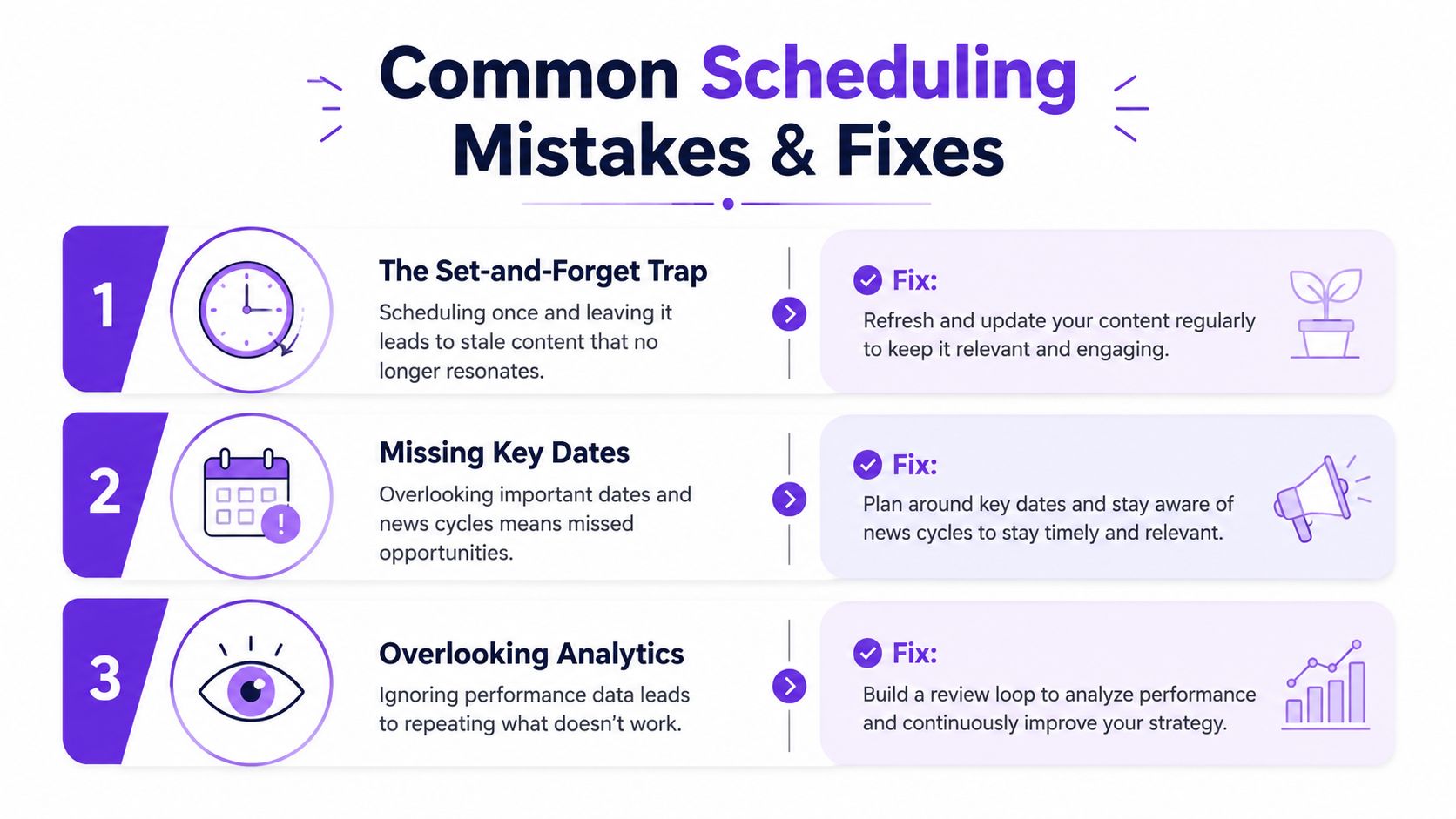
Scheduling removes the pressure of remembering to publish, but it doesn't remove editorial responsibility. The most reliable teams treat every scheduled item as a planned decision that still needs a final check near publication.
The set-and-forget trap is the most common failure. A scheduled post can become inappropriate after a company announcement, news event, product change, or customer issue. Add a review buffer before publication and pause the queue when the context changes.
Native content can't be edited after scheduling, so don't approve a post while links, names, or claims remain uncertain. Delete and recreate the item when the copy changes. This is slower than editing a draft, but it prevents a compromised post from publishing automatically.
The planning horizon can create false confidence. Personal posts can be scheduled up to three months ahead, while Page posts have their own one-hour minimum and three-month maximum. Use the long window for evergreen ideas, not for details that depend on current conditions.
Timezone confusion causes teams to publish at the wrong local hour. Record the target audience timezone directly in the calendar, and require the scheduler to confirm the selected location before approving the item.
Cross-platform duplication weakens relevance. A caption written for Instagram or X may need a different opening, context, and call to action on LinkedIn. Reuse the underlying idea, not the exact post.
Permission changes can interrupt Page publishing. If a Super Admin or Content Admin loses access, review scheduled items and account permissions rather than assuming the queue will continue normally.
Unsupported formats create last-minute failures. Some post types and specialized assets may not be available through every native or third-party workflow. Test the format on the exact account before building a campaign around it.
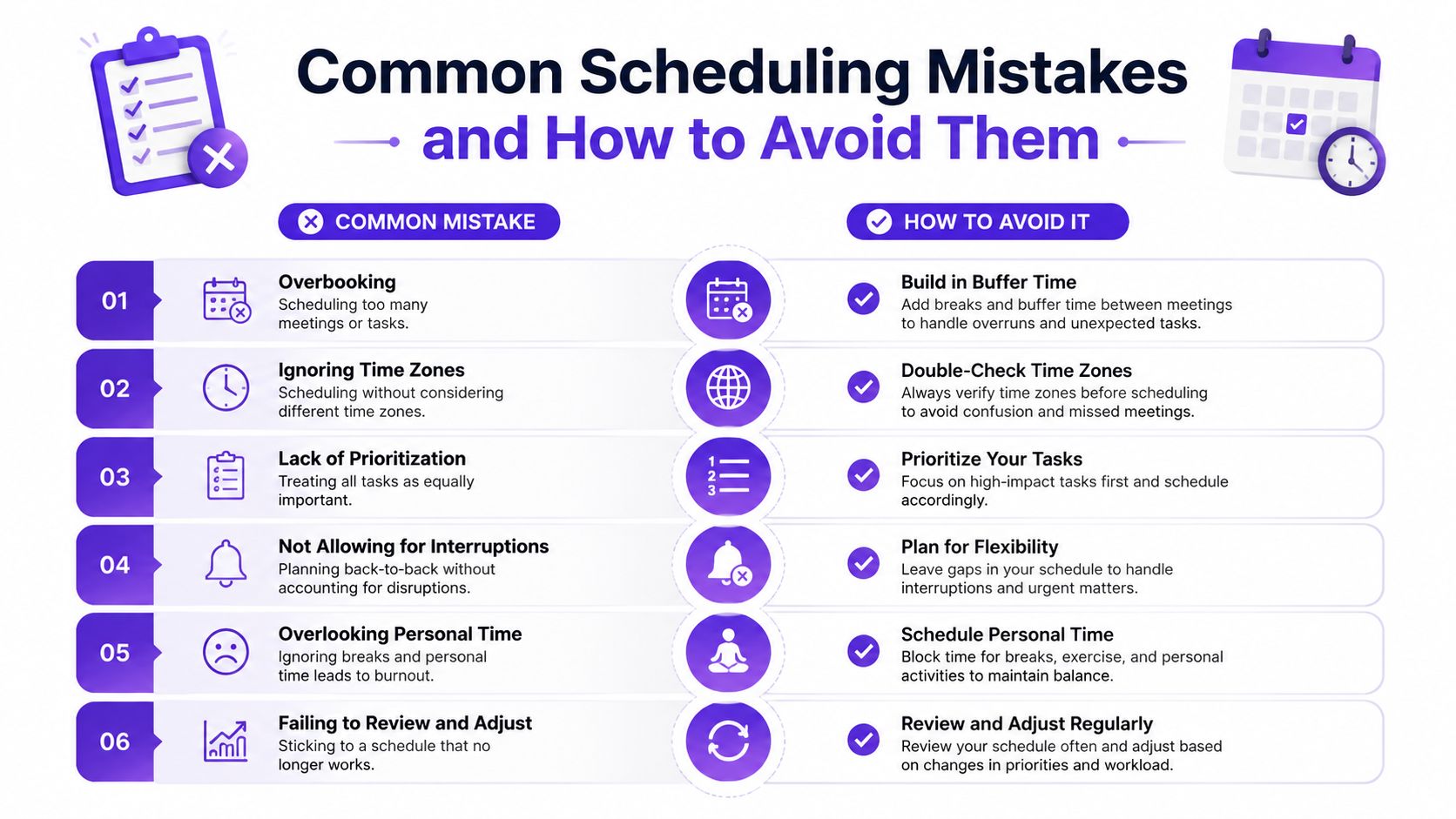
A final check should confirm the account identity, copy, links, creative, timezone, permissions, and current relevance. That short checklist protects the advantage scheduling is supposed to create, consistency without losing judgment.
Taja AI helps turn long-form videos into ready-to-publish clips, captions, blogs, thumbnails, and platform-specific posts, including LinkedIn scheduling from a shared dashboard. If you want to reduce the gap between creating source content and maintaining a reliable publishing calendar, visit Taja AI and start free without a credit card.


We are blessed to work with leading brands & Companies


We try to make easy and simple for every professionals. Get 30 days free trial - No credit card required.


© 2025 Taja AI. All rights reserved.