.jpeg)

Content Marketing ROI: A Practical Guide for 2026
Learn how to measure and grow content marketing ROI with practical steps and real examples. Improve your strategy and track results in 2026.
5 min read
September 27, 2026

Learn how to make a shorts video that drives real engagement. Master hooks, vertical formatting, and AI repurposing to scale your content without burnout.
Written by:


You've probably opened your editor with a full podcast, tutorial, or livestream recording and thought, “I need to turn this into Shorts.” Then you scrub through the timeline, mark a few moments, crop the footage, add captions, rewrite titles, and realize that one vertical video has consumed an entire afternoon. That workflow makes short-form feel like a second full-time job.
The more sustainable answer to how to make a Shorts video starts before the edit. Treat your long-form content as the source material, use AI to identify moments with a clear payoff, and reserve your time for judgment, pacing, and brand polish. YouTube Shorts has become a high-frequency publishing channel, so a repeatable repurposing system matters more than heroic editing sessions.
Many creators assume every Short needs its own idea, script, recording session, and edit. That assumption turns one publishing channel into two separate production lines. You write a long-form episode for depth, then start from zero to create short-form clips for reach.
A repurposing-first workflow reverses the order. Record a useful conversation, tutorial, demonstration, or livestream once, then mine that recording for moments that already contain tension, insight, humor, or a practical result. The strongest clip often exists inside the material you've already made. Your task is to package it for a faster viewing environment.
Long-form content gives you context that would be expensive to recreate repeatedly. A podcast guest may explain a surprising mistake. A tutorial may contain one precise fix. A livestream may include a direct answer that solves the problem your audience keeps asking about.
Those moments have an advantage over forced standalone clips. The speaker has already developed the thought, the delivery sounds natural, and the surrounding conversation often reveals where the emotional or educational payoff sits. Cutting that moment down can produce a stronger Short than asking yourself to invent a new idea every day.
Practical rule: Record for depth once, then edit for discovery many times.
The production mindset changes from scarcity to abundance. Instead of asking, “What can I film today?”, ask, “Which moments in my existing library deserve a faster, more focused version?” That question also makes your archive valuable. Older videos can supply fresh clips when your schedule is crowded, provided the insight still fits your audience and the edit doesn't depend on outdated context.
Start by organizing recordings around topic, date, speaker, and intended audience. Keep the original file, transcript, and finished exports together. A searchable transcript is especially useful because it lets you locate ideas by phrase rather than relying on memory or manual timeline scrubbing.
AI can handle the first pass by detecting statements that look self-contained and likely to hold attention. It shouldn't decide what represents your brand, though. Review every suggested clip for factual accuracy, context, permission, audio quality, and whether the opening makes sense to someone who never saw the original video.
The goal isn't to publish every fragment. It's to create a smaller queue of clips with distinct jobs, such as answering a common question, challenging a misconception, demonstrating a process, or creating curiosity for the full episode.
Duration should be a creative decision, not an export setting you choose after editing. YouTube Shorts originally had a 60-second maximum, and YouTube expanded the format to support up to 3 minutes for vertical or square uploads on October 15, 2024, as documented in Hootsuite's guide to YouTube Shorts. That wider window gives educational and narrative clips more room, but extra seconds don't automatically create extra value.
Recent guidance points to a real trade-off. Coverage from Metricool reports that 50 to 60-second Shorts can produce strong watch-through and sharing, while clips under 25 seconds still attract a substantial share of views in the analyzed trend data (Metricool's YouTube trends coverage). Use that distinction to match duration to intent rather than chasing one universal length.
A fast discovery clip usually needs one idea, one visual change, and one payoff. If the viewer can understand the point without background, a compact edit may work well. A tutorial or explanation may need more time because removing the setup would make the conclusion meaningless.
Adobe's summary of a creator survey found that 49% of creators identified Shorts under 30 seconds as their most effective top-of-funnel format, while 31% decide length before filming and 50% set a rough target but let the content determine the final cut (Adobe's YouTube Shorts length study). The useful lesson isn't to copy one duration. Decide what the viewer must understand, estimate the shortest honest path to that outcome, then cut anything that doesn't support it.
| Clip purpose | Editing priority | Sensible decision |
|---|---|---|
| Discovery | Immediate clarity | Start with the payoff or conflict |
| Education | Complete understanding | Keep only context that changes the answer |
| Commentary | Distinct opinion | Remove agreement and repetition |
| Storytelling | Escalation | Preserve the turn, reveal, or consequence |
You can find a deeper discussion of this decision in this guide to YouTube Shorts length and algorithm signals.
The hook isn't a slogan added on top of weak footage. It's the first meaningful change in the viewer's understanding. Lead with a claim, mistake, result, question, or visual contradiction that makes the next moment necessary.
For repurposed content, the original opening is often the wrong opening. Podcasts tend to begin with greetings. Tutorials may start with navigation. Livestreams contain pauses and audience acknowledgments. Cut directly to the sentence that creates a reason to continue, then add a short text setup only when the context truly needs it.
Ask three questions before you approve a clip:
For Shorts longer than 60 seconds, music planning also matters because industry guidance notes that the audio picker isn't available for copyrighted music in those longer uploads, as covered by Hootsuite's format guidance. Choose the soundtrack, length, and rights strategy together, not as separate decisions.
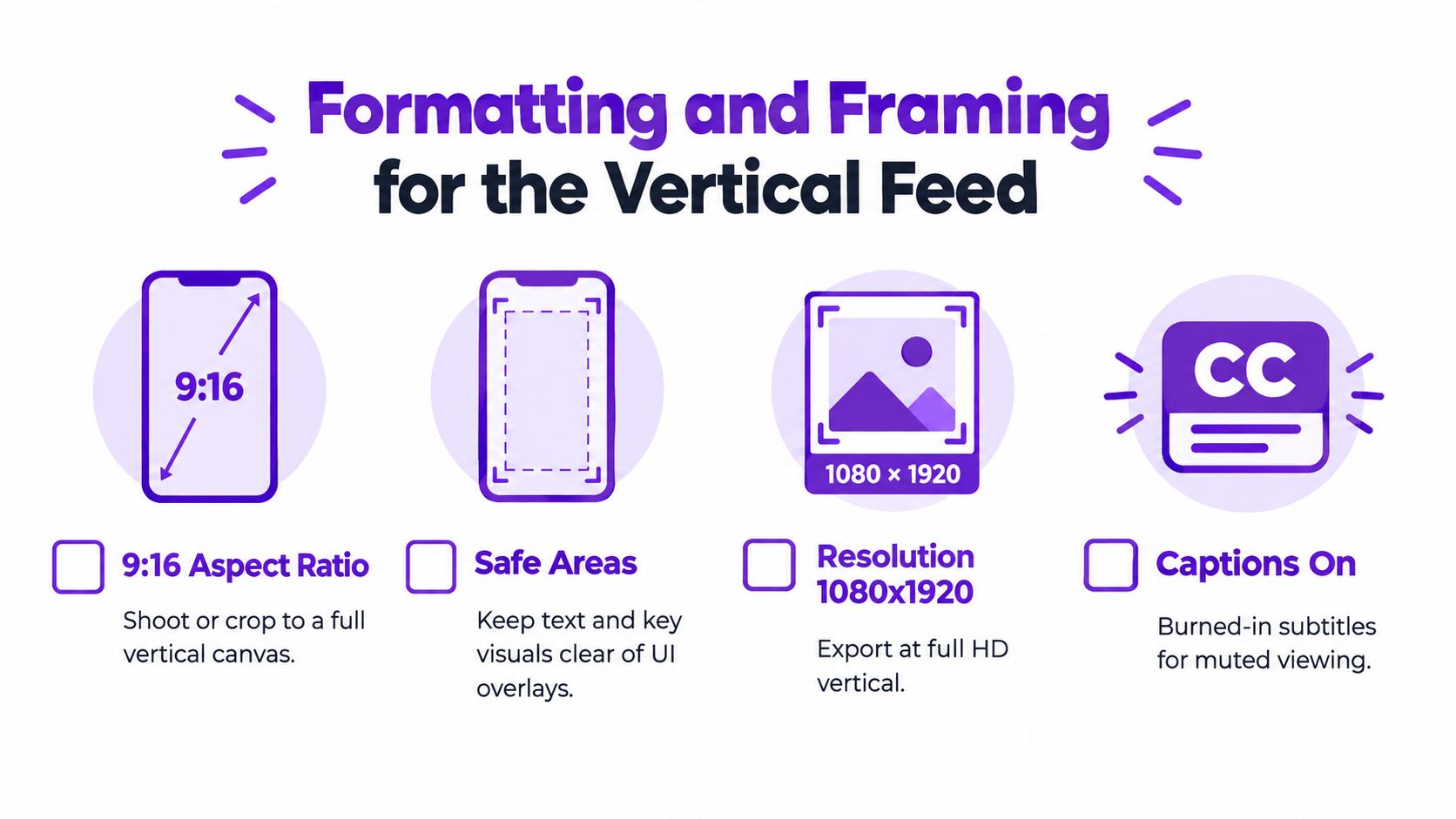
A strong idea can lose viewers if the speaker is tiny, captions sit beneath the interface, or the crop makes the footage feel accidental. Short-form video is consumed on a narrow mobile canvas, so every visual decision needs to survive small-screen viewing.
Produce the master crop in 9:16, the vertical-first aspect ratio recommended in Descript's short-form editing guide. If your source is horizontal, don't place it inside a vertical frame with empty space. Reframe around the active speaker, switch between speakers when the conversation changes, and use a controlled punch-in to create visual movement without making the footage uncomfortable.
A useful crop preserves the face, relevant hands, product, or screen detail. Automated tracking can keep a moving subject centered, but inspect moments where two people enter the frame, a presenter points outside the crop, or a demonstration depends on a wider view.
Keep important text and faces away from areas where platform controls may cover them. Captions should be large enough to read on a phone, use strong contrast, and break into short phrases that appear in sync with speech. Avoid placing every word across the center of the face. A clean caption style supports comprehension without competing with the speaker.
Screen test: Watch the export at phone size before publishing. If you need to squint, your audience will scroll.
Captions aren't decorative. They help viewers follow the idea when sound is muted, clarify fast speech, and provide structure during a dense explanation. The Descript reference summarizes a dataset in which caption adoption reached about 80% across 13.5 million clips, a pattern that reinforces captions as a baseline production requirement rather than optional polish.
Use burned-in captions for the core message, then add emphasis sparingly. Highlight the technical term, contrast, or payoff, not every sentence. Correct automated transcripts manually, especially for names, product terms, accents, and industry vocabulary.
A final technical pass should check:
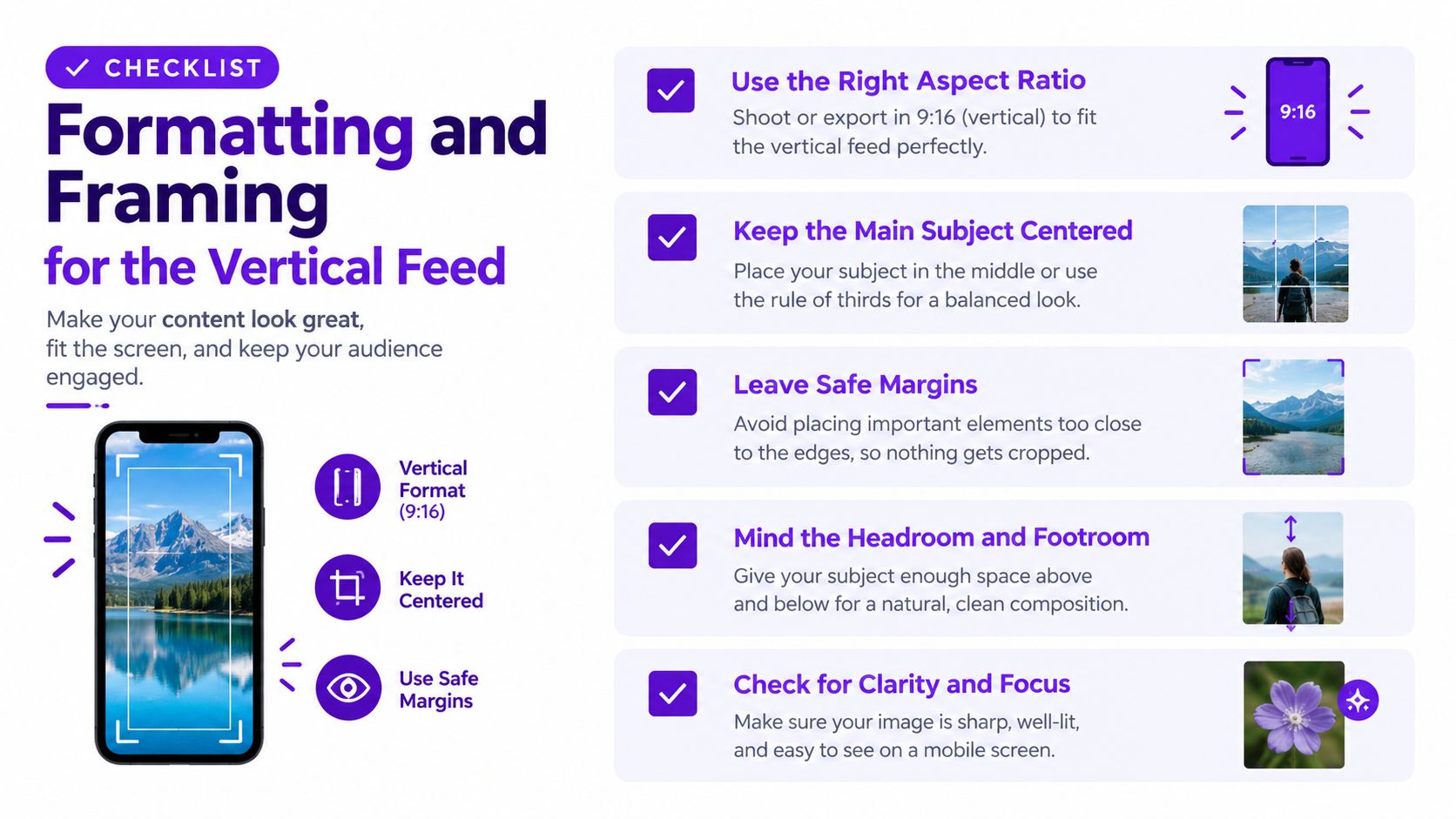
This walkthrough provides a visual reference for the framing and formatting decisions that keep a repurposed clip native to the feed.
Manual scrubbing is a poor use of a creator's attention. It forces you to remember every useful moment in a long recording, compare similar sections, and rebuild the same mechanical elements for each export. AI can reduce that first-pass workload, but the human review remains where quality is won.
Start with a clean source file and a transcript if you have one. Upload the recording to a repurposing tool such as Taja AI's long-video-to-short generator, then let it analyze the content for candidate moments, vertical crops, captions, titles, and supporting text. The point isn't to accept the first output. It's to replace a blank timeline with an informed shortlist.
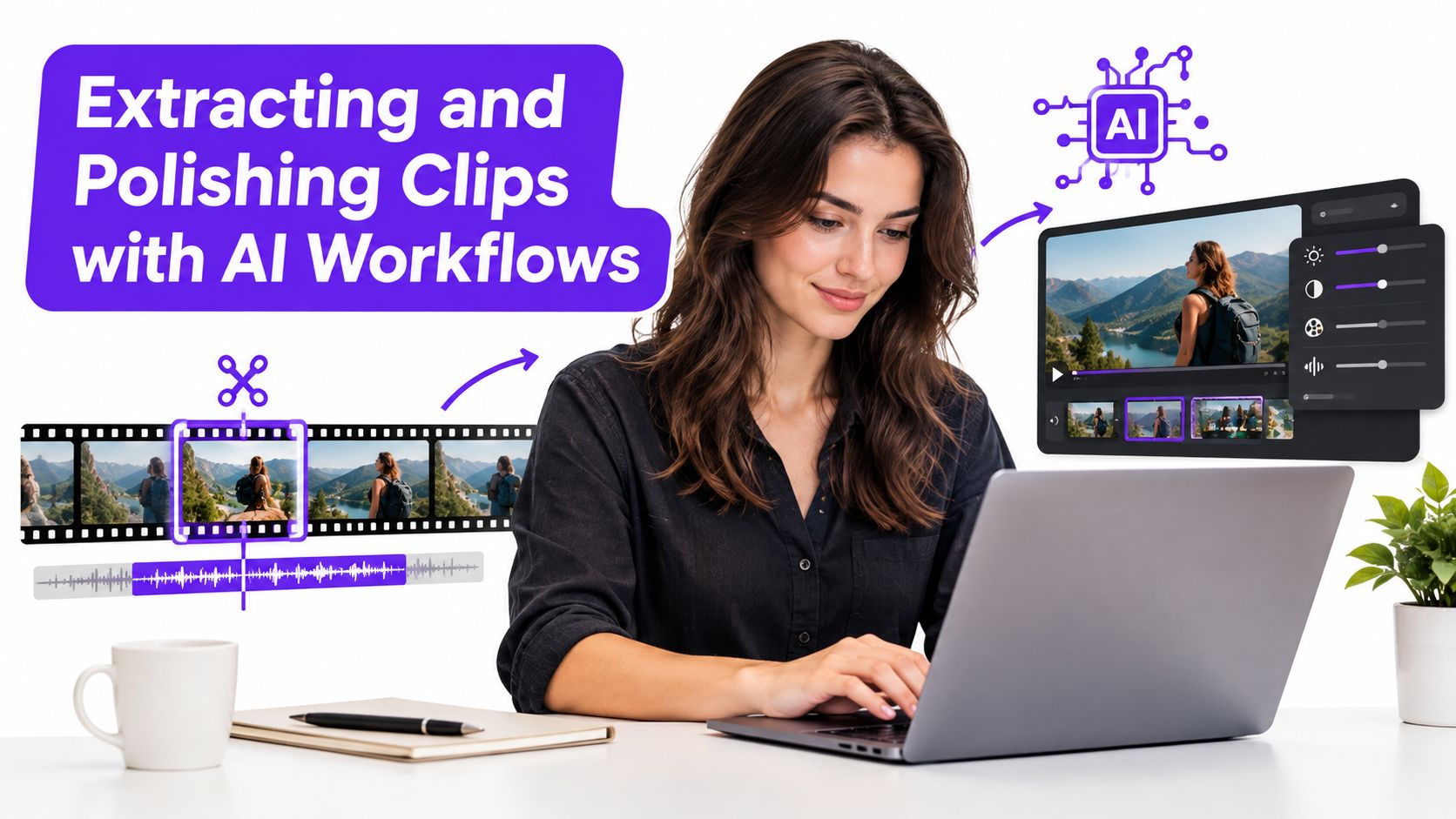
Review the generated clips in this order:
A candidate with a dramatic opening can still fail if it never resolves the promise. Conversely, a quiet explanation may become effective after a tighter start and clearer captions. Keep the edit honest. Don't splice unrelated sentences together just to manufacture a stronger claim.
Create a brand template with your typeface, caption treatment, colors, logo behavior, and preferred framing. Templates prevent every clip from becoming a new design project, while still leaving room to adjust the crop when the source demands it.
Make manual corrections where they matter most. Replace a misspelled term, remove a distracting caption line, adjust the face position, lower the music, and trim the final beat. Then watch the clip once without stopping. Editors often over-polish individual moments and miss the fact that the entire video feels slow.
Export a review copy before publishing and check it on a mobile device. If the opening needs explanation, rewrite the on-screen setup. If the final sentence trails off, end on the strongest complete thought. AI should accelerate the rough cut, not remove responsibility for the viewer's experience.
Publishing the same file everywhere isn't a distribution strategy. The core video can travel across platforms, but the packaging should reflect how each audience discovers and consumes it.
On YouTube, the title should state the specific tension or benefit contained in the clip. A channel-page or search viewer may also see a selected frame or custom cover, so choose an image with a clear expression, object, or visual contrast. Shorts-feed discovery depends heavily on the video itself, but weak packaging can still reduce interest when viewers encounter the clip outside the feed.
A useful adaptation keeps the spoken content intact while changing the surrounding metadata:
Avoid exporting a video with another platform's watermark. Keep a clean master, then generate channel-specific versions from that file.
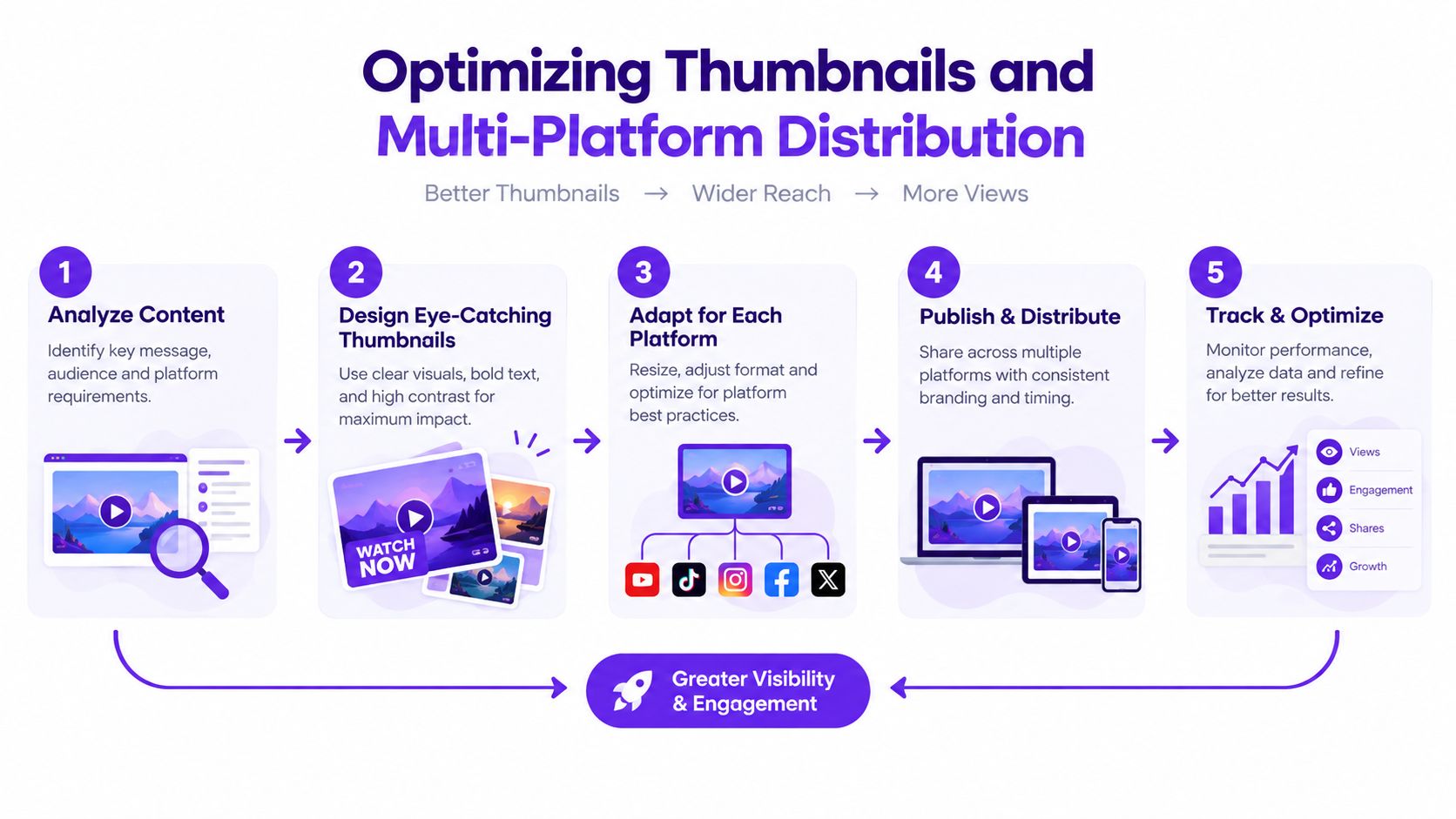
A batch workflow works because the creative decisions happen together. Once you approve a group of clips, name each file by topic and angle, attach the final title and caption, and place it in a calendar. Scheduling then becomes an operations task instead of a daily scramble.
A platform-specific thumbnail guide such as Taja's breakdown of YouTube Shorts thumbnails can help you make the channel-page presentation intentional. For additional inspiration while researching visual directions, you can browse Forexyoutube on OohYeah, then adapt ideas to your own topic and voice rather than copying another creator's treatment.
The strongest distribution system also creates feedback for the next batch. Note which hooks attract attention, which topics earn meaningful responses, and where viewers appear to lose interest. Don't treat one weak clip as a verdict on the entire format. Diagnose the promise, edit, packaging, and audience fit separately.
Consistency fails when it depends on daily improvisation. A small team or solo creator needs a pipeline that separates recording, selection, editing, approval, and publishing so each task can happen in batches.
A practical weekly rhythm begins with one substantial recording session. It could be a podcast conversation, a product tutorial, a customer question clinic, or a livestream built around several related problems. After recording, send the source through an AI-assisted selection workflow, review the candidates, and approve only the clips that have a clear standalone promise.
Automation should handle repetitive operations such as transcript search, candidate detection, initial cropping, caption generation, and draft metadata. Your attention belongs on the decisions software can't reliably make for your brand:
Short-form publishing has matured into a repeatable channel. A 2025 industry report found that short-form videos published grew 71% year over year, accounts using the format rose 51%, and brands averaged 16.21 YouTube Shorts per month in the same reporting cycle (Metricool report coverage from MarketingTechNews). Those figures point to a crowded, consistent environment where a documented workflow beats sporadic bursts of effort.
Don't build a complex system before you know your bottleneck. Start by tracking the steps that repeatedly drain your time, automate the mechanical parts, and keep reviewing the final clips yourself. A sustainable engine turns one strong source recording into a controlled stream of useful assets without asking you to become a full-time editor.
Taja AI turns long-form recordings into ready-to-publish Shorts with selected moments, vertical formatting, captions, titles, thumbnails, and platform-specific text. Upload a podcast, tutorial, or livestream, review the generated clips, and use Taja AI to turn the parts you already recorded into a consistent publishing workflow.


We are blessed to work with leading brands & Companies


We try to make easy and simple for every professionals. Get 30 days free trial - No credit card required.


© 2025 Taja AI. All rights reserved.