.jpeg)

How to Make Highlights Video
Learn how to make highlights video content from long footage with a retention-led workflow, captioning, export settings, and platform-ready exports.
5 min read
October 19, 2026

Learn how to convert link to video using AI tools or manual methods. This guide covers workflows for articles, podcasts, and YouTube links to boost your
Written by:


You've got a strong blog post, a podcast episode, or a product page that already earned attention, then sat there while your feed kept demanding something new. That's the exact moment convert link to video becomes practical, because it lets you turn a live URL into a new asset without rebuilding the idea from zero. The goal isn't to make more content for the sake of it, it's to give one good source a second life in the formats people watch.
In major publishing workflows, this has become a URL-to-video automation problem, not a screen-recording trick. The common flow is simple, paste a public link, let AI extract the copy, headlines, and images, then render a finished MP4 in 16:9, 1:1, or 9:16 formats. That matters because the same source can now be shaped for web, YouTube, and social feeds without starting from a blank timeline.
A blog post can do everything right and still hit a ceiling. It can rank, get shared, and bring in the right readers, then slowly disappear under newer posts while the ideas inside it stay useful. The same thing happens with product pages, help docs, and audio files, they keep living in one format while the audience spends more time in video-first spaces.
That gap is the problem, not a lack of content. When the source stays static, every new channel needs a separate creative effort, and that slows distribution. A link-to-video workflow solves that by turning the original asset into a version that fits the way people already consume content across major platforms.
Practical rule: if a piece of content already explains one clear idea well, it's usually a better candidate for repurposing than for rewriting.
The biggest advantage is strategic, not technical. Convert link to video gives a team a way to reuse existing work instead of treating each platform like a new project. That's why this workflow fits marketers, educators, agencies, and solo creators who need more output without multiplying their production burden.
The other shift is format. A page that performs well in search can become a short, watchable summary for feeds, and a podcast can become a visual clip people will stop for. This is the key point, not “making video,” but moving a proven idea into a distribution format with more native reach.
For teams building a broader publishing system, this pairs well with a distribution plan like the one outlined in Taja AI's content distribution platform guide. The point is simple, content doesn't stop being useful when it's published, it stops being useful when it stays in only one format.
A page can become a video in two very different ways, and the right choice depends on what the source needs to do. Manual production gives you control over each frame, each transition, and each on-screen detail. AI automation gives you speed, repeatable output, and a faster path from URL to publish-ready asset. If the task is a software demo, a product walkthrough, or a one-off explainer that depends on exact screen behavior, manual production is usually the safer choice.
If the goal is to turn one long article into several short clips, automation usually fits better. Tools in this space describe a workflow where you paste a URL, let the system extract the page, and export a video with far less setup than a traditional edit. That matters for teams that need to repurpose the same source across multiple channels without rebuilding every asset from scratch.
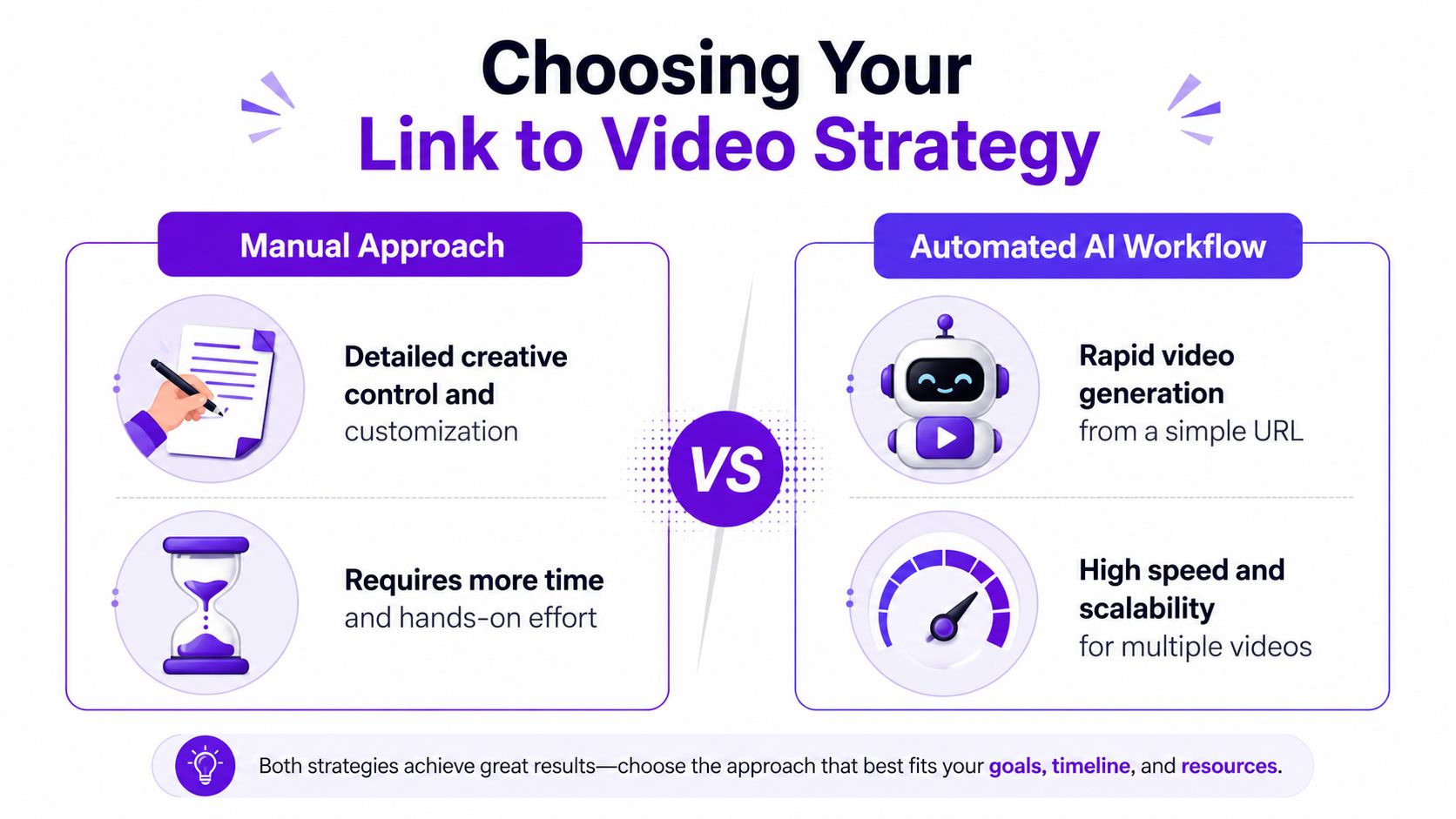
Manual workflows work best when the page includes behavior that must be shown accurately. A product filter, hover state, checkout step, or map interaction can disappear in a fully automated scrape. In those cases, capture the motion yourself and use the page as the source material, not the final record.
Automated workflows work best when the page is stable and the message is straightforward. A blog post, press release, or landing page can often be turned into a script, scene list, and captions quickly enough to support a steady publishing schedule. For creators and marketing teams, that turns speed into a real production advantage.
Rights still need attention. Many URL-to-video tools focus on fast generation and skip the harder question of whether embedded images, third-party quotes, or public-page assets can be reused commercially without permission, a risk called out in the available research from Synthesia's URL-to-video page. If the source includes material you did not create, add a review step before anything goes live.
| Decision factor | Manual approach | Automated AI workflow |
|---|---|---|
| Creative control | High | Moderate |
| Time investment | Higher | Lower |
| Scalability | Limited | Strong |
| Best fit | Demos, nuanced pages, interactive flows | Blogs, summaries, repeated repurposing |
A practical rule helps here. Choose manual when accuracy matters more than volume, and choose AI when distribution speed matters more than frame-by-frame control. If the source is safe to reuse and the narrative is simple, automation usually wins on efficiency. If the page behavior matters, a hybrid workflow is often the better answer.
That hybrid approach is especially useful for dynamic pages. Pull the static copy into the AI workflow, then record the essential clicks, filters, or hover states yourself so the final video does not invent behavior the page never showed. For teams comparing tools, a list of top AI video generators can narrow the field before you commit to a process. If you want a broader system for turning source material into social-ready assets, automating content creation is one way to organize the workflow without treating every link as a full manual project.
Manual conversion starts before the recording begins. Pull the source link apart into one clear narrative, then decide what the viewer needs to see, not every detail on the page. If the page has five useful points, pick the two or three that support a single outcome, because crowded screen recordings feel slower than they are.
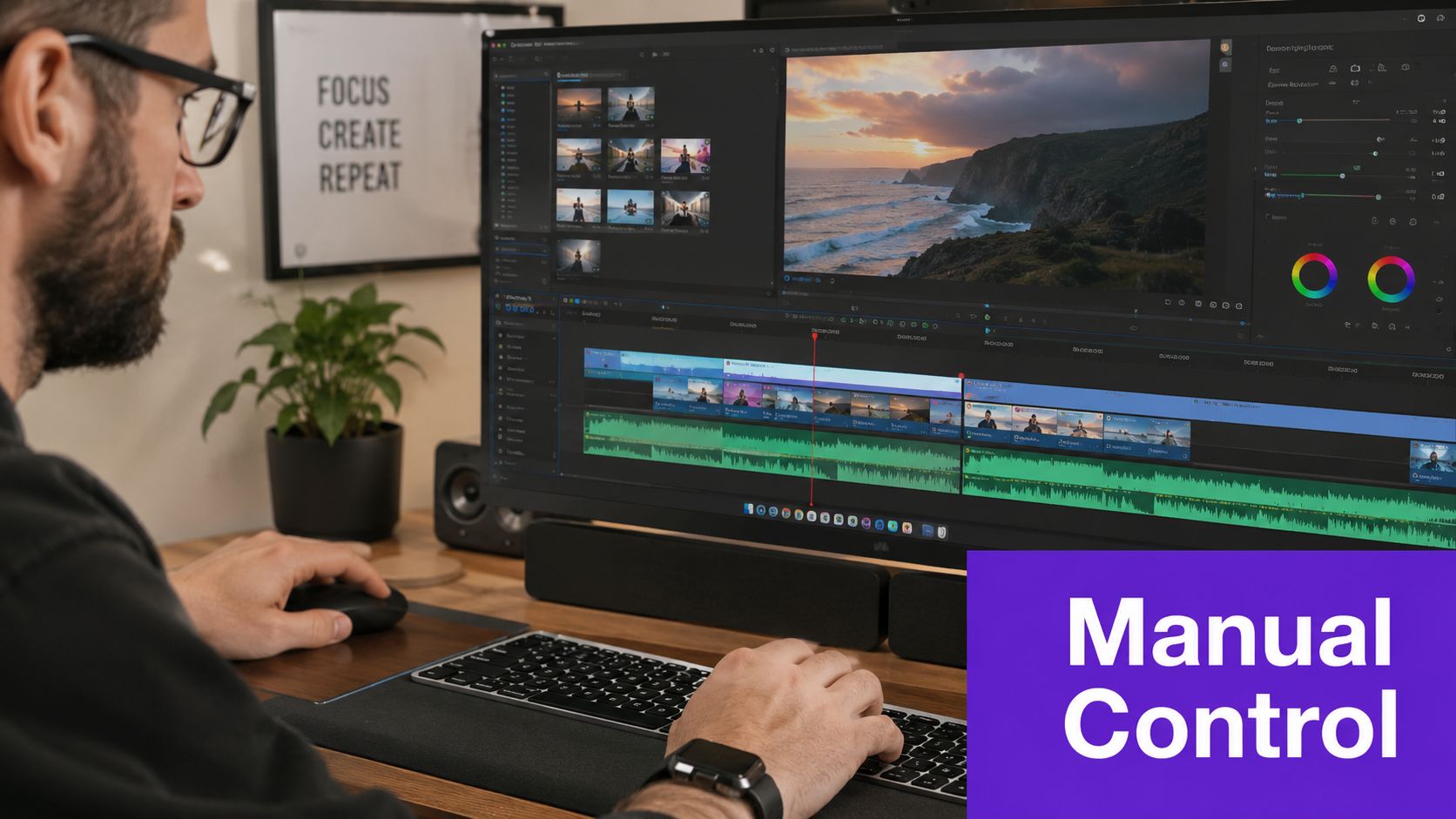
Start with a rough storyboard. Write the opening hook, the main action, and the closing takeaway in plain language, then decide what on-screen element supports each beat. The manual method gives you control over pacing, which matters when a viewer needs to notice one specific step, one interface change, or one proof point.
For screen capture, free tools like OBS and QuickTime are enough for most jobs. Record at the native size you need, keep the cursor movement calm, and leave extra room around text so subtitles and overlays don't fight the interface. If you're showing a page with movement, capture only the interactions that matter and skip the rest.
Keep the recording close to the outcome. If the viewer can't tell what changed on screen, the recording is too long.
A manual workflow also helps when you need a repeatable structure for future repurposing. If you know a blog post, product page, or case study will become video again, set the capture with that end use in mind. Teams that want a guided starting point can use a structured workflow from Taja AI video maker and still keep the final cut under human review.
A clean edit usually comes down to a few basics. Use CapCut or a similar editor to add text overlays, trim dead time, smooth cuts, and layer subtle background music if it helps the pace. The goal is a polished finish, but not a busy one, because too many effects make tutorial content harder to follow.
For voiceover, a short script works better than a long narration. Read it out loud before recording, and cut any line that repeats what the screen already shows. When the visual is strong, the voice should guide attention, not describe every click in the frame.
For dynamic pages, the most reliable method is the hybrid one. Let AI pull the static copy, then manually capture any clicks, filters, or hover states that matter. That avoids the common error where automated tools miss important interface behavior, and it keeps the final video honest about what the user experiences.
If you need a simple production benchmark, think in terms of one outcome per video. A polished manual link-to-video asset should feel focused, not exhaustive. That constraint is what makes the result watchable.
AI conversion works best when the same kind of content keeps reappearing. Paste a public URL, let the system pull headlines, body copy, and images, then render a finished MP4 in the format you need. That workflow fits teams that need to turn the same source into multiple assets without rebuilding the edit each time. Tools like HeyGen and AI Studios position this process as a way to turn a link into video quickly, which matters when you need to publish across channels without spending a full edit cycle on every piece. See also top AI video generators if you want a broader comparison before choosing a platform.

Most tools follow the same sequence. They read the page structure, turn the text into a script, pick supporting visuals, and export a video sized for 16:9, 1:1, or 9:16. That consistency gives teams a repeatable workflow instead of a one-off experiment every time they publish.
The speed advantage offers a significant operational benefit. Public claims from the category describe conversion in seconds to a few minutes, and that changes how a team handles repurposing. One article, one product update, or one podcast episode can become several video versions quickly, instead of waiting for a full edit cycle. If you want a broader workflow view, Taja AI's automation guide shows how automated production fits into a larger content system.
A blog post is the easiest starting point. The AI can lift the main points, create a summary script, and package it as a social clip, a branded explainer, or a vertical short. That is useful for evergreen posts that still matter but no longer get fresh traffic.
A podcast or audio file works differently. The strongest output is usually an audiogram or caption-led video where the voice stays central and the visuals support listening on mute. If the audio has clear chapters, those can become scene breaks without forcing the editor to rework the whole episode.
A long YouTube video can become multiple short clips. The source stays the same, but the cut changes, so the output can support Shorts, Reels, or teaser posts. That makes AI repurposing useful for creators with long back catalogs, because the same recording can fuel several posts without a new shoot.
The first setting to check is aspect ratio. 9:16 is usually the right fit for vertical feeds, 1:1 still works well in some social placements, and 16:9 remains useful for YouTube and embedded web playback. The second is voice style, because a mismatched voice can make a clean video feel off-brand even if the script is solid.
Brand templates matter too. When the platform supports logos, colors, or caption styles, use them, because consistency keeps repurposed content from feeling generic. A practical AI workflow does not remove judgment. It moves judgment earlier, into the script review and brand setup, so a quick human pass before export still matters.
Creating the video is only half the job. If the cut is not shaped for the platform, it reads like repurposed content instead of native content, and that lowers the chance people will stop and watch. The first optimization is captions, because silent autoplay is still common and the text on screen does a lot of the work.
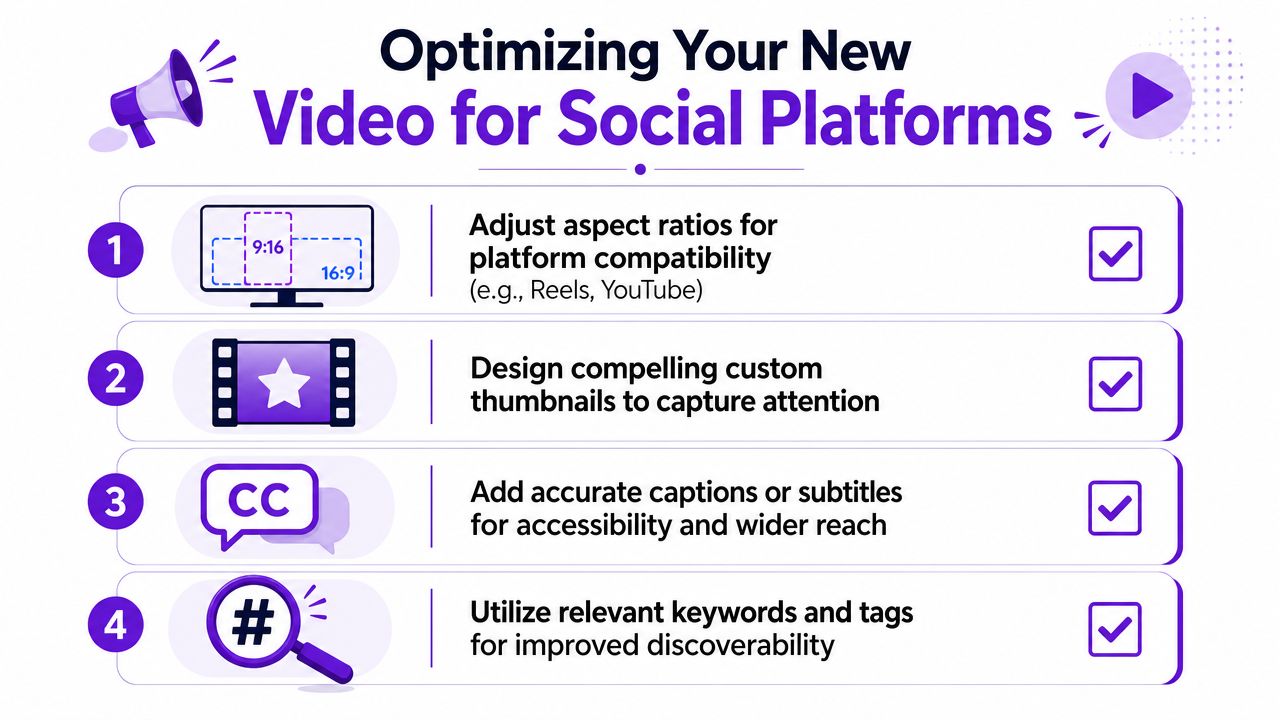
Only 9.7% of creators enable captions in a typical URL-to-video workflow, even though captions improve accessibility and retention, according to Opus's URL-to-video research. That makes captions one of the easiest high-value edits to miss. For Reels, Shorts, or TikTok, they should be part of the cut, not an optional extra.
The opening seconds matter most, so lead with the clearest promise, the strongest visual change, or the sharpest statement from the source. A slow intro gives up the advantage you gained by converting the link in the first place. Keep the first frame legible on a phone, because that is where most social video gets judged.
Thumbnail choice matters more on surfaces where people browse before they play. Use a frame or custom image that shows a clear subject, readable text, and enough contrast to stand out in a busy feed. The best thumbnails do not try to explain everything, they make one idea obvious.
Descriptions and tags should match the platform's language. A short, platform-native description works better than a generic repost note, and relevant keywords help viewers understand why the clip belongs in their feed. Keep the metadata aligned with the content, not with a guessed trend.
The video should feel like it was made for the platform, not moved there after the fact.
Aspect ratio is a straightforward choice, but it still gets ignored. Use 9:16 for vertical-first placements, 1:1 when a feed surface favors a square frame, and 16:9 when the video is meant to live on YouTube or a website. If the same source will be repurposed again, render the cut in more than one ratio at export so you are not rebuilding it later.
The most effective social optimization is usually the least glamorous. Add captions, tighten the hook, and make the thumbnail readable. That combination often does more for visibility than adding another effect or filter.
A repeatable convert link to video workflow keeps repurposing fast without turning every project into a custom job. For bloggers, the cleanest path is to choose a published post, pull out the main point, turn that point into a short summary video, then export versions for the feed and for YouTube. The article stays on the site, and the video becomes a second distribution asset that can keep working after the post slows down.
Podcasters need a different template. Start with one strong moment from the episode, use the transcript or audio source to shape the script, then turn that segment into a social-ready clip with captions and a clear visual rhythm. If the episode has several strong hooks, split them into separate clips instead of forcing everything into one video.
Modern tools can turn a source into a draft in seconds or a few minutes, and that speed changes the publishing math because one piece of content can become several shareable versions almost right away. That matters most for small teams that need distribution volume without adding a full editing backlog.
The best practices stay simple. Respect copyright on any page that includes third-party images or quotes, verify anything sensitive before exporting, and add genuine value instead of repeating the source line for line. When the source is dynamic, use the hybrid method instead of relying on a pure scrape, because it keeps the final output closer to the authentic experience and lowers the risk of publishing something inaccurate.
Keep the decision tree short if this becomes part of your regular process. Use manual methods for interactive demos and precise walkthroughs, use AI for fast repurposing of pages that already have a clear structure, and add captions every time unless you have a specific reason not to. That mix gives you speed without sacrificing accuracy or safety.
If you want a faster way to turn source videos into shorts, captions, thumbnails, and platform-ready posts, try Taja AI and see how it fits into your repurposing workflow.


We are blessed to work with leading brands & Companies


We try to make easy and simple for every professionals. Get 30 days free trial - No credit card required.


© 2025 Taja AI. All rights reserved.