.jpeg)
YouTube to Text: How to Convert Videos in 2026
Master YouTube to text conversion. Learn to extract auto-captions, download SRT files, use AI tools, and repurpose video content for SEO and growth.
5 min read
October 10, 2026

Discover the best content scheduler for social media in 2026. Save time, plan posts, and grow your audience with tools that fit your workflow.
Written by:


The best content scheduler for social media isn't automatically the one with the longest platform list. A scheduler can support every major network and still fail your workflow if it doesn't help you turn one recording, campaign, or product shoot into useful platform-specific content.
The better question is what happens before and after the calendar. Where does your content come from? How much repurposing do you need? Who reviews posts? Do you need visual planning, affordable analytics, client approvals, social listening, or enterprise reporting? Teams should also account for multi-platform complexity. A 2026 benchmark reports that 73% of social media marketers use dedicated scheduling tools, compared with 61% in 2024 and 47% in 2022, while the average manager now schedules across 5.2 platforms at once, up from 3.8 in 2023 (ScheduleWave's social media scheduling benchmark).
This comparison evaluates the complete repurposing workflow, not just queue management. If you want the mechanics of scheduling covered separately, this guide to schedule posts with ChurchSocial.ai is a useful companion. Taja AI deserves special attention for teams turning long-form video into platform-specific assets before scheduling them across channels.
Taja AI is the strongest fit when your content starts as long-form video, not as a finished caption or image. Upload a podcast episode, interview, webinar, teaching, real estate walkthrough, or educational video, and the platform analyzes your channel, niche, and brand voice before creating ready-to-publish shorts, clips, captions, thumbnails, blog snippets, and platform-specific posts.
The repurposing depth is the differentiator. Taja says one upload generates an average of 27 short assets and text outputs, with vertical clips under 60 seconds by default. Users report saving up to 2.3 hours per optimized video, while the platform says it has collectively saved approximately 2.65 million hours. Those figures come from Taja's product information, so treat them as reported user and platform results rather than a guarantee for every workflow.
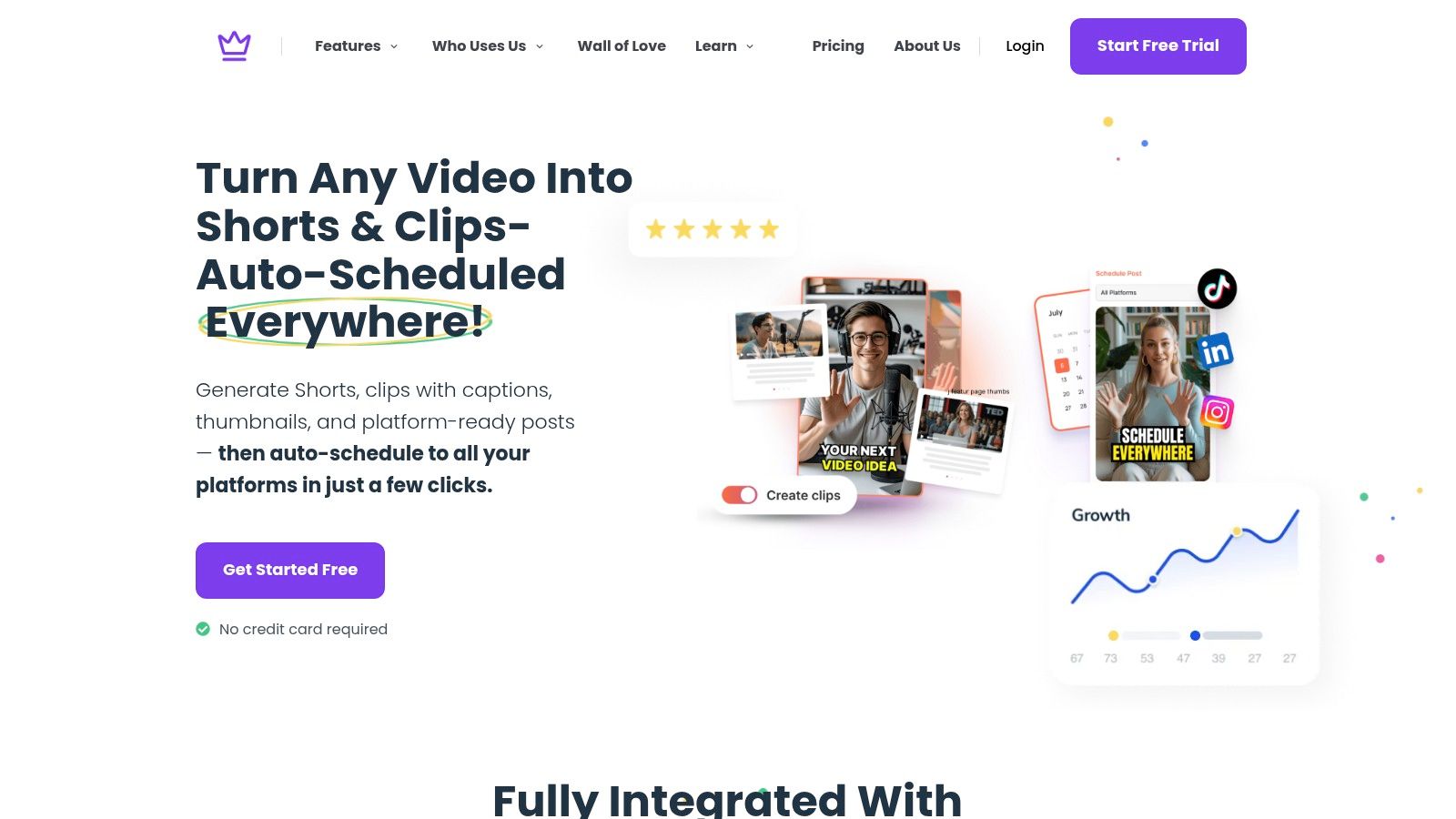
The workflow stays in one dashboard. You can use the editor, brand templates, thumbnail generator, SEO optimization, Backlog Boost for older videos, content calendar, and bulk scheduling without moving every clip into separate editing and publishing tools. Taja supports distribution across YouTube, Instagram, TikTok, Facebook, X, and LinkedIn, which makes it practical for creators and small teams building a repeatable multi-channel system.
Next Video Idea uses keyword and performance signals to surface topics with high demand and lower competition. That won't replace editorial judgment, but it can reduce the blank-page problem and give social managers a stronger starting point.
Practical rule: Review every AI-generated clip, caption, and thumbnail before publication. Speed matters, but context, pacing, factual accuracy, and brand judgment still belong to a human.
Taja is best for solopreneurs, podcasters, realtors, educators, social media managers, small businesses, and faith-based groups. It offers a free starter option with no credit card required and free credits, making it easy to test one representative video. The limitation is that pricing details and high-volume credit limits may require a trial or sales conversation. Read Taja's guidance on how to automate social media posting before building a larger workflow.
Best for: Video-first creators and businesses that need repurposing plus scheduling.
Website: Taja AI
Hootsuite remains a practical choice for teams that need more than publishing. Its value sits in the combination of a drag-and-drop calendar, asset library, AI-assisted content creation, recommended publish times, and a unified inbox covering Facebook, Instagram, LinkedIn, X, Threads, TikTok, Google Business Profile, and WhatsApp.
That breadth helps when a social manager handles a mix of original posts, repurposed clips, campaign assets, and customer replies. You can plan the campaign in one calendar, store approved creative centrally, and move into engagement without switching between network dashboards.
Hootsuite is better suited to established teams than to a solo creator who only needs a queue. Pricing tiers and add-ons can become costly as your needs grow, and the trial doesn't include every bulk feature. Test the exact workflow you'll use, including batch uploads, team permissions, and the number of profiles you need, rather than assuming the trial reflects the full subscription.
Timing recommendations are useful, but they shouldn't dictate the entire plan. Large-scale engagement analysis places strong posting periods around midweek mornings and weekend evenings, with Tuesday through Thursday from 9 a.m. to 1 p.m. local time often performing well across platforms (Emplifi's posting-time analysis). Hootsuite can help operationalize those windows, but platform-specific format and audience behavior still matter more than a universal schedule.
Use Hootsuite when engagement management, publishing, and reporting need to live together. Don't choose it solely because it supports many networks.
Best for: Broad network coverage and team-based engagement workflows.
Website: Hootsuite
For a deeper planning comparison, see this guide to content calendar software.
Buffer is the cleanest option for creators and small businesses that want a straightforward content scheduler for social media without adopting a large management suite. Its calendar and queue workflow are easy to understand, and the per-channel pricing model gives single-brand users a predictable way to start.
Buffer supports Facebook, Instagram, TikTok, LinkedIn, Threads, Bluesky, YouTube Shorts, Pinterest, Google Business, Mastodon, and X. It also includes first-comment scheduling for Instagram, Facebook, and LinkedIn, an AI assistant, and basic analytics.
Buffer works well when the repurposing process is already clear. For example, a creator can prepare a short video, adapt the caption for LinkedIn and Instagram, add the first comment where useful, and queue each version from one calendar. The tool won't replace a video editor or build a full long-form-to-short-form pipeline, but it doesn't pretend to.
The modular billing model is helpful for a single brand, yet costs can rise as you add many channels. Advanced collaboration and deep analytics are also lighter than what you'll find in enterprise platforms. That isn't a flaw if your team only needs scheduling, basic reporting, and a quick review process. It becomes a problem when multiple stakeholders need structured approvals or when reporting must combine paid and organic performance.
A simple scheduler often wins because the team actually uses it every week.
Choose Buffer when ease of use and predictable channel-by-channel growth matter more than inbox management, listening, or advanced reporting.
Best for: Single-brand creators and small teams that value fast onboarding.
Website: Buffer
Later is built around a visual planning mindset. Its Visual Planner, drag-and-drop calendar, media organization, link-in-bio tools, and bulk scheduling make it especially effective for Instagram and TikTok workflows where the appearance and sequence of the feed matter.
A visual brand can upload product photography, Reels, creator content, and campaign graphics, then arrange them across multiple profiles from one calendar. Best-time recommendations by content type add useful context, while the media library keeps the publishing team from searching through scattered folders.
Later works best when the repurposing unit is a visual asset. It can help a brand turn one product shoot into a sequence of short videos, still images, Stories, and link-in-bio destinations. It isn't the best choice for a team whose main challenge is turning long recordings into many edited clips, because its strength is planning and organizing visual content rather than deep video repurposing.
The social sets pricing model can become confusing or costly as a brand adds profiles. Collaboration, inbox, and listening features are also lighter than enterprise suites. Those limits matter for agencies and customer-service teams, but they may not matter to a creator who mainly needs a polished Instagram and TikTok calendar.
Format mix deserves more attention than most scheduling advice gives it. Recent trend reporting says carousels grew from 0.2% to nearly 25% of scheduled content, while images reached 59.7% (Sendible's social media management trend report). Later is a good environment for planning that visual variety instead of publishing the same asset everywhere.
Best for: Visual brands and creators focused on Instagram and TikTok.
Website: Later
Sprout Social is the choice for organizations that need scheduling connected to engagement, listening, collaboration, and reporting. Its content calendar includes optimal send-time suggestions and approval workflows, while Smart Inbox gives teams a central place to manage conversations. Listening and monitoring extend the workflow beyond owned publishing.
That matters for a mid-market or enterprise team where a post isn't finished when it goes live. Someone may need to respond to comments, route a customer issue, monitor brand mentions, compare paid and organic results, or prepare a stakeholder report. Sprout Social brings those tasks into the same operating environment.
Sprout Social is expensive if your requirement is to queue posts. Per-seat and per-profile pricing can become significant as the team expands, and the strongest value appears when you need advanced reporting, care workflows, and listening.
G2 data summarized in an enterprise-focused review ranked Sprout Social at 9.7/10 user satisfaction, compared with Birdeye at 8.5/10 and Hootsuite at 8.0/10 (Adweek's summary of G2 social media management rankings). The figures suggest that buyers value publishing reliability and workflow quality, but satisfaction scores shouldn't replace a hands-on test of your own approval and reporting process.
Sprout fits teams with many contributors, high brand-risk sensitivity, and a need to connect organic content with paid performance. It is overbuilt for a founder who needs an uncomplicated weekly queue.
Best for: Enterprise engagement teams and advanced cross-channel reporting.
Website: Sprout Social
Loomly treats the calendar as the center of collaboration. That makes it a strong fit for agencies, franchises, and in-house teams that manage separate brands or clients and need every post to pass through defined review stages.
You can create dedicated calendars, assign work, use role-based permissions, export calendars as PDFs, and deliver automated reports. Multi-tier approvals and mobile approvals help when clients review content outside the main desktop workflow. The separation between brands is more valuable than a long platform list for an agency that must avoid mixing assets, captions, and approval status.
Loomly's strongest feature is control, not content transformation. It won't turn a webinar into a complete set of short-form assets the way Taja AI does, so agencies may still need an editing or repurposing tool upstream. Once assets are ready, Loomly gives the team a clear path from draft to client approval to scheduled publication.
Pricing changes can cause costs to jump at certain thresholds, so model the account and user requirements before committing. The social inbox and listening features are also less extensive than enterprise suites. That's acceptable when approvals and client communication matter more than real-time monitoring.
Use Loomly when a client asks, “Who approved this, and which version is final?” Use another tool, or add a separate one, when the main bottleneck is video production or community response.
Best for: Approval-heavy agencies and teams managing multiple brands.
Website: Loomly
Zoho Social makes the most sense when your business already operates inside the Zoho ecosystem. It combines publishing, monitoring, engagement, reporting, and integrations with Zoho CRM, while brand-based packaging groups channels under a brand rather than forcing you to assemble every profile independently.
That structure can simplify the handoff between marketing and sales. A local business may publish a campaign, monitor responses, review performance, and connect activity with its broader CRM process without introducing another disconnected system.
Zoho Social supports Instagram, Facebook, LinkedIn, X, Google Business Profile, TikTok, Pinterest, Mastodon, YouTube, Threads, and Bluesky, although coverage and availability can vary by region. Verify the networks and publishing actions you need before migrating. TikTok availability in particular may differ depending on location and account setup.
Zoho Social isn't as deep as enterprise suites for listening and inbox operations. It also isn't a specialized repurposing platform for long-form video. Its role is to provide an affordable publishing and reporting layer for an SMB that values ecosystem integration.
Choose it when CRM connection and brand-based organization outweigh the need for advanced social intelligence. If your team uses Zoho CRM daily, that integration may be more useful than a standalone scheduler with a more polished visual calendar.
Best for: SMBs already using Zoho applications.
Website: Zoho Social
Metricool is a strong choice for small businesses that want analytics to guide repurposing decisions. Its multi-network scheduler, calendar, queue, link-in-bio tools, campaign dashboards, and advanced analytics add-on let a team connect publishing activity with performance review.
The useful workflow is simple. Publish different versions of a campaign across several networks, compare the results, identify which formats and messages deserve another iteration, then use those findings to shape the next batch. Metricool gives small teams more analytical visibility without requiring the operational complexity of an enterprise suite.
Metricool's strength isn't merely displaying numbers. It helps a manager ask better questions about the content mix. Did the short educational clip earn more attention than the static announcement? Did the same idea need a different hook on LinkedIn? Did a link-in-bio campaign produce useful traffic, or only impressions?
The advanced analytics add-on can change the total value proposition, so review the plan and add-on structure before comparing it with simpler schedulers. Collaboration is also thinner than what you'll find in Sprout Social or Loomly. Teams with many approvers may outgrow it even if the reporting remains useful.
For an SMB, the best workflow often combines a simple production process with a clear performance loop. Metricool is well suited to that model. This comparison of the cheapest social media scheduler can help if cost remains the primary constraint.
Best for: Analytics-led small-business workflows.
Website: Metricool
Publer earns consideration when budget, bulk scheduling, and broad network coverage matter most. Its calendar planner, AI assistant, CSV and RSS bulk scheduling, link-in-bio tools, workspaces, and higher-tier analytics give small teams a practical way to load a large content queue without paying for a full enterprise suite.
The pay-as-you-scale model is flexible because costs follow connected social accounts and team members. That makes Publer attractive for a freelancer managing several small brands, a nonprofit with multiple community channels, or a social manager who needs bulk tools before needing advanced listening.
Publer's entry price is only part of the decision. Monthly spend depends on the total number of connected accounts and members, so use its pricing sliders with the actual structure of your workflow. A free plan also has limitations, including post-history restrictions, which can push a serious team toward a paid tier.
Publer is not a complete long-form video repurposing system. You may need to create and adapt the assets elsewhere, then use Publer to organize and distribute them. That division works well when the production team already has an editor and the publishing bottleneck is volume.
Use Publer when you want affordable scale and bulk control. Avoid choosing it solely because it supports many networks if your team also needs deep approvals, advanced inbox management, or enterprise reporting.
Best for: Budget-conscious teams that need bulk scheduling.
Website: Publer
Sendible is designed for agencies that need many collaborators without a per-seat charge on every plan. Unlimited users, multi-workspace organization, approval tools, reporting, bulk scheduling, AI assistance, and support for Facebook, Instagram, LinkedIn, X, TikTok, Google Business, and WordPress publishing create a practical client-management workflow.
The workspace structure helps agencies separate brands and clients while allowing rotating contributors to participate. A team can prepare platform-specific versions, request approval, schedule approved content, and deliver network-specific reports from the same system.
Sendible's pricing model is particularly useful when an agency has many people touching content but doesn't want every freelancer, client, or reviewer to become a major cost event. The trade-off is that plan, workspace, and profile limits can change the calculation as the portfolio grows, and pricing may change at renewal. Verify those limits before signing.
Sendible's reporting coverage is strong for its intended audience, but its interface depth and listening or inbox capabilities trail enterprise suites. It also won't replace a specialized video repurposing platform. For agencies handling long-form recordings, the practical setup may be Taja AI for asset creation followed by Sendible for client approvals and distribution.
The broader lesson is that scheduling works best when it follows a sustainable production rhythm. The 2026 benchmark cited earlier reports that 87% of scheduling-tool users plan at least one week ahead, while 34% maintain a buffer of two weeks or more (ScheduleWave's benchmark). Sendible can support that buffer, but leave room for timely content instead of filling every slot.
Best for: Agencies with many collaborators and client workspaces.
Website: Sendible
| Product | Key features | UX / Quality | Value / Pricing | Target audience | Unique selling points |
|---|---|---|---|---|---|
| Taja AI 🏆 | Repurpose long-form → shorts, clips, captions, thumbnails, blogs; multi-channel auto-schedule | ★★★★☆ • Fast workflow; saves ~2.3h/video | 💰 Free starter (no CC) → scalable paid plans | 👥 Creators, SMBs, social managers, podcasters, realtors | ✨ Next Video Idea, Backlog Boost, vertical-by-default, one-upload → ~27 assets |
| Hootsuite | Drag‑drop calendar, unified inbox, asset library, AI tools | ★★★★☆ • Mature team workflows | 💰 $$ - can be costly as needs grow | 👥 Teams, agencies, social ops | ✨ Broad network coverage; robust scheduling & inbox |
| Buffer | Simple calendar/queue, per-channel pricing, AI assistant | ★★★★☆ • Easy onboarding, lightweight UX | 💰 $ - predictable per-channel pricing | 👥 Single-brand creators & small teams | ✨ Transparent modular pricing; quick setup |
| Later | Visual Planner, Reels & TikTok bulk scheduling, media library | ★★★★☆ • Visual-first for IG/TikTok | 💰 $ - approachable entry prices | 👥 Visual brands, influencers, creators | ✨ Drag‑and‑drop Visual Planner; Reels workflow |
| Sprout Social | Smart Inbox, listening, collaboration, deep reporting | ★★★★★ • Enterprise-grade analytics & reliability | 💰 $$ - per-seat/profile pricing | 👥 Mid-market & enterprise teams | ✨ Advanced listening, paid+organic measurement |
| Loomly | Multi-tier approvals, role permissions, brand calendars | ★★★★☆ • Approval-centric UX | 💰 $ - pricing can jump at thresholds | 👥 Agencies, client-facing teams | ✨ Multi-step approvals, white-label dashboards |
| Zoho Social | Publishing, monitoring, reporting; Zoho integrations | ★★★★☆ • Solid SMB feature set | 💰 $ - competitive entry + free option | 👥 SMBs using Zoho (CRM) | ✨ CRM integrations; broad channel coverage |
| Metricool | Scheduler + campaign dashboards and analytics add-ons | ★★★★☆ • Analytics-focused reporting | 💰 $ - add-ons for advanced analytics | 👥 Small businesses needing strong analytics | ✨ Detailed campaign reports at SMB prices |
| Publer | Bulk scheduling, AI assistant, pay-as-you-scale pricing | ★★★☆☆ • Budget-friendly but basic UX | 💰 $ - very low entry pricing | 👥 Budget-conscious creators & nonprofits | ✨ Per-account/member sliders; nonprofit discounts |
| Sendible | Unlimited users, multi-workspace org, bulk scheduling | ★★★★☆ • Agency-friendly collaboration | 💰 $ - cost-effective for many users | 👥 Agencies with many collaborators | ✨ Unlimited users on plans; strong reporting tools |
Choose the scheduler based on the work your team must repeat, not the feature list that looks most impressive in a demo.
If long-form video repurposing and multi-channel output sit at the center of your process, start with Taja AI. It handles the transformation from one upload into clips, captions, thumbnails, blog snippets, and platform-specific posts before moving those assets into a calendar. That makes it a better starting point for podcasters, educators, realtors, interviewers, and businesses whose content library is primarily video.
Choose Buffer for straightforward creator or SMB scheduling. It keeps the queue understandable and works well when your team already produces finished assets. Choose Later when visual Instagram and TikTok planning matter more than broad engagement operations, especially if your team needs to arrange a feed and organize media clearly.
For analytics-led small-business workflows, Metricool offers the stronger fit. It helps connect the content you schedule with the performance decisions that should shape your next batch. Loomly is the better choice when client approvals, role permissions, brand separation, and calendar exports are central. Sendible suits agencies that need many collaborators and workspaces without building the workflow around per-seat charges.
Larger organizations should look at Hootsuite or Sprout Social when publishing is only one part of the job. Those platforms make more sense when teams also need engagement management, listening, monitoring, and advanced reporting. Zoho Social is the natural choice for SMBs already using Zoho CRM and related applications. Publer is appealing when low entry cost and bulk scheduling matter more than enterprise collaboration or deep social intelligence.
A good test is more useful than a long feature comparison. Run one representative content cycle through the tool you're considering:
Don't migrate your entire content library on day one. Test one complete cycle, observe where people leave the tool, and confirm that the scheduler reduces the bottleneck. A platform that saves time in the calendar but adds manual work during editing, approvals, or reporting isn't a complete solution.
The right system should also leave room for reactive publishing. Guidance on modern scheduling recommends keeping one or two empty slots each week for trends and fast-turn content, rather than treating a calendar as fixed (Postify's social media scheduling guide). That flexibility matters whether you're building a creator brand, supporting platform growth for self-publishing authors, or running an agency calendar for several clients.
Choose the workflow your team can sustain, review, and improve every week. The best content scheduler for social media is the one that fits the complete path from source material to useful published content.
Taja AI turns long-form video into shorts, clips, captions, thumbnails, blog snippets, and platform-specific social posts, then helps you polish and schedule those assets across major channels from one dashboard. If video repurposing is your publishing bottleneck, visit Taja AI and test the workflow with your own content.


We are blessed to work with leading brands & Companies


We try to make easy and simple for every professionals. Get 30 days free trial - No credit card required.


© 2025 Taja AI. All rights reserved.