.jpeg)
How to Get Views on YouTube Short in 2026
Learn how to get views on YouTube short with hooks, 9:16 cuts, titles, and a simple analytics check that shows what to fix.
5 min read
November 1, 2026

Searching for one app for all social media? Discover why it's a trap and how AI repurposing offers a smarter way to manage content across all platforms in 2026.
Written by:


Most advice about finding one app for all social media starts in the wrong place. It assumes your main problem is publishing. For most creators, consultants, local businesses, and lean marketing teams, that isn’t the bottleneck.
The main bottleneck is turning one good idea into content that belongs on each platform.
A scheduling dashboard can help you queue posts. It can centralize comments, tidy up approvals, and make reporting less painful. But it can’t turn a long podcast into a clean short-form clip, rewrite that same idea for LinkedIn without sounding like TikTok, or reshape a talking-head video into something that feels native on Instagram. That’s where the promise of the all-in-one app usually breaks.
I’ve seen this pattern over and over. Teams buy the dashboard, connect all the accounts, feel organized for a week, then run straight into the same old problem. They still need platform-specific creative. They still need captions, clips, hooks, titles, thumbnails, summaries, and a reason for someone on each network to stop scrolling.
That’s why the better question isn’t “What’s the best one app for all social media?” It’s “What system helps me create native content fast enough to stay consistent?”
People search for one app for all social media because the workflow feels broken. Too many tabs. Too many notifications. Too many versions of the same post. That frustration is real.
But the search often leads to a false promise. It leads people toward tools that manage distribution while leaving the hardest work untouched. Distribution matters, but it’s not where most social performance is won or lost.
If your strategy is “write one post and blast it everywhere,” a unified dashboard will feel efficient right up until the content underperforms. Facebook, LinkedIn, TikTok, YouTube Shorts, Instagram, and X don’t reward the same format, tone, or structure. A single interface can hide that difference. It can’t erase it.
Practical rule: If a tool makes cross-posting easier than adapting the message, it may improve workflow while weakening results.
That’s why so many teams feel busy but not effective. They’re shipping content, yet each platform gets a watered-down version of the same asset.
The thing worth centralizing isn’t just posting. It’s content production.
A modern social system should help you do four jobs in one flow:
Traditional social tools mostly specialize in the third job and part of the fourth. That’s useful, but incomplete.
The stronger approach is to build a content engine first and a publishing layer second. Once you think that way, the category changes. You stop looking for a magic dashboard and start looking for a system that can feed every platform with assets that feel native there.
The idea of one app for all social media breaks down the moment strategy meets platform reality. A shared dashboard can centralize access, approvals, and scheduling. It cannot give you full control over how each network wants content created, formatted, and distributed.
That gap is structural, not cosmetic.
Traditional management tools sit on top of platform APIs. That matters because APIs define what third-party software can publish, edit, measure, and automate. Zapier’s review of social media management tools notes that these platforms are useful for scheduling and coordination, but they still run into limits around native creation workflows, especially for formats like short-form video.
That is why all-in-one tools often feel strongest at the admin layer and weakest at the creative layer.
A team can queue posts from one calendar and still end up opening TikTok, Instagram, or YouTube separately to finish the work that affects performance. In practice, the promised consolidation stops right where platform-native execution starts.
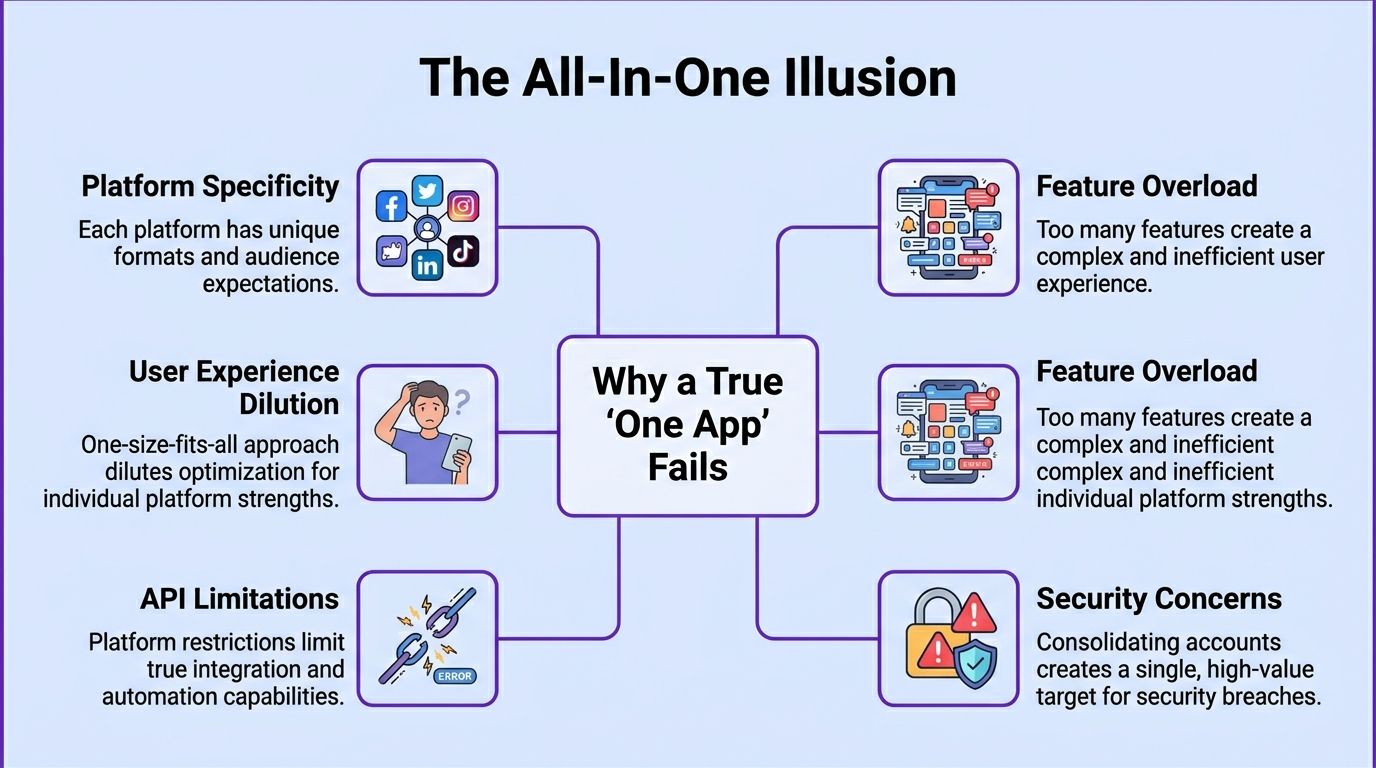
Schedulers flatten content into a unit called “a post.” Platforms do not.
Instagram rewards visual packaging and pacing. LinkedIn gives more room for argument and professional context. TikTok depends on fast hooks, editing rhythm, and native creative cues. YouTube Shorts can overlap with TikTok, but audience expectations still differ. X often works better with a sharper point and less setup.
This leads to teams getting misled. The software makes distribution look unified, so the content starts getting produced as if the channels are interchangeable.
They are not.
The cost is not just weaker engagement. It is creative drift. Messaging gets trimmed until it is generic enough to fit every platform and specific enough for none of them. Carlos Alba Media's PR social media insights make a similar point from a brand communications angle. Platform fit shapes how messages are received, not just where they appear.
Consolidating accounts in one tool also changes your security exposure. The issue is not that social management platforms are unsafe in themselves. The issue is concentration.
If one dashboard holds publishing access across several channels, one compromised login, permission error, or disconnected integration can create a wider operational problem than a single native account issue would. Security teams already treat centralized identity and app access as a control point for a reason. Microsoft’s guidance on OAuth app attack patterns explains how connected apps can become a meaningful risk if permissions are granted too broadly or monitored poorly.
For smaller teams, the trade-off is real. Convenience improves. So does the need for permission hygiene, admin controls, and regular access reviews.
A true one-app model fails because social media is not one job. It is account management, creative adaptation, publishing, analytics, and governance bundled together under one label.
That is why the better category is not a universal scheduler. It is a content factory.
Tools built around AI repurposing features for shorts, clips, and blogs address the harder problem first. They turn a source asset into multiple platform-native outputs, then let your publishing layer handle timing and distribution. That matches how strong social teams operate. One source. Many assets. Each shaped for the channel where it has to perform.
If you stop hunting for one dashboard and start building one system, the buying criteria get clearer. You don’t need a tool that claims to do everything. You need a stack that handles the parts humans waste the most time on and preserves what platforms reward.
This is the new center of gravity.
If you create long-form video, podcasts, interviews, webinars, sermons, training calls, or local business explainers, the value comes from extracting many usable assets from one recording. Good repurposing doesn’t just trim clips. It identifies strong moments, formats them for vertical viewing, drafts captions, turns spoken ideas into written posts, and gives you assets that don’t feel copied and pasted.
For teams comparing options, these repurposing features for shorts, clips, and blogs show what this category now includes when it’s built around production rather than simple scheduling.
Scheduling still matters. It just shouldn’t be the headline feature anymore.
All-in-one platforms such as Sprout Social support 9 major networks and combine publishing, listening, and analytics. In that environment, top-performing brands see 35% higher engagement rates by analyzing brand-wide metrics, and AI-driven insights show that video content drives 2.5x more interactions across platforms, according to Socialinsider’s overview of social media analytics tools.
What good scheduling looks like now:
Centralized reporting is helpful when it answers useful questions. It’s less helpful when it dumps platform metrics into one screen without interpretation.
The key is whether the system helps you compare content themes, formats, and distribution choices. A mature setup connects creative decisions to outcomes. PR teams often think this way because they care about message fit, not just output volume. That’s why Carlos Alba Media's PR social media insights are useful here. They emphasize alignment between message, audience, and channel, which is exactly what generic scheduling-first workflows often miss.
Many “all-in-one” tools still feel dated in this regard.
You need a system that can produce more than one asset type from the same source material. A serious workflow should support combinations like:
If your tool outputs one video and six identical captions, that isn’t a social media system. It’s a distribution shortcut.
The teams getting the most out of social in 2026 aren’t simplifying the platforms. They’re simplifying the production process behind them.
The easiest way to see the limits of traditional social tools is to compare two common workflows.
Creator A records a useful long-form video, uploads the YouTube link into a scheduler, writes one generic caption, and pushes it to Facebook, LinkedIn, and X. The workflow is fast. The output is tidy. It also asks every platform to do the same job.
Creator B starts from the same source video but breaks it apart. One key moment becomes a vertical clip for Instagram. A sharp takeaway becomes a short text post for X. A more thoughtful insight becomes a professional summary for LinkedIn. The original video still matters, but it isn’t the only asset doing the work.
Traditional platforms earn their keep on admin. Hootsuite’s unified dashboard helps marketers consolidate analytics and can reduce reporting time by up to 80%, yet 78% of marketers still report challenges in cross-platform analysis due to siloed data, according to Hootsuite’s analytics platform page.
That tells you something important. Visibility into multiple channels is not the same as strategic clarity.
A second issue sits underneath the reporting layer. Non-native content formats tend to drag performance. The same verified data notes that Instagram engagement rates often average 1% to 3% for those formats, while native assets can perform better.
Here’s what that tradeoff looks like in practice:
The hidden cost of convenience is often creative sameness.
That’s why businesses comparing tools should read beyond feature lists. A platform can be strong at scheduling and still weak at helping you create assets people want to watch or read. If you’re weighing dashboards specifically, this breakdown of alternatives to Hootsuite is useful because it frames the choice around workflow fit, not just account management.
Many teams don’t fail because they lack a calendar. They fail because adaptation work happens too late, or not at all.
The traditional app says, “What do you want to post?”
The better system asks, “What can this source content become?”
That difference is small on the surface and huge in practice.
Take a solo consultant with a weekly podcast, a real estate agent with a market update, or a pastor publishing a sermon archive. They don’t need another place to paste the same link. They need a workflow that turns one long recording into a usable batch of platform-native assets.
That’s where the category has shifted.
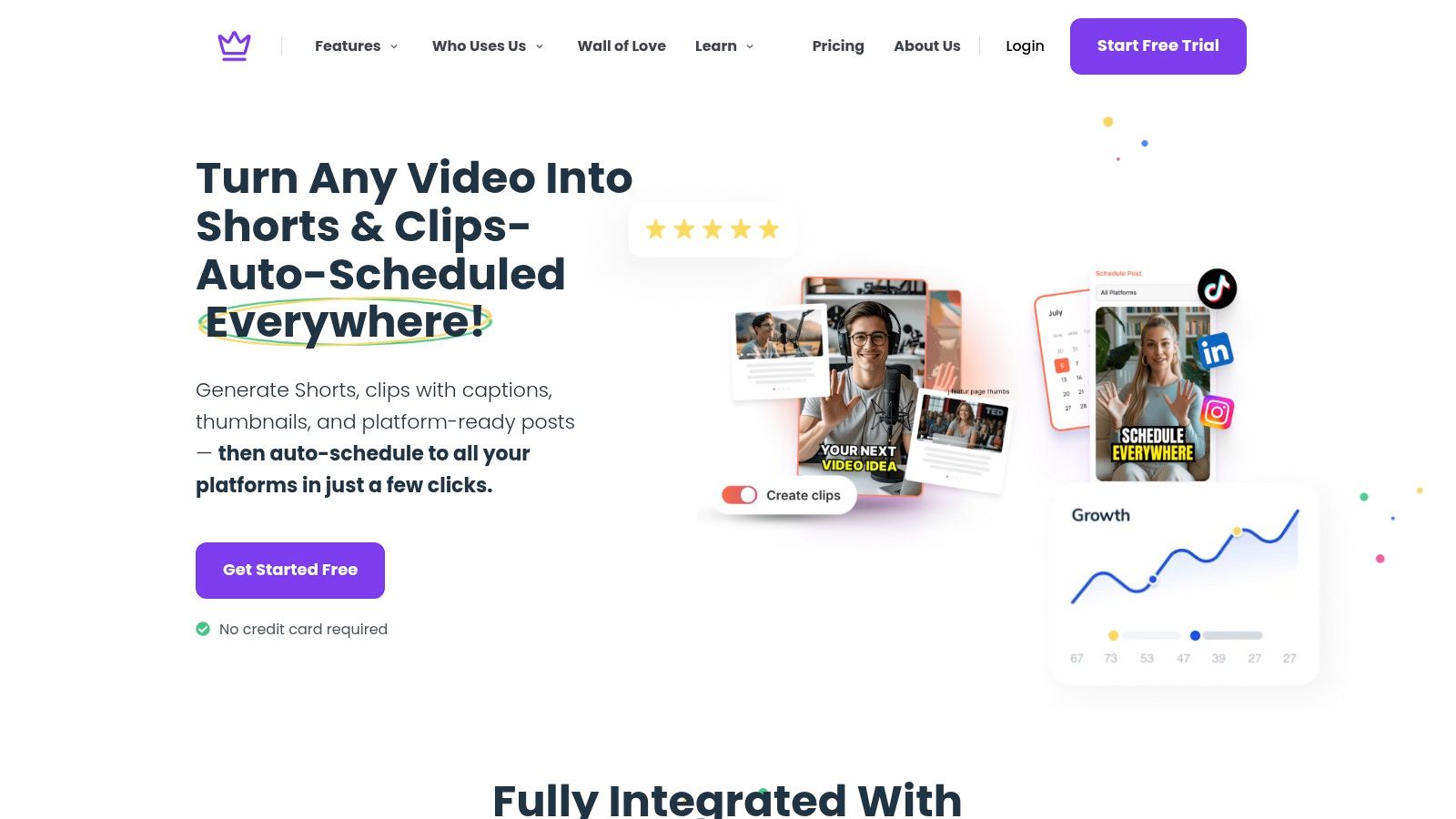
Say the source is a single podcast episode uploaded as video. The old workflow requires someone to watch it back, mark timestamps, cut clips, resize for vertical, write titles, draft captions, pull quotes, and then build a posting calendar.
That’s a lot of hand work for one episode.
A repurposing-first platform changes the order of operations. Instead of asking a human to manually extract everything, it analyzes the recording and produces a package of assets around it. Taja AI is one example of that model. Its workflow is built around eliminating manual editing and optimization by generating an average of 27 short-form assets and text outputs from one long-form video, with users reporting savings of up to 2.3 hours per optimized video and over 2.6 million hours saved across the user base.
A practical output set usually looks something like this:
The key isn’t just quantity. It’s whether the outputs are usable without forcing a creator back into a heavy editing loop.
This workflow addresses the actual choke point. Most small teams can figure out how to click “publish.” They can’t always find time to transform one source idea into enough native variations to stay visible across multiple channels.
That’s why the content factory model is more realistic than the one-dashboard fantasy. It starts at production, where the bottleneck lives.
For a closer look at how this kind of setup changes day-to-day execution, this guide on automating content creation workflows is a useful reference point.
A quick product walk-through helps make that concrete:
Once the asset package exists, scheduling becomes much simpler.
Week one can pull from the strongest clips. Week two can lean on text adaptations, follow-up angles, and shorter snippets tied back to the original video. Instead of one upload trying to perform on every platform, each network gets a version shaped for its own feed behavior.
That doesn’t remove editorial judgment. You still choose which clips fit your brand, which titles sound right, and where each piece belongs. But it cuts the labor between “recorded something useful” and “have enough content to publish consistently.”
The real one app for all social media is the one that manufactures native assets from a single source, then helps you deploy them.
That’s a much stronger promise than “we let you post the same thing everywhere.”
Buying a social media tool gets easier once you stop asking for one app that does everything. The better question is simpler. Which system helps your team turn one good idea into enough platform-ready assets to publish consistently?
That changes the evaluation process. A scheduler should be judged like a scheduler. A content factory should be judged on how much production work it removes before anything hits the calendar.
Use this shortlist during demos and trials:
A lot of teams miss the last point because the interface looks polished. That is a mistake. If a vendor cannot clearly explain how accounts are connected and who can access them, keep looking.
Convenience without clear operational controls is a bad trade for any business account.
| Evaluation Area | Key Question to Ask | What “Good” Looks Like |
|---|---|---|
| Repurposing Efficiency | Does it create multiple usable assets from one source piece of content? | It turns long-form material into clips, captions, written posts, and supporting assets without heavy manual cleanup. |
| Platform Nativity | Does it help content feel native to each platform? | It supports different formats, tones, and packaging for Instagram, TikTok, LinkedIn, YouTube, Facebook, and X. |
| Scheduling Logic | Does it organize distribution by channel, not just by date? | It gives channel-specific scheduling and a clear content calendar instead of one undifferentiated queue. |
| Analytics Depth | Does it help you interpret performance across formats and themes? | It connects outcomes to creative choices, not just surface metrics. |
| Security and Privacy | How are accounts, permissions, and stored data handled? | The vendor clearly documents compliance, access controls, and security practices. |
| Editorial Control | Can you review and adjust outputs before publishing? | You can edit clips, captions, and timing without rebuilding everything from scratch. |
| Team Fit | Will it match how your business actually creates content? | The workflow suits a solo creator, SMB team, or agency without adding unnecessary complexity. |
Choose the system that improves the asset, not just the distribution step.
Traditional management platforms still make sense for approvals, inbox coverage, and reporting. I would use them for that. But teams usually start searching for a "one app for all social media" because production is the bottleneck. They do not need another dashboard. They need a faster way to turn a recording, webinar, interview, or podcast into channel-specific content that is ready to review and publish.
That is why the stronger bet is usually a repurposing-first system. Taja AI fits that model. It is built to turn one long-form video into clips, captions, blogs, and scheduled posts without making every publish cycle a manual editing project.


We are blessed to work with leading brands & Companies


We try to make easy and simple for every professionals. Get 30 days free trial - No credit card required.


© 2025 Taja AI. All rights reserved.