.jpeg)

Convert Video to Blog Post for More Traffic
Learn to convert video to blog post with transcription, SEO structuring, editing and republishing tips that turn recordings into traffic.
5 min read
October 16, 2026

Explore 10 good YouTube video ideas for creators, businesses, podcasters, and local pros, with hooks, formats, and repurposing strategies.
Written by:


The best video idea often isn't a brand-new concept. It's a repeatable system built from questions your audience already asks, expertise you already have, recordings you've already made, and older videos you can update. That matters because YouTube is now large enough for highly specific topics to find meaningful audiences. Industry datasets cited by Hootsuite's YouTube statistics overview place the platform at roughly 2.58 to 2.75 billion monthly users, with about 122 million people using it daily and more than 1 billion hours watched every day.
That scale creates opportunity, but it also creates a common trap. Creators stare at a blank upload screen and search for “viral ideas” instead of building formats they can sustain. A good YouTube video idea should earn a click, answer a clear need, fit your production resources, and create follow-up assets for Shorts, clips, captions, blog posts, and social updates.
This list organizes 10 proven YouTube formats by audience objective, including search growth, trust, engagement, reach, conversion, and content efficiency. You'll find practical examples for educators, podcasters, local professionals, businesses, and solo creators, along with ways to turn one focused recording into a broader publishing engine. If you need more structured brainstorming support, compare these formats with content ideation tools for creators.
Tutorials are the strongest starting point when your audience is actively trying to solve a problem. A real estate agent can show sellers how to prepare a property listing. A business coach can teach email marketing fundamentals. A designer can demonstrate a Figma workflow, while a local contractor can explain how to diagnose a common home issue.
The key is specificity. “Email marketing tips” is broad. “How to write a welcome email for a local service business” gives the viewer a defined task and gives you a clearer title, thumbnail, script, and follow-up series.
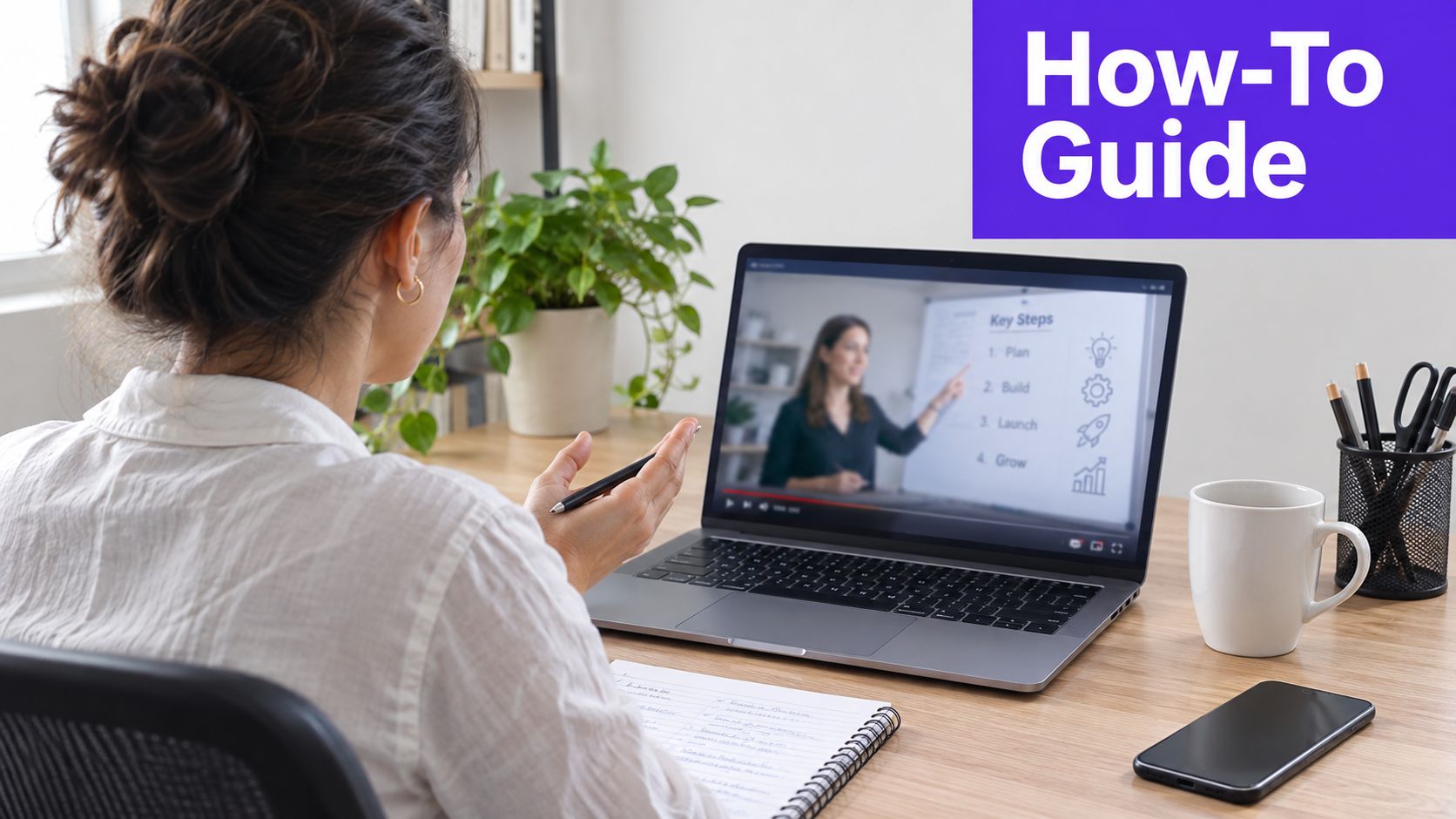
Start with questions from sales calls, support emails, consultations, comments, and search suggestions. Answer the main question early, then show the process in a logical sequence. Screen recordings from tools such as OBS or Loom work well for software tutorials, while overhead or close-up shots help with DIY, beauty, cooking, and repair content.
Use chapters and direct phrasing so viewers can find the exact step they need. A tutorial can also become a written guide with screenshots, a short checklist for social media, and several vertical clips. For creators documenting a broader process, this guide to how to start a vlog can help turn recurring work into an ongoing series.
Practical rule: Teach one meaningful outcome per video. Save related questions for sequels instead of cramming every answer into one upload.
A strong tutorial might produce a hook such as “Your listing photos are losing attention before buyers read the description,” a short clip showing the fix, and a longer video explaining the complete workflow. That combination supports search discovery while establishing authority.
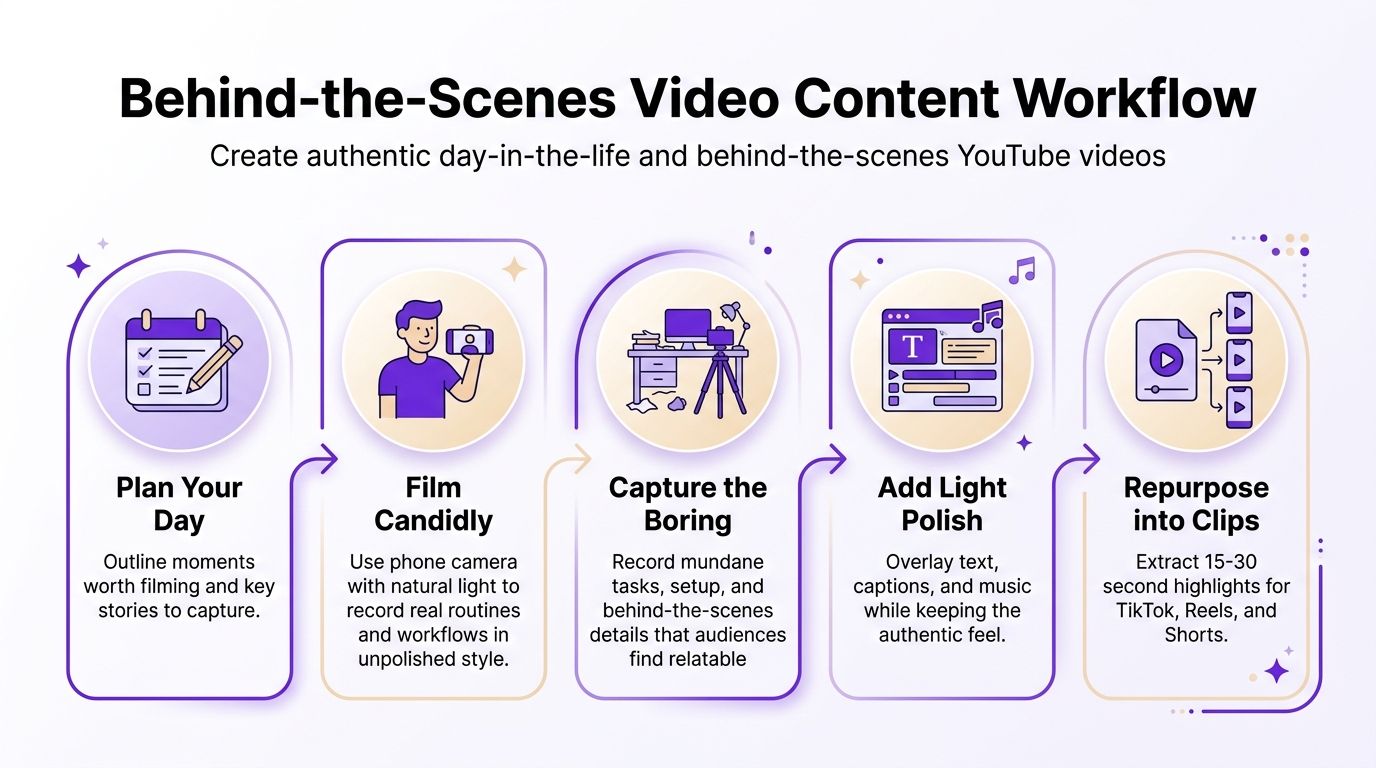
Behind-the-scenes videos build trust by showing how the finished result happens. A podcast host can film guest preparation, microphone checks, and recording decisions. A realtor can document property showings and client meetings. A local service provider can show the tools, judgment, and care involved in completing a job.
This format works because audiences rarely see the unglamorous middle. The quiet setup, the unexpected problem, the revision, and the final handoff often make a business or creator feel more credible than a polished sales pitch.
A phone camera and dependable lighting are usually enough. Capture transitions between tasks, but don't turn every moment into a staged monologue. A solopreneur might record the morning planning session, a difficult customer decision, the production block, and the final review. A faith leader might show preparation for a sermon or community event while protecting private moments and personal boundaries.
Use captions and text overlays to make routine footage understandable without sound. Music can shape the mood, but it shouldn't overpower natural dialogue or make ordinary work feel artificially dramatic.
The trade-off is that this format needs judgment. Transparency builds connection, but confidential client information, private conversations, and sensitive business details should stay off camera. Decide what viewers can learn from the process before you press record.
A useful publishing pattern is to film several work sessions, then assemble them around one theme. “What it takes to prepare a listing” is more useful than an unstructured sequence of errands. The same footage can become a short “before the client arrives” clip, a workflow post for LinkedIn, and a longer video that explains the decisions behind the work.
If you already produce podcasts, webinars, interviews, livestreams, sermons, classes, or workshops, your next good YouTube video idea may be inside the footage you've already recorded. Clip compilations turn a long conversation into focused moments built around one insight, objection, story, or practical takeaway.
Shorts now play a major discovery role. A Metricool analysis of YouTube trends reports that more than 61% of organic views in its 2026 sample came from the Shorts feed, which makes short-form packaging useful for testing hooks before investing in expanded long-form topics.
Don't cut clips only because a sentence sounds interesting. Give each clip a purpose:
Chapters and clear segment titles make the editing process easier. Search for quotable moments, strong explanations, client objections, and stories with a clean beginning and ending. A single interview can support clips for YouTube, Instagram, TikTok, Facebook, X, and LinkedIn, but each platform still needs native captions, framing, and calls to action.
Tools such as Taja's long-video-to-short generator can help identify and format promising moments. The strategic work remains yours: choose clips that reinforce your positioning, not merely the loudest exchange.
Your comments section is a working editorial desk. Repeated questions reveal confusion. Detailed replies reveal strong interest. Requests for examples point toward future tutorials, comparisons, and case studies.
Community videos should make the audience feel heard while still delivering useful information. A podcaster can answer listener theories. A social media manager can address recurring client objections. A realtor can respond to questions about buying, selling, or local property decisions. A congregation leader can answer questions submitted by members with care and appropriate context.
Set aside a recurring publishing slot for audience responses. Ask viewers to leave questions with enough detail to produce a useful answer, then pin comments that represent a broader concern. One question can become a full response, several Shorts, a community post, and a follow-up prompt.
Batch recording keeps this format efficient. Group questions by theme, record several answers in one session, and vary the presentation so the series doesn't feel repetitive. You can also review comment sentiment and recurring language to identify whether viewers need clarification, reassurance, examples, or a deeper explanation.
A response video shouldn't become a defensive argument. If a viewer challenges your advice, state the relevant context and explain where your recommendation applies. That approach protects trust and gives other viewers a reason to participate.
For creators building a regular publishing habit, the discussion around challenges for YouTube creators is relevant because community formats require consistent moderation, topic selection, and follow-through. Engagement improves when viewers can see that their contributions shape future content.
Case studies convert claims into evidence. Instead of saying your method works, show the starting situation, the decisions made, the process followed, and the result that can be verified.
A marketing agency might walk through campaign dashboards. A fitness professional might document a training process with appropriate context. A local service provider can show a project before and after, explain the work completed, and include a customer testimonial. A business coach can interview a client about the problem, implementation, and lessons learned.

A persuasive case study answers practical questions:
Use client consent and remove sensitive information before recording. Avoid presenting correlation as proof of causation, especially in health, finance, advertising, or business performance content. If a metric matters, define it clearly and explain what it doesn't prove.
Case studies also create strong clip angles. Extract the initial problem, the key decision, the process lesson, the customer reaction, and the final takeaway as separate assets. A short results teaser can lead viewers to the full video, while a captioned dashboard walkthrough can reach a professional audience on LinkedIn.
For conversion, specificity beats drama. Viewers want to know whether the situation resembles theirs, whether the method is practical, and what they would need to do next.
Audio-first videos are designed around a recognizable sound, musical cue, spoken clip, or emerging trend. A realtor can reveal a property's best feature on a beat change. An educator can pair a quick lesson with a popular sound. A service provider can time a transformation or before-and-after reveal to the audio structure.
This format can expand reach because the sound helps define the viewing context, but it has a short shelf life. A trend may be useful today and irrelevant soon after. It also attracts broad attention that may not translate into qualified viewers, customers, or subscribers.
Monitor TikTok's Sounds area and Instagram Reels discovery to spot patterns early, then adapt the format to your niche. Don't copy a trend without adding a clear idea. The audio should support the hook, not replace it.
Try several angles around the same sound:
Check usage rights and platform rules before publishing, particularly if the content promotes a business. Keep your brand voice consistent, and don't force a playful trend onto a serious subject where it could reduce trust.
A tool such as the ShortGenius TikTok ad generator can support ideation for short-form concepts, but the best creative decision still comes from knowing your audience. Use audio-first content as a reach experiment, then move interested viewers toward tutorials, stories, or product-focused videos that have longer-term value.
A good interview doesn't just place two people in front of cameras. It gives viewers access to a perspective, experience, or decision they couldn't easily reach alone.
A real estate podcast can invite a mortgage broker, investor, architect, or interior designer. A business channel can interview a founder about an operational challenge. A faith-based organization can host a thoughtful conversation with a guest speaker. A marketing team can turn a client success story into a structured interview rather than a written testimonial.
Prepare core questions, but leave space for the guest to explain their reasoning and share an unexpected example. Ask for definitions, mistakes, trade-offs, first steps, and advice for a specific viewer type. Avoid questions that invite polished biography when the audience needs practical insight.
Remote recording platforms such as Riverside.fm and StreamYard can simplify interviews, but sound quality still matters. Test microphones, camera framing, internet stability, and backup recording procedures before the conversation begins.
Build the recording around several natural clip points:
Collaboration expands distribution only when both parties have a reason to share the finished work. Send the guest prepared clips, captions, thumbnails, and a clear link to the full interview. Create a guest database with topics, audience overlap, and potential follow-up angles so one conversation can become an ongoing relationship rather than a one-time upload.
Myth-busting videos earn attention by challenging something viewers believe, but authority comes from explaining the correction carefully. The strongest topics come from repeated questions in consultations, comments, sales calls, and customer support.
A realtor might address the belief that every buyer needs the same financing approach. A business coach can examine the idea that a formal business degree is required to start a company. A marketing consultant can correct the assumption that more posting automatically produces better results. Health and fitness creators need especially careful sourcing and clear boundaries when discussing medical or nutritional claims.
Lead with the misconception and state the more accurate position early. Then explain why the myth persists, where it might contain a partial truth, and what viewers should do instead. This structure creates a strong hook without encouraging needless outrage.
Use qualified sources, primary documentation, or expert testimony for claims that could affect health, finances, safety, or legal decisions. Distinguish established facts from your own interpretation. A confident tone can't compensate for weak evidence.
Turn one broad topic into a series:
Each myth can become a separate Short with one claim and one correction. The long-form version should add context, examples, and limitations. That balance helps the content travel without reducing a complex issue to a misleading sound bite.
Stories make abstract advice memorable because they attach a lesson to a decision, conflict, and consequence. A solopreneur can explain the transition from employment to independent work. A podcast host can describe the mistake that changed the show's direction. A local professional can share how a difficult client problem led to a better process.
Start with a specific moment rather than a broad life summary. “The proposal was due that afternoon and the original plan had failed” creates immediate tension. From there, explain the context, the obstacle, the action you took, the result, and the lesson viewers can apply.
A personal narrative becomes more useful when it includes decisions and uncertainty. Explain what you considered, what you rejected, and what you learned from the outcome. Don't present a polished success story that hides every constraint. Viewers connect with progress, but they need enough detail to understand what made the change possible.
A simple narrative structure works well:
Stories can be serialized by theme, stage, or turning point. A creator might document the launch of a service, a podcaster might revisit early audience-building decisions, and a local business owner might share lessons from expanding the team.
Extract emotional moments as Shorts, but don't remove all context. A dramatic sentence may attract a click, while the full story earns trust. The best short clip points toward a longer narrative that helps viewers see themselves in the problem.
Comparison videos help viewers make decisions. They work particularly well for software, equipment, services, platforms, strategies, and products where the audience has already identified a need but hasn't chosen an option.
A creator might compare email marketing tools for beginners, a business channel might rank project management platforms for small teams, and a local professional might explain different pricing models. A real estate channel could compare property search platforms with the experience of working with a local agent, provided the criteria are fair and the limitations are clear.

Test products or services thoroughly before reviewing them. Establish consistent criteria such as ease of use, workflow fit, support, flexibility, learning curve, or suitability for a defined audience. Avoid declaring one option “best” without explaining who it's best for.
Useful angles include:
Disclose affiliate relationships clearly and separate sponsored content from independent reviews. Show the products in use, not just logos and specification slides. A feature-by-feature clip can stand alone, while the full video provides the context needed for a confident decision.
Long-form YouTube remains attractive for direct monetization, but economics vary widely by niche. Independent creator benchmarks from CreatiCalc's creator economy data place RPM at approximately $1.65 to $25 per 1,000 views, so high-intent categories such as finance, business, and education may offer different revenue conditions from broad entertainment. That difference should inform topic selection, but it shouldn't replace audience fit and editorial credibility.
| Content Type | Implementation Complexity 🔄 | Resource Requirements ⚡ | Expected Outcomes ⭐ / 📊 | Ideal Use Cases 💡 | Key Advantages ⭐ / 📊 |
|---|---|---|---|---|---|
| Educational Tutorial & How-To Series | 🔄 Medium–High: structured planning & expertise needed | ⚡ Medium: good production & subject-matter time | ⭐⭐⭐⭐ 📊 Evergreen traffic, high discoverability, strong lead gen | 💡 Educators, coaches, real estate, service providers | ⭐ Builds authority; evergreen; easy to repurpose |
| Authentic Day-in-the-Life & Behind-the-Scenes | 🔄 Low: candid filming, minimal scripting | ⚡ Low: phone camera + consistent filming habits | ⭐⭐⭐ 📊 High engagement, stronger audience loyalty | 💡 Solopreneurs, small businesses, real estate, faith orgs | ⭐ High authenticity; low friction; many short clips |
| Short-Form Clip Compilations from Long-Form Content | 🔄 Medium: curation and segmentation setup | ⚡ Low–Medium: leverages existing assets; needs source quality | ⭐⭐⭐⭐⭐ 📊 Maximizes ROI; scalable distribution; drives traffic to long-form | 💡 Podcasters, course creators, marketing teams | ⭐ Highest efficiency; bulk asset generation |
| Community & Audience Engagement Content | 🔄 Medium: ongoing moderation and response cadence | ⚡ Low–Medium: time investment for interaction; low production | ⭐⭐⭐⭐ 📊 Strong engagement metrics; builds loyal community | 💡 Solopreneurs, creators, faith orgs, local services | ⭐ Boosts comments/retention; sources content ideas |
| Data-Driven Case Studies & Results Demonstrations | 🔄 High: data collection, permissions, planned production | ⚡ Medium–High: requires data access, editing, interviews | ⭐⭐⭐⭐⭐ 📊 High conversion; trust-building; justifies pricing | 💡 Coaches, agencies, real estate, consultants | ⭐ Proves ROI; differentiates brand; highly shareable |
| Trending Audio & Audio-First Content | 🔄 Low: rapid concept-to-post workflow | ⚡ Low: minimal gear; trend monitoring required | ⭐⭐⭐ 📊 High viral potential; short-lived impact | 💡 Creators seeking reach; social teams | ⭐ Algorithm-friendly; fast to produce; high discoverability |
| Expert Interviews & Guest Collaboration Content | 🔄 Medium: scheduling and multi-person tech setup | ⚡ Medium: outreach, recording tools, coordination | ⭐⭐⭐⭐ 📊 Cross-audience growth, credibility, abundant clips | 💡 Podcasters, business creators, industry leaders | ⭐ Cross-promotion; built-in authority; clip-rich |
| Myth-Busting & Misconception Correction Content | 🔄 Medium: research and evidence-based scripting | ⚡ Low–Medium: time for sourcing data and visuals | ⭐⭐⭐⭐ 📊 High engagement & search traffic; controversy risk | 💡 Educators, coaches, real estate, faith leaders | ⭐ Drives discussion; establishes expertise; SEO-friendly |
| Storytelling & Personal Narrative Content | 🔄 Medium: strong narrative craft required | ⚡ Low–Medium: variable production; time for reflection | ⭐⭐⭐⭐⭐ 📊 Deep emotional connection; memorable and shareable | 💡 Personal brands, solopreneurs, faith leaders | ⭐ Builds trust through vulnerability; high retention |
| Comparison, Ranking & Product Review Content | 🔄 Medium: systematic testing and clear criteria | ⚡ Medium: product access, testing time, disclosure management | ⭐⭐⭐⭐ 📊 High purchase intent traffic; affiliate potential | 💡 SaaS, tools, consumer buyers, real estate pros | ⭐ Helps buying decisions; monetizable; repeatable |
The right format depends on the job your next video needs to perform. Choose a tutorial when search growth and authority matter most. Choose behind-the-scenes footage or a personal story when viewers need to understand the person or business behind the offer. Choose interviews when you want shared reach and a natural supply of viewpoints. Choose community responses when you need deeper engagement and better signals about what your audience wants next.
Use case studies and comparisons when viewers are close to making a decision. Choose clip compilations when you already have valuable long-form material and need a more efficient distribution system. Trending audio can support reach, but it should serve a clear idea rather than become the entire strategy. Myth-busting can attract attention, while careful evidence and context determine whether that attention becomes trust.
The most useful planning question is not “What should I upload?” Ask, “What audience objective can this recording serve?” A real estate agent might choose a tutorial on preparing a property listing, record the process with a client-safe screen demonstration, then extract a Short about the most common mistake. A podcaster might record one expert interview, publish the complete conversation, cut several insight clips, write a summary, and create posts around the guest's strongest recommendations.
Start with one format and one defined viewer. Write a title that names the problem or decision, then outline the first thirty seconds around a clear hook. Record a focused source video instead of trying to cover every adjacent topic. During editing, mark the strongest explanations, stories, objections, demonstrations, and conclusions.
Those moments can become:
Taja AI is one option for organizing this workflow. Its Next Video Idea tool can surface niche-specific ideas using keyword and performance signals, while its repurposing features can help turn long-form recordings into Shorts, captions, thumbnails, blog content, and platform-specific posts. The platform also includes editing tools, brand templates, scheduling, and Backlog Boost for revisiting previously published videos. Learn more at Taja AI.
The important shift is from isolated uploads to connected assets. One good YouTube video idea should create a clear viewer outcome, a strong source recording, several distribution opportunities, and a reason to continue the conversation. Once that system works, you won't need to invent a completely new concept for every platform. You'll need to choose a useful problem, package it clearly, and keep building from what your audience tells you.
Taja AI helps creators and small businesses turn long-form videos into Shorts, clips, captions, thumbnails, blogs, and platform-specific posts while supporting idea discovery and scheduling. Visit Taja AI to turn your next good YouTube video idea into a complete publishing workflow.


We are blessed to work with leading brands & Companies


We try to make easy and simple for every professionals. Get 30 days free trial - No credit card required.


© 2025 Taja AI. All rights reserved.