.jpeg)
10 Repurpose Examples to Multiply Content Reach
Explore 10 repurpose examples for turning long-form content into clips, posts, blogs, emails, and lead magnets across creator and business niches.
5 min read
September 17, 2026

Turn full-length sermons into high-performing sermon video clips for social media. Learn selection, editing, captions, and platform tips.
Written by:


The median sermon in Pew Research Center's nationwide analysis runs 37 minutes Pew's digital pulpit data, which is exactly why sermon video clips work. A single message is long enough to yield several social-ready moments, while the clip itself becomes the distribution asset that keeps the sermon alive after Sunday. Churches that still treat clipping as a weekly afterthought usually end up posting footage that looks fine in the sanctuary but dies on the feed.
A recent sermon clip analysis found that average views climbed 76%, from about 390 average views in 2024 to 687 in 2025, and the clips also drew stronger comments, hearts, and thumbs up. YouTube sermon clip analysis In channel analytics that were aggregated from that style of posting, the same pattern shows up clearly, clips that are framed well keep people watching longer and get shared more often. That matters because the lift is not only passive viewing, it is engagement. In practice, churches that handle framing, titles, and distribution well are getting more reach from the same message.
Most churches are still leaving that upside on the table. The same analysis says many churches post weekly sermon clips and only get 40 to 50 views, with about 30 of those coming from their own congregation. That gap does not come from a lack of truth in the sermon, it comes from weak packaging, weak hooks, and weak platform fit.
The source asset is usually much longer than the social asset. Pew's 37-minute median sermon length shows why clipping is efficient, because one recording can generate multiple highlights, teaching moments, and quote-driven snippets Pew's digital pulpit data. That is the core business logic behind repurposing, one sermon can serve several platforms without asking the preacher to record anything extra.
For churches using a repurposing workflow, the question is not whether to post clips, it is whether to build a repeatable system. If you want a broader church-specific workflow context, the Taja AI congregations use case shows how long-form church video can become shorts and clips without starting from zero every week. The same operational logic shows up in broader live-streaming workflows too, and the Event 360 live streaming guide is useful if your team is trying to connect the live service pipeline to the social clip pipeline.
Practical rule: do not measure success by whether you posted a clip. Measure whether the clip gave viewers a clean reason to keep watching, then share, then come back.
A 37-minute sermon gives you options, but not every strong line belongs in a clip. The fastest selection process starts with the transcript, not the timeline. Read for complete thoughts, then tag moments that carry an emotional peak, a practical instruction, a humorous turn, or a vulnerable confession, because those are the moments that survive outside the full message.
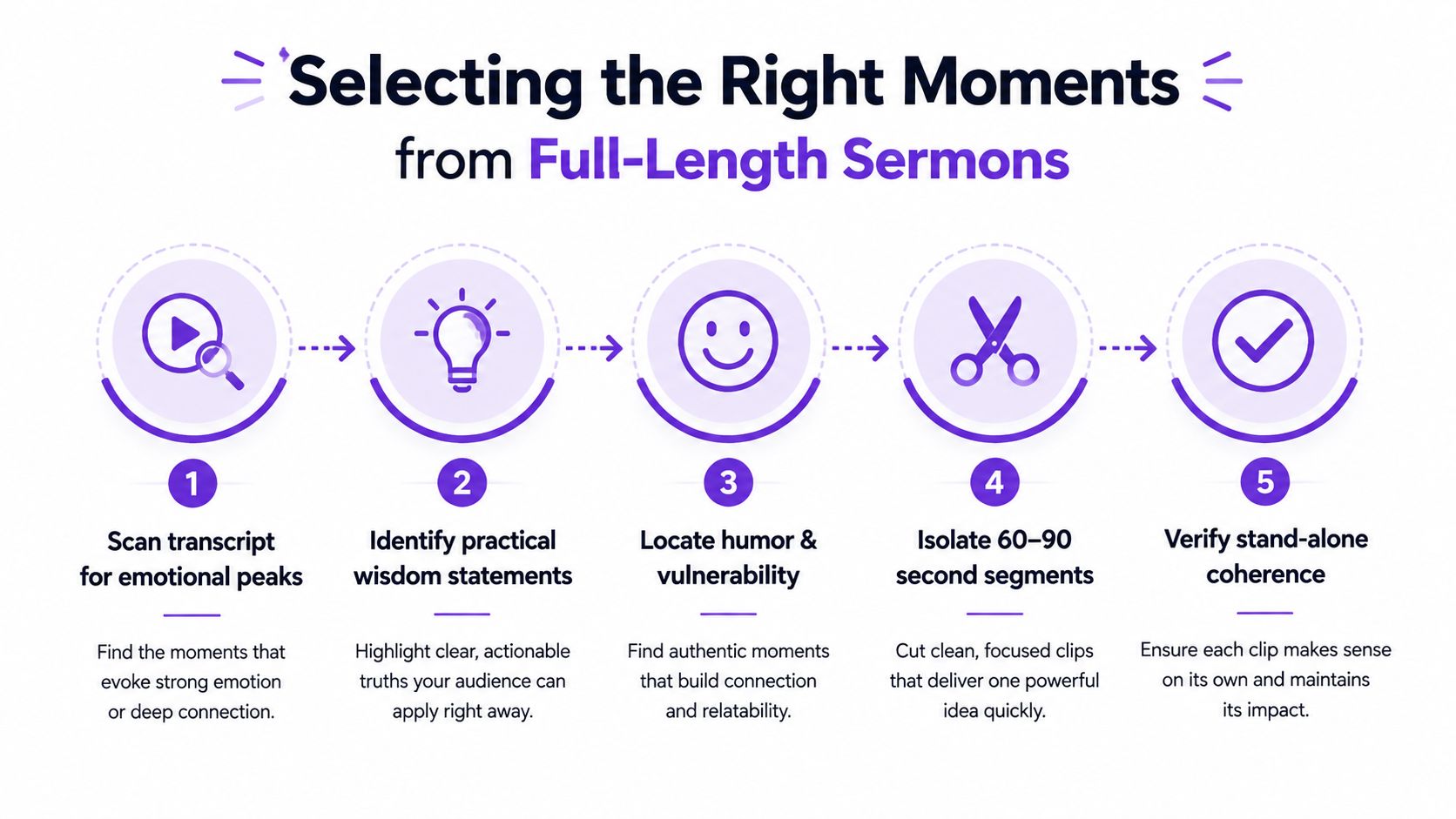
Start by marking candidate segments in the transcript. I usually look for a sentence that introduces tension, the sentence that resolves it, and the short bridge that makes the thought stand alone. If a clip only works because the full sermon already built the case, it's not a clip yet, it's a fragment.
Cutting for story beats cutting for length every time. A tighter edit isn't better if it removes the qualifying sentence, the scripture reference, or the actual claim being made. That's why a 60-second excerpt can outperform a 20-second fragment that feels punchy but lands like a slogan.
A practical workflow is to pull 4 to 6 candidate moments from one sermon, then score them for clarity, emotional pull, and theological completeness. That keeps the editor from becoming a fishing expedition where you scrub the same sermon three times looking for something usable. The best clips are usually the ones that still make sense if someone sees them with no context from the rest of the service.
Keep the hook, cut the dead air, and never delete the sentence that tells the viewer what the preacher is actually arguing.
If a moment depends on a Bible passage, mark the passage in the transcript before you edit. If the line depends on a story, keep the setup sentence that makes the story intelligible. That's the difference between a short highlight and a misleading excerpt.
The technical target for sermon video clips is straightforward. Reframe to 9:16, export at 1080×1920, encode in H.264/MP4, and keep the master bitrate in the upload-safe range of roughly 10 to 20 Mbps for 1080p mastering, as the church-facing clip guides recommend sermon clip workflow guide. That export baseline gives you a clean master you can compress per platform instead of rebuilding the edit each time.
The safest camera composition is chest-up, with the speaker placed at eye level. If the stage shot is too wide, aggressive vertical cropping will make the clip feel cramped or can cut off hand gestures and facial expression, which are both doing real work in sermon delivery. A lapel mic plus room audio backup is the practical combination, because if the room audio is thin, the clip can feel amateur even when the video looks fine.
The same guide also points to a workflow that starts with the full service recording, moves to transcription, narrows to candidate moments, then crops and exports the master file sermon clip workflow guide. That sequence matters because audio cleanup and framing fixes are much harder after you've already chosen a bad segment. It's faster to select correctly than to rescue a weak source.
For a more detailed editing comparison, the Taja AI social video editing guide is useful as a process reference. If you're formatting for Instagram specifically, LesFM's Instagram formatting guide is a helpful cross-check on vertical presentation and platform-safe layout.
Most clip advice stops at captions and hooks. That's the wrong place to stop for churches, because a sermon clip can be technically polished and still be theologically misleading if it removes the sentence that qualifies the claim. The standard is not just whether the clip gets watched, it's whether it still tells the truth of the message when someone sees it on its own.
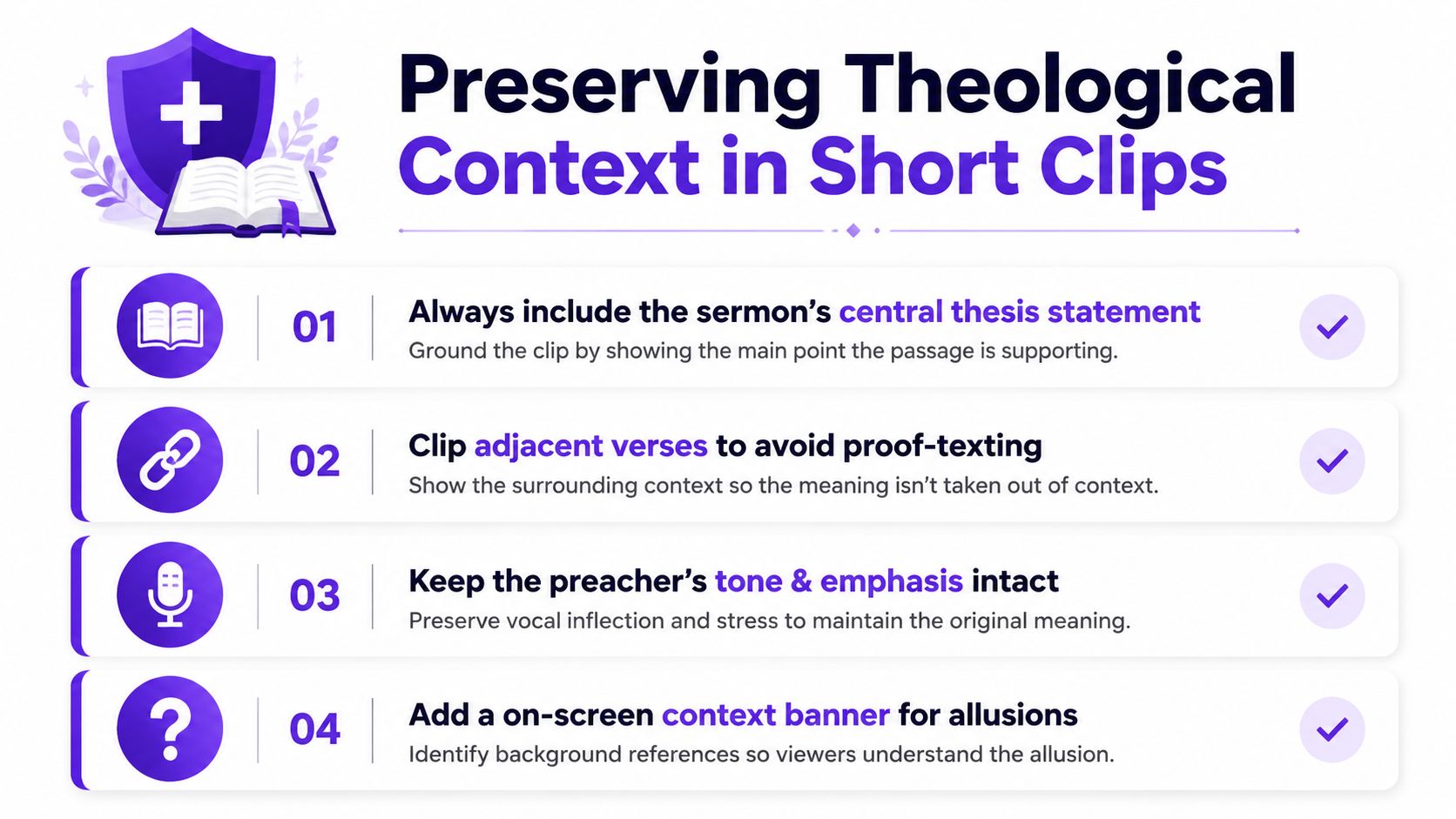
A safe clip includes the preacher's central thesis, not just a sharp line. If the sentence depends on adjacent verses, leave enough of the surrounding text to prevent proof-texting. If the preacher is building toward a pastoral application, don't clip the application apart from the reasoning that leads there.
That's also where on-screen scripture references earn their place. When the clip draws from a specific passage, placing the reference on the video gives viewers a way to check the source quickly, and it lowers the chance that the clip floats free from the Bible text it came from. If the sermon leans on an allusion rather than a direct quotation, a brief context banner can keep the viewer from misunderstanding the scope of the point.
Theological context isn't only about words on a page. A preacher's emphasis, pause, and tone all signal what's central and what's illustrative, so a clip should preserve those cues instead of flattening them into a soundbite. I've seen too many edits cut away the sentence that softens a hard claim, then circulate a version that sounds far more absolute than the original sermon.
If the clip would trigger a correction email from the preacher, it probably needs another sentence of context.
That rule sounds simple, but it catches a lot of bad edits fast. It also keeps the clip usable when it travels beyond the church's own feed and lands in someone else's timeline, where the full message won't be available to rescue the meaning.
Different platforms reward the same sermon moment in different ways, but the technical ceilings still shape the edit. One guide lists Instagram Reels and Facebook Reels at 90 seconds and 4 GB, TikTok at up to 10 minutes with smaller mobile upload limits, and YouTube Shorts at up to 3 minutes platform clip specs guide. That is why one clip should start as a master version, then get compressed, trimmed, or caption-adjusted for each destination instead of rebuilt from scratch every time.
| Platform | Max Duration | File Size Limit | Optimal Length |
|---|---|---|---|
| Instagram Reels | 90 seconds | 4 GB | 15 to 60 seconds |
| Facebook Reels | 90 seconds | 4 GB | 15 to 60 seconds |
| TikTok | Up to 10 minutes | Smaller mobile upload limits | 15 to 60 seconds |
| YouTube Shorts | Up to 3 minutes | Platform-specific upload limits | 30 to 90 seconds |
The same source points to 15 to 60 seconds or 30 to 90 seconds as the practical sweet spot, depending on platform and context. If the thought can land in a shorter window without losing context, shorter usually gives you a better chance at completion. A clip that runs long enough to feel complete can still underperform if the setup takes too long to get to the point.
Post the same sermon moment where the audience behavior matches the clip's shape. A punchy one-liner with immediate payoff belongs on Reels and TikTok. A slightly fuller teaching moment can hold its own on Shorts if the opening is strong and the premise is clear by the first few seconds.
Practical rule: keep one master edit, then make platform-specific compressions. Re-editing the same sermon five times burns volunteer energy for almost no creative gain.
Keep the batch focused on the pieces that change by platform, like opening pace, caption density, and how much surrounding context the viewer needs before the point lands. The clip can stay the same sermon moment while the delivery shifts to fit the feed. That keeps your archive cleaner too, because the pastor can revisit the master, the captions, and the context notes in one place instead of sorting through scattered exports.
The reason AI repurposing tools matter is simple, they compress the boring parts of clipping. Taja AI's clip maker uploads a video or accepts a link, detects high-retention moments, and turns long-form video into ready-to-share short clips, which is the kind of shortcut a volunteer team can sustain. It also has a congregations use case built for church-related video content, so the workflow fits the format instead of forcing the format to fit the tool.
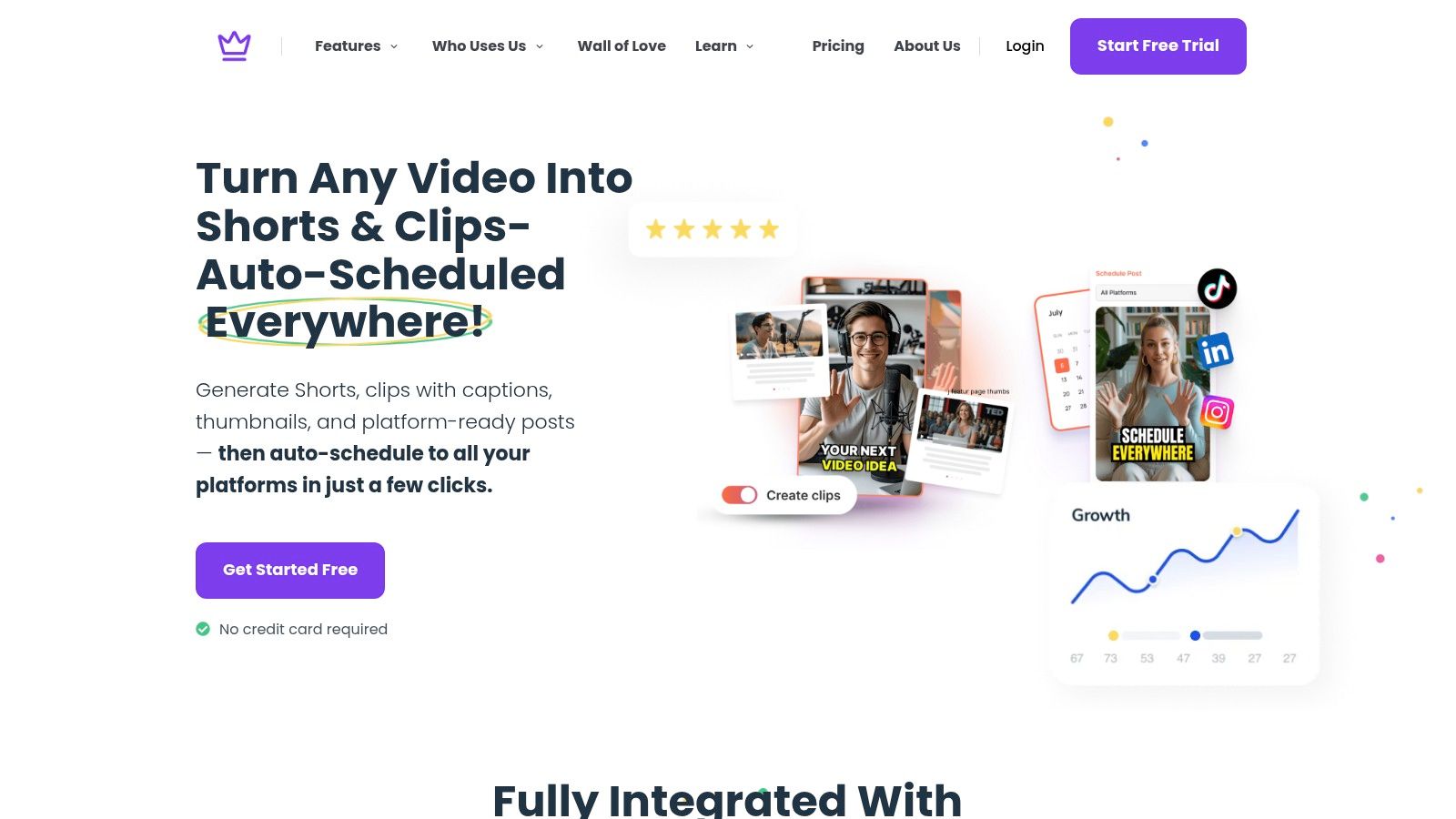
A serious repurposing stack should handle transcription, clip selection, captions, thumbnails, and publishing from one upload. On the church side, the hard part isn't just making one clip, it's turning a Sunday sermon into a steady content pipeline without making the media volunteer live in an editor all week. The more of that workflow the tool can absorb, the more likely the church is to keep posting consistently.
A guide for creators on TikTok transcripts is useful here because transcript quality drives clip quality, especially when you're finding a quote, a Scripture reference, or a clean hook from a long message. For a practical reference on that transcription layer, the guide for content creators on TikTok transcripts shows why text accuracy matters before you ever touch the visual edit. When the transcript is clean, the clip selection process gets much faster.
The smartest shortcut is to run the backlog first. Older sermons often contain weeks of usable material, and batch processing them creates a buffer so the team isn't scrambling every Saturday night for next week's post. That's especially helpful for smaller churches where the same person is juggling livestream, Sunday slides, and social media.
One practical way to use an AI tool is to feed it the sermon archive, review the suggested hooks, and schedule the strongest options in a single content calendar. Taja AI's long video to short generator fits that model well because it turns one long recording into multiple short assets without forcing a manual timeline scrub every time.
If you want to turn one Sunday sermon into a week of clean, context-safe content, start by testing Taja AI on a recent message and compare the clips against your manual workflow. The fastest way to see whether the process fits your church is to upload one sermon, review the suggested moments, and check whether the edits still preserve the original theological point.


We are blessed to work with leading brands & Companies


We try to make easy and simple for every professionals. Get 30 days free trial - No credit card required.


© 2025 Taja AI. All rights reserved.